Why html2canvas and jsPDF PDFs Lack Selectable Text and How to Fix Them
html2canvas turns HTML into pixels. Learn why jsPDF output is not selectable and how to create searchable, text-aware PDFs.
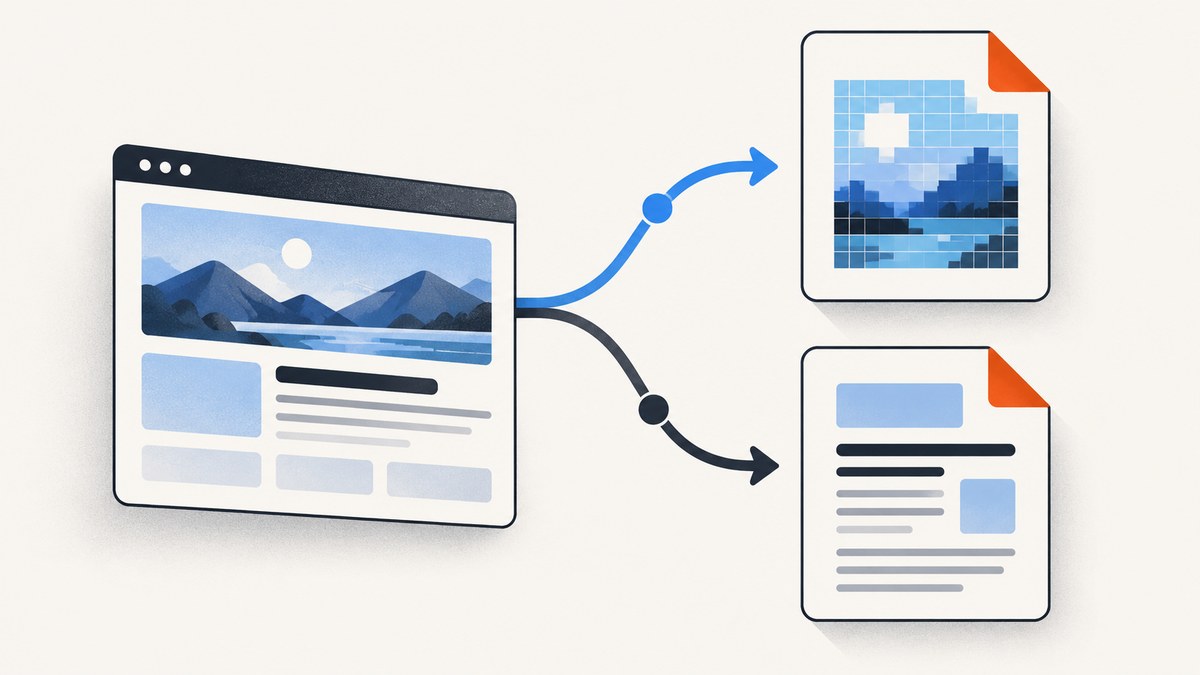
If text in a PDF made with html2canvas and jsPDF cannot be selected or searched, the usual cause is the representation you created: the page was painted into a canvas, and that canvas was inserted into the PDF as one image. The letters are pixels, not PDF text objects. Increasing scale, DPI, or image quality can make those pixels sharper, but it cannot make them selectable.
To fix the problem, choose a text-first PDF workflow, use a browser print-to-PDF path that preserves document text, or use a renderer that lays out HTML as PDF text. Keep the canvas approach when you need a visual snapshot and selection is not a requirement.
What html2canvas and jsPDF are actually doing
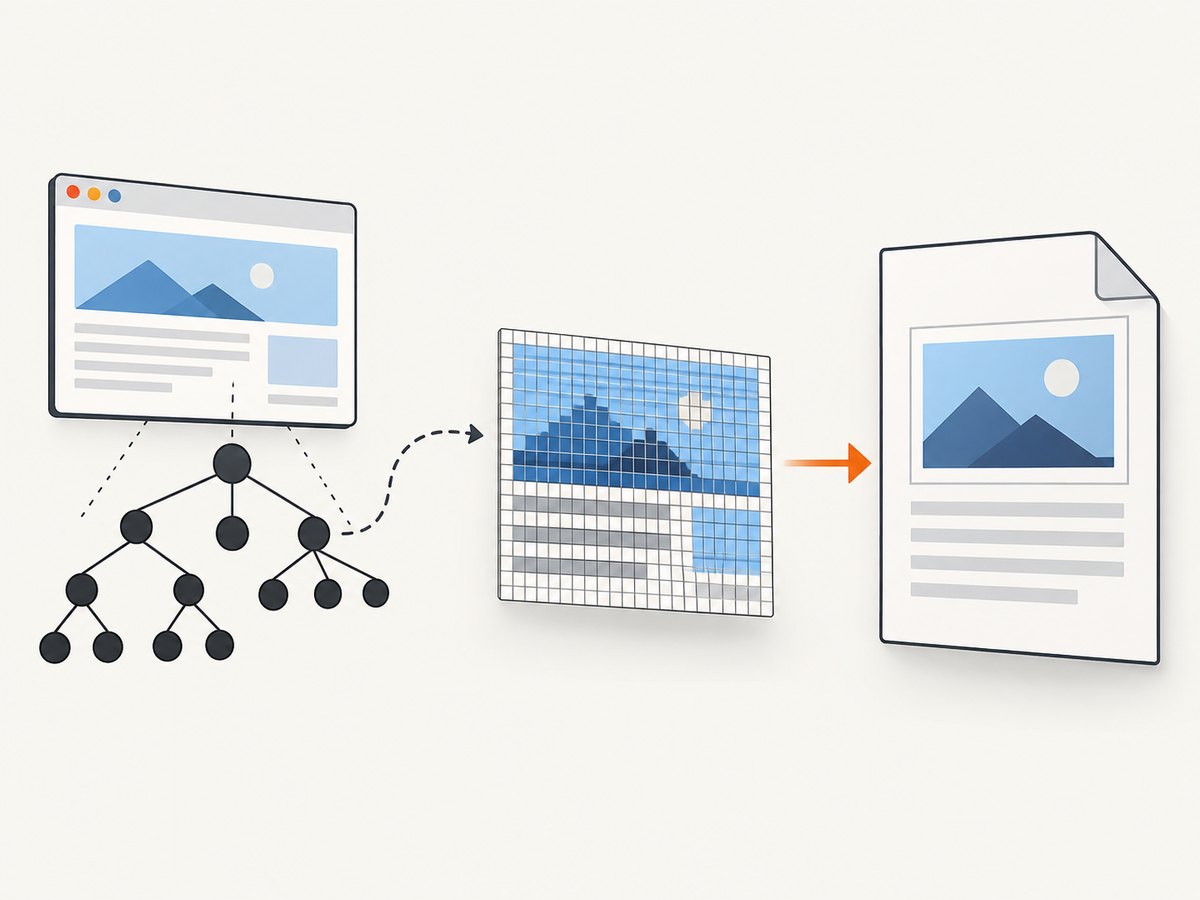
html2canvas documentation describes a DOM traversal and reconstruction process. It builds a representation from the elements and CSS properties it understands; it does not capture the browser’s internal rendering as semantic PDF objects. The output is normally an HTMLCanvasElement.
A common pipeline looks like this:
- html2canvas walks the DOM.
- It paints the result into a canvas.
canvas.toDataURL()encodes that canvas as PNG or JPEG data.pdf.addImage()places the encoded image on a PDF page.
At step four, the PDF contains an image covering the page. A viewer can select the image, but it has no knowledge of the words inside it. The html2pdf.js documentation states the consequence directly: image rendering means text is not selectable or searchable and can produce large files.
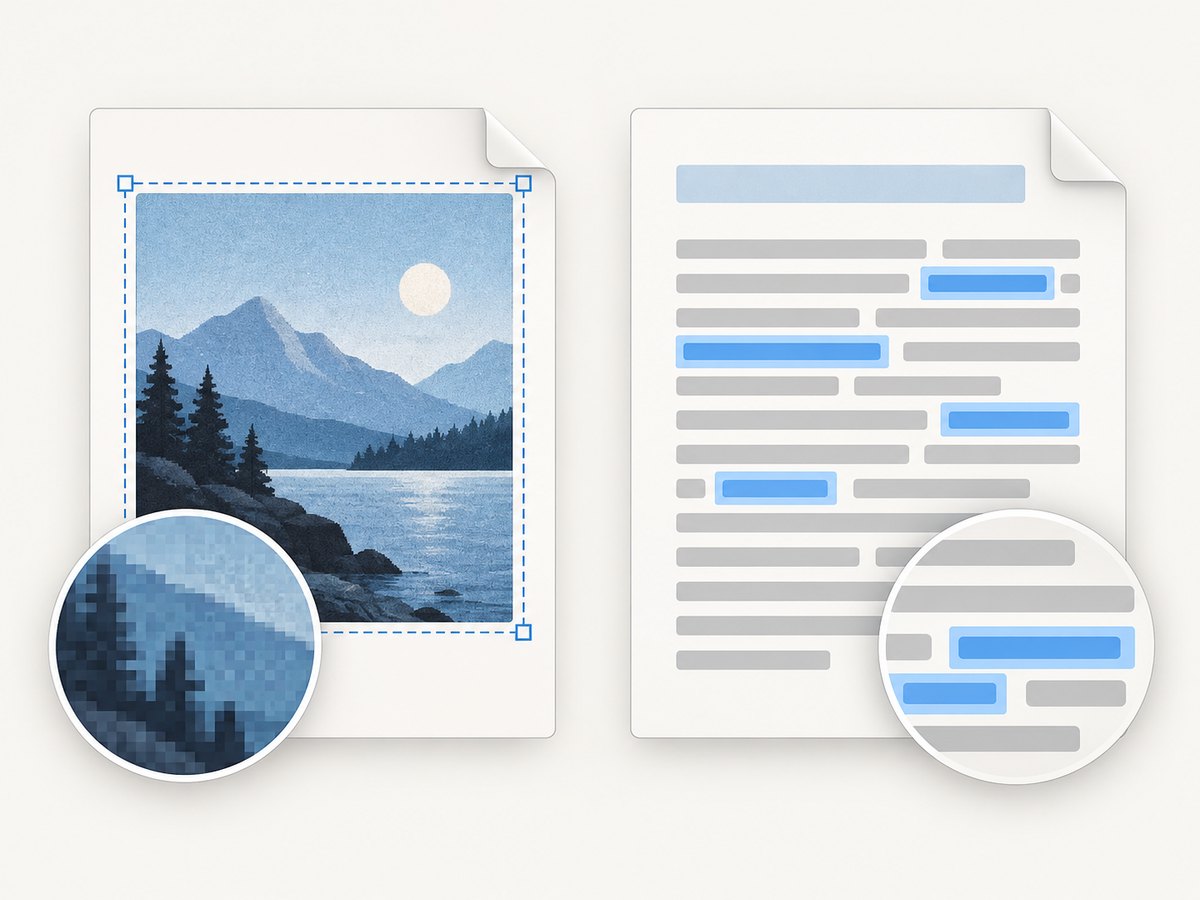
A PDF can contain text objects, raster images, vector drawings, or a mixture. Selectability depends on which objects your generator writes, not on the fact that the file extension is .pdf.
Confirm that your PDF has no text layer
- Open the PDF in two viewers if possible.
- Drag across a sentence. If the whole page highlights as one rectangle, you are selecting an image.
- Search for a distinctive word. If search returns nothing, there is probably no text object.
- Inspect your code. A sequence containing
canvas.toDataURL()followed byaddImage()is an image workflow.
Do not confuse this issue with missing content, clipping, or CSS differences. html2canvas documents CSS support property by property. Its FAQ also explains that cross-origin images require suitable CORS headers (or a proxy), and that oversized canvases can exceed browser-dependent limits. Those problems affect visual completeness; they do not turn image pixels into text.
Fix 1: write real PDF text with jsPDF
When selectable text is the requirement, add text through jsPDF’s text API (or another PDF library’s equivalent). The library writes text objects instead of a screenshot.
import { jsPDF } from 'jspdf';

const doc = new jsPDF({ unit: 'pt', format: 'a4' });
doc.setFont('helvetica', 'normal');
doc.setFontSize(12);
doc.text('This is real PDF text.', 56, 72);
doc.text('It can be selected and searched.', 56, 92);
doc.save('text-first.pdf');
The jsPDF text API accepts a string and coordinates. Your application must handle line wrapping, margins, page breaks, lists, tables, fonts, links, and repeated headers. A text-first PDF is not an automatic conversion of arbitrary browser CSS.
A small wrapped-paragraph example
import { jsPDF } from 'jspdf';

const doc = new jsPDF({ unit: 'pt', format: 'letter' });
const margin = 54;
const width = 504;
const lines = doc.splitTextToSize(
  'Long paragraphs must be wrapped before they are written. Keep track of the current y position and start a new page when the next line would cross the bottom margin.',
  width
);
let y = 72;
for (const line of lines) {
  if (y > 720) {
    doc.addPage();
    y = 72;
  }
  doc.text(line, margin, y);
  y += 16;
}
doc.save('wrapped.pdf');
For a real document, build a layout layer that measures text, reserves space for images, and carries state across pages. Embed fonts when characters outside the built-in fonts are needed. Keep body copy as text and add images only for charts, photos, or decorative material.
Why doc.html() may still produce image-based output
jsPDF has an html() helper, but the official README documents html2canvas as a dependency. The method name does not guarantee a semantic text layer. Check the version you use and inspect the resulting PDF. If selection is a hard requirement, use explicit text APIs or a renderer designed to map HTML layout to PDF text.
Fix 2: use browser print-to-PDF
Browser printing is useful when your source is already well-structured HTML and print CSS. It lets the browser perform pagination and keeps ordinary document text available to the PDF engine. Output still depends on browser version, fonts, CSS, page size, and print settings, so treat it as a workflow to validate rather than a universal guarantee.
Minimal Playwright example
import { chromium } from 'playwright';

const browser = await chromium.launch();
const page = await browser.newPage();
await page.goto('https://example.com/report', { waitUntil: 'networkidle' });
await page.emulateMedia({ media: 'print' });
await page.pdf({
  path: 'report.pdf',
  format: 'A4',
  printBackground: true,
  margin: { top: '18mm', right: '16mm', bottom: '18mm', left: '16mm' }
});
await browser.close();
Add print-specific CSS such as @page, controlled page breaks, and hidden navigation. After generation, select a sentence, search for it, and verify links and page boundaries. If a custom web font has not loaded before printing, text metrics and wrapping can change.
Fix 3: choose a text-aware HTML-to-PDF renderer
For complex server-side documents, evaluate a renderer that lays out HTML into PDF text rather than painting the entire page into one canvas. Compare candidates on:
| Question | Why it matters |
|---|---|
| Is text selectable and searchable? | Needed for accessibility, copy/paste, indexing, and review. |
| How closely must CSS match? | Text-first layout may require template changes; browser printing may preserve more CSS. |
| Who controls pagination? | Invoices and reports need predictable breaks, headers, and footers. |
| Where does it run? | Browser-only code differs from a server worker with fonts and sandboxing. |
| How large and private are documents? | Images increase file size; hosted services add a data-transfer and cost decision. |
Approaches that do not fix selectability
- Increasing
scaleor DPI: improves sharpness only. - Changing PNG to JPEG: changes compression and quality, not PDF semantics.
- Calling
doc.html(): may still rely on html2canvas; inspect the output. - Adding an invisible text overlay: can create inaccurate copy/paste order, misaligned selections, and accessibility problems unless positions are measured precisely.
- OCR after export: can add a searchable layer, but it is a separate recognition step and may introduce errors.
Keeping the canvas workflow when visuals matter
Canvas-to-image PDFs remain appropriate for a faithful visual snapshot, dashboards with complex effects, or content where selection is irrelevant. Improve the result by waiting for fonts and images, using a suitable scale, splitting very tall pages, and handling cross-origin assets with CORS or a proxy. Monitor file size: a full-page raster image at high resolution can be much larger than a text-based page.
Troubleshooting
| Symptom | Likely cause | Fix |
|---|---|---|
| Nothing can be selected | The PDF contains one canvas image. | Use jsPDF text, browser print-to-PDF, or a text-aware renderer. |
| Search finds no words | No text objects or OCR layer exist. | Generate text objects or run a separate OCR process. |
| Text is blurry | Low-resolution raster source. | Increase scale or use PNG; this improves appearance only. |
| Images are missing | Cross-origin restrictions. | Serve images with CORS headers, use useCORS where appropriate, or proxy them. |
| Large blank area or blank page | Canvas dimensions exceeded browser limits or content was not ready. | Capture sections, reduce dimensions, wait for assets, and test on the deployment browser. |
| Layout differs from the page | Unsupported CSS or fonts not loaded. | Check html2canvas’s supported properties, wait for document.fonts.ready, and add print CSS. |
| Text selection order is wrong | Manually positioned fragments or an inaccurate overlay. | Use a layout engine that owns line flow, or simplify the template. |
| Pages break in the middle of rows | No pagination model in the text-first code. | Measure row height and move the complete row to the next page. |
Performance, reliability, and cost considerations
Text-first PDFs usually avoid storing a giant page-sized bitmap, but layout work can consume CPU for long documents and embedded fonts. Browser printing requires a browser process, font installation, deterministic network access, and cleanup of failed jobs. Canvas capture is simple to start but can use substantial memory for very large pages.
Make output reproducible: pin library versions, wait for fonts and images, set explicit page dimensions, and test representative documents. Validate the PDF itself in CI by checking that expected text can be extracted, not only that a file was produced. Keep a visual regression sample for CSS changes.
For hosted generation, account for document volume, transfer, privacy requirements, and retry behavior. The research sources do not establish universal performance or price comparisons, so measure your own templates and workload.
Or skip the browser setup
ScreenshotNeo provides a website screenshot API when you need a clean image of a URL rather than a hand-built browser pipeline. The request is a single GET; see the API documentation for the available options.
curl -G "https://api.screenshotneo.com/v1/shot" -d access_key=YOUR_API_KEY --data-urlencode url=https://stripe.com -o shot.webpimport requests
r = requests.get("https://api.screenshotneo.com/v1/shot", params={"access_key": "YOUR_API_KEY", "url": "https://stripe.com"}, timeout=90)
open("shot.webp", "wb").write(r.content)const q = new URLSearchParams({ access_key: 'YOUR_API_KEY', url: 'https://stripe.com' });
const res = await fetch(`https://api.screenshotneo.com/v1/shot?${q}`);Cookie banners, newsletter popups, and chat widgets are removed before the shot. Bot checks, blank pages, failed loads, timeouts, and cache hits are not billed, and response headers report the page verdict and billing result. You can also use its MCP server with Claude, Cursor, or another MCP client through take_screenshot, get_page_info, and capture_pdf. The Free plan includes 1,000 screenshots a month with no card; paid plans start at $5 for 3,000. Create a free ScreenshotNeo account.
FAQ
Does a PDF extension prove it contains text?
No. A PDF can be entirely raster images. Test selection and search or inspect extracted text.
Can OCR make an html2canvas PDF searchable?
Yes, an OCR tool can add a text layer, but recognition is a separate process and can be imperfect.
Should I always abandon html2canvas?
No. Keep it for visual snapshots. Switch workflows when selecting, searching, accessibility, or small file size matters.
Why does my browser printout still differ from the page?
Print media CSS, fonts, browser versions, and page setup affect layout. Define print rules and wait for all assets before printing.
Can jsPDF reproduce arbitrary CSS automatically?
Its text API writes positioned text; your code or a compatible renderer must handle layout, wrapping, fonts, and pagination.


