How to Export html2canvas Captures Without Tainted Canvas Errors Offline
Fix html2canvas export errors by finding tainted resources, making local assets same-origin, and exporting only after the canvas is origin-clean.
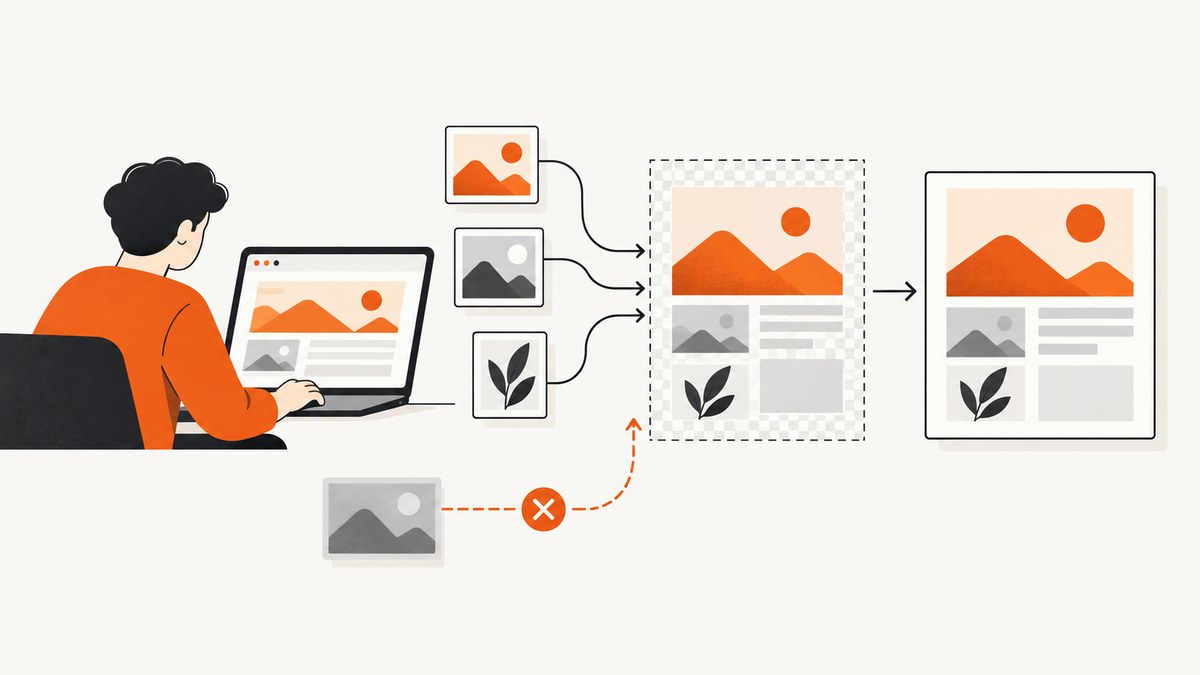
Direct answer: A tainted canvas cannot be exported. Make every image or other pixel source that html2canvas draws same-origin or CORS-authorized before capture. For an offline workflow, keep the library and all required assets local, and serve the page from localhost if opening it with file:// causes local-resource security errors. Then export the rendered canvas with toBlob() or toDataURL(). Switching between those export methods does not bypass the browser’s origin-clean security rule. [WHATWG HTML Standard; MDN]
html2canvas is a DOM renderer: it reconstructs a canvas from DOM properties and browser-supported features, rather than taking a native pixel-perfect screenshot. Unsupported CSS or embedded content may be missing or look different. This guide focuses on the specific reason exports fail, how to diagnose it, and how to make a repeatable offline setup. [html2canvas documentation]
1. Understand what “tainted” means
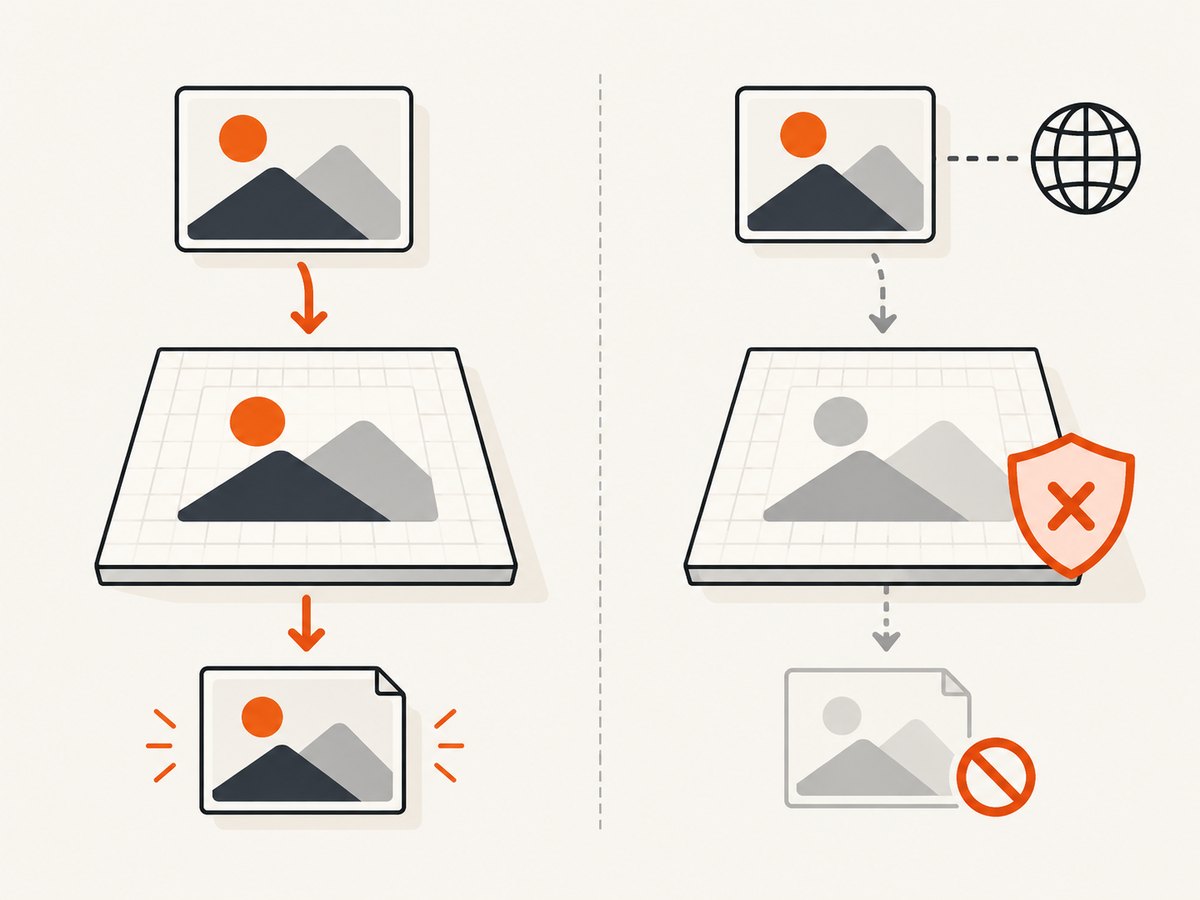
Browsers mark a canvas as not origin-clean when it contains image data drawn from a source the page is not permitted to read. The browser can display the image, and the canvas may appear correct, while still refusing to expose its pixels to JavaScript. Calls to getImageData(), toBlob(), and toDataURL() can then throw a SecurityError. This restriction prevents a page from reading image data from another origin without permission. [WHATWG HTML Standard; MDN]
html2canvas’s default allowTaint: false setting skips resources it expects would taint the output. Setting allowTaint: true may let the renderer draw such content, but it does not make the resulting canvas readable or downloadable. If export is the goal, make the source authorized or remove it. [html2canvas configuration]
2. Find every resource that contributes pixels
Start with the element passed to html2canvas and inspect its full rendered subtree. The offending source is not necessarily an <img> directly inside the target. It can be a CSS background, an SVG reference, a video frame, or a nested canvas that was already tainted before html2canvas started.
- Images: inspect
srcandsrcset, including images inserted by scripts. - CSS: check
background-imageand assets referenced from stylesheets. - Fonts and stylesheets: make sure the page is not still fetching them from a remote host if it must work offline; missing resources can alter the output even when they do not cause the particular export error.
- Nested canvases: replace any canvas that has itself drawn unauthorized cross-origin image data. html2canvas cannot read a pre-tainted source canvas.
- Frames and embedded content: cross-origin iframes are restricted by browser security, and html2canvas cannot reconstruct their protected contents.
In browser developer tools, inspect the console and network panel for failed loads and CORS messages. Check the resource URLs themselves: an image that appears on screen is not proof that the canvas can read it. html2canvas documents same-origin resources, a cooperating CORS server, or a proxy as the relevant resource paths. [html2canvas FAQ]
3. Make a genuinely offline local setup
Offline capture means that all dependencies needed for rendering are available without network access. Having the html2canvas call in local JavaScript is not enough if the page still references a remote image, font, stylesheet, script, or proxy.
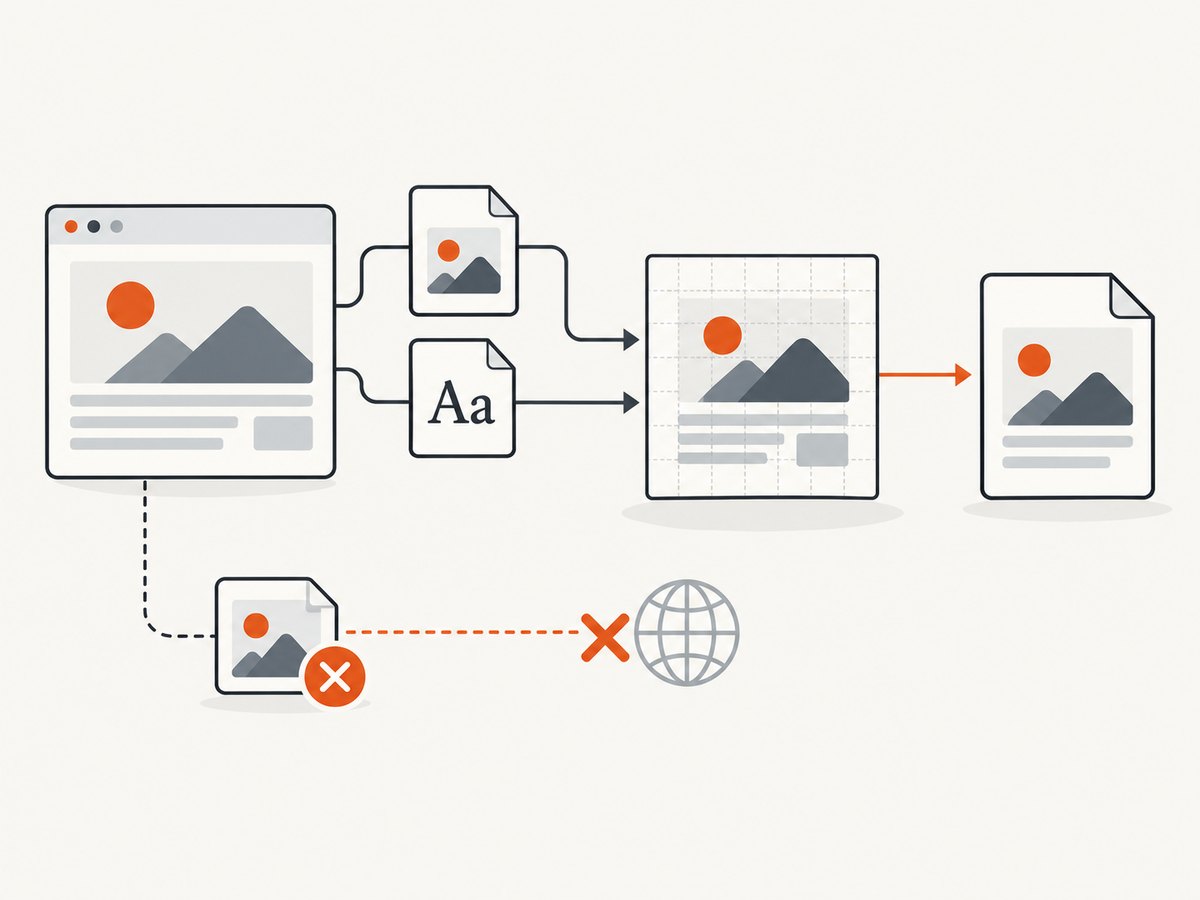
- Bundle the library. Keep the html2canvas script in the project or otherwise make it available locally before disconnecting.
- Copy required assets into the project. Update image and stylesheet references to use those local files. Include fonts and scripts that affect the rendered region.
- Wait for resources before capture. Confirm that images have loaded and, where relevant, that the page has completed its own rendering work.
- Serve the project from localhost. A page opened by double-clicking an HTML file has a
file://URL. Modern browsers commonly treat file URLs as opaque origins, so sibling local files can still encounter origin checks. Serving the folder from localhost avoids that particular ambiguity when the page and assets share the local origin. It does not grant access to unrelated remote resources. [MDN: CORS request not HTTP; MDN: Same-origin policy] - Test without network access. Once the page and its local dependencies load, disable the network and repeat capture. A successful render with network still enabled does not show that all dependencies are local.
If the page needs to read a remote image, it is no longer a fully offline dependency unless you have already saved that image locally. Browser security does not provide a setting that makes a remote server’s image readable without its cooperation.
4. Use CORS only when the image host supports it
For an image that must remain remote, the image server must return an appropriate Access-Control-Allow-Origin response header. Then html2canvas can try a CORS image request with useCORS: true. This option requests permission; it cannot create permission on a server that does not send the needed header. [Configuration; MDN: CORS]
const target = document.querySelector('#capture');

const canvas = await html2canvas(target, {
  useCORS: true,
  allowTaint: false
});
For a local-only page, keep the inputs local and omit useCORS unless you intentionally include cross-origin resources whose servers support CORS. If you control the image host, configure its response headers for the origins that should be allowed. If you do not control it, a server-side proxy can fetch and serve the resource through your application origin, but that adds an online server dependency and does not meet a fully offline requirement unless the resource has been made available locally. [html2canvas FAQ; MDN]
5. Export after capture
This complete example assumes html2canvas is loaded locally and that #capture only contains readable sources. It waits for image elements in the target, renders, converts to PNG, and downloads the result. The download flow uses toBlob(); it still requires an origin-clean canvas.
async function waitForImages(root) {
  const images = Array.from(root.querySelectorAll('img'));
  await Promise.all(images.map(async (image) => {
    if (image.complete) {
      if (image.naturalWidth === 0) {
        throw new Error(`Image failed to load: ${image.currentSrc || image.src}`);
      }
      return;
    }
    await new Promise((resolve, reject) => {
      image.addEventListener('load', resolve, { once: true });
      image.addEventListener('error', () => reject(
        new Error(`Image failed to load: ${image.currentSrc || image.src}`)
      ), { once: true });
    });
  }));
}

async function downloadCapture() {
  const target = document.querySelector('#capture');
  if (!target) throw new Error('Capture target #capture was not found');

  await waitForImages(target);
  const canvas = await html2canvas(target, {
    allowTaint: false,
    useCORS: false,
    backgroundColor: null
  });

  const blob = await new Promise((resolve, reject) => {
    canvas.toBlob((result) => {
      if (result) resolve(result);
      else reject(new Error('Canvas export returned no blob'));
    }, 'image/png');
  });

  const objectUrl = URL.createObjectURL(blob);
  const link = document.createElement('a');
  link.download = 'capture.png';
  link.href = objectUrl;
  link.click();
  setTimeout(() => URL.revokeObjectURL(objectUrl), 0);
}

downloadCapture().catch((error) => {
  console.error('Capture failed:', error);
});
The backgroundColor: null option asks html2canvas for a transparent background; use a color such as '#ffffff' if you need a solid background. For a CORS-enabled remote image, set useCORS: true and verify the server’s response header. The renderer and its output depend on browser APIs and the CSS and DOM features it supports; do not assume a native screenshot or pixel-perfect reproduction. [Configuration; Getting Started]
Alternative: export with a data URL
If a data URL is more convenient for a small image, the same origin-clean requirement applies:
const canvas = await html2canvas(document.querySelector('#capture'));
const link = document.createElement('a');
link.download = 'capture.png';
link.href = canvas.toDataURL('image/png');
link.click();
Large data URLs can be inconvenient because the encoded image is held as a string. toBlob() provides a Blob-based download path, but neither export method fixes a tainted canvas. The html2canvas examples document the data URL download pattern. [html2canvas examples]
6. Exclude a source that you do not need
If an image or widget is not needed in the result, remove it before rendering or mark it with data-html2canvas-ignore. This avoids including that resource; it does not repair another tainted canvas elsewhere in the subtree.
<div id="capture">
  <h1>Local report</h1>
  <img src="./assets/chart.png" alt="Chart">
  <div data-html2canvas-ignore>Do not include this widget</div>
</div>
Check the configuration documentation for the options relevant to your use case, including ignoreElements, useCORS, allowTaint, and the proxy setting. An ignored image will be absent from the capture, so confirm that omitting it is acceptable. [html2canvas configuration]
7. Troubleshoot common failures
| Symptom | Likely cause | Fix |
|---|---|---|
toDataURL() or toBlob() throws SecurityError |
A cross-origin image or pre-tainted nested canvas contributed pixels. | Find the source. Use a local same-origin asset, enable CORS only when the image server sends the required header, or exclude/replace the source. |
useCORS: true changes nothing |
The remote server does not authorize the page origin, or the actual request URL redirects to a host that does not. | Inspect the final response and CORS headers. Configure the host, use a permitted local copy, or exclude the image. |
allowTaint: true makes the image appear but export still fails |
The option permits drawing content that leaves the canvas unreadable. | Turn it off for export and make the resource same-origin/CORS-authorized, or omit it. |
| Local images fail only when opening the HTML file directly | file:// URLs can have opaque-origin behavior. |
Serve the directory from localhost and reference assets from that local origin. |
| The image is absent from the capture, but export succeeds | With allowTaint: false, html2canvas may skip a resource it expects would taint the output. |
Make the image readable through local same-origin loading or valid CORS if it must appear. |
| The output looks incomplete while offline | A stylesheet, font, image, or script is still remote, unavailable, or not loaded before capture. | Bundle the dependency locally, wait for it to load, and verify using the network panel with connectivity disabled. |
| Errors point at a nested canvas | The source canvas was tainted before html2canvas rendered the outer element. | Recreate it using permitted resources or replace it with a safe local representation. |
| Export succeeds, but layout differs from the browser view | html2canvas reconstructs the DOM and supports a subset of browser rendering behavior. | Check supported CSS and browser APIs; simplify the target or use a native browser screenshot when faithful pixels are required. |
The core boundary is enforced by the browser: html2canvas cannot circumvent content policies set by the browser. Repeatedly changing the serialization method will not fix a resource-origin problem. [html2canvas FAQ]
8. Performance, reliability, and cost considerations
Capture work grows with the size and complexity of the target and the assets that must load. Large full-page areas, high-resolution images, and elaborate DOM trees can take longer and consume more memory than a small element. Keep the capture region focused, avoid loading unnecessary assets, and wait for the content you actually need rather than adding arbitrary delays. These are practical engineering considerations; the reviewed html2canvas documentation does not provide a universal performance benchmark.
For reliability, keep the source asset set explicit, check image load failures before rendering, and surface capture and export errors to the caller. Revoke generated object URLs after download. A proxy can make remote assets available through an application origin, but it introduces a server dependency and should be designed with the application’s security and availability requirements in mind. Offline reliability comes from local dependencies, not from useCORS.
html2canvas is a browser-side library; its getting-started documentation says it runs in the browser, not Node.js. Therefore, the JavaScript examples above belong in a browser page. cURL and Python cannot directly run html2canvas against a local DOM: they do not supply that browser DOM renderer. [Getting Started]
Or skip the browser setup
If your goal is a website screenshot rather than an offline export of your own page’s DOM, ScreenshotNeo is a website screenshot API and MCP server. One GET request returns a PNG, JPEG, WebP, or PDF. See the API documentation for request options.
curl -G "https://api.screenshotneo.com/v1/shot" -d access_key=YOUR_API_KEY --data-urlencode url=https://stripe.com -o shot.webpimport requests
r = requests.get(
"https://api.screenshotneo.com/v1/shot",
params={"access_key": "YOUR_API_KEY", "url": "https://stripe.com"},
timeout=90,
)
open("shot.webp", "wb").write(r.content)const q = new URLSearchParams({ access_key: 'YOUR_API_KEY', url: 'https://stripe.com' });
const res = await fetch(`https://api.screenshotneo.com/v1/shot?${q}`);- Cookie banners are accepted and removed before capture; newsletter popups and chat widgets are removed too.
- Bot checks, blank pages, failed loads, and cache hits are not billed; response headers report the page verdict and billing status.
- An MCP server lets AI agents use
take_screenshot,get_page_info, andcapture_pdf. - The free plan includes 1,000 screenshots a month with no card. Paid plans start at $5 for 3,000 screenshots.
For local DOM rendering with no network, html2canvas and local assets are the relevant path. For a hosted website capture without setting up the browser rendering flow, sign up for 1,000 free screenshots a month, with no card.
Frequently asked questions
Does toBlob() avoid tainting when toDataURL() fails?
No. Both methods are subject to the canvas origin-clean rule. Choose between them for how you want to handle the output, not as a security workaround. [WHATWG HTML Standard]
Can I include a remote image in a fully offline capture?
Only if you have made the image available locally before going offline. A live remote resource depends on the network and, for readable canvas use, suitable server CORS permission.
Why can I see an image that is missing from the exported capture?
Display in the page and permission to read pixels are separate. With the default allowTaint: false, html2canvas can skip resources it expects would taint the result.
Will html2canvas work in a Node.js script?
It runs in the browser and renders a DOM; the project’s getting-started page does not describe it as a Node.js renderer. Use a browser environment for the examples here. [Getting Started]
Does serving from localhost fix remote CORS?
No. It avoids the special origin ambiguity of opening local files with file://. A remote image still needs its host to authorize the request, or it must be made available through a suitable proxy or local copy.


