What Is HTTP 407 Proxy Authentication Required and How to Fix It
HTTP 407 means a proxy needs authentication before it will forward your request. Learn how to identify the proxy, read its challenge, and fix 407 errors in browsers, cURL, Python, and Node.js.

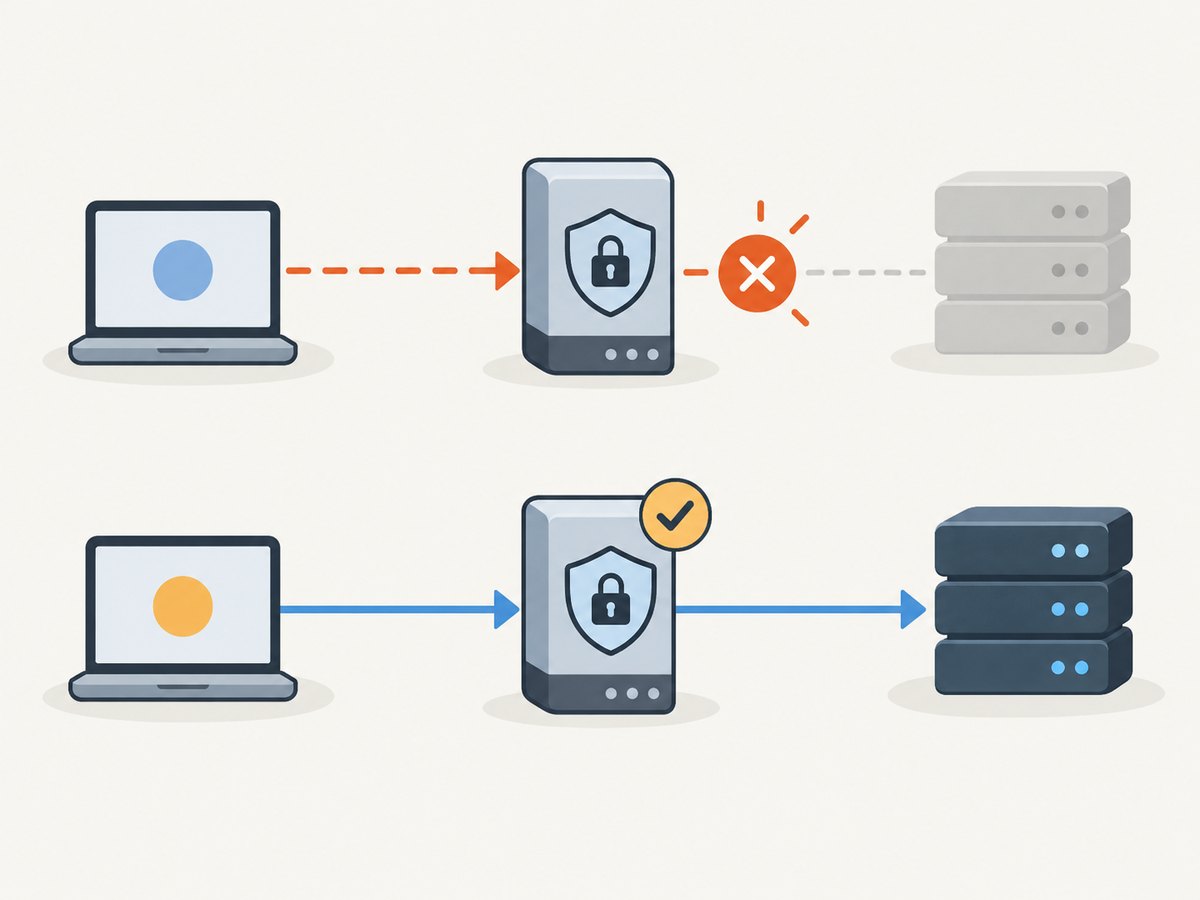
HTTP 407 Proxy Authentication Required means a proxy between your client and the destination is asking you to authenticate. The response comes from the proxy, not necessarily from the website you are trying to reach. Check which proxy your request is using, inspect the proxy’s Proxy-Authenticate challenge, then provide current credentials using the authentication scheme it supports. If the credentials are accepted but the proxy policy still denies the request, the problem may be authorization rather than authentication.
This guide explains the protocol, how 407 differs from 401 and 403, and how to diagnose and fix it in browsers, cURL, Python, and Node.js. The exact settings depend on your proxy administrator’s instructions and the challenge in the response.
1. What does HTTP 407 mean?
HTTP 407 is a client error used by a proxy to challenge a client’s authorization. Under RFC 9110, the proxy sends a Proxy-Authenticate header containing one or more applicable challenges. A client that can satisfy a challenge may retry the request with a new or replaced Proxy-Authorization header. MDN’s 407 reference shows a typical response:

HTTP/1.1 407 Proxy Authentication Required
Proxy-Authenticate: Basic realm="Access to internal site"
The status alone does not tell you which credentials to use or whether the account is allowed to reach the destination. The challenge indicates the authentication scheme the proxy is offering. Ask the proxy administrator for the required credentials or enterprise sign-in method if that is not clear.
2. How 407 differs from 401 and 403
| Status | Who is challenging or denying? | Headers to inspect | Typical next step |
|---|---|---|---|
| 407 Proxy Authentication Required | An intermediary proxy requires client authentication. | Proxy-Authenticate; client sends Proxy-Authorization. |
Authenticate to the proxy using a supported scheme. |
| 401 Unauthorized | The origin server challenges the client. | WWW-Authenticate; client sends Authorization. |
Authenticate to the website or API. |
| 403 Forbidden | The server understood the request or credentials but refuses access. | Response details and server policy. | Check authorization or access policy; changing a password may not help. |
These headers serve different hops in the request. Do not send a website’s Authorization credentials as a substitute for proxy credentials, or vice versa. RFC 9110 says that when proxy credentials are valid but access is not permitted, the appropriate response is generally 403 rather than another 407 challenge.
3. Diagnose the proxy path before changing credentials
- Confirm whether a proxy is expected. Check browser proxy settings, operating-system network settings, application configuration, container configuration, and environment variables. A proxy can be configured at more than one layer.
- Identify the proxy actually handling the request. Compare the configured proxy hostname and port with the one supplied by your organization or service administrator. A stale setting can send traffic to a proxy for which you have no credentials.
- Capture the response headers. Look for status 407 and
Proxy-Authenticate. The challenge names the scheme or schemes the proxy accepts. If you cannot see the response because a browser hides proxy details, reproduce the request with a command-line client where permitted. - Verify credentials and account policy. Confirm that the account is current, the password or token has not expired, and the account is allowed to use the proxy. A correct password does not automatically grant permission for every destination.
- Check client support. Your browser, HTTP library, runtime, or automation environment must support the challenged scheme and the organization’s sign-in flow. If it cannot, use a supported client or ask the administrator for an approved option.
- Retry with replaced credentials. Remove stale saved credentials and retry with current ones. Avoid repeatedly retrying a known-bad password, which may trigger account lockout policies.
For requests that carry private data or credentials, confirm that the proxy connection and overall route are protected as required by your organization. Basic authentication encodes credentials; Base64 is not encryption. MDN cautions that Basic credentials are insecure without HTTPS/TLS protection. Use TLS and the strongest scheme supported in your environment.
4. Fix 407 in cURL
First, verify that cURL is intentionally using the proxy. Proxy settings may come from command-line options or environment variables. This example provides the proxy endpoint and credentials explicitly; substitute values supplied by your administrator. Do not paste real passwords into shared terminals, shell history, scripts committed to source control, or logs.
curl --proxy "http://proxy.example.com:8080" \
  --proxy-user "USERNAME:PASSWORD" \
  "https://example.com/"
For a proxy that requires a particular scheme, use the cURL option supported for that scheme and verify its availability in your installed cURL build. For example, Basic can be requested with --proxy-basic where the proxy offers it:
curl --proxy "http://proxy.example.com:8080" \
  --proxy-basic \
  --proxy-user "USERNAME:PASSWORD" \
  "https://example.com/"
Use the challenge and your administrator’s instructions to choose an authentication method; do not assume Basic is accepted. For diagnosis, -v can show connection and response-header details:
curl -v --proxy "http://proxy.example.com:8080" \
  --proxy-user "USERNAME:PASSWORD" \
  "https://example.com/"
Verbose output can expose sensitive header or connection information. Review it before sharing. If the request should bypass the proxy, remove the proxy configuration only when that route is allowed by your network policy; do not use bypassing as a way to evade a required access control.
5. Fix 407 in Python requests
When using Python’s requests library, configure the proxy explicitly and pass credentials through the proxy URL only if that format and scheme are supported by your proxy. Prefer loading secrets from a protected environment or secret store rather than writing them directly into code.
import os
import requests

proxy_user = os.environ["PROXY_USER"]
proxy_password = os.environ["PROXY_PASSWORD"]
proxy_url = f"http://{proxy_user}:{proxy_password}@proxy.example.com:8080"
proxies = {
    "http": proxy_url,
    "https": proxy_url,
}

response = requests.get(
    "https://example.com/",
    proxies=proxies,
    timeout=30,
)
print(response.status_code)
print(response.headers.get("Proxy-Authenticate"))
response.raise_for_status()
Special characters in a username or password may need URL encoding before they are embedded in a URL. Follow the library and proxy documentation for your scheme; URL user information is not a universal solution for enterprise challenge-response or interactive sign-in. If your environment automatically configures proxies, inspect that configuration too: explicit client settings and environment-derived settings can differ.
A 407 response is still a response to inspect; raising for status will then surface it as an HTTP error. During diagnosis, print only safe response details and never dump secrets or authorization headers into logs.
6. Fix 407 in Node.js
Node.js’s built-in fetch does not itself define a universal proxy-authentication configuration that works for every proxy and authentication scheme. Proxy behavior depends on the Node.js version, runtime configuration, and any HTTP agent or proxy library your application uses. Check the documentation for that exact client and confirm it supports the challenge scheme.
For a client that supports proxy URLs with credentials, the configuration typically has this shape; replace the placeholder agent with the agent or dispatcher documented for your selected library:
const proxyUrl = new URL('http://proxy.example.com:8080');
proxyUrl.username = process.env.PROXY_USER;
proxyUrl.password = process.env.PROXY_PASSWORD;

// Configure the proxyUrl with the proxy agent/dispatcher supported by
// the HTTP client used by your application.
// Then make the request through that configured client.
This is intentionally not presented as a standalone built-in fetch recipe: proxy APIs and supported authentication schemes vary across clients, and using an unsupported agent option can silently leave traffic on a different route. Consult your client’s primary documentation, verify the effective proxy path, and inspect the challenge. Never log the constructed URL because it contains credentials.
7. Fix 407 in Chrome and other browsers
- Open the browser’s network or system proxy settings and check whether a proxy is configured directly or inherited from the operating system.
- Compare the proxy host and port with the settings provided by your network administrator. If the browser is using an old proxy, update it using the approved configuration.
- When prompted, use the proxy account or sign-in method supplied by the administrator. A website login will not satisfy a proxy challenge.
- If a prompt repeats, clear stale saved proxy credentials using the browser or operating-system credential controls appropriate to your setup, then retry once with current credentials.
- If no prompt appears or the browser cannot use the scheme, ask whether the proxy requires an enterprise authentication method or managed browser configuration.
Managed devices may receive proxy settings and credentials through organizational policy. Avoid changing those controls without authorization; report the status, challenge details, browser version, and whether other approved clients succeed to IT support.
8. Common 407 errors and fixes
| Symptom | Likely cause | What to do |
|---|---|---|
| 407 appears on every request | The proxy is expected but the request has no valid proxy credentials, or the configured endpoint is wrong. | Confirm the route and endpoint, inspect Proxy-Authenticate, then use the supported credentials. |
| Browser works, script fails | The browser may inherit managed settings or support a sign-in method the script does not. | Configure the script’s HTTP client for the actual proxy and supported scheme; ask the administrator about noninteractive access. |
| Script works locally, fails in a container or CI job | The runtime has different proxy variables, credentials, DNS, or network policy. | Inspect the job’s effective proxy configuration and securely provide the required secret. Do not print secret environment values. |
| Credentials are rejected repeatedly | Credentials may be stale, malformed, encoded incorrectly, or disallowed by policy. | Check special-character handling and account status with the administrator; avoid repeated guesses. |
| Challenge scheme is unsupported | The client cannot perform the authentication method offered by the proxy. | Use an approved compatible client or ask the administrator for a supported integration method. |
| Credentials seem accepted but access still fails | The account may authenticate but lack authorization for the destination; the proxy may return 403. | Check the policy decision and request access from the resource or network owner. |
| 407 appears only for HTTPS destinations | The proxy route or tunnel setup may differ for secure destinations, or credentials are not being applied to that route. | Compare proxy behavior and challenge headers for both schemes; verify client documentation and proxy policy. |
9. Reliability, performance, and cost considerations
A 407 is an authentication exchange, not evidence that the destination is slow or unavailable. Retrying without changing credentials, client support, or proxy routing is unlikely to help and may create noise or trigger lockouts. Configure credentials once through an approved secret mechanism, refresh them when they expire, and distinguish proxy failures from origin-server errors in logs and monitoring.
For automated jobs, make the proxy endpoint, authentication method, and timeout explicit where practical. Redact Proxy-Authorization, passwords, tokens, and credential-bearing URLs from logs. Restrict credentials to the service and destinations that need them. If repeated 407 responses begin after a deployment, compare runtime and environment configuration with the prior working version before changing the target website.
Each failed request can consume client time, proxy capacity, and retry budget even when no useful response is obtained. Use bounded retries with backoff only for failures that could plausibly recover; a persistent challenge requires corrected authentication or policy. No protocol reference cited here establishes a prevalence rate or a universal fix, so diagnose the headers and actual client path in your own environment.
10. Or skip the browser setup
If your task is to capture a page image or PDF, ScreenshotNeo offers a one-request website screenshot API. It is a separate route for screenshot work; it does not fix a 407 from a proxy that your own network requires. See the ScreenshotNeo API documentation for request options and authentication details.
curl -G "https://api.screenshotneo.com/v1/shot" \
  -d access_key=YOUR_API_KEY \
  --data-urlencode url=https://stripe.com \
  -o shot.webp
import requests
r = requests.get(
"https://api.screenshotneo.com/v1/shot",
params={"access_key": "YOUR_API_KEY", "url": "https://stripe.com"},
timeout=90,
)
open("shot.webp", "wb").write(r.content)const q = new URLSearchParams({
access_key: 'YOUR_API_KEY',
url: 'https://stripe.com',
});
const res = await fetch(`https://api.screenshotneo.com/v1/shot?${q}`);
if (!res.ok) throw new Error(`Screenshot request failed: ${res.status}`);
await Bun.write('shot.webp', res);ScreenshotNeo accepts cookie and consent banners like a visitor and removes more than 60 known consent platforms, newsletter popups, and chat widgets before capture; each step can be turned off. Bot checks or CAPTCHAs, blank pages, timeouts, failed loads, and cache hits cost nothing, with response headers indicating the page verdict and billing status. Its MCP server provides take_screenshot, get_page_info, and capture_pdf for Claude, Cursor, and other MCP clients. The free plan includes 1,000 screenshots per month with no card; paid plans start at $5 for 3,000, and every feature is on every plan. See ScreenshotNeo and the docs for details. Sign up free for 1,000 screenshots a month, no card required.
11. Frequently asked questions
Can I fix 407 by clearing browser cookies?
Usually not. Proxy credentials are separate from a website’s cookies. Clear saved proxy credentials only if they are stale, and follow your organization’s managed-device guidance.
Is a 407 response always caused by a wrong password?
No. The request may use the wrong proxy, omit credentials, use an unsupported scheme, or come from an account that is not permitted to authenticate. Inspect the challenge and route before resetting a password.
Can a website owner fix a visitor’s 407?
Generally the proxy administrator or the client configuration must address it because the challenge comes from the intermediary. A site owner can help confirm whether the request reached the origin, but cannot supply credentials for the visitor’s proxy.
Should I put proxy credentials in a URL?
Only when the client and proxy support that method, and with careful secret handling. URLs can leak through logs and diagnostics; use a secret store or protected environment and redact them.