How to Implement HTTP Basic Authentication in PHP
Add HTTP Basic Authentication to a PHP endpoint with a proper 401 challenge, secure password verification, HTTPS, and practical troubleshooting.
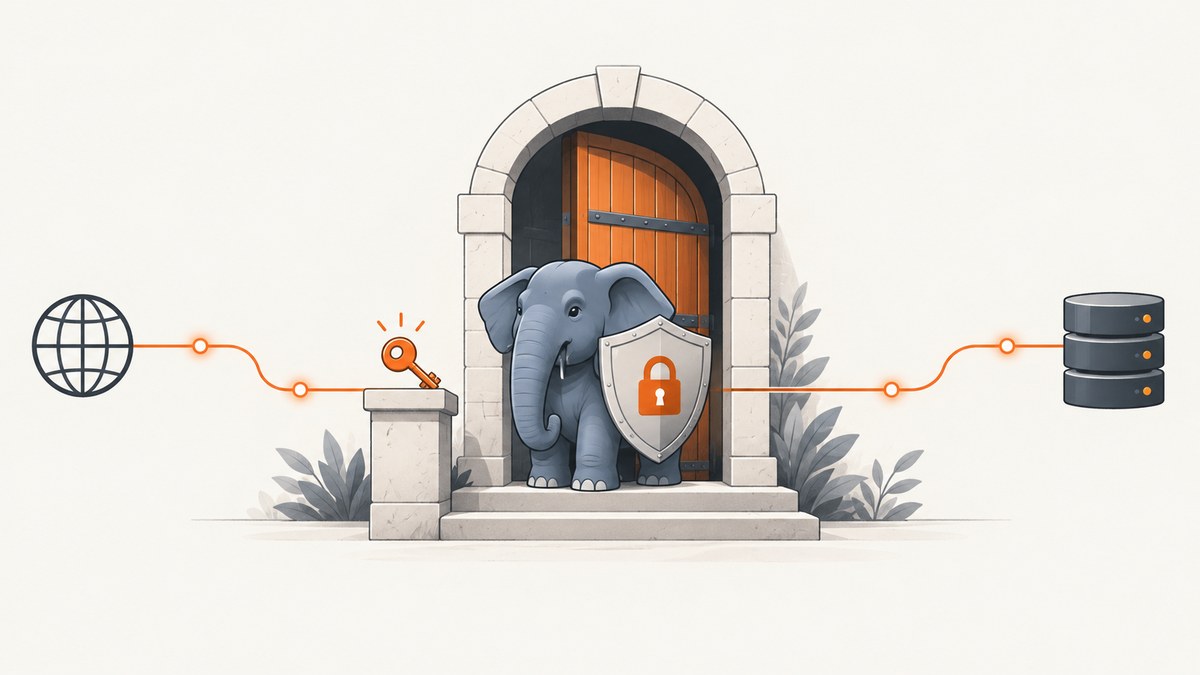
To implement HTTP Basic Authentication in PHP, check $_SERVER['PHP_AUTH_USER'] and $_SERVER['PHP_AUTH_PW']. If either is missing or invalid, return 401 Unauthorized with a WWW-Authenticate challenge. Look up the account with a parameterized query and verify its stored password hash with password_verify(). Serve the endpoint only over HTTPS: Basic Authentication encodes credentials with Base64, which does not encrypt them.
The challenge prompts a browser or HTTP client to retry with an Authorization: Basic ... header. A stable realm tells clients which protected area is requesting credentials. This guide builds the PHP endpoint, creates and stores password hashes, handles common deployment issues, and covers operational safeguards.
1. How the Basic Authentication exchange works
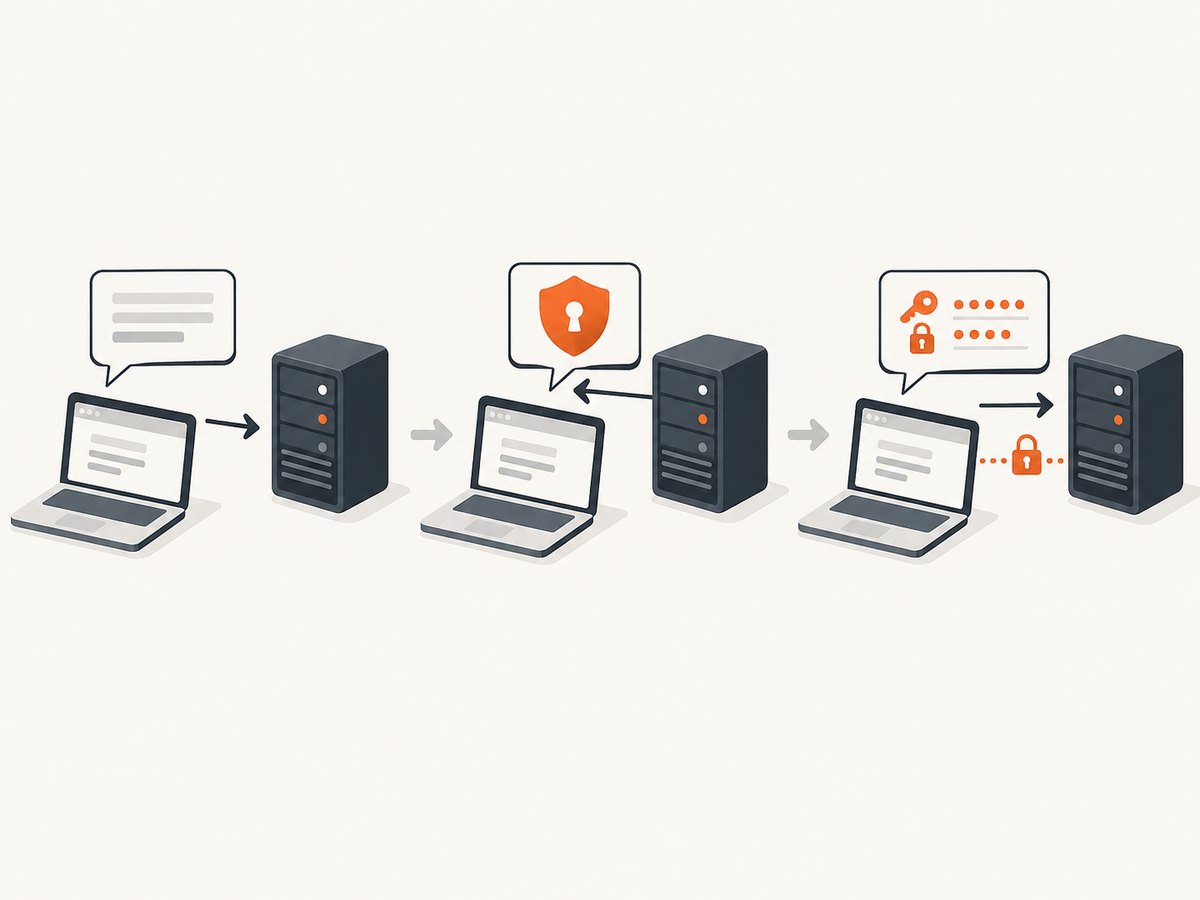
- A client requests a protected resource without credentials.
- The server responds with status
401and aWWW-Authenticateheader naming the Basic scheme and realm. - The client retries with
Authorization: Basic <base64-encoded-credentials>. The encoded credential string represents the username, a colon, and the password. - PHP reads the submitted values from
$_SERVER['PHP_AUTH_USER']and$_SERVER['PHP_AUTH_PW']. The application checks them and either continues or challenges again.
Base64 is an encoding, not encryption. Anyone who can read an unprotected request can recover the username and password. RFC 7617 says Basic should be used with a secure transport such as TLS when protecting sensitive information. Use HTTPS for the endpoint and avoid exposing credentials in logs, URLs, error messages, or client-side code. See RFC 7617 and the PHP manual’s HTTP authentication notes.
2. Add a challenge and verify credentials in PHP
This example assumes a find_user_by_username() function that performs a parameterized database lookup and returns a row containing password_hash, or null if no account matches. Replace that function with your application’s database layer.
<?php
declare(strict_types=1);

const AUTH_REALM = 'Admin Area';

function challenge(): never
{
    http_response_code(401);
    header('WWW-Authenticate: Basic realm="' . AUTH_REALM . '", charset="UTF-8"');
    header('Content-Type: text/plain; charset=UTF-8');
    echo "Authentication required\n";
    exit;
}

if (!isset($_SERVER['PHP_AUTH_USER'], $_SERVER['PHP_AUTH_PW'])) {
    challenge();
}

$username = $_SERVER['PHP_AUTH_USER'];
$password = $_SERVER['PHP_AUTH_PW'];

// Implement this with a parameterized query. Return ['password_hash' => '...'] or null.
$user = find_user_by_username($username);

// Keep the response identical for unknown users and incorrect passwords.
if ($user === null || !password_verify($password, $user['password_hash'])) {
    challenge();
}

// Protected application logic starts here.
header('Content-Type: text/plain; charset=UTF-8');
echo "Authenticated\n";
The never return type requires PHP 8.1 or later. On an older PHP version, remove : never; the function still exits. The charset="UTF-8" challenge parameter is optional, but RFC 7617 defines UTF-8 as its allowed value when supplied. Keep the realm stable and descriptive, such as Admin Area or Internal API.
Implement the account lookup safely
Use your database library’s parameter binding rather than inserting the username into SQL. For example, with PDO:
function find_user_by_username(PDO $pdo, string $username): ?array
{
    $statement = $pdo->prepare(
        'SELECT password_hash FROM users WHERE username = :username LIMIT 1'
    );
    $statement->execute(['username' => $username]);
    $user = $statement->fetch(PDO::FETCH_ASSOC);

    return $user ?: null;
}
Pass the application’s PDO instance to the function or adapt it to your dependency structure. Do not return the hash to the caller, include it in a response, or write it to routine request logs. Returning one generic authentication error for both unknown usernames and wrong passwords avoids revealing which accounts exist.
3. Create and store password hashes
When creating or changing a password, store the result of password_hash(), not the original password:
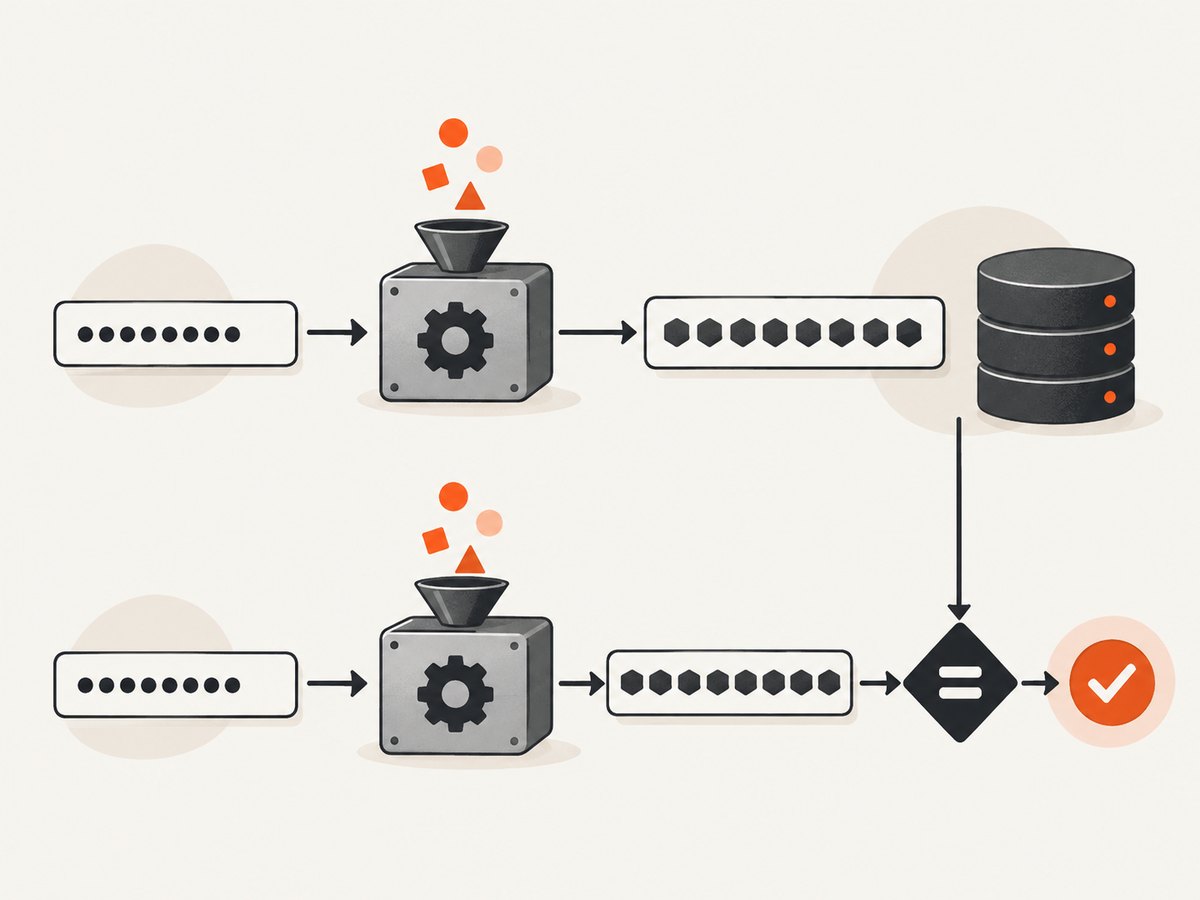
$hash = password_hash($plainTextPassword, PASSWORD_DEFAULT);

// Insert $hash into the password_hash column using a parameterized query.
At login, pass the submitted password and stored hash to password_verify(). Do not manually hash the submitted value and compare strings: the password API handles the salt and algorithm information embedded in the stored hash, and verification is designed to resist timing attacks.
if (password_verify($submittedPassword, $storedHash)) {
    // Credentials match.
}
Allow at least 255 bytes for the database column. PHP documents that PASSWORD_DEFAULT currently uses bcrypt and that the default algorithm can change; the returned hash contains the information needed for verification. The documented default bcrypt cost became 12 in PHP 8.4. Treat that as a PHP version detail, not a value to hard-code into your own verification logic. See password_hash() and password_verify().
4. Test the endpoint with an HTTP client
First request the resource without credentials. The expected response is 401 and a WWW-Authenticate header. Then try valid credentials. Keep real secrets out of shell history and shared terminals.
curl -i https://example.com/admin.php
curl -i --user 'alice:replace-with-password' https://example.com/admin.php
The first command should receive a challenge. The second sends credentials and should receive the protected response only when the username exists and its password verifies. Use a disposable account when experimenting; command-line arguments may be visible to local process inspection or saved in shell history depending on how you enter them.
5. Configuration and behavior to decide
| Decision | Recommended handling |
|---|---|
| Realm | Choose a stable label that identifies the protected area. It is visible to clients and does not act as a secret. |
| Transport | Require HTTPS for the endpoint. Redirecting HTTP to HTTPS can help browser navigation, but do not accept credentials over an unencrypted connection first. |
| Password storage | Store password_hash() output verbatim in a column sized for 255 bytes; verify with password_verify(). |
| Failure response | Challenge with 401 for missing or invalid credentials. Use the same generic message for unknown users and wrong passwords. |
| Account lookup | Use a parameterized query and avoid logging the submitted password or stored hash. |
| Abuse controls | Choose rate limits, lockout behavior, credential rotation, and log retention based on your threat model; there is no universal safe numeric threshold. |
Basic credentials are sent with each request within the protection space, and browser behavior around cached credentials varies. It is a straightforward fit for controlled endpoints and compatible clients, but it does not provide a built-in application logout or session expiration mechanism. If your product needs explicit sign-out, per-session expiry, or richer account flows, evaluate a session-based login or another access-control design. Whichever method you choose, keep password storage on PHP’s password API.
6. Troubleshooting common problems
| Symptom | Likely cause | Fix |
|---|---|---|
PHP_AUTH_USER is missing behind a web server or proxy |
The server or FastCGI setup is not passing the Authorization header to PHP. | Check the web server and PHP handler configuration for forwarding of the Authorization header. Confirm on the server side without logging its value. |
| The client keeps prompting after correct credentials | The username lookup, stored hash, or verification path is wrong; alternatively, the request is reaching a different PHP environment. | Confirm the account row exists, the stored value is a full password_hash() result, and password_verify() receives the submitted password and that exact hash. |
| Credentials appear to work over HTTP but are unsafe | Basic’s Base64 representation is mistaken for encryption. | Serve the endpoint over HTTPS and ensure the client connects to the HTTPS URL before sending credentials. |
| Header warning or malformed challenge | PHP emitted output before header(), or the realm contains an unescaped quote. |
Send headers before any body output. Keep the realm a fixed, trusted string and avoid inserting user-controlled values into it. |
| 401 response is replaced by an application error page | A framework, proxy, or custom error handler may be rewriting the response. | Inspect the final status and headers at the client, then adjust the framework or proxy route so the 401 and challenge header pass through. |
| Passwords are exposed in logs | Request headers or authentication variables are being captured in access, debug, or error logs. | Redact Authorization headers and never log PHP_AUTH_PW. Restrict log access and set retention appropriate to your environment. |
7. Performance, reliability, and cost
Each protected request performs an account lookup and password verification. The database query should use an index on the username or account identifier. Password hashing is intentionally more computationally expensive than a fast general-purpose hash; choose infrastructure and any rate controls with expected legitimate traffic and abuse in mind. Avoid weakening password verification simply to reduce request cost.
Reliability depends on the endpoint’s PHP runtime, database availability, TLS configuration, and correct propagation of the Authorization header through any proxy or FastCGI layer. Monitor aggregate authentication failures and service errors without retaining raw passwords or Authorization values. Define credential rotation and account recovery procedures appropriate to the application.
For a page that displays website content, Basic Authentication protects access to that page but does not create a screenshot or render the page for you. If you need a website screenshot as part of a developer workflow, ScreenshotNeo is a website screenshot API and MCP server. Its options include custom headers, cookies, and Authorization, which can be relevant when capturing an authenticated page; configure access carefully and use HTTPS.
Or skip the browser setup
For a screenshot, one GET request returns an image or PDF. See the ScreenshotNeo API docs for request options and response details.
curl -G "https://api.screenshotneo.com/v1/shot" -d access_key=YOUR_API_KEY --data-urlencode url=https://stripe.com -o shot.webpScreenshotNeo accepts cookie and consent banners like a visitor and removes more than 60 known consent platforms, newsletter popups, and chat widgets before capture; each step can be turned off. Bot checks, blank pages, timeouts, failed loads, and cache hits cost nothing, and response headers report the page verdict and billing status. Its MCP server provides take_screenshot, get_page_info, and capture_pdf for Claude, Cursor, and other MCP clients. The free plan includes 1,000 screenshots per month without a card; paid plans start at $5 for 3,000 shots. Every feature is on every plan.
Sign up free for 1,000 screenshots a month, with no card required.
FAQ
Does PHP decode the Basic header automatically?
In the documented PHP HTTP authentication setup, PHP exposes the username and password through $_SERVER['PHP_AUTH_USER'] and $_SERVER['PHP_AUTH_PW'] after the client retries. If they are absent, inspect the server or proxy forwarding setup.
Should I use Basic Authentication for an admin page?
It can protect a controlled endpoint when served over HTTPS and paired with sound password handling and operational safeguards. Consider the application’s access, logout, expiry, and recovery needs before choosing it.
Is Base64 safe for passwords?
No. Base64 only encodes the credential pair. TLS protects it in transit; password hashing protects stored passwords.
Can the realm be a secret?
No. Treat it as a visible label for the protection space, not an access control or secret value.


