How to Identify Whether an IP Address Uses a Proxy
Learn how to check whether an IP belongs to a VPN, proxy, Tor exit node, or hosting network—and how to interpret the result safely.
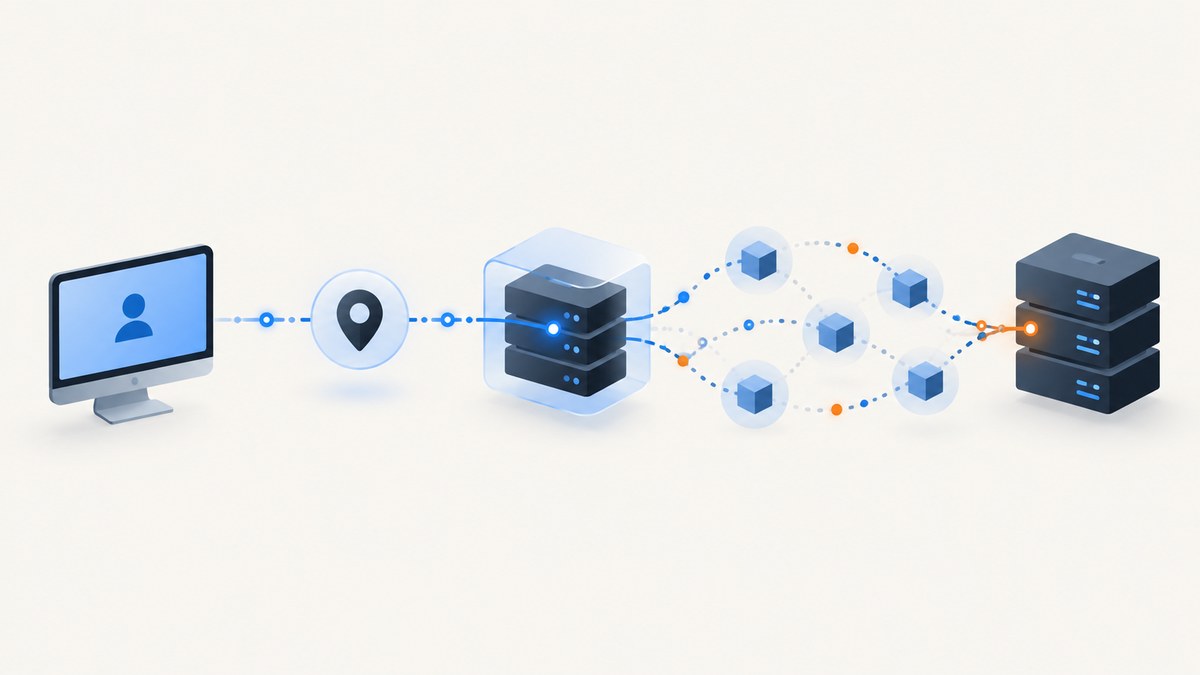
To identify whether an IP address uses a proxy, compare it with maintained IP-intelligence data that classifies anonymous networks. A result may identify a VPN, hosting or data-center address, public proxy, residential proxy, or Tor exit node. Treat the result as a signal about the network behind the connection, not proof of who is using it, where that person is located, or whether the request is malicious.
For a single address, use a reputable lookup. For production traffic, use an API, downloadable database, or managed security list and define what each classification should do in your application.
What proxy detection can and cannot tell you
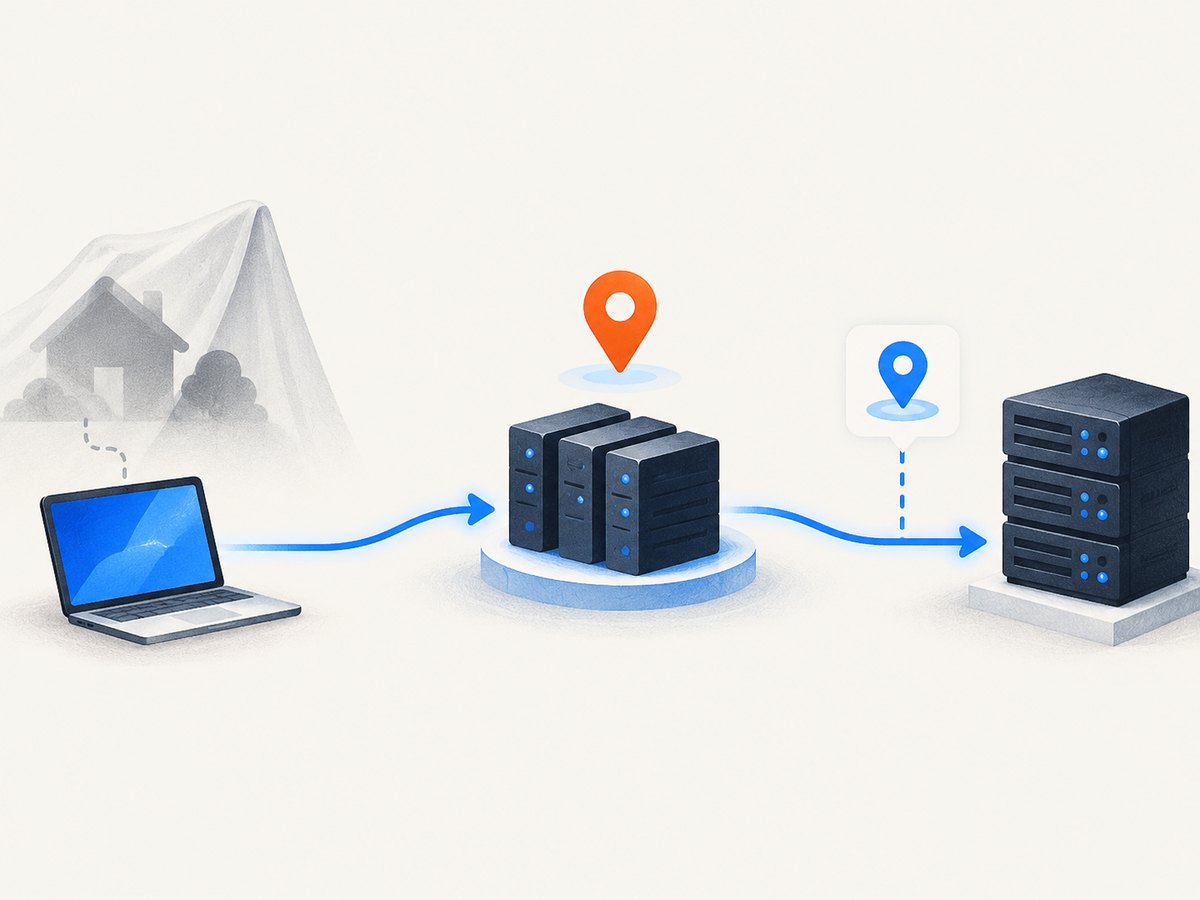
An anonymizing service places an intermediary between the visitor and your server. Your application sees the intermediary’s address. A proxy check classifies that observed address against networks known to be used for anonymization; it does not recover the visitor’s original IP address.
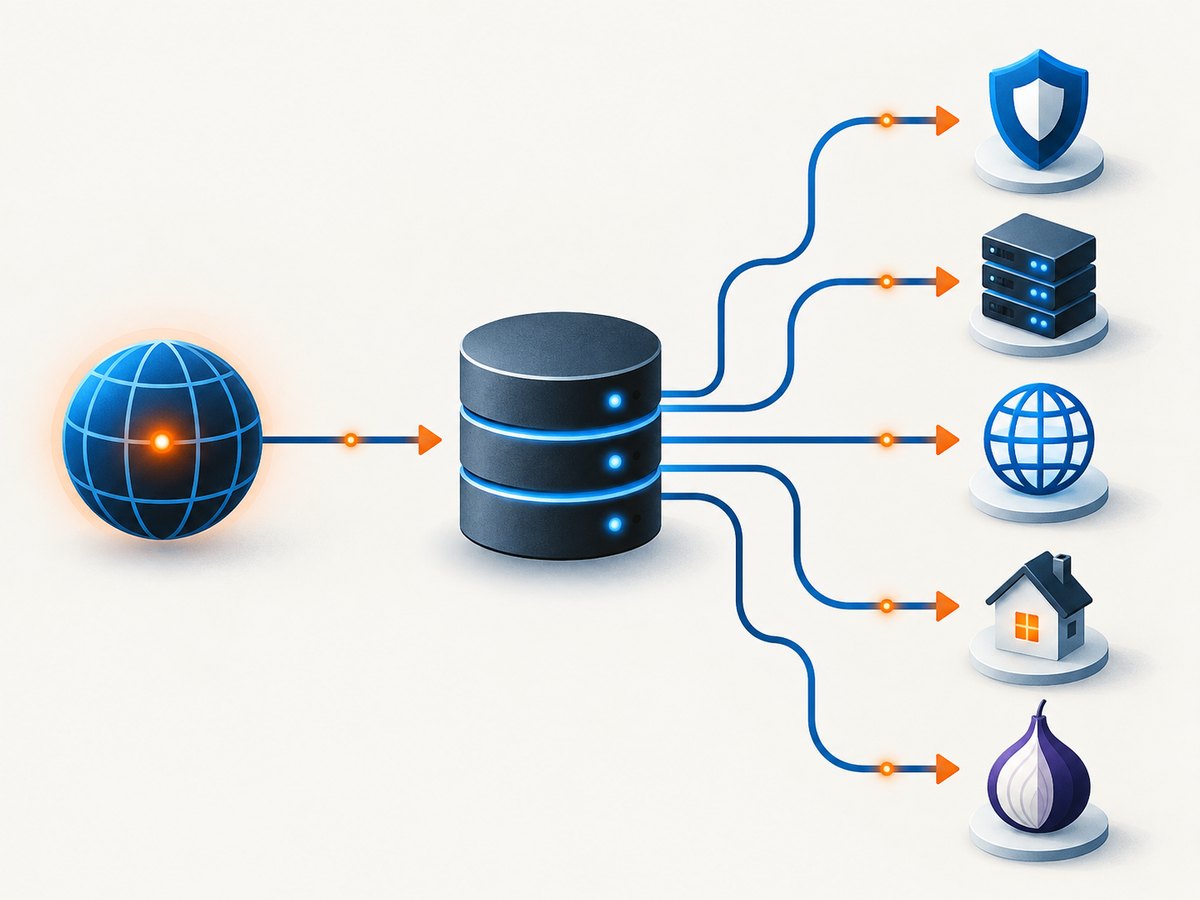
| Result | What it usually describes | What it does not prove |
|---|---|---|
| VPN | An address associated with a virtual private network or its hosting range | That the user is attacking, committing fraud, or hiding a specific identity |
| Hosting provider | A cloud or data-center network often used by servers, crawlers, and VPNs | That every request from the range is automated |
| Public proxy | A proxy service available to many users | That the current user is malicious |
| Residential proxy | An address that appears to belong to a residential ISP but is used as an intermediary | A reliable physical location; these addresses can be difficult to detect |
| Tor exit node | An address that relays traffic out of the Tor network | The user’s origin inside Tor |
MaxMind documents anonymous-IP fields including is_anonymous, is_anonymous_vpn, is_hosting_provider, is_public_proxy, is_residential_proxy, and is_tor_exit_node in its Anonymous IP database documentation. Its guidance also explains why a VPN may be detected through hosting-provider information when the range is not registered under the VPN provider’s name.
Choose a detection method
One-off lookup
Use a lookup page that states which categories it detects. Enter the exact IPv4 or IPv6 address, record the classification and the lookup date, and avoid treating a broad “anonymous” result as equivalent to “Tor” or “public proxy.”
API screening
An API is appropriate when your application evaluates logins, payments, account creation, or other events continuously. Store the provider’s category, confidence or last-seen fields when available, the lookup timestamp, and your decision. IPinfo documents a Privacy Detection API and database options in its privacy-detection documentation.
Downloaded database
A local database avoids a network round trip on every request. MaxMind describes daily updates and IPv4/IPv6 coverage for its GeoIP Anonymous IP database. Schedule updates, keep the database version with your audit records, and define behavior when the local copy is stale or unavailable.
Managed security list
A firewall or edge provider can apply a maintained list before traffic reaches your application. Cloudflare documents managed lists for known open proxies, anonymizers, and VPNs in its managed-list documentation. Confirm the list’s categories and update behavior before using it for blocking.
Build a small local checker
The following example is fully runnable and demonstrates the core operation: parse an IP address and test whether it belongs to CIDR ranges in a maintained local file. The quality of the result depends on how current and comprehensive that file is.
1. Create a local range file
{
  "vpn": ["198.51.100.0/24"],
  "public_proxy": ["203.0.113.0/24"],
  "tor_exit": ["192.0.2.0/24"]
}
The ranges above are documentation ranges. Replace them with ranges supplied by the database or security-list provider you use. Do not copy them into a production deny list.
2. Python checker
#!/usr/bin/env python3
import ipaddress
import json
import sys
from pathlib import Path


def load_ranges(path):
    raw = json.loads(Path(path).read_text())
    return {
        category: [ipaddress.ip_network(cidr) for cidr in cidrs]
        for category, cidrs in raw.items()
    }


def classify(address, ranges):
    ip = ipaddress.ip_address(address)
    matches = [
        category
        for category, networks in ranges.items()
        if any(ip in network for network in networks)
    ]
    return {"ip": str(ip), "is_proxy": bool(matches), "categories": matches}


if __name__ == "__main__":
    if len(sys.argv) != 3:
        raise SystemExit("usage: python check_ip.py RANGES.json IP")
    print(json.dumps(classify(sys.argv[2], load_ranges(sys.argv[1])), indent=2))
python check_ip.py ranges.json 203.0.113.253. Node.js checker
import fs from 'node:fs';
import net from 'node:net';

function ipv4ToInt(ip) {
  return ip.split('.').reduce((n, part) => (n * 256) + Number(part), 0) >>> 0;
}

function inCidr(ip, cidr) {
  if (net.isIP(ip) !== 4) return false;
  const [base, bitsText] = cidr.split('/');
  const bits = Number(bitsText);
  const mask = bits === 0 ? 0 : (0xffffffff << (32 - bits)) >>> 0;
  return (ipv4ToInt(ip) & mask) === (ipv4ToInt(base) & mask);
}

const [,, rangesPath, ip] = process.argv;
if (!rangesPath || !ip) throw new Error('usage: node check-ip.mjs RANGES.json IP');
const ranges = JSON.parse(fs.readFileSync(rangesPath, 'utf8'));
const categories = Object.entries(ranges)
  .filter(([, cidrs]) => cidrs.some(cidr => inCidr(ip, cidr)))
  .map(([category]) => category);
console.log(JSON.stringify({ ip, is_proxy: categories.length > 0, categories }, null, 2));
4. cURL for a provider API
Providers expose different URLs, authentication headers, and response fields. Use the endpoint and credential format in the provider’s current documentation:
curl --fail-with-body \
  -H "Authorization: Bearer $PROXY_INTELLIGENCE_TOKEN" \
  "https://provider.example/v1/check?ip=203.0.113.25"
Replace the host, path, and authentication scheme with your provider’s documented values. Parse the returned fields by name rather than assuming that a boolean called proxy covers VPNs, Tor, hosting, and residential proxies.
Use classifications in an application
A safe policy separates detection from enforcement. For example:
- Allow the request and record the category when the signal is informational.
- Ask for an additional verification step when the signal is weak, stale, or associated with a high-risk workflow.
- Block only when several independent signals justify it and the cost of a false positive is acceptable.
def decide(result):
    # result is the normalized provider response
    if not result.get("is_proxy"):
        return "allow"
    if result.get("confidence") == "low" or result.get("last_seen_days", 0) > 30:
        return "challenge"
    if "tor_exit" in result.get("categories", []):
        return "review"
    return "challenge"
Keep the original provider response separately from your decision. This lets you change policy without losing the evidence used at the time.
Interpret results carefully
- Residential proxies are harder to identify. Their addresses can look like ordinary residential ISP space, and they may change frequently.
- Confidence and recency matter. A low-confidence or old observation is weaker evidence than a recent, high-confidence classification.
- Location can be misleading. Geolocation normally describes the intermediary host. A VPN endpoint in another country does not establish the visitor’s physical location.
- Privacy services vary. Networks such as Apple iCloud Private Relay can change what an IP-based check can infer.
- A flag is not intent. People use anonymizers for privacy and security. Avoid automatically labeling every flagged visitor as malicious.
Production checklist
- Support both IPv4 and IPv6.
- Record the database or list version and lookup time.
- Define a maximum acceptable data age and a behavior for stale data.
- Distinguish VPN, hosting, public proxy, residential proxy, and Tor where your provider supports them.
- Cache repeated lookups for a short period that matches your risk tolerance.
- Rate-limit lookups and protect provider credentials.
- Monitor false positives by workflow: login, payment, signup, scraping, and content access have different costs.
- Never trust a client-supplied header as the user’s original IP without configuring your trusted proxy chain.
Troubleshooting
Every address is classified as unknown
Your local file may be empty, stale, or in a different format than your parser expects. Check the update job, file path, version, and whether IPv6 records are loaded.
An IPv6 address never matches
Many simple examples only implement IPv4. Use a provider or library with IPv6 support, or add IPv6 CIDR parsing before relying on the result.
A VPN is reported only as hosting
This can be expected. A VPN range may be registered to a hosting company rather than the VPN brand. Treat hosting as a separate signal and document the provider’s classification logic.
Legitimate users are blocked
Proxy users can be privacy-conscious. Replace an automatic deny with a challenge or review, use confidence and recency fields, and measure the false-positive rate.
The IP location does not match the user
The lookup describes the intermediary’s network and location. Proxy detection cannot reveal the original address or true physical location.
Lookups slow down requests
Use a local database, cache results, batch evaluation where supported, and fail open or challenge according to the risk of the specific workflow. Do not make a payment decision depend on an unbounded external timeout.
Performance, reliability, and cost
A local database gives predictable latency but requires storage, update scheduling, and monitoring. An API reduces maintenance but adds network latency, rate limits, provider outages, and per-query cost. A managed edge list can reject traffic early, but you have less control over update timing and category detail.
Estimate cost from peak requests rather than average daily traffic. Cache by normalized IP, set connection and read timeouts, and instrument cache hits, provider errors, stale-data fallbacks, and decisions by category. Keep a manual override for incidents and document how quickly an override expires.
Or skip the browser setup
If your workflow also needs screenshots of pages associated with an IP review, ScreenshotNeo provides a single GET request for a PNG, JPEG, WebP, or PDF. Its capture can accept cookie and consent banners, remove more than 60 known consent platforms plus newsletter popups and chat widgets, and turn each step off. Bot checks, blank pages, failed loads, timeouts, and cache hits are not billed, and the response identifies the result with X-Page-Verdict and X-Billed headers.
See the ScreenshotNeo API documentation for all options. A minimal call is:
curl -G "https://api.screenshotneo.com/v1/shot" -d access_key=YOUR_API_KEY --data-urlencode url=https://stripe.com -o shot.webpimport requests
r = requests.get("https://api.screenshotneo.com/v1/shot", params={"access_key": "YOUR_API_KEY", "url": "https://stripe.com"}, timeout=90)
open("shot.webp", "wb").write(r.content)const q = new URLSearchParams({ access_key: 'YOUR_API_KEY', url: 'https://stripe.com' });
const res = await fetch(`https://api.screenshotneo.com/v1/shot?${q}`);It also has an MCP server for Claude, Cursor, and other MCP clients, with take_screenshot, get_page_info, and capture_pdf tools. The free plan includes 1,000 screenshots each month with no card; paid plans start at $5 for 3,000. Create a free ScreenshotNeo account.
FAQ
Can a proxy check reveal the original IP?
No. It classifies the address visible to your server. Recovering an original address is not what IP intelligence does.
Is a proxy IP automatically dangerous?
No. Use the category, confidence, recency, and your workflow’s false-positive cost before taking action.
Should I block all Tor traffic?
Only if a documented business requirement justifies it. A challenge or review path is often safer than a blanket denial.
How often should proxy data be refreshed?
Use the provider’s documented cadence and enforce a maximum age in your application. MaxMind describes daily updates for its Anonymous IP database.
Why does a residential proxy look like a normal ISP address?
Residential proxy endpoints are drawn from address space associated with legitimate residential providers, which makes them harder to distinguish from ordinary customers.


