How to Ignore Multiple Spec Files in Playwright
Learn every reliable way to ignore multiple Playwright spec files, from testIgnore globs to testMatch, CLI filters, projects, and CI troubleshooting.

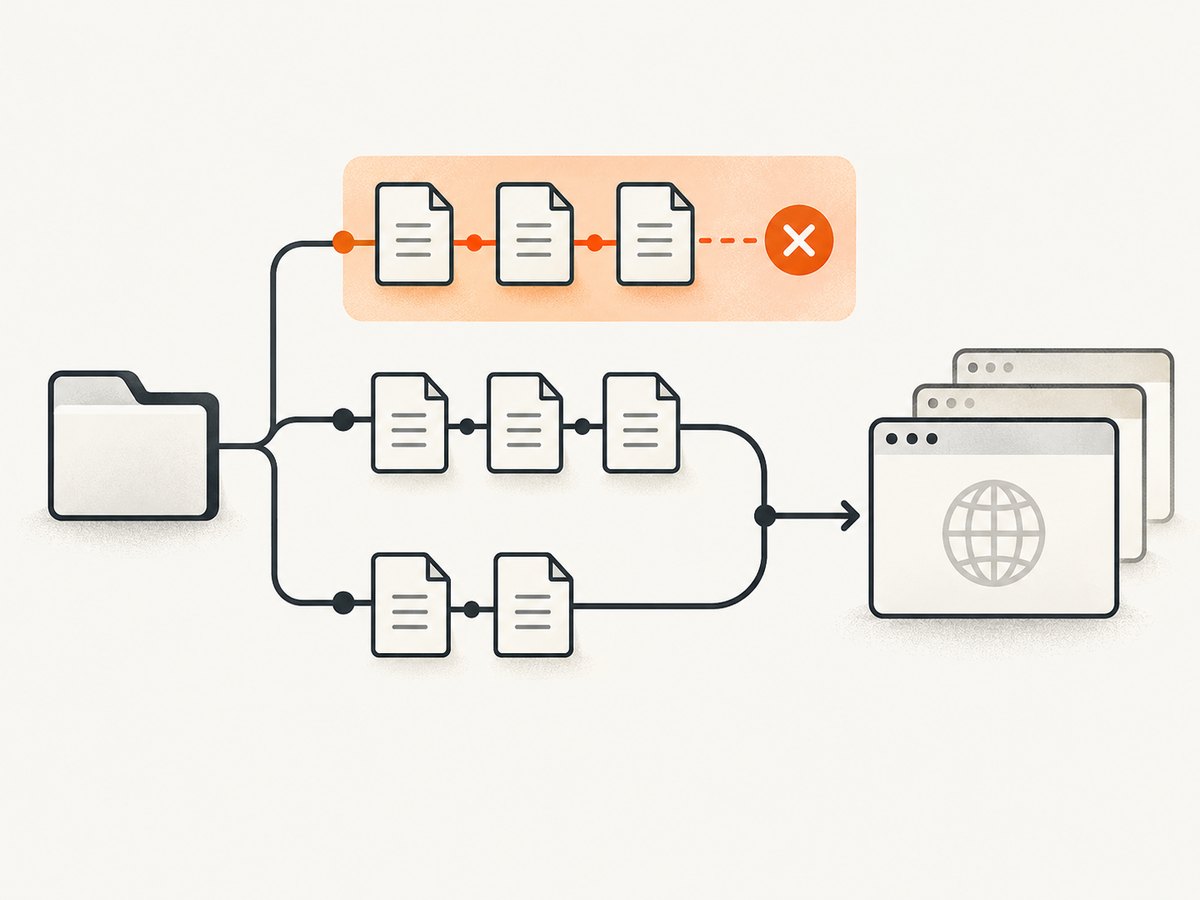
To ignore several Playwright spec files permanently, configure testIgnore in playwright.config.ts. It accepts a string, regular expression, or array of either. Use glob patterns for named files and folders:
import { defineConfig } from '@playwright/test';

export default defineConfig({
  testIgnore: [
    '**/legacy-a.spec.ts',
    '**/legacy-b.spec.ts',
    '**/archived/**',
  ],
});
Playwright checks these patterns against the absolute file path. A directory pattern such as **/archived/** therefore excludes every matching test file below that directory. The official configuration reference documents both testIgnore and its allowlist counterpart, testMatch (Playwright configuration documentation).
What testIgnore does
Playwright first discovers files that look like tests, then applies your matching rules. The default discovery pattern is:
**/*.@(spec|test).?(c|m)[jt]s?(x)That covers JavaScript and TypeScript test files, including JSX and TSX variants. testIgnore removes matching files from execution. It does not delete them, change their contents, or prevent another project with different settings from discovering them.
Because matching uses absolute paths, write patterns that can match the path Playwright sees from the project root. Broad patterns are convenient, but they can hide an unexpectedly large part of a suite. Start with a specific filename, run list mode, and widen the pattern only when the result is correct.
Ignoring multiple files with glob patterns
Named files in different folders
Put one pattern per file in an array. This is the clearest approach when the excluded set is stable and intentionally small.
import { defineConfig } from '@playwright/test';

export default defineConfig({
  testDir: './tests',
  testIgnore: [
    '**/payments/old-checkout.spec.ts',
    '**/admin/flaky-report.spec.ts',
    '**/experimental/**/*.spec.ts',
  ],
});
The **/ prefix lets a pattern match regardless of which test subdirectory contains the file. If you know the exact location and want stricter matching, use a project-relative path such as tests/payments/old-checkout.spec.ts.
Ignore a complete directory
To skip every discovered spec below a directory, use a directory glob:
export default defineConfig({
  testIgnore: ['**/archived/**'],
});
This also matches nested directories such as tests/archived/2023/login.spec.ts. To ignore only a top-level folder under tests, make the pattern narrower:
export default defineConfig({
  testDir: './tests',
  testIgnore: ['tests/archived/**'],
});
Ignore by naming convention
Teams often mark disabled suites with a suffix or directory. Globs make that convention enforceable:
export default defineConfig({
  testIgnore: [
    '**/*.skip.spec.ts',
    '**/*.disabled.test.ts',
    '**/quarantine/**',
  ],
});
Remember that a file named checkout.skip.spec.ts still exists and may be picked up by another tool, another Playwright project, or a direct CLI path if that project does not share this configuration.
Using regular expressions
For related names that are awkward to express as globs, provide a regular expression:
import { defineConfig } from '@playwright/test';

export default defineConfig({
  testIgnore: /\\/(legacy|quarantine)\\/.*\\.(spec|test)\\.[cm]?[jt]sx?$/,
});
The expression is evaluated against an absolute path. The escaped slash makes the intent obvious when paths are rendered with forward slashes. A simpler expression can work when you only need a filename suffix:
export default defineConfig({
  testIgnore: /\\.skip\\.spec\\.ts$/,
});
Use an array when you have several unrelated rules:
export default defineConfig({
  testIgnore: [
    '**/archived/**',
    /\\.skip\\.spec\\.ts$/,
    /experimental-.*\\.test\\.ts$/,
  ],
});
Keep expressions anchored when possible. An unanchored fragment such as /old/ can exclude a legitimate file named folder.spec.ts simply because a parent directory contains the word “old”.
Complete configuration with projects
Projects are useful when different commands need different subsets. For example, a smoke project can run a small allowlist while the default project ignores smoke tests and retries the rest:
import { defineConfig } from '@playwright/test';

export default defineConfig({
  testDir: './tests',
  projects: [
    {
      name: 'Smoke',
      testMatch: /.*smoke\.spec\.ts/,
      retries: 0,
    },
    {
      name: 'Default',
      testIgnore: /.*smoke\.spec\.ts/,
      retries: 2,
    },
  ],
});
Run one project with:
npx playwright test --project=SmokeProjects keep suite policy in version control. They are preferable to repeatedly editing one global ignore list when CI, smoke checks, browser matrices, or release gates need different selections.
When testMatch is a better choice
testIgnore is an exclusion list. testMatch is an allowlist: only matching files execute.
import { defineConfig } from '@playwright/test';

export default defineConfig({
  testMatch: [
    '**/smoke/*.spec.ts',
    '**/critical/*.spec.ts',
  ],
});
Choose testMatch when the files you want are easier to describe than the files you do not want. This reduces the chance that a newly added experimental file runs accidentally. It also makes an explicit CI suite easy to review.
| Requirement | Best fit | Reason |
|---|---|---|
| Skip a stable list of files | testIgnore |
Preserves normal discovery and excludes known paths. |
| Run only a few suites | testMatch |
Defines exactly what is eligible. |
| One-off local run | CLI paths | No configuration change is needed. |
| Different repeatable policies | Projects | Each suite gets its own matching and runtime settings. |
| Exclude titles or tags | --grep-invert |
Filters test text, not file paths. |
One-off CLI filtering
For a temporary selection, pass files or directories after npx playwright test:
npx playwright test tests/login.spec.ts tests/checkout.spec.ts
npx playwright test tests/smoke/
The CLI also supports title and tag filters:
npx playwright test --grep "@critical"
npx playwright test --grep-invert "@slow"
--grep and --grep-invert operate on the combined project, file, describe, title, and tag text. They are not path-based replacements for testIgnore. If the requirement is “never run these files in the default project,” keep the rule in configuration.
Verify what Playwright will run
Before changing CI, ask Playwright to list discovered tests:
npx playwright test --listThen compare the output before and after adding an ignore rule. Check these cases:
- The intended files disappear.
- Unrelated files remain.
- Each project has the expected subset.
- A direct CLI path does not accidentally bypass the project you meant to use.
If a pattern appears ineffective, print or inspect the absolute path. A pattern written for tests/legacy/** may fail when your actual test directory is outside that location or when a second config file is being loaded.
Common errors and fixes
The ignored file still runs
Cause: The command is using another configuration file, another project, or a pattern that does not match the absolute path.
Fix: Run with an explicit config, inspect --list, and check each project’s testIgnore. Confirm the filename extension matches the pattern, including .spec.ts versus .test.ts.
A whole directory was ignored accidentally
Cause: A broad expression such as **/legacy/** matched a parent directory used by active tests.
Fix: Narrow it to tests/legacy/** or list exact files. Re-run npx playwright test --list and review the diff.
Regular expression works on one machine only
Cause: The expression assumes a path separator or a particular absolute root.
Fix: Avoid hard-coding the drive letter or workspace path. Match stable directory and filename portions, and account for separators when your expression needs them.
testMatch runs nothing
Cause: The allowlist does not include the actual extension, directory, or naming convention.
Fix: Start with **/*.spec.ts, confirm discovery, then narrow the pattern one segment at a time.
--grep-invert did not exclude a file
Cause: The file path is not part of the text being filtered in the way you expected.
Fix: Use testIgnore or CLI path arguments for file selection. Reserve grep filters for titles, describe blocks, projects, and tags.
Performance, reliability, and maintenance
Ignoring files reduces the number of test files Playwright loads and executes, which can shorten local and CI runs. The exact improvement depends on test count, browser startup, fixtures, retries, and parallel workers; configuration alone does not provide a universal speedup.
For reliability, keep permanent policy in playwright.config.ts, review broad patterns like code changes, and add a CI step that runs npx playwright test --list for important projects. Prefer an explicit testMatch allowlist for release smoke tests so newly added files cannot silently join that gate.
Do not use ignores to conceal consistently failing tests without ownership. Place quarantined files in a named directory, record why they are excluded, and create a follow-up issue or review date. When the test is repaired, remove both the directory convention and the ignore rule if they are no longer needed.
Or skip the browser setup
If your goal is to capture a page image rather than run browser tests, ScreenshotNeo provides a single HTTP request. See the ScreenshotNeo documentation for the complete option reference.

curl -G "https://api.screenshotneo.com/v1/shot" -d access_key=YOUR_API_KEY --data-urlencode url=https://stripe.com -o shot.webpimport requests
r = requests.get("https://api.screenshotneo.com/v1/shot", params={"access_key": "YOUR_API_KEY", "url": "https://stripe.com"}, timeout=90)
open("shot.webp", "wb").write(r.content)const q = new URLSearchParams({ access_key: 'YOUR_API_KEY', url: 'https://stripe.com' });
const res = await fetch(`https://api.screenshotneo.com/v1/shot?${q}`);ScreenshotNeo accepts 63 capture options, including full-page screenshots with lazy images loaded, CSS-selector element capture, device presets, arbitrary viewports, dark mode, retina scale, custom CSS and JavaScript, clicks, selector waits, delays, network-idle waits, request blocking, custom headers and cookies, geolocation, timezone, transparent backgrounds, resizing, caching, signed links, asynchronous jobs, bulk capture, PDFs, HTML-to-image, and usage reporting.
- Cookie and consent banners, newsletter popups, and chat widgets are removed before the shot.
- Bot checks, blank pages, timeouts, failed loads, and cache hits are not billed; response headers identify the page verdict and billing status.
- An MCP server lets Claude, Cursor, and other MCP clients use
take_screenshot,get_page_info, andcapture_pdf. - The Free plan includes 1,000 screenshots per month with no card. Paid plans start at $5 for 3,000 shots.
Create a free ScreenshotNeo account and get 1,000 screenshots each month with no card.
FAQ
Can I provide several patterns to testIgnore?
Yes. Pass an array containing glob strings, regular expressions, or both.
Does testIgnore match relative paths?
Matching is performed against the absolute file path, so use stable path fragments that can match the absolute location.
Can I ignore a folder recursively?
Yes. A pattern such as **/archived/** matches files at any depth below an archived directory.
Should I use testMatch instead?
Use it when a small allowlist is easier to maintain than a growing exclusion list.
Can CLI grep filters replace file ignores?
No. Grep filters target titles, tags, and related text. Use configuration or CLI paths for dependable file selection.
How do I keep smoke and full suites separate?
Define separate projects with their own testMatch, testIgnore, retries, and other policies.


