How to Make imgkit and wkhtmltoimage Load JavaScript
Enable JavaScript in wkhtmltoimage, wait for asynchronous rendering, and troubleshoot IMGKit captures that finish before the page is ready.

Short answer: IMGKit calls the wkhtmltoimage binary, which performs the rendering. JavaScript is enabled by default in the documented command-line interface. If it has been disabled, add --enable-javascript. To wait for client-side rendering, use either --javascript-delay <milliseconds> or --window-status <value>. The latter lets your page signal that rendering is complete.
For IMGKit, pass the corresponding wkhtmltoimage options through the wrapper and use kit.javascripts when you need to add a JavaScript file. Always verify the executable and version that your Ruby process actually runs.
1. How the rendering pipeline works
There are two separate layers:
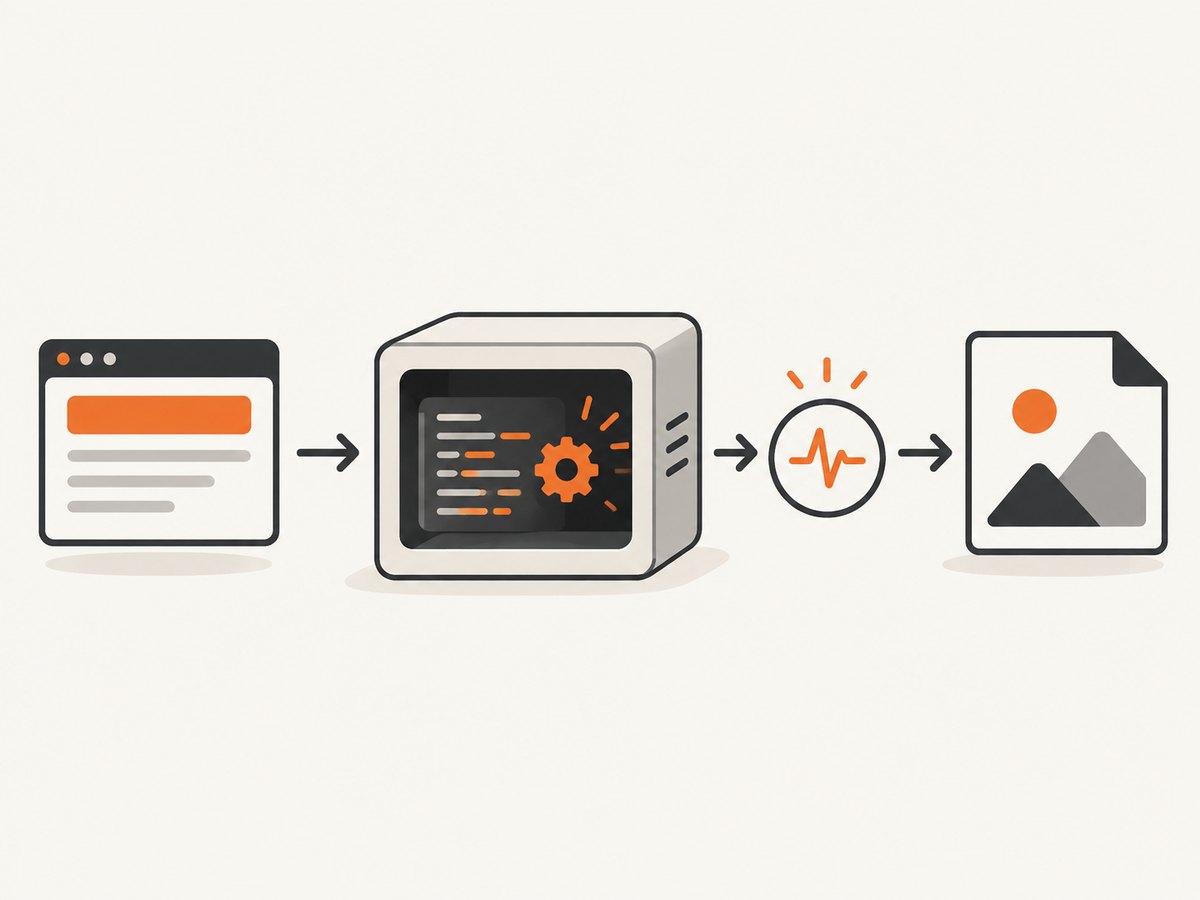
- IMGKit: a Ruby wrapper that builds a renderer command.
- wkhtmltoimage: the executable that loads HTML, runs JavaScript, waits, and writes the image.
Enabling JavaScript only permits scripts to run. It does not guarantee that timers, network requests, client-side templates, or framework hydration have finished before capture. You must also choose a readiness strategy.
2. Use a fixed JavaScript delay
A fixed delay is useful when the page normally becomes stable after a predictable period.
Command line
wkhtmltoimage --enable-javascript --javascript-delay 1500 https://example.com output.pngThe delay is measured in milliseconds and starts after the page load process. The value above is an example; measure the page you are capturing and choose a value that covers its normal rendering time.
IMGKit
require "imgkit"

kit = IMGKit.new(
  "https://example.com",
  "enable-javascript" => true,
  "javascript-delay" => 1500
)

File.binwrite("output.png", kit.to_png)
IMGKit releases differ in how option keys are represented. If your release expects symbols or a different constructor form, inspect the installed gem’s interface and confirm the generated command with logging. The important part is that the options reach wkhtmltoimage as --enable-javascript and --javascript-delay 1500.
When a delay is appropriate
- Static sites with a known animation or data-fetch duration.
- Pages you cannot modify to emit a readiness signal.
- Quick diagnostics to prove that the script runs after the first paint.
A delay that is too short produces incomplete images. A delay that is too long increases latency and renderer resource usage.
3. Wait for a window status signal
A readiness signal is usually more reliable than guessing a timeout when you control the page. Set window.status only after the asynchronous work needed for the screenshot has completed.
Page code
<script>
  async function renderPage() {
    const response = await fetch("/api/dashboard");
    const data = await response.json();
    document.querySelector("#dashboard").textContent = data.title;
    window.status = "rendered";
  }

  renderPage().catch((error) => {
    console.error(error);
    window.status = "render-error";
  });
</script>
<div id="dashboard">Loading…</div>
Command line
wkhtmltoimage --enable-javascript --window-status rendered https://example.com output.pngThe value must match exactly. If the page never assigns window.status = "rendered", the renderer may wait until its timeout or fail to produce the expected output, depending on the installed build.
IMGKit pattern
require "imgkit"

kit = IMGKit.new(
  "https://example.com",
  "enable-javascript" => true,
  "window-status" => "rendered"
)

File.binwrite("output.png", kit.to_png)
Confirm the exact option syntax supported by your IMGKit version before placing this in production. IMGKit documents passthrough of wkhtmltoimage options, but wrapper APIs have changed across releases.
4. Add JavaScript files with IMGKit
IMGKit documents the kit.javascripts collection for JavaScript files. This is useful when the script is local or when you need a small capture-only setup script.
require "imgkit"

kit = IMGKit.new("file:///tmp/page.html")
kit.javascripts << "/tmp/capture-ready.js"

File.binwrite("output.png", kit.to_png)
Keep the readiness script deterministic. It should set the expected status after the content required for the image is present. Do not use a status value that can be set before the final DOM update.
5. A complete local test page
Before debugging a production application, isolate the renderer with a tiny page. This separates “JavaScript did not run” from “JavaScript ran after the image was captured.”
<!doctype html>
<html>
<body>
  <div id="result">Not rendered</div>
  <script>
    setTimeout(() => {
      document.querySelector("#result").textContent = "Rendered";
      window.status = "ready";
    }, 500);
  </script>
</body>
</html>
wkhtmltoimage --enable-javascript --window-status ready input.html output.pngIf this works but your application does not, investigate application requests, CSP rules, redirects, authentication, and framework-specific browser requirements.
6. Debug JavaScript execution
Use the renderer’s diagnostics while investigating:
wkhtmltoimage --enable-javascript --debug-javascript --run-script "document.body.setAttribute('data-capture-test','yes')" input.html output.png--debug-javascript exposes JavaScript diagnostics. --run-script runs a script in the page context and can help determine whether the renderer is executing code at all. Check the help output of the installed binary because packaged builds can differ.
7. IMGKit configuration checklist
- Find the executable IMGKit uses and record its absolute path.
- Run that exact binary with
--versionand--help. - Ensure no wrapper configuration adds
--disable-javascript. - Choose a fixed delay or a status signal.
- Make sure every required asynchronous request finishes before the signal.
- Use
kit.javascriptsonly for scripts that are actually needed by the capture. - Test with a minimal local page before changing application code.
8. Common errors and fixes
| Symptom | Likely cause | Fix |
|---|---|---|
| The image shows the loading state | Capture occurs before asynchronous rendering finishes | Add --javascript-delay or implement --window-status. |
| No JavaScript changes appear | JavaScript was disabled or the wrong executable is being called | Inspect IMGKit’s binary path and add --enable-javascript. |
| Status waiting never completes | The page never assigns the exact expected value | Set window.status after the final DOM update and match capitalization exactly. |
| Delay and status appear ineffective | Old or vendor-patched wkhtmltoimage build | Check the installed version, test the minimal page, and compare behavior with a current supported build. |
| Data is missing despite a long delay | Requests fail, require authentication, or are blocked by policy | Inspect renderer diagnostics, verify URLs and credentials, and reproduce with a local fixture. |
| Fonts or images are missing | External resources are unavailable to the renderer | Check network access, redirects, certificates, and resource URLs from the renderer’s environment. |
| The Ruby call raises an option error | IMGKit option syntax differs by gem release | Read the installed gem’s README or method signatures and verify the generated command. |
9. Timing, reliability, and performance
Fixed delay versus status signal
| Method | Strength | Risk |
|---|---|---|
| Fixed delay | Works without changing the page | Can be too short for slow runs or waste time on fast runs |
| Window status | Captures when page-specific work is complete | Requires reliable page code and a fallback for failures |
For production jobs, combine a readiness signal with an application-level timeout. Make failure visible instead of waiting indefinitely. Keep pages small when possible, avoid unnecessary third-party scripts, and reuse a stable renderer configuration.
A historical issue reported timing flags behaving incorrectly and recorded a fix milestone of 0.12.2.1. Treat that as version-specific history: verify the binary installed in your environment rather than assuming every package behaves identically.
C binding settings
If you use the wkhtmltoimage C API instead of the CLI or IMGKit, the documented settings include web.enableJavascript and load.jsdelay. The delay waits after page load and can end when JavaScript calls window.print(). Map these settings to the binding you use and verify its version-specific behavior.
10. When wkhtmltoimage is the wrong renderer
wkhtmltoimage has a specific rendering engine and does not support every behavior of a current desktop browser. If your page depends on browser features that the installed build cannot execute, increasing the delay will not fix it. First prove the problem with the minimal test and diagnostics; then consider a browser-based capture service.
11. Or skip the browser setup
ScreenshotNeo provides a website screenshot API and MCP server. It accepts one GET request and returns PNG, JPEG, WebP, or PDF. Its capture flow removes cookie and consent banners, newsletter popups, and chat widgets before the shot. Bot checks, blank pages, failed loads, timeouts, and cache hits are not billed as clean shots, and the response identifies the page verdict and billing status in headers.

See the ScreenshotNeo API documentation for all options, including full-page capture, waits, custom JavaScript, headers, cookies, device presets, PDFs, caching, bulk capture, signed links, and asynchronous jobs.
curl -G "https://api.screenshotneo.com/v1/shot" -d access_key=YOUR_API_KEY --data-urlencode url=https://stripe.com -o shot.webpimport requests
r = requests.get("https://api.screenshotneo.com/v1/shot", params={"access_key": "YOUR_API_KEY", "url": "https://stripe.com"}, timeout=90)
open("shot.webp", "wb").write(r.content)const q = new URLSearchParams({ access_key: 'YOUR_API_KEY', url: 'https://stripe.com' });
const res = await fetch(`https://api.screenshotneo.com/v1/shot?${q}`);An MCP server lets Claude, Cursor, and other MCP clients call take_screenshot, get_page_info, and capture_pdf. The Free plan includes 1,000 shots each month with no card; paid plans start at $5 for 3,000 shots. Create a free ScreenshotNeo account.
12. FAQ
Is JavaScript already enabled in wkhtmltoimage?
Yes, the documented command-line default is enabled. Add --enable-javascript explicitly when wrapper configuration may disable it.
Should I always use a delay?
No. Use a delay when timing is predictable or the page cannot signal readiness. Use --window-status when you control the page and can mark completion accurately.
Why does enabling JavaScript not load my API data?
The script may run after capture, the request may fail, or the page may require browser capabilities unavailable in your build. Use diagnostics and the minimal local test to identify which case applies.
Does IMGKit render the page itself?
No. IMGKit assembles options and invokes wkhtmltoimage; the binary performs the rendering.
How do I know which wkhtmltoimage version IMGKit uses?
Inspect IMGKit’s configured executable path, then run that exact file with --version and --help.