How to Include Hidden HTML Elements in jsPDF and html2canvas Exports
Reveal hidden content in html2canvas’s cloned document before exporting it with jsPDF. Learn the layout, rendering, and troubleshooting details that keep the live page unchanged.

If an element uses display: none, html2canvas will not render it in its ordinary hidden state. The most direct way to include it in a jsPDF export is to use html2canvas’s onclone callback to reveal the element in the temporary cloned document before rendering. This leaves the live page unchanged. The target must also be inside the capture root and have a layout that can be rendered.
This guide shows the direct html2canvas-to-jsPDF workflow, explains the clone callback, and covers layout, images, page sizing, common failure modes, and alternatives. The exact jsPDF APIs can vary by installed release, so check your version’s documentation and types when adapting the PDF step. html2canvas options · jsPDF type declarations.
1. Why hidden elements disappear
html2canvas builds a canvas image from DOM information and supported styles; it is not a literal screenshot of the browser’s composited pixels. An element with display: none has no rendered box in the normal layout, so it is not available to paint in the usual way. The target needs to become renderable before the clone is rendered.
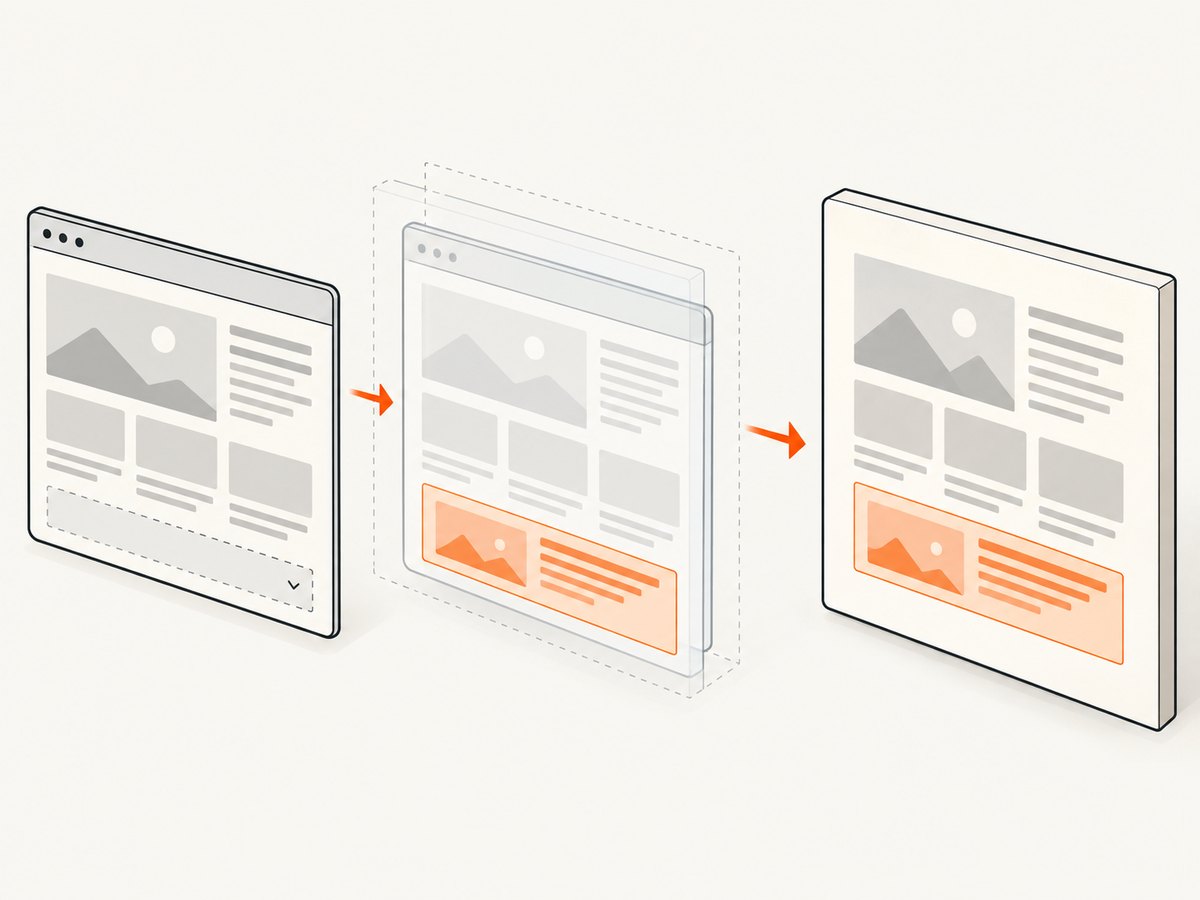
The onclone option runs with the cloned document that html2canvas prepares for rendering. You can change styles there without changing the source document. That makes it a good fit for export-only content, print layouts, or panels that should remain hidden from ordinary page visitors. The options reference documents the callback and its cloned-document behavior.
There are two important boundaries:
- The element must be a descendant of the DOM node passed to
html2canvas. Revealing a node outside that capture subtree will not add it to the output. - Restoring visibility is not always enough. A hidden parent, collapsed container, missing content, or layout-dependent component may also need adjustment in the clone.
2. Direct implementation: reveal the element in onclone
Install html2canvas and jspdf using the package manager and version constraints already used by your project. The following browser-side example assumes both libraries are available as imports, the capture root is #report, and the hidden section is #appendix. Use a display mode that matches the component: this example uses block, but a flex or grid component may need flex or grid.
import html2canvas from 'html2canvas';
import { jsPDF } from 'jspdf';

async function exportReport() {
  const root = document.querySelector('#report');
  if (!root) throw new Error('Capture root #report was not found');

  const canvas = await html2canvas(root, {
    backgroundColor: '#ffffff',
    scale: 2,
    onclone: (clonedDocument) => {
      const target = clonedDocument.querySelector('#appendix');
      if (!target) throw new Error('Hidden target #appendix was not found in clone');

      target.style.display = 'block';
      target.style.visibility = 'visible';
      target.style.opacity = '1';
    },
  });

  const pdf = new jsPDF({ orientation: 'portrait', unit: 'mm', format: 'a4' });
  const image = canvas.toDataURL('image/png');
  const pageWidth = pdf.internal.pageSize.getWidth();
  const pageHeight = pdf.internal.pageSize.getHeight();
  const imageHeight = canvas.height * pageWidth / canvas.width;

  // Add the image in page-sized slices so a tall capture spans PDF pages.
  let remaining = imageHeight;
  let offset = 0;
  while (remaining > 0) {
    pdf.addImage(image, 'PNG', 0, -offset, pageWidth, imageHeight);
    remaining -= pageHeight;
    offset += pageHeight;
    if (remaining > 0) pdf.addPage();
  }
  pdf.save('report.pdf');
}

exportReport().catch(console.error);
The clone callback is the key part. The jsPDF section demonstrates one raster-image approach to pagination; it may need adjustment for margins, headers, footers, very long documents, and the API version you have installed. html2canvas produces a canvas, not a PDF. The PDF conversion and page layout are a separate decision.
Make the selector and layout deliberate
Prefer a stable ID or export-specific data attribute over a broad selector. If the hidden target is nested under another hidden element, reveal the necessary ancestors as well. For example, if #appendix is inside #appendix-wrapper and that wrapper has display: none, setting only the child to display: block does not make the child render.
To preserve an element’s normal layout type, put the intended display mode on the element or record it in application configuration. Avoid assuming that all hidden elements should become blocks. A row, grid, flex container, or inline element can change dimensions and alignment if assigned the wrong display value.
3. Choose what “hidden” means for your page
| Hidden state | What to inspect | Typical clone-side action |
|---|---|---|
display: none |
No layout box exists for the element. | Set an appropriate display value, such as block, flex, or grid. |
visibility: hidden |
The element may occupy space but is not painted visibly. | Set visibility: visible. |
opacity: 0 |
The element may have layout but is transparent. | Set opacity: 1. |
| Off-screen position | It may render outside the captured bounds. | Position it within the capture layout in the clone. |
| Collapsed ancestor | A parent may have no height, hidden overflow, or a hidden display state. | Restore the ancestor’s layout and dimensions as needed. |
| Framework-controlled state | The component may not have mounted or populated its content. | Ensure the content exists before capture; style changes cannot create missing content. |
These are diagnostic categories, not guaranteed one-line fixes. Check computed styles and dimensions in the cloned document, especially when a component relies on JavaScript measurements, transitions, or framework state.
4. Direct html2canvas and jsPDF versus jsPDF’s HTML workflow
In the direct workflow, you call html2canvas, receive its canvas promise result, then pass the canvas image to jsPDF. This keeps capture and PDF pagination separate and makes the cloned-document callback easy to see.
jsPDF also provides an HTML integration that accepts html2canvas options through its HTML module types. The declarations are useful for confirming that an option is represented in the interface, but a declaration on the repository’s current branch is not a guarantee for every installed runtime release. Check the type definitions and documentation for your pinned version before relying on a particular option path. jsPDF types.
For either route, remember that html2canvas reconstructs an image from DOM data and supported CSS. If a style or browser resource is outside its support or access limits, changing display alone will not fix the missing output. html2canvas documentation.
5. PDF sizing, pagination, and image quality
Scale and memory
The canvas dimensions grow with the rendered element dimensions and the scale setting. A larger scale can make text and edges sharper in a rasterized PDF, while using more memory and increasing encoding work. Start with a moderate value such as 1 or 2, then check output at the size readers will view or print. Very long pages can create large canvases and may hit browser memory limits.
Page dimensions
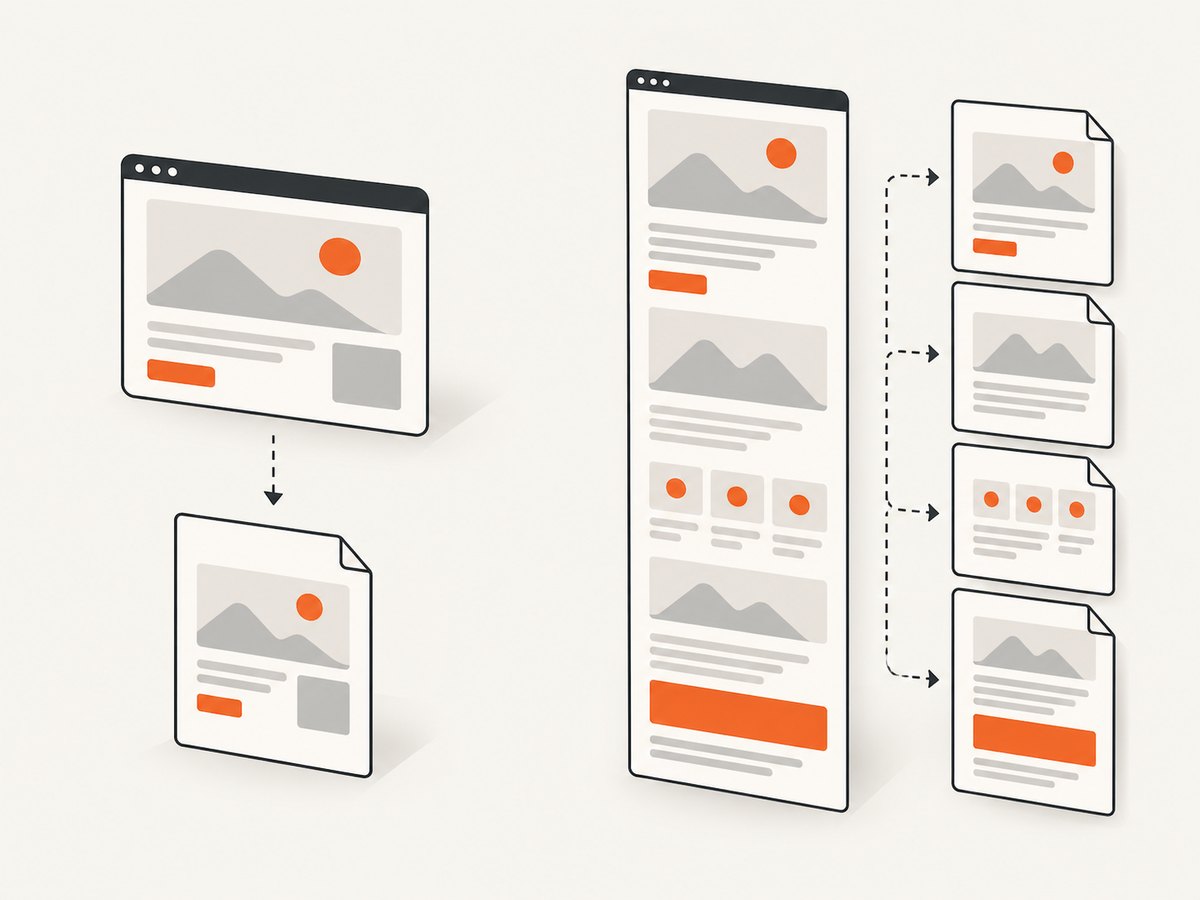
Decide whether the output should fit one page, continue across pages, or use a document-native PDF layout. A single tall canvas scaled to a page width and sliced across pages is simple but can split content at arbitrary positions. If page breaks matter, prepare explicit page containers or use a PDF workflow designed around page content. Include margins by reducing the content width and placing the image at the intended offsets.
Background and transparency
Choose a solid backgroundColor when the PDF should have a white page. A transparent canvas may behave differently when embedded in a PDF, depending on the conversion path and viewer. Verify the result in the PDF readers your users rely on.
6. Images, fonts, and cross-origin content
External assets can fail independently of the hidden-element fix. Images must be loaded when capture occurs, and cross-origin image restrictions can prevent their pixels from being read into a canvas unless the server and capture setup permit it. html2canvas documents same-origin and proxy considerations; cross-origin iframes have additional restrictions. See the resource and browser limitations.
- Wait for images and fonts your component needs before calling capture.
- Use resources your page can access under browser origin rules; configure a permitted proxy when appropriate.
- Do not expect a style change in
oncloneto bypass cross-origin security. - For iframes, confirm whether the content is same-origin and accessible to the page.
7. Common errors and fixes
| Symptom | Likely cause | Fix |
|---|---|---|
| Hidden section is still absent | Selector missed, target is outside capture root, or a parent remains hidden. | Query the cloned document, verify the selector, include the target in the capture subtree, and reveal required ancestors. |
| Section appears but has no content | Framework state has not populated it, or content was never mounted. | Ensure data and component content exist before capture; clone CSS only changes presentation. |
| Layout is broken | Wrong display value or collapsed dimensions. | Restore the component’s intended display mode and inspect clone dimensions and computed styles. |
| Image or iframe content is blank | Resource timing, origin restrictions, or iframe access limitations. | Wait for assets; check same-origin/proxy configuration and html2canvas resource guidance. |
| Text or CSS differs from the browser | html2canvas does not support every browser-rendered property. | Check supported CSS and simplify or adapt the export-specific styles. |
| PDF cuts off or has awkward breaks | Canvas-to-page scaling and slicing do not match the document’s desired pagination. | Set explicit page dimensions and margins; add page containers or choose a page-aware layout. |
| Browser runs out of memory | Capture area or scale produces an excessively large canvas. | Reduce scale, capture smaller sections, or render pages separately. |
8. Reliability and performance checklist
- Wait until the export data and component content are ready.
- Pass the smallest DOM root that includes all desired content.
- Use
oncloneto reveal the target and any hidden ancestors, with layout values that match the component. - Check dimensions, fonts, image loading, and cross-origin access before debugging jsPDF.
- Choose scale and page strategy based on output size and browser memory.
- Test representative edge cases: empty content, long content, missing images, nested hidden wrappers, and narrow viewports.
- Keep a stable library version and verify options against that version’s docs and types.
For repeatable output, avoid relying on animations or transient application state. A clone can receive style changes, but asynchronous content, layout code, or assets still need to be ready for the render. Large captures also increase work in both html2canvas and PDF image encoding.
9. Or skip the browser setup
If your goal is a screenshot or PDF of a live website rather than exporting your own application’s hidden component, ScreenshotNeo provides a website screenshot API and MCP server. One GET request can return PNG, JPEG, WebP, or PDF. See the API documentation.
curl -G "https://api.screenshotneo.com/v1/shot" -d access_key=YOUR_API_KEY --data-urlencode url=https://stripe.com -o shot.webp

import requests
r = requests.get("https://api.screenshotneo.com/v1/shot", params={"access_key": "YOUR_API_KEY", "url": "https://stripe.com"}, timeout=90)
open("shot.webp", "wb").write(r.content)

const q = new URLSearchParams({ access_key: 'YOUR_API_KEY', url: 'https://stripe.com' });
const res = await fetch(`https://api.screenshotneo.com/v1/shot?${q}`);
ScreenshotNeo accepts cookie and consent banners and removes more than 60 known consent platforms, newsletter popups, and chat widgets before capture; each step can be turned off. Bot checks, blank pages, failed loads, timeouts, and cache hits are not billed, and response headers identify the page verdict and billing status. Its MCP server gives AI agents tools to take screenshots, get page information, and capture PDFs. The free plan includes 1,000 screenshots each month with no card; paid plans start at $5 for 3,000. Every feature is on every plan.
Sign up for 1,000 free screenshots a month, with no card.
10. FAQ
Can html2canvas render an element that is not in the document?
No. The content must be present in the DOM and inside the capture root. The callback can change the cloned document’s rendering state; it cannot create missing application content by itself.
Does onclone change what the user sees?
The callback modifies the cloned document used for rendering, leaving the source document unchanged according to the html2canvas options documentation.
Will the same technique reveal a target ignored by html2canvas?
No. ignoreElements and data-html2canvas-ignore are exclusion mechanisms. Remove the exclusion if you want the element rendered. Options reference.
Why is it visible in the canvas but missing from the PDF?
That points to the jsPDF image placement, scaling, or pagination step. Inspect the canvas output separately, then check the PDF page dimensions and image coordinates for your installed jsPDF version.


