How to Inject Global Variables Into Puppeteer Pages
Learn when to use evaluate, evaluateOnNewDocument, or exposeFunction to pass values between Node.js and browser JavaScript in Puppeteer.

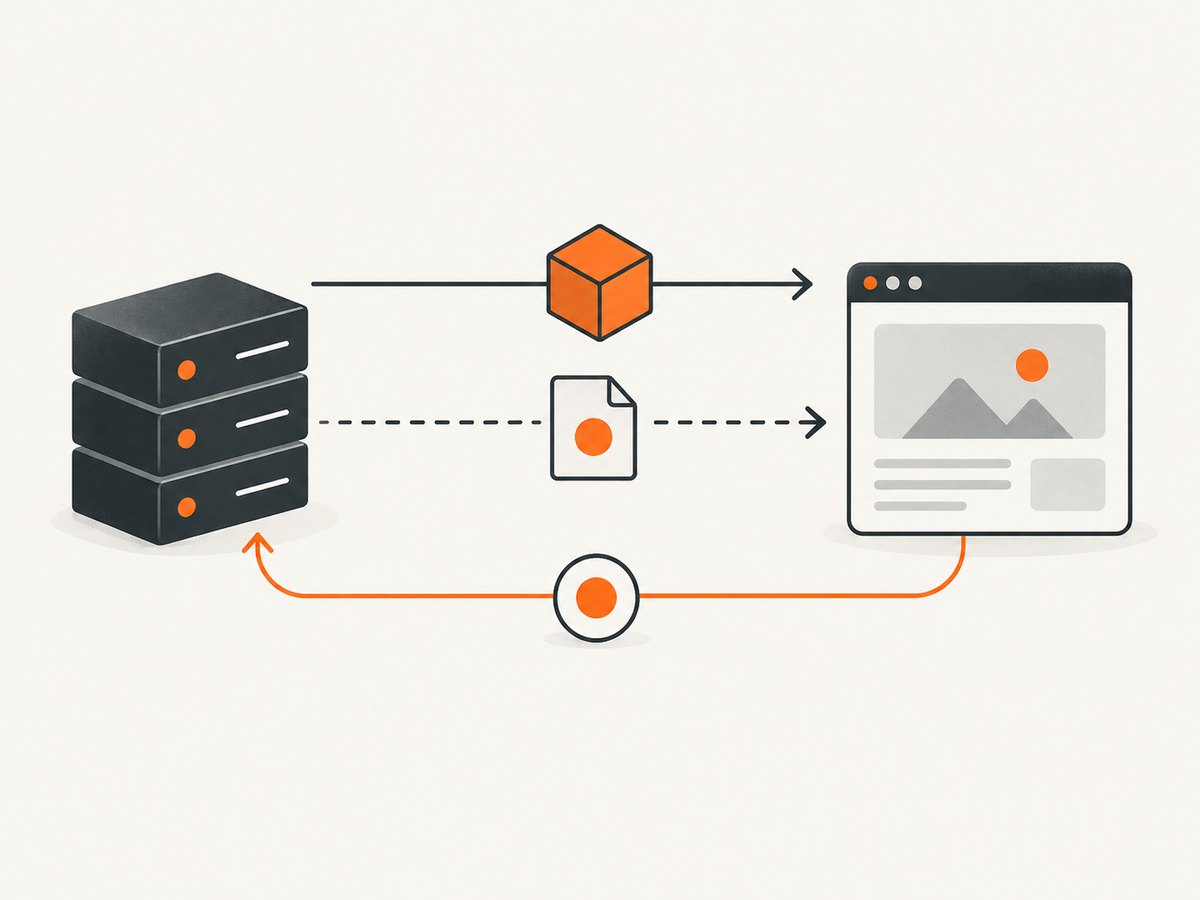
To inject a value into a Puppeteer page, pass it explicitly to page.evaluate. If the value must exist before the page’s scripts run, register page.evaluateOnNewDocument before navigation. If browser code must call back into Node.js, use page.exposeFunction.
| Need | Use | Lifetime and direction |
|---|---|---|
| One operation or calculation | page.evaluate(fn, value) |
One evaluation; Node.js value goes into page code |
| A global before application scripts | page.evaluateOnNewDocument(fn, value) |
Every navigation and child-frame load; Node.js value goes into page code |
| A callable Node.js capability | page.exposeFunction(name, callback) |
Persistent window function; page code calls Node.js |
Puppeteer functions execute in the browser context, so a Node.js variable is not automatically visible inside the page. Treat the boundary as an explicit interface: pass serializable data in, or deliberately expose a callback out.
1. Pass a value to one page operation with page.evaluate
page.evaluate evaluates a function in the page context, accepts arguments after the function, and waits for a returned promise. The function should receive everything it needs through parameters rather than relying on Node.js closures. See the Puppeteer Page.evaluate API.
import puppeteer from 'puppeteer';

const browser = await puppeteer.launch();
const page = await browser.newPage();

const config = {
  apiBase: 'https://example.test/api',
  featureFlag: true,
  tenant: 'acme'
};

await page.goto('https://example.test');

const result = await page.evaluate((cfg) => {
  window.appConfig = cfg;
  return {
    enabled: window.appConfig.featureFlag,
    endpoint: window.appConfig.apiBase
  };
}, config);

console.log(result);
await browser.close();
The assignment to window.appConfig lasts for the current document. A full navigation creates a new document, so that object is replaced. Use this approach when the value is needed after a page has loaded and only for the current operation.
Return a computed value instead of mutating window
const priceWithTax = await page.evaluate((price, rate) => {
  return price * (1 + rate);
}, 100, 0.2);

console.log(priceWithTax); // 120
Returning a result keeps the scope narrow. Assign a global only when page code needs to read it later.
2. Install a global before any site script with evaluateOnNewDocument
Use page.evaluateOnNewDocument when application JavaScript must see the variable during startup. Puppeteer’s API reference says the function runs after the document is created but before its scripts run. It is invoked for navigations and when child frames are attached or navigated; see the Page.evaluateOnNewDocument API.
import puppeteer from 'puppeteer';

const browser = await puppeteer.launch();
const page = await browser.newPage();

const config = {
  apiBase: 'https://example.test/api',
  featureFlag: true
};

await page.evaluateOnNewDocument((cfg) => {
  window.appConfig = cfg;
}, config);

await page.goto('https://example.test', { waitUntil: 'domcontentloaded' });

const value = await page.evaluate(() => window.appConfig.featureFlag);
console.log(value); // true

await page.goto('https://example.test/another-page');
const stillPresent = await page.evaluate(() => window.appConfig.apiBase);
console.log(stillPresent); // available in the new document

await browser.close();
Register the hook before the first goto. If you add it after navigation, the current document will not retroactively rerun its startup scripts. A one-time page.evaluate assignment can disappear after a navigation because the document is replaced.
Inject a small shim
await page.evaluateOnNewDocument(() => {
  window.myTelemetry = {
    enabled: false,
    events: []
  };
});
Keep startup code deterministic and small. The injected function is serialized by Puppeteer, so pass configuration as an argument and avoid depending on imports, local variables, or Node.js-only objects inside the function.
3. Let page JavaScript call Node.js with exposeFunction
page.exposeFunction(name, callback) adds a function with that name to the page’s window object. The callback runs in Node.js, returned promises are awaited, and the exposed function survives navigations. Read the Page.exposeFunction API.
import puppeteer from 'puppeteer';

const config = {
  apiBase: 'https://example.test/api',
  featureFlag: true
};

const browser = await puppeteer.launch();
const page = await browser.newPage();

await page.exposeFunction('getAppConfig', async () => {
  return config;
});

await page.goto('https://example.test');

const featureFlag = await page.evaluate(async () => {
  const cfg = await window.getAppConfig();
  return cfg.featureFlag;
});

console.log(featureFlag);
await page.goto('https://example.test/next');

const afterNavigation = await page.evaluate(() => window.getAppConfig());
console.log(afterNavigation.apiBase);

await browser.close();
This is a capability bridge rather than a copied global. Any script in the page that can access the function can invoke the Node.js callback. Use a distinctive function name, validate arguments in Node.js, and return only the fields the page needs.
4. Understand serialization and scope
Arguments crossing into the page should be JSON-like values: strings, numbers, booleans, arrays, plain objects, and supported special values. Reduce a large Node.js object to a small transfer object before calling Puppeteer.
const user = {
  id: 'u_123',
  email: 'person@example.test',
  internalToken: 'do-not-send'
};

const publicUser = {
  id: user.id,
  email: user.email
};

await page.evaluate((u) => {
  window.currentUser = u;
}, publicUser);
A page function does not close over arbitrary Node.js variables:
const secret = 'node-only';

// This does not read the Node.js variable as a page global.
await page.evaluate(() => {
  // secret is not defined in the browser context.
});
Pass secret as an argument if it truly belongs in the page. For credentials, prefer a short-lived, least-privileged value and avoid placing secrets on window where page scripts can read them.
5. Choose the right timing and lifetime
| Question | Recommended mechanism |
|---|---|
| Does the value only support one DOM query or calculation? | page.evaluate |
| Must the site’s first script read it? | page.evaluateOnNewDocument |
| Must it be restored on every navigation? | page.evaluateOnNewDocument |
| Does the page need fresh data from Node.js on demand? | page.exposeFunction |
| Must a child iframe receive the startup global? | Use evaluateOnNewDocument; account for frame origin and page security rules |
For a single-page application, route changes may not create a new document, so a global assigned with evaluate can remain available. A hard reload, cross-document navigation, or frame navigation creates a new execution environment. Do not infer lifetime from URL changes alone; check whether a new document was created.
6. Practical patterns
Feature flags before startup
await page.evaluateOnNewDocument(({ checkout }) => {
  window.featureFlags = { checkout };
}, { checkout: false });
await page.goto('https://example.test');
Reading a page value after injection
await page.evaluateOnNewDocument((locale) => {
  window.testLocale = locale;
}, 'en-GB');

await page.goto('https://example.test');
const locale = await page.evaluate(() => window.testLocale);
Asynchronous Node.js lookup
const configByTenant = new Map([
  ['acme', { theme: 'dark' }]
]);

await page.exposeFunction('getTenantConfig', async (tenant) => {
  if (typeof tenant !== 'string' || tenant.length > 100) {
    throw new Error('Invalid tenant');
  }
  return configByTenant.get(tenant) ?? null;
});
Validate callback inputs and handle errors in the page. An exposed callback is an application interface, so treat it with the same care as an HTTP endpoint.
7. Troubleshooting common failures
| Symptom | Cause | Fix |
|---|---|---|
ReferenceError: config is not defined |
The page function tried to close over a Node.js variable. | Pass the value as an argument: page.evaluate(fn, config). |
The global exists, then disappears after goto. |
Navigation replaced the document. | Register evaluateOnNewDocument before navigation. |
The site’s startup code sees undefined. |
Injection happened after the site’s scripts ran. | Install the hook before goto; use evaluateOnNewDocument. |
| An exposed function is missing in a frame. | The code is running in a different frame or execution context. | Inspect the frame, wait for it to attach, and call the bridge from the intended frame. |
| Arguments arrive as unexpected values. | The object contains values that do not serialize as expected. | Convert it to a plain, minimal transfer object before passing it. |
| The callback runs too often. | Page code invokes the exposed function repeatedly. | Validate, cache where appropriate, and make the callback cheap or rate-limited. |
| Injection works on one URL but not another. | The second URL is a new document or uses a different frame. | Use the pre-navigation hook and log frame URLs while diagnosing. |
8. Performance, reliability, and security notes
- Transfer less data: serialize only fields the browser needs. Large objects increase protocol transfer and page memory use.
- Install once: register startup hooks once per page, before navigation, instead of repeatedly assigning the same global after load.
- Keep callbacks predictable: an exposed function can delay page code while Node.js performs I/O. Return a small result and handle failures explicitly.
- Separate trusted and untrusted data: page scripts can read globals and call exposed functions. Never expose a privileged filesystem, database, or network operation without input validation.
- Consider frames:
evaluateOnNewDocumentis invoked for child-frame attachment and navigation, but frame origin and application isolation still affect what code can access. - Log lifecycle events: record the URL, frame, injection mechanism, and a redacted summary of the payload when diagnosing navigation races.
9. Or skip the browser setup
If your goal is a clean screenshot rather than browser instrumentation, ScreenshotNeo provides a single GET request that returns PNG, JPEG, WebP, or PDF. The API accepts the URL and capture options, so you do not need to manage Chromium launch, navigation timing, or page cleanup. See the ScreenshotNeo API documentation.

cURL
curl -G "https://api.screenshotneo.com/v1/shot" \
  -d access_key=YOUR_API_KEY \
  --data-urlencode url=https://stripe.com \
  -o shot.webp
Python
import requests

r = requests.get(
    "https://api.screenshotneo.com/v1/shot",
    params={"access_key": "YOUR_API_KEY", "url": "https://stripe.com"},
    timeout=90,
)
r.raise_for_status()
open("shot.webp", "wb").write(r.content)
Node.js
const q = new URLSearchParams({
  access_key: 'YOUR_API_KEY',
  url: 'https://stripe.com'
});
const res = await fetch(`https://api.screenshotneo.com/v1/shot?${q}`);
ScreenshotNeo removes cookie and consent banners, newsletter popups, and chat widgets before capture. Bot checks, blank pages, timeouts, failed loads, and cache hits are not billed; response headers identify the page verdict and whether the shot was billed. Its MCP server provides take_screenshot, get_page_info, and capture_pdf for Claude, Cursor, and other MCP clients.
For capture jobs, you can also use full-page screenshots with lazy images loaded, CSS-selector element capture, dark mode, device presets or custom viewports, retina scale, PDF paper and margin settings, custom CSS and JavaScript, clicks, selector or network-idle waits, request blocking, headers, cookies, user agents, authorization, timezone, geolocation, transparent backgrounds, resizing, configurable caching, signed image links, asynchronous jobs with signed webhooks, bulk capture of up to 100 URLs per call, usage reporting, and an OpenAPI specification.
The Free plan includes 1,000 screenshots each month without a card. Paid plans start at $5 for 3,000 shots, and every feature is available on every plan. Create a free ScreenshotNeo account.
10. FAQ
Can I inject a variable after page.goto?
Yes. Use page.evaluate after navigation when the page’s startup code does not need the value. Use evaluateOnNewDocument when startup timing matters.
Does evaluateOnNewDocument run again on reload?
Yes. It is designed to run for navigations and child-frame attachment or navigation, provided the hook was registered on that page.
Should I use a global or an exposed function?
Use a global for static configuration copied into the page. Use an exposed function when the page needs to request current data or trigger a controlled Node.js operation.
Why does my object look different in the browser?
The value crosses a browser protocol boundary. Reduce it to plain serializable data and avoid relying on Node.js prototypes, closures, or runtime-only objects.
Can an iframe read the parent page’s global?
Only when browser same-origin rules allow that access. Injecting code into a frame does not remove the browser’s origin boundaries.
11. A quick decision checklist
- Write down whether the value is needed before page scripts run.
- If not, pass it directly to
page.evaluate. - If yes, register
page.evaluateOnNewDocumentbefore the first navigation. - If page code must call Node.js, expose a narrowly scoped function and validate every argument.
- Assume a full navigation replaces page globals and verify frame behavior.
- Transfer the smallest plain object that satisfies the page’s needs.


