How to Inject JavaScript into Puppeteer Pages
Learn when to use Puppeteer evaluate, preload hooks, script tags, and Node.js bridges, with runnable code, timing advice, troubleshooting, and cleanup.
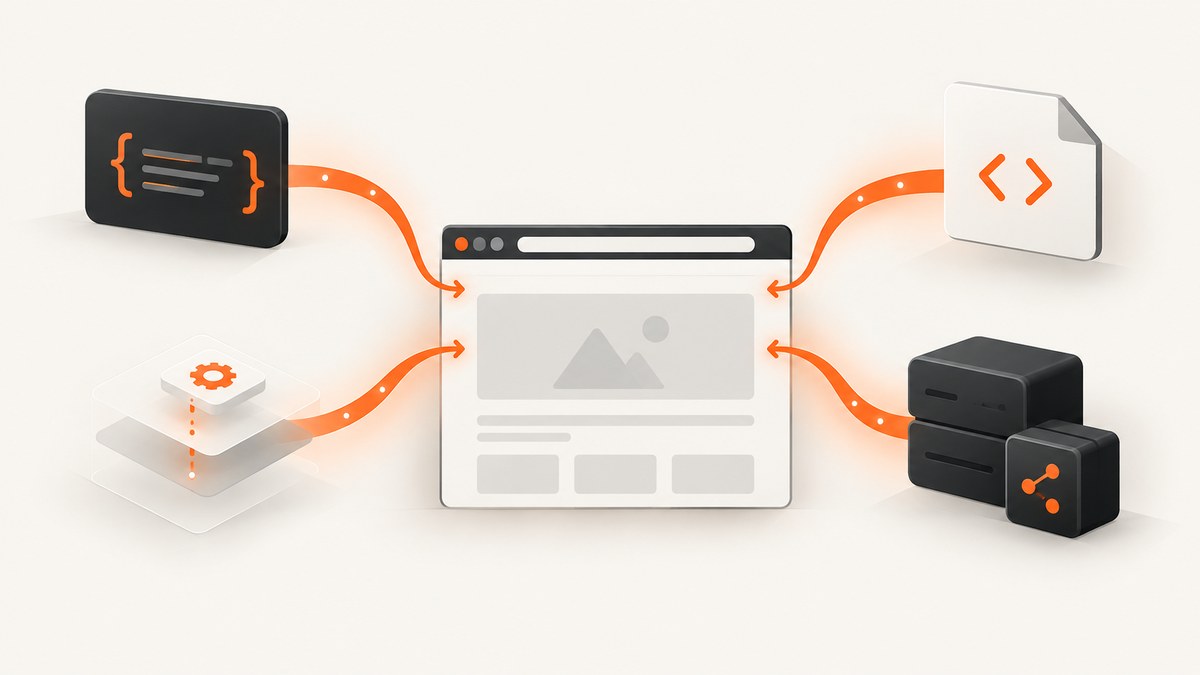
Direct answer: use page.evaluate() to run JavaScript in the current document, page.evaluateOnNewDocument() to install code before the site’s scripts execute, page.addScriptTag() to add an external or inline script element, and page.exposeFunction() when code in the page must call a Node.js function. These APIs have different timing, scope, return values, and cleanup behavior.
This guide shows complete Node.js examples, explains how navigation and frames affect injected code, covers arguments and serialization, and lists the failure modes that cause most Puppeteer injection bugs. At the end, you can use ScreenshotNeo when you need a screenshot without maintaining a browser process.
Choose the right Puppeteer injection API
| Need | API | Timing and scope | Return behavior |
|---|---|---|---|
| Read state, change the DOM, or run a one-off function | page.evaluate() |
Current execution context, after the page state you need exists | Serialized value or awaited Promise result |
| Patch globals, seed data, or install hooks before application code | page.evaluateOnNewDocument() |
Every new document, before that document’s scripts; also child-frame attachment and navigation | Registration object containing an identifier |
| Load a URL or deliberately create a script element | page.addScriptTag() |
Main frame by default, at the time you call it | Element handle for the created <script> |
| Give page code a Node.js capability | page.exposeFunction() |
Adds a named function to window; it remains across navigations |
Page-side Promise resolving to the Node-side return value |
The official references are the Page API, evaluateOnNewDocument(), and addScriptTag().
Set up a runnable Puppeteer project
Create a project and install Puppeteer:
mkdir puppeteer-injection
cd puppeteer-injection
npm init -y
npm install puppeteer
The following starter opens a page, runs an injection, and closes Chromium even when an error occurs:
const puppeteer = require('puppeteer');

(async () => {
  const browser = await puppeteer.launch({headless: true});
  try {
    const page = await browser.newPage();
    await page.goto('https://example.com', {waitUntil: 'domcontentloaded'});

    const title = await page.evaluate(() => document.title);
    console.log(title);
  } finally {
    await browser.close();
  }
})();
Use domcontentloaded when the DOM is enough for your code. Choose networkidle0 or networkidle2 only when waiting for network activity to settle is appropriate for the application. A single-page app may continue making requests indefinitely, so a selector wait or explicit delay is often more predictable.
Run JavaScript now with page.evaluate()
page.evaluate() serializes a function, executes it in the browser context, and returns the serialized result. Node.js variables are not magically visible inside the function. Pass values through the argument parameters.

const heading = await page.evaluate(() => {
  return document.querySelector('h1')?.textContent?.trim() ?? null;
});

const text = await page.evaluate((selector) => {
  const element = document.querySelector(selector);
  return element ? element.textContent.trim() : null;
}, '#headline');

console.log({heading, text});
Because Puppeteer awaits a returned Promise, asynchronous browser APIs work directly:
const dimensions = await page.evaluate(async () => {
  await new Promise(resolve => setTimeout(resolve, 100));
  return {
    width: document.documentElement.scrollWidth,
    height: document.documentElement.scrollHeight,
  };
});
Pass data explicitly
const config = {
  selector: 'main',
  attribute: 'data-capture-id',
};

const result = await page.evaluate(({selector, attribute}) => {
  const element = document.querySelector(selector);
  if (!element) return {found: false};
  element.setAttribute(attribute, 'target');
  return {found: true, tag: element.tagName};
}, config);

console.log(result);
Keep arguments JSON-like: strings, numbers, booleans, arrays, plain objects, and null. A DOM node, function, stream, or class instance needs a different design. For an element, use a selector inside the page or an ElementHandle with an API that accepts handles; do not expect arbitrary Node.js objects to survive serialization.
Coordinate injection with navigation
If the injected action clicks a link or submits a form, start the navigation wait before the action so the navigation event cannot race the click:
await Promise.all([
  page.waitForNavigation({waitUntil: 'domcontentloaded'}),
  page.evaluate(() => {
    document.querySelector('a.next-page')?.click();
  }),
]);
After navigation, the old document’s DOM objects and execution context are gone. Query the new document again rather than retaining handles from the previous page.
Inject before site scripts with evaluateOnNewDocument()
Use page.evaluateOnNewDocument() when application code must observe a value or patched API from the beginning. Puppeteer invokes the function after the document is created but before any of its scripts run. The registration also applies to future navigations and attached or navigated child frames.
await page.evaluateOnNewDocument((buildLabel) => {
  Object.defineProperty(window, '__BUILD_LABEL__', {
    configurable: false,
    value: buildLabel,
  });
}, 'test-build');

await page.goto('https://example.com', {waitUntil: 'domcontentloaded'});

const label = await page.evaluate(() => window.__BUILD_LABEL__);
console.log(label);
Register the preload before the navigation that needs it. If a hook can run more than once in a frame, make initialization idempotent:
await page.evaluateOnNewDocument(() => {
  if (window.__MY_HOOK_INSTALLED__) return;
  Object.defineProperty(window, '__MY_HOOK_INSTALLED__', {value: true});
  // Install your instrumentation once for this document.
});
Load a preload file
For larger hooks, keep browser-context code in a separate file. The file must contain code that can run by itself; it cannot refer to Node.js variables unless you pass values through a wrapper.
const fs = require('node:fs');
const puppeteer = require('puppeteer');

(async () => {
  const browser = await puppeteer.launch({headless: true});
  try {
    const page = await browser.newPage();
    const preload = fs.readFileSync('./preload.js', 'utf8');
    const registration = await page.evaluateOnNewDocument(preload);

    await page.goto('https://example.com', {waitUntil: 'domcontentloaded'});
    console.log(await page.evaluate(() => window.__PRELOAD_READY__ === true));

    await page.removeScriptToEvaluateOnNewDocument(registration.identifier);
  } finally {
    await browser.close();
  }
})();
Example preload.js:
if (!window.__PRELOAD_READY__) {
  Object.defineProperty(window, '__PRELOAD_READY__', {value: true});
}
Keep the registration identifier and remove it when the test, capture, or instrumentation scope ends. Otherwise, later navigations in the same page continue receiving the hook.
Add external or inline scripts with addScriptTag()
page.addScriptTag() creates a <script> element in the main frame. Use url for a hosted script or content for inline source:
const externalScript = await page.addScriptTag({
  url: 'https://cdn.example.test/library.js',
});

const inlineScript = await page.addScriptTag({
  content: 'window.injectedFlag = true;',
});

console.log(await page.evaluate(() => window.injectedFlag));
await externalScript.dispose();
await inlineScript.dispose();
The method resolves to an ElementHandle<HTMLScriptElement>. A remote script can fail because of a DNS problem, certificate error, server response, content security policy, or a script that throws during evaluation. Attach page listeners while diagnosing:
page.on('console', message => {
  console.log('[browser console]', message.type(), message.text());
});
page.on('pageerror', error => {
  console.error('[page error]', error);
});
page.on('requestfailed', request => {
  console.error('[request failed]', request.url(), request.failure());
});
The page method is a shortcut for the main frame. To inject into a particular child frame, locate that frame and call its corresponding frame method:
for (const frame of page.frames()) {
  if (frame.url().includes('/embedded')) {
    await frame.addScriptTag({content: 'window.frameReady = true;'});
  }
}
Expose a Node.js function to page code
page.exposeFunction() adds a named function to window. Calls made in the browser invoke your Node.js implementation, and the page receives a Promise for its result. The exposed function remains installed across navigations.
await page.exposeFunction('readBuildInfo', async () => {
  return {
    version: process.env.BUILD_VERSION ?? 'unknown',
    capturedAt: new Date().toISOString(),
  };
});

await page.evaluate(async () => {
  const info = await window.readBuildInfo();
  document.body.dataset.buildVersion = info.version;
  document.body.dataset.capturedAt = info.capturedAt;
});
Use this bridge for narrowly scoped capabilities such as reading a configuration value, hashing data in Node.js, or writing a message to a controlled service. Validate inputs in Node.js and avoid exposing filesystem, shell, credentials, or unrestricted network access to untrusted page code.
Frames, CSP, and execution-context boundaries
Child frames
A page can contain multiple independent documents. page.evaluate() runs in the main frame. Use frame.evaluate() for a child frame, and use frame.addScriptTag() when the script must be inserted there. A preload registered with evaluateOnNewDocument() is invoked for child-frame attachment and navigation, so make repeated execution safe.
Content Security Policy
A site’s CSP can affect script elements and inline code. Puppeteer provides page.setBypassCSP(true), and the setting generally needs to be made before navigation because CSP is initialized early. CSP behavior depends on the target site and browser configuration; verify it for the application you automate.
await page.setBypassCSP(true);
await page.goto('https://example.com', {waitUntil: 'domcontentloaded'});
await page.addScriptTag({content: 'window.cspCheck = true;'});
Execution contexts and detached nodes
Navigation, reloads, and frame replacement destroy an execution context. Errors such as “Execution context was destroyed” or “Node is detached from document” usually mean an action happened during a navigation or the page replaced the element. Wait for navigation, reacquire the selector, and retry only when the operation is safe to repeat.
Complete example: preload, page evaluation, script tag, and bridge
const puppeteer = require('puppeteer');

(async () => {
  const browser = await puppeteer.launch({headless: true});
  try {
    const page = await browser.newPage();

    await page.exposeFunction('getCaptureLabel', async () => 'automated');

    const registration = await page.evaluateOnNewDocument(() => {
      if (!window.__INSTRUMENTED__) {
        Object.defineProperty(window, '__INSTRUMENTED__', {value: true});
      }
    });

    await page.goto('https://example.com', {waitUntil: 'domcontentloaded'});

    await page.addScriptTag({
      content: 'document.documentElement.dataset.injected = "yes";',
    });

    const data = await page.evaluate(async (selector) => {
      const element = document.querySelector(selector);
      const label = await window.getCaptureLabel();
      return {
        title: document.title,
        found: Boolean(element),
        label,
        injected: document.documentElement.dataset.injected,
        preloaded: window.__INSTRUMENTED__ === true,
      };
    }, 'h1');

    console.log(data);
    await page.removeScriptToEvaluateOnNewDocument(registration.identifier);
  } finally {
    await browser.close();
  }
})();
Common errors and fixes
| Error or symptom | Likely cause | Fix |
|---|---|---|
ReferenceError: myVariable is not defined |
The page function cannot see Node.js lexical variables | Pass the value as an argument to evaluate(), or expose a deliberate function. |
| Injection runs too late | The hook was registered after navigation or after application initialization | Call evaluateOnNewDocument() before goto(). |
| Works in the main page but not an iframe | The code was evaluated in the main frame only | Find the target frame and use frame.evaluate() or frame.addScriptTag(). |
| “Execution context was destroyed” | Navigation or reload happened while evaluation was running | Coordinate the triggering action with Promise.all([waitForNavigation(), action]), then reacquire state. |
| Remote script never loads | Network failure, CSP, certificate issue, or a script exception | Listen for requestfailed, pageerror, and console messages; verify the URL and CSP. |
| Preload runs multiple times | New documents and child frames each receive the registration | Guard initialization with a per-document flag and remove the registration when finished. |
| Returned value is empty or fails to serialize | The result contains a DOM node, function, circular object, or other non-serializable value | Return plain data such as strings, numbers, arrays, and objects with serializable fields. |
| Exposed function is missing after setup | Page code called it before exposure completed or used a different name | Await exposeFunction() before navigation or evaluation and keep the exact name consistent. |
Performance, reliability, and cost considerations
- Minimize context crossings. One
evaluate()that collects several fields is usually simpler than many calls that each cross from Node.js into the page. - Wait for the state you need. Prefer a specific selector, a known application signal, or a bounded delay over an unlimited network-idle wait.
- Keep preload hooks small. They run for every new document and potentially every child frame, so avoid expensive work at initialization.
- Reuse a browser carefully. Reusing Chromium avoids startup overhead, but close pages and remove temporary registrations so state does not leak between jobs.
- Bound every operation. Set navigation and application-level timeouts, capture diagnostics, and retry only idempotent operations.
- Do not assume a benchmark. Puppeteer’s reviewed API documentation does not publish a universal performance figure for these injection methods. Measure on your own pages if latency matters.

Or skip the browser setup
If your goal is a clean screenshot rather than browser instrumentation, ScreenshotNeo provides a single GET request that returns PNG, JPEG, WebP, or PDF. Its capture pipeline accepts cookie and consent banners, removes more than 60 known consent platforms along with newsletter popups and chat widgets, and lets you turn each cleanup step off. Bot checks, blank pages, timeouts, failed loads, and cache hits are not billed; response headers identify the page verdict and whether the request was billed.
See the ScreenshotNeo API documentation for all options. A minimal call looks like this:
cURL
curl -G "https://api.screenshotneo.com/v1/shot" \
  -d access_key=YOUR_API_KEY \
  --data-urlencode url=https://stripe.com \
  -o shot.webp
Python
import requests

r = requests.get(
    "https://api.screenshotneo.com/v1/shot",
    params={"access_key": "YOUR_API_KEY", "url": "https://stripe.com"},
    timeout=90,
)
r.raise_for_status()
open("shot.webp", "wb").write(r.content)
Node.js
const q = new URLSearchParams({
  access_key: 'YOUR_API_KEY',
  url: 'https://stripe.com'
});
const res = await fetch(`https://api.screenshotneo.com/v1/shot?${q}`);
if (!res.ok) throw new Error(`HTTP ${res.status}`);
require('node:fs').writeFileSync('shot.webp', Buffer.from(await res.arrayBuffer()));
ScreenshotNeo also supports full-page captures with lazy images loaded, CSS-selector element capture, dark mode, device presets or custom viewports, retina scale, custom CSS and JavaScript, clicks, selector or network-idle waits, request blocking, headers, cookies, user agents, authorization, timezone, geolocation, transparent backgrounds, resizing, selectable cache TTLs, signed image links, asynchronous jobs with signed webhooks, bulk capture of up to 100 URLs per call, a usage API, and an OpenAPI specification. Its MCP server provides take_screenshot, get_page_info, and capture_pdf for Claude, Cursor, and other MCP clients.
There is a free plan with 1,000 screenshots per month and no card. Paid plans start at $5 for 3,000 shots. Create a free ScreenshotNeo account.
FAQ
Can I inject JavaScript before the first navigation?
Yes. Register evaluateOnNewDocument() immediately after creating the page and before calling goto().
Does page.evaluate() execute in Node.js?
No. Its function runs in the browser page context. Use exposeFunction() when page code needs a Node.js capability.
Should I use a script tag or evaluate()?
Use addScriptTag() when URL or script-element semantics matter. Use evaluate() for a direct function call and a returned value.
How do I remove a preload?
Save the object returned by evaluateOnNewDocument() and call removeScriptToEvaluateOnNewDocument(registration.identifier).
Can ScreenshotNeo run arbitrary Puppeteer code?
ScreenshotNeo is a screenshot API and MCP server. Use Puppeteer when you need an interactive browser workflow; use ScreenshotNeo when you need a capture and want the browser setup handled for you.


