How to Insert a PNG Image in HTML
Learn the correct HTML img syntax, paths, alt text, responsive sizing, troubleshooting, and screenshot verification for PNG images.

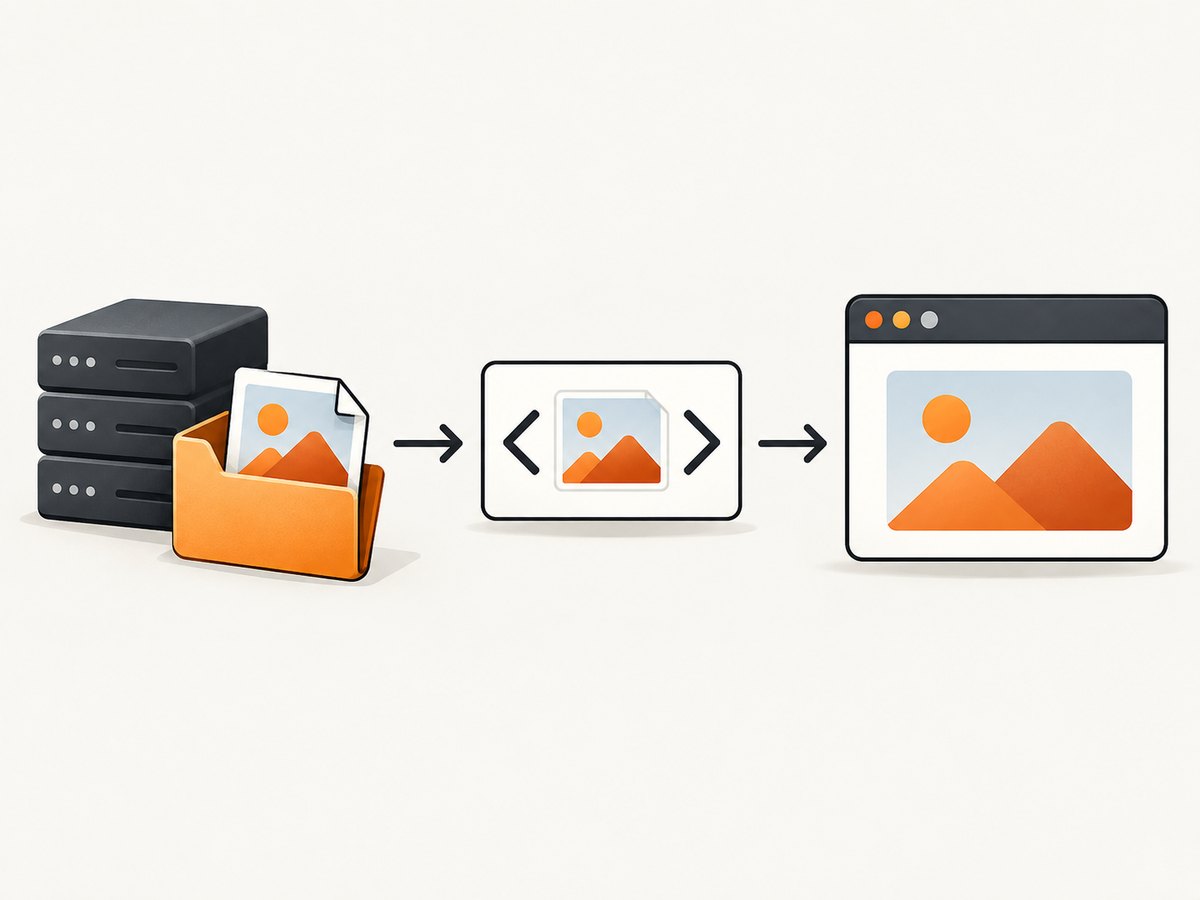
To insert a PNG image in HTML, use an <img> element whose src points to the image URL and whose alt describes the image:
<img src='images/example.png' alt='A concise description of the image'>The browser resolves a relative path against the page URL, requests that resource, decodes the PNG, and paints it where the element appears. The file must be present at that URL and be served with an image MIME type. The alt value is the text equivalent used by screen readers and when the image cannot be loaded. This is the core pattern documented by MDN’s img reference and the WHATWG HTML Standard.
1. Put the PNG where the browser can request it
Start with a predictable project layout:
site/
├── index.html
└── images/
    └── product-shot.png
From index.html, the image URL is images/product-shot.png. A leading slash means “from the domain root,” so /images/product-shot.png refers to https://example.com/images/product-shot.png regardless of the current page directory. An absolute URL can point to another host:
<img src='https://cdn.example.com/assets/product-shot.png' alt='Product dashboard'>Paths are case-sensitive on most production servers. Product-Shot.png and product-shot.png can be different files. Confirm that opening the final URL directly returns the PNG, not an HTML error page or a redirect to a login screen.
2. Add the basic img element
Place the element in the document where the image belongs:
<main>
  <h1>Analytics overview</h1>
  <p>Revenue by month:</p>
  <img src='images/revenue.png' alt='Bar chart showing revenue increasing from January through June'>
</main>
src is the requested resource. alt should communicate the useful information, not repeat a nearby caption. For a logo that links home, use the destination as the alternative, such as alt='Acme home'. For an image that is purely decorative, use an explicit empty value, alt=''; do not omit the attribute.
Choose useful alternative text
- Describe the purpose or information conveyed:
alt='Installation steps: download, configure, deploy'. - Do not start with “image of” or “picture of”; assistive technology already identifies the element.
- Do not put long prose in
alt. Put a detailed explanation in adjacent text or a linked long description. - If visible text already gives the same information, a decorative image can use
alt=''.
3. Reserve space with intrinsic dimensions
When you know the PNG’s pixel dimensions, include matching width and height attributes:
<img src='images/chart.png'
     alt='Bar chart comparing monthly sales'
     width='640'
     height='360'>
These attributes describe the intrinsic aspect ratio; they do not have to be the final display size. The browser can reserve the correct rectangle before the file arrives, reducing layout shifts. Use the actual dimensions, not arbitrary values that distort the ratio.
Make a PNG responsive
<img src='images/example-800.png'
     srcset='images/example-400.png 400w,
             images/example-800.png 800w,
             images/example-1200.png 1200w'
     sizes='(max-width: 600px) 100vw, 800px'
     width='1200'
     height='800'
     alt='A mountain trail beside a lake'
     style='max-width:100%; height:auto;'>
srcset lists candidates and their intrinsic widths. sizes tells the browser how wide the image will be in the layout, so it can choose an efficient candidate before downloading. Keep the fallback src for browsers and tools that do not use the candidate list. The CSS rule prevents overflow on narrow screens while preserving the aspect ratio.
4. Use picture when the source itself must change
Use srcset for the same image at different resolutions. Use <picture> for art direction or format selection:
<picture>
  <source media='(max-width: 600px)' srcset='images/portrait-crop.png'>
  <source type='image/avif' srcset='images/scene.avif'>
  <img src='images/scene.png' width='1200' height='800'
       alt='A cyclist crossing a bridge at sunrise'>
</picture>
The nested img is required as the fallback and supplies the alternative text. The first matching source wins. Do not use picture merely to make an image responsive; a single img with srcset is simpler.
5. Size and style the image safely
Prefer a stylesheet for site-wide rules:
.content img {
  display: block;
  max-width: 100%;
  height: auto;
}
.avatar {
  width: 96px;
  height: 96px;
  object-fit: cover;
  border-radius: 50%;
}
Use object-fit: cover only when cropping is intentional. If the complete PNG must remain visible, use object-fit: contain or let height:auto preserve its ratio. Avoid setting unrelated fixed width and height values; that stretches the bitmap.
6. Complete minimal page
<!doctype html>
<html lang='en'>
<head>
  <meta charset='utf-8'>
  <meta name='viewport' content='width=device-width, initial-scale=1'>
  <title>PNG example</title>
  <style>img { max-width: 100%; height: auto; display: block; }</style>
</head>
<body>
  <h1>Product preview</h1>
  <img src='images/product-shot.png'
       alt='Product dashboard with monthly revenue metrics'
       width='1600' height='1000'>
</body>
</html>
Save this as index.html, create images/product-shot.png, and serve the directory through your normal development server. Opening the file through a server mirrors production URL behavior and avoids surprises with routed paths.
7. Debug images that do not appear
- Inspect the requested URL. In browser developer tools, open Network, reload, and select the image request. A 404 means the path or filename is wrong; a 403 or 401 means the server requires permission; a 200 response should have an image content type.
- Check relative-path depth. From
/docs/tutorial/index.html,images/a.pngmeans/docs/tutorial/images/a.png. Use../images/a.pngto move up one directory. - Check spelling and case. Compare the URL character by character with the deployed filename. URL-encode spaces or use simple names such as
hero-2x.png. - Open the URL directly. If it returns an HTML error document, fix routing, authentication, or static-file configuration.
- Check the file itself. A zero-byte or corrupt PNG cannot decode. Re-export it and verify that the server is not transforming the bytes.
Common symptoms and fixes
| Symptom | Likely cause | Fix |
|---|---|---|
| Broken-image icon | 404, typo, wrong relative directory | Copy the exact deployed URL from Network and correct src. |
| Image is stretched | Conflicting CSS width and height | Set one dimension and height:auto, or use the true aspect ratio. |
| Large blank space or jump | No intrinsic dimensions | Add accurate width and height. |
| Works locally, fails after deploy | Case-sensitive filesystem or missing static directory | Match case and configure the host to publish the images directory. |
| Screen reader says nothing useful | Missing or vague alt |
Write purpose-focused alternative text, or use alt='' for decoration. |
8. Loading, caching and performance choices
PNG is lossless and useful for transparency, diagrams, screenshots and graphics with hard edges. Large photographic PNGs can be expensive to download; create an appropriately sized asset and use srcset rather than sending a multi-megapixel file to every device. Keep the file’s pixel dimensions close to its largest rendered size.
<img src='images/gallery-1.png' alt='...' width='1200' height='800' loading='lazy' decoding='async'>Below-the-fold images can opt into native lazy loading. Do not lazy-load the primary above-the-fold image by default. Configure long-lived caching for fingerprinted static filenames such as chart.4f91c.png, and change the filename when the bytes change. A CDN can reduce distance to visitors, but it cannot repair an incorrect path or missing file.
9. Security and privacy edge cases
An img URL can reveal a visitor’s IP address and request metadata to the host serving it. Use a host you trust, HTTPS, and an appropriate Content Security Policy such as img-src 'self' https://cdn.example.com. Avoid putting secrets in image URLs because URLs can appear in logs and referrers. If a third-party host sends restrictive CORS headers, ordinary display usually still works; CORS becomes relevant when script draws the image onto a canvas.
For user-supplied filenames, store files outside executable paths, validate content server-side, and generate safe URLs. An alt attribute is text, but escape user-provided HTML before inserting it into a template.
10. Verify the rendered result with a screenshot
When a PNG is part of a generated page, a screenshot catches path, sizing, and layout errors that a code review misses. You can capture your local or deployed URL with browser automation, or use ScreenshotNeo for a direct API request. Its capture options include full-page screenshots, element selection, custom CSS, waits, device presets, retina scale and image formats.

Or skip the browser setup
ScreenshotNeo accepts a URL and returns a PNG, JPEG, WebP or PDF. The API removes cookie banners, newsletter popups and chat widgets before capture; bot checks, blank pages, timeouts, failed loads and cache hits are not billed, and response headers identify the page verdict and billing status. Its MCP server gives Claude, Cursor and other MCP clients take_screenshot, get_page_info and capture_pdf tools.
See the ScreenshotNeo API documentation for all parameters. The following examples use the documented endpoint and save the returned image.
curl -G "https://api.screenshotneo.com/v1/shot" -d access_key=YOUR_API_KEY --data-urlencode url=https://example.com/png-demo -o shot.webpimport requests
r = requests.get("https://api.screenshotneo.com/v1/shot", params={"access_key": "YOUR_API_KEY", "url": "https://example.com/png-demo"}, timeout=90)
r.raise_for_status()
open("shot.webp", "wb").write(r.content)const q = new URLSearchParams({ access_key: 'YOUR_API_KEY', url: 'https://example.com/png-demo' });
const res = await fetch(`https://api.screenshotneo.com/v1/shot?${q}`);
if (!res.ok) throw new Error(`HTTP ${res.status}`);
const bytes = Buffer.from(await res.arrayBuffer());
await import('node:fs/promises').then(fs => fs.writeFile('shot.webp', bytes));You can request a selector instead of the whole page, wait for a selector or network idle, hide elements, set cookies or headers, choose a device and viewport, enable dark mode, or cache a result with a TTL. For repeated documentation builds, async jobs with signed webhooks and bulk capture of up to 100 URLs reduce orchestration work. Clean shots are the only billed shots; plans include 1,000 free screenshots per month with no card, and paid plans start at $5 for 3,000.
Create a free ScreenshotNeo account to get the 1,000 monthly screenshots and validate your HTML images without setting up a browser.
11. A practical checklist
- The PNG exists in the deployed static directory.
srcis the exact relative or absolute URL.- Informative images have concise, contextual
alt; decorative images usealt=''. - Accurate
widthandheightreserve the aspect ratio. - CSS uses
max-width:100%; height:autowhere responsive sizing is needed. srcsetandsizesare present when multiple resolutions exist.- The Network panel shows a successful image response.
- Large or below-fold assets use an appropriate size, caching policy and optional lazy loading.
FAQ
Can I insert a PNG without uploading it?
Only if the browser can reach it at a URL, such as a file served by your site or a trusted CDN. HTML cannot display a filename that is not available to the page.
Should I use a self-closing <img /> tag?
HTML treats img as a void element, so both common spellings render in browsers. Use the style your project standardizes on.
Why does my transparent PNG show a colored background?
The PNG may contain opaque pixels, or the element’s parent may provide the background color visible through its transparent pixels. Inspect the file and the surrounding CSS.
Does alt affect search ranking?
Its primary job is accessibility and fallback content. Write accurate text for people and assistive technology; do not stuff keywords.
When should I use an SVG instead?
Use SVG when you need resolution-independent geometry or editable vector shapes. Keep PNG for raster artwork, screenshots, and images that rely on pixel data.


