How to Install and Use wkhtmltoimage with npm in Node.js
Install the native wkhtmltoimage binary, connect it to its npm wrapper, and convert URLs or HTML to images in Node.js.
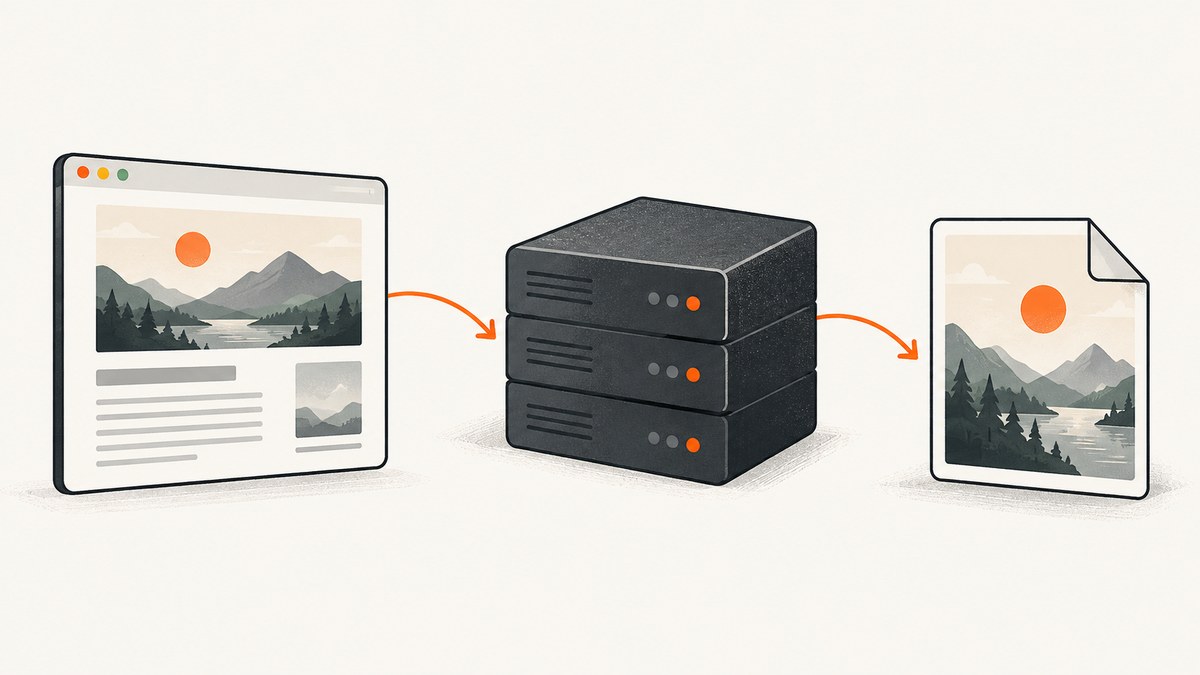
npm install wkhtmltoimage installs a Node.js wrapper; it does not install the native wkhtmltoimage executable that actually renders pages. Install the executable for your operating system, make sure wkhtmltoimage --version works in the same environment that runs Node, then use the wrapper to render a URL or inline HTML to a stream or file.
This guide covers the wrapper and binary setup, runnable examples, binary-path configuration, useful rendering options, security boundaries, and common deployment failures. If you need an API-based screenshot without managing a native executable, see the ScreenshotNeo website screenshot API near the end.
1. Understand what npm installs
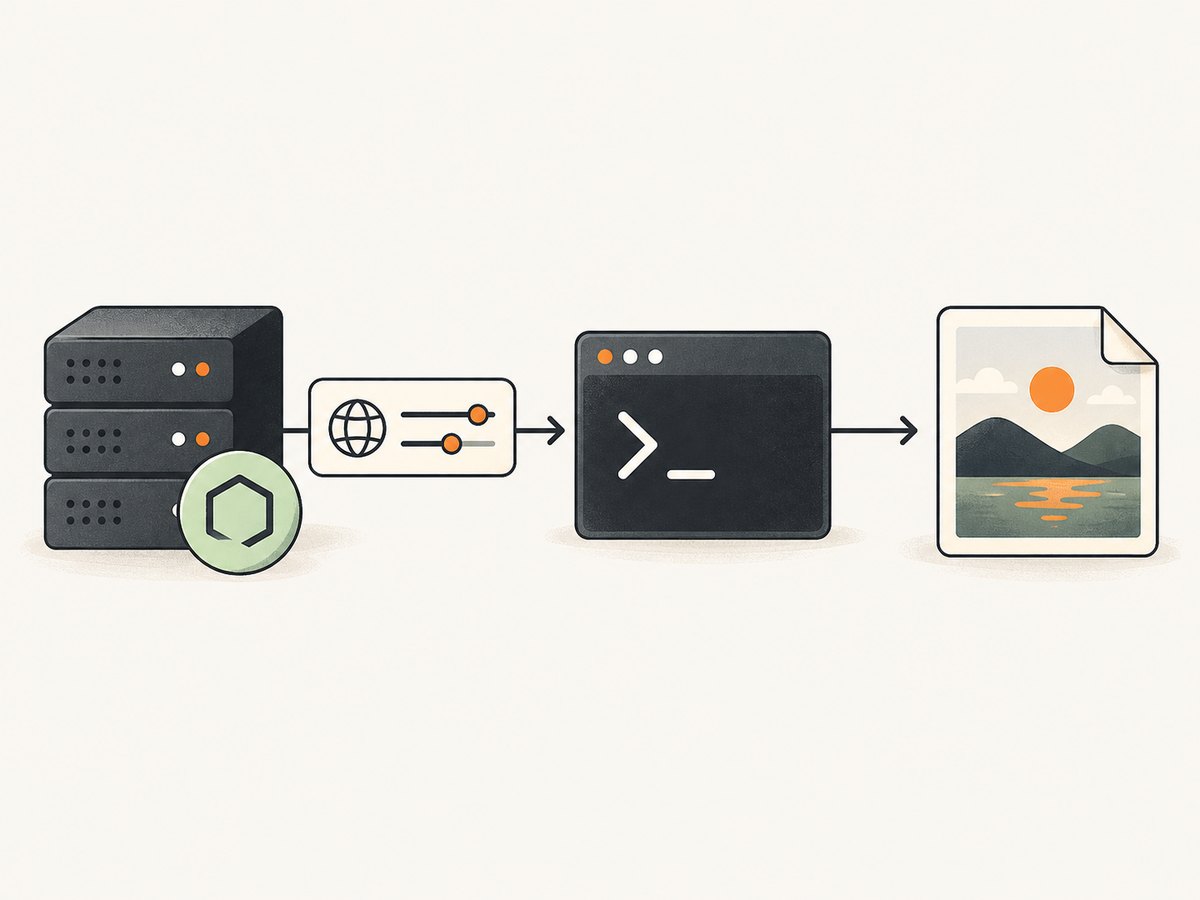
The wkhtmltoimage npm package is a Node.js interface to a separate command-line program. Your application invokes that program, passing it an input and rendering options. The command-line executable does the conversion; installing only the npm dependency leaves that essential part missing.
The documented requirements for the alternative wkhtmltox wrapper are Node.js v4 or later and wkhtmltoimage v0.12 or later with patched Qt. Binary builds and their behavior can differ, so verify the executable you deploy rather than assuming every platform package is equivalent. wkhtmltoimage package documentation · wkhtmltox package documentation
2. Install and verify the native executable
- Choose and install a prebuilt wkhtmltoimage command-line binary appropriate for your operating system and CPU architecture. Follow the installation instructions for that build.
- Open the same shell, container, CI job, or service environment that will run your Node process.
- Check that the command exists and reports its version:
wkhtmltoimage --versionIf the shell says the command is not found, the binary is either absent or not on that environment’s PATH. A binary visible in your interactive terminal may not be visible to a process manager, a container, or a CI runner. Record its absolute path and use that in the wrapper configuration in section 4.
3. Install the Node.js wrapper
Initialize a Node project if you do not already have one, then install the wrapper dependency:
npm init -y
npm install wkhtmltoimage
Keep the dependency in the application manifest and lockfile so deployments install the same JavaScript package. This step does not install or pin the native executable. Manage and verify that binary separately in development, CI, containers, and production.
4. Render a URL or HTML string
The package’s generate function accepts a URL or inline HTML and returns a stream. The command-line options are supplied as JavaScript object properties in camelCase form. For example, pageSize corresponds to the command option spelling used by the CLI.
Write a URL capture to a file
const fs = require('fs');
const wkhtmltoimage = require('wkhtmltoimage');

wkhtmltoimage.generate('https://example.com/', { pageSize: 'letter' })
  .pipe(fs.createWriteStream('out.jpg'));
Render inline HTML
const fs = require('fs');
const wkhtmltoimage = require('wkhtmltoimage');

const html = '<!doctype html><html><body><h1>Hello world</h1></body></html>';
wkhtmltoimage.generate(html)
  .pipe(fs.createWriteStream('hello.jpg'));
Use a complete document when your markup relies on document-level styles, metadata, or a particular character encoding. The wrapper also documents an output option to write directly to a filename:
const wkhtmltoimage = require('wkhtmltoimage');

wkhtmltoimage.generate('https://example.com/', { output: 'out.jpg' });
A callback can receive the process exit code and signal. Add it when you need to record conversion completion or diagnose a failed subprocess; also handle stream errors when piping output so filesystem failures are visible to your application.
Equivalent command-line form
The CLI’s basic shape is wkhtmltoimage [OPTIONS]... <input file> <output file>. It converts an HTML page into an image. Consult the manual for the installed build when choosing options, since the binary version is part of the rendering behavior. Debian wkhtmltoimage manual
5. Configure the binary path
If the executable is installed outside PATH, set its absolute path before calling generate:
const wkhtmltoimage = require('wkhtmltoimage');

wkhtmltoimage.setCommand('/absolute/path/to/wkhtmltoimage');

wkhtmltoimage.generate('https://example.com/', { output: 'out.jpg' });
Use the actual path for the machine or container where the code runs. Avoid relying on a relative path or on a PATH change made only in a developer’s login shell. If using the wkhtmltox package instead, its documented configuration is the converter’s wkhtmltoimage property; consult that package’s API documentation for its instantiation and image method.
6. Select rendering options deliberately
The wrapper represents CLI options in camelCase. The exact options supported are determined by the wkhtmltoimage binary and wrapper versions you install. The Debian manual documents options including local-file allowlists, cookies, cropping coordinates, proxy controls, and custom headers. Check the manual for exact spelling, value types, defaults, and behavior before relying on an option in production.
| Need | Relevant option area | What to check |
|---|---|---|
| Set page dimensions | Page size and viewport-related options | Use the option supported by the installed build; verify the resulting bounds. |
| Authenticate or personalize a page | Cookies and custom headers | Pass only credentials needed for the capture, and keep secrets out of logs. |
| Load local assets | --allow and local-file access controls |
Allow only the intended paths; do not broadly expose server files. |
| Change output bounds | Cropping coordinates | Confirm the crop still contains the target at the actual page dimensions. |
| Route requests through a proxy | Proxy controls | Check reachability, authentication, and whether the target is accessible through it. |
Validate options against the exact binary deployed. A wrapper accepting a JavaScript property does not guarantee that every binary build implements it identically.
7. Security and input boundaries
Rendering a URL causes a native process to fetch and parse page content. Treat URLs, HTML, headers, cookies, and local file permissions as inputs with security consequences, especially in a service that accepts requests from other users.
- Restrict URL fetching. If user-controlled URLs are accepted, define which destinations your service permits and prevent access to internal services or metadata endpoints at the application and network layers.
- Constrain local files. Use the CLI’s allowlist controls intentionally. Grant access only to the directories needed for a conversion, and avoid passing arbitrary filesystem paths from a request.
- Protect credentials. Cookies and custom headers may contain session tokens or API keys. Do not write them into diagnostic logs or expose them to callers.
- Control resource use. Put conversions behind request limits and a worker or process timeout appropriate to your application. A remote page can be slow, large, or resource-intensive.
- Use a maintained deployment image. Keep the Node wrapper, native binary, fonts, and operating system dependencies reproducible. Revalidate rendering after changing any of them.
8. Troubleshooting
| Symptom | Likely cause | Fix |
|---|---|---|
wkhtmltoimage: not found or executable cannot be spawned |
The native binary is missing or absent from the Node process’s PATH. | Run wkhtmltoimage --version in the same runtime environment. Install the binary there or call setCommand with its absolute path. |
| Works locally, fails in a service or CI | The service has a different PATH, filesystem, architecture, or installed dependencies. | Inspect the service/container environment, install the matching binary in the deployment image, and configure its absolute path. |
| Output file is missing or empty | The child process failed, the output stream encountered a write error, or the process has not completed. | Use the callback and stream error handling, check the exit code and signal, confirm the destination directory is writable, and test a simple local HTML document. |
| Page is blank or missing resources | The page needs authentication, local files are blocked, remote assets failed, or the page did not finish rendering as expected. | Check network reachability and required cookies/headers. For local resources, configure a narrow allowlist. Verify with the exact binary and options. |
| Image is cropped unexpectedly | Crop settings or dimensions do not match the rendered page. | Remove cropping options to establish a baseline, then restore them with bounds measured for the target page. |
| Fonts or layout differ across machines | Font availability or native build differs between environments. | Use a consistent deployment image with required fonts and binary build; compare output after every environment change. |
| Conversion stalls or takes too long | The target is slow, waits on resources, or consumes substantial CPU or memory. | Check target reachability and page behavior, cap work at the worker level, and isolate rendering in a bounded process environment. |
9. Performance, reliability, and cost
Each conversion launches or communicates with a native renderer and may fetch a full page and its assets. Workload depends on the target site, output dimensions, local fonts, network latency, and machine resources. Measure representative pages in the deployment environment before setting concurrency or service-level expectations; the research sources provide no general benchmark that predicts your workload.

For reliable jobs, keep binary and font installation repeatable, capture subprocess exit details, handle output stream errors, and isolate conversions so a slow page does not block unrelated application work. Bound concurrent renders and enforce a timeout outside the basic examples. For bulk workloads, queue jobs and retry only failures that are safe to repeat; distinguish a transient network failure from deterministic invalid input.
The npm package and native binary are software components, not a per-screenshot hosted plan. Your operating costs come from the compute, storage, network traffic, operations, and engineering required to run them. Estimate using your own page mix and infrastructure rather than extrapolating from a single capture.
10. Or skip the browser setup
If installing and maintaining a renderer is not a fit, ScreenshotNeo is a website screenshot API: one GET request returns an image or PDF. Its [API docs](/docs/) show the available request options.
curl -G "https://api.screenshotneo.com/v1/shot" -d access_key=YOUR_API_KEY --data-urlencode url=https://stripe.com -o shot.webpimport requests
r = requests.get("https://api.screenshotneo.com/v1/shot", params={"access_key": "YOUR_API_KEY", "url": "https://stripe.com"}, timeout=90)
open("shot.webp", "wb").write(r.content)const q = new URLSearchParams({ access_key: 'YOUR_API_KEY', url: 'https://stripe.com' });
const res = await fetch(`https://api.screenshotneo.com/v1/shot?${q}`);ScreenshotNeo removes cookie banners, newsletter popups, and chat widgets before the shot. Bot checks, blank pages, and failed loads are never billed, with response headers identifying the page verdict and billing status. Its MCP server lets AI agents take screenshots. The Free plan includes 1,000 screenshots a month with no card; paid plans start at $5 for 3,000. Read the API docs, then sign up for 1,000 free screenshots a month, no card required.
11. FAQ
Does npm install the wkhtmltoimage executable?
No. It installs the Node wrapper. Install the native command separately and make it available on PATH or configure its absolute path.
Can I convert HTML without hosting it?
Yes. Pass an inline HTML string to generate. If the document refers to local assets, check the binary’s local-file access rules and permit only the directories it needs.
How do I choose between wkhtmltoimage and wkhtmltox?
They are separate wrappers with different documented APIs and binary configuration. Compare their current package documentation and test against the native binary and runtime you intend to deploy.
Where can I find the full option list?
Use the manual for the installed wkhtmltoimage binary and the wrapper’s package documentation for JavaScript option mapping. Verify behavior against your exact build.


