How to Install Wkhtmltopdf on Docker PHP-FPM Alpine Linux
A compatibility-first guide to wkhtmltopdf with PHP-FPM on Alpine, including package checks, container designs, security, fonts, and troubleshooting.
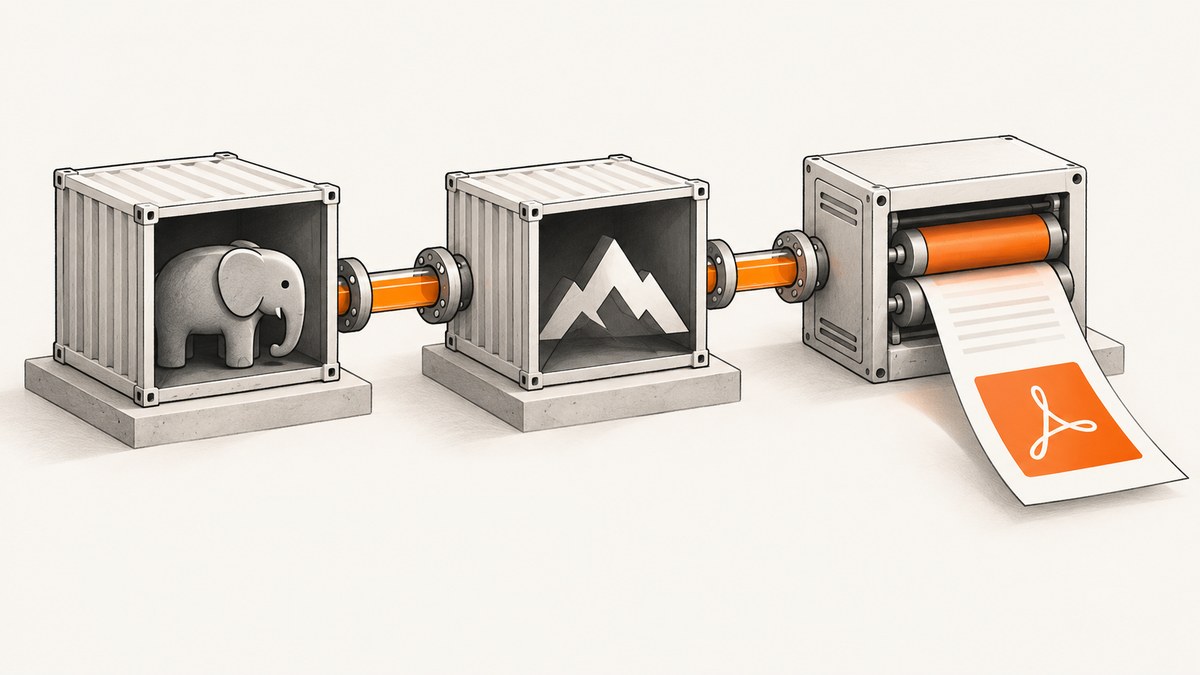
Direct answer: do not assume that a generic Linux wkhtmltopdf binary can be installed in a PHP-FPM Alpine image. Alpine uses musl libc, while the upstream wkhtmltopdf downloads page does not list Alpine among its supported Linux distributions. First check the exact Alpine branch and CPU architecture for a maintained native package. If there is no matching package, run wkhtmltopdf in a compatible distribution container or use a different renderer. Copying a glibc binary into Alpine, or adding a compatibility shim, is not a universal or upstream-supported installation method.
wkhtmltopdf is a command-line renderer based on Qt WebKit. It can render HTML to PDF and image formats in a headless container. The stable upstream series is 0.12.6, released in 2020, so compatibility and maintenance should be part of the decision before adding it to a new service.
1. Understand the Alpine compatibility constraint
Most Linux binaries supplied by wkhtmltopdf expect a glibc-based distribution and a particular set of Qt, OpenSSL, font and system libraries. Alpine uses musl libc by default. The official downloads table names distribution-specific packages and does not include Alpine. The project explains that distribution-specific packages are more reliable because library, libc, OpenSSL and font combinations differ between distributions.
An Alpine package did exist historically: the Alpine package index records wkhtmltopdf 0.12.6-r0 in the v3.14 community repository for x86_64, built June 11, 2020. That record does not prove that the package exists for your current Alpine release or for ARM64. Treat package availability as a question to answer for every image tag and architecture.
Primary references: wkhtmltopdf downloads and platform notes and the historical Alpine v3.14 package record.
2. Inspect the exact PHP-FPM image
Do this before writing a Dockerfile. A tag such as php:8.3-fpm-alpine identifies a PHP build, but the Alpine branch and architecture still determine package availability.
# Show the image architecture and OS metadata
docker image inspect php:8.3-fpm-alpine \
  --format '{{.Os}}/{{.Architecture}}'

# Start a shell and inspect the running base image
docker run --rm -it php:8.3-fpm-alpine sh

cat /etc/alpine-release
uname -m
cat /etc/os-release
php -v
Map the reported values to an Alpine package repository. Common CPU names include x86_64 and aarch64. Do not rely on the host architecture: a multi-platform build may produce a different image for each target.
3. Check for a native package
Query the repositories configured in the exact image. The result must match the Alpine branch and architecture you will deploy.
docker run --rm php:8.3-fpm-alpine sh -c '
  cat /etc/alpine-release
  echo "Repositories:"
  cat /etc/apk/repositories
  echo "Candidate package:"
  apk policy wkhtmltopdf || true
  echo "Search results:"
  apk search -v wkhtmltopdf || true
'
If apk policy shows no candidate, stop treating apk add wkhtmltopdf as an installation recipe. Search the Alpine package index for the exact branch and architecture instead. If a package is available and maintained for that combination, install it with its runtime dependencies and fonts, then validate it in the final image.
Example Dockerfile when a matching package is confirmed
This pattern intentionally leaves the package decision explicit. Use it only after the repository check above succeeds.
FROM php:8.3-fpm-alpine

# Confirm that wkhtmltopdf exists for this image's branch and architecture
RUN apk add --no-cache \
      wkhtmltopdf \
      fontconfig \
      ttf-dejavu \
      ca-certificates \
  && fc-cache -f

RUN wkhtmltopdf --version \
  && php -v

WORKDIR /var/www/html
COPY . .
Package names and available fonts vary by Alpine branch. Keep the dependency list in one layer, pin your base image deliberately, and rebuild when security updates are released. If the package is absent, this Dockerfile should fail rather than silently producing an image with an incompatible binary.
4. Render a representative document in the final image
A successful build is not proof that rendering works. Validate a local HTML file and a page that uses the fonts, images and CSS features your application needs.
cat > /tmp/sample.html <<'HTML'
<!doctype html>
<html>
<head>
  <meta charset="utf-8">
  <style>
    @page { size: A4; margin: 18mm; }
    body { font-family: DejaVu Sans, sans-serif; }
    h1 { color: #17324d; }
  </style>
</head>
<body>
  <h1>Container rendering check</h1>
  <p>Accents: café, naïve, Ελληνικά, العربية, 日本語.</p>
</body>
</html>
HTML

wkhtmltopdf --encoding utf-8 /tmp/sample.html /tmp/sample.pdf
file /tmp/sample.pdf
ls -lh /tmp/sample.pdf
Inspect the PDF itself, not only the exit code. Check page breaks, substituted glyphs, remote images, local file permissions, headers and footers, and the output directory used by PHP-FPM.
5. Use wkhtmltopdf safely from PHP
Pass arguments as an array when using Symfony Process or another process library. Avoid concatenating untrusted HTML, URLs or command-line flags into a shell string.
<?php

use Symfony\Component\Process\Process;

$input = '/tmp/input.html';
$output = '/tmp/output.pdf';

$process = new Process([
    '/usr/bin/wkhtmltopdf',
    '--encoding', 'utf-8',
    '--quiet',
    $input,
    $output,
]);
$process->setTimeout(60);
$process->mustRun();

if (!is_file($output) || filesize($output) === 0) {
    throw new RuntimeException('Renderer produced no PDF');
}
The wkhtmltopdf project warns: “Do not use wkhtmltopdf with any untrusted HTML – be sure to sanitize any user-supplied HTML/JS, otherwise it can lead to complete takeover of the server on which wkhtmltopdf is running!” Treat remote resource loading, JavaScript and local-file access as security boundaries. Sanitize user content, restrict outbound networking where possible, run with a non-root user, and write output to a dedicated directory.
6. When Alpine has no suitable package: separate the renderer
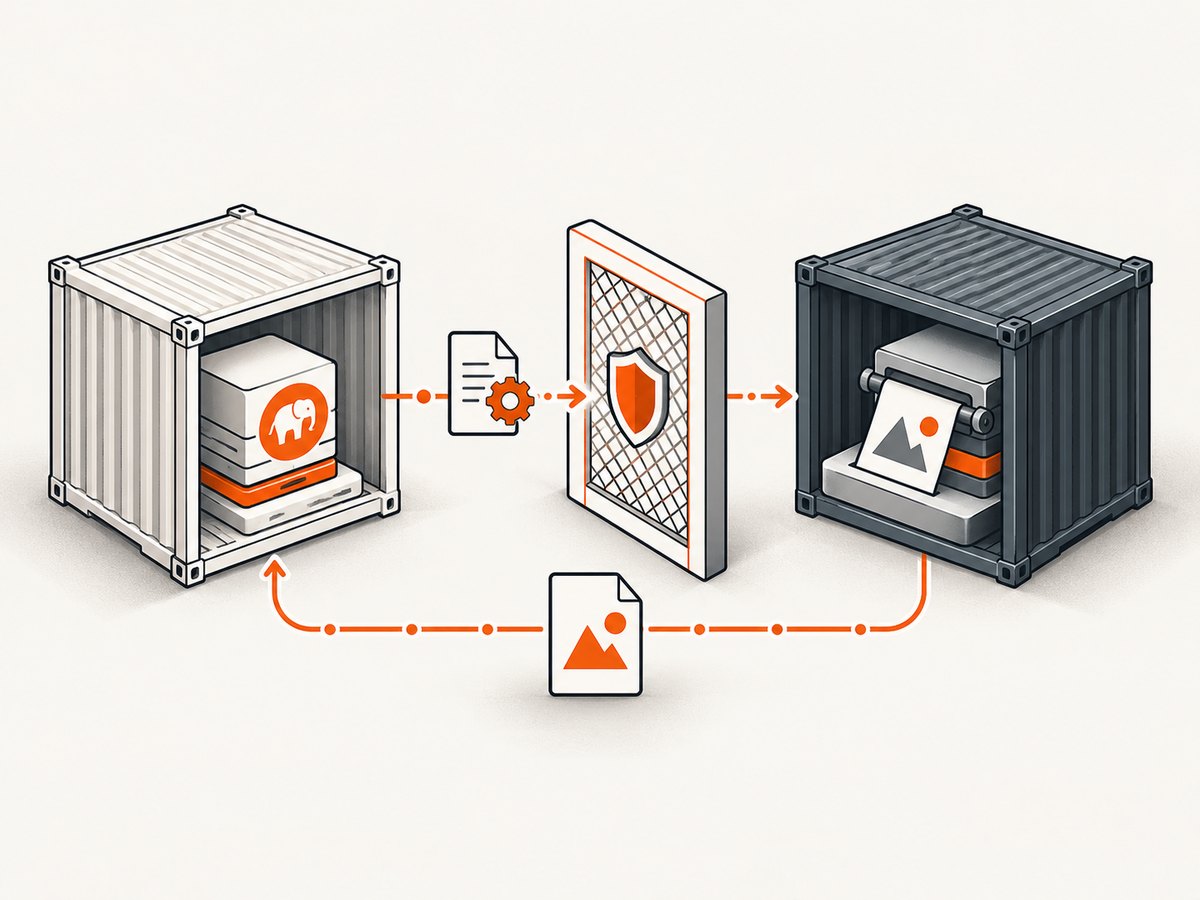
The usual production design is to keep PHP-FPM on Alpine and run wkhtmltopdf in a separate image based on a distribution for which a compatible build is published. PHP sends a controlled job to the renderer over an internal network or through a queue; the renderer returns a PDF or writes it to a shared volume.
| Approach | Libc compatibility | Operational cost | When it fits |
|---|---|---|---|
| Native Alpine package | Best when the exact branch and architecture are supported | Lowest | Your package index has a maintained candidate |
| Compatible renderer container | Uses the distribution targeted by the wkhtmltopdf build | Extra service, image and interface | Alpine has no matching package or you need isolation |
| Copied glibc binary or shim | Uncertain | High debugging and maintenance risk | Not a general installation recipe |
| Different renderer | Depends on the chosen engine | Migration work | wkhtmltopdf’s age or WebKit behavior is unsuitable |
A third-party Alpine-compiled Docker image may exist, but its presence is not an upstream guarantee. Before adopting one, verify its tag, architecture, dependency closure, maintenance history and provenance. Pin the image digest in production and run the same rendering checks used for your application.
7. Common errors and fixes
apk add wkhtmltopdf reports “no such package”
Cause: the configured repositories do not contain the package for this Alpine branch or architecture. Fix: confirm /etc/alpine-release, uname -m and repository URLs; check the package index. If there is no match, move the renderer to a compatible image.
not found even though the binary exists
Cause: the executable’s dynamic loader or a shared library is missing. Fix: inspect dependencies with ldd $(command -v wkhtmltopdf) where available, then use a distribution-specific build. Do not assume a glibc compatibility layer fixes every Qt and OpenSSL dependency.
Fonts are missing or substituted
Cause: minimal images often contain no useful font families or font configuration. Fix: install the specific, licensed fonts your document requires, add a fallback such as DejaVu, run fc-cache -f, and verify glyphs in the final runtime image.
Images or web fonts do not load
Cause: the container cannot resolve the host, reach the network, validate TLS, or access local files. Fix: install CA certificates, verify DNS and egress policy, use absolute URLs, and decide explicitly whether local-file access is allowed. Avoid opening broad network access for untrusted documents.
PHP receives a timeout or an empty file
Cause: slow JavaScript, an unreachable resource, insufficient process timeout or an unwritable output directory. Fix: set a bounded process timeout, log stderr, ensure the PHP-FPM user can write the destination, and reject zero-byte output. Test the same URL and filesystem paths inside the renderer container.
Layout differs from Chrome
Cause: wkhtmltopdf uses Qt WebKit and is not a current Chromium engine. Fix: simplify unsupported CSS, validate against the target engine, or select a renderer whose browser engine matches your requirements.
8. Performance, reliability and cost considerations
- Startup: a separate container adds a network or queue hop. Keep the renderer warm when latency matters, while limiting concurrency so each job has enough CPU and memory.
- Fonts: install fonts at build time. Runtime font downloads make output less reproducible and add network failure modes.
- Timeouts: enforce a per-job deadline and terminate stuck processes. Record command stderr and an application job ID.
- Isolation: run rendering with least privilege, restrict filesystem mounts and limit outbound network access. Never interpret headless execution as sandboxing.
- Reproducibility: pin the base image, renderer version, package repositories and fonts. Rebuild and compare representative PDFs after dependency updates.
- Capacity: measure your own documents. Page count, images, JavaScript and font complexity affect CPU, memory and duration; the research does not establish a universal benchmark.
- Maintenance: the upstream stable series dates from 2020. Reassess security posture and rendering requirements before committing to a new long-lived service.
9. Or skip the browser setup
If your goal is a reliable screenshot or PDF endpoint rather than operating a Qt renderer, ScreenshotNeo provides a hosted website screenshot API and MCP server. One request can return PNG, JPEG, WebP or PDF, with options for full-page capture, element selectors, dark mode, device presets, custom viewport and retina scale.
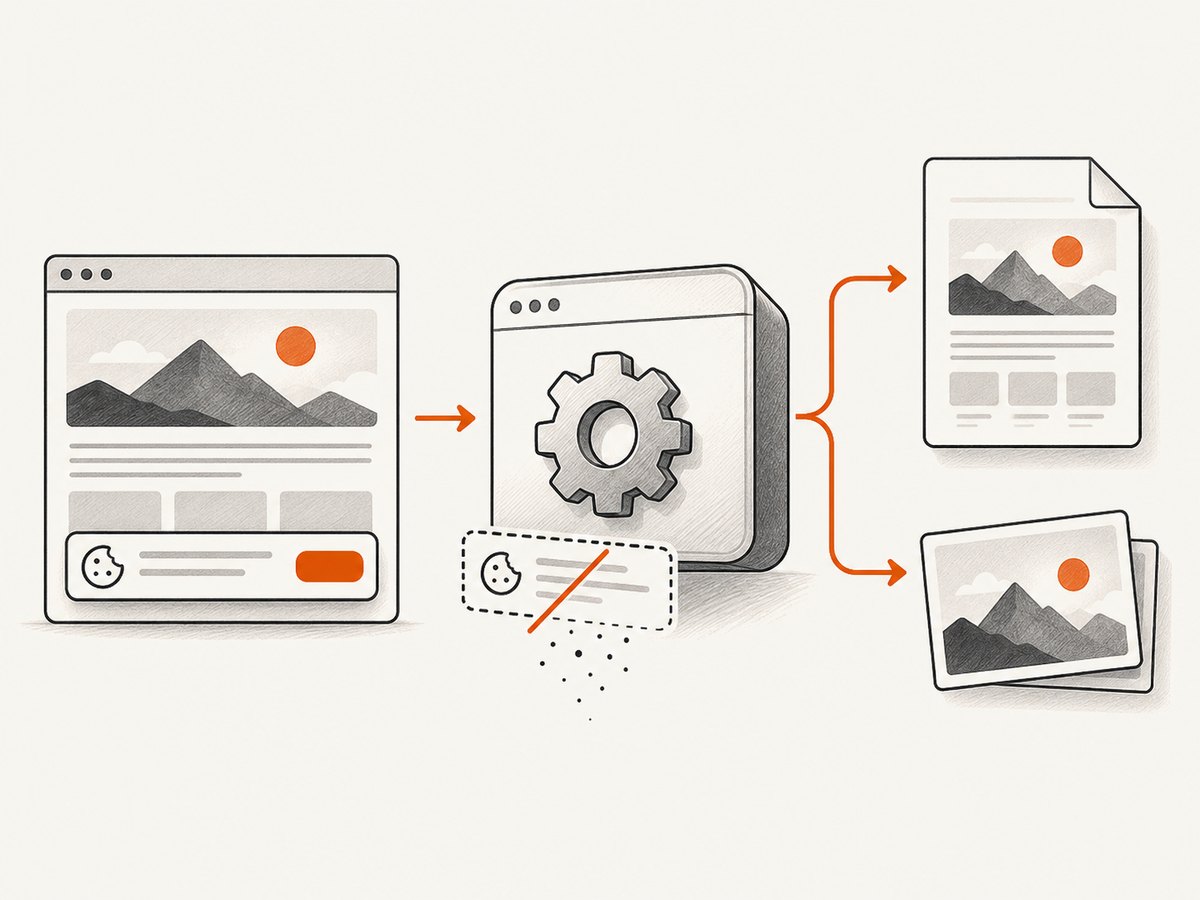
ScreenshotNeo removes cookie and consent banners, newsletter popups and chat widgets before capture. Bot checks, blank pages, timeouts, failed loads and cache hits are not billed, and response headers identify the page verdict and billing result. Its MCP server exposes take_screenshot, get_page_info and capture_pdf for Claude, Cursor and other MCP clients.
cURL
curl -G "https://api.screenshotneo.com/v1/shot" \
  -d access_key=YOUR_API_KEY \
  --data-urlencode url=https://stripe.com \
  -o shot.webp
Python
import requests

r = requests.get(
    "https://api.screenshotneo.com/v1/shot",
    params={"access_key": "YOUR_API_KEY", "url": "https://stripe.com"},
    timeout=90,
)
r.raise_for_status()
open("shot.webp", "wb").write(r.content)
Node.js
const q = new URLSearchParams({
  access_key: 'YOUR_API_KEY',
  url: 'https://stripe.com'
});
const res = await fetch(`https://api.screenshotneo.com/v1/shot?${q}`);
if (!res.ok) throw new Error(`HTTP ${res.status}`);
const body = Buffer.from(await res.arrayBuffer());
await import('node:fs/promises').then(fs => fs.writeFile('shot.webp', body));
See the ScreenshotNeo API documentation for all options, including custom CSS and JavaScript, click actions, selector waits, delays, network-idle waits, request blocking, headers, cookies, authorization, timezone, geolocation, transparent backgrounds, resizing, caching, signed links, asynchronous jobs, webhooks, bulk capture and usage reporting.
Free usage includes 1,000 screenshots per month with no card. Paid plans start at $5 for 3,000 shots; every feature is available on every plan. Create a free ScreenshotNeo account.
10. Installation checklist
- Record the PHP-FPM image’s Alpine branch and CPU architecture.
- Check the exact Alpine package index; do not assume a package exists.
- If supported, install the package, CA certificates and required fonts.
- Run
wkhtmltopdf --versionin the final runtime image. - Render local HTML and representative application pages.
- Check glyphs, images, CSS, page breaks, permissions and output size.
- Sanitize HTML and JavaScript and restrict renderer privileges and network access.
- If no native package matches, isolate wkhtmltopdf in a compatible renderer container or choose another engine.
FAQ
Can I install wkhtmltopdf with one Alpine command?
Only when the configured repositories contain a package for your exact Alpine branch and architecture. The historical v3.14 x86_64 record is not evidence for current images.
Is PHP-FPM itself the problem?
No. PHP-FPM can invoke an external renderer. The difficult compatibility boundary is the renderer’s libc and system libraries inside the container.
Does headless mode make untrusted HTML safe?
No. Sanitize untrusted HTML and JavaScript and isolate the renderer before processing user-controlled content.
Should I use a separate renderer container?
Use one when Alpine lacks a maintained package or when isolation and independent scaling justify the extra service. Keep the interface narrow and validate the final renderer image.
What should replace wkhtmltopdf?
That depends on required CSS, JavaScript, PDF fidelity, licensing and operational constraints. Compare engines against representative documents rather than assuming one renderer is universally compatible.


