How to Convert an iOS HTML Page to PDF with NDHTMLtoPDF
NDHTMLtoPDF belongs to the deprecated UIWebView era. Use WKWebView and its native PDF API for current iOS apps, with a complete Swift example.
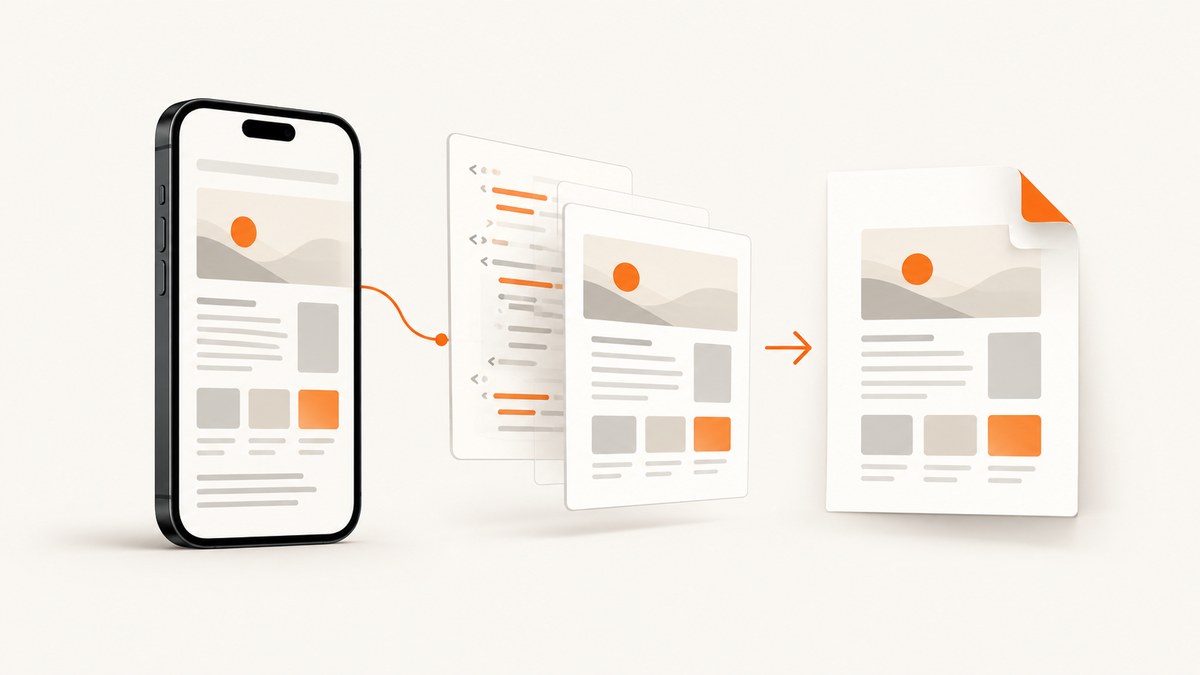
Short answer: NDHTMLtoPDF is associated with an older UIWebView-based workflow. UIWebView is deprecated; Apple says, “Use WKWebView instead.” For a current app, load the HTML in WKWebView, wait until the document and required resources are ready, call createPDF(configuration:completionHandler:), then save or send the returned PDF data. The native PDF API is available from iOS 14.
Apple documents three useful WKWebView loading paths: loadHTMLString(_:baseURL:) for generated HTML, file loading for local documents, and URL requests for remote pages. A base URL matters when your HTML refers to relative CSS, images, fonts, or scripts.
What NDHTMLtoPDF means for a current iOS project
The title names NDHTMLtoPDF, but the available research does not verify its installation instructions, exact method signatures, callback behavior, release status, or compatibility matrix. A Stack Overflow result points to an NDHTMLtoPDF.h/NDHTMLtoPDF.m implementation in an iOS-htmltopdf project, but the source and README were not retrievable. Validate the exact code in the version your project already uses before changing it.
| Situation | Practical choice | Why |
|---|---|---|
| Legacy app already depends on NDHTMLtoPDF and UIWebView | Audit the existing integration first | It may be the quickest short-term path, but it relies on deprecated UIWebView-era code. |
| New app or migration targeting iOS 14+ | WKWebView plus createPDF |
It is the documented Apple-native path and does not require an unverified third-party wrapper. |
| You need server-side or batch conversion | Use a hosted capture/PDF service | The conversion runs outside the app and avoids shipping browser setup to every client. |
Sources: Apple’s UIWebView documentation marks the class deprecated; WKWebView documentation covers loading HTML and requests; Apple’s createPDF documentation describes the asynchronous PDF API. The WebKit header marks the API as available on iOS 14.0.
Complete Swift implementation with WKWebView
The controller below accepts an HTML string, loads it with a base URL, waits for navigation to finish, checks document.readyState, waits for a configurable settling delay, creates a PDF, and writes it to a temporary file. It reports errors through a completion handler so the caller can upload, preview, or share the bytes.
import UIKit
import WebKit

@available(iOS 14.0, *)
final class HTMLToPDFViewController: UIViewController {
    private var webView: WKWebView!
    private var html: String
    private var baseURL: URL?
    private var settleDelay: TimeInterval
    private var completion: (Result<Data, Error>) -> Void
    private var didFinishLoading = false

    init(html: String,
         baseURL: URL? = nil,
         settleDelay: TimeInterval = 0.25,
         completion: @escaping (Result<Data, Error>) -> Void) {
        self.html = html
        self.baseURL = baseURL
        self.settleDelay = settleDelay
        self.completion = completion
        super.init(nibName: nil, bundle: nil)
    }

    required init?(coder: NSCoder) {
        fatalError("init(coder:) has not been implemented")
    }

    override func loadView() {
        let configuration = WKWebViewConfiguration()
        webView = WKWebView(frame: .zero, configuration: configuration)
        webView.navigationDelegate = self
        view = webView
    }

    override func viewDidAppear(_ animated: Bool) {
        super.viewDidAppear(animated)
        guard !didFinishLoading else { return }
        webView.loadHTMLString(html, baseURL: baseURL)
    }

    private func createPDF() {
        var configuration = WKPDFConfiguration()
        configuration.rect = webView.scrollView.contentSize.width > 0
            ? CGRect(origin: .zero, size: webView.scrollView.contentSize)
            : webView.bounds

        webView.createPDF(configuration: configuration) { [weak self] result in
            guard let self else { return }
            switch result {
            case .success(let data):
                do {
                    let url = FileManager.default.temporaryDirectory
                        .appendingPathComponent(UUID().uuidString)
                        .appendingPathExtension("pdf")
                    try data.write(to: url, options: .atomic)
                    self.completion(.success(data))
                } catch {
                    self.completion(.failure(error))
                }
            case .failure(let error):
                self.completion(.failure(error))
            }
        }
    }
}

@available(iOS 14.0, *)
extension HTMLToPDFViewController: WKNavigationDelegate {
    func webView(_ webView: WKWebView, didFinish navigation: WKNavigation!) {
        webView.evaluateJavaScript("document.readyState") { [weak self] value, error in
            guard let self else { return }
            if let error {
                self.completion(.failure(error))
                return
            }

            let state = value as? String ?? ""
            guard state == "complete" || state == "interactive" else {
                self.completion(.failure(ConversionError.documentNotReady(state)))
                return
            }

            DispatchQueue.main.asyncAfter(deadline: .now() + self.settleDelay) {
                self.didFinishLoading = true
                self.createPDF()
            }
        }
    }

    func webView(_ webView: WKWebView,
                 didFail navigation: WKNavigation!,
                 withError error: Error) {
        completion(.failure(error))
    }

    func webView(_ webView: WKWebView,
                 didFailProvisionalNavigation navigation: WKNavigation!,
                 withError error: Error) {
        completion(.failure(error))
    }
}

enum ConversionError: LocalizedError {
    case documentNotReady(String)

    var errorDescription: String? {
        switch self {
        case .documentNotReady(let state):
            return "The document was not ready. readyState=\(state)"
        }
    }
}
Present the controller from the main thread. The completion receives PDF bytes; the sample also writes a temporary file to demonstrate persistence.
let html = """
<!doctype html>
<html>
<head>
  <meta name=\"viewport\" content=\"width=device-width, initial-scale=1\">
  <style>
    @page { margin: 24pt; }
    body { font: 14pt -apple-system, BlinkMacSystemFont, sans-serif; }
    h1 { page-break-after: avoid; }
  </style>
</head>
<body>
  <h1>Invoice</h1>
  <p>Generated from HTML in WKWebView.</p>
</body>
</html>
"""

let converter = HTMLToPDFViewController(html: html) { result in
    switch result {
    case .success(let data):
        print("PDF bytes: \(data.count)")
        // Upload, present a share sheet, or save to a permanent URL.
    case .failure(let error):
        print("PDF conversion failed: \(error)")
    }
}

present(converter, animated: true)
Loading local files and relative assets
For a bundled HTML file, use loadFileURL(_:allowingReadAccessTo:). The read-access URL must include every local CSS, image, font, and JavaScript file the page needs.
let htmlURL = Bundle.main.url(forResource: "invoice", withExtension: "html")!
let rootURL = htmlURL.deletingLastPathComponent()
webView.loadFileURL(htmlURL, allowingReadAccessTo: rootURL)
For a remote page, load a URL request instead:
let request = URLRequest(url: URL(string: "https://example.com/invoice/123")!)
webView.load(request)
Wait for the content that actually belongs in the PDF
didFinish means navigation completed; it does not prove that every image, web font, chart, or application-rendered component has finished. Choose a readiness strategy based on your page.
| Content | Readiness strategy |
|---|---|
| Static HTML and CSS | Check document.readyState, then create the PDF. |
| Images and web fonts | Wait for an application-defined marker or a short settling delay; avoid assuming a fixed delay works for every network. |
| SPA or client-rendered content | Have the page set window.pdfReady = true after data and layout are complete, then poll it with evaluateJavaScript. |
| Remote resources | Handle navigation and resource failures, and make sure ATS, authentication, cookies, and network availability are configured. |
func waitForPDFReady(attempt: Int = 0) {
    webView.evaluateJavaScript("window.pdfReady === true") { [weak self] value, _ in
        guard let self else { return }
        if value as? Bool == true {
            self.createPDF()
        } else if attempt < 40 {
            DispatchQueue.main.asyncAfter(deadline: .now() + 0.25) {
                self.waitForPDFReady(attempt: attempt + 1)
            }
        } else {
            self.completion(.failure(ConversionError.documentNotReady("pdfReady timeout")))
        }
    }
}
Do not claim that JavaScript completion, remote-resource loading, pagination, margins, headers, or footers will match every HTML page without checking the target document. The API documentation establishes the capability, not rendering fidelity for a particular page.
PDF layout controls and limitations
- Use print CSS such as
@page,break-before,break-after, andbreak-insidewhere WebKit supports them. - Set an explicit viewport in the HTML when responsive layouts must be deterministic.
- Use stable dimensions for charts and images so late layout shifts do not change page breaks.
- Test long tables, very tall pages, SVG, web fonts, fixed-position elements, and cross-origin resources on the minimum supported OS.
- The PDF configuration rectangle controls the captured content area; it is not a promise that every CSS print feature will paginate identically across OS versions.

Common errors and fixes
| Symptom | Likely cause | Fix |
|---|---|---|
Compile error: createPDF unavailable |
Deployment target is below iOS 14. | Raise the deployment target or keep a separately tested fallback; the documented API is iOS 14+. |
| Blank or incomplete PDF | PDF creation ran before client rendering or assets completed. | Use an application readiness marker, wait for images/fonts, and capture only after layout is stable. |
| Images or CSS are missing | Incorrect base URL or insufficient file read access. | Pass the directory containing relative assets as baseURL, or use loadFileURL with the correct access scope. |
| Remote page fails immediately | Network unavailable, ATS policy, redirect, authentication, or invalid URL. | Inspect the navigation error, verify the URL, configure transport policy deliberately, and provide required cookies or credentials. |
| PDF has unexpected page breaks | Responsive dimensions, late layout shifts, or unsupported print CSS. | Set a viewport, fix element dimensions, wait for fonts/data, and test the exact HTML on supported OS versions. |
| Memory pressure or a crash | Very large DOM, images, or multiple conversions at once. | Serialize jobs, reduce image size, release the web view after completion, and avoid retaining PDF and page data unnecessarily. |
| Completion is never called | Navigation delegate was not retained/configured, or a code path omitted an error callback. | Set navigationDelegate, handle both failure delegate methods, and ensure every timeout/error calls completion exactly once. |
Performance, reliability, and cost
- Performance: Reusing a warm WKWebView can avoid startup overhead, but isolate jobs when pages contain user state or untrusted scripts. Measure your own HTML because page size, fonts, images, and JavaScript dominate conversion time.
- Reliability: Treat conversion as asynchronous. Add a timeout, cancel navigation when the caller leaves, record the URL and readiness state, and make completion idempotent.
- Security: Do not load untrusted HTML with privileged app data in the same web view. Keep credentials out of HTML and JavaScript unless the threat model allows them.
- Cost: The WKWebView path uses Apple’s WebKit framework. If you move conversion to a hosted service, account for request volume, PDF bytes, retries, and any service-specific billing rules.
Or skip the browser setup
If your goal is a clean capture of a web page or a PDF from a URL, ScreenshotNeo provides a single HTTP endpoint. Its cleanup steps accept cookie/consent banners and remove more than 60 known consent platforms, newsletter popups, and chat widgets before capture; each step can be turned off. Bot checks, blank pages, timeouts, failed loads, and cache hits are not billed, and the response identifies the result with X-Page-Verdict and X-Billed headers. It also provides an MCP server for Claude, Cursor, and other MCP clients, with take_screenshot, get_page_info, and capture_pdf tools.
See the ScreenshotNeo API documentation for request options. The basic call is:
curl -G "https://api.screenshotneo.com/v1/shot" -d access_key=YOUR_API_KEY --data-urlencode url=https://stripe.com -o shot.webpimport requests
r = requests.get("https://api.screenshotneo.com/v1/shot", params={"access_key": "YOUR_API_KEY", "url": "https://stripe.com"}, timeout=90)
open("shot.webp", "wb").write(r.content)const q = new URLSearchParams({ access_key: 'YOUR_API_KEY', url: 'https://stripe.com' }); const res = await fetch(`https://api.screenshotneo.com/v1/shot?${q}`);Plans include 1,000 screenshots per month free with no card; paid plans start at $5 for 3,000. Create a free ScreenshotNeo account.
FAQ
Can I keep using NDHTMLtoPDF?
Only if you have verified the exact dependency and its behavior in your maintained project. The research available for this article does not verify its setup or compatibility. UIWebView itself is deprecated.
What is the minimum iOS version for WKWebView PDF creation?
createPDF(configuration:completionHandler:) is available from iOS 14.
Can I convert an HTML string without hosting it?
Yes. Use loadHTMLString(_:baseURL:). Supply a base URL when the HTML uses relative resources.
Does the API guarantee print-perfect output?
No. Rendering depends on the page, resources, CSS, JavaScript, and OS version. Validate representative documents and wait for application-specific readiness.
Should conversion happen on the main thread?
WKWebView loading and PDF creation are UI framework operations. Start and coordinate them from the main thread, then move file handling or uploads off the main thread as appropriate.


