Is Web Scraping Worth Learning? A Practical Developer’s Guide
Web scraping is worth learning when it supports a real, permitted project. Learn the skills, tools, limits and a practical path from one page to reliable crawls.
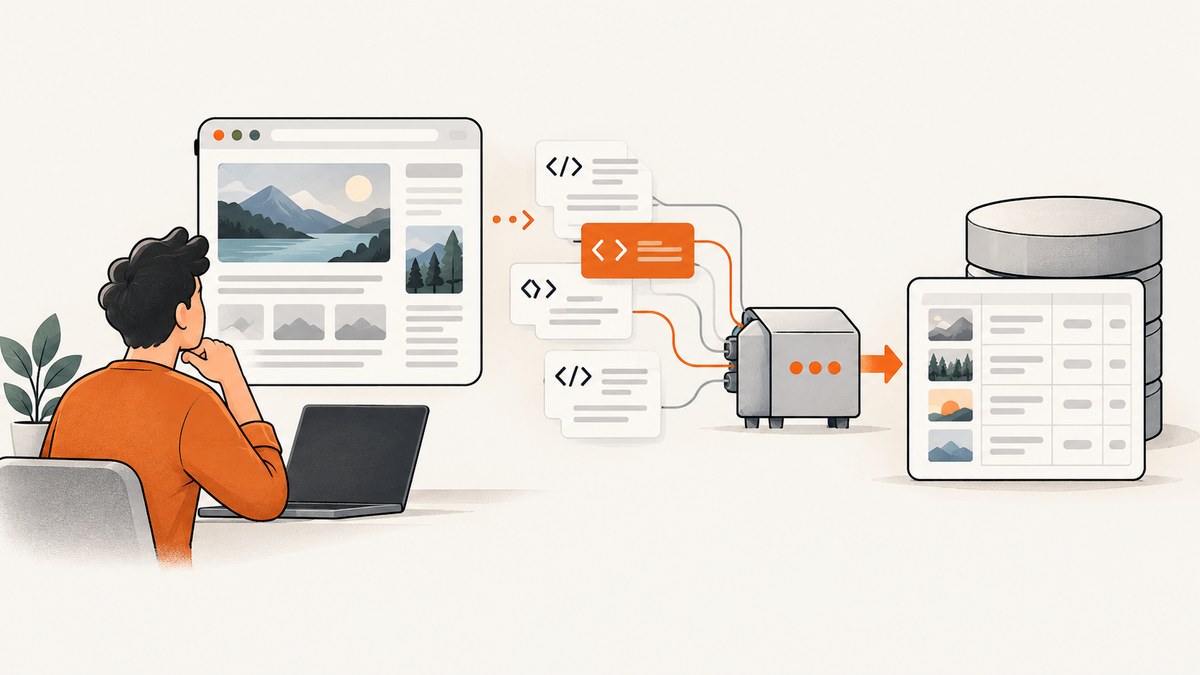
Short answer: web scraping is worth learning when it helps you complete a specific, permitted data-collection or automation project. It teaches useful skills in HTTP, HTML, parsing, data cleaning, error handling and repeatable workflows. It is much less useful as an isolated credential: the available research does not provide authoritative evidence that learning scraping by itself improves hiring prospects or freelance income.
The best way to decide is to start with a small outcome. For example: collect product names from a page you are allowed to access, save them as JSON or CSV, add pagination, and make the job repeatable. That project teaches more than memorizing a library. It also exposes the practical limits: JavaScript rendering, rate limits, changing markup, access controls, privacy obligations and maintenance.
What web scraping actually includes
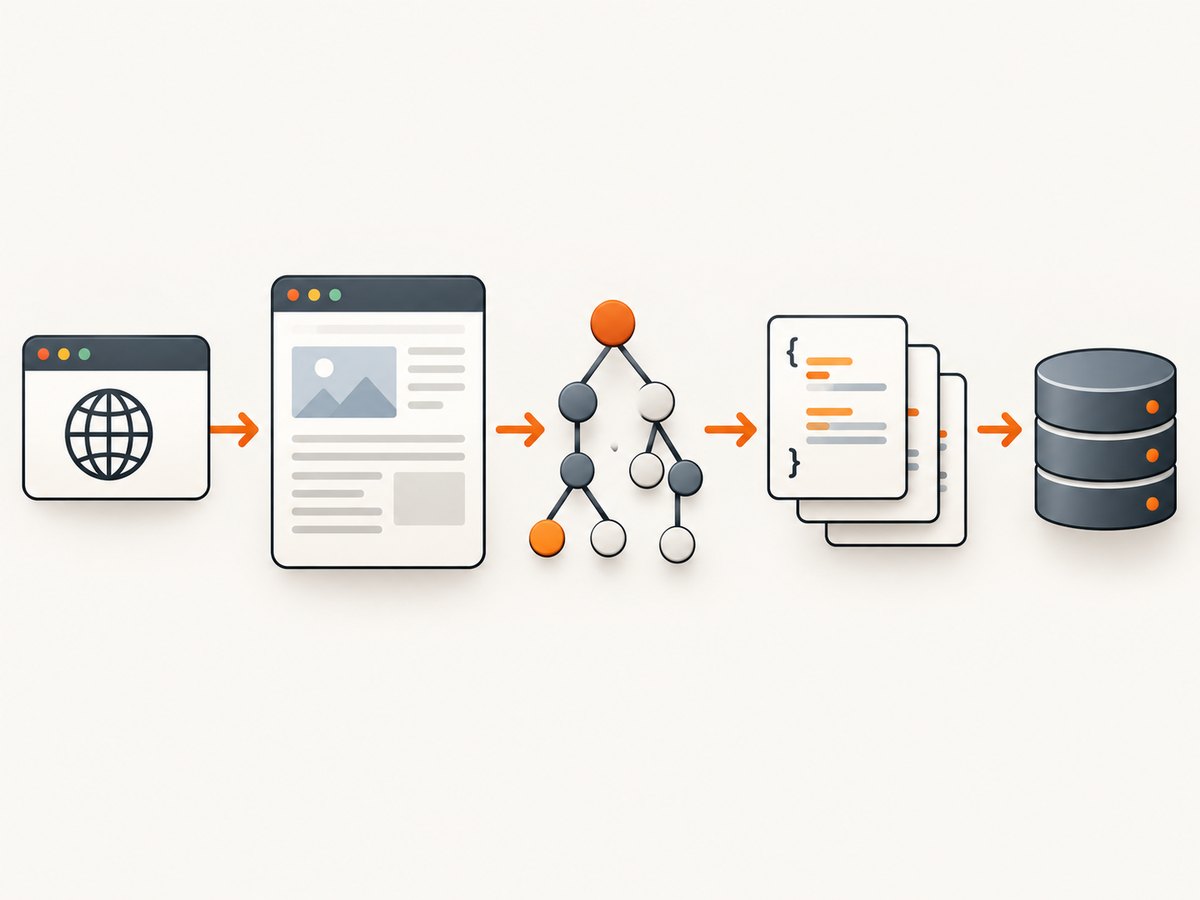
“Web scraping” describes several layers that are often confused:
- Fetching: making an HTTP request and receiving HTML, JSON or another response.
- Parsing: turning the response into a tree or data structure and selecting fields with CSS selectors, XPath or code.
- Cleaning: normalizing whitespace, dates, prices, currencies and missing values.
- Crawling: visiting many pages, following links, handling pagination and scheduling work.
- Rendering: running a browser when the data is created by JavaScript instead of being present in the initial HTML.
- Storage and operations: writing structured output, retrying safely, logging failures and detecting when a site’s layout changes.
Beautiful Soup and lxml are parsing libraries. Scrapy is an application framework for spiders that crawl sites and extract data. The distinction is stated directly in Scrapy’s official FAQ. A parser is usually enough for one page or a small batch; a crawler framework becomes useful when you need queues, pagination, item pipelines and repeatable jobs.
When learning scraping pays off
Scraping is a good investment when at least one of these is true:
- You have a real dataset to build and no suitable official API.
- You need to automate a repetitive lookup or monitoring task.
- You want to understand HTTP, HTML and browser behavior as part of backend or data engineering work.
- You need to connect public pages to an internal workflow, subject to the site’s terms and applicable law.
- You are building a product feature where the collection method, data quality and maintenance plan are explicit.
It is a weaker choice when the goal is only to add a fashionable keyword to a résumé, when an official API already supplies the data, or when the intended project depends on bypassing authentication, CAPTCHAs or technical blocks. Proxy rotation and anti-bot evasion are not ordinary beginner learning objectives.
A practical learning path
- Learn enough Python. Be comfortable with functions, lists and dictionaries, exceptions, files, virtual environments and installing packages.
- Choose a permitted page. Read its terms, check access controls and identify whether an official API or permission is available. A public URL is not a universal legal green light.
- Fetch one response. Inspect the status code, headers and returned HTML before selecting a parser.
- Extract a few stable fields. Prefer semantic elements and attributes over brittle chains of positional selectors.
- Normalize and save. Convert text, prices and dates into consistent values and write JSON or CSV.
- Add pagination and failure handling. Set timeouts, record failed URLs, avoid duplicate work and use a deliberate request rate.
- Move to a framework when the job becomes a crawl. Scrapy’s official overview demonstrates spiders that start from URLs, parse responses with selectors, yield structured items and follow links.
- Schedule and monitor. Keep logs, sample outputs and a change-detection check so a markup change does not silently corrupt your dataset.
Runnable beginner project: extract article data with Python
The following example fetches one page, extracts article headings and links, and writes structured JSON. Replace the example URL with a page you are allowed to access. It deliberately uses a small scope and a clear user agent.
python -m venv .venv
# macOS/Linux: source .venv/bin/activate
# Windows: .venv\\Scripts\\activate
pip install requests beautifulsoup4
import json
from urllib.parse import urljoin
import requests
from bs4 import BeautifulSoup
URL = "https://example.com/"
HEADERS = {
"User-Agent": "LearningScraper/1.0 (contact: you@example.com)"
}
response = requests.get(URL, headers=HEADERS, timeout=20)
response.raise_for_status()
soup = BeautifulSoup(response.text, "html.parser")
items = []
for heading in soup.select("h1, h2, h3"):
text = " ".join(heading.get_text(" ", strip=True).split())
if not text:
continue
link = heading.find("a", href=True)
items.append({
"heading": text,
"url": urljoin(URL, link["href"]) if link else URL,
})
with open("headings.json", "w", encoding="utf-8") as output:
json.dump(items, output, ensure_ascii=False, indent=2)
print(f"Saved {len(items)} records")Run it with python scraper.py. Inspect the output manually before scaling up. The selector is intentionally generic for learning; a production extractor should use selectors that match the site’s documented or stable structure.
Adding pagination safely
Pagination introduces duplicate pages, missing links and runaway crawls. Set a maximum page count, keep a set of visited URLs, normalize URLs and stop when the next link is absent.
from urllib.parse import urljoin

MAX_PAGES = 10
visited = set()
url = "https://example.com/articles"

for _ in range(MAX_PAGES):
    if url in visited:
        break
    visited.add(url)

    response = requests.get(url, headers=HEADERS, timeout=20)
    response.raise_for_status()
    soup = BeautifulSoup(response.text, "html.parser")

    # Extract records here.
    next_link = soup.select_one("a[rel='next']")
    if not next_link or not next_link.get("href"):
        break
    url = urljoin(url, next_link["href"])

print(f"Visited {len(visited)} pages")
When to use Scrapy
Use a framework when you need multiple spiders, a crawl queue, item pipelines, throttling, retries, feed exports or scheduled deployment. Scrapy gives those concerns a common structure; it does not remove the need to understand the target site’s markup and rules.
pip install scrapy
scrapy startproject catalog
cd catalog
scrapy genspider products example.com
import scrapy
class ProductsSpider(scrapy.Spider):
name = "products"
start_urls = ["https://example.com/products"]
def parse(self, response):
for card in response.css("article.product"):
yield {
"name": card.css("h2::text").get(default="").strip(),
"url": response.urljoin(card.css("a::attr(href)").get()),
}
next_url = response.css("a[rel='next']::attr(href)").get()
if next_url:
yield response.follow(next_url, callback=self.parse)Run it with scrapy crawl products -O products.json. Add item validation, a bounded crawl and logging before treating the output as a dependable dataset.
HTTP fetching versus browser rendering
Start with HTTP when the required data appears in the response HTML or an accessible JSON endpoint. It is simpler and usually consumes fewer resources. A browser is needed when JavaScript builds the content after load, a consent interaction reveals the page, or an action must happen before the data appears.
| Need | HTTP client and parser | Browser capture or automation |
|---|---|---|
| Static HTML | Usually sufficient | Extra complexity |
| Pagination links in HTML | Usually sufficient | Usually unnecessary |
| Client-rendered content | May return incomplete data | Often required |
| Click, scroll or consent action | Must reproduce requests manually | Natural fit |
| Many pages | Lower per-request overhead | Higher resource and maintenance cost |
Legal and responsible collection
Check the site’s terms, robots instructions, authentication boundaries, privacy obligations and local law. Use an official API or request permission where practical. The Ninth Circuit’s 2022 hiQ Labs v. LinkedIn opinion was a preliminary-injunction decision about a specific dispute involving public LinkedIn data, the Computer Fraud and Abuse Act, terms and robots.txt. It did not establish that every public site may be scraped for every purpose. Read the opinion in its procedural context and obtain current legal advice for a consequential project.
- Collect only fields you need.
- Respect authentication and access controls.
- Use a clear, honest user agent and a reasonable request rate.
- Store personal data only when you have a lawful, documented purpose.
- Stop when access is denied or the site’s rules prohibit the activity.
- Keep a source URL and collection timestamp for auditability.
Common failures and fixes
| Symptom | Likely cause | Fix |
|---|---|---|
| 403 or 429 response | Access policy or rate limit | Stop, review terms, slow down and use an official API or permission. Do not try to evade the control. |
| Empty selector results | Wrong selector or JavaScript-rendered content | Save the response, inspect its HTML, confirm the selector and determine whether rendering is required. |
| Timeouts | Slow server, oversized page or network instability | Set explicit timeouts, retry a limited number of times and record the failed URL. |
| Duplicate records | Tracking parameters or repeated pagination links | Normalize URLs, maintain a visited set and deduplicate by a stable key. |
| Broken fields after a redesign | Markup changed | Use stable attributes, validate required fields and alert when counts or null rates change. |
| Incorrect prices or dates | Locale, currency or formatting variation | Parse with explicit locale assumptions and preserve the original text for review. |
| Data suddenly disappears | Consent wall, bot check or login page | Inspect the returned page and stop if access requires bypassing a control. |
Performance, reliability and cost
Measure the whole workflow, not just requests per second. Track successful pages, extraction completeness, retries, response size, elapsed time and records written. Reuse connections, avoid downloading assets you do not need, bound concurrency and cache responses when the site’s rules permit it. A slower, observable crawl is more useful than a fast job that silently loses fields.

For recurring work, make jobs idempotent: a retry should not create duplicate rows. Store a checkpoint, use deterministic record keys and separate raw responses from cleaned data. Keep a small fixture set for regression checks when selectors change.
Cost includes development time, maintenance, bandwidth, compute and any browser infrastructure. HTTP parsing is usually cheaper to operate than full browser rendering. If the value of a screenshot or rendered page is higher than the cost of maintaining browser automation, a screenshot API can be simpler.
Or skip the browser setup
ScreenshotNeo is a website screenshot API and MCP server. One GET request returns a PNG, JPEG, WebP or PDF. Before capture it can accept cookie and consent banners and remove more than 60 known consent platforms, newsletter popups and chat widgets; each step can be turned off. Bot checks, CAPTCHAs, blank pages, timeouts, failed loads and cache hits are not billed, and responses identify the result with X-Page-Verdict and X-Billed headers. Its MCP server provides take_screenshot, get_page_info and capture_pdf for Claude, Cursor and other MCP clients.
See the ScreenshotNeo API documentation for the full option list, including full-page and element capture, device presets, retina scale, dark mode, PDF settings, custom CSS and JavaScript, clicks, waits, blocking rules, headers, cookies, user agents, authorization, timezone, geolocation, transparent backgrounds, resizing, caching, signed links, asynchronous jobs, bulk capture and usage reporting.
curl -G "https://api.screenshotneo.com/v1/shot" -d access_key=YOUR_API_KEY --data-urlencode url=https://stripe.com -o shot.webpimport requests
r = requests.get("https://api.screenshotneo.com/v1/shot", params={"access_key": "YOUR_API_KEY", "url": "https://stripe.com"}, timeout=90)
open("shot.webp", "wb").write(r.content)const q = new URLSearchParams({ access_key: 'YOUR_API_KEY', url: 'https://stripe.com' });
const res = await fetch(`https://api.screenshotneo.com/v1/shot?${q}`);The Free plan includes 1,000 screenshots a month with no card. Paid plans start at $5 for 3,000 shots; every feature is on every plan. Create a free ScreenshotNeo account.
FAQ
Is scraping a good first programming project?
Yes, if the scope is one permitted page and a small structured output. It teaches requests, parsing, files and error handling without requiring a full crawler.
Should I learn Beautiful Soup or Scrapy first?
Learn a parser first for a one-page task. Learn Scrapy when pagination, many URLs, pipelines or recurring crawls justify a framework.
Do I need browser automation?
Only when the required content or interaction is unavailable through the initial HTTP response. Inspect the HTML before adding browser complexity.
Can I scrape any public page?
No. Public accessibility does not answer questions about terms, privacy, access controls, copyright or applicable law.
Is scraping still useful if a site has an API?
Prefer the API when it provides the fields and permissions your project needs. Scraping may still be useful for permitted pages outside the API’s scope.
Conclusion
Web scraping is worth learning as a practical engineering skill attached to a real, permitted outcome. Start with one page, produce a small trustworthy dataset, then add pagination, validation and monitoring. Move to a crawler framework when the workflow becomes a crawl, and use rendering only when the page requires it. That path gives you durable HTTP and data skills without mistaking scraping for a guaranteed career credential.


