How to Iterate Asynchronous Puppeteer Functions with Node.js
Learn when to use for...of, Promise.all, and for await...of in Puppeteer, with race-free navigation, bounded concurrency, error handling, and cleanup.
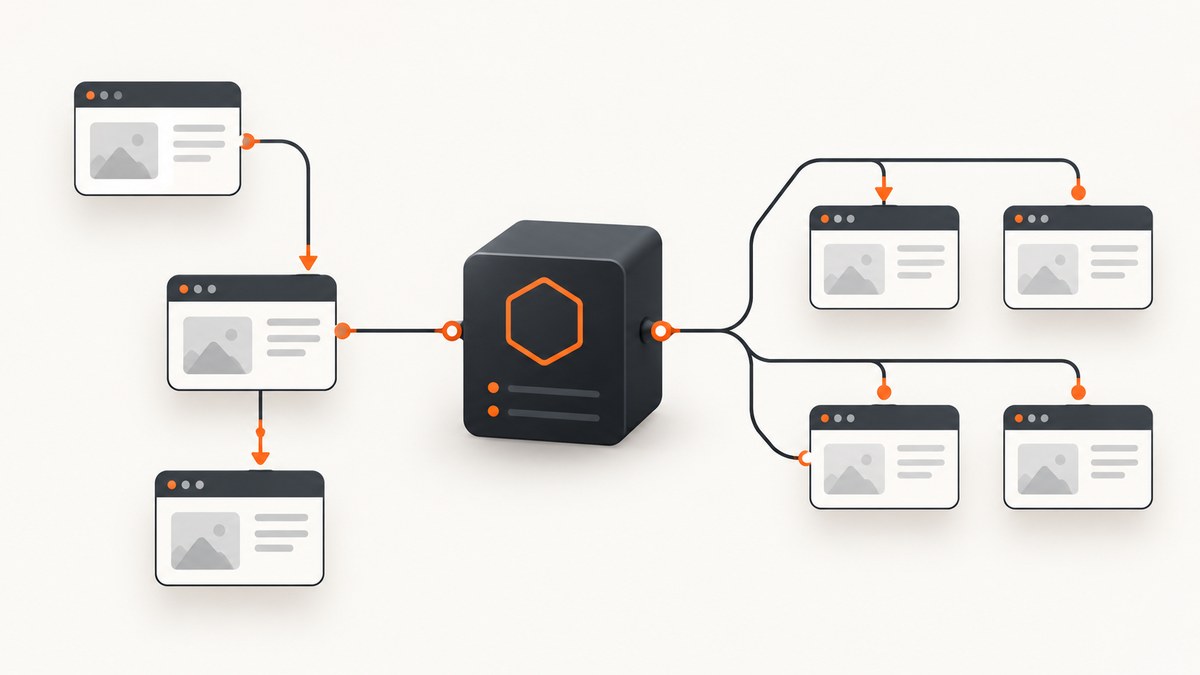
Use for...of with await when Puppeteer operations depend on one another or must run in order. Use map with Promise.all only when each task is independent and can safely use a separate page. Use for await...of when the producer is an async iterable, such as a paginated API or an async generator.
The most common mistake is array.forEach(async item => ...). forEach does not return a promise representing all callbacks, so the caller continues before the browser work finishes. Replace it with a sequential loop, a deliberate concurrent batch, or a bounded worker pool.
Choose the iteration pattern first
| Pattern | Use it when | Ordering | Page isolation | Error behavior |
|---|---|---|---|---|
for...of + await |
Each step depends on the previous step, or one page carries state | Strict sequence | Usually one shared page | Stops at the first uncaught error |
map + Promise.all |
Jobs are independent and overlap is safe | Completion overlaps; result array keeps input order | Use one page per job | Aggregate rejects when one job rejects |
for await...of |
The input is an async generator or another async iterable | One item is consumed at a time | Depends on your body | Stops on an uncaught error and performs iterator cleanup |
$$eval |
Many matching elements can be read in one page-context function | DOM order | One page | Rejects if the page function rejects |
This distinction follows Puppeteer’s promise-aware page APIs. page.evaluate waits when its function returns a promise, and page.$$eval does the same for its page function. The callback still runs in the browser context, not in Node.js. See the Page.evaluate API and Page.$$eval API.
Sequential iteration with one page
Start with a sequential loop whenever navigation, cookies, local storage, login state, throttling, or the order of mutations matters. Each iteration below begins only after the previous navigation and extraction have settled.
import puppeteer from 'puppeteer';

const browser = await puppeteer.launch();
const page = await browser.newPage();

try {
  const urls = [
    'https://example.com/a',
    'https://example.com/b',
  ];
  const results = [];

  for (const url of urls) {
    await page.goto(url, { waitUntil: 'domcontentloaded' });
    const title = await page.title();
    results.push({ url, title });
  }

  console.log(results);
} finally {
  await page.close();
  await browser.close();
}
waitUntil: 'domcontentloaded' is a useful baseline, but choose the least strict condition that satisfies your data requirement. load waits for subresources such as images, while networkidle0 and networkidle2 can be unsuitable for applications that keep connections open. Add an explicit selector wait when the result depends on client-rendered content:
for (const url of urls) {
  await page.goto(url, { waitUntil: 'domcontentloaded', timeout: 45_000 });
  await page.waitForSelector('[data-ready="true"]', { timeout: 15_000 });
  const record = await page.evaluate(() => ({
    title: document.title,
    text: document.body.innerText,
  }));
  console.log(url, record);
}
Navigation-triggering actions must be paired
When a click is expected to navigate, install the navigation wait before the click. Starting the waits together prevents a fast navigation from being missed.
const [response] = await Promise.all([
  page.waitForNavigation({ waitUntil: 'domcontentloaded' }),
  page.click('a.next'),
]);

console.log('Navigated to', response?.url() ?? page.url());
Use the same pattern for form submissions or any action that can replace the document. For an in-page update that does not navigate, wait for the specific DOM state instead.
Concurrent independent work with separate pages
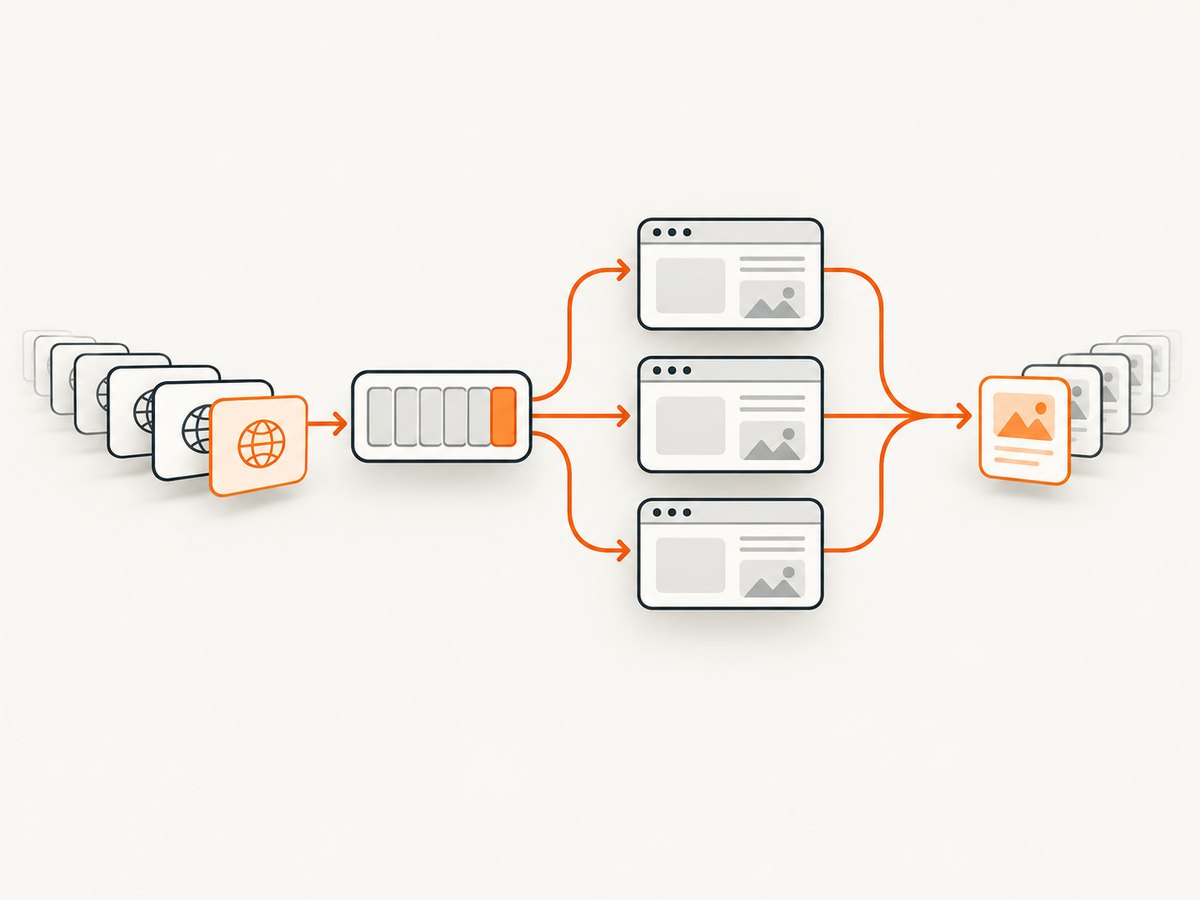
Parallelism is appropriate when URLs do not share state and the target can handle overlapping requests. Never run simultaneous goto, click, or form operations on the same page: those actions compete for one document and can overwrite each other’s state.
const pages = await Promise.all(
  urls.map(async url => {
    const page = await browser.newPage();
    try {
      await page.goto(url, { waitUntil: 'domcontentloaded' });
      return { url, title: await page.title() };
    } finally {
      await page.close();
    }
  }),
);

console.log(pages);
Promise.all returns fulfilled values in the same order as the input array, even if individual pages finish in a different order. The aggregate rejects when any task rejects. If partial success matters, capture errors per item:
const results = await Promise.all(urls.map(async url => {
  const page = await browser.newPage();
  try {
    await page.goto(url, { waitUntil: 'domcontentloaded' });
    return { url, ok: true, title: await page.title() };
  } catch (error) {
    return {
      url,
      ok: false,
      error: error instanceof Error ? error.message : String(error),
    };
  } finally {
    await page.close();
  }
}));
Bound concurrency instead of opening everything
Mapping thousands of URLs directly to Promise.all can exhaust memory, file descriptors, browser processes, or the target site’s rate limits. Puppeteer does not impose a universal safe limit; choose one for your workload and measure it. This small worker pool keeps at most four jobs active:
async function mapWithConcurrency(items, limit, worker) {
  const results = new Array(items.length);
  let next = 0;

  async function run() {
    while (true) {
      const index = next++;
      if (index >= items.length) return;
      results[index] = await worker(items[index], index);
    }
  }

  await Promise.all(
    Array.from({ length: Math.min(limit, items.length) }, run),
  );
  return results;
}

const results = await mapWithConcurrency(urls, 4, async url => {
  const page = await browser.newPage();
  try {
    await page.goto(url, { waitUntil: 'domcontentloaded' });
    return { url, title: await page.title() };
  } finally {
    await page.close();
  }
});
For larger systems, a queue library can add retries, cancellation, and rate limiting. Keep the same invariants: each job owns its page, every page closes in finally, and the concurrency limit is explicit.
Async iterables and for await...of
for await...of accepts async iterables and ordinary synchronous iterables. It awaits each next() result and runs iterator cleanup when the loop exits early. It is a good fit when URLs arrive from a paginated API, a stream, or an async generator.
async function* urlsFromApi(urls) {
  for (const url of urls) {
    // Replace this with a page of API results or another async source.
    await new Promise(resolve => setTimeout(resolve, 10));
    yield url;
  }
}

for await (const url of urlsFromApi(urls)) {
  await page.goto(url, { waitUntil: 'domcontentloaded' });
  console.log(url, await page.title());
}
For a normal in-memory array, for...of with an awaited body is usually clearer. Choose for await...of for the producer’s asynchronous nature, not because Puppeteer requires it.
Iterate elements with $$eval
Use $$eval when one page already contains a list of elements and the extraction can happen in one browser-context function. The callback receives the matching elements and must return serializable data.
const links = await page.$$eval('a.card', async cards => {
  return cards.map(card => ({
    text: card.textContent?.trim() ?? '',
    href: card.href,
  }));
});

console.log(links);
An asynchronous page function is also awaited:
const prices = await page.$$eval('[data-price]', async nodes => {
  return nodes.map(node => Number(node.getAttribute('data-price')));
});
Keep this function self-contained. Node modules, filesystem APIs, and local variables are not automatically available inside it. Pass values explicitly with arguments and return plain objects, arrays, strings, numbers, or booleans.
const currency = 'USD';
const values = await page.$$eval(
  '.price',
  (nodes, currencyCode) => nodes.map(node => ({
    currency: currencyCode,
    text: node.textContent?.trim() ?? '',
  })),
  currency,
);
Page context versus Node.js context
page.evaluate, page.$$eval, and related APIs serialize the callback and execute it in the page. This boundary explains many “undefined” errors.
- Browser globals such as
document,window, and DOM methods exist inside the callback. - Node globals, imported modules, filesystem access, and outer lexical variables do not exist unless their values are passed as arguments.
- Return data that can be serialized. DOM nodes, handles, cyclic objects, and class instances need conversion first.
Puppeteer serializes evaluate callbacks. If Babel or TypeScript transpiles an async callback into a form Puppeteer cannot serialize correctly, target modern syntax where possible. Puppeteer’s troubleshooting guidance documents this transpilation problem and a string-template workaround; see the official troubleshooting guide.
Reliable cleanup, timeouts, and retries
Put page and browser cleanup in finally blocks so a timeout or rejected evaluate does not leak resources. Set timeouts appropriate to the site and distinguish a retryable navigation timeout from a deterministic selector error.
async function scrape(url) {
  const page = await browser.newPage();
  try {
    await page.setDefaultNavigationTimeout(45_000);
    await page.goto(url, { waitUntil: 'domcontentloaded' });
    await page.waitForSelector('main', { timeout: 15_000 });
    return await page.$eval('main', node => node.textContent?.trim() ?? '');
  } finally {
    await page.close();
  }
}
Retry only bounded, transient failures. Repeating every exception can duplicate form submissions or amplify load. Use backoff, record the URL and attempt number, and make the operation idempotent when possible. Close browser handles after the whole batch:
const browser = await puppeteer.launch();
try {
  // Run your sequential loop or bounded worker pool here.
} finally {
  await browser.close();
}
Performance, reliability, and cost considerations
- Ordering: Sequential work has predictable state and lower peak resource use, but total time grows with the number of tasks.
- Overlap: Separate pages can reduce wall-clock time for independent jobs, but the result depends on CPU, memory, network, and the target’s rate limits. Do not promise a fixed speedup without benchmarking your workload.
- Browser reuse: Reuse one browser process for a batch, while creating and closing pages per independent job. This avoids repeatedly paying browser startup cost.
- Wait conditions: Prefer a meaningful selector or application-ready signal over an unnecessarily long network-idle wait.
- Memory: Extract plain data and release element handles when finished. Avoid retaining page objects or full HTML for every item.
- Failure accounting: Store per-item status, error message, and elapsed time so partial batches can be resumed instead of rerunning everything.

Or skip the browser setup
If your goal is simply to obtain clean screenshots rather than control a browser yourself, ScreenshotNeo provides a single GET request that returns PNG, JPEG, WebP, or PDF. It accepts cookie and consent banners as a visitor and removes more than 60 known consent platforms, newsletter popups, and chat widgets before capture; each cleanup step can be disabled. Bot checks, blank pages, timeouts, failed loads, and cache hits are not billed, and response headers identify the page verdict and billing result.
For the complete option list and authentication details, see the ScreenshotNeo API documentation.
curl -G "https://api.screenshotneo.com/v1/shot" \
  -d access_key=YOUR_API_KEY \
  --data-urlencode url=https://stripe.com \
  -o shot.webp
import requests
r = requests.get(
"https://api.screenshotneo.com/v1/shot",
params={"access_key": "YOUR_API_KEY", "url": "https://stripe.com"},
timeout=90,
)
r.raise_for_status()
open("shot.webp", "wb").write(r.content)const q = new URLSearchParams({
access_key: 'YOUR_API_KEY',
url: 'https://stripe.com',
});
const res = await fetch(`https://api.screenshotneo.com/v1/shot?${q}`);
if (!res.ok) throw new Error(`HTTP ${res.status}`);
const bytes = new Uint8Array(await res.arrayBuffer());
await Bun.write('shot.webp', bytes);ScreenshotNeo also offers an MCP server with take_screenshot, get_page_info, and capture_pdf tools for Claude, Cursor, and other MCP clients. Its API includes full-page capture with lazy images loaded, CSS-selector element capture, dark mode, device presets and custom viewports, retina scale, PDF paper and page controls, custom CSS and JavaScript, clicks, waits, request blocking, headers, cookies, user agents, authorization, timezone, geolocation, transparent backgrounds, resizing, chosen-TTL caching, signed links, async jobs with signed webhooks, bulk capture of up to 100 URLs per call, a usage API, and an OpenAPI specification. Parameter names used by other screenshot APIs also work to ease migration.
The Free plan includes 1,000 screenshots each month without a card. Paid plans start at $5 for 3,000 shots; yearly billing provides two months free. Create a free ScreenshotNeo account.
Troubleshooting checklist
“My script exits before screenshots or results exist”
Cause: forEach(async ...) does not await the callbacks. Fix: use for...of, or return and await Promise.all from a map.
“Pages navigate to the wrong URL”
Cause: multiple operations share one page. Fix: serialize actions on that page or allocate a separate page per independent task.
“Promise.all fails the whole batch”
Cause: one rejection rejects the aggregate. Fix: catch errors inside each mapped task when partial success is acceptable, and return an explicit ok field.
“The selector is missing intermittently”
Cause: the page is client-rendered, slow, blocked, or in a different frame. Fix: wait for a meaningful readiness selector, increase the targeted timeout, inspect frames, and record the URL and response status.
“evaluate says a Node variable is undefined”
Cause: the callback runs in the browser context. Fix: pass the value as an argument and return serializable data.
“Async evaluate breaks after compiling TypeScript”
Cause: transpilation changed the callback source Puppeteer serializes. Fix: preserve modern async syntax in the evaluate callback or follow Puppeteer’s documented workaround.
“The process grows until it crashes”
Cause: pages, browsers, or handles are not closed, or concurrency is unbounded. Fix: close pages in finally, close the browser after the batch, dispose handles, and cap active workers.
“A click sometimes misses navigation”
Cause: the listener started after the click. Fix: use Promise.all([page.waitForNavigation(...), page.click(...)]).
FAQ
Does await make every loop parallel?
No. An awaited body in for...of is sequential. Parallelism requires creating multiple promises before awaiting them, normally with map and a controlled aggregate.
Should I use for await...of for every Puppeteer loop?
No. Use it when the input is asynchronous. For an ordinary array, for...of communicates the intent more directly.
Can several tabs safely share cookies?
Pages in the same browser context can share context state, but their navigation and DOM state are separate. Coordinate shared authentication and rate limits deliberately; do not share a page for concurrent actions.
What does Promise.allSettled add?
It reports every fulfillment and rejection without failing fast. It is useful for a batch report when you need all outcomes, while per-item try/catch lets you attach structured metadata.
When is ScreenshotNeo a better fit?
Use it when you need an image or PDF and do not want to operate Chromium, coordinate pages, or maintain cleanup code. Its clean-shot processing removes common overlays, and unsuccessful or cached captures are not billed.


