How to Convert HTML to PDF with Special Characters in Java
Convert HTML to PDF in Java with reliable UTF-8 text, embedded fonts, symbols, emoji, CJK and Arabic support.

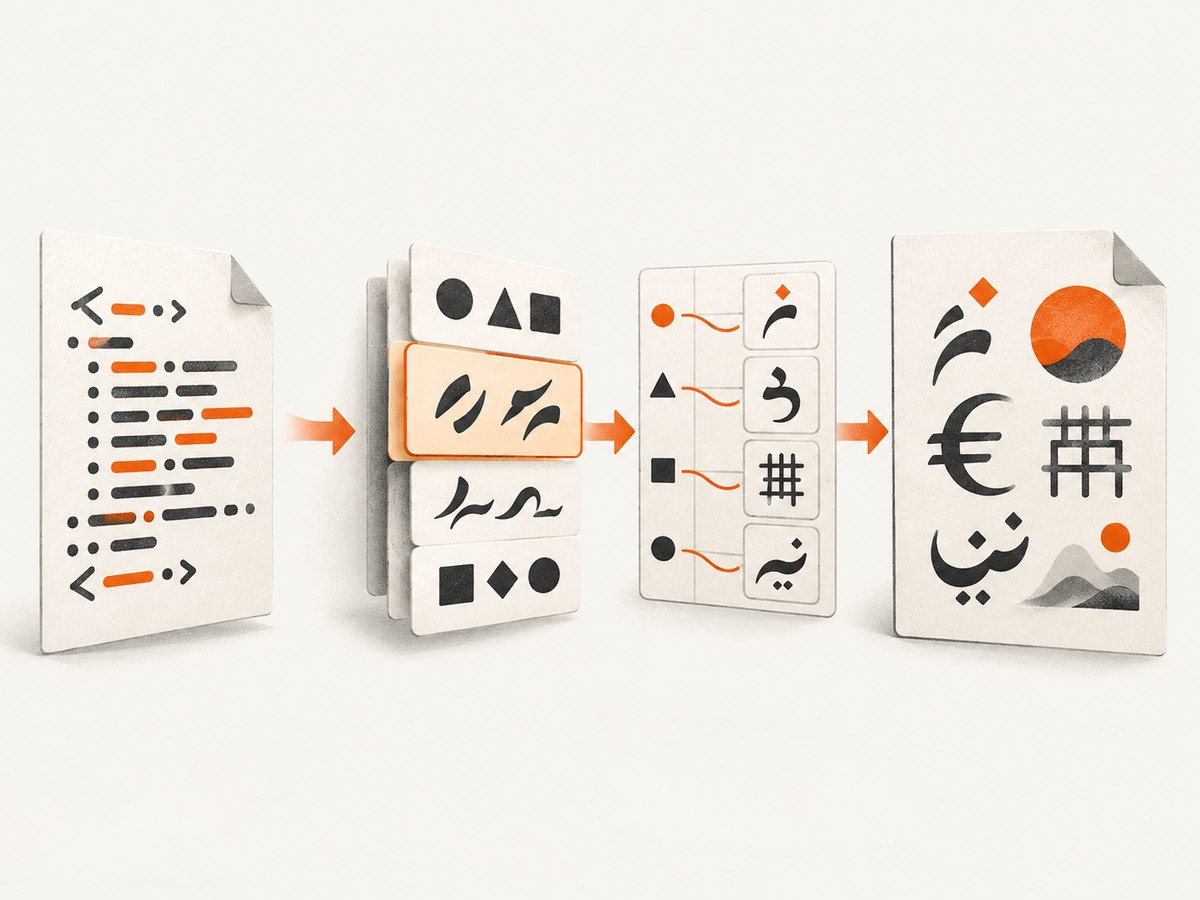
To convert HTML to PDF in Java without losing accented letters, symbols, emoji, CJK or Arabic characters, you need three things: preserve the HTML as UTF-8, use a renderer that supports the HTML/CSS you need, and register a font that contains every required glyph. UTF-8 transports characters; it does not create missing glyphs.
1. The reliable conversion pattern
The most deterministic approach is iText pdfHTML with an explicitly registered TrueType font. Keep your Java source, HTML template and input streams in UTF-8, add a meta charset declaration, set a CSS font family, and register the matching font file through FontProvider.
import com.itextpdf.html2pdf.HtmlConverter;
import com.itextpdf.html2pdf.ConverterProperties;
import com.itextpdf.html2pdf.resolver.font.DefaultFontProvider;
import com.itextpdf.layout.font.FontProvider;
import java.io.FileOutputStream;
public class HtmlToPdfUnicode {
public static void main(String[] args) throws Exception {
String html = "<!doctype html>"
+ "<html lang='en'><head>"
+ "<meta charset='UTF-8'>"
+ "<style>body { font-family: 'Noto Sans'; }</style>"
+ "</head><body>"
+ "<h1>Résumé — 東京 — مرحبًا</h1>"
+ "<p>Arrows: ← ↓ ↔ ↑ →</p>"
+ "<p>Currency and symbols: € © ☺</p>"
+ "<p>Emoji: 😀 (requires a font with this glyph)</p>"
+ "</body></html>";
ConverterProperties properties = new ConverterProperties();
FontProvider fonts = new DefaultFontProvider(false, false, false);
fonts.addFont("/opt/fonts/NotoSans-Regular.ttf");
properties.setFontProvider(fonts);
HtmlConverter.convertToPdf(
html,
new FileOutputStream("out.pdf"),
properties
);
}
}Use a font file that is present in the deployment image, container or server. Do not rely on a family name being installed on the host. The renderer searches registered fonts for a glyph; embedding the font makes output portable, subject to the font license.
2. Preserve UTF-8 from source to renderer
Java strings are Unicode, but bytes can still be decoded incorrectly before they become a string. Always specify the charset when reading files, HTTP responses or database content.
import java.nio.charset.StandardCharsets;
import java.nio.file.Files;
import java.nio.file.Path;

String html = Files.readString(
    Path.of("template.html"),
    StandardCharsets.UTF_8
);
For an input stream, use new InputStreamReader(stream, StandardCharsets.UTF_8). Add <meta charset="UTF-8"> near the beginning of the HTML head. Avoid new String(bytes) and other APIs that use the platform default charset.
3. HTML entities, symbols and numeric references
Ordinary HTML entities work when the renderer can parse them and the selected font supplies the glyph. iText HtmlConverter handles named entities such as ←, € and ©, as well as numeric references.
String html = "<html><head><meta charset='UTF-8'></head>"
+ "<body style=\"font-family:Noto Sans\">"
+ "<p>Arrows: ← ↓ ↔ ↑ →</p>"
+ "<p>Currency and symbols: € © ☺</p>"
+ "</body></html>";
HtmlConverter.convertToPdf(html, new FileOutputStream("symbols.pdf"));If a symbol appears as a square, inspect the font before changing the entity. The entity may be correct while the font lacks that code point.
4. Font coverage and fallback
A single Latin font rarely covers CJK, Arabic, emoji and every symbol. Use a family with the required coverage or register multiple fonts and define a CSS fallback list.
FontProvider fonts = new DefaultFontProvider(false, false, false);
fonts.addFont("/opt/fonts/NotoSans-Regular.ttf");
fonts.addFont("/opt/fonts/NotoSansArabic-Regular.ttf");
fonts.addFont("/opt/fonts/NotoSansCJK-Regular.ttc");
properties.setFontProvider(fonts);
Register the exact files you intend to ship. A CSS declaration such as font-family: Arial does not help if Arial is absent in the container. Check the font license before embedding it in generated PDFs.
Emoji limitations
Emoji often use color or OpenType tables that PDF renderers do not handle like a browser. A monochrome fallback font may render a glyph, while a color emoji font may not. Test the exact emoji set you need and provide a fallback. Do not assume that successful UTF-8 decoding guarantees emoji output.
Arabic, Hebrew and combining marks
Glyph presence is separate from shaping and bidirectional layout. Test joining Arabic letters, right-to-left paragraphs, mixed Arabic and Latin text, combining accents and Devanagari separately. A font can contain individual code points while the renderer still lacks complete shaping support.
5. OpenHTMLtoPDF alternative
OpenHTMLtoPDF is an open-source, PDFBox-based renderer for a reasonable subset of well-formed XML/XHTML and CSS. It supports font fallback, PDF/A and accessibility workflows, but its supported HTML/CSS subset is narrower than a browser and its documentation lists no OpenType support. Prefer compatible TrueType fonts and verify complex scripts visually.
import com.openhtmltopdf.pdfboxout.PdfRendererBuilder;
import java.io.FileOutputStream;
public class OpenHtmlToPdfExample {
public static void main(String[] args) throws Exception {
String html = "<html><head><meta charset='UTF-8'>"
+ "<style>@font-face { font-family: Noto; "
+ "src: url('file:/opt/fonts/NotoSans-Regular.ttf'); }"
+ "body { font-family: Noto; }</style></head>"
+ "<body>Résumé — 東京 — مرحبًا — €</body></html>";
try (FileOutputStream out = new FileOutputStream("out.pdf")) {
PdfRendererBuilder builder = new PdfRendererBuilder();
builder.useFont(
() -> new java.io.File("/opt/fonts/NotoSans-Regular.ttf"),
"Noto"
);
builder.withHtmlContent(html, null);
builder.toStream(out);
builder.run();
}
}
}Keep templates well-formed XHTML where possible, use supported CSS 2.1 features, and verify tables, page breaks and external resources in the exact library version you deploy.
6. Flying Saucer alternative
Flying Saucer follows an XHTML/CSS model. Its guide defaults to Latin-1, so register a Unicode font with BaseFont.IDENTITY_H before laying out the document.
import com.lowagie.text.pdf.BaseFont;
import org.xhtmlrenderer.pdf.ITextRenderer;
import java.io.FileOutputStream;
public class FlyingSaucerUnicode {
public static void main(String[] args) throws Exception {
String html = "<html><head><meta charset='UTF-8'></head>"
+ "<body style='font-family:Noto Sans'>"
+ "Résumé — 東京 — مرحبًا — €"
+ "</body></html>";
ITextRenderer renderer = new ITextRenderer();
renderer.getFontResolver().addFont(
"/opt/fonts/NotoSans-Regular.ttf",
BaseFont.IDENTITY_H,
BaseFont.EMBEDDED
);
renderer.setDocumentFromString(html);
renderer.layout();
try (FileOutputStream output = new FileOutputStream("out.pdf")) {
renderer.createPDF(output);
}
}
}Check the exact renderer and iText versions, supported CSS, and licensing before deployment.
7. Choosing a Java renderer
| Option | Special-character strategy | Best fit | Constraint |
|---|---|---|---|
| iText pdfHTML | FontProvider, Unicode mappings and embedded fonts | Documented HTML conversion and PDF/A workflows | Commercial licensing and font embedding restrictions |
| OpenHTMLtoPDF | Font fallback with compatible TrueType fonts | Open-source PDFBox-based applications | Limited HTML5/CSS subset; no OpenType support listed |
| Flying Saucer | Explicit Identity-H font registration | XHTML/CSS documents needing direct font control | Latin-1 default unless configured; XHTML-oriented model |
Compare HTML/CSS support, script and font coverage, PDF/A or accessibility requirements, licensing, and whether fonts can be deployed deterministically.
8. Troubleshooting checklist
Accents become é or other mojibake
Cause: bytes were decoded as a platform default or Latin-1. Fix: decode with StandardCharsets.UTF_8, keep the template in UTF-8, and include the meta charset declaration.
Characters show as empty boxes
Cause: the selected font lacks the glyph. Fix: inspect the font’s coverage, register a Unicode-capable TrueType font, add a fallback font, and ensure CSS resolves to the registered family.
PDFBox reports WinAnsiEncoding or unavailable-character errors
Cause: a WinAnsi or Latin-1 font encoding cannot represent the character. Fix: choose a Unicode-capable font and encoding instead of escaping the character.
Entities appear literally
Cause: malformed HTML, an unsupported entity, or a preprocessing step that escaped the ampersand twice. Fix: validate the HTML, use a standard named or numeric reference, and confirm the renderer receives the intended string.
Arabic is disconnected or punctuation is reversed
Cause: incomplete shaping or bidirectional support, not necessarily bad UTF-8. Fix: test the renderer’s RTL capabilities, use a suitable font, isolate mixed-direction spans, and consider a renderer with the required shaping support.
Font registration throws an exception
Cause: an incorrect path, unsupported font format, or embedding restriction. Fix: verify the file exists in the runtime image, prefer a compatible TTF, and check the font license and embedding permissions.
Output differs between laptop and container
Cause: different installed fonts, locale defaults or resource paths. Fix: ship and register fonts explicitly, use absolute or controlled resource paths, set UTF-8 explicitly, and generate a diagnostic PDF containing representative scripts.
9. Performance, reliability and cost
- Register fonts once per renderer or application lifecycle where the library permits it; avoid repeatedly scanning large font directories for every request.
- Reuse immutable templates and CSS, but keep request-specific data escaped and isolated.
- Cache font files in the container image or a local volume. Network font loading adds latency and creates a failure dependency.
- Bound HTML size, image dimensions and conversion time. Large images and complex tables increase memory use.
- For reproducible output, pin library versions, font files and CSS. Render a fixture containing accents, symbols, CJK, Arabic, combining marks and emoji in CI.
- Embedding fonts increases PDF size, but it avoids host-dependent substitutions. Apply subsetting only after verifying that every required glyph remains available.
10. Or skip the browser setup
If your goal is a rendered PDF or image from a web page rather than a Java PDF layout engine, ScreenshotNeo provides a website screenshot API. It accepts one GET request and can return PNG, JPEG, WebP or PDF. Cookie and consent banners, newsletter popups and chat widgets are removed before capture; bot checks, blank pages, timeouts, failed loads and cache hits are not billed. An MCP server also lets Claude, Cursor and other MCP clients call take_screenshot, get_page_info and capture_pdf.

See the ScreenshotNeo API documentation for the full option set. This Java example calls the PDF endpoint pattern with a target URL:
import java.net.URI;
import java.net.http.HttpClient;
import java.net.http.HttpRequest;
import java.net.http.HttpResponse;
import java.nio.file.Files;
import java.nio.file.Path;

public class ScreenshotNeoPdf {
    public static void main(String[] args) throws Exception {
        String url = "https://example.com";
        String requestUrl = "https://api.screenshotneo.com/v1/shot"
            + "?access_key=YOUR_API_KEY"
            + "&url=" + java.net.URLEncoder.encode(url, java.nio.charset.StandardCharsets.UTF_8);

        HttpClient client = HttpClient.newHttpClient();
        HttpRequest request = HttpRequest.newBuilder(URI.create(requestUrl)).GET().build();
        HttpResponse<byte[]> response = client.send(
            request,
            HttpResponse.BodyHandlers.ofByteArray()
        );
        if (response.statusCode() / 100 != 2) {
            throw new IllegalStateException("HTTP " + response.statusCode());
        }
        Files.write(Path.of("page.pdf"), response.body());
    }
}
Equivalent requests
curl -G "https://api.screenshotneo.com/v1/shot" -d access_key=YOUR_API_KEY --data-urlencode url=https://stripe.com -o shot.webpimport requests
r = requests.get("https://api.screenshotneo.com/v1/shot", params={"access_key": "YOUR_API_KEY", "url": "https://stripe.com"}, timeout=90)
open("shot.webp", "wb").write(r.content)const q = new URLSearchParams({ access_key: 'YOUR_API_KEY', url: 'https://stripe.com' });
const res = await fetch(`https://api.screenshotneo.com/v1/shot?${q}`);ScreenshotNeo includes full-page capture with lazy images loaded, CSS-selector element capture, dark mode, device presets and custom viewports, retina scale, PDF paper and page controls, custom CSS and JavaScript, waits, request blocking, headers, cookies, user agents, timezone and geolocation, caching with a chosen TTL, signed links, asynchronous jobs, webhooks, bulk capture and a usage API. Responses identify page and billing status with X-Page-Verdict and X-Billed headers.
Free accounts include 1,000 screenshots per month with no card. Paid plans start at $5 for 3,000 shots, and every feature is available on every plan. Create a free ScreenshotNeo account.
11. FAQ
Is UTF-8 enough to preserve every character?
No. UTF-8 preserves the code point during transport; the PDF font must also contain the glyph, and the renderer must support the script’s shaping and direction rules.
Should I use HTML entities instead of literal Unicode?
Either is acceptable when the HTML is valid and UTF-8 is preserved. Entities can make source templates clearer, but they do not solve missing font coverage.
Can I use a web font URL?
For deterministic server output, ship a licensed font file and register it locally. Remote font loading adds availability and reproducibility risks.
Why does browser HTML look different from the PDF?
These libraries implement selected HTML and CSS models rather than a complete browser engine. Simplify unsupported CSS, use a library-supported XHTML subset, or capture the rendered page with a browser-based service.
How do I prove a deployment supports my languages?
Generate a fixture containing every required script, symbol, combining sequence and representative emoji, then inspect the PDF visually and extract text where accessibility or search matters.


