How to Convert an HTML Page URL to PDF in Java with iText and Flying Saucer
Convert a remote HTML URL to PDF in Java with iText pdfHTML or Flying Saucer, including assets, CSS limits, licensing, errors, and production tips.

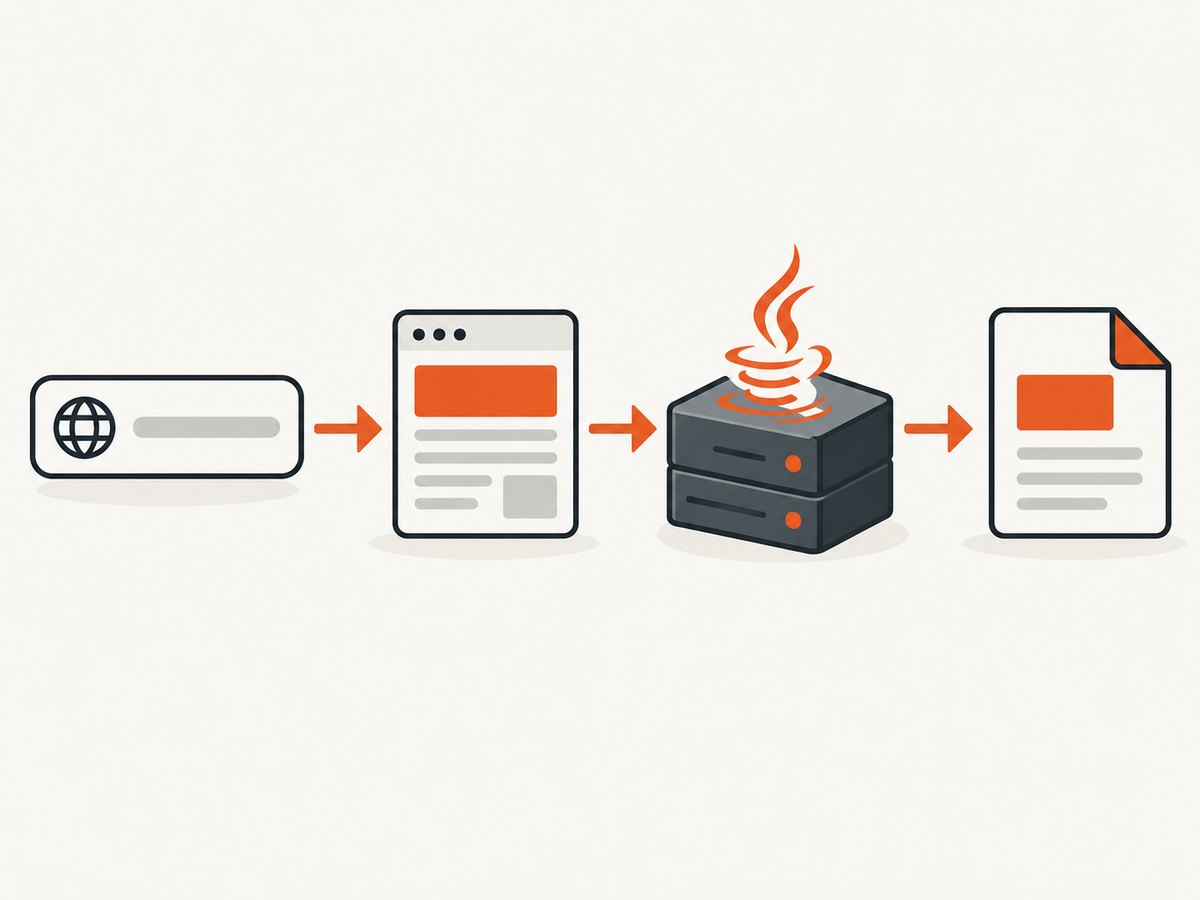
Direct answer: fetch the URL in your Java application, preserve the response as HTML, and give that HTML to a renderer with a correct base URI for stylesheets, images, fonts, and other relative resources. For iText, use the com.itextpdf:html2pdf pdfHTML add-on with an iText Core version supported by its compatibility matrix. For Flying Saucer, use its XHTML and CSS 2.1 renderer and the current PDF artifact, which outputs through OpenPDF. Neither library is a full web browser: JavaScript-heavy pages, flexbox, grid, and client-side application state may require a browser-backed capture service.
Choose the renderer before writing code
| Requirement | iText pdfHTML | Flying Saucer |
|---|---|---|
| Best input | HTML and CSS intended for PDF conversion | Well-formed XML or XHTML with predictable CSS 2.1 |
| JavaScript | Do not assume browser-level execution | Not a browser; script-dependent pages are unsuitable |
| Modern layout | Verify the exact feature against the selected version | CSS 2.1 scope; modern flex and grid are not a safe assumption |
| PDF backend | iText Core and pdfHTML | OpenPDF through the PDF artifact |
| Licensing | AGPL or commercial license, depending on distribution | Flying Saucer is LGPL; review all dependency notices |
| Runtime | Use the Java version supported by your selected iText release | Flying Saucer 9.5.0 requires Java 11+, 9.6.0 Java 17+, and 10.0.0 Java 21+ |
The iText installation guide explains that commercial closed-source use requires a commercial license for iText Core and pdfHTML. Confirm the terms that apply to your deployment before shipping. iText 7.2 and newer use JSON license keys with the licensing-base library; use the key library that matches your actual release. See the iText pdfHTML installation guidance and its license-key guidance.
1. Fetch the URL safely
“URL to PDF” has two separate operations: HTTP retrieval and document rendering. Your fetcher must handle redirects, response status, timeouts, compression, authentication, and character encoding. The renderer must then resolve every linked resource from the document’s base URL.
HttpClient client = HttpClient.newBuilder()
        .followRedirects(HttpClient.Redirect.NORMAL)
        .connectTimeout(Duration.ofSeconds(20))
        .build();

HttpRequest request = HttpRequest.newBuilder(URI.create(inputUrl))
        .timeout(Duration.ofSeconds(60))
        .header("Accept", "text/html,application/xhtml+xml")
        .header("User-Agent", "PdfConverter/1.0")
        .GET()
        .build();

HttpResponse<String> response = client.send(
        request, HttpResponse.BodyHandlers.ofString(StandardCharsets.UTF_8));

if (response.statusCode() / 100 != 2) {
    throw new IOException("Page returned HTTP " + response.statusCode());
}
String html = response.body();
String baseUri = response.uri().toString();
For production, derive the charset from the HTTP Content-Type header and the document’s metadata instead of forcing UTF-8. If the response is compressed, Java’s HTTP client handles common content encodings, but verify this in your runtime. Keep the final response URI after redirects: relative links should resolve against that URI, not necessarily the original input.
Resources to verify
- Absolute and relative stylesheets, images, SVG files, and web fonts.
- Redirects from HTTP to HTTPS and redirects that require authentication.
- Private resources that need cookies, an Authorization header, or a signed URL.
- Robots, firewalls, DNS, and outbound network policy in the deployment environment.
- Large pages and responses with missing or incorrect content types.
2. Convert with iText pdfHTML
Use the html2pdf Maven artifact and align its version with compatible iText Core modules. Do not copy an unversioned dependency pair into a production build; check the official pdfHTML repository and compatibility matrix for the release you select.
<dependency>
  <groupId>com.itextpdf</groupId>
  <artifactId>html2pdf</artifactId>
  <version>${itext.html2pdf.version}</version>
</dependency>
The following service fetches a page and writes a PDF. The base URI is essential when the HTML contains relative resources.
import com.itextpdf.html2pdf.ConverterProperties;
import com.itextpdf.html2pdf.HtmlConverter;

import java.io.ByteArrayInputStream;
import java.io.IOException;
import java.io.OutputStream;
import java.net.URI;
import java.net.http.*;
import java.nio.charset.StandardCharsets;
import java.time.Duration;

public final class ITextUrlToPdf {
    public static void convert(String inputUrl, OutputStream output)
            throws IOException, InterruptedException {
        HttpClient client = HttpClient.newBuilder()
                .followRedirects(HttpClient.Redirect.NORMAL)
                .connectTimeout(Duration.ofSeconds(20))
                .build();
        HttpRequest request = HttpRequest.newBuilder(URI.create(inputUrl))
                .timeout(Duration.ofSeconds(60))
                .header("Accept", "text/html,application/xhtml+xml")
                .GET().build();
        HttpResponse<String> response = client.send(
                request, HttpResponse.BodyHandlers.ofString(StandardCharsets.UTF_8));
        if (response.statusCode() / 100 != 2) {
            throw new IOException("HTTP " + response.statusCode());
        }

        ConverterProperties properties = new ConverterProperties();
        properties.setBaseUri(response.uri().toString());
        try (ByteArrayInputStream html = new ByteArrayInputStream(
                response.body().getBytes(StandardCharsets.UTF_8))) {
            HtmlConverter.convertToPdf(html, output, properties);
        }
    }
}
For HTML assembled in memory, pass the string or an input stream and still set ConverterProperties.setBaseUri. If you need custom fonts, register them through the pdfHTML font provider supported by your selected version and ensure the process can read the font files. For authenticated assets, fetch them yourself and rewrite URLs, or configure the supported resource mechanism for that release.
3. Convert with Flying Saucer
Flying Saucer renders well-formed XML or XHTML using CSS 2.1. Its repository lists org.xhtmlrenderer:flying-saucer-pdf for PDF output through OpenPDF; flying-saucer-pdf-openpdf is marked unsupported and replaced. Check the project’s release notes and your Java baseline before selecting a version.
<dependency>
  <groupId>org.xhtmlrenderer</groupId>
  <artifactId>flying-saucer-pdf</artifactId>
  <version>${flying-saucer.version}</version>
</dependency>
Your input must be well-formed. Close every element, quote attributes, escape ampersands, and use XML-compatible markup. A normal browser may repair malformed HTML; Flying Saucer generally will not.
import org.xhtmlrenderer.pdf.ITextRenderer;

import java.io.IOException;
import java.io.OutputStream;
import java.net.URI;
import java.net.http.*;
import java.nio.charset.StandardCharsets;
import java.time.Duration;

public final class FlyingSaucerUrlToPdf {
    public static void convert(String inputUrl, OutputStream output)
            throws IOException, InterruptedException {
        HttpClient client = HttpClient.newBuilder()
                .followRedirects(HttpClient.Redirect.NORMAL)
                .connectTimeout(Duration.ofSeconds(20))
                .build();
        HttpRequest request = HttpRequest.newBuilder(URI.create(inputUrl))
                .timeout(Duration.ofSeconds(60)).GET().build();
        HttpResponse<String> response = client.send(
                request, HttpResponse.BodyHandlers.ofString(StandardCharsets.UTF_8));
        if (response.statusCode() / 100 != 2) {
            throw new IOException("HTTP " + response.statusCode());
        }

        ITextRenderer renderer = new ITextRenderer();
        renderer.setDocumentFromString(response.body(), response.uri().toString());
        renderer.layout();
        renderer.createPDF(output);
    }
}
The setDocumentFromString base URI allows relative CSS and images to resolve. If the page is not valid XHTML, normalize it before rendering and inspect the normalized output. For headers, footers, page numbers, fonts, and advanced PDF behavior, use the APIs documented for the exact Flying Saucer release and its OpenPDF version.
4. Handle pages that are not static documents
Neither approach should be treated as a general browser automation engine. A page that obtains its content after load through JavaScript may render as an empty shell. CSS flexbox or grid, web components, canvas output, client-side authentication, and interactions such as clicking “Load more” can also produce incomplete PDFs. OpenHTMLtoPDF, a Flying Saucer-based alternative, states explicitly that it does not run JavaScript and does not implement many modern standards such as flex and grid; read its README before considering it.
If scripts or browser layout are essential, use a real browser in your own infrastructure or a browser-backed capture service. Keep the Java renderers for controlled templates, invoices, reports, and pages whose HTML and CSS you own.
5. Production configuration checklist
- Timeouts: set separate connect, response, and total conversion limits. Cancel work that exceeds the limit.
- Redirect policy: allow only schemes and destinations your application permits. Re-check the final host after redirects.
- Size limits: cap HTML, images, fonts, and total resource bytes to protect memory.
- Resource access: log failed asset URLs, status codes, and content types without logging secrets.
- Fonts: package required fonts and test glyph coverage for non-Latin text.
- Page breaks: use print CSS such as
@page,break-before, andbreak-insidewhere supported. - Isolation: run untrusted conversions with restricted outbound access and filesystem permissions.
- Determinism: pin library versions, templates, fonts, and timezone assumptions.
6. Troubleshooting
| Symptom | Likely cause | Fix |
|---|---|---|
| PDF is blank | HTML is a JavaScript shell or a bot challenge | Fetch the rendered DOM with a browser-backed system, or provide server-rendered HTML. |
| CSS or images are missing | No base URI, bad relative paths, blocked network, or redirect | Set the final response URI as base; test each resource from the converter host. |
| Flying Saucer throws an XML parse error | Malformed HTML or unescaped characters | Convert to well-formed XHTML; close tags and escape &, <, and quotes. |
| Modern layout collapses | Renderer support differs from browser CSS | Use print-oriented CSS supported by the selected version, or a browser renderer. |
| Fonts show as squares | Font unavailable or missing glyphs | Install/register the font and verify its license and Unicode coverage. |
| HTTP 401/403 for assets | Resources need cookies or authorization | Forward credentials safely, prefetch protected assets, or generate an authenticated document. |
| Conversion hangs | Slow resource, redirect loop, or unbounded page | Apply connect/read/overall timeouts, cap resource sizes, and inspect request logs. |
| License exception from iText | Missing or incompatible license configuration | Follow the license-key instructions for the exact iText branch and choose AGPL or commercial terms. |
7. Performance, reliability, and cost
Conversion time is dominated by network retrieval, image and font decoding, layout complexity, and PDF serialization. Measure these phases separately in your application. Reuse an HttpClient, limit concurrency to available CPU and memory, and cache immutable source HTML or assets when policy permits. Large full-page images can consume more memory than the HTML itself.

For reliability, retry transient DNS, connection, and 5xx failures with bounded exponential backoff. Do not blindly retry malformed documents, 4xx responses, authentication failures, or deterministic renderer exceptions. Record the source URL, final URL, renderer version, Java version, elapsed time, output size, and failure category.
Self-hosted conversion costs are your Java compute, memory, bandwidth, storage, and engineering time; the libraries do not provide a universal per-page price. iText licensing can add a commercial cost for closed-source distribution. Flying Saucer’s LGPL terms still require review of the complete dependency set and your distribution model.
Or skip the browser setup
If the URL needs browser behavior, cookie handling, or reliable cleanup before capture, ScreenshotNeo provides a single screenshot or PDF request. It accepts consent banners like a visitor and removes more than 60 known consent platforms, newsletter popups, and chat widgets before capture; each step can be disabled. Bot checks, blank pages, timeouts, failed loads, and cache hits are not billed, and the response identifies the result with X-Page-Verdict and X-Billed headers. ScreenshotNeo also has an MCP server with take_screenshot, get_page_info, and capture_pdf tools for Claude, Cursor, and other MCP clients.
See the ScreenshotNeo API documentation for PDF options such as paper size, margins, landscape mode, and page ranges.
curl -G "https://api.screenshotneo.com/v1/shot" -d access_key=YOUR_API_KEY --data-urlencode url=https://stripe.com -o page.pdfimport requests
r = requests.get("https://api.screenshotneo.com/v1/shot", params={"access_key": "YOUR_API_KEY", "url": "https://stripe.com"}, timeout=90)
open("page.pdf", "wb").write(r.content)const q = new URLSearchParams({ access_key: 'YOUR_API_KEY', url: 'https://stripe.com' });
const res = await fetch(`https://api.screenshotneo.com/v1/shot?${q}`);
const data = Buffer.from(await res.arrayBuffer());
require('fs').writeFileSync('page.pdf', data);ScreenshotNeo includes 1,000 shots per month free with no card; paid plans start at $5 for 3,000 shots. Create a free ScreenshotNeo account.
FAQ
Can I pass a URL directly to HtmlConverter?
Use application-level fetching so you control redirects, authentication, timeouts, encoding, and resource policy. Then pass the HTML stream or string with a correct base URI.
Which library should I choose for invoices?
Either can work for controlled, server-rendered templates. Compare required CSS, PDF features, Java baseline, licensing, and the maintenance policy of the versions you can support.
Does Flying Saucer support ordinary browser HTML?
It expects well-formed XML or XHTML and CSS 2.1. Normalize HTML and avoid assuming browser error recovery or modern layout support.
How do I preserve relative image URLs?
Set the base URI to the final URL after redirects, and ensure the converter process can reach every referenced resource.
When should I use a browser-backed service?
Use one when the result depends on JavaScript execution, client-side state, flex or grid layout, consent interaction, or other behavior that a document renderer does not reproduce.


