How to Send Custom HTTP Headers with Java HttpClient
Set request headers with Java’s HttpRequest.Builder, choose between adding and replacing values, and troubleshoot restricted fields such as Content-Length.
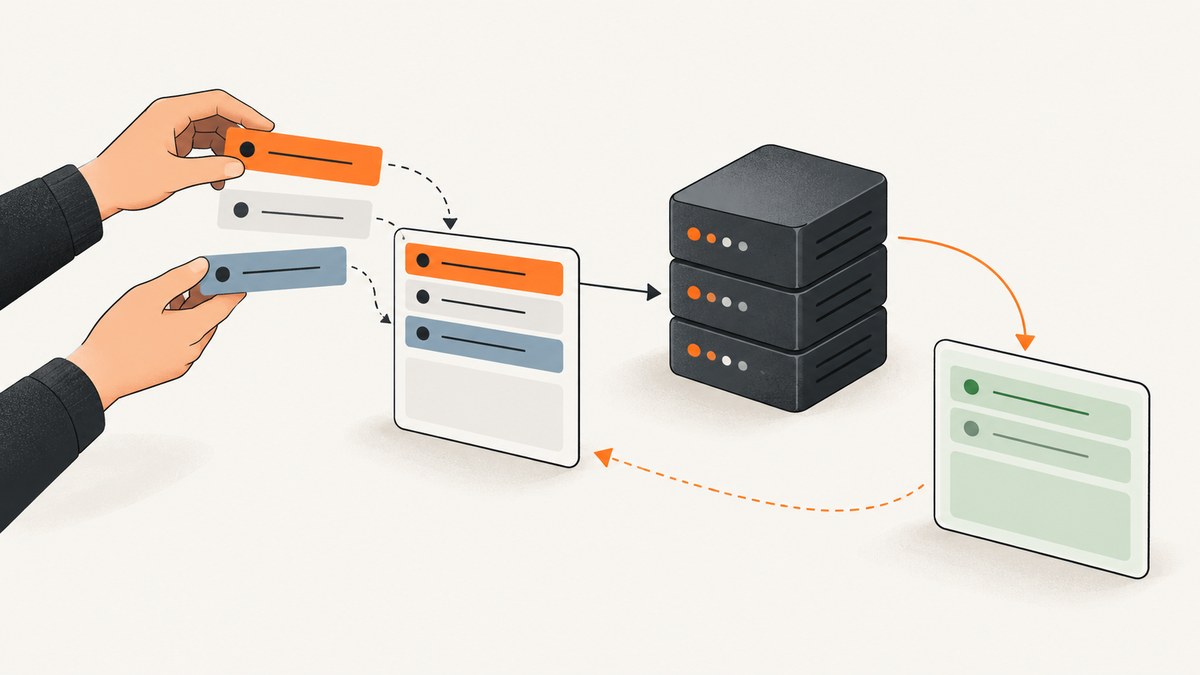
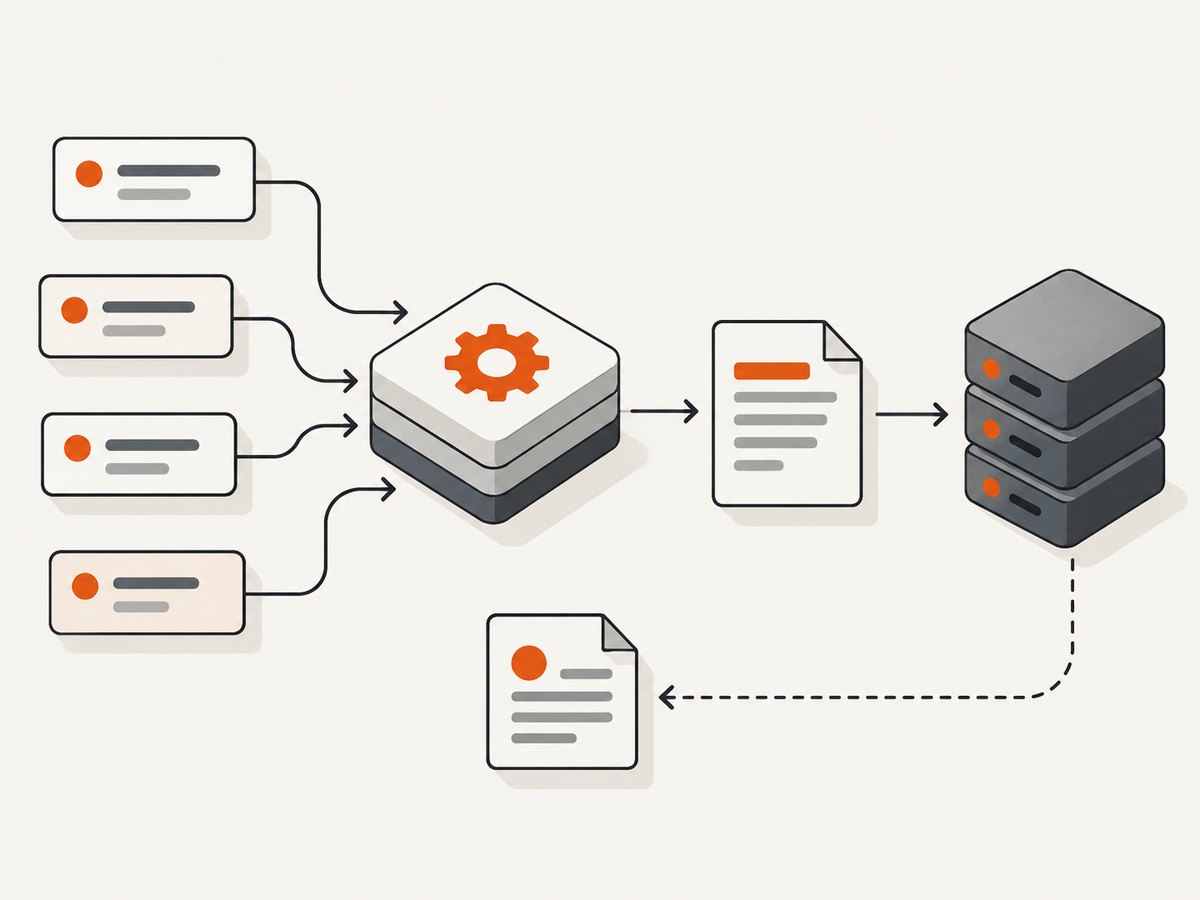
With Java’s built-in HTTP client, set custom request headers on HttpRequest.Builder before building the request. Use header(name, value) to add a value, setHeader(name, value) to replace existing values for that field, and headers(...) to add several name/value pairs at once. Then send the immutable request with an HttpClient. The HTTP client API has been part of Java SE since Java 11. Oracle’s HttpRequest.Builder reference
1. Minimal runnable example
This complete program sends a GET request with an Accept header and a custom correlation ID. It prints the status code and response body. The destination is an illustrative endpoint; replace it with a service you are authorized to call.
import java.net.URI;
import java.net.http.HttpClient;
import java.net.http.HttpRequest;
import java.net.http.HttpResponse;
import java.time.Duration;

public class CustomHeaders {
    public static void main(String[] args) throws Exception {
        HttpClient client = HttpClient.newBuilder()
                .connectTimeout(Duration.ofSeconds(10))
                .build();

        HttpRequest request = HttpRequest.newBuilder()
                .uri(URI.create("https://example.com/api"))
                .timeout(Duration.ofSeconds(30))
                .header("Accept", "application/json")
                .header("X-Request-Id", "abc123")
                .GET()
                .build();

        HttpResponse<String> response = client.send(
                request,
                HttpResponse.BodyHandlers.ofString()
        );

        System.out.println("HTTP " + response.statusCode());
        System.out.println(response.body());
    }
}
Save it as CustomHeaders.java and run it with a JDK 11 or later:
javac CustomHeaders.java
java CustomHeaders
header and the other request builder methods configure one request. connectTimeout configures how long the client waits to establish a connection; timeout limits the request/response exchange. Oracle documents that a request timeout is infinite when it is not set. Adjust both limits for your service and workload.
2. Add a header, replace it, or set several
All three methods belong to HttpRequest.Builder. The right choice depends on whether an existing value should be preserved.
| Method | Behavior | Use it when |
|---|---|---|
header(name, value) |
Adds a value to the list for that header name. | You are adding a field or intentionally adding another value. |
setHeader(name, value) |
Replaces values already set for that name. | A helper or earlier configuration may have set it and one final value is intended. |
headers(name, value, ...) |
Adds alternating header-name/header-value strings. | A compact group of distinct fields makes the code clearer. |
Repeated values and replacement
HttpRequest.Builder builder = HttpRequest.newBuilder()
        .uri(URI.create("https://example.com/api"));

builder.header("X-Trace-Tag", "frontend");
builder.header("X-Trace-Tag", "checkout"); // adds another value

builder.setHeader("Accept", "application/json");
builder.setHeader("Accept", "application/problem+json"); // replaces the earlier value

HttpRequest request = builder.GET().build();
Do not assume that repeated field values mean the same thing as joining values with a comma. The meaning of multiple values depends on the semantics of the particular HTTP field; the builder simply adds values. Consult the server’s API contract for fields that can repeat.
Use the alternating list carefully
HttpRequest request = HttpRequest.newBuilder()
        .uri(URI.create("https://example.com/api"))
        .headers(
                "Accept", "application/json",
                "X-Request-Id", "abc123",
                "X-Client-Version", "2.4"
        )
        .GET()
        .build();
The arguments must alternate names and values. An odd number of strings is invalid. Repeating a name in the sequence adds another value for that field. When overriding an earlier value is important, use setHeader explicitly.
3. Send headers with POST and other methods
Headers are independent of the HTTP method: configure them on the builder, then select the method and body. For JSON, set the media type your server expects and publish the JSON as the request body.
import java.net.URI;
import java.net.http.HttpClient;
import java.net.http.HttpRequest;
import java.net.http.HttpResponse;
import java.time.Duration;

public class PostJson {
    public static void main(String[] args) throws Exception {
        HttpClient client = HttpClient.newBuilder()
                .connectTimeout(Duration.ofSeconds(10))
                .build();

        String json = "{\"name\":\"Ada\"}";
        HttpRequest request = HttpRequest.newBuilder()
                .uri(URI.create("https://example.com/api/users"))
                .timeout(Duration.ofSeconds(30))
                .header("Accept", "application/json")
                .header("Content-Type", "application/json; charset=UTF-8")
                .header("X-Request-Id", "abc123")
                .POST(HttpRequest.BodyPublishers.ofString(json))
                .build();

        HttpResponse<String> response = client.send(
                request,
                HttpResponse.BodyHandlers.ofString()
        );
        System.out.println("HTTP " + response.statusCode());
        System.out.println(response.body());
    }
}
Choose the body publisher to match your input: ofString for text, ofByteArray for bytes, ofFile for a file, and noBody for a request without a body. The body publisher and client determine transport details such as content length where applicable. Do not manually add Content-Length.
4. Common header patterns
Bearer authorization
String token = System.getenv("API_TOKEN");
if (token == null || token.isBlank()) {
    throw new IllegalStateException("Set API_TOKEN before running");
}

HttpRequest request = HttpRequest.newBuilder()
        .uri(URI.create("https://example.com/api/private"))
        .header("Authorization", "Bearer " + token)
        .header("Accept", "application/json")
        .GET()
        .build();
Keep credentials out of source control, logs, exception messages, and URLs. Use environment configuration or a secrets manager appropriate to your deployment. Send credentials only to the intended HTTPS origin.
Conditional requests and custom metadata
HttpRequest request = HttpRequest.newBuilder()
        .uri(URI.create("https://example.com/api/document"))
        .header("If-None-Match", "\"version-7\"")
        .header("X-Tenant-Id", "tenant-42")
        .GET()
        .build();
These names are examples of request fields commonly defined by an API contract; whether they are accepted and what they mean is up to the server. Header names are case-insensitive under HTTP, but conventional capitalization can make code easier to read. Avoid putting arbitrary user input into header values: malformed values can be rejected, and secrets or personal data in headers may be exposed to intermediaries or logs.
5. Configure headers once for a client or per request
Use a request builder when the header belongs to one operation, such as a per-request trace ID. The client builder can define defaults for requests sent through that client:
HttpClient client = HttpClient.newBuilder()
        .version(HttpClient.Version.HTTP_2)
        .build();

HttpRequest request = HttpRequest.newBuilder()
        .uri(URI.create("https://example.com/api"))
        .setHeader("Accept", "application/json")
        .GET()
        .build();
The example above illustrates choosing the preferred HTTP version; it does not set a default header. Java’s HttpClient.Builder has an authenticator for supported authentication exchanges, a cookieHandler for cookie management, and a proxy selector, among other client-wide settings. Prefer the corresponding client facility when a concern is specifically managed by one of those APIs. Do not assume that manually setting a field will override client-managed authentication, redirects, or cookies. The request builder reference notes that some such headers may be managed by specific APIs.
There is no general-purpose HttpClient.Builder.header method in this pattern. To share a set of application headers, write a small helper that applies them to each request builder, then set operation-specific headers where the request is constructed:
static HttpRequest.Builder addCommonHeaders(HttpRequest.Builder builder) {
    return builder
            .header("Accept", "application/json")
            .header("X-Client", "inventory-service");
}

HttpRequest request = addCommonHeaders(HttpRequest.newBuilder()
        .uri(URI.create("https://example.com/api/items")))
        .header("X-Request-Id", "req-789")
        .GET()
        .build();
Use setHeader in a helper when callers should get one replaceable value rather than accumulating duplicates. Builders are mutable and not synchronized; do not share one builder across threads without external synchronization. Build a request per operation. A built HttpRequest is immutable and can be sent more than once according to the API reference.
6. Restricted headers: what Java lets you set
Not every valid HTTP field can be set directly by application code. The API permits an implementation to reject fields it manages itself. For example, the request body publisher can determine Content-Length. In the JDK implementation documented for Java SE 26, these names are normally restricted: connection, content-length, expect, host, and upgrade. The names are treated case-insensitively. Check the documentation for the JDK version and implementation you deploy, because the list is implementation-specific. Oracle’s Java SE 26 java.net.http module reference
The JDK documents a system property named jdk.httpclient.allowRestrictedHeaders that can override some defaults. Oracle labels the property as intended for testing and warns that protocol errors or undefined behavior are likely. Other restrictions may depend on context and cannot be overridden by it. Treat this as a diagnostic/testing option, not a production workaround. If a server requires a restricted field, look for a supported API-level configuration or change the server/API contract.
7. Troubleshooting
| Symptom | Likely cause | Fix |
|---|---|---|
IllegalArgumentException when adding a header |
The name or value is malformed, or the JDK implementation restricts it. | Inspect the exact name and value; remove invalid control characters; check whether the field is client-managed or on the restricted list for your JDK. |
Content-Length is rejected |
The client or body publisher determines it. | Remove the manual field and provide the correct body publisher. Let the client calculate framing details. |
| A field appears more than once | Repeated calls to header add values. |
Use setHeader when a later value should replace earlier ones; check helper code that also applies defaults. |
| Server says a header is missing or unexpected | Wrong endpoint, spelling/value, redirect behavior, server contract, or a client-managed field. | Verify the request target and API contract. Confirm whether a redirect changes the origin and whether credentials should be sent there. Avoid exposing secrets in debug logs. |
headers(...) fails immediately |
The argument list has an odd number of strings or one pair is invalid/restricted. | Count alternating name/value arguments and test each pair independently. |
| Request waits too long | No request timeout was configured, or a service operation takes longer than expected. | Set a positive Duration with timeout, handle HttpTimeoutException, and choose a value based on the endpoint’s expected latency. |
| Header value contains unexpected data | Code concatenated unvalidated user input or accidentally retained whitespace. | Validate values according to the field’s format and reject line breaks/control characters. Never concatenate untrusted input into authentication or routing fields. |
An efficient diagnosis is to reduce the request to one header, then add fields back one at a time. Log the field names and status as needed, but redact authorization tokens, cookies, and other sensitive values. If the builder succeeds but the server rejects the request, the issue may be the server’s expected semantics rather than Java’s ability to construct the request.
8. Reliability, performance, and cost
For repeated calls, create and reuse an HttpClient rather than rebuilding a client for every request. Keep each request’s headers specific to that operation, especially correlation IDs and credentials. Configure connection and request timeouts deliberately; handle I/O failures, interruptions, non-success status codes, and timeouts separately so callers can decide whether a retry is safe.
Retries are an application policy, not an automatic consequence of setting headers. Retry only when the operation is safe to repeat or protected by an idempotency mechanism agreed with the server. A timeout can occur after a server has received a request, so blindly retrying a state-changing POST can duplicate work. Use a server-supported idempotency key when applicable, and ensure it stays the same across retries for the same logical operation.
Header fields add bytes to requests, so keep them purposeful and avoid duplicating large metadata. The supplied API documentation does not establish a universal performance penalty, benchmark, or monetary cost for a particular header pattern. Real cost depends on your infrastructure, request volume, server behavior, and any external service pricing. Measure the application path that matters and follow the target API’s header-size limits.
9. Capture a page with headers using ScreenshotNeo
If the request’s purpose is to capture a webpage with custom request headers, Java can call ScreenshotNeo’s screenshot API directly. The Java example below creates a URL with the API key and target page, then sends it with HttpClient. Keep the API key in an environment variable, and do not log the full request URI because it contains the key.

import java.net.URI;
import java.net.URLEncoder;
import java.net.http.HttpClient;
import java.net.http.HttpRequest;
import java.net.http.HttpResponse;
import java.nio.charset.StandardCharsets;
import java.time.Duration;
import java.nio.file.Files;
import java.nio.file.Path;

public class ScreenshotNeoCapture {
    private static String enc(String value) {
        return URLEncoder.encode(value, StandardCharsets.UTF_8);
    }

    public static void main(String[] args) throws Exception {
        String key = System.getenv("SCREENSHOTNEO_API_KEY");
        if (key == null || key.isBlank()) {
            throw new IllegalStateException("Set SCREENSHOTNEO_API_KEY");
        }

        String query = "access_key=" + enc(key)
                + "&url=" + enc("https://stripe.com");
        URI endpoint = URI.create(
                "https://api.screenshotneo.com/v1/shot?" + query
        );

        HttpClient client = HttpClient.newBuilder()
                .connectTimeout(Duration.ofSeconds(15))
                .build();
        HttpRequest request = HttpRequest.newBuilder(endpoint)
                .timeout(Duration.ofSeconds(90))
                .header("Accept", "image/webp")
                .GET()
                .build();

        HttpResponse<byte[]> response = client.send(
                request,
                HttpResponse.BodyHandlers.ofByteArray()
        );
        if (response.statusCode() < 200 || response.statusCode() >= 300) {
            throw new IllegalStateException(
                    "Screenshot request returned HTTP " + response.statusCode()
            );
        }
        Files.write(Path.of("shot.webp"), response.body());
    }
}
This uses the documented ScreenshotNeo API base, a GET request, and the supplied API-key and target-URL parameter pattern. Check the ScreenshotNeo documentation for the current parameter options. You can use custom request headers to talk to APIs, but remember that a screenshot request’s headers configure the API call; they do not automatically become headers sent by the browser to the captured website.
10. Or skip the browser setup
For website screenshots, ScreenshotNeo provides a one-call API and an MCP server for Claude, Cursor, and other MCP clients. It can accept cookie and consent banners as a visitor and remove 60+ known consent platforms, newsletter popups, and chat widgets before the capture; each cleanup step can be turned off. Bot checks/CAPTCHAs, blank pages, timeouts, failed loads, and cache hits are not billed, with response headers identifying page verdict and billing status. It also supports image formats and PDF output, full-page and element captures, waiting conditions, custom browser headers and cookies, and signed links. Its free tier includes 1,000 shots per month with no card; paid plans start at $5 for 3,000.
curl -G "https://api.screenshotneo.com/v1/shot" \
  -d access_key=YOUR_API_KEY \
  --data-urlencode url=https://stripe.com \
  -o shot.webp
Or use Java’s HttpClient pattern above, or see the API documentation for Python, Node.js, configuration options, and MCP setup. Cookie banners, popups, and chat widgets are removed before the shot; bot checks, blank pages, and failed loads are never billed; an MCP server lets AI agents take screenshots; 1,000 screenshots a month are free with no card and paid plans start at $5 for 3,000. Learn about ScreenshotNeo or create a free account and get 1,000 screenshots per month with no card.
11. FAQ
Can I inspect which headers a request contains before sending?
Yes. After building it, inspect request.headers() and review the returned header map. Avoid printing sensitive values to shared logs.
Can I change a header after building the request?
No. A built HttpRequest is immutable. Create another builder and build a new request for different header values.
Should I put an API key in a custom header or query parameter?
Follow the service’s documented authentication scheme. Java can set an allowed authorization or custom field, but it cannot decide which authentication format a server accepts. Avoid logging credentials regardless of where the service requires them.
Does setting a request header guarantee the server will receive it unchanged?
No. The Java builder configures the request, but intermediaries, redirects, protocol rules, or the server can affect handling. Verify behavior against the target API contract and avoid assuming that an application field survives a cross-origin redirect.
Can multiple threads share one builder?
Oracle documents that builder instances are not synchronized. Build separate requests per operation or provide external synchronization around shared mutable builder state.
Primary references: Java SE 21 HttpRequest.Builder API for adding, replacing, and validating fields; Java SE 26 java.net.http module reference for the JDK’s restricted-header behavior and testing-only override warning.


