Screenshot API for Java: Quick Start and Examples
Learn how to capture webpages from Java with HttpClient, SDKs, retries, formats, full-page options, troubleshooting, and ScreenshotNeo.
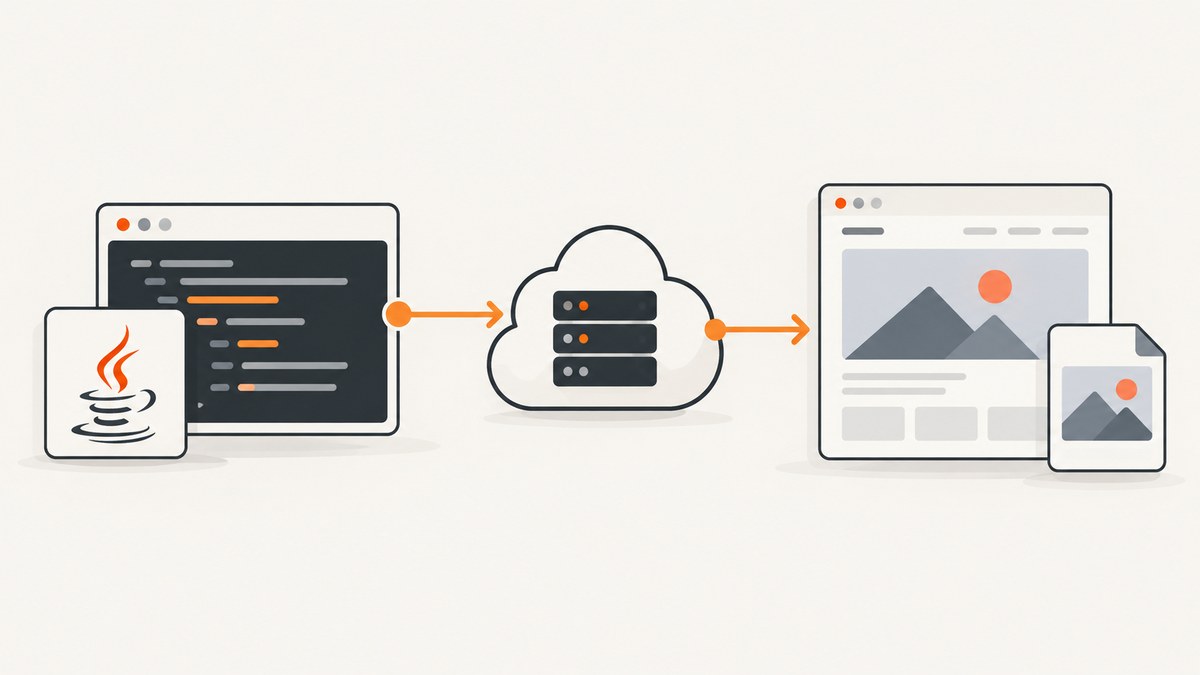
To take a webpage screenshot from Java, send the target URL to a hosted screenshot API, check the HTTP status and content type, then save the returned bytes with Files.write. Java 11 or later includes everything needed for a dependency-light integration: java.net.http.HttpClient, HttpRequest, and HttpResponse.
This guide builds that integration from scratch, explains SDK tradeoffs, covers PNG, JPEG, WebP and PDF output, and shows how to handle full-page captures, viewport settings, authentication, retries, errors, and production concerns. At the end, you can replace browser setup with one ScreenshotNeo request.
1. Choose the Java integration approach
There are three practical ways to capture a webpage from Java:
| Approach | Best for | Tradeoffs |
|---|---|---|
| Java 11+ HttpClient | Small services, command-line tools, Spring applications with few dependencies | You model JSON, errors and option validation yourself |
| Provider SDK | Applications that use one provider heavily | Fluent options and types are convenient, but coordinates and APIs are provider-specific |
| Raw HTTP with OkHttp or another client | Applications already standardized on a third-party HTTP stack | One more dependency, with familiar connection pooling and interceptors |
Use HttpClient when you want a transparent implementation and can tolerate provider-specific JSON. Use an SDK when it offers settings your team needs and its release is maintained. Before adding an SDK, verify its current Maven or Gradle coordinates and supported Java version.
2. Create an API key and protect it
- Create an account with the screenshot provider and generate an API key.
- Store the key in a server-side environment variable or secret manager. Do not put it in browser JavaScript, a mobile app bundle, source control or a public repository.
- Use an HTTPS endpoint and send the key in the provider’s recommended authentication header.
The examples below use a bearer token and a provider-neutral endpoint. Replace the endpoint with the URL in the service documentation you selected. Some services also accept an X-API-Key header or a query parameter, but headers are preferable because they are less likely to appear in logs and copied URLs.
3. Minimal Java 11 screenshot example
The following program sends a JSON POST request, expects image bytes, and writes them to screenshot.png. It deliberately checks the status before writing: screenshot services commonly return JSON for errors even though successful responses contain an image.
import java.net.URI;
import java.net.http.HttpClient;
import java.net.http.HttpRequest;
import java.net.http.HttpResponse;
import java.nio.file.Files;
import java.nio.file.Path;
import java.time.Duration;

public class ScreenshotExample {
    public static void main(String[] args) throws Exception {
        String apiKey = System.getenv("SCREENSHOT_API_KEY");
        if (apiKey == null || apiKey.isBlank()) {
            throw new IllegalStateException("SCREENSHOT_API_KEY is not set");
        }

        String json = """
            {
              "url": "https://example.com",
              "format": "png",
              "viewport": {"width": 1280, "height": 720},
              "fullPage": true
            }
            """;

        HttpRequest request = HttpRequest.newBuilder()
                .uri(URI.create("https://api.example-provider.test/v1/screenshot"))
                .timeout(Duration.ofSeconds(90))
                .header("Authorization", "Bearer " + apiKey)
                .header("Content-Type", "application/json")
                .POST(HttpRequest.BodyPublishers.ofString(json))
                .build();

        HttpClient client = HttpClient.newBuilder()
                .connectTimeout(Duration.ofSeconds(10))
                .build();
        HttpResponse<byte[]> response = client.send(
                request, HttpResponse.BodyHandlers.ofByteArray());

        if (response.statusCode() / 100 != 2) {
            String error = new String(response.body());
            throw new IllegalStateException(
                    "Screenshot request failed (" + response.statusCode() + "): " + error);
        }

        String contentType = response.headers()
                .firstValue("content-type")
                .orElse("");
        if (!contentType.startsWith("image/") && !contentType.equals("application/pdf")) {
            throw new IllegalStateException("Unexpected content type: " + contentType);
        }

        Files.write(Path.of("screenshot.png"), response.body());
        System.out.println("Saved screenshot.png");
    }
}
Compile and run it with Java 11 or newer:
javac ScreenshotExample.java
export SCREENSHOT_API_KEY='replace-with-your-key'
java ScreenshotExample
If the provider returns a JSON object containing a hosted image URL instead of bytes, use HttpResponse.BodyHandlers.ofString(), parse the JSON with your chosen library, and download the returned URL with a second request. Do not assume the response is always an image.
4. Request options that matter
URL
url is the only generally required field. Pass a fully qualified HTTPS URL. Encode query parameters in JSON normally; do not concatenate untrusted input into a URL without validation.
Output format
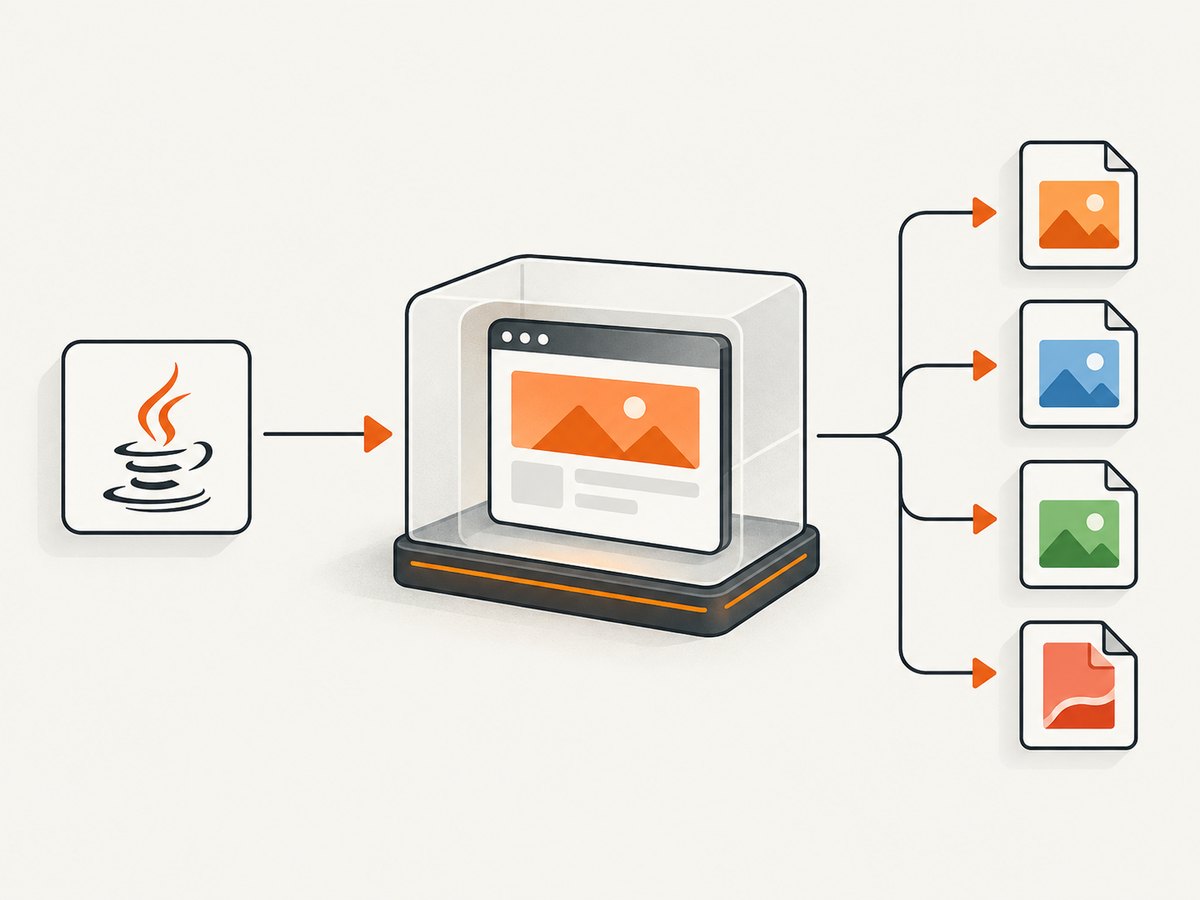
Use png for lossless text, diagrams and regression tests; jpeg for photographic pages and smaller files; webp when your downstream systems support it; and pdf for printable documents. Confirm the provider’s exact spelling and whether PDF uses a separate endpoint or options object.
Viewport and full-page capture
A viewport such as {"width":1280,"height":720} controls the browser’s layout. fullPage: true requests the entire document rather than only the initial viewport. Full-page rendering can be much taller and may expose lazy-loading bugs. If the page loads images only after scrolling, choose a provider that explicitly supports loading lazy images before capture.
CSS and JavaScript
Advanced POST APIs may accept custom CSS and JavaScript. CSS can hide a timestamp, set a print background or normalize a component. JavaScript can click a tab, dismiss an application dialog or wait for data. Keep injected code deterministic and avoid destructive actions. Never pass arbitrary user-provided JavaScript directly to a capture service.
Hidden selectors and element capture
Hidden selectors remove navigation, cookie banners or other regions before capture. Some APIs also capture one element by CSS selector. Element capture is useful for a chart or product card and avoids a large full-page file, but the selector must exist at capture time.
Device, locale and network controls
Device presets change viewport and user-agent behavior. Other useful controls include timezone, geolocation, custom headers, cookies, authorization headers, resource blocking, ad or tracker blocking, and a wait condition. These settings can change the rendered page substantially, so store them alongside each image’s metadata.
PDF controls
PDF requests may support paper size, margins, landscape orientation and page ranges. A webpage viewport is not the same as a PDF page: test page breaks, print CSS, fonts and background colors separately.
5. Building JSON safely in Java
Text blocks are readable for fixed examples. For dynamic URLs, use a JSON library rather than string concatenation so quotes, backslashes and Unicode are escaped correctly. With Jackson, a request object might look like this:
ObjectMapper mapper = new ObjectMapper();
Map<String, Object> payload = Map.of(
    "url", targetUrl,
    "format", "webp",
    "viewport", Map.of("width", 1440, "height", 900),
    "fullPage", false
);
String json = mapper.writeValueAsString(payload);
Validate URL schemes and allowed hosts before sending requests. If users can submit URLs, protect your service against server-side request forgery by blocking loopback, private-network and cloud metadata addresses according to your infrastructure policy.
6. cURL, Python and Node.js equivalents
These examples make it easy to compare the Java request with other services or reproduce a failure outside your application.
curl -X POST "https://api.example-provider.test/v1/screenshot" \
  -H "Authorization: Bearer $SCREENSHOT_API_KEY" \
  -H "Content-Type: application/json" \
  -d '{"url":"https://example.com","format":"png","viewport":{"width":1280,"height":720},"fullPage":true}' \
  -o screenshot.png
import requests
payload = {
"url": "https://example.com",
"format": "png",
"viewport": {"width": 1280, "height": 720},
"fullPage": True,
}
r = requests.post(
"https://api.example-provider.test/v1/screenshot",
headers={"Authorization": f"Bearer {API_KEY}"},
json=payload,
timeout=90,
)
r.raise_for_status()
open("screenshot.png", "wb").write(r.content)const payload = {
url: 'https://example.com',
format: 'png',
viewport: { width: 1280, height: 720 },
fullPage: true
};
const res = await fetch('https://api.example-provider.test/v1/screenshot', {
method: 'POST',
headers: {
Authorization: `Bearer ${process.env.SCREENSHOT_API_KEY}`,
'Content-Type': 'application/json'
},
body: JSON.stringify(payload)
});
if (!res.ok) throw new Error(`${res.status}: ${await res.text()}`);
const buffer = Buffer.from(await res.arrayBuffer());
require('node:fs').writeFileSync('screenshot.png', buffer);7. SDKs and framework integration
An SDK can provide typed options, URL signing, byte or hosted-URL methods, and integration helpers. ScreenshotOne documents a Java SDK with Maven coordinates com.screenshotone.jsdk:screenshotone-api-jsdk:1.0.0, a Client.withKeys(...) constructor and fluent TakeOptions settings. Treat that version as documentation-specific and recheck the repository before adding it.
For Spring Boot, put the key in configuration backed by an environment variable, inject a singleton HttpClient or SDK client, and expose a controller that streams the resulting bytes with the correct media type. Set a request timeout and enforce an application-level maximum image size. For Android, avoid blocking the main thread and check the provider’s Android support and key-protection guidance before shipping.
8. Reliability: timeouts, retries and idempotency
Rendering depends on the target site’s DNS, TLS, JavaScript and network resources. Set a connect timeout and a total request timeout. Retry only transient failures such as connection resets, HTTP 408, 429 and selected 5xx responses. Use exponential backoff with jitter, for example 1, 2 and 4 seconds, and cap attempts to avoid multiplying provider load and charges.
Do not blindly retry a URL that consistently times out or returns a bot challenge. Record the provider request ID, status, elapsed time and target URL. If the provider offers an idempotency key, use one for job submissions. For batch or asynchronous APIs, persist job state and make webhook handling idempotent.
9. Troubleshooting common failures
| Symptom | Likely cause | Fix |
|---|---|---|
| 401 or 403 | Missing, expired or incorrectly formatted key | Check the environment variable, bearer prefix, account permissions and endpoint |
| 400 with JSON error | Invalid URL, unsupported format or malformed option | Log the sanitized response body; start with only url and add fields one at a time |
| Java writes an unreadable image | Error JSON was saved as if it were an image | Check status and Content-Type before Files.write |
| Blank or partially rendered page | Capture occurred before data or fonts loaded | Use a selector wait, network-idle wait or delay; verify the page works without authentication |
| Cookie banner covers content | Consent UI was not dismissed | Use a provider’s cookie handling or hide the banner selector after confirming the selector is stable |
| Full-page image is too tall | Long document or repeated sticky elements | Capture a target element, use a viewport shot, or remove sticky UI with CSS |
| 429 responses | Quota or rate limit exceeded | Back off, reduce concurrency, cache stable pages and check the plan limit |
| Works locally but fails in production | Missing secret, egress restriction, DNS difference or proxy | Test outbound HTTPS from the runtime and inspect configuration without printing the key |
10. Performance, cost and storage
Rendering time is dominated by the target site, JavaScript and requested dimensions. Reuse one HttpClient rather than constructing one per request. Bound concurrency with a queue, especially for full-page or PDF jobs. Cache captures when the source has not changed and use WebP or JPEG when lossless pixels are unnecessary.
Track bytes returned, elapsed time, status, format, viewport and whether a request was a retry. Store images in object storage rather than a relational database, and set retention according to your product’s needs. Provider billing differs: compare per-capture pricing, included quota, batch behavior, hosted-URL retention and whether failed or cached requests are charged. Never publish a price or quota without checking the provider’s current plan page.
11. Or skip the browser setup
ScreenshotNeo provides a website screenshot API and MCP server. One GET request returns PNG, JPEG, WebP or PDF, so a Java service can download the response without managing a browser.
curl -G "https://api.screenshotneo.com/v1/shot" -d access_key=YOUR_API_KEY --data-urlencode url=https://stripe.com -o shot.webpimport requests
r = requests.get("https://api.screenshotneo.com/v1/shot", params={"access_key": "YOUR_API_KEY", "url": "https://stripe.com"}, timeout=90)
open("shot.webp", "wb").write(r.content)const q = new URLSearchParams({ access_key: 'YOUR_API_KEY', url: 'https://stripe.com' });
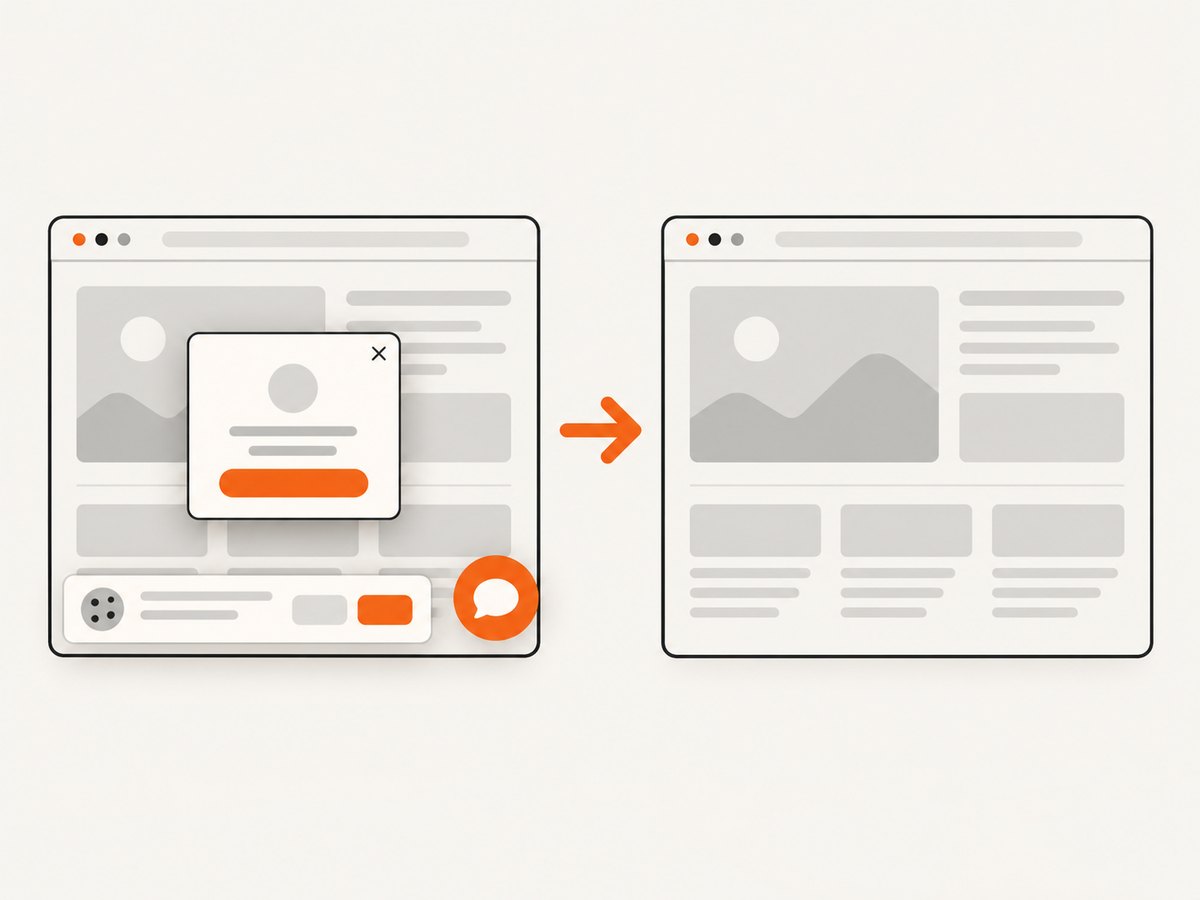
const res = await fetch(`https://api.screenshotneo.com/v1/shot?${q}`);See the ScreenshotNeo documentation for request options. Before capture, it accepts cookie or consent banners and removes more than 60 known consent platforms, newsletter popups and chat widgets; each step can be turned off. Only clean shots are billed. Bot checks, CAPTCHAs, blank pages, timeouts, failed loads and cache hits cost nothing, and the response identifies the result with X-Page-Verdict and X-Billed headers.
ScreenshotNeo also supports full-page capture with lazy images loaded, CSS element capture, dark mode, device presets, retina scale, PDF paper and page controls, custom CSS and JavaScript, clicks, selector or network-idle waits, request blocking, headers, cookies, user agents, authorization, timezone, geolocation, transparent backgrounds, resizing, configurable caching, signed image links, asynchronous jobs with signed webhooks, bulk capture of up to 100 URLs per call, a usage API and an OpenAPI specification. Its MCP server exposes take_screenshot, get_page_info and capture_pdf to Claude, Cursor and other MCP clients.
The free plan includes 1,000 shots per month with no card. Paid plans start at $5 for 3,000 shots, and every feature is available on every plan. Create a free ScreenshotNeo account.
12. Java screenshot API checklist
- Keep the API key in a server-side secret.
- Use Java 11+ HttpClient or verify the SDK version before adoption.
- Check status and content type before saving bytes.
- Choose PNG, JPEG, WebP or PDF based on the consumer.
- Set viewport and full-page behavior explicitly.
- Wait for a selector, delay or network idle when pages are dynamic.
- Limit concurrency and retry only transient failures.
- Cache stable captures and record request metadata.
- Validate user-supplied URLs against SSRF risks.
FAQ
Can Java take a screenshot without Selenium?
Yes. A hosted screenshot API renders the page remotely and returns bytes or a hosted URL. Java’s built-in HttpClient is sufficient for the HTTP request.
Should I save the response as PNG automatically?
Only when the request explicitly asks for PNG and the response content type confirms it. Otherwise preserve the provider’s format and file extension.
When should I use full-page capture?
Use it for documents, archives and visual regression of an entire page. Use a viewport or element capture for cards, dashboards and components where a very tall image is inconvenient.
How do I capture a page that requires login?
Use a provider that supports cookies, authorization headers or custom headers, and send only the minimum credentials needed. Confirm that the provider’s retention and security terms fit the data.
What is the simplest production architecture?
A small server-side worker reads a secret, submits a bounded request, validates the response, stores the bytes in object storage and records status and timing. Add a queue when captures can be slow or bursty.


