How to Capture and Save a Screenshot on a Server with Java Servlets
Use Selenium or Playwright with a Java servlet to capture viewport, full-page, or element screenshots, then return or save the bytes safely.
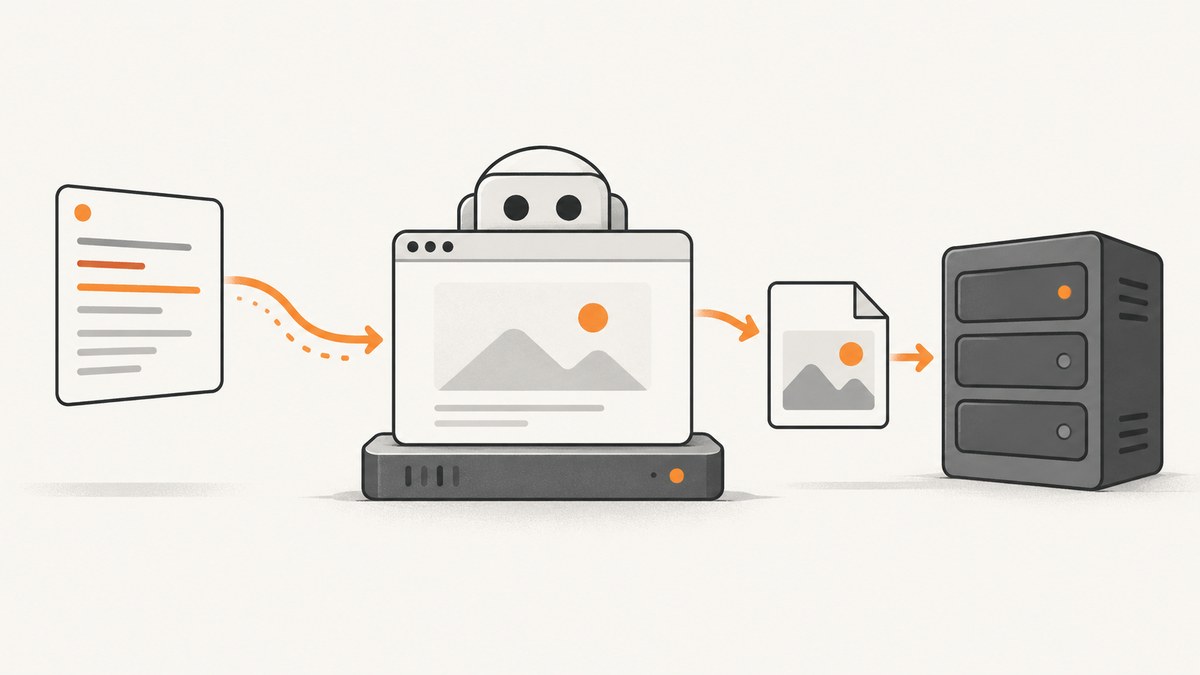
Direct answer: a servlet receives the HTTP request and sends the response; it does not render a web page or provide a screenshot API. To capture a rendered page on the server, connect the servlet to a browser automation engine such as Selenium WebDriver or Playwright for Java. Capture the browser viewport, the full scrollable page, or one element, then return the bytes from the servlet or copy them to durable storage.
The examples below use the modern jakarta.servlet namespace. If your container uses the older Servlet API, change imports to javax.servlet and match the API level used by your application. The Servlet API documentation describes the request/response lifecycle and response handling; Selenium documents TakesScreenshot, and Playwright documents page, full-page, buffer, and element screenshots. See the Selenium TakesScreenshot API, Playwright Java screenshots guide, and Jakarta Servlet Specification.
Choose what the screenshot represents
| Target | Result | Typical API |
|---|---|---|
| Viewport | Only the currently visible browser area | Selenium driver screenshot or Playwright page screenshot |
| Full page | The complete scrollable document | Playwright fullPage; Selenium requires a browser-specific full-page strategy |
| Element | One element such as a chart or invoice | Selenium WebElement screenshot or Playwright locator screenshot |
Decide this before writing the endpoint. A viewport image is predictable in size, while a full-page image can be very tall and consume considerably more memory.
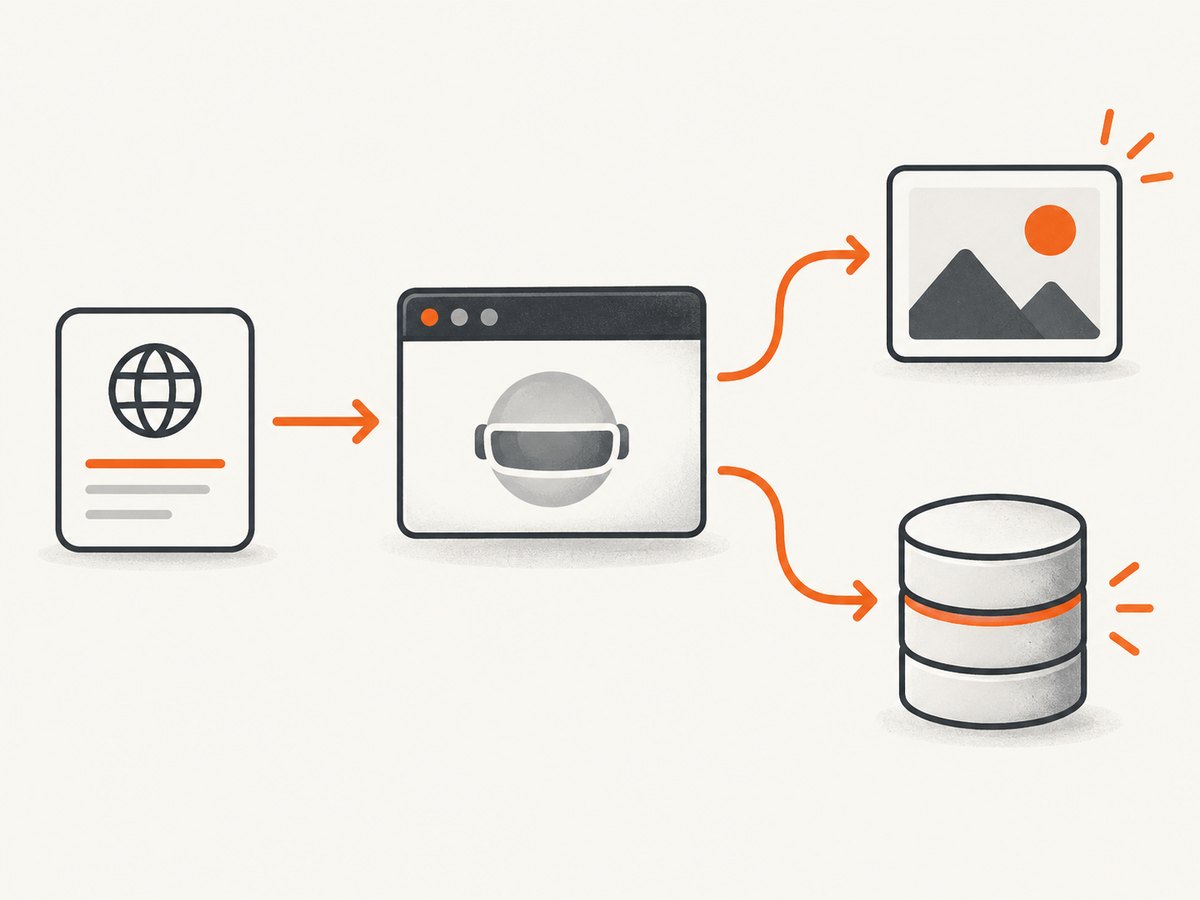
Option 1: Selenium WebDriver in a servlet
Selenium’s Java TakesScreenshot interface can capture a driver or an element and return a file, byte array, or Base64 representation. The following servlet captures the current viewport, copies the temporary result into application-managed bytes, and returns a PNG response.
package example;

import jakarta.servlet.ServletException;
import jakarta.servlet.annotation.WebServlet;
import jakarta.servlet.http.HttpServlet;
import jakarta.servlet.http.HttpServletRequest;
import jakarta.servlet.http.HttpServletResponse;
import org.openqa.selenium.By;
import org.openqa.selenium.Dimension;
import org.openqa.selenium.OutputType;
import org.openqa.selenium.TakesScreenshot;
import org.openqa.selenium.WebDriver;
import org.openqa.selenium.chrome.ChromeOptions;
import org.openqa.selenium.remote.RemoteWebDriver;

import java.io.IOException;
import java.net.URI;

@WebServlet("/screenshot")
public class ScreenshotServlet extends HttpServlet {
    @Override
    protected void doGet(HttpServletRequest req, HttpServletResponse resp)
            throws ServletException, IOException {
        String target = req.getParameter("url");
        if (target == null || target.isBlank()) {
            resp.sendError(HttpServletResponse.SC_BAD_REQUEST, "Missing url");
            return;
        }

        // Validate scheme, host, and network access according to your policy.
        URI uri;
        try {
            uri = URI.create(target);
            if (!"https".equalsIgnoreCase(uri.getScheme()) &&
                !"http".equalsIgnoreCase(uri.getScheme())) {
                resp.sendError(HttpServletResponse.SC_BAD_REQUEST, "Only HTTP(S) URLs are allowed");
                return;
            }
        } catch (IllegalArgumentException ex) {
            resp.sendError(HttpServletResponse.SC_BAD_REQUEST, "Invalid URL");
            return;
        }

        ChromeOptions options = new ChromeOptions();
        options.addArguments("--headless=new", "--no-sandbox", "--disable-dev-shm-usage");
        options.addArguments("--window-size=1440,900");

        byte[] png;
        try (WebDriver driver = new RemoteWebDriver(
                URI.create("http://localhost:4444").toURL(), options)) {
            driver.manage().window().setSize(new Dimension(1440, 900));
            driver.get(uri.toString());
            png = ((TakesScreenshot) driver).getScreenshotAs(OutputType.BYTES);
        }

        resp.setContentType("image/png");
        resp.setHeader("Content-Disposition", "inline; filename=page.png");
        resp.setContentLength(png.length);
        resp.getOutputStream().write(png);
    }
}
The remote WebDriver URL is an example deployment boundary. Configure it for the browser service available to your application. The browser, driver, permissions, fonts, and sandbox settings are deployment concerns; there is no universal servlet-container installation recipe.
Capture one Selenium element
WebElement card = driver.findElement(By.cssSelector(".invoice-card"));
byte[] png = card.getScreenshotAs(OutputType.BYTES);
Wait for the element before capturing. If the page is dynamic, use an explicit wait for visibility or a state that proves rendering is complete.
Persist a Selenium capture
Path output = Paths.get("/srv/app/screenshots", UUID.randomUUID() + ".png");
Files.createDirectories(output.getParent());
Files.write(output, png);
OutputType.FILE returns a temporary file according to Selenium’s API documentation. Copy it to an application-controlled directory or object store before the process exits when you need durable persistence. Generate collision-resistant names and never let an untrusted request choose an arbitrary filesystem path.
Option 2: Playwright for Java
Playwright exposes page screenshots, full-page screenshots, byte-array output, and locator screenshots directly. This is useful when the servlet needs to choose between an image response and durable storage without an intermediate temporary file.
package example;

import com.microsoft.playwright.Browser;
import com.microsoft.playwright.BrowserType;
import com.microsoft.playwright.Page;
import com.microsoft.playwright.Playwright;
import com.microsoft.playwright.options.ScreenshotType;
import jakarta.servlet.annotation.WebServlet;
import jakarta.servlet.http.HttpServlet;
import jakarta.servlet.http.HttpServletRequest;
import jakarta.servlet.http.HttpServletResponse;

import java.io.IOException;
import java.net.URI;
import java.nio.file.Files;
import java.nio.file.Path;
import java.util.UUID;

@WebServlet("/playwright-screenshot")
public class PlaywrightScreenshotServlet extends HttpServlet {
    @Override
    protected void doGet(HttpServletRequest req, HttpServletResponse resp) throws IOException {
        String target = req.getParameter("url");
        if (target == null || target.isBlank()) {
            resp.sendError(400, "Missing url");
            return;
        }
        URI uri;
        try {
            uri = URI.create(target);
            if (!"http".equalsIgnoreCase(uri.getScheme()) && !"https".equalsIgnoreCase(uri.getScheme())) {
                resp.sendError(400, "Only HTTP(S) URLs are allowed");
                return;
            }
        } catch (IllegalArgumentException ex) {
            resp.sendError(400, "Invalid URL");
            return;
        }

        byte[] image;
        try (Playwright playwright = Playwright.create();
             Browser browser = playwright.chromium().launch(
                     new BrowserType.LaunchOptions().setHeadless(true))) {
            Page page = browser.newPage(new Browser.NewPageOptions().setViewportSize(1440, 900));
            page.navigate(uri.toString());
            page.waitForLoadState();
            image = page.screenshot(new Page.ScreenshotOptions()
                    .setType(ScreenshotType.PNG)
                    .setFullPage(false));
        }

        resp.setContentType("image/png");
        resp.setHeader("Content-Disposition", "inline; filename=page.png");
        resp.setContentLength(image.length);
        resp.getOutputStream().write(image);
    }
}
Playwright full-page and element captures
byte[] fullPage = page.screenshot(new Page.ScreenshotOptions().setFullPage(true));
byte[] chart = page.locator("#chart").screenshot();
Path file = Path.of("/srv/app/screenshots", UUID.randomUUID() + ".png");
Files.write(file, fullPage);
Full-page captures can be much larger than viewport captures. For a long document, consider an element or a controlled viewport instead.
Returning bytes versus saving files
Set the response content type before writing the body. For PNG use image/png; for JPEG use image/jpeg; for WebP use image/webp. Set Content-Disposition: attachment when the browser should download the file, or inline for preview. Servlet response headers are committed before the response body, as described in the HttpServlet documentation.
For durable storage, write to a controlled directory or object store, use a UUID or content hash for the name, and return an identifier or URL. Keep the capture operation and persistence operation separate so a storage failure is reported clearly. Do not store user-provided paths directly.
Request handling, concurrency, and security
- Servlet instances handle concurrent requests. Keep request-specific drivers, pages, byte arrays, and filenames local to the request; do not put mutable request state in servlet fields.
- Creating a browser for every request is simple but expensive. A shared browser with isolated contexts can reduce startup work, but it requires a bounded pool and careful cleanup. The cited documentation does not prescribe a production pooling design.
- Validate URL schemes and apply an allowlist or egress policy to prevent server-side request forgery. Block internal addresses, cloud metadata endpoints, and unexpected ports according to your environment.
- Apply authentication, authorization, request limits, navigation timeouts, maximum page size, and maximum capture dimensions.
- Run browsers with the least filesystem and network access they need. Treat target pages and downloaded content as untrusted.
- Never use a shared fixed filename such as
latest.pngfor concurrent requests unless overwriting is explicitly intended.
Waiting for reliable renders
A successful HTTP navigation does not guarantee that images, fonts, charts, or client-side data are ready. Use a condition that matches the page:
// Selenium: wait for a known rendered element
WebDriverWait wait = new WebDriverWait(driver, Duration.ofSeconds(30));
wait.until(ExpectedConditions.visibilityOfElementLocated(By.cssSelector(".report-ready")));

// Playwright: wait for a selector, then capture
page.locator(".report-ready").waitFor();
byte[] png = page.screenshot();
Other useful controls include a bounded delay, waiting for network idle where appropriate, setting a fixed viewport and timezone, and disabling animations with injected CSS. Avoid an unbounded sleep: it increases latency without proving readiness.
Performance, reliability, and cost
- Startup: browser launch is usually the largest fixed cost. Reuse a browser process only with isolation, limits, and health checks.
- Memory: full-page images and high device scale factors increase memory use. Limit concurrent captures and prefer element captures for small assets.
- Timeouts: set separate navigation, selector, capture, and storage timeouts. Return a clear 4xx for invalid input and a 5xx or structured error for infrastructure failures.
- Retries: retry transient browser or network failures with a small bounded policy. Do not blindly retry deterministic invalid URLs or blocked pages.
- Observability: record request ID, target host, capture mode, duration, browser errors, output size, and storage result. Exclude secrets and sensitive page data from logs.
- Scaling: use a queue when captures can run longer than the servlet request budget. Workers can write to storage and expose a status endpoint.
- Cost: the research sources provide no universal benchmark or cost figure. Measure browser startup, page complexity, concurrency, memory, and storage in your own deployment.
Troubleshooting
| Symptom | Likely cause | Fix |
|---|---|---|
ClassCastException for TakesScreenshot |
The driver does not implement the screenshot interface. | Use a supported WebDriver implementation and cast the driver or element that provides TakesScreenshot. |
| Blank or partially rendered image | Capture occurs before client rendering completes. | Wait for a meaningful selector or application-ready state; use a bounded timeout. |
| Element not found | Wrong selector, frame, route, or timing. | Verify the selector, switch into the correct frame, and wait for the element. |
| Browser cannot start in production | Missing browser/runtime, permissions, sandbox, or shared-memory configuration. | Install the runtime used by your automation library and review container permissions and launch flags. |
| Servlet returns HTML instead of an image | An exception was written before the image response, or the content type was omitted. | Set the image content type before writing bytes and handle errors before committing the response. |
| Files overwrite each other | A fixed filename is shared across concurrent requests. | Use UUIDs or content hashes and atomic writes. |
| Request hangs | Navigation, script, or resource never completes. | Set navigation and operation timeouts, cancel work, and limit redirects and external requests. |
| Out-of-memory errors | Too many browsers, oversized full-page captures, or unbounded byte buffers. | Bound concurrency, cap dimensions, prefer viewport or element captures, and close pages and browsers reliably. |

Or skip the browser setup
ScreenshotNeo provides a hosted screenshot API, so your servlet can make one request and stream the result. The API accepts a URL and returns PNG, JPEG, WebP, or PDF. Its cleanup steps remove cookie and consent banners, newsletter popups, and chat widgets before capture. Bot checks, blank pages, timeouts, failed loads, and cache hits are not billed, and response headers identify the page verdict and billing result. An MCP server lets Claude, Cursor, and other MCP clients call take_screenshot, get_page_info, and capture_pdf.
See the ScreenshotNeo API documentation for all options.
cURL
curl -G "https://api.screenshotneo.com/v1/shot" \
  -d access_key=YOUR_API_KEY \
  --data-urlencode url=https://stripe.com \
  -o shot.webp
Python
import requests

r = requests.get(
    "https://api.screenshotneo.com/v1/shot",
    params={"access_key": "YOUR_API_KEY", "url": "https://stripe.com"},
    timeout=90,
)
r.raise_for_status()
open("shot.webp", "wb").write(r.content)
Node.js
const q = new URLSearchParams({ access_key: 'YOUR_API_KEY', url: 'https://stripe.com' });
const res = await fetch(`https://api.screenshotneo.com/v1/shot?${q}`);
if (!res.ok) throw new Error(`Screenshot failed: ${res.status}`);
const body = Buffer.from(await res.arrayBuffer());
require('node:fs').writeFileSync('shot.webp', body);
ScreenshotNeo includes full-page capture with lazy images loaded, CSS element capture, device presets and custom viewports, retina scale, custom CSS and JavaScript, clicks, waits, request blocking, headers, cookies, user agents, authorization, timezone, geolocation, transparent backgrounds, resizing, chosen cache TTLs, signed links, asynchronous jobs with signed webhooks, bulk capture for up to 100 URLs per call, a usage API, and an OpenAPI specification. Every feature is on every plan. The Free plan includes 1,000 shots each month with no card; paid plans start at $5 for 3,000 shots.
Create a free ScreenshotNeo account with 1,000 screenshots per month and no card required.
FAQ
Can a servlet take a screenshot without Selenium or Playwright?
No. The servlet API handles HTTP requests and responses. A browser automation or rendering engine is needed to produce a screenshot of a rendered web page.
Should I return a file or bytes?
Use bytes for an immediate image response or in-memory processing. Use an application-controlled file or object store for durable results and later retrieval.
Which library supports full-page capture directly?
Playwright documents a full-page screenshot option. Selenium documents driver and element screenshots; full-page behavior depends on the browser and implementation.
Why does the package name matter?
Servlet API generations use different namespaces. Match jakarta.servlet or javax.servlet to the container and API level your application actually runs.


