How to Use JavaFX WebKit or QtWebKit for Headless WebDriver Screenshots
Learn when JavaFX WebView and QtWebKit can capture screenshots, why WebDriver support differs, and how to run reliable CI captures.
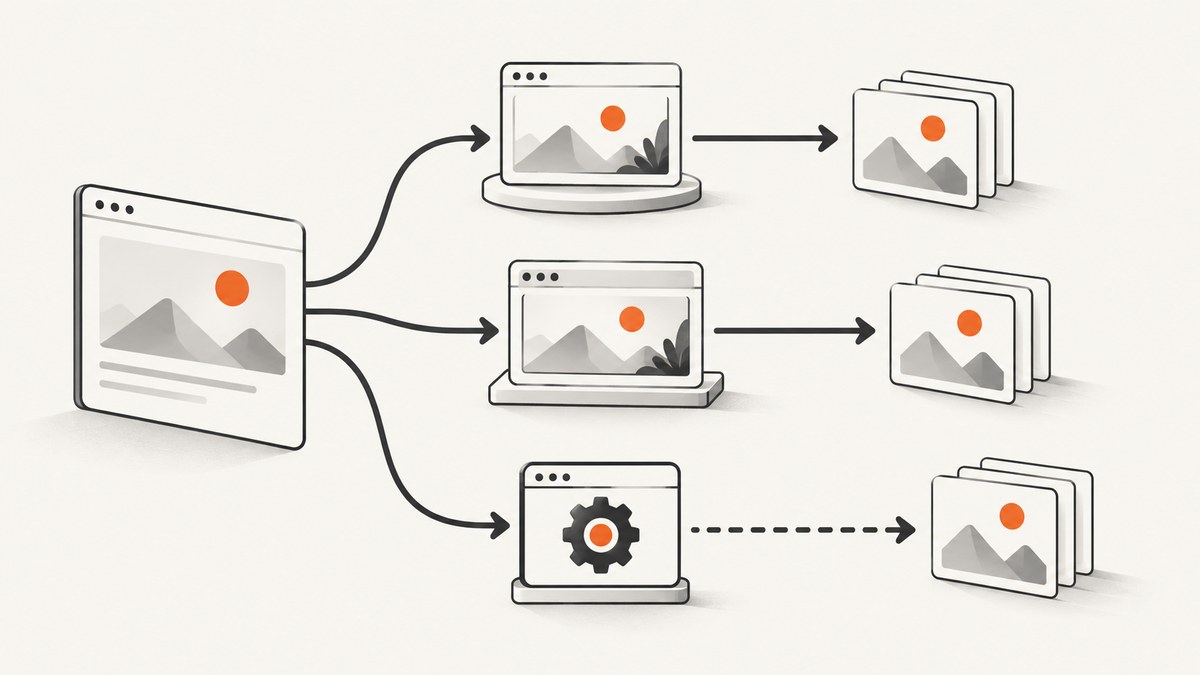
Short answer: you cannot assume that “JavaFX WebKit” or “QtWebKit” exposes a Selenium WebDriver endpoint. JavaFX WebView is an embedded JavaFX scene-graph node backed by WebEngine; capture it on the JavaFX application thread. Qt WebKit 5.212 is a legacy API. Qt’s documented WebDriver integration is WebEngineDriver for Qt WebEngine applications, which is a different engine and API generation. If you only need pixels, render the embedded view and save an image; if you need WebDriver commands, choose a runtime that actually provides a WebDriver server.
This guide shows both paths, how to run them in CI, how to wait for real application readiness, and where the boundaries are. The JavaFX API reference describes WebView as a JavaFX Node backed by WebEngine. The Qt WebKit 5.212 reference is a legacy line, while Qt 6 WebView documentation says the backend is platform-specific (Qt WebEngine on Linux). Qt documents WebEngineDriver for Qt WebEngine. The WebKit project’s status page is historical and does not prove a WebDriver endpoint in either wrapper.
1. Decide which problem you are solving
| Requirement | Use | What to verify |
|---|---|---|
| A screenshot of an embedded page | JavaFX WebView scene capture or QtWebKit frame rendering | Viewport size, fonts, images, and readiness callbacks |
| Selenium/WebDriver navigation and element commands | Qt WebEngine plus WebEngineDriver, or another browser with a supported driver | Exact Qt/driver versions and the driver endpoint |
| Legacy QtWebKit specifically | Direct QtWebKit rendering | Do not label it WebDriver unless you provide and verify a separate bridge |
| Reliable headless CI screenshots | A tested display/graphics setup or a screenshot API | OS, display server, software rendering, sandbox, and timing |
“Headless” describes how the process runs, not a capability that every WebKit wrapper automatically has. JavaFX and Qt may still need a display server or platform graphics integration. Test the exact OS, JDK/Qt build, and CI image you deploy.
2. JavaFX WebView: capture pixels without WebDriver
The sequence is: create the WebView on the FX thread, set its size, load the URL, wait for SUCCEEDED, wait for page-specific readiness, then snapshot on that same thread. A load event alone can precede client-rendered data, web fonts, lazy images, or delayed requests.

Minimal Java example
import javafx.application.Application;
import javafx.application.Platform;
import javafx.concurrent.Worker;
import javafx.embed.swing.SwingFXUtils;
import javafx.scene.Scene;
import javafx.scene.image.WritableImage;
import javafx.scene.web.WebEngine;
import javafx.scene.web.WebView;
import javafx.stage.Stage;

import javax.imageio.ImageIO;
import java.io.File;

public final class JavaFxShot extends Application {
  private static final String URL = "https://example.com";
  private static final int WIDTH = 1365;
  private static final int HEIGHT = 768;

  @Override public void start(Stage stage) {
    WebView view = new WebView();
    view.setPrefSize(WIDTH, HEIGHT);
    WebEngine engine = view.getEngine();
    stage.setScene(new Scene(view, WIDTH, HEIGHT));
    // Showing the stage is often the most portable way to initialise the
    // JavaFX scene graph. In CI, provide the display/graphics setup required
    // by your JDK and OS, then keep the window unobtrusive.
    stage.show();

    engine.getLoadWorker().stateProperty().addListener((obs, oldState, state) -> {
      if (state == Worker.State.SUCCEEDED) {
        // Replace this with an application-specific readiness check when needed.
        capture(view, "javafx-shot.png");
      } else if (state == Worker.State.FAILED) {
        engine.getLoadWorker().exceptionProperty().get();
        Platform.exit();
      }
    });
    engine.load(URL);
  }

  private static void capture(WebView view, String file) {
    Platform.runLater(() -> {
      WritableImage image = new WritableImage((int) view.getWidth(), (int) view.getHeight());
      view.snapshot(null, image);
      try {
        ImageIO.write(SwingFXUtils.fromFXImage(image, null), "png", new File(file));
        System.out.println("Wrote " + file);
      } catch (Exception e) {
        e.printStackTrace();
      } finally {
        Platform.exit();
      }
    });
  }

  public static void main(String[] args) { launch(args); }
}
Compile with the JavaFX modules supplied by your distribution (at minimum javafx.controls, javafx.graphics, javafx.web, and javafx.swing) and run with matching module-path settings. The exact Node.snapshot overloads and headless behavior can vary by JavaFX release; check the target release API before copying this into production.
Wait for application readiness
For a single-page app, expose a deterministic marker such as window.__SCREENSHOT_READY__ = true after data, fonts, and images are ready. Poll it from JavaFX with a short PauseTransition or a scheduled FX-thread task, and enforce a deadline. Also consider waiting for document.images to finish and for a known selector to exist. Avoid arbitrary sleeps as your only synchronization.
3. QtWebKit: render the frame directly
With Qt WebKit 5.x, the usual screenshot path is QWebView/QWebPage plus QWebFrame::render. This is direct rendering, not Selenium. It is useful for a legacy application that already embeds QtWebKit.
Qt 5 C++ example
#include <QApplication>
#include <QWebView>
#include <QWebFrame>
#include <QWebPage>
#include <QImage>
#include <QPainter>
#include <QUrl>
#include <QObject>

int main(int argc, char **argv) {
  QApplication app(argc, argv);
  QWebView view;
  view.resize(1365, 768);

  QObject::connect(&view, &QWebView::loadFinished,
                   [&view](bool ok) {
    if (!ok) { QCoreApplication::exit(2); return; }

    // Replace with a selector/readiness check for your application.
    QImage image(view.size(), QImage::Format_ARGB32_Premultiplied);
    image.fill(Qt::white);
    QPainter painter(&image);
    view.page()->mainFrame()->render(&painter);
    painter.end();
    if (!image.save("qtwebkit-shot.png")) QCoreApplication::exit(3);
    QCoreApplication::exit(0);
  });

  view.load(QUrl(QStringLiteral("https://example.com")));
  return app.exec();
}
Build against the Qt WebKitWidgets module available in your Qt 5 installation. A visible or off-screen widget still depends on the platform plugin and graphics stack. On Linux CI, a virtual X server such as the one your distribution supports may be required; verify this for your image rather than assuming a universal command.
Viewport versus full page
render captures the widget/frame at its current size. Full-page output requires measuring document content and rendering into a larger image, often in tiles. Fixed-position elements, very tall pages, memory limits, and lazy loading make this different from a viewport shot. Neither the cited JavaFX nor Qt documentation establishes a universal full-page helper, so implement and test that behavior yourself.
4. When WebDriver is the real requirement
Qt’s supported WebDriver story is tied to Qt WebEngine and WebEngineDriver. Qt WebEngine is Chromium-based and is not the legacy QtWebKit API. Use a Selenium client against the driver endpoint only after matching the Qt and driver versions documented for your build. Do not point Selenium at a QtWebKit QWebView and expect ChromeDriver compatibility.
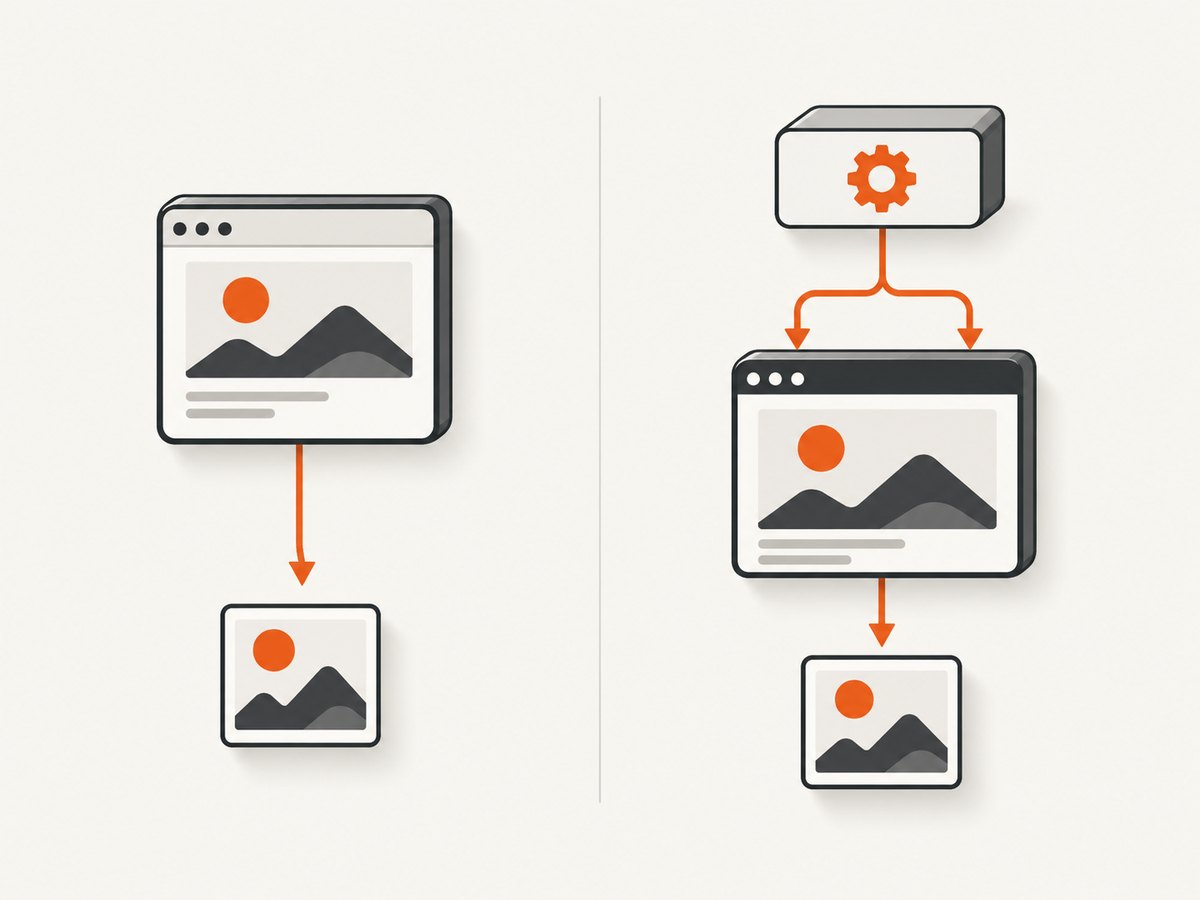
For JavaFX WebView, the cited API describes an embedded node and scene-graph capture, not a WebDriver server. A WebDriver requirement therefore means changing the browser runtime, adding a separately maintained bridge, or using an external browser. Document that architectural decision; it affects selectors, JavaScript behavior, security flags, and CI setup.
5. A readiness checklist that prevents blank or partial shots
- Navigation: fail fast on DNS, TLS, HTTP, or load errors.
- DOM: wait for a selector that proves the main content exists.
- Data: wait for the API request or application state that fills the view.
- Fonts and images: wait for web fonts and important images; lazy-load by scrolling if your product requires it.
- Animations: disable or pause transitions when deterministic pixels matter.
- Cookies/auth: set them before navigation and avoid logging secrets.
- Deadline: use a total timeout and save diagnostic HTML/logs on failure.
- Dimensions: set viewport and device scale consistently across runs.
6. Headless and CI failure modes
| Symptom | Likely cause | Fix |
|---|---|---|
| “Toolkit not initialized” or FX-thread exception | WebView or snapshot touched off the JavaFX application thread | Create, interact with, and snapshot the node on the FX thread; marshal work with Platform.runLater. |
| Black/empty JavaFX image | Scene not laid out, stage not shown, or graphics backend unavailable | Set explicit dimensions, allow a layout pulse, initialise the scene, and validate the CI display/software-rendering setup. |
| Qt “could not find platform plugin” | Missing Qt platform plugin or display environment | Install the plugin for the target build and configure the CI display according to that platform’s Qt setup. |
| Screenshot is the loading shell | Load finished before SPA data or fonts settled | Wait for a selector or app readiness flag, then capture; use a bounded timeout. |
| WebDriver session refused | Using WebDriver against QtWebKit or mismatched WebEngineDriver | Use Qt WebEngine with a compatible WebEngineDriver, or remove WebDriver and render directly. |
| Different pixels in CI | Fonts, device scale, GPU/software renderer, timezone, or locale differ | Pin fonts and locale/timezone, set dimensions and scale, and keep the rendering image consistent. |
| Long pages crash or truncate | One huge surface exceeds memory or texture limits | Capture the viewport or tile the document, and measure memory at your target page sizes. |
7. Reliability, performance, and cost considerations
- Reliability: classify navigation, readiness, rendering, and file-write failures separately. Retry only transient network failures; repeated retries cannot fix a missing display plugin or unsupported WebDriver endpoint.
- Performance: reuse a warmed process when safe, but isolate pages that leak state. Avoid waiting for global network idle when analytics keep connections open; prefer a specific selector or readiness flag.
- Determinism: freeze timezone, locale, viewport, scale, fonts, and animation state. Record the engine/version with each artifact.
- Security: treat page JavaScript and downloaded content as untrusted. Restrict navigation targets, proxy credentials, file access, and custom headers.
- Cost: self-hosted JavaFX/Qt consumes your CI or server resources. Include display setup, font packages, cache storage, retries, and maintenance when comparing it with an API.
8. Or skip the browser setup
ScreenshotNeo provides a website screenshot API and MCP server. One GET request returns PNG, JPEG, WebP, or PDF. Cookie/consent banners are accepted and 60+ known consent platforms, newsletter popups, and chat widgets are removed before capture. Bot checks/CAPTCHAs, blank pages, timeouts, failed loads, and cache hits are not billed; response headers identify the page verdict and whether it was billed. Its MCP server exposes take_screenshot, get_page_info, and capture_pdf for Claude, Cursor, and other MCP clients.
See the ScreenshotNeo API docs for all options. The basic call is:
curl -G "https://api.screenshotneo.com/v1/shot" -d access_key=YOUR_API_KEY --data-urlencode url=https://example.com -o shot.webpimport requests
r = requests.get("https://api.screenshotneo.com/v1/shot", params={"access_key": "YOUR_API_KEY", "url": "https://example.com"}, timeout=90)
open("shot.webp", "wb").write(r.content)const q = new URLSearchParams({ access_key: 'YOUR_API_KEY', url: 'https://example.com' });
const res = await fetch(`https://api.screenshotneo.com/v1/shot?${q}`);Features include full-page capture with lazy images loaded, CSS-selector element capture, dark mode, 12 device presets or custom viewports, retina scale, PDF paper/margins/landscape/page ranges, HTML/CSS input, custom JavaScript and CSS, clicks, selector/delay/network-idle waits, request/resource blocking, headers/cookies/user agent/Authorization, timezone and geolocation, transparent backgrounds, resizing, configurable-TTL caching, signed image links, async jobs with signed webhooks, bulk capture of 100 URLs per call, a usage API, and an OpenAPI spec. Parameter names used by other screenshot APIs also work.
There is a free plan with 1,000 screenshots per month and no card. Paid plans start at $5 for 3,000 screenshots; every feature is on every plan. Create a free ScreenshotNeo account.
9. FAQ
Can Selenium drive JavaFX WebView?
Not from the cited JavaFX API. WebView is an embedded node; use scene capture or a separately supported automation bridge.
Is QtWebKit the same as Qt WebEngine?
No. Qt WebKit 5.212 is a legacy API; Qt WebEngine is the Chromium-based generation associated with Qt’s WebEngineDriver.
Does loadFinished mean the screenshot is ready?
No. Client rendering, fonts, images, and delayed requests can continue. Wait for an application-specific condition.
Can these examples capture a whole page?
The examples capture a viewport-sized surface. Full-page capture needs separate sizing or tiling logic and its own memory tests.
What should I use for a service that must work without browser maintenance?
Use an API such as ScreenshotNeo when you want a single request, built-in cleanup, verdict/billing headers, and an MCP path for agents.


