Using jQuery to Parse HTML and Extract Data
Learn how to parse HTML fragments with jQuery, extract text and attributes safely, handle multiple matches, and avoid common security mistakes.

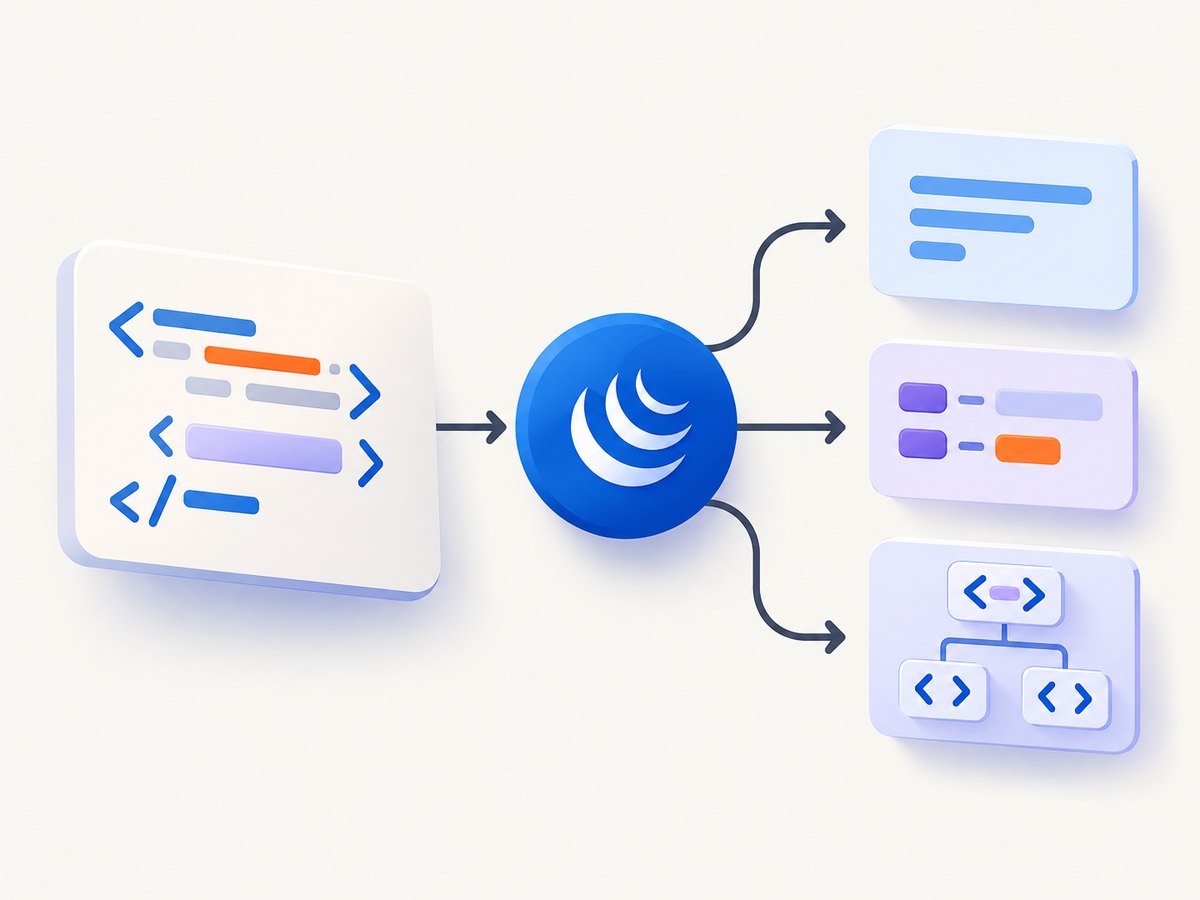
Use $.parseHTML() when you have an HTML string and need to turn it into DOM nodes without immediately inserting those nodes into the live page. Wrap the returned array in a jQuery collection, select the elements you need, and then read text, attributes, or markup with the appropriate getter.
const nodes = $.parseHTML(htmlString);
const $fragment = $(nodes);

const title = $fragment.find('.title').first().text();
const links = $fragment.find('a').map(function () {
  return {
    text: $(this).text().trim(),
    href: $(this).attr('href')
  };
}).get();
This workflow separates parsing from insertion. That distinction matters: parsing HTML does not sanitize it. If the source is untrusted, clean or otherwise safely handle it before adding anything to the document.
1. Understand what jQuery parses
$.parseHTML() parses a string into an array of DOM nodes. The result can contain elements, text nodes, and other node types. It is not a jQuery collection until you pass it to $().
const html = '<article><h2 class="title">Release notes</h2><p>Version 4.2</p></article>';
const nodes = $.parseHTML(html);

console.log(Array.isArray(nodes)); // true
const $fragment = $(nodes);
console.log($fragment.find('.title').text()); // Release notes
Parsing a fragment does not require putting it in document.body. You can inspect and extract values while the nodes remain detached. This is useful for scraping a response, validating a template, importing an email fragment, or converting markup into application data.
2. The parseHTML signature and options
The documented signature is:
$.parseHTML(data [, context ] [, keepScripts ])| Argument | Purpose | Practical guidance |
|---|---|---|
data |
The HTML string to parse. | Pass a string containing a fragment or document markup. |
context |
The document used while creating nodes. | Omit it for the normal default, or pass a specific document when your application requires one. |
keepScripts |
Controls whether script elements are retained in the returned nodes. | Leave it false unless you have a controlled reason to preserve scripts. |
Since jQuery 3.0, when the context is unspecified or null/undefined, the documented default is a new document. Earlier versions used the current document. The separate document can prevent inline events from executing during parsing, but it does not make later insertion safe.
const html = '<div class="card">Hello</div>';
const nodes = $.parseHTML(html, document, false);
const $card = $(nodes).filter('.card');
The optional keepScripts flag is easy to misunderstand. Setting it to true keeps script elements in the returned collection; it does not execute them for you, and it does not make untrusted markup safe.
3. Select the nodes you need
After parsing, use normal jQuery selectors and traversal methods. .find() searches descendants, while .filter() narrows the current collection itself.
const html = `
  <article class="post" data-id="a17">
    <h2 class="title">Parsing fragments</h2>
    <a class="read-more" href="/guides/parsing">Read guide</a>
  </article>
`;

const $fragment = $($.parseHTML(html));
const $post = $fragment.filter('.post').add($fragment.find('.post')).first();

const title = $post.find('.title').text().trim();
const id = $post.attr('data-id');
const href = $post.find('.read-more').attr('href');

console.log({ title, id, href });
Use .first() when the markup should contain one matching element and you want to make that assumption explicit. Use .last() or .eq(index) when position is meaningful. If the selector can match multiple top-level nodes, remember that .find() only searches descendants, so combine it with .filter() or select from a wrapper.
4. Extract visible text with .text()
.text() returns the combined text of the matched elements and their descendants. It is the right choice when you need readable content rather than tags.
const html = '<div class="summary">Hello <strong>developer</strong>!</div>';
const $fragment = $($.parseHTML(html));

const summary = $fragment.find('.summary').text();
console.log(summary); // Hello developer!
Whitespace and line breaks can differ because browser parsers represent source formatting differently. Normalize only when your data contract allows it:
const cleanText = $fragment
  .find('.summary')
  .text()
  .replace(/\s+/g, ' ')
  .trim();
Do not use .text() when you need the original tags. For that, use .html(), with the security limitations described below.
5. Extract attributes with .attr()
.attr(name) reads the named attribute from the first matched element. This first-match behavior is a common source of bugs when a selector returns a list.
const $links = $fragment.find('a');
const firstHref = $links.attr('href');
console.log(firstHref); // only the first link
For every match, iterate or use .map():
const links = $fragment.find('a').map(function () {
  return {
    text: $(this).text().trim(),
    href: $(this).attr('href') || null,
    external: $(this).is('[target="_blank"]')
  };
}).get();
Use .prop() for some live DOM properties, such as a checkbox’s current checked state. Use .attr() when you specifically need the source attribute value. For custom metadata, .attr('data-id') reads the attribute; .data('id') applies jQuery’s data parsing and caching behavior.
6. Read markup with .html()
.html() returns the inner HTML of the first matched element. It returns markup, not plain text.
const markup = $fragment.find('.summary').first().html();
console.log(markup); // Hello <strong>developer</strong>!
Use this only when you genuinely need markup. Never treat the returned string as safe merely because it came from parseHTML. Passing untrusted content into HTML insertion APIs can expose script and event-handler execution paths.
7. A complete extraction example
The following example parses a list of products and converts it into plain JavaScript objects without inserting the fragment into the page.
const html = `
  <ul class="products">
    <li class="product" data-sku="bk-101">
      <h3>Notebook</h3>
      <span class="price">$12.50</span>
      <a href="/products/notebook">Details</a>
    </li>
    <li class="product" data-sku="pen-202">
      <h3>Pen set</h3>
      <span class="price">$8.00</span>
      <a href="/products/pens">Details</a>
    </li>
  </ul>
`;

const $fragment = $($.parseHTML(html));
const products = $fragment.find('.product').map(function () {
  const $product = $(this);
  return {
    sku: $product.attr('data-sku'),
    name: $product.find('h3').text().trim(),
    priceText: $product.find('.price').text().trim(),
    url: $product.find('a').attr('href')
  };
}).get();

console.log(products);
8. Security: parsing is not sanitizing
The jQuery documentation warns that parsing alone does not make untrusted HTML safe. Event-handler attributes and other indirect execution paths can remain relevant after parsing, especially once nodes are inserted into the live document.
Keep these boundaries clear:
- Use
$.parseHTML()to create nodes for inspection and extraction. - Do not pass untrusted strings directly to
$(),.html(),.append(), or similar insertion methods. - Do not assume
keepScripts: falseremoves every possible execution path. - If you must render untrusted content, sanitize or escape it with a solution appropriate for your application and output context.
- Prefer extracting primitive values such as text and attributes, then rendering those values with safe text APIs.
const nodes = $.parseHTML(untrustedHtml);
const value = $(nodes).find('.user-name').text().trim();

// Safe rendering pattern for extracted text:
$('#name-output').text(value);
9. Parsing HTML fetched from a URL
jQuery can parse a response after an HTTP request, but the response must be treated as untrusted input. This example extracts titles from a same-origin endpoint:
$.get('/feed-fragment.html')
  .done(function (html) {
    const $fragment = $($.parseHTML(html));
    const titles = $fragment.find('h2').map(function () {
      return $(this).text().trim();
    }).get();

    console.log(titles);
  })
  .fail(function (jqXHR, textStatus, errorThrown) {
    console.error('Fetch failed:', textStatus, errorThrown);
  });
Cross-origin requests still require the server’s CORS policy. Parsing does not bypass authentication, CORS, robots rules, or access controls.
10. Troubleshooting common errors
| Symptom | Likely cause | Fix |
|---|---|---|
$.parseHTML is not a function |
jQuery is missing, loaded after your script, or the global name is different. | Load jQuery first and confirm typeof jQuery.parseHTML === 'function'. |
| The result is empty | The input is empty, malformed for the intended selector, or your selector does not match. | Log the source string, inspect nodes.length, and test the selector against the actual markup. |
.find() returns nothing for a top-level element |
.find() searches descendants, not the current collection. |
Use .filter(), or wrap the fragment in a container before searching. |
| Only one attribute is returned | .attr() is a first-match getter. |
Iterate with .each() or .map() for all matches. |
| Text contains unexpected whitespace | Whitespace and line-break handling differs across parsed markup. | Normalize with a deliberate rule such as .replace(/\s+/g, ' ').trim(). |
| Markup appears as text | .text() was used when markup was required. |
Use .html() only for trusted content and only when tags are needed. |
| Unexpected code execution after insertion | Parsed content was treated as sanitized and inserted into the live document. | Do not insert untrusted HTML; sanitize or escape it first. |
11. Performance and reliability considerations
For small fragments, the main cost is DOM parsing and selector traversal. Keep the fragment detached while extracting data, select a narrow root where possible, and avoid repeatedly parsing the same string.
const $fragment = $($.parseHTML(html));
const $items = $fragment.find('.item');

const rows = $items.map(function () {
  const $item = $(this);
  return {
    name: $item.find('.name').text().trim(),
    value: $item.attr('data-value')
  };
}).get();
For large documents, extract only the fields you need and avoid calling .html() on broad selections. Treat malformed or partial responses as normal failure cases: validate that expected roots exist before consuming values, and record the source or request identifier when extraction fails.
12. When the source is a rendered web page
jQuery parses HTML you already have. It does not fetch a page, run its JavaScript, wait for lazy content, dismiss cookie banners, or render a screenshot. If your goal is visual capture or rendered-page inspection, a browser automation setup may be more work than the extraction itself.

Or skip the browser setup
ScreenshotNeo provides a website screenshot API and MCP server. Send one GET request with a URL to receive a PNG, JPEG, WebP, or PDF. Cookie and consent banners are accepted before capture, then more than 60 known consent platforms, newsletter popups, and chat widgets are removed. Bot checks, blank pages, timeouts, failed loads, and cache hits are not billed, and response headers identify the page verdict and billing result.
See the ScreenshotNeo documentation for all options, including full-page capture with lazy images, CSS-selector element capture, dark mode, device presets, custom viewports, retina scale, PDF paper settings, custom CSS and JavaScript, clicks, waits, request blocking, headers, cookies, user agents, authorization, timezone, geolocation, transparent backgrounds, resizing, caching, signed links, asynchronous jobs, webhooks, bulk capture, usage reporting, and the OpenAPI specification.
cURL
curl -G "https://api.screenshotneo.com/v1/shot" \
  -d access_key=YOUR_API_KEY \
  --data-urlencode url=https://stripe.com \
  -o shot.webp
Python
import requests

r = requests.get(
    "https://api.screenshotneo.com/v1/shot",
    params={"access_key": "YOUR_API_KEY", "url": "https://stripe.com"},
    timeout=90,
)
r.raise_for_status()
open("shot.webp", "wb").write(r.content)
Node.js
const q = new URLSearchParams({
  access_key: 'YOUR_API_KEY',
  url: 'https://stripe.com'
});
const res = await fetch(`https://api.screenshotneo.com/v1/shot?${q}`);
if (!res.ok) throw new Error(`HTTP ${res.status}`);
const image = Buffer.from(await res.arrayBuffer());
require('fs').writeFileSync('shot.webp', image);
ScreenshotNeo also provides an MCP server with take_screenshot, get_page_info, and capture_pdf tools for Claude, Cursor, and other MCP clients. The Free plan includes 1,000 shots per month with no card; paid plans start at $5 for 3,000 shots. Create a free ScreenshotNeo account.
13. FAQ
Does parseHTML return a jQuery object?
No. It returns an array of DOM nodes. Wrap it with $() to use jQuery methods.
Can I parse a complete HTML document?
You can pass document-like markup, but most extraction tasks are clearer and safer when you pass the smallest fragment containing the data you need.
Should I use .text() or .html()?
Use .text() for combined readable text. Use .html() only when you need inner markup and the content is trusted or has been safely handled.
Why does attr() return only one value?
The getter reads the first matched element. Map over the selection when every element needs its own attribute.
Does parsing execute scripts?
The default context behavior in jQuery 3.0 uses a new document, but parsing is not a sanitizer. Content can still become dangerous when later inserted, so treat untrusted HTML accordingly.


