JSON Schema Generator: Create JSON Schema Online
Create a JSON Schema online from a sample JSON document, refine its rules, and validate real data in JavaScript, Python, or with cURL.
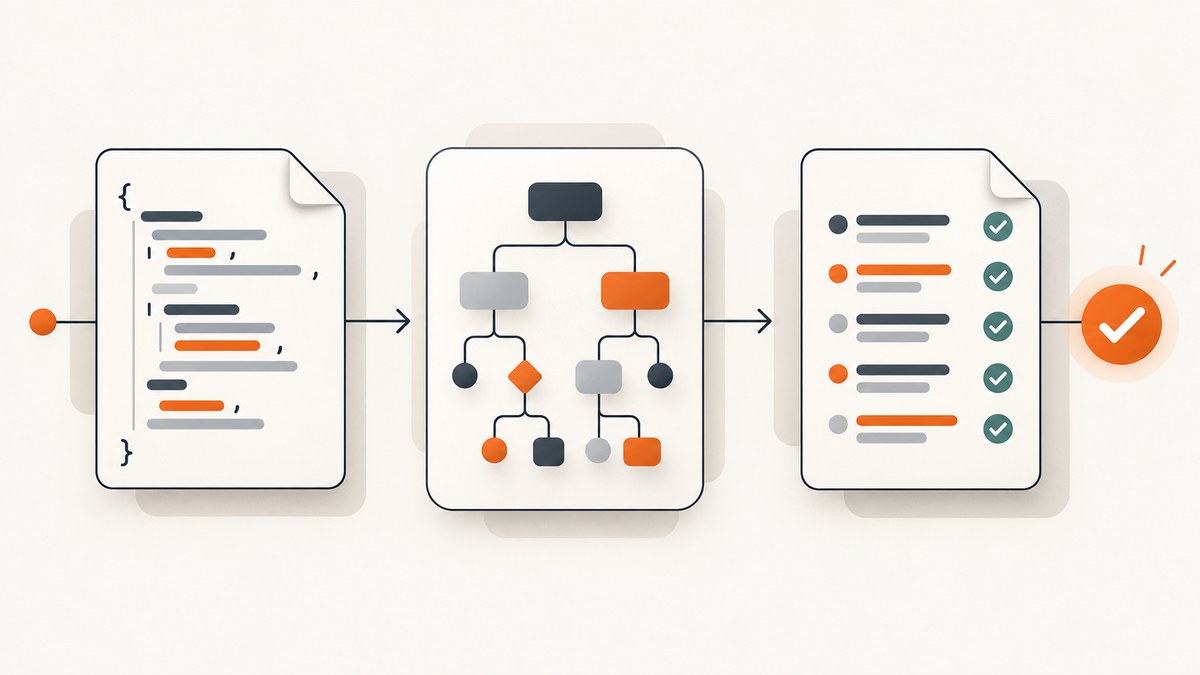
To create a JSON Schema online, paste a representative JSON document into a sample-to-schema generator, choose the intended JSON Schema dialect, and generate a starting schema. Then review its types, required fields, and constraints against the contract your application actually needs, save the schema, and validate both representative valid and invalid examples with the validator used by your project.
A generator can infer structure from observed examples; it cannot know which fields are optional, which values are permitted, or what your business rules mean. Treat generated output as a draft. JSON Schema describes and validates JSON documents; it does not generate application data. The official documentation describes it as a vocabulary for annotating and validating JSON documents. JSON Schema: Creating your first schema
1. Generate a schema online from an example
- Collect representative JSON. Include ordinary records, optional fields, empty collections, and meaningful variations. If every sample has a field, the generator may infer it as always present even when production data omits it.
- Open a generator that accepts sample JSON. Paste valid JSON, not JavaScript object syntax: property names and strings need double quotes, and JSON does not allow comments, trailing commas, or undefined values.
- Select a dialect. If the tool offers a draft selector, align it with your validator and existing schemas. JSON Schema’s specification page identifies 2020-12 as the current version at research time; support varies across tools, so check the tool’s dialect support. Specification · Tooling directory
- Generate and inspect. Check the root type, each property type, the required array, array item schemas, nullable values, and whether extra properties are permitted.
- Refine intent. Add constraints that follow from the actual contract, such as an identifier pattern, numeric range, or closed set of allowed values. Do not add restrictions merely because all observed samples happen to share them.
- Save and validate. Put the schema under version control and run a validator against positive and negative fixtures before relying on it in an API or data pipeline.
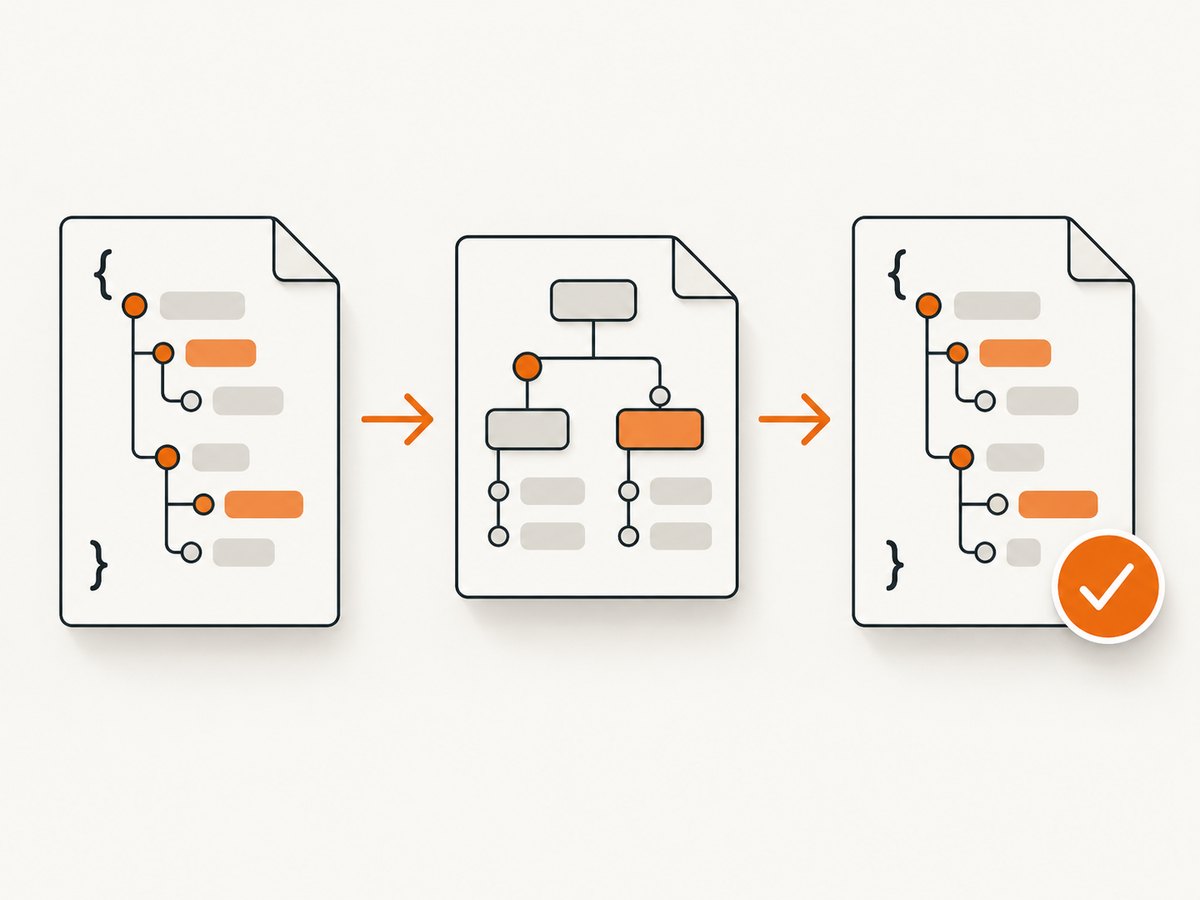
2. Understand the generated schema
Here is a complete 2020-12 schema for a product record. It deliberately requires only the identifier and name: price and tags are optional in this contract.
{
  "$schema": "https://json-schema.org/draft/2020-12/schema",
  "$id": "https://example.com/schemas/product.schema.json",
  "title": "Product",
  "description": "A product in a catalog",
  "type": "object",
  "properties": {
    "productId": { "type": "integer", "minimum": 1 },
    "productName": { "type": "string", "minLength": 1 },
    "price": { "type": "number", "minimum": 0 },
    "tags": {
      "type": "array",
      "items": { "type": "string" },
      "uniqueItems": true
    }
  },
  "required": ["productId", "productName"],
  "additionalProperties": false
}
$schema identifies the dialect. $id gives the schema a URI identifier and can support references. title and description document the schema but do not constrain instances. type and validation keywords define the allowed data. The specification separates Core, which defines the foundation, from Validation, which defines validation keywords. Specification details
Review the choices that generators often guess
| Question | What to check |
|---|---|
| Must every observed property always exist? | Only list contractually mandatory keys under required. A property in properties is not automatically required. |
| Can a value be absent, null, or both? | Missing and null are distinct. In 2020-12, nullable data can use "type": ["string", "null"]; omitting a property is controlled by required. |
| Can arrays contain different shapes? | Use items for the schema of array elements. Confirm whether all items share one type and whether order or uniqueness matters. |
| Are additional keys accepted? | By default, unspecified object keys are generally allowed. Set additionalProperties to false only when the contract rejects unknown keys; otherwise this can break forward compatibility. |
| Are numeric values integers? | JSON Schema distinguishes integer and number. Use the type that matches the contract, not just one observed value. |
| Are strings formats actually enforced? | format support and assertion behavior can depend on dialect and validator configuration. Verify that the validator enforces the formats your application relies on. |
| Did the generator choose the intended dialect? | Read $schema and confirm validator compatibility before using draft-specific keywords. |
3. Validate the schema and example data
Generation and validation are separate steps. A validator receives a schema and a JSON instance and reports whether the instance conforms. Use the validator already supported by your project; the official tooling catalog spans languages and dialects and is a catalog rather than an endorsement. Browse JSON Schema tools
JavaScript example using Ajv
For a Node.js project, install Ajv with npm install ajv. Save the example schema as product.schema.json and run this as an ES module, for example node validate.mjs. Ajv setup and supported drafts depend on the installed version; use the Ajv configuration matching the schema dialect.
import Ajv2020 from "ajv/dist/2020.js";
import schema from "./product.schema.json" with { type: "json" };

const ajv = new Ajv2020({ allErrors: true });
const validate = ajv.compile(schema);
const product = {
  productId: 7,
  productName: "Green door",
  price: 12.5,
  tags: ["home", "green"]
};

if (validate(product)) {
  console.log("Valid product");
} else {
  console.error(validate.errors);
  process.exitCode = 1;
}
If your Node version or module configuration does not support JSON import attributes, load and parse the schema from a file with Node’s filesystem APIs instead. For schemas using references, make referenced schemas available to the validator as required by its API.
Python example using jsonschema
Install the library with python -m pip install jsonschema. Save as validate.py beside the schema file and run python validate.py.
import json
from pathlib import Path
from jsonschema import Draft202012Validator

schema = json.loads(Path("product.schema.json").read_text())
product = {
    "productId": 7,
    "productName": "Green door",
    "price": 12.5,
    "tags": ["home", "green"]
}

Draft202012Validator.check_schema(schema)
validator = Draft202012Validator(schema)
errors = sorted(validator.iter_errors(product), key=lambda error: list(map(str, error.path)))
if errors:
    for error in errors:
        print(f"{list(error.path)}: {error.message}")
    raise SystemExit(1)
print("Valid product")
cURL: validate through a service you control
JSON Schema itself does not define a universal HTTP validation endpoint. If your application exposes one, send both the schema and instance in the request format your service specifies. This example assumes a local endpoint accepting an object with schema and instance; it is illustrative, not a public JSON Schema service.
curl --fail-with-body -X POST http://localhost:3000/validate \
  -H 'Content-Type: application/json' \
  --data-binary @- <<'JSON'
{
  "schema": {
    "$schema": "https://json-schema.org/draft/2020-12/schema",
    "type": "object",
    "properties": { "name": { "type": "string" } },
    "required": ["name"]
  },
  "instance": { "name": "Ada" }
}
JSON
4. Make generated schemas production-ready
- Test the contract, not just the sample. Keep fixtures for valid boundary values and invalid cases: missing required key, wrong type, out-of-range number, unknown property, and malformed array member.
- Keep examples diverse. A single sample cannot establish optionality or the full range of a field. Include nulls only if they are legitimate, and include multiple array elements of different plausible values.
- Use constraints with care.
minimum,maximum,minLength,pattern, andenumcan make a schema useful, but an incorrect constraint rejects legitimate data. Patterns are regular expressions; test expected inputs, escaping, and the validator’s behavior. - Model alternatives explicitly. Use
oneOf,anyOf, orallOfonly when alternatives or composition match the data contract. Overlapping alternatives can make errors confusing. - Reuse definitions when the dialect supports them. 2020-12 uses
$defsfor reusable subschemas and$refto refer to schemas. Check resolution rules and make external references available in deployment environments. - Pin dialect and validator versions. A schema may be valid under one draft and unsupported or interpreted differently under another. Check the actual
$schemavalue and the validator’s supported dialects. - Version the schema with the API. Review compatibility when tightening requirements, closing object properties, or narrowing accepted types; these changes can reject documents that previously passed.
5. Troubleshooting common generator and validation errors
| Symptom | Likely cause | Fix |
|---|---|---|
| Generator refuses input | Input is not valid JSON: single quotes, comments, trailing commas, or an unquoted key. | Parse the sample first or fix it using strict JSON syntax; check that the top level is the intended object or array. |
| Valid production record fails as missing a property | The generator inferred every observed field as required. | Remove optional keys from required, then add examples where those keys are absent. |
null fails a string check |
The schema allows a string but not JSON null, or the property is being confused with an absent property. | Add null to the type union only if null is part of the contract. Leave the property out of required if it may be absent. |
| Validator rejects schema keyword | Dialect mismatch or validator does not implement that draft/keyword. | Match $schema to validator support, configure the appropriate validator, or rewrite using supported keywords. |
| Unknown properties fail unexpectedly | additionalProperties: false is too restrictive or properties were omitted from the schema. |
Decide whether the object is intentionally closed; otherwise permit extra properties or model them appropriately. |
| Format value passes despite looking invalid | The validator treats format as annotation, or format assertion is not enabled/supported. |
Check validator documentation and configuration; add an explicit constraint or application-level check where required. |
| Reference cannot be resolved | Referenced schema URI is unavailable, incorrectly based, or not registered with the validator. | Check the URI and base identifier, bundle or register dependencies as appropriate, and avoid relying on undeployed network fetches. |
| Large nested schema is slow or errors are hard to read | Deep composition, repeated references, or reporting all errors creates work and noisy output. | Simplify schema composition, reuse subschemas, validate representative cases, and limit error reporting if the validator offers that option. |
6. Performance, reliability, and cost
Schema generation is usually an authoring step; runtime validation is the repeated operation to plan for. Validate at the boundary where untrusted data enters, compile or prepare a schema once if the chosen library supports that workflow, and reuse it rather than rebuilding it for every record. Measure with your real schema and data if validation volume matters: cost depends on the validator, schema shape, references, and error-reporting settings, and no single benchmark applies to every deployment.
For reliability, keep schema and fixtures together, test the schema itself with the validator’s schema-checking facility where available, and treat unsupported dialects and unavailable references as deployment errors. A generator in a browser may be convenient, but check its privacy and retention terms before pasting confidential production data. The cited JSON Schema sources document the standard and catalog tools; they do not establish the retention practices of individual generators.
JSON Schema is an open specification. Tool pricing, if any, depends on the particular generator, validator, or hosted service; the official tooling catalog does not rank tools or establish their costs. For a local workflow, install a compatible library and validate within your application. For hosted workflows, review the specific service’s terms and limits.
7. ScreenshotNeo: capture a generator result without browser setup
If the next task is documenting a generated schema in a browser-based tool, or capturing a rendered schema preview for a report, ScreenshotNeo is a website screenshot API and MCP server. Your JSON Schema still needs its own validator; ScreenshotNeo captures web pages and returns images or PDFs.

Or skip the browser setup
Make one GET request with the page URL to get a screenshot. See the ScreenshotNeo API documentation for parameters and response details.
curl -G "https://api.screenshotneo.com/v1/shot" \
  -d access_key=YOUR_API_KEY \
  --data-urlencode url=https://json-schema.org/learn/getting-started-step-by-step \
  -o shot.webp
import requests
r = requests.get(
"https://api.screenshotneo.com/v1/shot",
params={
"access_key": "YOUR_API_KEY",
"url": "https://json-schema.org/learn/getting-started-step-by-step",
},
timeout=90,
)
r.raise_for_status()
open("shot.webp", "wb").write(r.content)const q = new URLSearchParams({
access_key: 'YOUR_API_KEY',
url: 'https://json-schema.org/learn/getting-started-step-by-step'
});
const res = await fetch(`https://api.screenshotneo.com/v1/shot?${q}`);
if (!res.ok) throw new Error(`Screenshot request failed: ${res.status}`);
await Bun.write('shot.webp', res);Cookie banners are accepted and removed before the shot, along with 60+ known consent platforms, newsletter popups, and chat widgets; each step can be turned off. Bot checks, blank pages, failed loads, timeouts, and cache hits cost nothing, with response headers indicating page verdict and billing. An MCP server gives AI agents tools for screenshots, page info, and PDF capture. There are 1,000 free screenshots a month with no card; paid plans start at $5 for 3,000. Sign up for ScreenshotNeo’s free 1,000 screenshots a month.
Frequently asked questions
Does a JSON Schema generator create the data?
No. It produces a schema document describing expected JSON structure and constraints. Your application or another system produces the JSON instances.
Can one sample produce a complete schema?
It can produce a useful draft of the observed shape. One sample cannot reliably determine optional fields, all allowed values, or intended business constraints.
Do I have to use 2020-12?
Use the dialect your project’s validator and integrations support. The JSON Schema specification page currently identifies 2020-12 as current; existing projects may deliberately use an earlier draft.
Does required mean non-null?
It means the named property must be present. Its value may still be null if the property’s schema permits null.
Where can I find tools for a language or dialect?
Use the official tooling catalog to explore generators, validators, and other utilities, then confirm the support details of the tool you select.


