How to Get the Final Y Position from jsPDF-AutoTable
Read `doc.lastAutoTable.finalY` after rendering a table, then add spacing before placing content below it. This guide covers TypeScript, multiple tables, page breaks, and common errors.
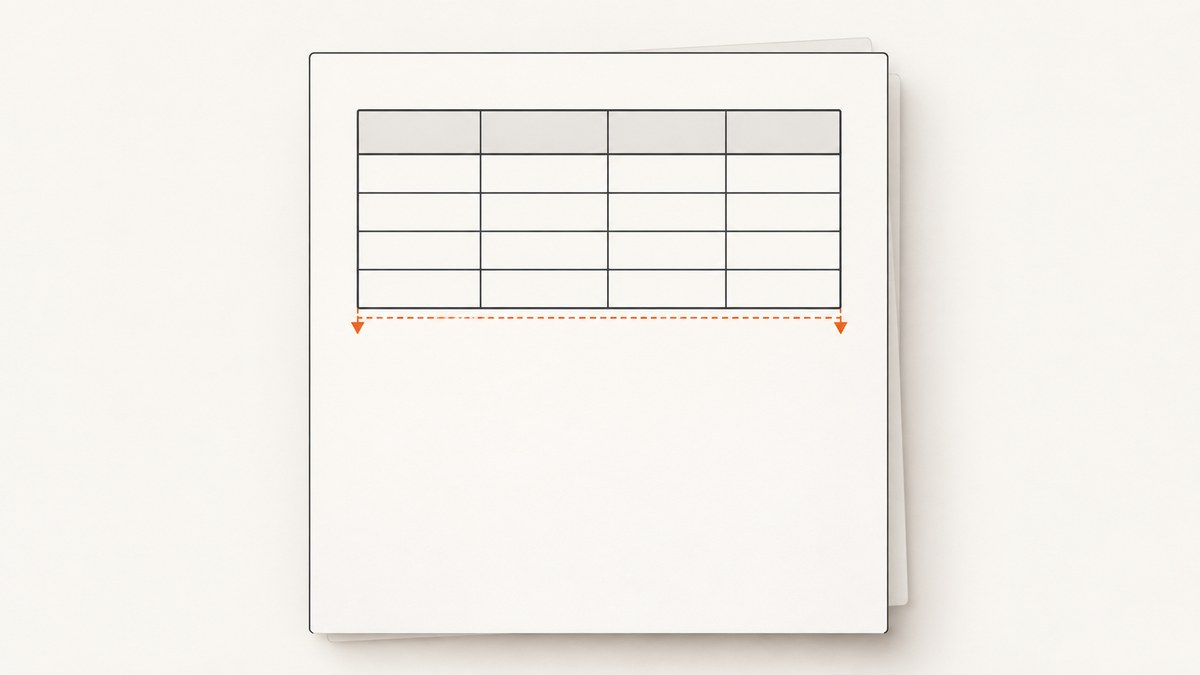
After jsPDF-AutoTable renders a table, read doc.lastAutoTable.finalY. It gives the last printed Y coordinate on the page where that table ended. Use that value as the starting point for text, another table, or other content, and add a gap so the content does not touch the table.
import { jsPDF } from 'jspdf'
import { autoTable } from 'jspdf-autotable'

const doc = new jsPDF()
autoTable(doc, {
  head: [['Name', 'Email']],
  body: [['Ada', 'ada@example.com']],
})

const endY = doc.lastAutoTable.finalY
doc.text('Text below the table', 14, endY + 10)
doc.save('table.pdf')
The important detail is timing: read finalY after the table call. It describes the rendered table’s ending coordinate, not a predicted height and not the overall height of the PDF.
1. Install jsPDF and jsPDF-AutoTable
For an npm project, install both packages:
npm install jspdf jspdf-autotableThe examples below use the functional API, autoTable(doc, options). The package also supports installing the plugin method on jsPDF; both approaches expose the result through doc.lastAutoTable. See the jsPDF-AutoTable README for installation and API details.
2. Read finalY after rendering the table
Here is a complete example that writes a heading, renders a table, and places a note below it:
import { jsPDF } from 'jspdf'
import { autoTable } from 'jspdf-autotable'

const doc = new jsPDF()
doc.text('Account contacts', 14, 18)

autoTable(doc, {
  startY: 24,
  head: [['Name', 'Email']],
  body: [
    ['Ada Lovelace', 'ada@example.com'],
    ['Grace Hopper', 'grace@example.com'],
  ],
})

const endY = doc.lastAutoTable.finalY
doc.text('End of contact list', 14, endY + 10)
doc.save('contacts.pdf')
In jsPDF’s default document, coordinates are commonly expressed in millimeters, so + 10 is a 10 mm vertical gap. If you create the document with a different unit, the gap uses that unit instead. For example, new jsPDF({ unit: 'pt' }) means the same numeric gap is 10 points.
Choose a gap that fits the following content
finalY marks where the table ends. It does not include space for the next paragraph or heading. Add enough distance for the font size and line height you plan to use:
const endY = doc.lastAutoTable.finalY
const gap = 8
doc.setFontSize(10)
doc.text('Notes: amounts are shown in USD.', 14, endY + gap)
For several lines, account for the line spacing as well as the first baseline. You can place each line at an increment from the first position, or use jsPDF’s text options for multiline content. If the resulting content could cross the page edge, check available page space before drawing it and add a page as needed.
3. Use either supported API style
The functional style works without modifying the jsPDF class:
import { jsPDF } from 'jspdf'
import { autoTable } from 'jspdf-autotable'

const doc = new jsPDF()
autoTable(doc, { head: [['Name']], body: [['Ada']] })
const endY = doc.lastAutoTable.finalY
If your application uses the plugin-installed method, apply the plugin before creating or using documents:
import { jsPDF } from 'jspdf'
import { applyPlugin } from 'jspdf-autotable'

applyPlugin(jsPDF)

const doc = new jsPDF()
doc.autoTable({
  head: [['Name']],
  body: [['Ada']],
})
const endY = doc.lastAutoTable.finalY
Pick the style already used by your project. Do not call both styles for the same table; that would render it twice.
4. Place multiple tables one after another
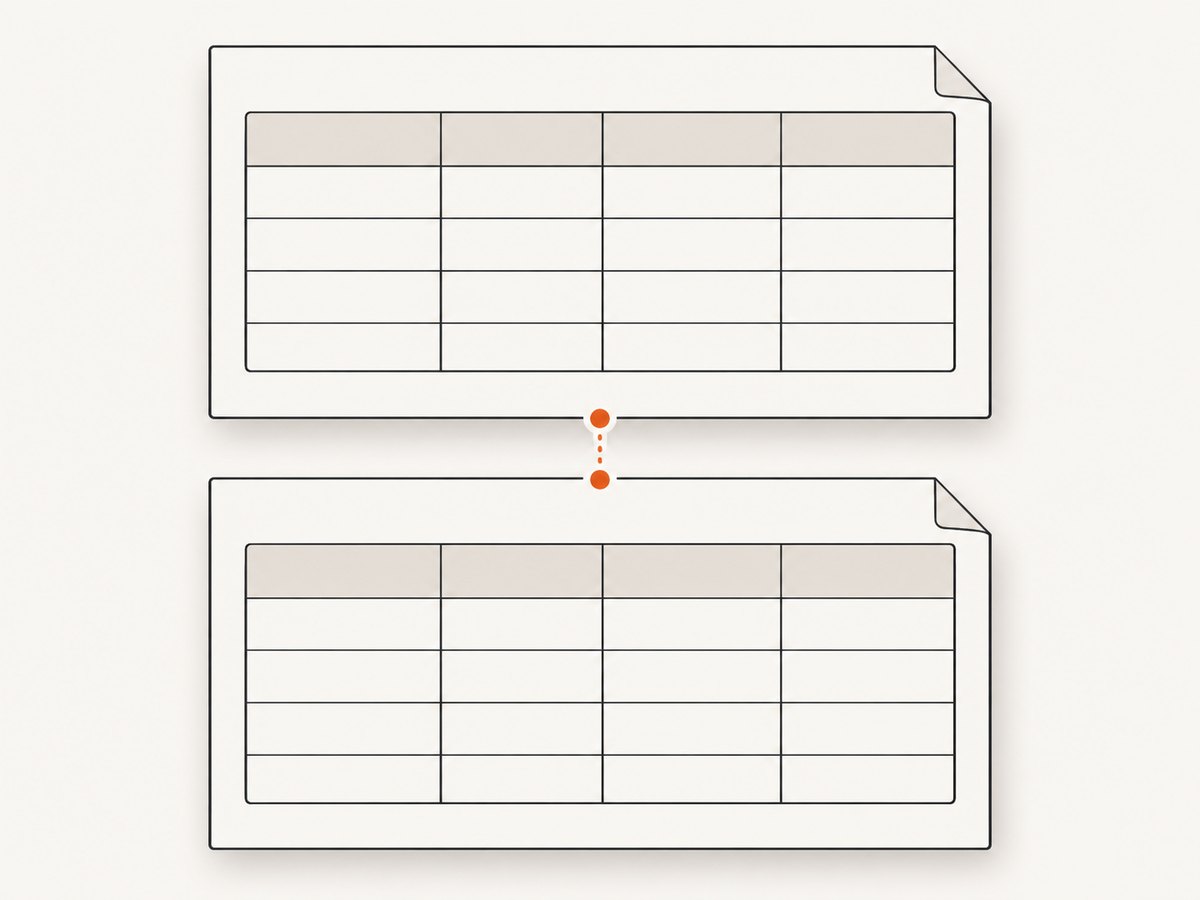
After each table, save its finalY and use that coordinate plus a deliberate gap as the next table’s startY. The next table can flow to later pages if it does not fit on the current page.
import { jsPDF } from 'jspdf'
import { autoTable } from 'jspdf-autotable'

type Row = [string, string]
const sections: Row[][] = [
  [['Revenue', '$100']],
  [['Expenses', '$40']],
  [['Net', '$60']],
]

const doc = new jsPDF()
let nextY = 20

for (const rows of sections) {
  autoTable(doc, {
    startY: nextY,
    head: [['Item', 'Value']],
    body: rows,
  })
  nextY = doc.lastAutoTable.finalY + 10
}

doc.save('sections.pdf')
Keep the update inside the loop. Otherwise every table may start at the same Y position and overlap. The startY option sets where a table starts on the first page; AutoTable’s page layout handles subsequent pages.
5. Understand page breaks and what finalY means
AutoTable can split tables across pages. In that case, finalY is the ending Y coordinate for the last rendered portion of the most recently rendered table. It is not the sum of the heights of all pages and cannot be used as a document-wide vertical coordinate. Each PDF page has its own coordinate system.
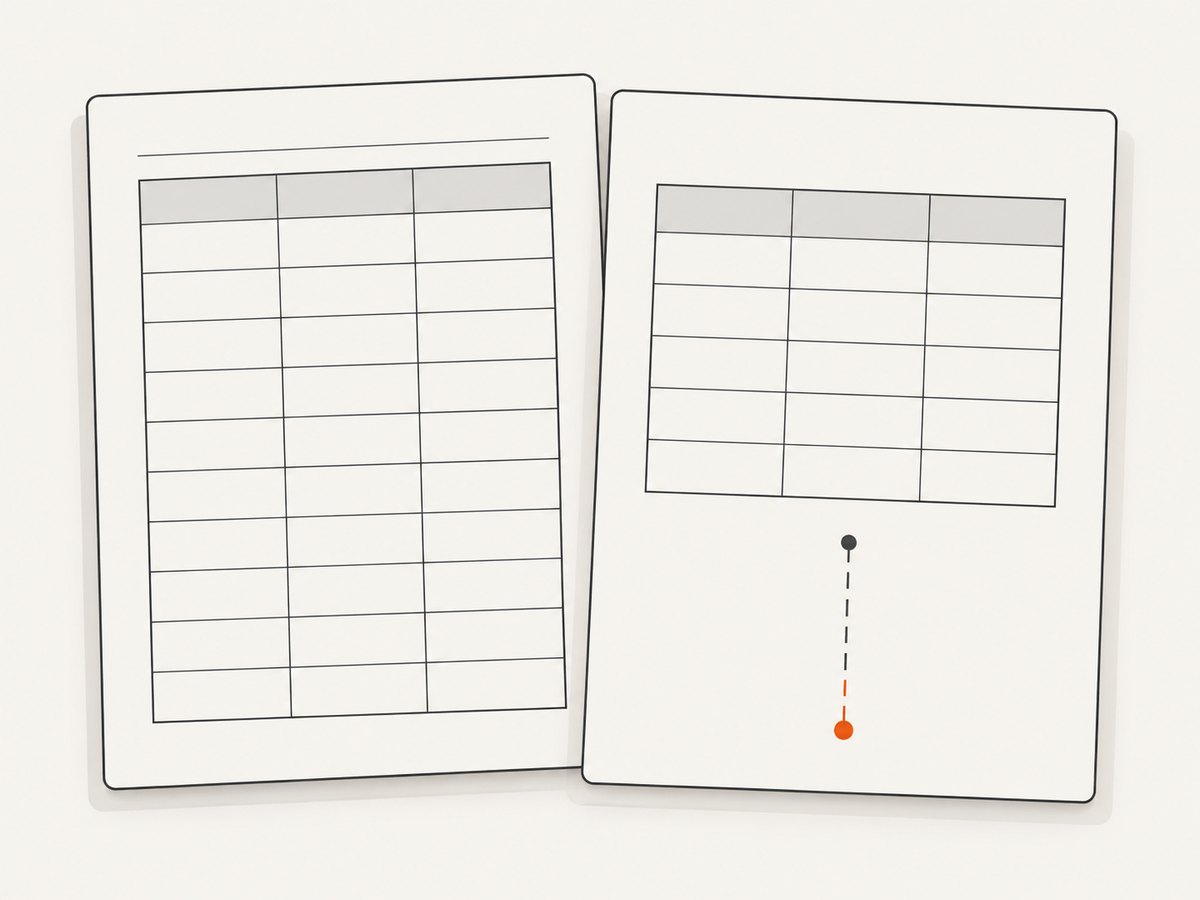
This distinction matters when placing page-level content. For content that must appear on every page, use AutoTable’s page hooks such as didDrawPage rather than trying to derive it from one final coordinate. The hook receives page context and a cursor. AutoTable also offers row page-break behavior and repeated headers; use these layout options instead of estimating table height yourself. See the project’s documentation for the current hook and page-break options.
When follow-on content may not fit
If you need a heading or paragraph after the table, estimate the height of that content in the document’s units and compare it with the remaining page space. If it will not fit, add a page before writing it. The final table coordinate alone does not automatically move unrelated jsPDF drawing operations to a new page.
const endY = doc.lastAutoTable.finalY
const nextBlockHeight = 24
const bottomMargin = 14
const pageHeight = doc.internal.pageSize.getHeight()

let contentY = endY + 10
if (contentY + nextBlockHeight > pageHeight - bottomMargin) {
  doc.addPage()
  contentY = 20
}

doc.text('Summary', 14, contentY)
doc.text('The figures are rounded.', 14, contentY + 8)
This is a simple fixed-height check. For wrapped text or variable content, calculate or measure its rendered height using jsPDF’s text measurement facilities and account for the font, width, and line spacing you use.
6. Handle TypeScript declarations
Depending on the package versions and type declarations in your project, TypeScript may report that lastAutoTable does not exist on the jsPDF type. The property can be present at runtime even when the installed declarations do not describe it.
A broad workaround is:
const endY = (doc as any).lastAutoTable.finalYA narrower cast states the shape the code expects:
const endY = (doc as jsPDF & { lastAutoTable: { finalY: number } })
  .lastAutoTable.finalY
Import jsPDF as a type if your TypeScript configuration requires it:
import { jsPDF } from 'jspdf'

const endY = (doc as jsPDF & { lastAutoTable: { finalY: number } })
  .lastAutoTable.finalY
Prefer the package’s native declaration if your installed version provides one. A cast only changes what the compiler accepts; it does not create the property at runtime. Make sure a table has been rendered on that document before reading it.
7. Troubleshooting
| Symptom | Likely cause | Fix |
|---|---|---|
lastAutoTable is undefined |
No table has rendered on that document yet, or the table call failed. | Read the property after the successful autoTable call on the same doc instance. |
| TypeScript says the property does not exist | The installed declaration does not include the plugin’s runtime property. | Check package versions and declarations. If needed, use a narrow intersection cast or the community any cast. |
| Text overlaps the table | Text was placed at finalY with no gap, or the wrong coordinate was reused. |
Add a gap such as + 8 or + 10, and read the value after the relevant table. |
| Several tables overlap | Each table uses the same fixed startY. |
Update the next start position from the preceding table’s finalY. |
| Content appears on an unexpected page | The table crossed a page boundary, while the following jsPDF drawing call used the last page’s coordinate. | Remember that coordinates are page-local. Check available space and explicitly add a page for the following block when necessary. |
| Spacing is much too small or large | The document uses a different unit than assumed. | Check the unit option passed to new jsPDF; the gap uses that same unit. |
| Table starts in the wrong position | startY is being treated as a global document offset. |
It is the starting position for the table on the first page. Let AutoTable handle the flow after page breaks. |
8. Reliability and layout considerations
- Read after every render. Capture
finalYimmediately after the table it describes, especially when rendering multiple tables. - Use measured layout for variable content. A hard-coded offset is fine for a fixed paragraph, but wrapped text, images, and font changes need height calculations.
- Do not assume a table fits on one page. Long rows and large tables can trigger page breaks. Treat the returned coordinate as belonging to the final page used by that table.
- Keep page decorations page-aware. Headers and footers repeated across pages belong in page hooks or document-level page logic, not in a single placement based on the last table.
- Keep document and table units consistent. Coordinate values share the document’s unit system.
9. Performance and cost notes
finalY is a layout result, so reading it adds no separate rendering pass. The work is dominated by generating the PDF and laying out table content. Very large tables, extensive cell styling, and repeated layout work can increase generation time and memory use; avoid rendering the same table twice just to obtain its ending coordinate.
With jsPDF-AutoTable, the relevant costs are the time and resources of your own runtime and PDF delivery workflow. This approach does not send page content to a screenshot service. If your task is instead to render a live website as an image or PDF, use a browser capture workflow or a screenshot API. For website captures, ScreenshotNeo is one such API; its request examples and options are in the ScreenshotNeo documentation.
Or skip the browser setup
For a live website capture, ScreenshotNeo returns a screenshot or PDF from one request. Its API accepts the URL and can return PNG, JPEG, WebP, or PDF. See the API documentation for request options.
curl -G "https://api.screenshotneo.com/v1/shot" \
  -d access_key=YOUR_API_KEY \
  --data-urlencode url=https://stripe.com \
  -o shot.webp
import requests
r = requests.get(
"https://api.screenshotneo.com/v1/shot",
params={"access_key": "YOUR_API_KEY", "url": "https://stripe.com"},
timeout=90,
)
open("shot.webp", "wb").write(r.content)const q = new URLSearchParams({
access_key: 'YOUR_API_KEY',
url: 'https://stripe.com',
})
const res = await fetch(`https://api.screenshotneo.com/v1/shot?${q}`)
if (!res.ok) throw new Error(`Screenshot request failed: ${res.status}`)
const bytes = new Uint8Array(await res.arrayBuffer())
await import('node:fs/promises').then(fs => fs.writeFile('shot.webp', bytes))ScreenshotNeo accepts cookie or consent banners like a visitor and removes more than 60 known consent platforms, newsletter popups, and chat widgets before capture; each step can be turned off. Bot checks or CAPTCHAs, blank pages, timeouts, failed loads, and cache hits cost nothing, and response headers report the page verdict and billing status. Its MCP server lets AI agents use screenshot, page-info, and PDF-capture tools. The free plan includes 1,000 screenshots a month without a card; paid plans start at $5 for 3,000 shots. These are website capture capabilities, separate from reading finalY in a PDF you generate yourself.
Sign up for ScreenshotNeo’s free 1,000 screenshots a month, no card required.
FAQ
Is finalY the bottom of the whole PDF?
No. It is the ending Y coordinate for the last rendered table on the page where that table ended. It is not a total document height.
Can I use finalY to position an image?
Yes. Use it as the image’s top position with a gap, and check that the image height fits in the remaining page area.
Can I read finalY before calling autoTable?
No meaningful value for that table exists until it has rendered. Read it immediately after the table call.
Does finalY include my desired spacing?
No. Add the gap yourself when placing the next element or setting the next table’s startY.


