How to Fix jsPDF’s “Invalid Image” Error and Provide Valid Image Data
Fix jsPDF’s “Invalid Image” error by checking the input type, data URL, image bytes, format, and remote-image loading path.
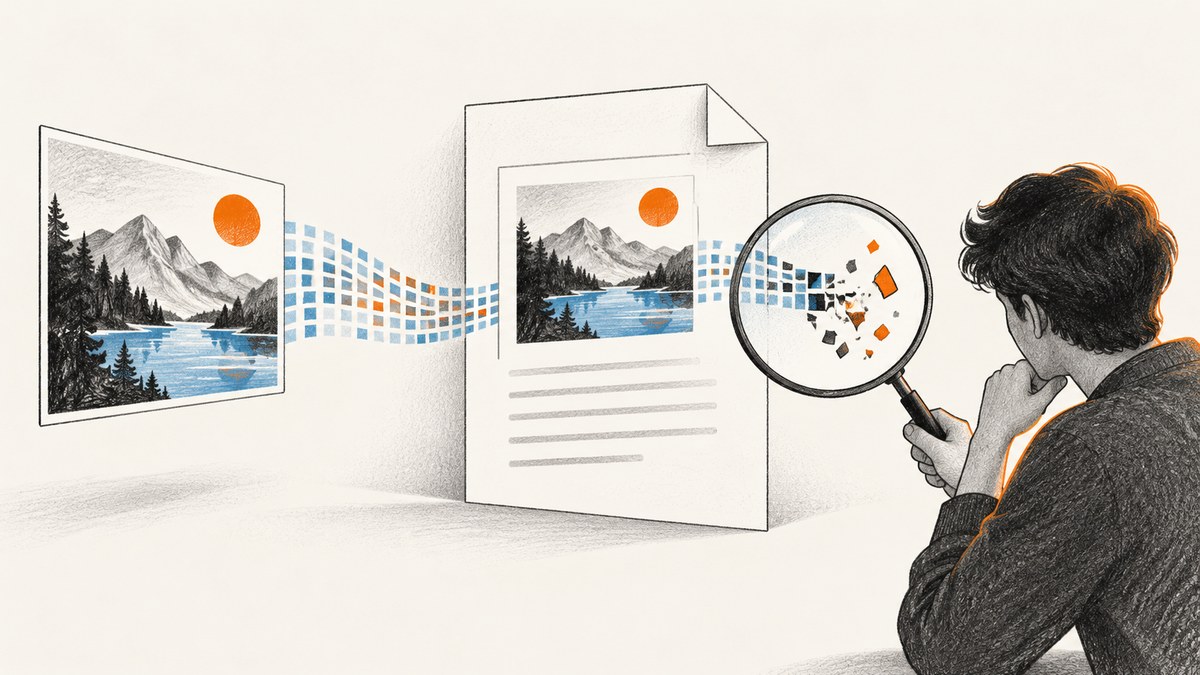
jsPDF’s Invalid Image error means addImage could not parse the value as supported image data. Pass a complete data URL, a loaded image or canvas element, a Uint8Array, or RGBA data; make sure the declared format matches the actual bytes. A URL string is not image data: load the remote image first, then pass the loaded element or convert it to a data URL.
The fastest debugging path is to inspect the value’s type and prefix, verify the payload is complete, and try a minimal example with the same jsPDF version and image bytes. The jsPDF addImage API documents accepted input forms and validation behavior.
1. What jsPDF expects from addImage
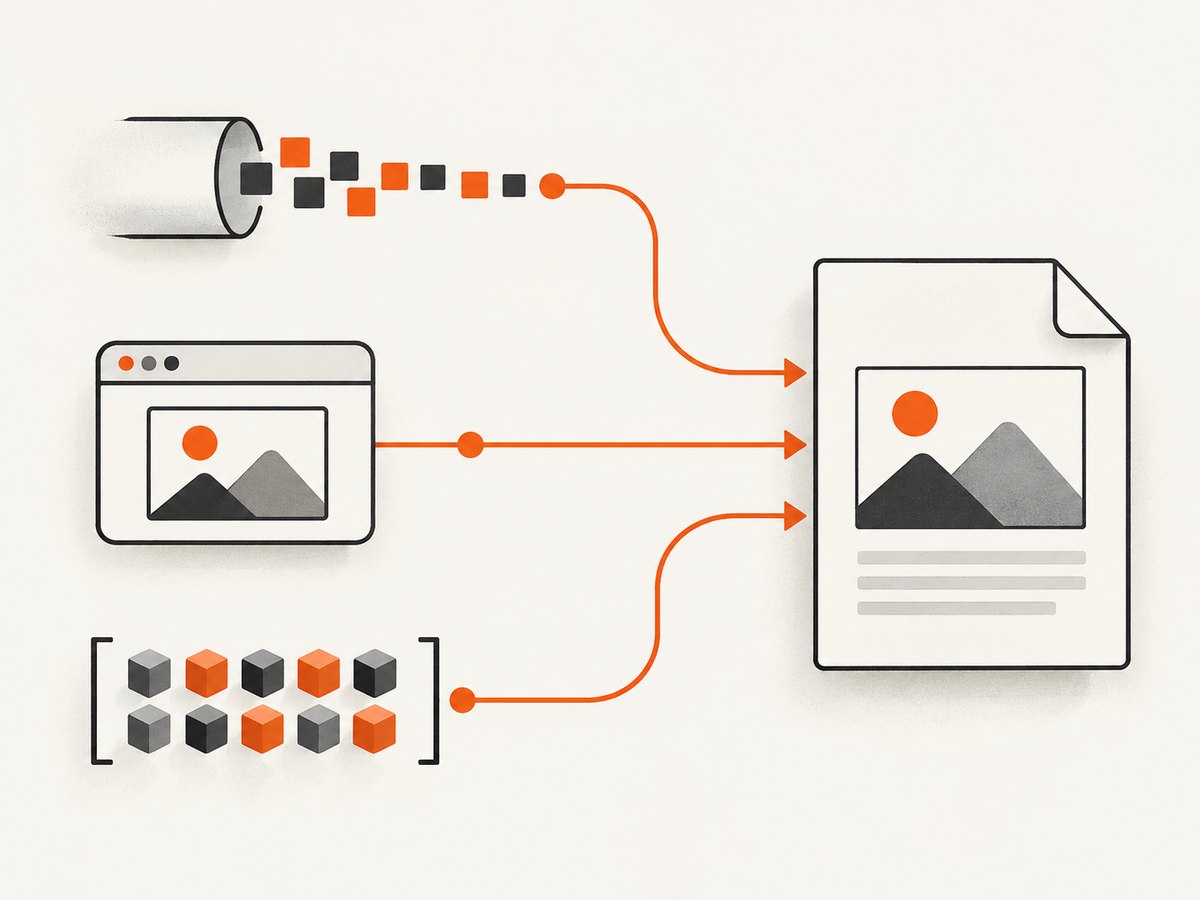
addImage(imageData, format, x, y, width, height) takes image content, a format such as PNG, JPEG, or WEBP, and placement dimensions. The input can be a base64 data URL, an HTMLImageElement, an HTMLCanvasElement, a Uint8Array, or an RGBAData object. If the input cannot be interpreted as image data, jsPDF throws an error.
| Input | Use it when | Common mistake |
|---|---|---|
| Data URL string | You already have a browser-readable encoded image | Removing data:image/png;base64, or truncating the payload |
| Loaded image element | You have an image in the DOM or can load one | Calling addImage before the image finishes loading |
| Canvas element | You have drawn or rasterized content in the browser | Exporting before drawing completes, or using a tainted canvas |
| Uint8Array | You have the original binary image bytes | Passing text or a URL string instead of bytes |
| RGBAData | You have raw pixel data and its dimensions | Supplying inconsistent dimensions or pixel buffer length |
For a string input, retain the complete data URL prefix. The metadata identifies the media type, and the base64 payload carries the encoded bytes. Raw base64 without the prefix is not equivalent to a complete data URL in the common string input path.
2. Minimal working examples
Canvas to PNG data URL
This is a reliable browser pattern when the source is drawn or rendered to a canvas:
import { jsPDF } from "jspdf";

const canvas = document.querySelector("canvas");
if (!canvas) throw new Error("Canvas was not found");

const dataUrl = canvas.toDataURL("image/png");
const pdf = new jsPDF();
pdf.addImage(dataUrl, "PNG", 10, 10, 100, 70);
pdf.save("output.pdf");
In an application, run this only after the canvas content has been drawn. An empty canvas can produce a technically valid image that does not contain the content you intended.
Wait for an image element to load
Set up load and error handling before assigning the source so you do not call addImage with an unfinished image:
import { jsPDF } from "jspdf";

function loadImage(src) {
  return new Promise((resolve, reject) => {
    const image = new Image();
    image.onload = () => resolve(image);
    image.onerror = () => reject(new Error(`Could not load image: ${src}`));
    image.src = src;
  });
}

const image = await loadImage("/images/photo.jpg");
const pdf = new jsPDF();
pdf.addImage(image, "JPEG", 10, 10, 100, 70);
pdf.save("output.pdf");
For a local path, the page must be served from a web server that can resolve it; a path that works in a developer’s filesystem is not automatically a browser URL.
Pass original bytes
If a fetch or another API gives you an ArrayBuffer, convert it to a typed array. Keep the bytes binary throughout; do not decode them as text and re-encode them.
import { jsPDF } from "jspdf";

const response = await fetch("/images/photo.png");
if (!response.ok) throw new Error(`Image request failed: ${response.status}`);
const bytes = new Uint8Array(await response.arrayBuffer());
if (bytes.length === 0) throw new Error("Image response was empty");

const pdf = new jsPDF();
pdf.addImage(bytes, "PNG", 10, 10, 100, 70);
pdf.save("output.pdf");
State the actual format when it cannot be safely inferred. Declaring PNG bytes as JPEG, or vice versa, can fail parsing or lead to incorrect output.
3. Diagnose the value before changing the image
Work through these checks in order. The first failure usually points to the actual category of problem: wrong representation, incomplete transport, format mismatch, or a version-specific decoder issue.
- Inspect the JavaScript type. Log
typeof imageData, its constructor name, and its length where applicable. Confirm it is one of the supported forms, rather than a URL string, object wrapper, or unresolved promise. - Check strings begin correctly. A PNG data URL commonly begins
data:image/png;base64,; JPEG commonly beginsdata:image/jpeg;base64,. Confirm a non-empty payload follows the comma. - Check the payload is complete. Compare the size before and after storage, JSON serialization, database writes, or network transport. Look for truncation, whitespace or transformations in the base64 content.
- Match format to bytes. Make sure the data URL media type and the format argument describe the real image. Renaming a URL or changing the argument does not convert the image.
- Load remote sources first. Fetch bytes, convert to a data URL, or await an
Imageelement’s load event. Do not handhttps://example.com/image.pngtoaddImageas if it were base64. - Reproduce with a tiny input. Use a known-good image and a minimal PDF. If it succeeds, compare the original bytes; if it fails, compare the jsPDF version and the calling code.
Check a data URL’s basic shape
function inspectImageValue(value) {
  console.log("type:", typeof value);
  console.log("constructor:", value?.constructor?.name);

  if (typeof value === "string") {
    console.log("length:", value.length);
    console.log("prefix:", value.slice(0, 40));
    console.log("has data URL prefix:", /^data:image\/(png|jpeg|webp);base64,/i.test(value));
  } else if (value instanceof Uint8Array) {
    console.log("byte length:", value.byteLength);
  }
}

inspectImageValue(imageData);
This is a shape check, not a full image validator. A string can have a plausible prefix and still contain corrupt, partial, or non-image bytes.
4. Remote images, browser security, and conversion
jsPDF does not turn an arbitrary remote URL string into image bytes just because the URL ends in .png or .jpg. Load it yourself and pass the result. When you fetch from another origin, the remote server must permit the browser request through its CORS policy. Without the required permission, browser code may be unable to read the response or export a canvas that used the remote image.
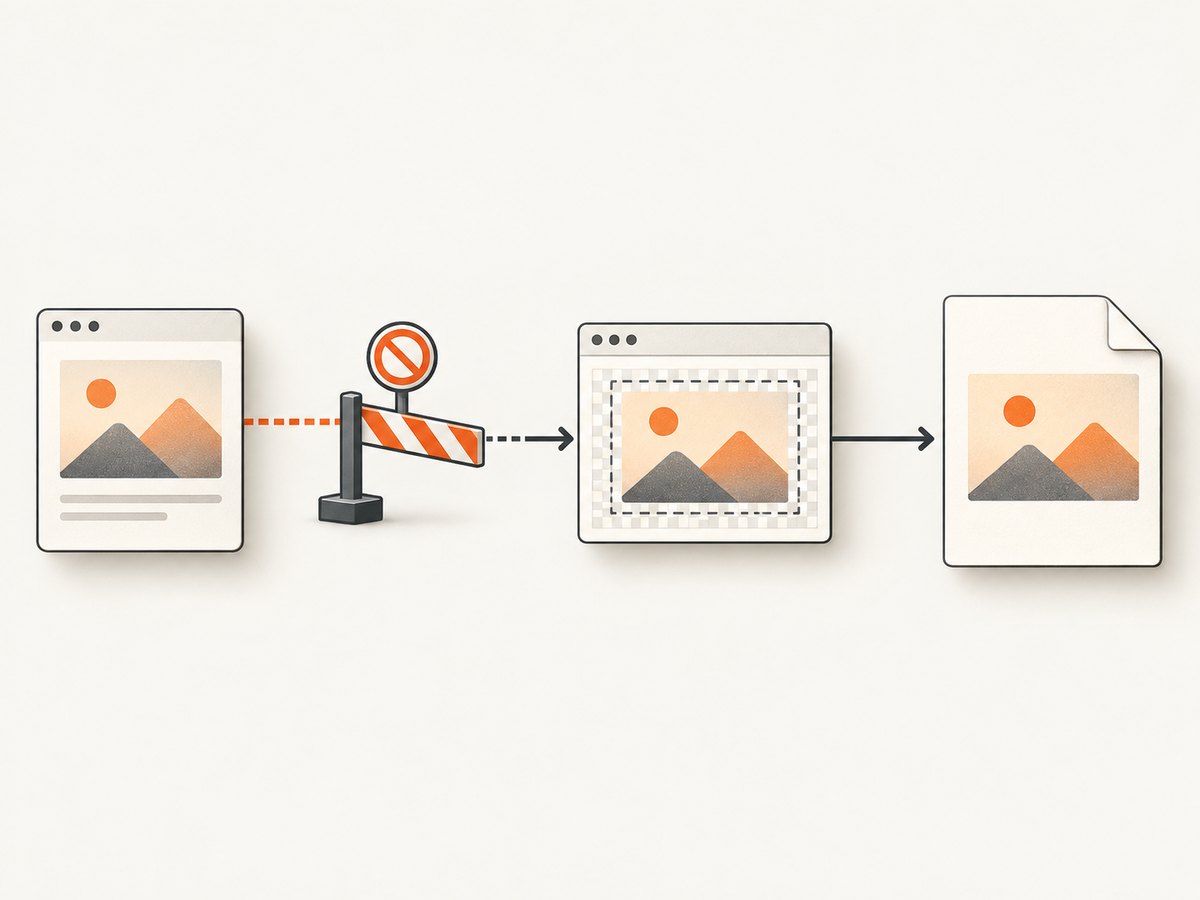
To convert an image element to a data URL, draw it onto a canvas after it loads:
async function imageUrlToDataUrl(url) {
  const image = new Image();
  image.crossOrigin = "anonymous";
  await new Promise((resolve, reject) => {
    image.onload = resolve;
    image.onerror = () => reject(new Error("Image could not be loaded"));
    image.src = url;
  });

  const canvas = document.createElement("canvas");
  canvas.width = image.naturalWidth;
  canvas.height = image.naturalHeight;
  const context = canvas.getContext("2d");
  if (!context) throw new Error("Could not create a 2D canvas context");
  context.drawImage(image, 0, 0);
  return canvas.toDataURL("image/png");
}

const dataUrl = await imageUrlToDataUrl("https://example.com/photo.png");
Setting crossOrigin is not a way to bypass CORS; the image host still needs to send the appropriate headers. If it does not, proxy the image through a server you control and apply your own access rules. Avoid turning this into an unrestricted URL proxy, which can expose internal services.
5. PNG, JPEG, and WEBP: choose based on the image
| Format | Good fit | Trade-offs and caveats |
|---|---|---|
| PNG | Transparency, sharp interface captures, diagrams | Some PNG decoder/filter combinations have been reported to fail; preserve the original bytes for diagnosis |
| JPEG | Photographs and opaque images | Does not preserve alpha transparency; transparent regions may become black or otherwise change when converted |
| WEBP | Supported sources where compact raster data is useful | Conversion behavior can vary by jsPDF version and image characteristics |
When a particular PNG fails, a canvas round trip can normalize it: decode in the browser, draw it, then export a fresh PNG data URL. This is a workaround to try, not a guarantee. A jsPDF issue reports certain PNG images failing when added directly while a canvas-produced data URL worked; another report describes version-specific differences. Treat GitHub issue reports as reproduction clues, not universal behavior: issue #3004 and issue #3359.
If you try JPEG as a fallback, first check whether transparency matters. JPEG cannot retain alpha, so inspect the output against the intended background rather than assuming it is visually equivalent.
6. Troubleshooting errors by message
| Symptom | Likely cause | What to do |
|---|---|---|
Supplied Data is not a valid base64-String |
A URL, raw unprefixed base64, or non-image string was passed where data URL input was expected | Load the image and pass an element, complete data URL, or typed bytes. See the reported case in issue #2201. |
Invalid Image |
Unsupported input representation, malformed data URL, empty/truncated data, or mismatched format | Check type, prefix, payload length, and actual format; try a known-good image. |
Incomplete or corrupt PNG file |
PNG bytes were truncated or altered, or the decoder could not process the specific data | Retrieve original bytes again and compare their length; then test canvas re-encoding and the exact library version. A known-good data URL worked in the report at issue #662. |
RangeError while decoding PNG |
A particular PNG filter or decoder path may be involved | Try a canvas-generated PNG and build a minimal reproduction. Issue #3004 documents one report of this behavior. |
| Canvas export throws a security error | The canvas contains cross-origin image content without permission for pixel access | Configure CORS on the image host or fetch through an authorized server-side path. |
| Image is black or loses transparency after conversion | JPEG was used for an image with alpha, or conversion applied a background | Use PNG when transparency is required and inspect the canvas background before exporting. |
| Works in one release, fails after upgrade | Potential version-specific regression or changed decoding behavior | Pin and compare versions with identical bytes and a minimal example; include both versions in an issue report. |
7. Reliability, performance, and cost considerations
Image processing cost is driven largely by pixel dimensions and how many images your document embeds. Large full-resolution photos use more memory and produce larger PDFs than appropriately resized inputs. Resize before embedding when the PDF’s display size does not need source-level detail. Avoid repeatedly converting the same image for every page; cache the data URL or bytes for the duration of document generation.
For reliable generation, treat fetching and decoding as separate steps: check HTTP status, await load/decode completion, validate non-empty bytes, then assemble the PDF. Put sensible timeouts around remote retrieval in your application, retry transient network failures only when safe, and do not retry malformed bytes indefinitely. Record the image URL or source identifier, byte length, declared format, and jsPDF version in diagnostics; avoid logging sensitive image content or credentials.
Browser-side generation avoids uploading image bytes to a PDF service, but your application still pays in client memory, CPU, bandwidth, and user wait time. Server-side generation adds infrastructure and transfer costs, and requires careful handling of remote URLs and user-supplied content. Compare those costs against expected document size and volume rather than relying on a universal performance figure.
8. Or skip the browser setup
If your job is to capture a web page and put the result into a PDF, you can avoid managing browser capture and image conversion yourself. ScreenshotNeo is a website screenshot API and MCP server from Yorker Media. It accepts one GET request with a URL and returns a PNG, JPEG, WebP, or PDF. Its API options include PDF paper size, margins, landscape, and page ranges. See the ScreenshotNeo API documentation.
curl -G "https://api.screenshotneo.com/v1/shot" \
  -d access_key=YOUR_API_KEY \
  --data-urlencode url=https://stripe.com \
  -o shot.webp
import requests
r = requests.get(
"https://api.screenshotneo.com/v1/shot",
params={"access_key": "YOUR_API_KEY", "url": "https://stripe.com"},
timeout=90,
)
r.raise_for_status()
open("shot.webp", "wb").write(r.content)const q = new URLSearchParams({ access_key: 'YOUR_API_KEY', url: 'https://stripe.com' });
const res = await fetch(`https://api.screenshotneo.com/v1/shot?${q}`);
if (!res.ok) throw new Error(`Screenshot request failed: ${res.status}`);
const bytes = new Uint8Array(await res.arrayBuffer());The returned screenshot bytes can be saved directly or passed to jsPDF as a typed array, using the matching image format. ScreenshotNeo removes cookie banners, newsletter popups, and chat widgets before capture, and each cleanup step can be turned off. Bot checks, blank pages, timeouts, failed loads, and cache hits are not billed; response headers identify the page verdict and billing status. Its MCP server provides take_screenshot, get_page_info, and capture_pdf for Claude, Cursor, and other MCP clients. The Free plan includes 1,000 shots per month with no card; paid plans start at $5 for 3,000 shots.
Sign up for ScreenshotNeo’s free plan and start with 1,000 screenshots a month, no card required.
9. FAQ
Can I pass only the base64 characters to addImage?
For the string data URL pattern, keep the complete data:image/...;base64, prefix. If you have binary content instead, convert it to a Uint8Array and use the typed-array input.
Can jsPDF add an image from a URL?
Normalize the remote resource first: load it as an image element, fetch its bytes where permitted, or create a data URL. A URL string by itself is not valid base64 image data.
Will converting every PNG to JPEG fix the error?
No. It may help for some opaque images, but JPEG drops transparency and does not address all malformed data or version problems.
Should I upgrade or downgrade jsPDF?
Compare the exact input and a minimal reproduction across versions. Reports show version-specific differences, but they do not establish one version as the fix for every image.


