How to Keep Puppeteer Actions from Focusing the Browser Window
Run Puppeteer without stealing focus: use headless mode, avoid tab activation, and handle visible-browser limits across operating systems.

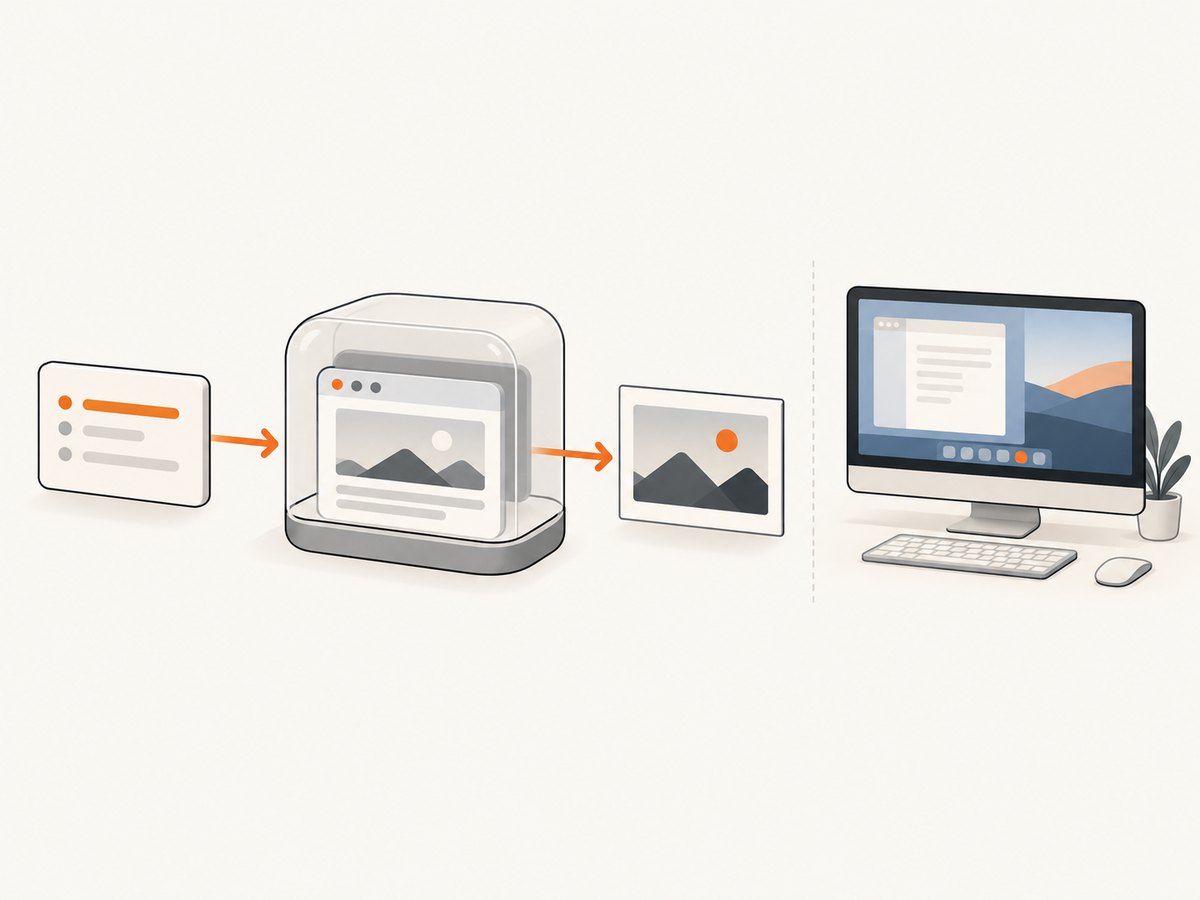
Use Puppeteer’s headless mode when you do not need a visible browser. Headless Chrome has no window to bring to the foreground, so screenshots, navigation and page creation cannot steal focus from the desktop. Puppeteer’s documentation says that puppeteer.launch() is equivalent to puppeteer.launch({ headless: true }) by default. You can also use headless: 'shell' with the separate Chrome Headless Shell binary when its reduced feature set is sufficient.
If a visible browser is required, Puppeteer has no documented universal switch that guarantees the operating-system foreground application will never change. Avoid page.bringToFront(), reuse pages, minimize page creation and screenshot operations, and test the exact Chromium and operating-system combination used in production. The Page API explicitly defines bringToFront() as activating a tab, and issue reports describe whole-window foregrounding in some headful environments.
Why Puppeteer can take focus
There are two different kinds of focus involved:
- Tab activation: selecting a tab inside Chromium. Puppeteer’s
page.bringToFront()intentionally does this. - Operating-system foreground focus: making the entire Chrome window the active application. This is controlled by Chromium, the window manager and the operating system, so Puppeteer cannot promise identical behavior everywhere.
Creating a page in headful mode may activate a new tab. A screenshot itself normally captures pixels rather than asking the OS to activate a window, but surrounding actions, DevTools Protocol commands or browser behavior can still result in foregrounding. A Puppeteer issue report describes a newly created headful page intercepting focus from another tab or application; another Windows report says page.bringToFront() brought the entire browser window forward. These are observed reports, not a measured rate or a guarantee that every system behaves the same.
Recommended solution: run headless
For CI jobs, scheduled captures, monitoring and background services, launch Chrome headlessly and close the browser in a finally block:
import puppeteer from 'puppeteer';

const browser = await puppeteer.launch({
  headless: true
});

try {
  const page = await browser.newPage();
  await page.goto('https://example.com', {
    waitUntil: 'networkidle2',
    timeout: 30_000
  });
  await page.screenshot({ path: 'example.png', fullPage: true });
} finally {
  await browser.close();
}
Leaving headless unspecified also uses Puppeteer’s default headless mode. Setting it explicitly makes the intent clear in shared code and avoids accidental changes during refactoring.
When to use headless: 'shell'
Puppeteer documents a headless: 'shell' option for the separate chrome-headless-shell binary. It can be useful when you need a lightweight headless process and do not depend on every feature of full Chrome. Verify compatibility with your navigation, rendering and PDF requirements before switching. Full Chrome headless is the safer default when feature coverage matters.
Visible browser: reduce focus risk
Some workflows need a visible browser for interactive debugging, extensions or a human observer. In that case, use these patterns:
- Do not call
page.bringToFront()unless tab activation is required. The API is specifically intended to bring a page forward. - Reuse one page. Creating many pages in a loop increases the number of opportunities for Chromium to activate a tab.
- Batch work. Navigate, wait and capture several URLs in a controlled sequence instead of repeatedly opening and closing windows.
- Keep the browser behind other work where your OS allows it. Window position and size controls can help organize a visible browser, but they are not an OS-level no-focus guarantee.
- Test the deployment combination. Focus behavior can vary by Chromium version, Puppeteer version, Windows, macOS, Linux desktop environment and remote-display setup.
import puppeteer from 'puppeteer';

const browser = await puppeteer.launch({
  headless: false,
  defaultViewport: { width: 1440, height: 900 }
});

try {
  const page = await browser.newPage();
  // No page.bringToFront() call is needed.
  await page.goto('https://example.com', { waitUntil: 'domcontentloaded' });
  await page.screenshot({ path: 'visible-browser.png' });
} finally {
  await browser.close();
}
This reduces avoidable activation. It cannot override the window manager if Chromium decides that a newly created or navigated window must become foreground.
Page lifecycle patterns that avoid unnecessary activation
Reuse a page for a capture loop
import puppeteer from 'puppeteer';

const urls = [
  'https://example.com',
  'https://developer.mozilla.org/'
];

const browser = await puppeteer.launch({ headless: false });
try {
  const page = await browser.newPage();
  for (const [index, url] of urls.entries()) {
    await page.goto(url, {
      waitUntil: 'networkidle2',
      timeout: 30_000
    });
    await page.screenshot({
      path: `shot-${index}.png`,
      fullPage: true
    });
  }
} finally {
  await browser.close();
}
A single page also reduces memory use and startup overhead. If sites leave state behind, clear cookies or create an incognito context rather than opening a new top-level browser window for every URL.
Use a context when isolation matters
const context = await browser.createBrowserContext();
const page = await context.newPage();
await page.goto('https://example.com');
await page.screenshot({ path: 'isolated.png' });
await context.close();
Context isolation separates cookies and storage while keeping work inside the same browser process. It does not create an OS-level guarantee about foreground focus.
Do not confuse window controls with focus controls
Puppeteer and the Chrome DevTools Protocol expose controls for viewport, window bounds and window state. Those controls can resize or position a visible window, but they do not promise that another application remains foreground. Treat them as layout tools, not as a “never focus” switch.
What to do when headful mode is mandatory
First, identify the exact operation that causes activation. Remove bringToFront(), then test page creation, navigation, screenshots and any code that opens a new target separately. Log timestamps around each operation. If the browser still takes focus, reproduce with the same Chromium build and desktop session used by the service.
For interactive debugging, consider running the browser in a separate virtual desktop, remote display or container session. Those are environment choices rather than Puppeteer settings. On Linux, a display server such as X11 or Wayland can have different window activation rules. On Windows and macOS, system policies may also restrict or permit foreground changes. Keep the workaround outside application logic so the capture code remains portable.
Or skip the browser setup
If your goal is simply to obtain screenshots without managing a visible Chromium process, ScreenshotNeo provides a website screenshot API. One GET request returns PNG, JPEG, WebP or PDF output. The service accepts cookie and consent banners like a visitor, removes more than 60 known consent platforms plus newsletter popups and chat widgets before capture, and each cleanup step can be disabled.
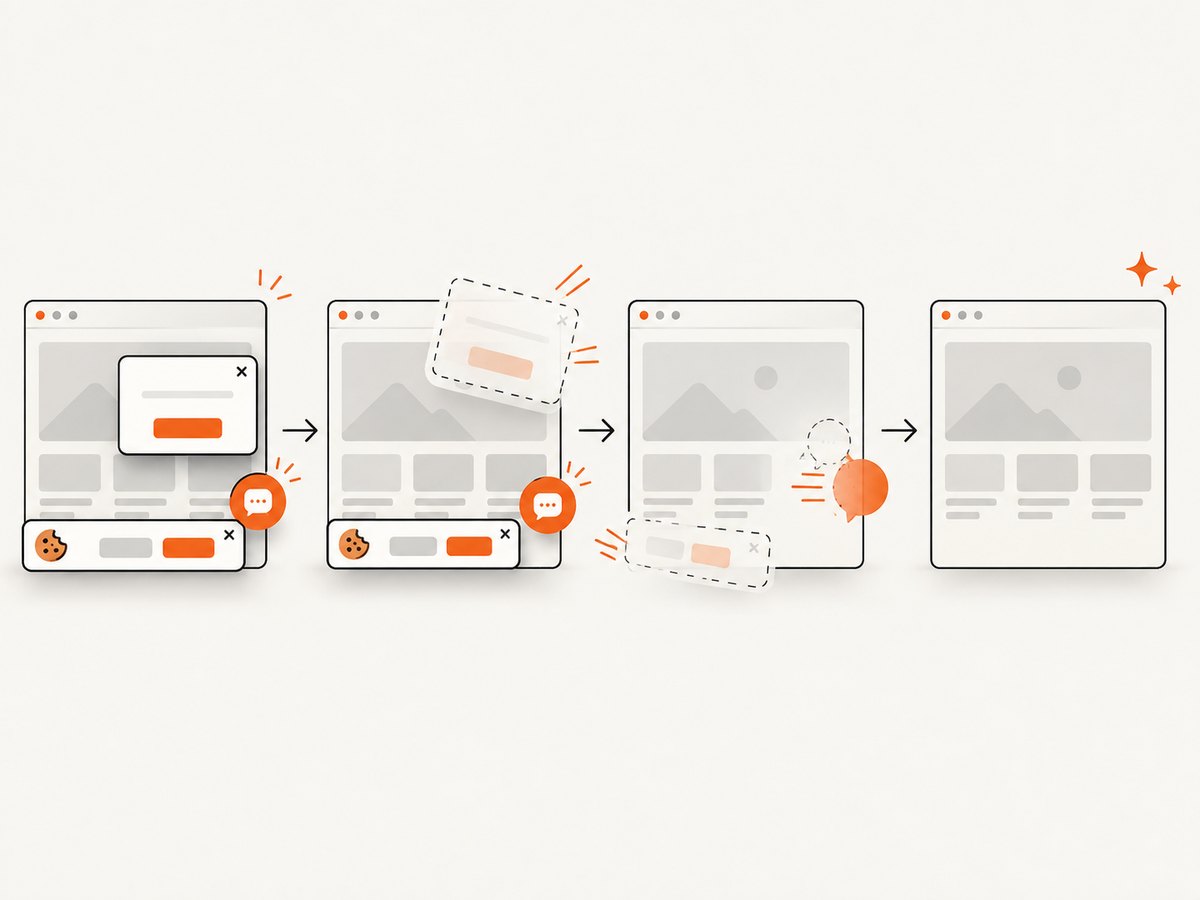
Only clean shots are billed. Bot checks or CAPTCHAs, blank pages, timeouts, failed loads and cache hits cost nothing, and response headers identify the page verdict and whether the request was billed. ScreenshotNeo also offers an MCP server with take_screenshot, get_page_info and capture_pdf tools for Claude, Cursor and other MCP clients.
See the ScreenshotNeo API documentation for all options. This minimal call captures a page without launching a local browser:
curl -G "https://api.screenshotneo.com/v1/shot" -d access_key=YOUR_API_KEY --data-urlencode url=https://stripe.com -o shot.webpimport requests
r = requests.get(
"https://api.screenshotneo.com/v1/shot",
params={"access_key": "YOUR_API_KEY", "url": "https://stripe.com"},
timeout=90,
)
r.raise_for_status()
open("shot.webp", "wb").write(r.content)const q = new URLSearchParams({ access_key: 'YOUR_API_KEY', url: 'https://stripe.com' });
const res = await fetch(`https://api.screenshotneo.com/v1/shot?${q}`);
if (!res.ok) throw new Error(`Screenshot failed: ${res.status}`);
const bytes = new Uint8Array(await res.arrayBuffer());
await import('node:fs/promises').then(fs => fs.writeFile('shot.webp', bytes));Options include full-page capture with lazy images loaded, CSS element selection, dark mode, 12 device presets or a custom viewport, retina scale, PDF paper size and margins, custom CSS and JavaScript, pre-capture clicks, selector or network-idle waits, ad and tracker blocking, custom headers and cookies, user agents, authorization, timezone, geolocation, transparent backgrounds, resizing, chosen cache TTLs, signed image links, asynchronous jobs with signed webhooks, bulk capture of up to 100 URLs per call, usage reporting and an OpenAPI specification. Common parameter names used by other screenshot APIs also work, which simplifies migration.
The Free plan includes 1,000 screenshots per month with no card. Paid plans start at $5 for 3,000 screenshots; yearly billing gives two months free. Create a free ScreenshotNeo account to start.
Troubleshooting focus problems
| Symptom | Likely cause | Fix |
|---|---|---|
| Chrome appears when a script starts | The browser was launched with headless: false. |
Use headless: true unless visible UI is required. |
| Another application loses focus after a new page | Headful Chromium activated the new tab or window. | Reuse an existing page; avoid repeated page creation; test the target OS. |
bringToFront() causes a visible jump |
The method explicitly activates the tab. | Remove the call unless tab activation is part of the workflow. |
Window stays foreground despite removing bringToFront() |
Chromium or the OS window manager is foregrounding it. | Reproduce with pinned versions and use a separate display or desktop session for debugging. |
| Headless rendering differs from headful output | Different Chrome modes, viewport, fonts, GPU behavior or timing. | Pin Puppeteer and Chromium, set viewport and waits explicitly, and compare screenshots in the deployment environment. |
| Capture hangs while waiting | A page never reaches the selected lifecycle event or network remains active. | Set a finite timeout, use a less strict wait condition, and handle timeout errors before closing the browser. |
| Browser remains after an exception | browser.close() was not reached. |
Put cleanup in finally and terminate orphaned processes in your service supervisor. |
Performance, reliability and cost considerations
Performance
Headless mode avoids drawing a visible window and is usually the best fit for parallel background capture. Reusing a browser and page avoids repeated process startup. Reusing a page can also reduce memory churn, while contexts provide isolation without starting another browser process. Keep waits narrowly scoped: waiting for a specific selector or a short, justified delay is often faster than waiting for every network connection to become idle.
Reliability
Pin Puppeteer and the Chromium revision in production. Set navigation and operation timeouts, close pages and contexts, and record the URL, browser version and failure type. Treat focus behavior as environment dependent. A script that behaves correctly on a developer laptop may foreground a window in a CI host with a desktop session, so test the actual runtime.
Cost
Local Puppeteer costs depend on your compute, browser concurrency and maintenance. A hosted API shifts browser operations to a service and gives you usage-based pricing. With ScreenshotNeo, failed loads, blank pages, bot checks, CAPTCHAs, timeouts and cache hits are not billed, and the response includes billing and page-verdict headers. Plans range from 1,000 free monthly shots to paid tiers of 3,000, 15,000, 60,000, 250,000 and 1,000,000 shots.
FAQ
Does page.screenshot() always focus Chrome?
No universal rule covers every platform. The screenshot command captures page pixels, but surrounding browser behavior can still activate a headful window. Headless mode removes the visible-window focus problem.
Can Puppeteer run headful without ever taking focus?
Puppeteer does not document a cross-platform guarantee. Avoid explicit activation and test the exact OS and Chromium setup.
Is headless: 'shell' identical to full Chrome headless?
No. It uses the separate Chrome Headless Shell binary and may not provide every full-Chrome feature. Choose it only after checking your workload.
Should I create a new browser for every screenshot?
Usually no. Reuse a browser and page, or create isolated contexts when cookies and storage must be separated.
What is the simplest way to avoid local browser focus entirely?
Use a hosted screenshot API such as ScreenshotNeo, or run Puppeteer headlessly in a background environment.


