Kubernetes for Beginners: A Practical Introduction
Learn what Kubernetes does, create your first local cluster, deploy and expose an app, scale it, update it, and debug common problems.
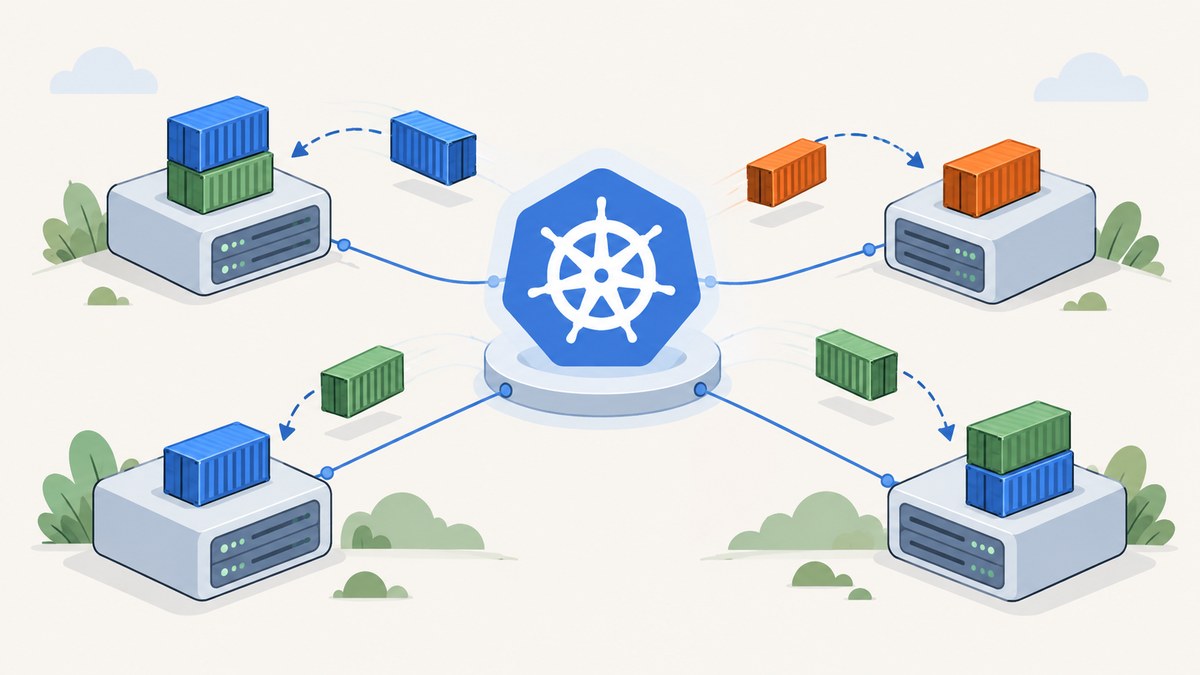
Short answer: Kubernetes is an open-source platform for running and coordinating containerized applications across a cluster of machines. Its control plane decides where workloads run, while worker nodes provide the compute resources. You describe the desired state—such as “run three copies of this container”—and Kubernetes continually works to make the cluster match that description.
The fastest way to understand Kubernetes is to complete one small loop: create a local cluster, deploy an application, inspect its Pods, expose it through a Service, scale it, update it, and investigate a failure. This guide follows that path with kubectl and kind. The commands also transfer well to minikube or a managed cluster.
What Kubernetes does
The Kubernetes project describes its purpose this way: it helps ensure that containerized applications “run where and when you want” and find the resources and tools they need. Kubernetes does not write your application or replace its runtime. It coordinates the containers that package your application and provides a consistent API for deploying and operating them.
The terms you need first
| Term | Meaning in this tutorial |
|---|---|
| Cluster | The complete Kubernetes environment, including the control plane and worker nodes. |
| Control plane | Cluster-level components that accept API requests, store desired state, and schedule workloads. |
| Node | A worker machine that runs Pods. With kind, nodes are containers on your computer. |
| Pod | The basic workload unit. It wraps one or more tightly coupled containers that share networking and storage. |
| Deployment | An object that manages a replicated application and performs controlled rollouts. |
| Service | A stable network endpoint that routes traffic to matching Pods, even as Pods are replaced. |
| kubectl | The command-line client used to send requests to the Kubernetes API and inspect resources. |
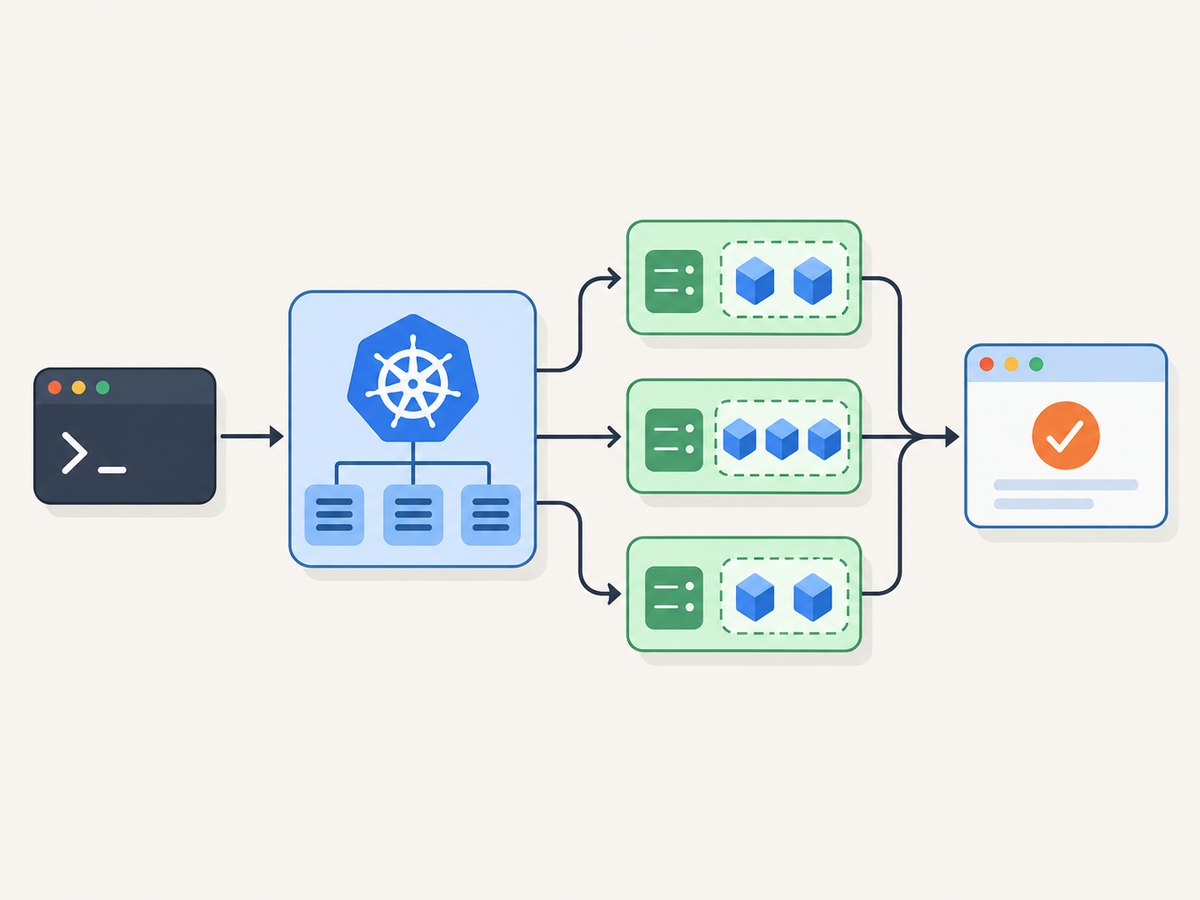
The control plane does not normally run your application code itself. It schedules Pods onto nodes, and node components such as the kubelet ensure that the assigned Pods are running. You interact with this system through the Kubernetes API, usually via kubectl.
Choose a beginner environment
| Option | Best for | Requirements and trade-offs |
|---|---|---|
| kind | Command-line practice with disposable local clusters | Requires Docker or Podman. Kubernetes nodes run as containers, making creation and deletion quick. |
| minikube | Following a guided local tutorial on Linux, macOS, or Windows | Its simplest path is a local single-node cluster; it also supports other local configurations. |
| Browser playground | Trying commands without installing software | The Kubernetes learning page lists Killercoda for interactive browser exercises. Availability and terms can change. |
Install kubectl using the official Kubernetes installation instructions. For the hands-on path below, install Docker or Podman and kind. A local cluster is enough for learning; you do not need a multi-machine production setup.
Create and verify a local cluster with kind
Check your tools first:
kubectl version --client
kind version
docker version
Create a cluster named beginner:
kind create cluster --name beginnerConfirm that kubectl is pointing at it and that the node is ready:
kubectl config current-context
kubectl get nodes
kubectl cluster-info
You should see one node with a Ready status. The context is usually kind-beginner. If another context is selected, switch explicitly:
kubectl config use-context kind-beginnerWhen you finish, remove the practice cluster and all of its resources:
kind delete cluster --name beginnerDeploy your first application
A Deployment describes the application you want Kubernetes to maintain. Save this as web.yaml:
apiVersion: apps/v1
kind: Deployment
metadata:
  name: web
spec:
  replicas: 2
  selector:
    matchLabels:
      app: web
  template:
    metadata:
      labels:
        app: web
    spec:
      containers:
        - name: web
          image: nginx:1.27
          ports:
            - containerPort: 80
Apply it and inspect the resulting objects:
kubectl apply -f web.yaml
kubectl get deployments
kubectl get pods -o wide
kubectl describe deployment web
The Deployment creates a ReplicaSet, which creates two Pods. Pod names have generated suffixes; do not build scripts that depend on those names. Select them by label instead:
kubectl get pods -l app=web
kubectl logs -l app=web --all-containers=true
If a Pod is still starting, kubectl describe pod <pod-name> shows scheduling and image events. The STATUS column is a summary; the Events section usually explains a failure.
Expose the Pods with a Service
Pods are replaceable, so their IP addresses are not a durable entry point. A Service selects Pods by label and supplies a stable virtual address. Create a ClusterIP Service:
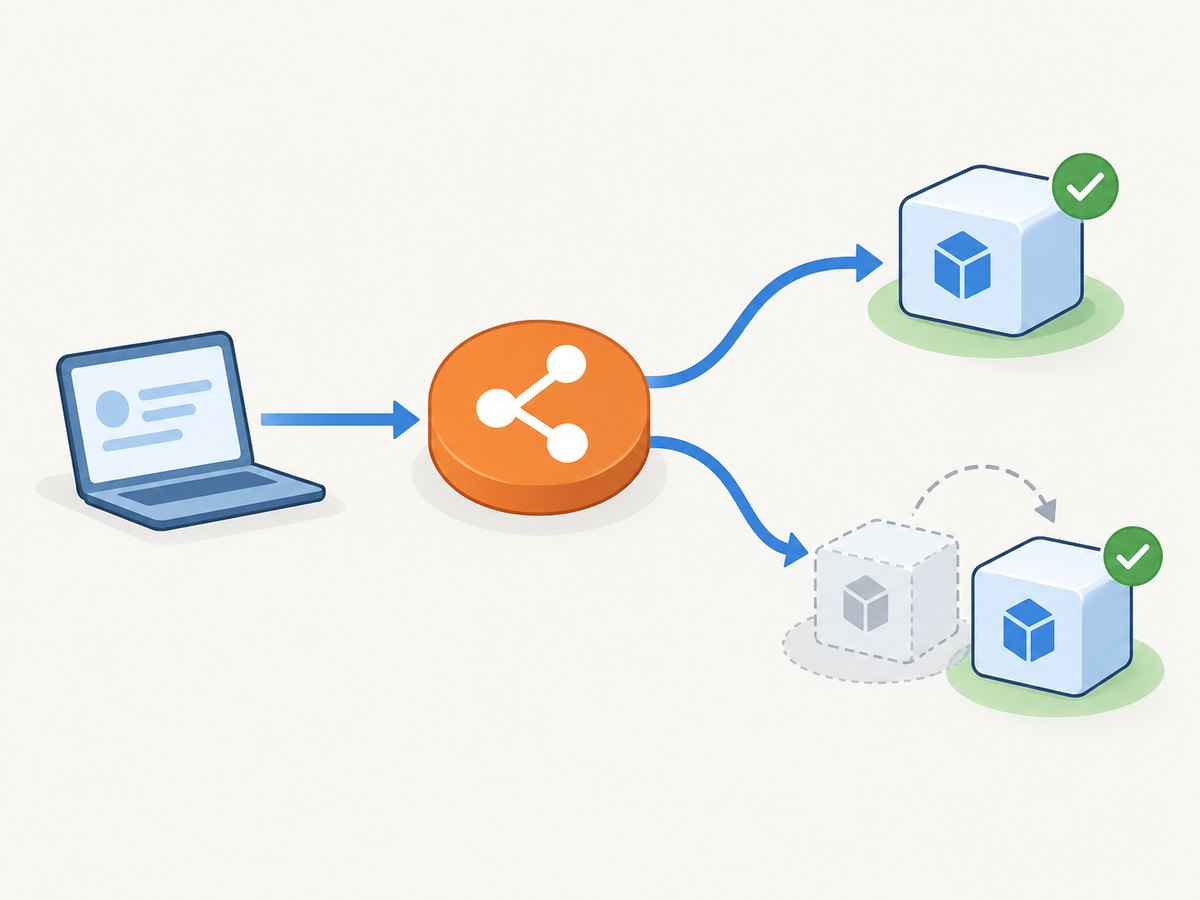
kubectl expose deployment web --name=web --port=80 --target-port=80
kubectl get service web
kubectl describe service web
To reach it from your computer, forward a local port:
kubectl port-forward service/web 8080:80Leave that command running and open http://localhost:8080. You can also check the endpoint from another terminal:
curl -I http://localhost:8080Port forwarding is a learning and debugging convenience. It is not a production ingress design. In a hosted cluster you might use a load balancer, an Ingress, or a Gateway according to that platform’s documentation.
Scale, update, and observe the application
Scale replicas
kubectl scale deployment/web --replicas=4
kubectl get pods -l app=web -w
The Deployment’s desired replica count changes to four. Stop the watch with Ctrl-C, then verify:
kubectl get deployment webRoll out a new image
kubectl set image deployment/web web=nginx:1.27.1
kubectl rollout status deployment/web
kubectl rollout history deployment/web
Kubernetes replaces Pods progressively according to the Deployment strategy. If the new version is unhealthy, roll back:
kubectl rollout undo deployment/web
kubectl rollout status deployment/web
Inspect logs and events
kubectl logs deployment/web --tail=100
kubectl get events --sort-by=.lastTimestamp
kubectl describe pod -l app=web
For a shell inside a running container, use kubectl exec only when the image contains a shell:
kubectl exec -it deploy/web -- /bin/shMinimal production images may not include sh, package managers, or debugging tools. In that case, inspect logs and events or use an approved ephemeral-debug workflow.
Understand the desired-state loop
When you run kubectl apply, you submit a desired configuration to the API server. Controllers compare that desired state with the observed state. If one of two Pods exits, the Deployment’s controller creates a replacement. If a node becomes unavailable, scheduling and recovery depend on the cluster’s available nodes, workload constraints, and storage.
This explains why you should change the Deployment rather than manually editing individual Pods. A manually deleted Pod is expected to return; a manually edited Pod may be replaced by the controller. Store YAML in version control and review changes like application code.
Useful configuration options
- Replicas: set
spec.replicasor usekubectl scale. - Labels and selectors: keep Service selectors aligned with Pod labels; a mismatch produces a Service with no endpoints.
- Resources: add container
resources.requestsandresources.limitswhen learning scheduling and capacity planning. - Configuration: use ConfigMaps for non-secret settings and Secrets for sensitive values; do not commit plaintext credentials.
- Health checks: readiness probes control whether a Pod receives traffic; liveness probes can trigger restarts. Configure them after you understand the application’s real startup and health behavior.
- Namespaces: isolate groups of resources with
kubectl create namespace demoand-n demo. - Images: pin a tested tag or digest for repeatable deployments. An image pull failure usually means a bad name, missing registry credentials, or an unavailable tag.
Or skip the browser setup
If you are documenting your Kubernetes exercise, you can capture a clean screenshot of a public page or rendered runbook without installing a browser automation stack. ScreenshotNeo’s API documentation covers all options. One GET request returns PNG, JPEG, WebP, or PDF:
curl -G "https://api.screenshotneo.com/v1/shot" -d access_key=YOUR_API_KEY --data-urlencode url=https://kubernetes.io/docs/tutorials/kubernetes-basics/ -o shot.webpimport requests
r = requests.get("https://api.screenshotneo.com/v1/shot", params={"access_key": "YOUR_API_KEY", "url": "https://kubernetes.io/docs/tutorials/kubernetes-basics/"}, timeout=90)
open("shot.webp", "wb").write(r.content)const q = new URLSearchParams({ access_key: 'YOUR_API_KEY', url: 'https://kubernetes.io/docs/tutorials/kubernetes-basics/' });
const res = await fetch(`https://api.screenshotneo.com/v1/shot?${q}`);ScreenshotNeo removes cookie banners, newsletter popups, and chat widgets before capture. Bot checks, blank pages, timeouts, failed loads, and cache hits are not billed, and response headers identify the page verdict and billing result. Its MCP server provides take_screenshot, get_page_info, and capture_pdf tools for Claude, Cursor, and other MCP clients. The free plan includes 1,000 screenshots per month with no card; paid plans start at $5 for 3,000. Create a free ScreenshotNeo account.
Troubleshooting checklist
| Symptom | Likely cause | Fix |
|---|---|---|
kubectl cannot connect |
No cluster is running or the wrong context is selected. | Run kind get clusters, then kubectl config get-contexts and select the intended context. |
Node is NotReady |
Container runtime, resource, or cluster startup issue. | Run kubectl describe node; check Docker or Podman and recreate the kind cluster if necessary. |
Pod is Pending |
No node satisfies scheduling requirements or resources are unavailable. | Read Pod Events with kubectl describe pod; remove accidental constraints or increase local resources. |
ImagePullBackOff |
Image name/tag is wrong, the registry is private, or the tag does not exist. | Inspect Events, verify the image, and configure an image pull secret for private registries. |
| Service has no response | Selector does not match Pod labels, or the container is not listening on the target port. | Compare kubectl get pods --show-labels with kubectl describe service and check endpoints. |
| Rollout hangs | New Pods fail readiness, cannot pull the image, or crash repeatedly. | Run kubectl rollout status, inspect Events and logs, then undo the rollout if required. |
| Port-forward disconnects | The selected Pod restarted or the local process ended. | Restart port-forwarding; inspect Pod restarts and application logs. |
Performance, reliability, and cost
A local kind or minikube cluster consumes your computer’s CPU, memory, disk, and container runtime. More replicas do not create more physical capacity; they compete for the same machine. Resource requests help the scheduler make decisions, while limits protect a node from unbounded container usage. Measure the application under realistic load before choosing replica counts.
Reliability comes from redundancy and from the application’s own behavior. Multiple replicas can tolerate a single Pod failure, but they do not automatically protect against a failed node, unavailable storage, a bad image, or a faulty dependency. Use readiness probes, graceful shutdown, rollback procedures, and backups appropriate to the workload. A single-node learning cluster is intentionally not highly available.
Kubernetes itself is free open-source software. Your costs come from the machines, storage, network traffic, control-plane fees, and operational time. Managed Kubernetes can transfer parts of cluster maintenance to a provider, while self-managed installations offer more control and require more expertise. The Kubernetes setup guidance discusses these trade-offs; kubeadm-based multi-machine practice is an advanced path.
What to learn next
- Repeat the workflow with minikube and compare its service access commands.
- Add a readiness probe and watch how it changes Service endpoints.
- Put configuration in a ConfigMap and sensitive values in a Secret.
- Deploy a small application with a database, then study persistent volumes.
- Learn networking, Ingress or Gateway APIs, resource metrics, and policy before attempting production operations.
The official Kubernetes Basics tutorial follows the same learning loop: create a cluster, deploy an app, explore it, expose it, scale it, update it, and debug it.
FAQ
Do I need Docker to learn Kubernetes?
You need a container runtime for local tools such as kind. Docker or Podman can provide it. A browser playground avoids local installation.
Is a Pod the same as a container?
No. A Pod is Kubernetes’ scheduling unit and can contain one or more containers that share networking and storage. Many beginner applications use one container per Pod.
Should I start with a production cluster?
No. Start with kind, minikube, or a browser playground. Production setup involves maintenance, security, capacity, upgrades, and operational expertise.
Why use a Deployment instead of creating a Pod?
A Deployment records the desired replica count and manages replacement and rollout behavior. A standalone Pod does not provide that application rollout controller.
Can Kubernetes make any application highly available?
No. Replicas help only when the application and its dependencies support redundancy. Storage, databases, networking, and external services need their own availability designs.


