Laravel: A Developer Guide
Learn Laravel 13 from installation through deployment, with practical PHP examples, architecture guidance, testing, queues, and production operations.
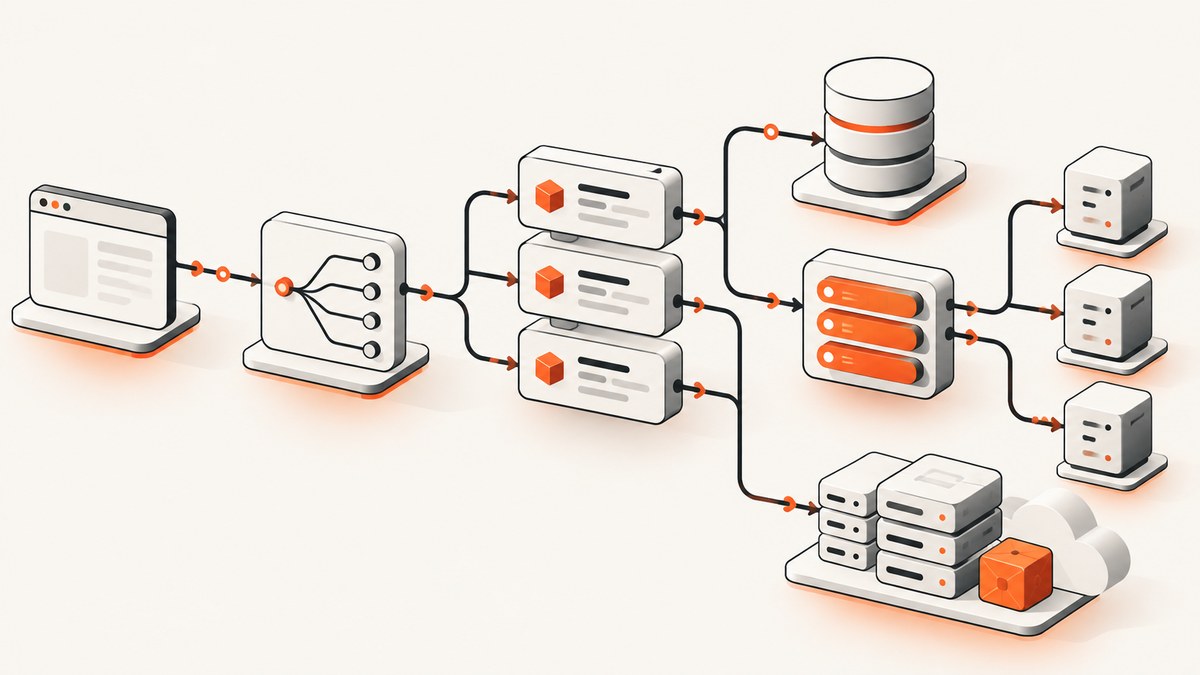
Laravel is a PHP framework for building full-stack web applications and APIs. It provides conventions and services for routing, middleware, configuration, database access, validation, queues, events, testing, and deployment so you can focus on application behavior. Laravel 13 is the current documented major branch in this guide, and its framework changelog lists PHP 8.3 as the minimum PHP version. Check the Laravel 13 documentation and your package compatibility before starting a production project.
What is Laravel?
Laravel combines an HTTP application framework with an Active Record ORM (Eloquent), Blade templates, command-line tooling, migrations, queues, scheduled jobs, notifications, events, authentication integrations, and testing helpers. A conventional project gives each concern a predictable location, which makes it easier for a team to navigate and maintain the codebase.
The framework supports several application styles:
- Server-rendered pages with Blade.
- Interactive server-side components with Livewire.
- JavaScript frontends such as Vue or React backed by Laravel APIs.
- Stateless JSON APIs for web, mobile, and third-party clients.
Install Laravel 13
Prerequisites
- PHP 8.3 or newer.
- Composer.
- A database supported by your chosen Laravel setup.
- Node.js and npm when compiling frontend assets.
Install the Laravel installer and create an application:
composer global require laravel/installer
laravel new task-board
cd task-board
php artisan serve
Alternatively, create a project directly with Composer:
composer create-project laravel/laravel task-board
cd task-board
php artisan serve
Open http://127.0.0.1:8000. Copy .env.example to .env if your installer did not create .env, generate an application key, configure the database, and run migrations:
php artisan key:generate
php artisan migrate
For frontend assets:
npm install
npm run dev
See the official installation documentation for version-specific setup details.
Laravel’s project structure
| Path | Purpose |
|---|---|
app/ |
Application code, including models, controllers, jobs, middleware, policies, and providers. |
bootstrap/ |
Framework bootstrapping and cached configuration. |
config/ |
Configuration files. |
database/ |
Migrations, factories, and seeders. |
resources/ |
Blade views and frontend source assets. |
routes/ |
HTTP and console route definitions. |
storage/ |
Logs, compiled Blade templates, sessions, caches, and generated files. |
tests/ |
Feature and unit tests. |
vendor/ |
Composer dependencies; do not edit or commit generated contents. |
This separation is described in Laravel’s application structure documentation.
How a Laravel request works
- The web server passes the request to Laravel’s entry point.
- The application bootstraps configuration and service providers.
- HTTP middleware handles concerns such as sessions, CSRF protection, and authentication.
- The router selects a route and controller or closure.
- Validation and authorization run before application logic changes data.
- A controller calls services and Eloquent models, then returns a Blade view, redirect, or JSON response.
- The response travels back through middleware to the client.

Routes, controllers, middleware, and validation
Define a route in routes/web.php:
use App\\Http\\Controllers\\TaskController;
use Illuminate\\Support\\Facades\\Route;

Route::get('/tasks', [TaskController::class, 'index']);
Route::post('/tasks', [TaskController::class, 'store']);
Create the controller:
php artisan make:controller TaskControllernamespace App\\Http\\Controllers;
use App\\Models\\Task;
use Illuminate\\Http\\Request;
class TaskController extends Controller
{
public function index()
{
return view('tasks.index', ['tasks' => Task::latest()->paginate(20)]);
}
public function store(Request $request)
{
$data = $request->validate([
'title' => ['required', 'string', 'max:255'],
]);
$request->user()->tasks()->create($data);
return redirect()->route('tasks.index');
}
}For complex rules, generate a form request with php artisan make:request StoreTaskRequest and keep validation in its rules method. Middleware can protect a route:
Route::middleware('auth')->group(function () {
    Route::resource('tasks', TaskController::class);
});
Blade, Livewire, Vue, or React?
| Choice | Use it when | Trade-off |
|---|---|---|
| Blade | Pages are mostly server-rendered forms, content, and CRUD. | Simple deployment and browser behavior; highly interactive screens need more JavaScript. |
| Livewire | You want interactive components while keeping most state and logic in Laravel. | Less frontend infrastructure; complex client-side interactions may still need JavaScript. |
| Vue or React | The interface is a rich client application or an existing frontend team owns the UI. | More build, state, and API design decisions. |
| Stateless API | Web, mobile, partner, or machine clients consume JSON. | Authentication, versioning, and client state must be designed explicitly. |
Start with the simplest rendering model that fits the product, then introduce Livewire or a JavaScript frontend when interaction or team skills justify it.
Database work with migrations and Eloquent
Create a model and migration:
php artisan make:model Task -mDefine the migration:
use Illuminate\\Database\\Migrations\\Migration;
use Illuminate\\Database\\Schema\\Blueprint;
use Illuminate\\Support\\Facades\\Schema;

return new class extends Migration {
    public function up(): void
    {
        Schema::create('tasks', function (Blueprint $table) {
            $table->id();
            $table->foreignId('user_id')->constrained()->cascadeOnDelete();
            $table->string('title');
            $table->boolean('completed')->default(false);
            $table->timestamps();
        });
    }

    public function down(): void
    {
        Schema::dropIfExists('tasks');
    }
};
Use relationships and guarded assignment in the model:
namespace App\\Models;

use Illuminate\\Database\\Eloquent\\Model;
use Illuminate\\Database\\Eloquent\\Relations\\BelongsTo;

class Task extends Model
{
    protected $fillable = ['title', 'completed'];

    protected $casts = ['completed' => 'boolean'];

    public function user(): BelongsTo
    {
        return $this->belongsTo(User::class);
    }
}
Common Eloquent operations:
$open = Task::where('completed', false)->latest()->get();
$task = Task::findOrFail($id);
$task->update(['completed' => true]);
$task->delete();
Prevent N+1 queries with eager loading:
$projects = Project::with('tasks')->paginate(20);Use transactions when several writes must succeed together:
DB::transaction(function () use ($data) {
    $order = Order::create($data);
    $order->items()->createMany($data['items']);
});
Authentication, authorization, and security
Choose an official Laravel starter path that matches your UI and authentication needs, then review generated routes and views instead of treating scaffolding as a security audit. Use policies or gates for authorization:
php artisan make:policy TaskPolicy --model=TaskValidate all external input, use Eloquent’s fillable or guarded protection, keep secrets in environment configuration, protect state-changing web routes with CSRF middleware, hash passwords with Laravel’s password services, and authorize object access before returning records. Never expose .env or production debug output.
Queues, scheduled jobs, events, and notifications
Move slow work such as mail, image processing, and API calls to a queue:
php artisan make:job GenerateReportclass GenerateReport implements ShouldQueue
{
use Dispatchable, InteractsWithQueue, Queueable, SerializesModels;
public function handle(): void
{
// Generate and store the report.
}
}
GenerateReport::dispatch($report->id);Run a worker with a process supervisor in production:
php artisan queue:workDefine scheduled tasks in the application’s console scheduling configuration and run one scheduler process:
php artisan schedule:runEvents decouple a domain occurrence from listeners. Notifications provide a consistent way to deliver mail, database, or other channel messages. Keep jobs idempotent: retries can execute a job more than once, so use unique keys or safe upserts where necessary.
Testing Laravel applications
Laravel includes example Pest or PHPUnit tests and the php artisan test command. Feature tests exercise HTTP behavior:
use App\\Models\\Task;
use App\\Models\\User;

it('creates a task', function () {
    $user = User::factory()->create();

    $response = $this->actingAs($user)->post('/tasks', [
        'title' => 'Write documentation',
    ]);

    $response->assertRedirect('/tasks');
    $this->assertDatabaseHas('tasks', ['title' => 'Write documentation']);
});
Use unit tests for isolated domain logic and feature tests for routes, middleware, validation, database behavior, and authorization. Run the suite locally and in continuous integration:
php artisan testDeploying Laravel
Deployment choices include self-managed infrastructure, Laravel Forge, Laravel Cloud, and Vapor, which is Laravel’s AWS-focused serverless deployment product. Compare them by PHP and database support, worker and scheduler management, logs, scaling controls, networking, deployment workflow, and total cost. Pricing and support terms change, so verify current details on the provider’s site before committing.
A production checklist:
- Set
APP_ENV=productionandAPP_DEBUG=false. - Configure a durable database, cache, queue, and filesystem.
- Run
php artisan migrate --forceduring deployment. - Cache configuration, routes, and views where appropriate.
- Run queue workers and the scheduler under a process manager.
- Send logs and failed jobs to monitored storage.
- Use HTTPS, secure cookies, backups, and least-privilege credentials.
- Test rollback and migration recovery procedures.
Performance and reliability
- Paginate large result sets and select only needed columns.
- Add database indexes for frequent filters, joins, and ordering.
- Eager-load relationships to avoid N+1 queries.
- Cache expensive, stable reads with an explicit invalidation strategy.
- Queue slow or retryable work and configure timeouts, backoff, and failed-job handling.
- Use database transactions for related writes and make retried jobs idempotent.
- Profile queries and application code before optimizing; measure production behavior with logs and tracing.
- Keep framework, PHP, and package versions compatible and upgrade deliberately.
Capturing a Laravel page for documentation or previews
You can capture a page yourself with a headless browser. Install Playwright:
npm install playwright
npx playwright install chromium
const { chromium } = require('playwright');
(async () => {
const browser = await chromium.launch();
const page = await browser.newPage({ viewport: { width: 1440, height: 900 }, deviceScaleFactor: 1 });
await page.goto('http://127.0.0.1:8000', { waitUntil: 'networkidle' });
await page.screenshot({ path: 'laravel-home.webp', fullPage: true, type: 'webp' });
await browser.close();
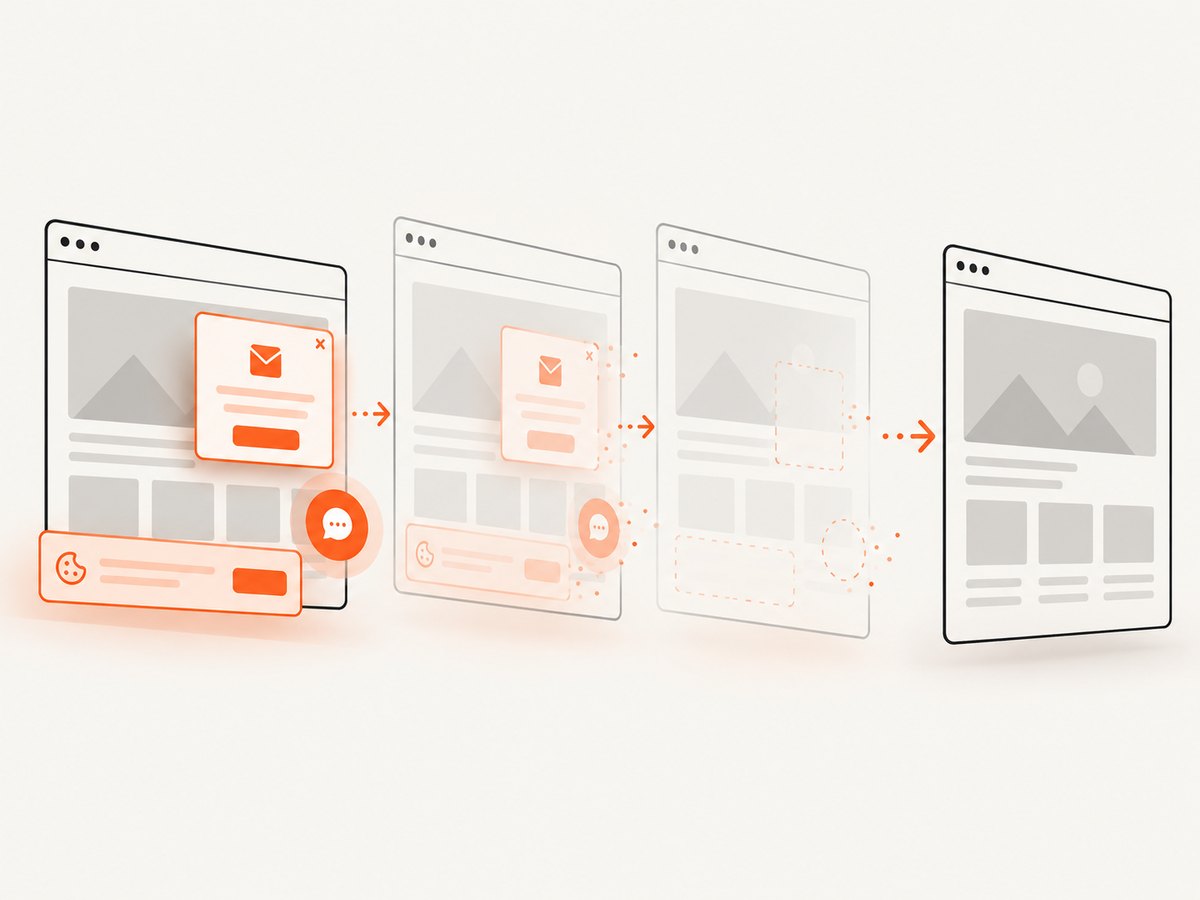
})();This gives you control over authentication, waits, viewport, and browser behavior, but you must maintain Chromium, handle consent banners and popups, detect failed loads, and operate the capture worker.
Or skip the browser setup
ScreenshotNeo provides a single GET request for PNG, JPEG, WebP, or PDF captures. Its consent step accepts cookie banners and removes more than 60 known consent platforms, newsletter popups, and chat widgets before the shot; each step can be disabled. Bot checks, blank pages, timeouts, failed loads, and cache hits cost nothing, and response headers identify the page verdict and billing status. See the ScreenshotNeo API documentation for all options.
cURL
curl -G 'https://api.screenshotneo.com/v1/shot' -d access_key=YOUR_API_KEY --data-urlencode url=https://your-laravel-app.example -o shot.webpPython
import requests

r = requests.get('https://api.screenshotneo.com/v1/shot', params={'access_key': 'YOUR_API_KEY', 'url': 'https://your-laravel-app.example'}, timeout=90)
r.raise_for_status()
open('shot.webp', 'wb').write(r.content)
Node.js
const q = new URLSearchParams({ access_key: 'YOUR_API_KEY', url: 'https://your-laravel-app.example' });
const res = await fetch(`https://api.screenshotneo.com/v1/shot?${q}`);
if (!res.ok) throw new Error(`HTTP ${res.status}`);
await Bun.write('shot.webp', res);
ScreenshotNeo also supports full-page capture with lazy images loaded, CSS element capture, dark mode, device presets and custom viewports, retina scale, PDF paper and page options, custom CSS and JavaScript, clicks, selector or network-idle waits, request and resource blocking, headers, cookies, user agents, authorization, timezone, geolocation, transparent backgrounds, resizing, selectable cache TTLs, signed links, asynchronous jobs with signed webhooks, bulk capture of up to 100 URLs per call, a usage API, and an OpenAPI specification. Parameter names used by other screenshot APIs also work.
An MCP server provides take_screenshot, get_page_info, and capture_pdf tools for Claude, Cursor, and other MCP clients. The Free plan includes 1,000 shots per month with no card; paid plans start at $5 for 3,000 shots. Create a free ScreenshotNeo account.
Troubleshooting
| Symptom | Likely cause | Fix |
|---|---|---|
| Composer reports an unsupported PHP version. | PHP is below Laravel 13’s 8.3 minimum. | Install PHP 8.3 or newer, then rerun Composer. |
| Database connection refused. | Incorrect .env credentials or a stopped database. |
Check host, port, database, username, password, and service status; clear cached configuration. |
Changes to .env are ignored. |
Configuration is cached. | Run php artisan config:clear, then recache during deployment. |
| Unauthenticated users receive redirects. | The route is behind the auth middleware. |
Sign in during the test or remove middleware only when the route is intentionally public. |
| Form submission returns a CSRF error. | The form lacks a valid CSRF token or the session cookie is unavailable. | Include @csrf in Blade forms and verify session configuration. |
| Queue jobs never run. | No worker is running or the queue connection is misconfigured. | Check QUEUE_CONNECTION, run php artisan queue:work, and inspect failed jobs. |
| Duplicate database queries appear. | Lazy-loaded relationships create an N+1 pattern. | Use with(), inspect query logs, and add suitable indexes. |
| Playwright captures a blank or incomplete page. | The app is not reachable, assets are still loading, or the page requires authentication. | Confirm the URL, wait for a stable selector or network idle, and establish an authenticated browser context. |
FAQ
Is Laravel still worth learning?
Yes when you want a convention-driven PHP framework with integrated routing, ORM, queues, testing, and deployment options. Choose it alongside your team’s PHP skills and package requirements.
Should I learn Blade before React or Vue?
Blade is a useful starting point because it teaches Laravel’s request, validation, controller, and view flow. Add Livewire or a JavaScript frontend when the interface needs it.
Can Laravel serve an API only?
Yes. Define stateless API routes, choose an authentication strategy, validate requests, and version the public contract.
How often should Laravel be upgraded?
Track Laravel’s annual major-release cadence, review the upgrade guide, test package compatibility, and schedule upgrades before support pressure builds.


