How to Launch Headless Chrome on Windows 7 with Selenium
Launch headless Chrome on Windows 7 with a pinned Chrome 109 and ChromeDriver 109 setup, Selenium code, fixes, and a browser-free ScreenshotNeo option.
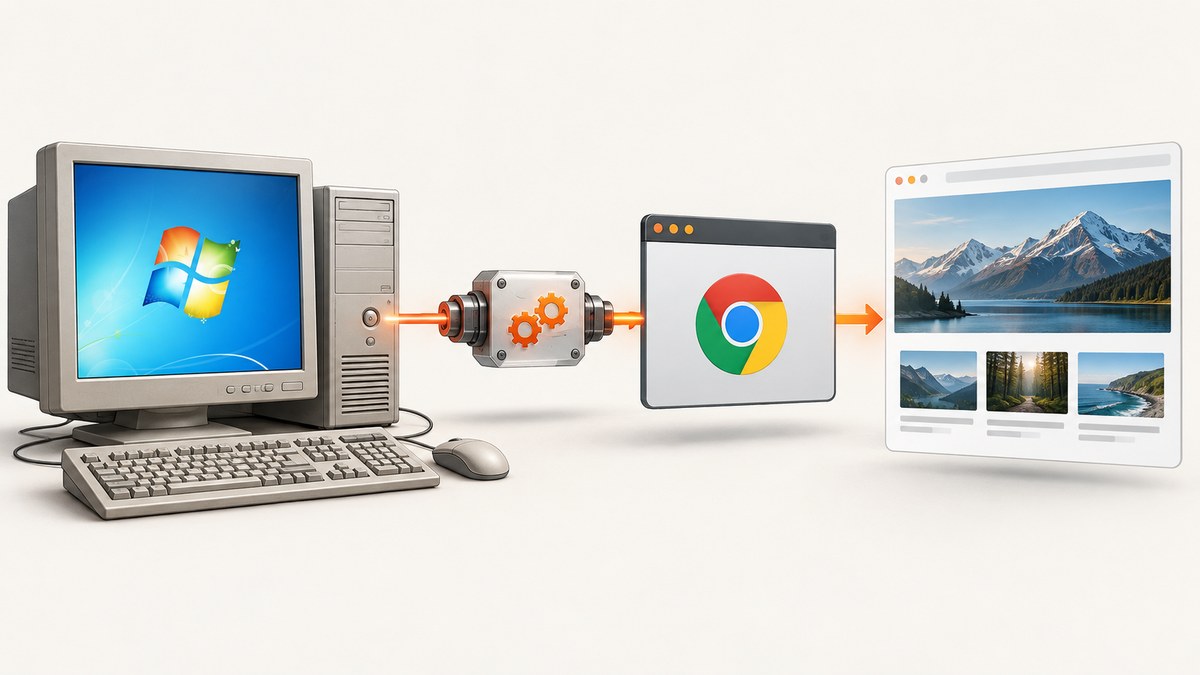
Direct answer: use a pinned legacy stack: Chrome 109, a ChromeDriver 109 build, and a Selenium binding version that runs on your Windows 7 machine. Add --headless to ChromeOptions, then start WebDriver with an explicit Service path to chromedriver.exe. Keeping the browser and driver versions fixed is more reproducible on Windows 7 than allowing Chrome to update while the driver stays old.
ChromeDriver’s documented rule is that the driver must match the browser’s major version. The official archive lists ChromeDriver 109.0.5414.74 and 109.0.5414.25 for Chrome 109. Chrome’s headless documentation also describes Selenium integration and notes that ChromeDriver 2.32 uses Chrome 61 and works well with headless Chrome (ChromeDriver downloads; Headless Chrome documentation).
1. Freeze a compatible Windows 7 toolchain
Windows 7 is a legacy operating system. Treat this setup as a frozen environment rather than an evergreen desktop. Current Chrome, Chrome for Testing packages, and current Selenium Manager distributions are aimed at supported operating systems; the research for this guide does not establish support for Windows 7. Plan migration to a supported Windows release if this automation must receive security and browser updates.
| Component | Recommended choice | Why |
|---|---|---|
| Operating system | Windows 7, isolated and pinned | Required by the legacy environment; unsupported for modern updates |
| Browser | Chrome 109 | Keep the browser major version aligned with the driver |
| Driver | ChromeDriver 109.0.5414.74 or 109.0.5414.25 | Both are listed for Chrome 109 in the official archive |
| Selenium | A binding release known to run in your installed Python/runtime | Pin it in your environment instead of upgrading blindly |
Download the browser and driver from official distribution pages, record the exact versions, and store the driver in a stable directory such as C:\tools\chromedriver.exe. Do not let an automatic browser update replace Chrome 109 unless you also validate and replace the matching driver.
2. Install Selenium for Python
The example below uses Python because it makes the service path and options explicit. Create a virtual environment if your Python installation supports it, then install the Selenium binding version you have selected:
python -m pip install selenium
On an old host, package installation may require an internal package mirror or a pre-downloaded wheel. The important reproducibility step is to record the installed version:
python -c "import selenium; print(selenium.__version__)"
3. Launch Chrome in headless mode
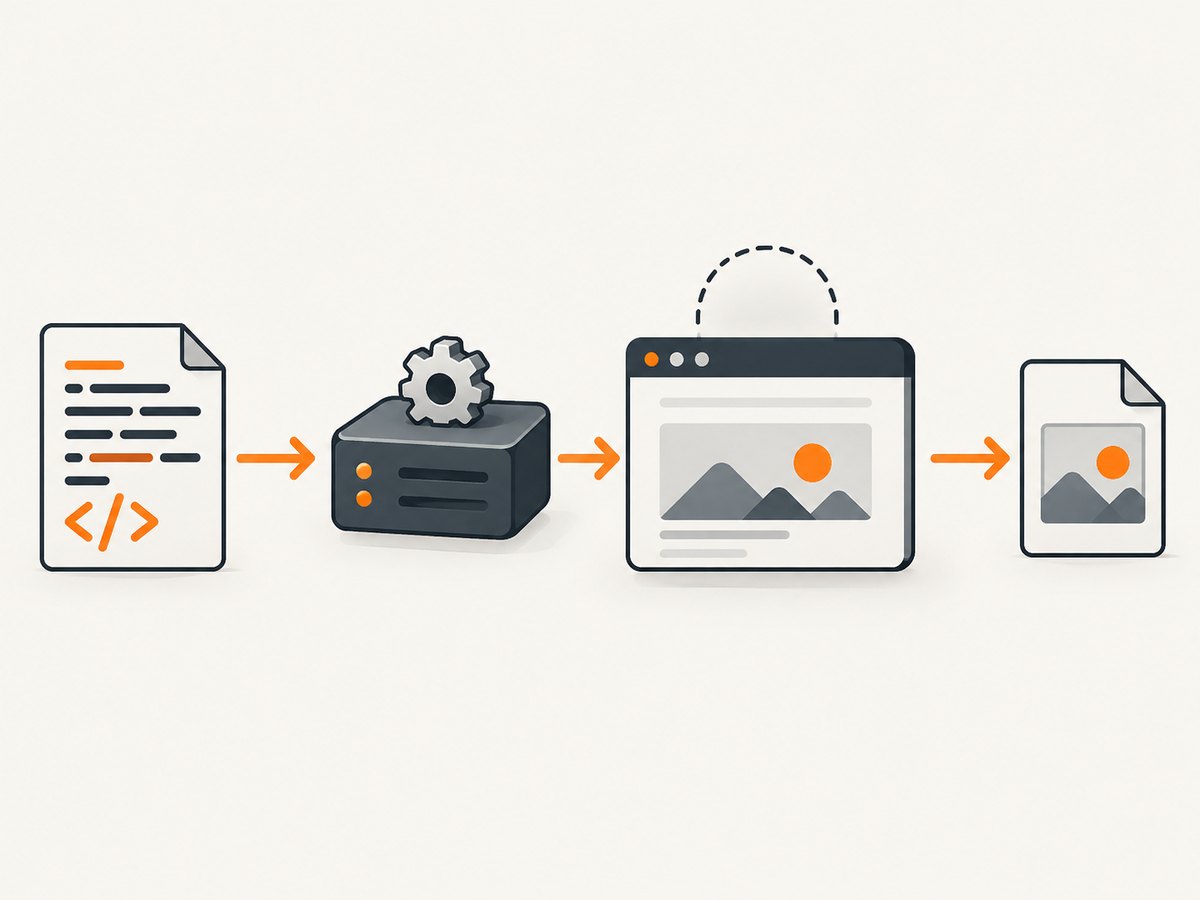
This complete script starts Chrome without a visible window, opens a page, prints its title, and always closes the browser. The explicit service path avoids relying on automatic driver discovery.
from selenium import webdriver
from selenium.webdriver.chrome.options import Options
from selenium.webdriver.chrome.service import Service

options = Options()
options.add_argument("--headless")
options.add_argument("--window-size=1365,768")
# Compatibility fallback for some older headless environments:
# options.add_argument("--disable-gpu")

# Set this to the exact Chrome binary if it is not in the default location.
# options.binary_location = r"C:\\Program Files\\Google\\Chrome\\Application\\chrome.exe"

service = Service(r"C:\\tools\\chromedriver.exe")
driver = webdriver.Chrome(service=service, options=options)
try:
    driver.get("https://example.com")
    print(driver.title)
    driver.save_screenshot("example.png")
finally:
    driver.quit()
--headless is the switch that enables headless operation. The window size matters because responsive sites can render different layouts at different widths. Add --disable-gpu only when your specific legacy setup needs it; it is a compatibility fallback, not a universal requirement.
Use a driver on PATH instead
If chromedriver.exe is on the system PATH, Selenium can discover it without an explicit service path:
from selenium import webdriver
from selenium.webdriver.chrome.options import Options

options = Options()
options.add_argument("--headless")
options.add_argument("--window-size=1365,768")
driver = webdriver.Chrome(options=options)
try:
    driver.get("https://example.com")
    print(driver.title)
finally:
    driver.quit()
PATH is convenient, but an explicit path is easier to audit on a frozen Windows 7 machine. If several copies of ChromeDriver exist, PATH order can select the wrong one.
4. Verify versions before debugging Selenium
Open a command prompt and compare the browser and driver majors:
"C:\\Program Files\\Google\\Chrome\\Application\\chrome.exe" --version
C:\\tools\\chromedriver.exe --version
You should see Chrome 109 and ChromeDriver 109. The remaining version digits can differ between the two official 109 builds, but the major version must align. Remove or rename obsolete drivers earlier on PATH, then rerun the commands by full path to confirm which binary is actually being used.
5. Selenium Manager versus an explicit driver
Selenium’s documentation states that, as of Selenium 4.6, Selenium Manager can download the correct driver automatically (Selenium Manager documentation; Unable to Locate Driver Error). That workflow is useful on supported, connected systems. Windows 7 is different: current manager and browser distributions may not target the platform, network access may be restricted, and automatic downloads make a legacy build less reproducible.
For this reason, prefer one of these two deterministic arrangements:
- Put the pinned ChromeDriver 109 executable in a controlled directory and pass its full path through
Service. - Put exactly one pinned driver on PATH and verify it with
chromedriver.exe --version.
If you deliberately try Selenium Manager, keep a fallback service path in your code and retain a local copy of the known-good driver. Do not assume that a successful download proves Windows 7 will remain compatible after a package update.
6. Useful options for legacy headless runs
| Option | Purpose | Example |
|---|---|---|
--headless |
Run without a visible browser window | options.add_argument("--headless") |
--window-size=W,H |
Set the viewport used by responsive layouts | --window-size=1365,768 |
--disable-gpu |
Fallback for some older graphics/headless combinations | options.add_argument("--disable-gpu") |
binary_location |
Select a non-default Chrome executable | options.binary_location = r"C:\\Chrome109\\chrome.exe" |
Use a separate temporary profile when multiple Chrome processes run on the same host. A locked profile can prevent startup or cause one test to interfere with another. Keep waits targeted: wait for a specific element or page condition instead of adding a large fixed sleep to every test.
7. Troubleshooting common startup errors
“Unable to locate driver”
Cause: Selenium cannot find chromedriver.exe through PATH or its automatic manager.
Fix: pass Service(r"C:\\tools\\chromedriver.exe"), verify the file exists, or add its directory to PATH. Confirm that the command prompt sees the intended binary.
“Session not created” or “This version of ChromeDriver only supports Chrome version …”
Cause: the browser and driver major versions differ, often because Chrome updated itself.
Fix: run both version commands, restore Chrome 109 or obtain the matching driver, and disable uncontrolled updates in the legacy image. Remove stale drivers from PATH.
Chrome starts and immediately exits
Cause: an invalid binary path, a locked profile, a damaged installation, or an option unsupported by the installed build.
Fix: remove optional arguments, set binary_location explicitly, close other Chrome processes, and try a clean temporary profile. Keep the first WebDriver exception in the log; later stack-trace lines often repeat the same failure.
The page is blank or never finishes loading
Cause: the site may depend on JavaScript, block automation, fail TLS negotiation on the old platform, or simply be unavailable.
Fix: first test https://example.com. Add an explicit page-load timeout, inspect the title and URL after navigation, and capture console or driver logs where available. A successful Chrome launch does not guarantee that every modern site supports a Windows 7 browser.
Different results in headless and visible mode
Cause: viewport dimensions, timing, fonts, GPU behavior, or browser detection differ.
Fix: set a fixed window size, wait for a meaningful selector, use the same Chrome profile policy, and compare one variable at a time. Do not treat a screenshot from one viewport as proof that all responsive breakpoints match.
8. Reliability and performance practices
- Pin everything: browser major version, driver build, Selenium package, and Python runtime.
- Use a health check: launch Chrome against a small local or stable public page before processing a batch.
- Recycle sessions: long-running processes can accumulate tabs, temporary files, or memory; restart after a bounded number of jobs.
- Set timeouts: fail a hung navigation and record the URL rather than blocking the entire queue.
- Limit concurrency: Windows 7 machines have fewer resources and older graphics stacks; measure CPU and memory before increasing parallel browsers.
- Keep artifacts: save the driver version, browser version, URL, viewport, and error message with each failed job.
Headless mode removes the visible window; it does not remove the cost of starting a browser, loading JavaScript, downloading images, or rendering a page. Reusing a driver can reduce startup overhead, while isolating jobs with temporary profiles improves reliability. Balance those choices against profile-lock and state-leak risks.
9. Or skip the browser setup
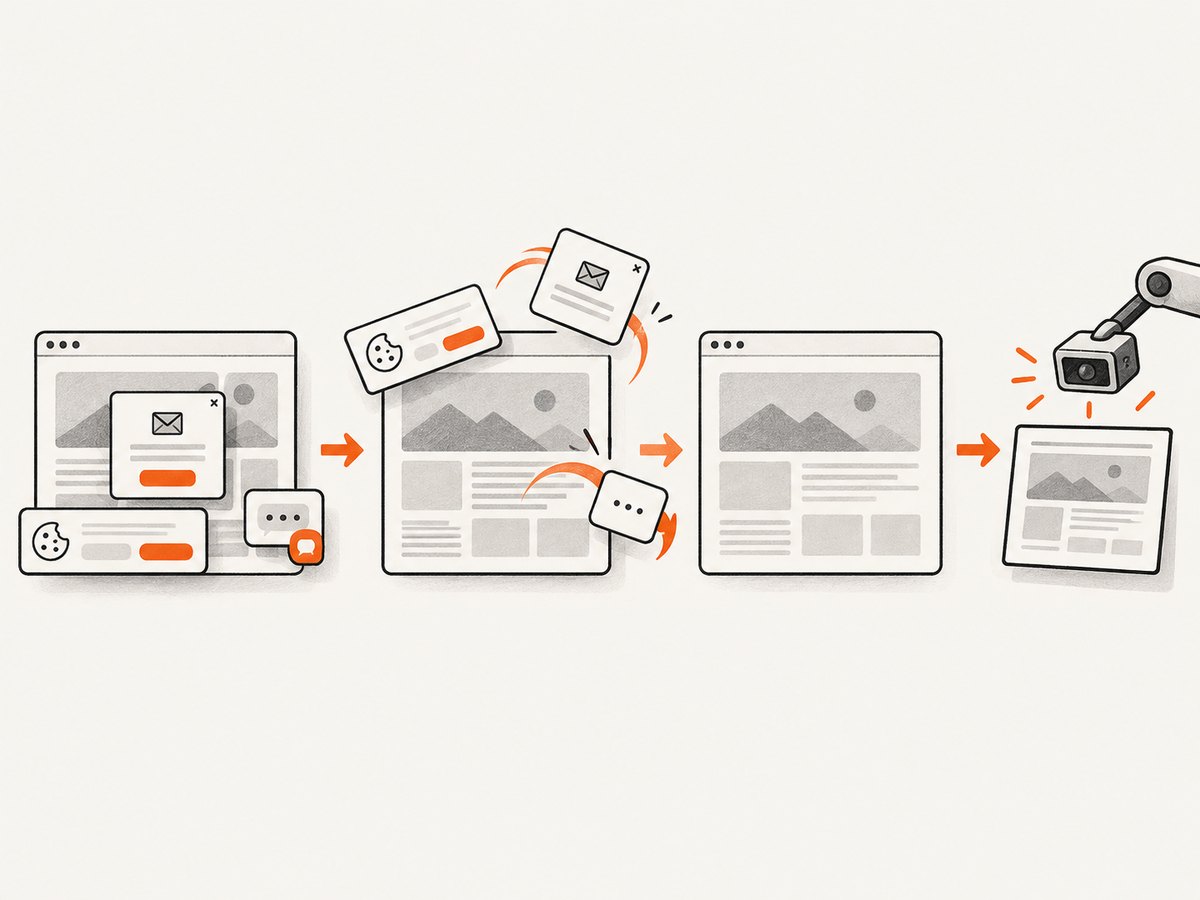
If your goal is a clean website image rather than maintaining a Windows 7 browser, ScreenshotNeo provides a single screenshot API request. The API returns PNG, JPEG, WebP, or PDF output, and its options cover full-page captures, element selectors, custom CSS and JavaScript, waits, device presets, dark mode, cookies, headers, blocking rules, resizing, caching, signed links, asynchronous jobs, bulk capture, and more. See the ScreenshotNeo API documentation for parameter details.
cURL
curl -G "https://api.screenshotneo.com/v1/shot" -d access_key=YOUR_API_KEY --data-urlencode url=https://stripe.com -o shot.webpPython
import requests
r = requests.get("https://api.screenshotneo.com/v1/shot", params={"access_key": "YOUR_API_KEY", "url": "https://stripe.com"}, timeout=90)
open("shot.webp", "wb").write(r.content)
Node.js
const q = new URLSearchParams({ access_key: 'YOUR_API_KEY', url: 'https://stripe.com' });
const res = await fetch(`https://api.screenshotneo.com/v1/shot?${q}`);
Cookie and consent banners, newsletter popups, and chat widgets are removed before the shot. Bot checks, blank pages, failed loads, timeouts, and cache hits are not billed; response headers identify the page verdict and billing result with X-Page-Verdict and X-Billed. ScreenshotNeo also has an MCP server so Claude, Cursor, and other MCP clients can call take_screenshot, get_page_info, and capture_pdf. The Free plan includes 1,000 screenshots each month with no card; paid plans start at $5 for 3,000 shots. Create a free ScreenshotNeo account.
10. Cost and maintenance decisions
A local Selenium setup has no per-screenshot API charge, but it does require a maintained Windows host, browser and driver storage, scheduling, failure handling, and upgrades. On Windows 7, the maintenance burden is higher because the platform and browser are legacy. An API shifts browser operations to a service and gives you request-level verdict and billing information. Choose local Selenium when you need full control of the browser process or an offline workflow; choose an API when you need repeatable captures without managing a legacy desktop.
FAQ
Which ChromeDriver works with Chrome 109?
The official archive lists ChromeDriver 109.0.5414.74 and 109.0.5414.25. Keep the browser and driver major versions aligned.
Can Selenium Manager still work on Windows 7?
Selenium Manager can manage drivers in Selenium 4.6 and later, but this dossier does not establish support for current manager or browser distributions on Windows 7. Use an explicit pinned driver for predictable legacy runs.
Do I need --disable-gpu?
No. It is an optional compatibility fallback for some older headless environments. Start without it and add it only if your installation requires it.
Why does a correct driver still fail on some sites?
Driver compatibility only proves that Chrome can start. Sites can still fail because of JavaScript behavior, TLS limitations, bot checks, network errors, or unsupported browser features.
What is the smallest reproducible setup?
Chrome 109, a ChromeDriver 109 build, a pinned Selenium binding, --headless, a fixed window size, and an explicit Service path. Record all five values with your automation artifact.


