How to Lazy Load Images in JavaScript
Defer off-screen images with native HTML or JavaScript’s Intersection Observer, while keeping important images fast and avoiding layout shifts.

To lazy load ordinary off-screen images, start with the browser-native loading="lazy" attribute. Use JavaScript and the Intersection Observer API when you need custom timing, need to handle resources such as CSS background images, or need application-specific behavior. Keep hero images eager and give every image dimensions so deferred loading does not cause layout shifts.
Lazy loading defers image requests the visitor may never need because they do not scroll to them. It can reduce unnecessary network and storage bandwidth, but it does not guarantee an image waits until the exact moment it touches the viewport: browsers choose a distance threshold. For ordinary <img> elements, the native attribute usually does the job with less code to maintain. MDN’s image reference and web.dev’s browser-level guide document the behavior and tradeoffs.
1. Use native image lazy loading first
Add loading="lazy" to images that are below the fold or otherwise unlikely to be needed immediately. Include intrinsic dimensions and useful alternative text:

<img
  src="/images/gallery/blue-mug.jpg"
  width="800"
  height="600"
  loading="lazy"
  alt="Blue ceramic mug on a wooden table"
>
This is standard HTML and needs no JavaScript. The browser can discover the image URL from the markup, calculate its layout using the dimensions, and defer the request according to its own loading heuristics. The loading value is a hint, not a precise scheduling command.
Choose which images are lazy
- Below-the-fold content: use
loading="lazy"for article images, product cards, gallery items, and other images the visitor must scroll to see. - Hero and above-the-fold content: omit the attribute or set
loading="eager". An important image may be the Largest Contentful Paint (LCP) candidate. Deferring it can delay discovery and display while the browser performs layout. - Uncertain placement: decide from the initial viewport at the page’s supported screen sizes. Avoid blanket rules that lazy-load every image, including the logo or main banner.
Native lazy loading is broadly supported by current major browsers. MDN marks HTMLImageElement.loading widely available since March 2022; check the exact browser versions you support if legacy compatibility matters. The behavior is also conditional on JavaScript being enabled in browsers that implement it, as an anti-tracking measure.
Prevent layout shift
Give images width and height attributes, or reserve the correct aspect ratio with CSS. Without dimensions, an unloaded lazy image can occupy no space initially and push later content down when it appears.
.product-image {
  width: 100%;
  height: auto;
  aspect-ratio: 4 / 3;
  object-fit: cover;
}
When source images vary in aspect ratio, use accurate per-image dimensions or a deliberate fixed-ratio crop. Do not set dimensions that distort the displayed image; CSS can scale it while preserving its ratio.
2. Use Intersection Observer for custom loading
Use JavaScript when you need to define a custom preload margin, load CSS background images, or coordinate visibility with application logic. Intersection Observer asynchronously reports when a target intersects a viewport or ancestor. For a custom <img> loader, store the deferred URL in data-src, observe the image, assign the URL when it approaches, then stop observing it.
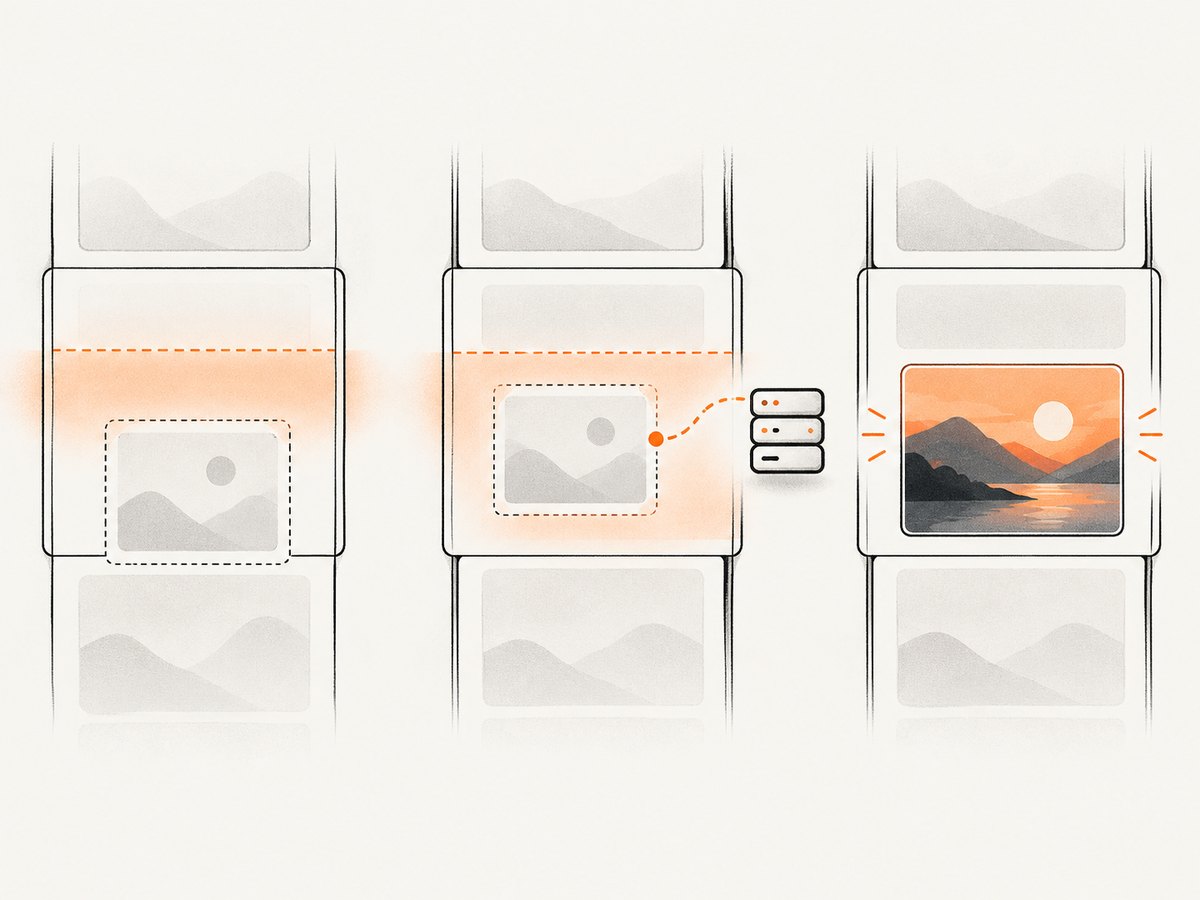
Runnable example with responsive sources and error handling
This example expects images to have a placeholder or fallback in src, and their real URLs in data-src. Optional responsive attributes can be stored in data-srcset and data-sizes. Put the script after the image markup or run it after the DOM is ready.
<img
  class="js-lazy"
  src="/images/placeholder.svg"
  data-src="/images/article-large.jpg"
  data-srcset="/images/article-small.jpg 480w, /images/article-large.jpg 1200w"
  data-sizes="(max-width: 600px) 100vw, 800px"
  width="1200"
  height="800"
  alt="A mountain lake at sunrise"
>

<script>
  function startLazyImages() {
    const images = document.querySelectorAll('img.js-lazy[data-src]');

    function loadImage(img) {
      if (img.dataset.srcset) img.srcset = img.dataset.srcset;
      if (img.dataset.sizes) img.sizes = img.dataset.sizes;
      img.src = img.dataset.src;
      img.removeAttribute('data-src');
      img.removeAttribute('data-srcset');
      img.removeAttribute('data-sizes');
      img.classList.add('is-loading');

      img.addEventListener('load', () => {
        img.classList.remove('is-loading');
        img.classList.add('is-loaded');
      }, { once: true });

      img.addEventListener('error', () => {
        img.classList.remove('is-loading');
        img.classList.add('is-error');
        // Keep the placeholder, or replace it with a known fallback here.
      }, { once: true });
    }

    if (!('IntersectionObserver' in window)) {
      // Graceful fallback: show the real images immediately.
      images.forEach(loadImage);
      return;
    }

    const observer = new IntersectionObserver((entries, currentObserver) => {
      for (const entry of entries) {
        if (!entry.isIntersecting) continue;
        loadImage(entry.target);
        currentObserver.unobserve(entry.target);
      }
    }, {
      root: null,
      rootMargin: '300px 0px',
      threshold: 0
    });

    images.forEach((img) => observer.observe(img));
  }

  if (document.readyState === 'loading') {
    document.addEventListener('DOMContentLoaded', startLazyImages, { once: true });
  } else {
    startLazyImages();
  }
</script>
The positive rootMargin begins loading before an image becomes visible, giving the browser time to fetch and decode it during scrolling. Tune the margin to the page’s image sizes, network conditions, and expected scroll speed. A very large margin can remove much of the bandwidth benefit by fetching many images in advance. threshold: 0 reacts when any part begins intersecting; use a higher threshold only if your design specifically needs a larger visible fraction first.
The fallback loads all matching images if Intersection Observer is unavailable. This favors showing content over preserving the bandwidth savings in older browsers. If the page requires a different legacy strategy, select and test it against the browser versions the product supports.
CSS background images
An <img loading="lazy"> attribute does not defer a CSS background resource. Observe the element that needs the background, then add a class when it is near the viewport:
<div class="feature js-lazy-bg"
     data-bg="/images/feature.jpg"
     role="img"
     aria-label="A reading nook by a window"></div>

<style>
  .feature {
    min-height: 20rem;
    background-position: center;
    background-size: cover;
  }
  .feature.is-loaded {
    background-image: var(--lazy-background);
  }
</style>

<script>
  const sections = document.querySelectorAll('.js-lazy-bg[data-bg]');

  function revealBackground(element) {
    const url = element.dataset.bg;
    // Assign as a CSS value, escaping quotes in the URL.
    element.style.backgroundImage = `url("${url.replaceAll('"', '%22')}")`;
    element.classList.add('is-loaded');
    element.removeAttribute('data-bg');
  }

  if (!('IntersectionObserver' in window)) {
    sections.forEach(revealBackground);
  } else {
    const bgObserver = new IntersectionObserver((entries, observer) => {
      for (const entry of entries) {
        if (entry.isIntersecting) {
          revealBackground(entry.target);
          observer.unobserve(entry.target);
        }
      }
    }, { rootMargin: '300px 0px' });

    sections.forEach((section) => bgObserver.observe(section));
  }
</script>
For meaningful content, prefer an actual <img> with appropriate alt text. Background images are best for decoration or when the surrounding element provides the accessible description. Reserve the element’s dimensions before the image arrives.
3. Pick native loading or a custom observer
| Need | Recommended approach | Reason |
|---|---|---|
| Defer ordinary off-screen images | loading="lazy" |
Browser-managed behavior with minimal code |
| Keep a hero image discoverable early | Default eager loading | Avoid delaying an important above-the-fold image |
| Custom preload distance or app logic | Intersection Observer | Control when your code assigns the resource |
| CSS background or another custom resource | Intersection Observer | Native image loading does not cover every resource type |
| Responsive image candidates | Native attribute, or observer plus srcset/sizes |
Preserve browser selection of an appropriate source |
Do not add an observer to ordinary images just because a page already uses JavaScript. If the native hint meets the requirement, custom code adds states and failure cases without guaranteeing faster results. Conversely, native loading does not offer application-defined intersection behavior. Neither approach is universally faster on every page; the resource type, layout, browser scheduling, and chosen threshold matter.
4. Handle dynamic content and image state
Images added after the initial scan
The example queries existing DOM elements once. If your application inserts more lazy images later, observe those elements when you create them. One option is to keep the observer in shared application state and call observer.observe(newImage). Another is a MutationObserver that finds added matching images, though that adds another observer and should be used only when the rendering system cannot register elements directly.
Responsive sources and picture elements
For a native implementation, the browser can choose from srcset and sizes while the image is deferred:
<img
  src="/images/forest-1200.jpg"
  srcset="/images/forest-480.jpg 480w, /images/forest-1200.jpg 1200w"
  sizes="(max-width: 600px) 100vw, 800px"
  loading="lazy"
  width="1200"
  height="800"
  alt="Forest path after rain"
>
If art direction requires a <picture> element with multiple <source> elements, avoid a custom loader that moves only the <img> URL and forgets the sources. Keep the real srcset values in the markup for native loading, or implement and test a matching deferred-source scheme for every candidate.
Know when an image has loaded
Do not assume lazy images are ready when the window’s load event fires. A deferred image may still be pending. If a component needs to know, attach load and error handlers, or inspect img.complete and its natural dimensions for the current state. The complete property can also be true for a broken image, so check naturalWidth > 0 when confirming a usable decoded resource.
5. Troubleshoot common problems
| Symptom | Likely cause | Fix |
|---|---|---|
| Hero image appears late | It was marked lazy even though it is initially visible | Remove loading="lazy" or use loading="eager" for that image |
| Content jumps when images appear | No dimensions or aspect ratio were reserved | Set accurate width/height or CSS aspect-ratio |
| Custom image never loads | The observer did not run, selector missed it, or data-src is empty |
Check script timing, selected elements, the dataset value, and console errors |
| Image remains a placeholder | Real URL failed, CSP blocked it, or the URL is invalid | Inspect the Network panel and console; correct the URL or allow the image origin in CSP |
| Responsive image is blurry or oversized | srcset/sizes were omitted or assigned after an incorrect src request began |
Set responsive candidates before src; verify candidate selection at target widths |
| Background never appears | The code observes an empty/wrong selector or writes invalid CSS | Confirm data-bg, inspect computed styles, and test the escaped URL |
| Lazy images are missing in an older browser | Native hint or Intersection Observer behavior is unavailable or differs | Check the supported browser matrix; provide the eager fallback shown above for a custom observer |
Image is not ready after window.load |
Deferred images are not required for that event to fire | Track the specific image with load/error events or image state properties |
6. Performance, reliability, and cost
Lazy loading can avoid downloading images a visitor never reaches, which can reduce network transfer and storage bandwidth. It does not make an individual image smaller, and it cannot compensate for oversized source files. Serve appropriately sized, compressed images as a separate optimization. No universal percentage improvement applies: the result depends on page length, image weight, viewport, user scrolling, caching, network conditions, and browser scheduling.
For reliability, keep meaningful alt text, reserve layout space, preserve a usable fallback, and handle errors if your own code assigns URLs. A positive observer margin helps avoid visibly late images during scrolling, but requires tuning. Test slow network conditions and the longest relevant pages. Remember that users can scroll quickly, open a link at an anchor deep in the page, or disable JavaScript; design the fallback around the behavior your content requires.
The browser-native option has little implementation and maintenance cost. A custom observer has additional code paths for selectors, dynamic elements, responsive candidates, failed requests, and fallback behavior. Compare that upkeep with the specific control it provides. Measure the page you own rather than assuming the custom solution wins.
7. Inspect lazy-loaded pages with ScreenshotNeo
A screenshot is useful for checking whether a page’s initial viewport and scrolled content look correct after images arrive. For a page you can inspect in a browser, capture the relevant state at desktop and mobile viewport sizes and check for gaps, broken placeholders, or layout shifts. ScreenshotNeo is a website screenshot API and MCP server for developers; its site describes screenshot capture, and its documentation covers API options.
Or skip the browser setup
ScreenshotNeo can return an image with one GET request. For example, to capture a page as WebP:
curl -G "https://api.screenshotneo.com/v1/shot" \
  -d access_key=YOUR_API_KEY \
  --data-urlencode url=https://stripe.com \
  -o shot.webp
import requests
r = requests.get(
"https://api.screenshotneo.com/v1/shot",
params={"access_key": "YOUR_API_KEY", "url": "https://stripe.com"},
timeout=90,
)
open("shot.webp", "wb").write(r.content)const q = new URLSearchParams({ access_key: 'YOUR_API_KEY', url: 'https://stripe.com' });
const res = await fetch(`https://api.screenshotneo.com/v1/shot?${q}`);
if (!res.ok) throw new Error(`Screenshot request failed: ${res.status}`);
await Bun.write('shot.webp', new Uint8Array(await res.arrayBuffer()));Replace the example target URL with the page you need to inspect. The Python example uses requests; the Node.js example uses built-in fetch and Bun’s file writer. In Node.js, save the response bytes with your preferred filesystem method. See the ScreenshotNeo API docs for authentication and output options.
- Cookie banners, newsletter popups, and chat widgets are removed before the shot; each cleanup step can be turned off.
- Bot checks, blank pages, timeouts, failed loads, and cache hits are never billed. Response headers report the page verdict and billing status.
- An MCP server lets AI agents, including Claude and Cursor, call screenshot tools.
- The free plan includes 1,000 screenshots a month with no card; paid plans start at $5 for 3,000 screenshots.
Sign up for ScreenshotNeo’s free 1,000 screenshots a month, with no card required.
8. Frequently asked questions
Does loading="lazy" wait until an image enters the viewport?
No. It is a browser hint, and browsers can begin loading at a calculated distance before the image is visible.
Should every image on a page be lazy-loaded?
No. Keep important images likely to appear immediately eager so they can be discovered and requested early.
Can I lazy load a CSS background image with the HTML attribute?
No. Use an observer or another visibility strategy to defer assigning the background resource.
Does the window load event mean every lazy image is ready?
No. Track the image itself if the application must wait for that image to load or fail.


