Lead Enrichment: A Complete Guide to Data, Workflows, Tools, and GDPR
Learn what lead enrichment is, how it works, which fields to add, how to build a reliable workflow, and how to handle privacy and GDPR.
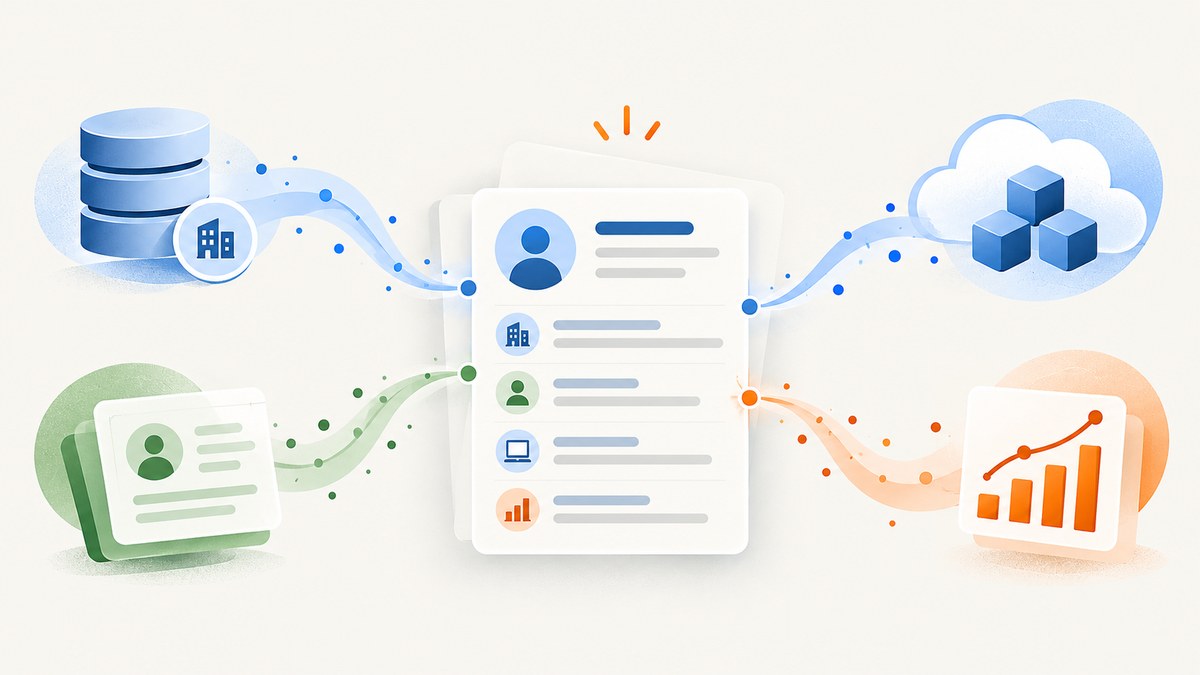
Lead enrichment is the process of taking a lead or account you already know, matching it to trusted data, appending useful context, verifying the result, and maintaining it over time. It improves an existing record; it does not automatically mean finding a brand-new prospect.
A practical enrichment workflow starts with an identifier such as a work email, company domain, or CRM record ID. It queries one or more data sources, evaluates the match, writes approved fields back to the CRM, records provenance and timestamps, and applies your privacy and retention rules. Done well, enrichment helps sales teams qualify and route leads faster while keeping reporting and automation based on current information.
What is lead enrichment?
Data enrichment means improving an existing record by adding information from another trusted source. Lead enrichment is the lead-specific application of that process. You begin with a known person, form submission, account, or inbound signal and add context such as company size, industry, revenue range, role, location, technology use, or engagement history.
Enrichment is different from lead generation or prospecting:
- Lead generation creates or captures a new contact or account.
- Prospecting identifies net-new people or organizations that may fit your target market.
- Enrichment improves records already in your system.
The distinction matters operationally. An enrichment job should not silently create contacts, overwrite trusted first-party values, or turn an unverified match into an accepted prospect.
How lead enrichment works
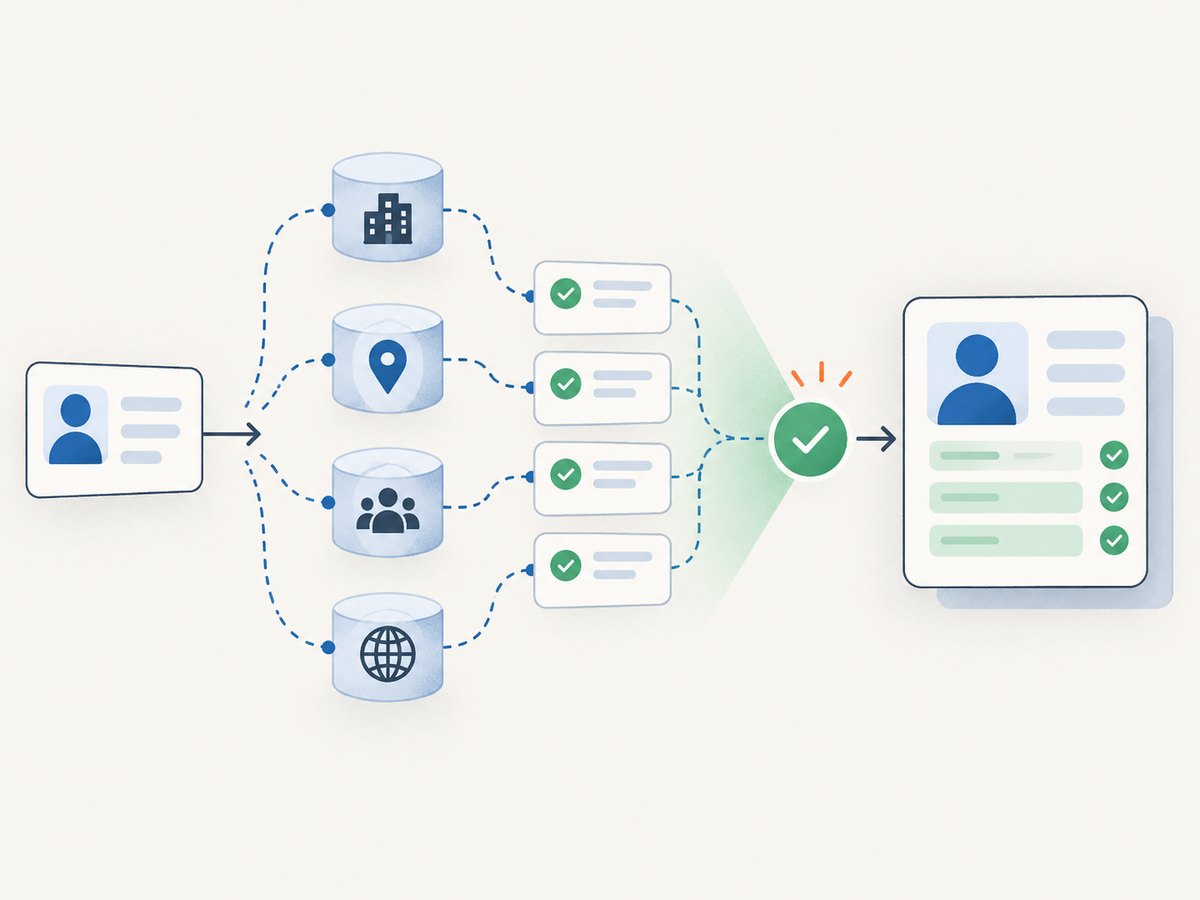
- Start with an identifier. Use a work email, first and last name, company domain, phone number, account ID, or another stable key. A company domain is usually the strongest starting point for account matching.
- Normalize the input. Lowercase email domains, remove whitespace, standardize country and state names, and canonicalize URLs. Normalization prevents avoidable duplicate and mismatch errors.
- Query trusted sources. A provider may compare the identifier with its commercial dataset, third-party providers, and publicly available information.
- Score and verify the match. Require a match-confidence threshold. For people, compare multiple attributes rather than accepting a domain-only match when several employees share that domain.
- Apply field-level rules. Decide which source wins, whether existing values may be overwritten, and which fields require human review.
- Write back to the CRM. Update only approved contact and company properties. Preserve the source, retrieval time, and previous value where auditability matters.
- Refresh under a policy. Use scheduled, continuous, or on-demand enrichment according to field volatility and legal requirements.
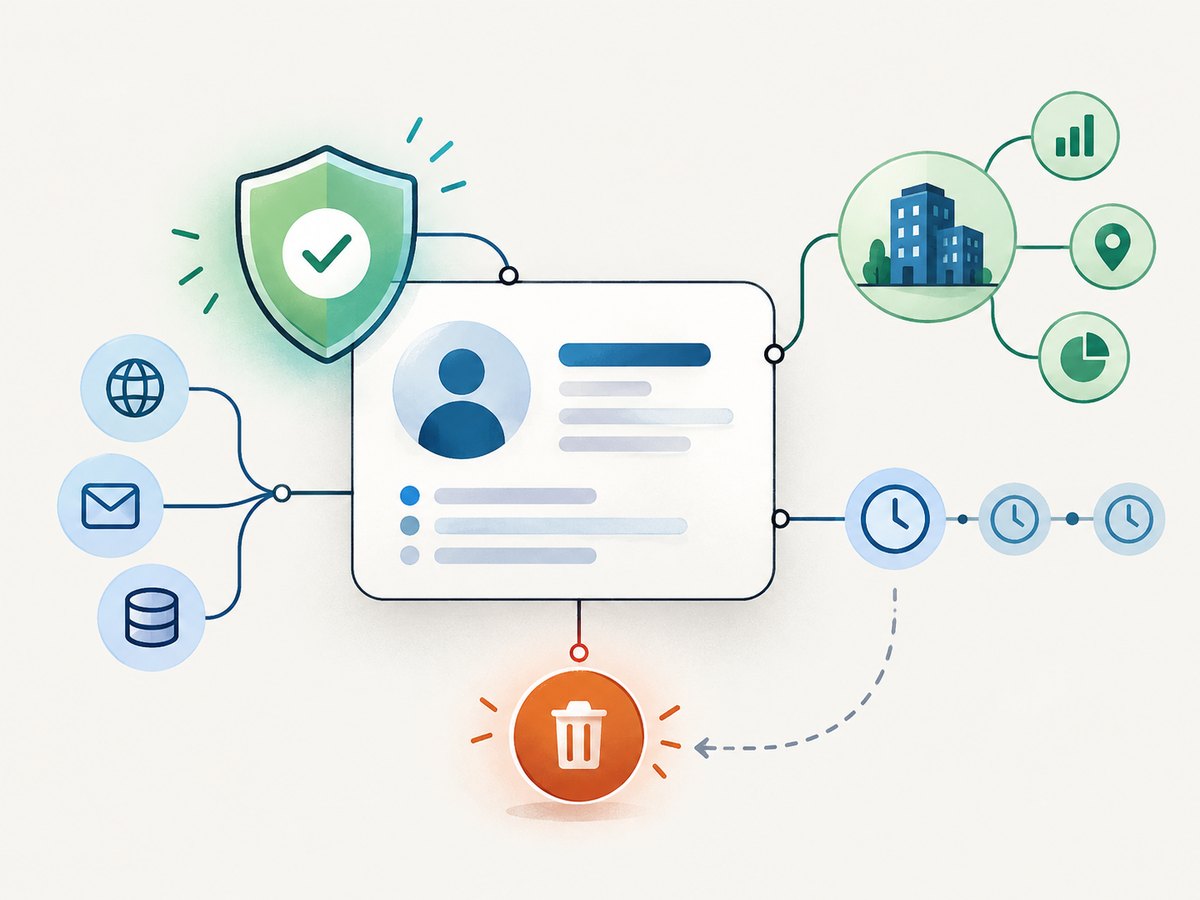
- Govern the result. Track consent or legitimate-interest assessments, opt-outs, deletion requests, retention periods, and cross-border processing.
What data can enrichment add?
The right fields depend on your qualification model. Adding every available attribute increases cost, privacy exposure, and the chance of stale data. Start with fields that change a routing, scoring, or personalization decision.
| Data group | Examples | Typical use |
|---|---|---|
| Firmographic | Industry, operating countries, employee-count range, annual-revenue range, headquarters, company size | Territory assignment, ideal-customer-profile scoring, segmentation |
| Contact and role | Job title, role category, employer, LinkedIn URL, time zone | Personalized outreach, routing, call scheduling |
| Technographic | Known technologies, hosting or analytics tools, technology categories | Compatibility checks, competitive campaigns, implementation planning |
| Location | Country, region, city, ZIP code, time zone | Regional ownership, service availability, send-time controls |
| Engagement | Visited-page URLs and timestamps, form activity, campaign interactions | Intent prioritization and lifecycle automation |
| Company identity | Legal or trading name, domain, logo, parent and subsidiary relationships, social accounts | Deduplication, account hierarchies, account research |
| Derived values | Fit score, lifetime value, employee-growth band, recency flags | Reusable metrics for reports, workflows, and AI systems |
Lead-enrichment implementation patterns
Real-time form enrichment
When a visitor submits a form, send the email and company domain to the enrichment service. Add firmographic fields before assigning an owner or nurture path. Keep the form response fast by setting a short timeout and queueing non-critical fields for asynchronous processing.
Batch CRM cleanup
Select existing records with missing or stale values, process them in pages, and write updates in idempotent batches. Store a job ID and per-record result so a retry cannot create duplicates or repeatedly consume credits.
Continuous enrichment
Use provider-supported refreshes for fields that change frequently, such as employee count, revenue band, technology use, or role. Define a minimum refresh interval and a rule for preserving manually verified values.
Scheduled enrichment
A scheduled job can find unenriched leads or records whose last_verified_at value is older than your policy. Stagger requests, respect provider limits, and stop the job when error rates or match confidence fall below your threshold.
Calculated enrichment
Not every useful field comes from a vendor. You can join first-party, partner, and third-party data to calculate reusable insights such as lifetime value, account engagement, or a recency score. Store the inputs and calculation version so the value can be reproduced.
A DIY lead-enrichment pipeline
The following example shows a provider-neutral pattern. Replace the enrichment endpoint and field mapping with the service you have evaluated. Never put a private API key in browser JavaScript.
1. Define an explicit schema
CREATE TABLE lead_enrichment (
  lead_id TEXT PRIMARY KEY,
  company_domain TEXT,
  match_status TEXT NOT NULL,
  match_confidence NUMERIC,
  fields_json JSONB NOT NULL,
  source_name TEXT NOT NULL,
  source_record_id TEXT,
  enriched_at TIMESTAMP WITH TIME ZONE NOT NULL,
  expires_at TIMESTAMP WITH TIME ZONE,
  consent_status TEXT,
  deleted_at TIMESTAMP WITH TIME ZONE
);
2. Submit only the identifiers you need
const payload = {
  work_email: lead.email,
  company_domain: normalizeDomain(lead.company_domain),
  first_name: lead.first_name,
  last_name: lead.last_name
};

const response = await fetch(process.env.ENRICHMENT_URL, {
  method: 'POST',
  headers: {
    'Authorization': `Bearer ${process.env.ENRICHMENT_KEY}`,
    'Content-Type': 'application/json',
    'Idempotency-Key': `lead-${lead.id}`
  },
  body: JSON.stringify(payload),
  signal: AbortSignal.timeout(8000)
});

if (!response.ok) throw new Error(`Enrichment failed: ${response.status}`);
const result = await response.json();
3. Apply confidence and overwrite rules
const allowed = ['industry', 'employee_count_range', 'revenue_range', 'time_zone'];
const updates = {};

for (const field of allowed) {
  const candidate = result.fields?.[field];
  if (!candidate) continue;
  if (result.match_confidence < 0.85) continue;
  if (lead[field] && lead[field].verified_by_human) continue;
  updates[field] = candidate.value;
}

await crm.updateLead(lead.id, updates);
await audit.log({
  lead_id: lead.id,
  source: result.source,
  confidence: result.match_confidence,
  fields: Object.keys(updates),
  retrieved_at: new Date().toISOString()
});
4. Make retries safe
- Use an idempotency key derived from the lead ID and enrichment version.
- Retry timeouts and 429 responses with exponential backoff and jitter.
- Do not retry permanent validation errors or explicit opt-outs.
- Keep a dead-letter queue for records requiring manual review.
- Reconcile provider results against CRM writes so partial failures are visible.
How to choose a lead-enrichment tool
| Evaluation area | Questions to ask |
|---|---|
| Identity resolution | Which identifiers are accepted? How are shared domains, aliases, duplicates, and false matches handled? |
| Field coverage | Does it provide the firmographic, demographic, technographic, intent, engagement, and location fields your workflows use? |
| Provenance | Can every value be traced to a source, evidence record, retrieval time, and confidence score? |
| Freshness | What is the update cadence? Are continuous refreshes, last-verified timestamps, and stale-value rules available? |
| Controls | Can admins choose automatic or on-demand enrichment, preserve existing values, restrict permissions, and stop future processing? |
| Operations | Are bulk APIs, rate-limit headers, webhooks, retries, monitoring, export, and deletion workflows supported? |
| Commercial model | Is pricing subscription-based, credit-based, or per record? What happens to failed or unmatched records? |
| Regional privacy | Where is data processed? How are notices, opt-outs, deletion, and international transfers handled? |
Privacy, GDPR, and lawful use
B2B enrichment still processes personal data when it contains professional email addresses, names, roles, profiles, or behavioral information. European campaigns must follow GDPR and applicable national ePrivacy rules. Depending on the country and channel, legitimate interests with an opt-out may be possible, while other situations require consent.
Operational checklist
- Document the purpose and lawful basis for each enrichment use case.
- Give people clear information about data sources and intended use.
- Provide usable preference, objection, and opt-out mechanisms.
- Record suppression and deletion requests before running another enrichment job.
- Limit fields to what is necessary for the stated purpose.
- Set retention and refresh periods; delete or anonymize data that is no longer needed.
- Review provider contracts, subprocessors, security controls, and transfer mechanisms.
- Keep source, timestamp, confidence, and overwrite history for audits.
- Check country-specific rules before sending marketing messages.
Your organization remains responsible for assessing its legal compliance. A vendor’s feature or contract does not replace your records of processing, notices, consent, legitimate-interest assessment, or rights-request procedure.
Reliability, performance, and cost
Performance
Keep synchronous enrichment limited to fields required for the immediate decision. Cache results using a documented TTL, batch records where supported, and parallelize independent account lookups within rate limits. Measure p50 and p95 latency, match rate, field fill rate, error rate, and CRM write lag.
Reliability
Design for missing, conflicting, and delayed data. Treat an unmatched response as a valid outcome rather than an exception. Use circuit breakers when a provider is failing, queue non-urgent work, and preserve the original lead so sales can continue without enrichment.
Cost
Estimate cost per submitted record, not only cost per successful match. Ask whether retries, scheduled refreshes, failed loads, and multi-source lookups consume credits. A field-level policy can reduce spend: enrich every lead with company size and industry, but request expensive intent or technology data only after a qualification event.
Troubleshooting common errors
| Symptom | Likely cause | Fix |
|---|---|---|
| Many records are unmatched | Disposable email, misspelled domain, consumer address, or unsupported region | Normalize input, collect a work domain, accept an explicit unmatched state, and review regional coverage. |
| Wrong company attached | Shared domain, parent company, reseller, or weak identity match | Require multiple identifiers, apply a confidence threshold, and route low-confidence results to review. |
| Existing CRM values disappear | Overwrite policy is too broad | Protect verified fields, compare timestamps, and update only an allowlist. |
| Duplicate contacts appear | Non-idempotent retries or inconsistent email normalization | Use a canonical key, idempotency key, and upsert operation. |
| 429 or quota errors | Rate limit or exhausted credits | Read rate-limit headers, back off with jitter, batch requests, and alert before quota exhaustion. |
| Stale firmographic data | Refresh interval is too long or source changed | Store last_verified_at, set field-specific TTLs, and schedule refreshes. |
| GDPR deletion is incomplete | Copies remain in enrichment tables, logs, exports, or caches | Use a deletion workflow that searches every store and records completion evidence. |
Or skip the browser setup
If your enrichment workflow also needs screenshots of lead-company websites, ScreenshotNeo provides a single website screenshot API request. Before capture it accepts cookie and consent banners and removes more than 60 known consent platforms, newsletter popups, and chat widgets. Bot checks, blank pages, timeouts, failed loads, and cache hits are not billed, and response headers identify the page verdict and billing status.
See the ScreenshotNeo documentation for all options. This cURL request returns a WebP image:
curl -G "https://api.screenshotneo.com/v1/shot" -d access_key=YOUR_API_KEY --data-urlencode url=https://stripe.com -o shot.webpPython:
import requests
r = requests.get("https://api.screenshotneo.com/v1/shot", params={"access_key": "YOUR_API_KEY", "url": "https://stripe.com"}, timeout=90)
open("shot.webp", "wb").write(r.content)
Node.js:
const q = new URLSearchParams({ access_key: 'YOUR_API_KEY', url: 'https://stripe.com' });
const res = await fetch(`https://api.screenshotneo.com/v1/shot?${q}`);
ScreenshotNeo also includes an MCP server with take_screenshot, get_page_info, and capture_pdf tools for Claude, Cursor, and other MCP clients. It supports full-page and element captures, device presets, dark mode, custom CSS and JavaScript, headers, cookies, user agents, blocking rules, waits, caching, signed links, asynchronous jobs, bulk capture, and PDFs. The Free plan includes 1,000 screenshots per month with no card; paid plans start at $5 for 3,000. Create a free ScreenshotNeo account.
FAQ
Does enrichment create a new lead?
Usually no. Enrichment improves a known record. Prospecting or lead-generation products may create new records, but that is a separate capability and should be governed separately.
How often should records be refreshed?
Set the interval by field volatility and business risk. Role and employee-count data may need more frequent checks than a legal company name. Store a last-verified timestamp and a field-specific expiry policy.
Can enrichment replace a sales-research team?
It can automate repetitive lookups and provide context, but humans should review ambiguous matches, sensitive decisions, and high-value accounts.
Is a high match rate proof of quality?
No. Measure false matches, field accuracy, freshness, provenance, and downstream outcomes. A provider can fill many fields while attaching them to the wrong account.
What should happen when a lead opts out?
Suppress future enrichment and marketing use, propagate the request to connected systems and providers where required, delete or anonymize retained data according to your policy, and keep only the evidence needed to demonstrate compliance.


