Link Preview Checker: Inspect Open Graph Tags and Fix Broken Previews
Check Open Graph metadata, image access, and platform caching to diagnose wrong or missing link previews.
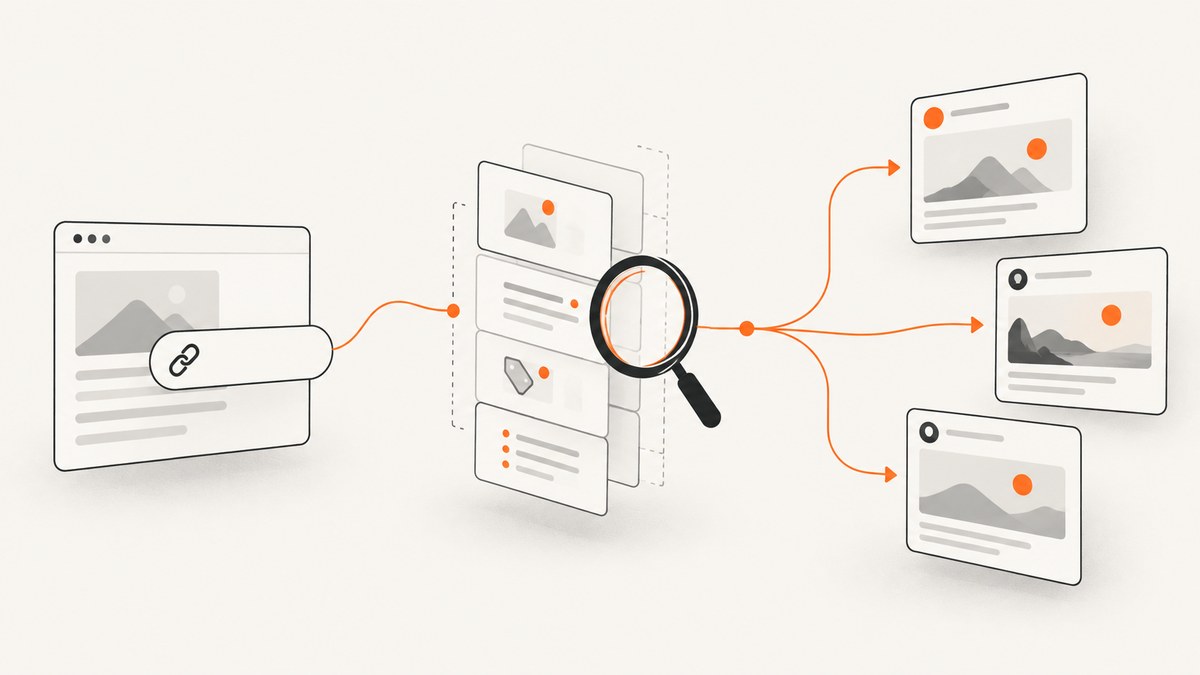
A link preview checker fetches a webpage the way a social platform does, reads its metadata, and shows which title, description, image, and URL a share card can use. Start with these Open Graph fields: og:title, og:type, og:image, and og:url. The Open Graph specification defines them as the basic properties for an object preview (Open Graph protocol).
What a link preview checker checks
- Open Graph tags:
og:title,og:type,og:image, andog:url. - Description: usually
og:description, with platform-specific fallbacks. - Twitter/X tags: such as
twitter:card,twitter:title,twitter:description, andtwitter:image. - Canonical URL: the page’s
<link rel="canonical">, which can differ fromog:url. - Fetchability: HTTP status, redirects, TLS, robots restrictions, authentication, and whether the image URL is publicly retrievable.
- Image details: final URL, content type, dimensions, and whether the response is actually an image.
- Platform behavior: a simulated card is a diagnostic. Each network can apply its own extraction, validation, fallback, and cache rules.
LinkedIn says its share box relies on oEmbed and/or Open Graph data for the most accurate title, description, and image. Without usable metadata, it may show other page content or no preview content (LinkedIn Help: Troubleshooting issues sharing URLs).

Required and recommended metadata
| Tag | Purpose | Practical guidance |
|---|---|---|
og:title |
Displayed object title | Use the specific page title; keep it readable when truncated. |
og:type |
Object type | Use website for most pages, or a more specific supported type when appropriate. |
og:image |
Representative image | Use an absolute HTTPS URL that returns an image without authentication. |
og:url |
Canonical object identifier | Use one stable URL, including the preferred protocol and host. |
og:description |
Preview summary | Describe the page directly; do not depend on visible body text. |
og:site_name |
Site or publication name | Optional, but useful for branded cards. |
og:image:width/og:image:height |
Image dimensions | Optional hints that help a consumer evaluate the image before downloading it. |
twitter:card |
Twitter/X card layout | Set an appropriate card type and provide matching title, description, and image values when needed. |
Run a quick check from the command line
Fetch the HTML and inspect the head. This catches missing tags and non-200 responses before you open a platform inspector.
curl -L -sS -D headers.txt https://example.com/article -o page.html
printf 'HTTP headers:\n'
sed -n '1,20p' headers.txt
printf '\nOpen Graph tags:\n'
grep -ioE '<meta[^>]+(property|name)=["'"'](og:[^"'"']+|twitter:[^"'"']+)["'"'][^>]*>' page.html
Check the final response after redirects. A page that works in your browser can still fail for a crawler if it requires a session, blocks its user agent, or generates tags only after client-side JavaScript runs.
Build a link preview checker in Python
The following script reports status, redirects, canonical URL, Open Graph values, Twitter values, and image dimensions. Install its only third-party dependency with python -m pip install requests beautifulsoup4 pillow.
#!/usr/bin/env python3
import io
import sys
from urllib.parse import urljoin

import requests
from bs4 import BeautifulSoup
from PIL import Image

url = sys.argv[1] if len(sys.argv) > 1 else "https://example.com/"
headers = {"User-Agent": "link-preview-checker/1.0"}
response = requests.get(url, headers=headers, timeout=20, allow_redirects=True)
print(f"status: {response.status_code}")
print(f"final_url: {response.url}")
print(f"content_type: {response.headers.get('content-type', '')}")

soup = BeautifulSoup(response.text, "html.parser")
def value(key, attr="property"):
    tag = soup.find("meta", attrs={attr: key}) or soup.find("meta", attrs={"name": key})
    return tag.get("content", "").strip() if tag else ""

for key in ["og:title", "og:type", "og:image", "og:url", "og:description", "og:site_name",
            "twitter:card", "twitter:title", "twitter:description", "twitter:image"]:
    print(f"{key}: {value(key)}")
canonical = soup.find("link", rel=lambda v: v and "canonical" in v)
print(f"canonical: {canonical.get('href', '') if canonical else ''}")

image_url = value("og:image")
if image_url:
    image_url = urljoin(response.url, image_url)
    image_response = requests.get(image_url, headers=headers, timeout=20, stream=True)
    print(f"image_status: {image_response.status_code}")
    print(f"image_content_type: {image_response.headers.get('content-type', '')}")
    try:
        image = Image.open(io.BytesIO(image_response.content))
        print(f"image_size: {image.width}x{image.height}")
    except Exception as exc:
        print(f"image_size: unavailable ({exc})")
Build the same check in Node.js
Install cheerio with npm install cheerio. Node 18 or newer includes fetch.
import * as cheerio from "cheerio";

const target = process.argv[2] || "https://example.com/";
const res = await fetch(target, { redirect: "follow", headers: { "user-agent": "link-preview-checker/1.0" } });
const html = await res.text();
const $ = cheerio.load(html);
const read = (key) => $(`meta[property="${key}"], meta[name="${key}"]`).first().attr("content") || "";

console.log({
  status: res.status,
  finalUrl: res.url,
  contentType: res.headers.get("content-type"),
  title: read("og:title"),
  type: read("og:type"),
  image: read("og:image"),
  url: read("og:url"),
  description: read("og:description"),
  twitterCard: read("twitter:card"),
  twitterImage: read("twitter:image"),
  canonical: $("link[rel=canonical]").attr("href") || ""
});
Validate the image, URL, and server response
- Request the page without cookies and confirm it returns a successful status.
- Follow redirects and use the final public URL when diagnosing access problems.
- Resolve relative
og:imagevalues against the final page URL. - Request the image separately. Confirm a successful status, an image content type, and a non-empty body.
- Check that the image is not behind basic authentication, a signed URL that expires too quickly, or a hotlink firewall.
- Confirm your server sends metadata in the initial HTML. A JavaScript-only insertion may not be seen by a crawler.
LinkedIn documents a preview image frame of 1200 × 627 pixels (1.91:1). Treat that as LinkedIn guidance, not a universal requirement for every platform (LinkedIn image guidance).
Use LinkedIn Post Inspector for LinkedIn-specific results
After fixing tags, paste the URL into LinkedIn Post Inspector. It exposes what LinkedIn extracted and can refresh the URL preview for future posts. LinkedIn says updates can take up to 48 hours; refreshing does not change a preview already stored in an existing post. A URL can still be shared when LinkedIn cannot retrieve a preview image.
Troubleshooting common link preview failures
| Symptom | Likely cause | Fix |
|---|---|---|
| No card at all | Missing tags, blocked page, non-HTML response, or crawler cannot reach the host. | Check the initial response, publish core Open Graph tags, and test without authentication. |
| Wrong title or description | Duplicate tags, malformed HTML, or platform fallback logic. | Keep one authoritative value per property and inspect the platform’s extracted result. |
| Wrong image | Stale cache, duplicate og:image values, or an inaccessible first image. |
Make the intended image the first valid value, verify it directly, then refresh the platform inspector. |
og:image not showing |
Relative URL, HTTP-only URL, redirect failure, unsupported content type, or access control. | Use an absolute HTTPS URL and confirm an unauthenticated image request succeeds. |
| Changes do not appear | Platform cache. | Use the platform’s refresh tool and allow its documented cache period. LinkedIn advises up to 48 hours. |
| Browser shows metadata but checker does not | Tags are inserted after JavaScript runs or depend on cookies. | Render critical tags in server HTML and provide a public response to crawlers. |
| Image is cropped unexpectedly | Each platform applies its own card layout and crop. | Keep important content away from edges and check the target platform’s documented aspect ratio. |
| Preview works once, then fails | Expiring image URLs, rate limits, or bot protection. | Use stable cacheable assets, monitor status codes, and allow the platform’s crawler user agent. |
Performance, reliability, and cost
- Performance: keep metadata in the first HTML response, avoid unnecessary redirects, and serve preview images from a fast public origin.
- Reliability: test both the document and image independently. A successful page request does not prove that the image can be fetched.
- Automation: run checks after publishing and whenever templates, CDN rules, authentication, or image storage changes.
- Caching: a checker shows a fresh fetch; social networks may continue showing cached values. Record the fetch time and final URL with each diagnostic.
- Cost: basic checking uses HTTP requests and can run locally. Browser rendering is only needed when the page or metadata depends on JavaScript.
Or skip the browser setup
ScreenshotNeo provides a website screenshot API and MCP server. One GET request returns a PNG, JPEG, WebP, or PDF. It accepts consent banners before capture and removes more than 60 known consent platforms, newsletter popups, and chat widgets; each step can be turned off. Bot checks or CAPTCHAs, blank pages, timeouts, failed loads, and cache hits are not billed, and the response identifies the result with X-Page-Verdict and X-Billed headers. Its MCP server provides take_screenshot, get_page_info, and capture_pdf for Claude, Cursor, and other MCP clients.

See the ScreenshotNeo API documentation for all options.
curl -G "https://api.screenshotneo.com/v1/shot" -d access_key=YOUR_API_KEY --data-urlencode url=https://example.com/article -o shot.webpimport requests
r = requests.get("https://api.screenshotneo.com/v1/shot", params={"access_key": "YOUR_API_KEY", "url": "https://example.com/article"}, timeout=90)
open("shot.webp", "wb").write(r.content)const q = new URLSearchParams({ access_key: 'YOUR_API_KEY', url: 'https://example.com/article' });
const res = await fetch(`https://api.screenshotneo.com/v1/shot?${q}`);There are 1,000 free screenshots each month with no card. Paid plans start at $5 for 3,000 screenshots, and every feature is included on every plan. Create a free ScreenshotNeo account.
FAQ
Does a checker guarantee the same card on every network?
No. It is a diagnostic. Platforms can choose different fields, fallbacks, crops, and cache entries.
Should I use Open Graph or Twitter Card tags?
Publish Open Graph tags for broad compatibility and add Twitter Card tags when you need Twitter/X-specific control.
Can a checker execute my page’s JavaScript?
Simple metadata checkers fetch HTML. If tags appear only after JavaScript runs, use a browser-based renderer or move the critical tags into server-rendered HTML.
Why does changing the image URL sometimes help?
A new URL can bypass a platform’s cached image, but it does not fix an inaccessible image or malformed metadata.


