Link Preview Image Examples
See how one Open Graph image appears on Facebook, X, LinkedIn, Slack, WhatsApp and more, with metadata, sizing and troubleshooting examples.
Link Preview Image Examples
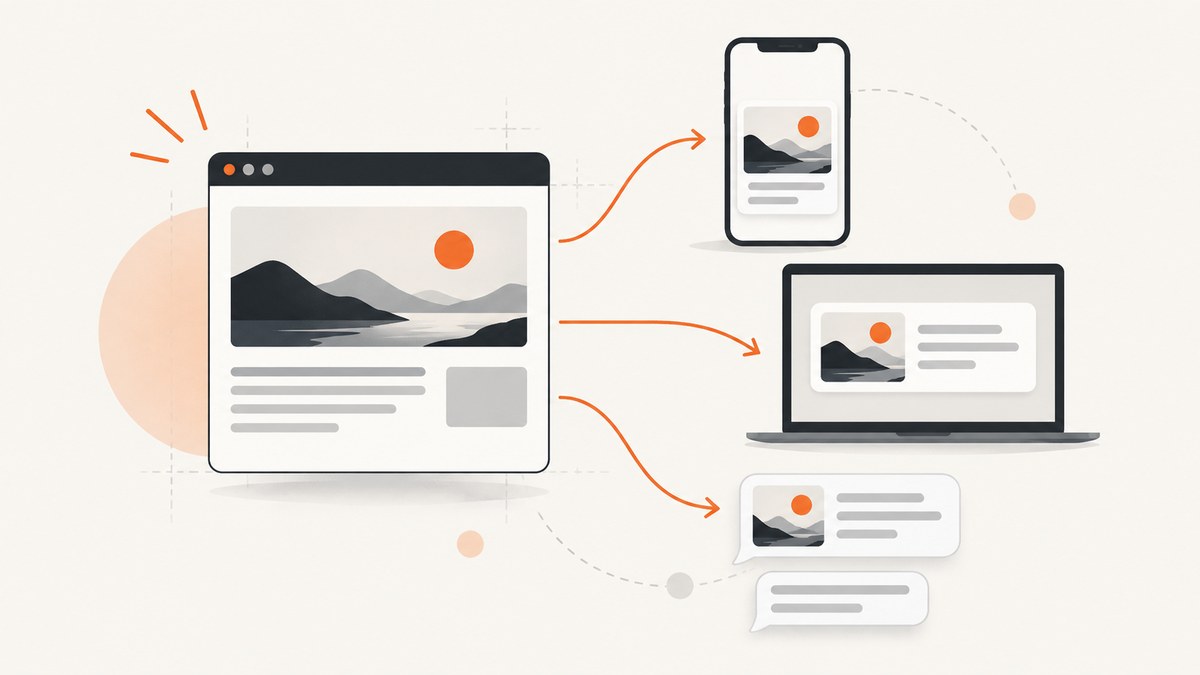
A link preview is assembled from metadata in your page and an image that a crawler can fetch. The most portable starting point is a 1200 × 630 pixel image (about 1.91:1), an absolute HTTPS URL, and complete Open Graph fields. X can use Twitter Card metadata and fall back to Open Graph values; LinkedIn, Facebook, Slack, Discord and messaging apps may crop or cache the same source differently.
This guide shows the tags to publish, how the image appears on major platforms, how to generate and inspect it, and how to diagnose missing or badly cropped previews.
1. The minimum metadata that works across platforms
Put these tags in the <head> of the page being shared:
<meta property="og:type" content="article">
<meta property="og:title" content="Example article title">
<meta property="og:description" content="A concise description for the share card.">
<meta property="og:url" content="https://example.com/article">
<meta property="og:image" content="https://example.com/images/article-og.jpg">
<meta property="og:image:width" content="1200">
<meta property="og:image:height" content="630">
<meta name="twitter:card" content="summary_large_image">
Use the canonical URL in og:url, not a tracking URL or a URL with a temporary query string. The image URL must be absolute and reachable over HTTPS without a login, cookie or JavaScript challenge. Explicit width and height values help crawlers classify the asset before they render a card.
Optional fields for richer articles
<meta property="og:site_name" content="Example Site">
<meta property="article:published_time" content="2026-09-29T09:00:00Z">
<meta property="article:modified_time" content="2026-09-29T09:00:00Z">
<meta property="article:author" content="https://example.com/authors/name">
<meta name="twitter:title" content="Example article title">
<meta name="twitter:description" content="A concise description for the share card.">
<meta name="twitter:image" content="https://example.com/images/article-og.jpg">
Twitter Card fields let you use text or an image URL that differs from Open Graph. If they are absent, X commonly uses the corresponding Open Graph fields. Keep the visible title and description concise because every client truncates at a different point.
2. Choose a canvas that survives different crops
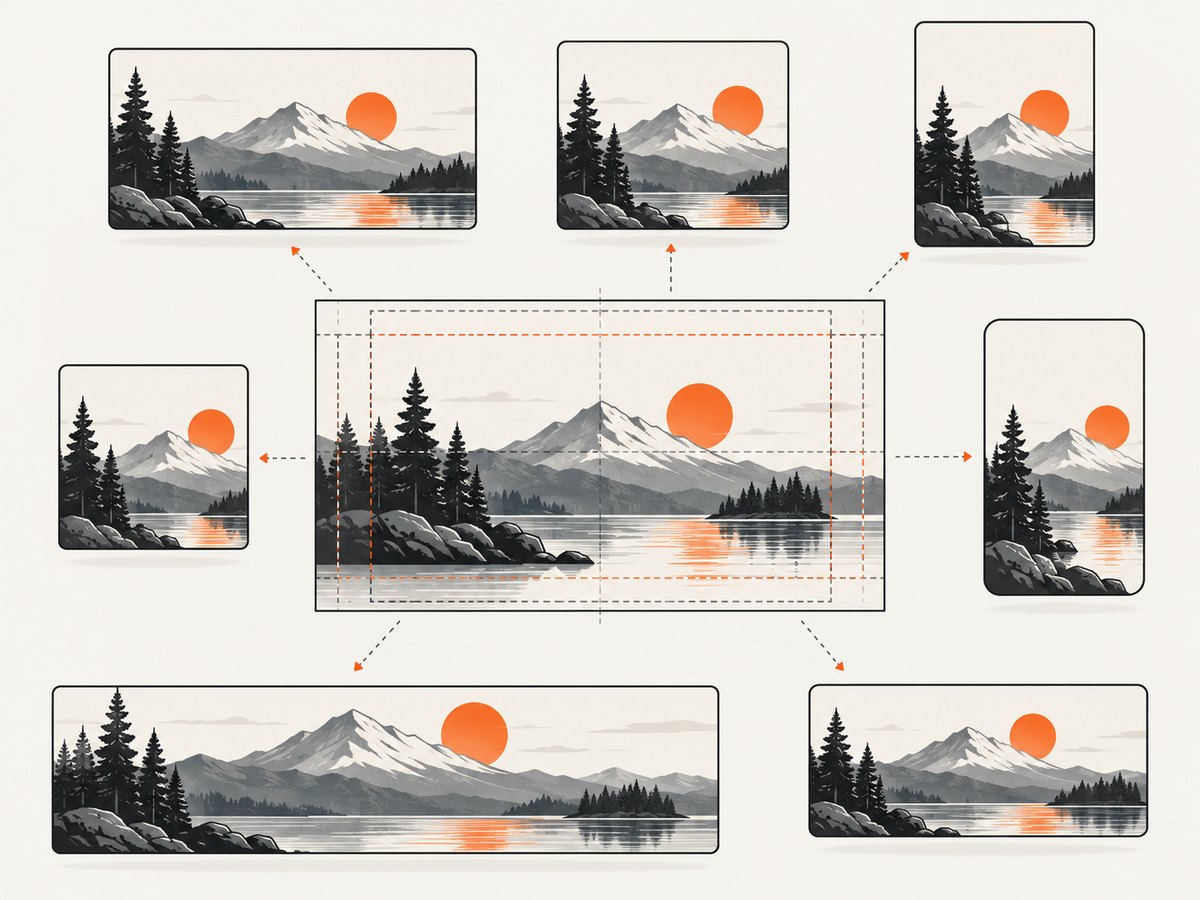
A 1200 × 630 canvas is a practical broad default. It is close to X’s large-card ratio and works well for Facebook-style cards. LinkedIn documents 1200 × 627 pixels for website sharing. The two ratios differ by only three pixels in height, so a 1200 × 630 master can be exported at 1200 × 627 when a LinkedIn-specific asset is needed.
| Platform or client | Image guidance | Metadata read | Crop and cache behavior |
|---|---|---|---|
| Facebook / Meta-style card | 1200 × 630 is a useful default | og:title, og:description, og:image, og:url, og:type |
Usually displays a large image above text; cached fetches can outlive an edit |
| X large card | Use a near-2:1 image and summary_large_image |
Twitter Card fields, then Open Graph fallbacks | May crop the 1.91:1 image; keep text in a central safe area |
| Documented guidance lists 1200 × 627 minimum dimensions | Open Graph fields | Can apply its own crop and stores a fetched version | |
| Slack and Discord | Use the same HTTPS Open Graph image | Open Graph metadata | Unfurl layout varies by client, workspace and message cache |
| WhatsApp and iMessage | Use a small, quickly downloadable HTTPS file | Open Graph metadata where supported | Availability, file weight and prior cache entries affect the preview |
These are current implementation guidelines rather than permanent contracts. Platform parsers, file limits and card layouts change. Keep important text, faces and logos inside the middle 80 percent of the canvas. A background that reaches all four edges is safer than a border: edge pixels are often lost when a card is cropped.
3. A complete example page
The following document is a runnable starting point. Replace the example values with the page’s actual title, description, canonical URL and image URL.
<!doctype html>
<html lang="en">
<head>
  <meta charset="utf-8">
  <meta name="viewport" content="width=device-width, initial-scale=1">
  <title>Example article title</title>

  <meta property="og:type" content="article">
  <meta property="og:title" content="Example article title">
  <meta property="og:description" content="A concise description for the share card.">
  <meta property="og:url" content="https://example.com/article">
  <meta property="og:image" content="https://example.com/images/article-og.jpg">
  <meta property="og:image:width" content="1200">
  <meta property="og:image:height" content="630">
  <meta property="og:site_name" content="Example Site">

  <meta name="twitter:card" content="summary_large_image">
  <meta name="twitter:title" content="Example article title">
  <meta name="twitter:description" content="A concise description for the share card.">
  <meta name="twitter:image" content="https://example.com/images/article-og.jpg">
</head>
<body>
  <main><h1>Example article title</h1></main>
</body>
</html>
4. Generate a preview image yourself with a browser
A browser screenshot is useful when your image is assembled from HTML and CSS. Create a fixed-size page, keep the important content inside a safe area, and wait for fonts and images before capture. Playwright is one practical implementation:
import { chromium } from 'playwright';

const browser = await chromium.launch();
const page = await browser.newPage({
  viewport: { width: 1200, height: 630 },
  deviceScaleFactor: 1
});

await page.goto('http://localhost:3000/og-card', { waitUntil: 'networkidle' });
await page.evaluate(() => document.fonts.ready);
await page.screenshot({ path: 'article-og.png', type: 'png' });
await browser.close();
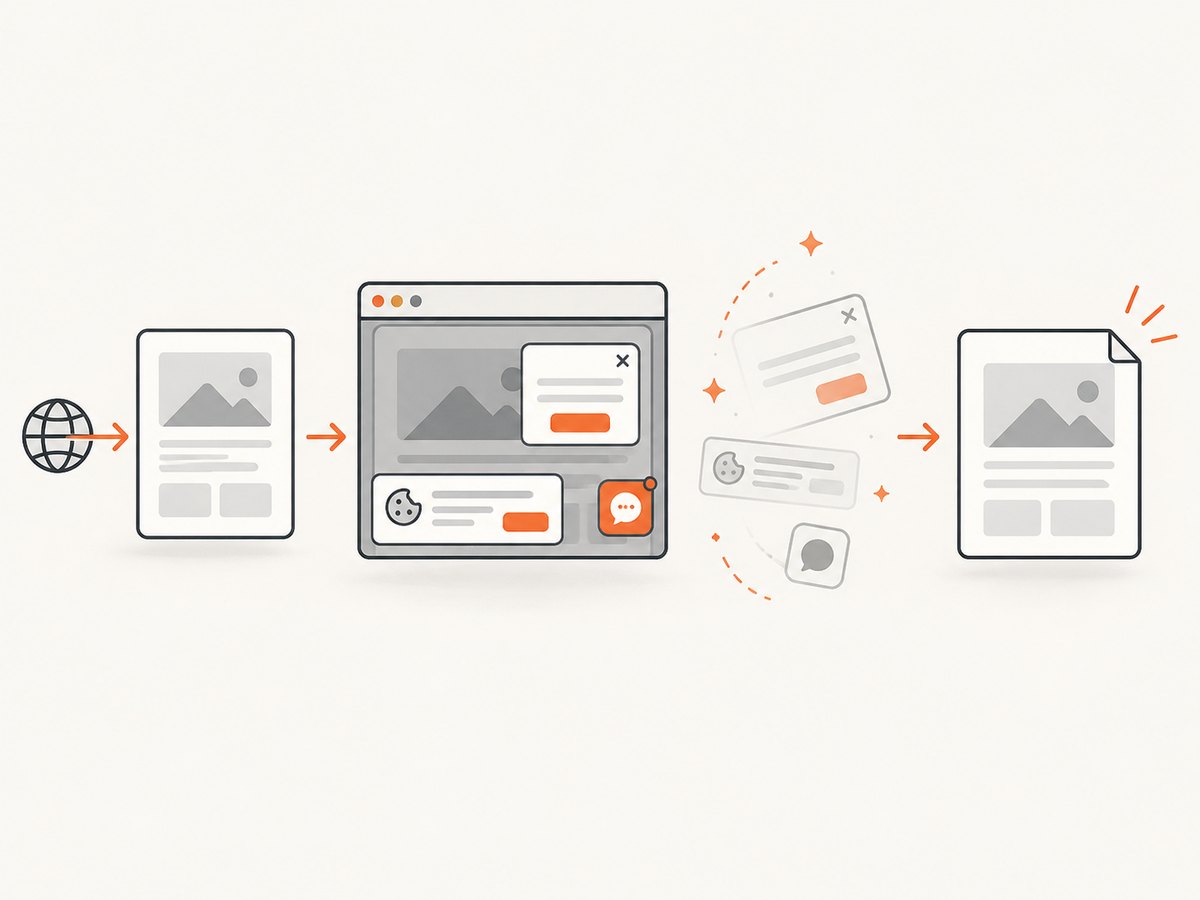
For a production pipeline, serve the card from a stable route, set a deterministic background, and ensure every external font or image is available to the capture process. A screenshot of a page that still has a loading spinner, cookie banner or animation will become the image that every social client caches.
Validate dimensions and file properties
# ImageMagick
identify article-og.png

# curl: confirm the server returns an image, not HTML
curl -I https://example.com/images/article-og.jpg
Look for a successful status, an image Content-Type, and a response that does not redirect to a login page. Keep the file reasonably small so mobile clients can fetch it quickly. If you use a content hash in the filename, update the og:image URL whenever the artwork changes.
5. What the same image looks like in real cards
Facebook and Meta-style previews
The common layout places a large image above the title and description. Facebook-style crawlers read og:title, og:description, og:image, og:url and og:type. A 1200 × 630 image fills the expected shape well. Avoid putting a headline on the extreme top or bottom edge because a mobile card can trim those rows.
X large cards
Set twitter:card to summary_large_image. X’s large card is close to a 2:1 ratio, so the bottom or top of a 1.91:1 image may be cropped. Keep a 60 to 80 pixel margin around critical content and test a title with no more than two short lines. If Twitter-specific title, description or image fields are omitted, the corresponding Open Graph values can supply the card.
LinkedIn’s current help guidance lists 1200 × 627 as a minimum image size for website sharing. The three-pixel difference from 1200 × 630 is not visible in most designs, but an export at 1200 × 627 can avoid a fractional crop. Use the canonical page URL and make sure the crawler can fetch the image without a session.
Slack, Discord, WhatsApp and iMessage
These clients can reuse the same Open Graph image while changing the card arrangement. Slack may show a compact image beside text; Discord may emphasize the embed image; messaging apps may omit the image if the fetch is slow or the file is inaccessible. Exact limits are client-specific and can change. The reliable common denominator is an HTTPS URL, a valid image response, modest file weight and metadata in the initial HTML.
6. Refreshing stale previews
Preview crawlers cache both metadata and images. Editing the HTML does not guarantee that an existing message changes immediately. After publishing an edit:
- Open the page directly and inspect the raw HTML returned to an unauthenticated client.
- Confirm that only one canonical
og:title,og:descriptionandog:imageset is present. - Use a platform preview validator or inspector to request a fresh fetch. OpenGraph.dev describes preview workflows and lists named platform inspectors.
- If the image itself changed, publish a new URL, such as
article-og-v2.jpg, and updateog:image. - Send a new test message after the inspector shows the new values.
7. Troubleshooting common failures
| Symptom | Likely cause | Fix |
|---|---|---|
| No image appears | Relative URL, HTTP URL, blocked request or non-image response | Use an absolute HTTPS URL and verify it with curl -I; remove authentication and bot challenges |
| Old title or image remains | Platform cache | Run the platform inspector, then change the image filename if the artwork changed |
| Image is cropped badly | Card ratio differs from 1.91:1 | Move key content toward the center and test a 1200 × 630 and 1200 × 627 export |
| Wrong page is previewed | Duplicate tags, redirect or incorrect canonical URL | Inspect the final HTML after redirects and keep one canonical metadata set |
| Description is missing | Empty tag, malformed HTML or client-specific truncation | Put a concise description in og:description; optionally duplicate it in twitter:description |
| Preview works locally but not publicly | Private host, firewall, robots rule or JavaScript-only metadata | Publish tags in server-rendered HTML and allow crawler requests to the page and image |
| Card shows a cookie banner or popup | Browser screenshot captured before cleanup | Hide overlays before capture or use a capture service that removes them before taking the shot |
8. Performance, reliability and cost considerations
Generate images ahead of the first share when possible. A static file on a CDN reduces the chance that a crawler times out while your application renders a card. Set long cache headers for immutable, versioned images and use a new filename for each design revision. For dynamic cards, cache the rendered result by article ID and design version.
Keep the image dimensions large enough for high-density screens but avoid unnecessarily heavy assets. JPEG works well for photographs, PNG for sharp text and transparency, and WebP can reduce transfer size when the target client accepts it. Always retain a broadly compatible fallback because social clients do not expose identical format support.
If you generate cards on demand, queue work and return a stable URL only after the asset exists. A failed image render should not leave an HTML page pointing at a broken URL. Log the requested page, image URL, status code, content type and generation duration so a missing card can be traced.
9. Or skip the browser setup
ScreenshotNeo provides a website screenshot API when you want a clean image from a URL. See the ScreenshotNeo documentation for the available parameters and response details.
cURL
curl -G "https://api.screenshotneo.com/v1/shot" -d access_key=YOUR_API_KEY --data-urlencode url=https://stripe.com -o shot.webpPython
import requests
r = requests.get("https://api.screenshotneo.com/v1/shot", params={"access_key": "YOUR_API_KEY", "url": "https://stripe.com"}, timeout=90)
open("shot.webp", "wb").write(r.content)
Node.js
const q = new URLSearchParams({ access_key: 'YOUR_API_KEY', url: 'https://stripe.com' });
const res = await fetch(`https://api.screenshotneo.com/v1/shot?${q}`);
Cookie banners, newsletter popups and chat widgets are removed before the shot. Bot checks, blank pages and failed loads are never billed, and response headers identify the page verdict and whether the request was billed. An MCP server lets AI agents take screenshots through tools such as take_screenshot, get_page_info and capture_pdf. The free plan includes 1,000 screenshots a month with no card; paid plans start at $5 for 3,000 shots. Create a free ScreenshotNeo account.
10. A publishing checklist
- Use one canonical HTTPS page URL in
og:url. - Use an absolute HTTPS image URL that returns an image without authentication.
- Publish a 1200 × 630 master and keep critical content inside a central safe area.
- Include explicit
og:image:widthandog:image:height. - Set
twitter:cardtosummary_large_image. - Check the final HTML after redirects, not only the template source.
- Run a preview inspector after every metadata or image change.
- Version the image filename when its pixels change.
- Test an actual share in each channel that matters to your audience.
FAQ
Can I use one image for every network?
Yes. A 1200 × 630 image is a practical cross-platform default. Keep important content centered because each client can crop it differently.
Do I need both Open Graph and Twitter Card tags?
Open Graph tags cover most crawlers. Add twitter:card and optional Twitter-specific fields when you want predictable X large-card behavior.
Why did changing the title not update an old message?
Preview data is cached. Use the relevant platform inspector and send a new message after the refreshed fetch completes.
Should the image URL contain a query string?
It can, but a versioned filename is easier to debug and more reliable with caches. Update the metadata whenever the image revision changes.
Can a social crawler execute my JavaScript to find tags?
Do not rely on it. Put the metadata in the server-rendered HTML response so a crawler can read it without running your application.


