Load CSS from a URL for HTML-to-PDF Conversion in Java
Load external CSS reliably in Java HTML-to-PDF workflows with base URLs, network controls, renderer limits, troubleshooting, and runnable examples.

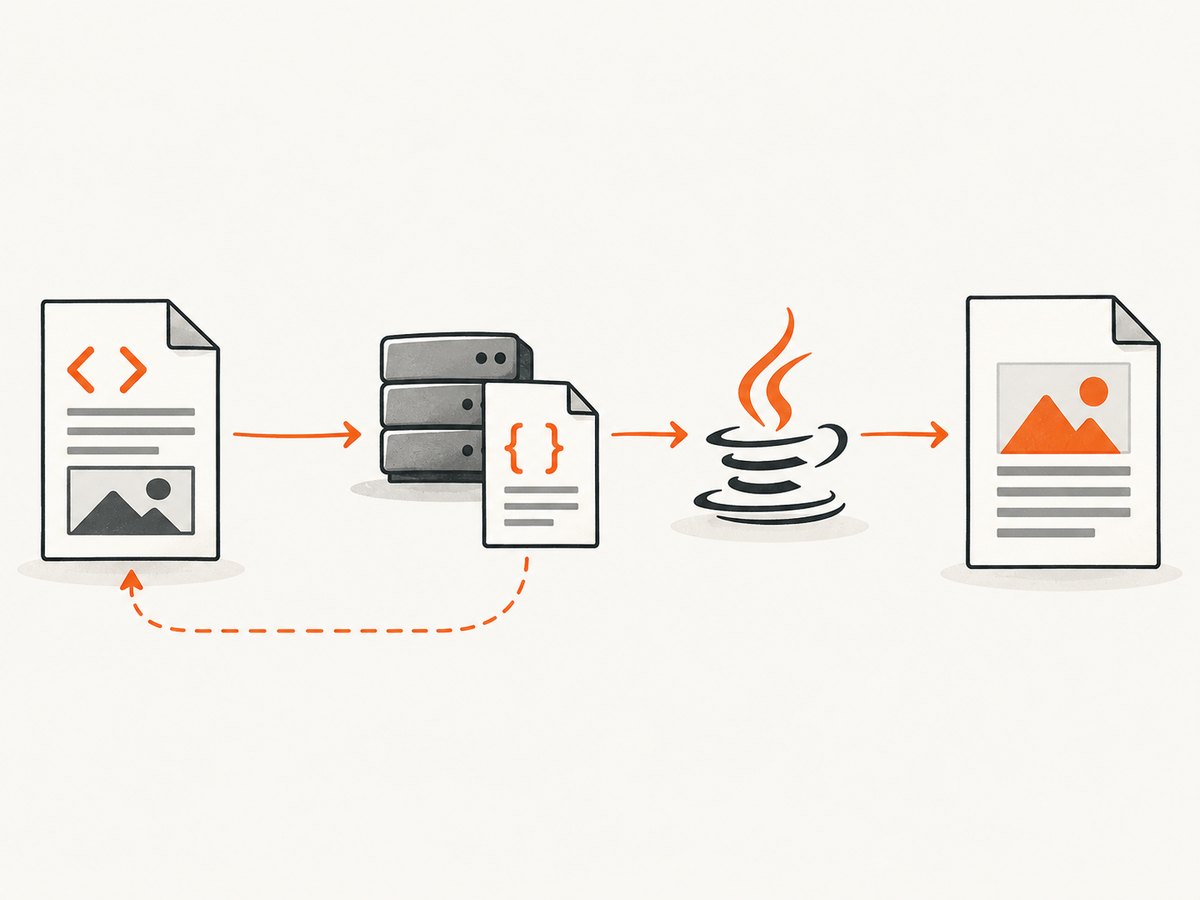
To load CSS from a URL during HTML-to-PDF conversion in Java, put a normal <link rel="stylesheet" href="..."> in the HTML and make sure your converter can resolve and fetch that URL. Absolute stylesheet URLs work without path resolution. Relative URLs require a correct base URI. The exact Java call depends on the renderer: PDFreactor, iText pdfHTML, and OpenHTMLtoPDF do not share one interchangeable API or browser-level CSS support.
This guide shows the document markup, Java patterns, security and networking settings, diagnostics, and production considerations you need to make external stylesheets dependable.
1. Add the external stylesheet to your HTML
Use an absolute HTTPS URL when possible:
<!doctype html>
<html>
<head>
  <meta charset="utf-8">
  <link rel="stylesheet" href="https://static.example.com/css/print.css">
</head>
<body>
  <h1>Report</h1>
  <p>This content is styled by print.css.</p>
</body>
</html>
PDFreactor documents automatic loading of linked external resources. When the input is a URL, it can infer the document URL as the base for relative resources. When you provide HTML as a string or stream, configure a base URL explicitly. PDFreactor’s manual describes both cases.
Absolute and relative stylesheet paths
| Reference | Example | What it requires |
|---|---|---|
| Absolute | https://static.example.com/css/print.css |
The conversion process must be allowed to reach that host and validate TLS. |
| Root-relative | /css/print.css |
A base URL with an origin, such as https://app.example.com/. |
| Document-relative | ../css/print.css |
A base URL whose path is correct for the HTML location. |
iText describes the base URI as the parent location used to resolve resources such as CSS and images. If your HTML is generated in memory, there is no implicit filesystem or web location; set one deliberately. See iText’s base URI guidance.
2. PDFreactor: set a base URL when HTML is supplied directly
PDFreactor’s API differs by product edition and integration mode, so use the method names from the version you have installed. The important sequence is: provide HTML, set a base URL when resources are relative, then convert.
import com.realobjects.pdfreactor.PDFreactor;
import com.realobjects.pdfreactor.Configuration;

import java.nio.file.Files;
import java.nio.file.Path;

public final class PdfreactorCss {
  public static void main(String[] args) throws Exception {
    String html = """
      <!doctype html>
      <html><head>
        <link rel=\"stylesheet\" href=\"css/print.css\">
      </head><body>
        <h1>Invoice</h1>
      </body></html>
      """;

    Configuration config = new Configuration();
    // The stylesheet is resolved as https://static.example.com/public/css/print.css
    config.setBaseUrl("https://static.example.com/public/");

    PDFreactor reactor = new PDFreactor();
    byte[] pdf = reactor.convert(html, config);
    Files.write(Path.of("invoice.pdf"), pdf);
  }
}
Check your PDFreactor library version for the exact overload that accepts HTML and configuration. Its documentation also covers HTTPS certificate verification, connection and read timeouts, protocol restrictions, and controls on filesystem and network-address access. Keep those permissions scoped to the hosts and protocols your document actually needs. PDFreactor library security and networking documentation.
3. iText pdfHTML: resolve resources with a base URI
With iText, pass a base URI through the converter properties when your HTML contains relative resources. The API below follows the pdfHTML pattern; use the dependency version’s current package names and signatures.
import com.itextpdf.html2pdf.HtmlConverter;
import com.itextpdf.html2pdf.ConverterProperties;

import java.io.FileOutputStream;

public class ITextExternalCss {
  public static void main(String[] args) throws Exception {
    String html = """
      <html><head>
        <link rel=\"stylesheet\" href=\"css/print.css\">
      </head><body>
        <h1>Report</h1>
      </body></html>
      """;

    ConverterProperties properties = new ConverterProperties();
    properties.setBaseUri("https://static.example.com/public/");

    try (FileOutputStream output = new FileOutputStream("report.pdf")) {
      HtmlConverter.convertToPdf(html, output, properties);
    }
  }
}
iText’s official FAQ states that pdfHTML does not evaluate JavaScript. If your page depends on JavaScript to insert the stylesheet or render content, execute that work before handing HTML to pdfHTML, or choose a renderer with the required capability. Read the iText renderer FAQ.
4. OpenHTMLtoPDF and other renderers
OpenHTMLtoPDF describes support for well-formed XML/XHTML, some HTML5, CSS 2.1, and selected later standards. It is not a full browser engine. Make the HTML well formed, provide a base URI through the renderer’s resource resolver or builder API, and verify every CSS feature your document uses against the exact release. OpenHTMLtoPDF project documentation.
Do not copy a PDFreactor or iText configuration method into another library and assume it will compile. Compare the renderer’s resource-loading API, CSS support, JavaScript behavior, licensing, deployment model, and security controls.
5. A complete Java workflow for remote CSS
- Write an HTML document containing a stylesheet link.
- Choose absolute URLs or define a base URI for relative links.
- Confirm the conversion host can resolve DNS, connect over HTTPS, and validate the certificate.
- Set connection and read timeouts supported by your renderer.
- Restrict protocols, filesystem access, and private network ranges when input is untrusted.
- Convert a representative document and inspect the PDF for missing rules, fonts, images, and page breaks.
import java.net.URI;
import java.net.http.HttpClient;
import java.net.http.HttpRequest;
import java.net.http.HttpResponse;
import java.time.Duration;

public class CheckCssBeforeConversion {
  public static void main(String[] args) throws Exception {
    URI css = URI.create("https://static.example.com/css/print.css");
    HttpClient client = HttpClient.newBuilder()
        .connectTimeout(Duration.ofSeconds(10))
        .build();
    HttpRequest request = HttpRequest.newBuilder(css)
        .timeout(Duration.ofSeconds(20))
        .GET()
        .build();
    HttpResponse<String> response = client.send(
        request, HttpResponse.BodyHandlers.ofString());
    if (response.statusCode() / 100 != 2) {
      throw new IllegalStateException("CSS returned HTTP " + response.statusCode());
    }
    System.out.println("Fetched " + response.body().length() + " CSS characters");
  }
}
This preflight check is useful for diagnosis, but it does not replace the renderer’s own fetch. Authentication headers, proxy settings, cookies, redirects, and certificate stores must match the conversion process itself.
6. Network, authentication, and security edge cases
HTTPS and certificates
PDFreactor documents automatic certificate verification for HTTPS. A certificate trusted by your laptop may not be trusted by the JVM or container running conversion. Install the required CA in the runtime trust store rather than disabling verification.
Authentication
A private stylesheet may require a cookie, bearer token, client certificate, or signed URL. Configure supported request headers or fetch the CSS yourself and provide it through the renderer’s documented resource mechanism. Never put long-lived secrets in a public HTML URL.
Redirects and content types
Check that redirects remain on approved hosts and that the final response is CSS. A login page returning status 200 can be parsed as invalid CSS and look like a styling failure.
Untrusted URLs
Remote HTML can become a server-side request forgery path. Restrict allowed protocols and hosts, block private and link-local address ranges, disable unnecessary filesystem access, and avoid allowing arbitrary file: references. PDFreactor documents controls for these areas.
7. Troubleshooting checklist
| Symptom | Likely cause | Fix |
|---|---|---|
| No styles at all | Missing link, unreachable URL, or renderer cannot fetch remote resources. |
Inspect the final HTML, fetch the URL from the conversion host, and review renderer logs. |
| Relative CSS fails | No base URI or an incorrect base path. | Use an absolute URL or set the documented base URL/URI. |
| Works locally, fails in production | DNS, proxy, firewall, certificate, or trust-store differences. | Run a request from the production runtime and compare network settings. |
| Timeouts | Slow origin, blocked connection, or CSS imports that never finish. | Set bounded connect/read timeouts, reduce imports, and make the origin reliable. |
| Some rules are ignored | Unsupported CSS feature, malformed CSS, or cascade differences. | Validate CSS, simplify the rule, and check renderer support for that version. |
| Fonts or images missing | Those URLs also need base-URI resolution and permission to fetch. | Use absolute URLs or the same correctly scoped resource configuration. |
| JavaScript-generated CSS missing | Renderer does not run JavaScript. | Render the DOM first with a browser, inline the resulting CSS, or use a renderer that explicitly supports the needed script. |
Use this order: verify the HTML link, verify reachability, verify base URI, verify TLS and authentication, then investigate CSS feature support. This sequence follows the documented fetch, base URL, transport, and renderer boundaries.
8. Performance, reliability, and cost
- Reduce round trips: combine small stylesheets where practical and avoid long chains of
@importrules. - Cache immutable assets: serve versioned CSS with a long cache lifetime. Ensure the renderer or your network layer can reuse it safely.
- Bound every wait: set connection and read timeouts so a dead stylesheet origin cannot hold worker threads indefinitely.
- Make output deterministic: pin CSS versions, fonts, and renderer versions. Record the HTML URL, base URI, and resource errors with each conversion.
- Test representative pages: include tables, print media rules, page breaks, web fonts, images, and any vendor-specific CSS.
- Budget network dependencies: external resources add latency and operational failure modes. Self-hosting approved assets can improve reliability, subject to your licensing and deployment requirements.
There is no universal browser-equivalence benchmark in the cited documentation. Measure your own documents with the exact renderer version and deployment environment.
9. Or skip the browser setup
If your actual goal is a rendered image or PDF of a URL, ScreenshotNeo provides a single GET request to capture it. It handles page loading and capture without requiring you to maintain browser infrastructure.

cURL:
curl -G "https://api.screenshotneo.com/v1/shot" -d access_key=YOUR_API_KEY --data-urlencode url=https://stripe.com -o shot.webpPython:
import requests
r = requests.get("https://api.screenshotneo.com/v1/shot", params={"access_key": "YOUR_API_KEY", "url": "https://stripe.com"}, timeout=90)
open("shot.webp", "wb").write(r.content)
Node.js:
const q = new URLSearchParams({ access_key: 'YOUR_API_KEY', url: 'https://stripe.com' });
const res = await fetch(`https://api.screenshotneo.com/v1/shot?${q}`);
See the ScreenshotNeo API documentation for request options and response headers. Before capture, cookie and consent banners, newsletter popups, and chat widgets are removed. Bot checks, blank pages, failed loads, timeouts, and cache hits are not billed, and the response identifies the page verdict and billing status with X-Page-Verdict and X-Billed headers. ScreenshotNeo also offers an MCP server with take_screenshot, get_page_info, and capture_pdf tools for Claude, Cursor, and other MCP clients. The Free plan includes 1,000 screenshots per month without a card; paid plans start at $5 for 3,000 shots.
Create a free ScreenshotNeo account and start with 1,000 screenshots per month at no charge.
10. FAQ
Can I use a CSS URL without a base URI?
Yes, if the href is absolute. Relative paths need a base URI that supplies the scheme, host, and path context.
Why does a stylesheet load in a browser but not in Java?
The conversion runtime may lack network access, trust the certificate differently, require authentication, or support fewer CSS features than a browser.
Does pdfHTML execute JavaScript?
No. iText’s FAQ explicitly says pdfHTML does not evaluate JavaScript.
Should I inline CSS?
Inlining can remove a network dependency, but it increases HTML size and complicates caching. Use it when your renderer cannot fetch external resources or when deterministic packaging matters.
How do I choose a renderer?
Compare required CSS and HTML features, JavaScript needs, resource resolution, security controls, deployment constraints, licensing, and the results from your own representative documents.