Load CSS from a URL for HTML-to-PDF in Python
Load remote CSS reliably in WeasyPrint or xhtml2pdf, resolve assets, handle authentication, and avoid common HTML-to-PDF failures.
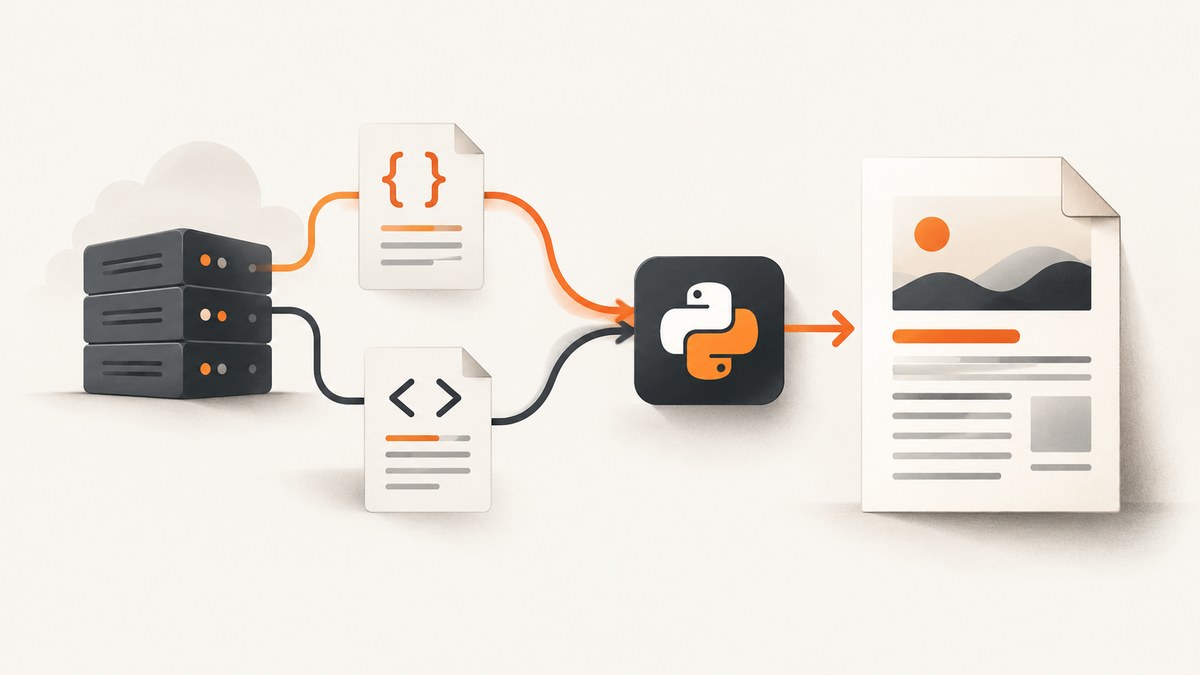
Direct answer: With WeasyPrint, pass the stylesheet URL to CSS(url=...) and include it in HTML.write_pdf(). Set base_url whenever your HTML contains relative images, fonts, imports or other assets. For protected CSS, use a custom URL fetcher or download the stylesheet yourself and pass it as CSS(string=...).
from weasyprint import HTML, CSS

html_text = """
<html>
  <head><title>Invoice</title></head>
  <body><h1>Invoice 1007</h1><p>Amount due: $120</p></body>
</html>
"""

html = HTML(string=html_text, base_url="https://example.com/")
remote_css = CSS(url="https://cdn.example.com/print.css")
html.write_pdf("invoice.pdf", stylesheets=[remote_css])
WeasyPrint’s URL fetcher retrieves external resources such as stylesheets and images. Its HTML and CSS constructors accept URLs, while HTML.write_pdf() performs the PDF render. See the official WeasyPrint documentation for the rendering model.
1. Install the renderer and make a minimal PDF
Install WeasyPrint in the Python environment that will run the conversion:
python -m pip install weasyprint requestsThen create a small script:
from weasyprint import HTML, CSS

html = HTML(string="""
<!doctype html>
<html>
  <head><meta charset="utf-8"></head>
  <body>
    <h1>Remote CSS test</h1>
    <p class="notice">This paragraph should be blue.</p>
  </body>
</html>
""", base_url="https://example.com/")
css = CSS(string=".notice { color: #1769aa; font-size: 18pt; }")
html.write_pdf("test.pdf", stylesheets=[css])
Using CSS(string=...) here isolates PDF generation from network problems. Once that works, replace it with CSS(url=...) to verify remote loading.
2. Load a public stylesheet from a URL
The usual production pattern is to keep HTML and CSS separate:
from weasyprint import HTML, CSS

html_text = """
<html>
  <head>
    <meta charset="utf-8">
    <title>Report</title>
  </head>
  <body>
    <h1>Quarterly report</h1>
    <img src="images/chart.png" alt="Revenue chart">
  </body>
</html>
"""

html = HTML(string=html_text, base_url="https://reports.example.com/")
css = CSS(url="https://cdn.example.com/print.css")
html.write_pdf("report.pdf", stylesheets=[css])
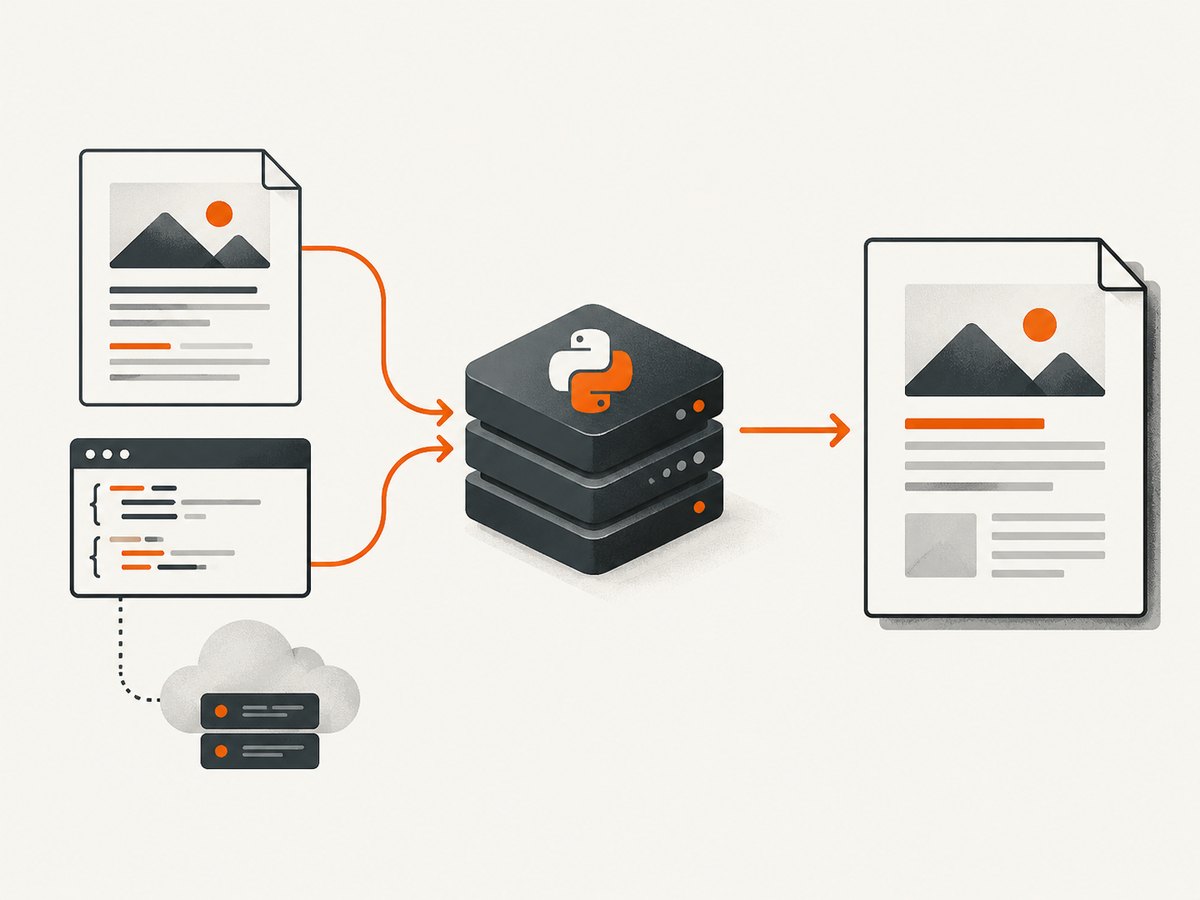
The stylesheet URL should be absolute. The server must return CSS bytes, with a successful response, rather than an HTML login page or an application redirect. CSS can itself reference images and fonts; those URLs are resolved according to the stylesheet’s URL and the fetch policy.
Linking the stylesheet inside HTML
You can also put a link in the document:
from weasyprint import HTML

html = HTML(string="""
<html>
  <head>
    <link rel="stylesheet" href="https://cdn.example.com/print.css">
  </head>
  <body><h1>Linked stylesheet</h1></body>
</html>
""")
html.write_pdf("linked.pdf")
An absolute link needs no HTML base URL for that link. A base_url is still useful for relative images, scripts that affect preprocessing, fonts, and other resources.
3. Resolve relative images, fonts and CSS imports
A browser knows the page’s origin. An HTML string passed to a PDF library does not, so relative references such as images/logo.png, fonts/Inter.woff2 or @import "print-components.css" need a base.
| Input | Recommended base | Typical result |
|---|---|---|
| HTML string from a website | HTML(string=..., base_url="https://example.com/") |
Relative links resolve against the site |
| Local HTML file | HTML(filename="invoice.html") |
Sibling files resolve from the file directory |
| Remote CSS | CSS(url="https://cdn.example.com/print.css") |
Imports and font URLs resolve from the CSS URL |
| Generated CSS text | Use absolute URLs or a suitable CSS base/fetcher | Asset paths remain deterministic |
Fonts declared by the remote CSS
For @font-face, create one FontConfiguration and pass it to both the stylesheet and the PDF render:
from weasyprint import HTML, CSS
from weasyprint.text.fonts import FontConfiguration

font_config = FontConfiguration()
html = HTML(string="""
<html><body><h1>Branded report</h1></body></html>
""", base_url="https://example.com/")
css = CSS(url="https://cdn.example.com/print-with-fonts.css",
          font_config=font_config)
html.write_pdf("branded.pdf", stylesheets=[css],
               font_config=font_config)
Check that each font URL is reachable under the same policy as the stylesheet. A missing font often looks like a layout problem because text metrics change and line wrapping moves.
4. Send cookies or authentication headers
The default WeasyPrint HTTP client can open HTTP URLs, but it does not provide advanced cookie or authentication handling. A protected stylesheet may therefore return a login page, a 401 response, or a redirect instead of CSS.
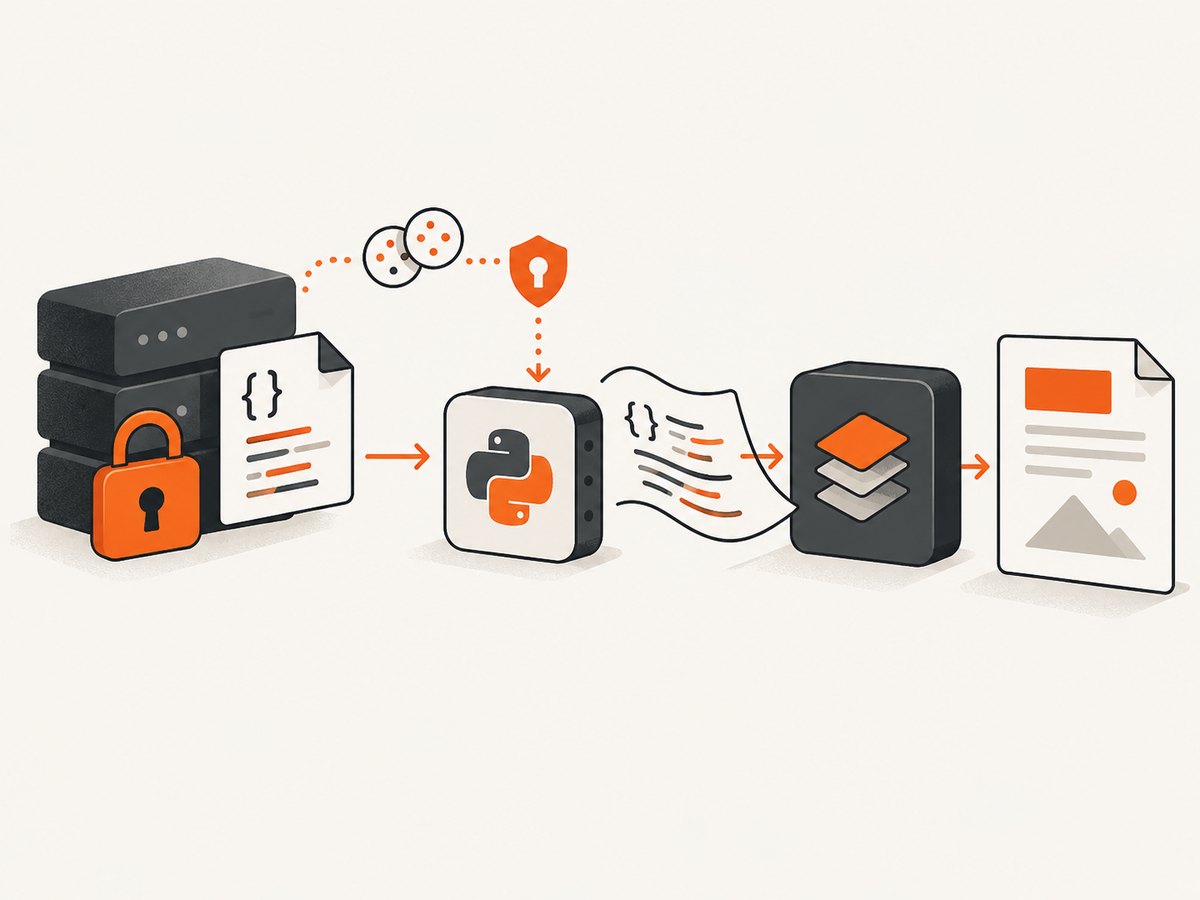
Option A: fetch CSS yourself
This is straightforward when your application already owns authentication:
import requests
from weasyprint import HTML, CSS
from weasyprint.text.fonts import FontConfiguration

session = requests.Session()
session.headers.update({"Authorization": "Bearer YOUR_TOKEN"})
session.cookies.set("session", "YOUR_SESSION_COOKIE", domain="example.com")

response = session.get("https://example.com/private/print.css", timeout=30)
response.raise_for_status()
if "text/css" not in response.headers.get("content-type", ""):
    raise ValueError("The endpoint did not return CSS")

font_config = FontConfiguration()
css = CSS(string=response.text,
          base_url="https://example.com/private/",
          font_config=font_config)
html = HTML(string="<html><body><h1>Private report</h1></body></html>",
            base_url="https://example.com/")
html.write_pdf("private.pdf", stylesheets=[css],
               font_config=font_config)
Passing a base_url to the in-memory stylesheet keeps relative @import, image and font URLs meaningful. If those secondary requests also require credentials, use a custom fetcher or make their URLs absolute and prefetch them as well.
Option B: implement a custom URL fetcher
A custom fetcher can add headers, cookies, host restrictions and response validation for every resource. The exact implementation depends on your WeasyPrint version, so follow the current URL fetcher API reference. Keep the fetcher small: allow only the protocols and hosts your document needs, set timeouts, and return the response metadata and bytes in the structure expected by WeasyPrint.
5. Use xhtml2pdf when its API fits your application
xhtml2pdf provides a different way to establish the origin of relative resources. Its path argument represents the original URL or file path, and link_callback can rewrite each resource URI.
from xhtml2pdf import pisa

html_text = """
<html>
  <head><link rel="stylesheet" href="css/print.css"></head>
  <body><h1>Statement</h1><img src="images/logo.png"></body>
</html>
"""

with open("statement.pdf", "wb") as target:
    result = pisa.CreatePDF(
        html_text,
        dest=target,
        path="https://example.com/reports/",
        link_callback=my_link_callback,
    )
if result.err:
    raise RuntimeError("xhtml2pdf could not create the PDF")
Define my_link_callback to map approved remote or local resources to files or downloaded bytes. When using the xhtml2pdf CLI with HTML on standard input, set --base for relative links. Use --allow-host to restrict remote fetching, or --no-remote to disable HTTP and HTTPS.
6. A diagnostic workflow for missing CSS
- Inspect the response. Fetch the stylesheet with
curl -Ior your application client. Confirm status, redirects andContent-Type. - Save the bytes. Open the response as text. An HTML sign-in page is not a stylesheet, even if the request returned status 200.
- Use absolute URLs. Temporarily replace relative imports, images and fonts with absolute URLs to isolate base-path errors.
- Render a one-rule test. Set a large color or font-size change. If it appears, networking works and the remaining issue is CSS support or selector scope.
- Read renderer warnings. PDF engines do not implement every browser feature. Unsupported declarations can be ignored while the rest of the sheet loads.
- Check secondary assets. A stylesheet may load while its fonts, background images or imports fail independently.
| Symptom | Likely cause | Fix |
|---|---|---|
| No styles at all | Bad URL, TLS/DNS failure, or login HTML | Inspect status/body; use an absolute URL and correct credentials |
| Styles work, images do not | Missing base_url or blocked host |
Set a base and allow the image host |
| Fonts fall back | Font URL inaccessible or no shared configuration | Check @font-face URLs and pass FontConfiguration |
@import fails |
Import is relative to an undefined or wrong origin | Set CSS base_url or use absolute imports |
| Authenticated CSS is ignored | Default fetcher sent no cookie/token | Prefetch with requests or use a custom fetcher |
| Layout differs from Chrome | Unsupported CSS or different print rules | Use PDF-supported declarations and inspect warnings |
| Conversion hangs | Slow or endless remote resources | Set network/render time limits and restrict allowed hosts |
7. Security, reliability and performance
Remote HTML and CSS are a security boundary. WeasyPrint warns that untrusted content can enable local-file access and expensive or endless rendering. In a service, run conversion with least-privilege filesystem permissions, an outbound host and protocol allowlist, request timeouts, memory and page limits, and an isolated worker. Deny unintended file:// access.
Reliability improves when you pin the exact document origin, validate content types, cache stable CSS and fonts, and record the final response URL after redirects. Prefetching authenticated resources also lets your HTTP client apply retries and observability consistently. Avoid downloading the same large stylesheet for every request when a safe cache is available.
Performance depends on network latency, stylesheet size, font files, image dimensions, page count and CSS complexity. Reduce unnecessary assets, use print-specific CSS, and avoid waiting on resources that cannot affect the PDF. Set explicit timeouts for every network operation; a renderer otherwise may wait on a dead origin.
8. Or skip the browser setup
If your goal is a clean PDF or screenshot of a live page rather than local HTML rendering, ScreenshotNeo provides a website capture API and MCP server. It accepts one GET request and can return a PNG, JPEG, WebP or PDF. Cookie banners, newsletter popups and chat widgets are removed before capture. Bot checks, blank pages, timeouts, failed loads and cache hits are not billed, and response headers identify the page verdict and billing result.
For a PDF capture, use the API documented at ScreenshotNeo docs:
curl -G "https://api.screenshotneo.com/v1/shot" \
  -d access_key=YOUR_API_KEY \
  --data-urlencode url=https://stripe.com \
  -d format=pdf \
  -o page.pdf
import requests
r = requests.get(
"https://api.screenshotneo.com/v1/shot",
params={"access_key": "YOUR_API_KEY", "url": "https://stripe.com", "format": "pdf"},
timeout=90,
)
r.raise_for_status()
open("page.pdf", "wb").write(r.content)const q = new URLSearchParams({
access_key: 'YOUR_API_KEY',
url: 'https://stripe.com',
format: 'pdf'
});
const res = await fetch(`https://api.screenshotneo.com/v1/shot?${q}`);
if (!res.ok) throw new Error(`HTTP ${res.status}`);
const data = Buffer.from(await res.arrayBuffer());
require('fs').writeFileSync('page.pdf', data);ScreenshotNeo also supports paper size, margins, landscape mode and page ranges, plus custom CSS and JavaScript, cookies, headers, authorization, waiting rules, resource blocking and caching. Its MCP server exposes take_screenshot, get_page_info and capture_pdf for Claude, Cursor and other MCP clients.
There is a free tier of 1,000 screenshots per month with no card. Paid plans start at $5 for 3,000 shots, and every feature is available on every plan. Create a free ScreenshotNeo account.
9. Frequently asked questions
Can CSS(url=…) load HTTPS stylesheets?
Yes, provided the URL is reachable by the renderer and the server returns usable CSS. Redirects, TLS, DNS and authentication still apply.
Should I put the URL in HTML or use CSS(url=…)?
Both work. CSS(url=...) makes the stylesheet an explicit render input; an absolute <link> keeps the document closer to the source HTML.
Why does a browser render the page correctly but WeasyPrint does not?
Browsers and PDF engines support different CSS features. Check warnings, simplify unsupported declarations and use print-specific rules.
How do I prevent an untrusted document from reading local files?
Restrict URL schemes and hosts, deny unintended file access, isolate the worker, and enforce time, page and memory limits.
Do I need a custom fetcher for public CSS?
No. The default fetcher handles ordinary HTTP and file URLs. Use a custom fetcher or application-managed download when cookies, authorization or special network policy is required.


