How to Load CSS from a URL When Rendering HTML in Ruby
Load remote CSS reliably in Rails, Wicked PDF, PDFKit, and Grover, with runnable Ruby examples, troubleshooting, security, and production guidance.

Use an absolute stylesheet URL in the HTML you render:
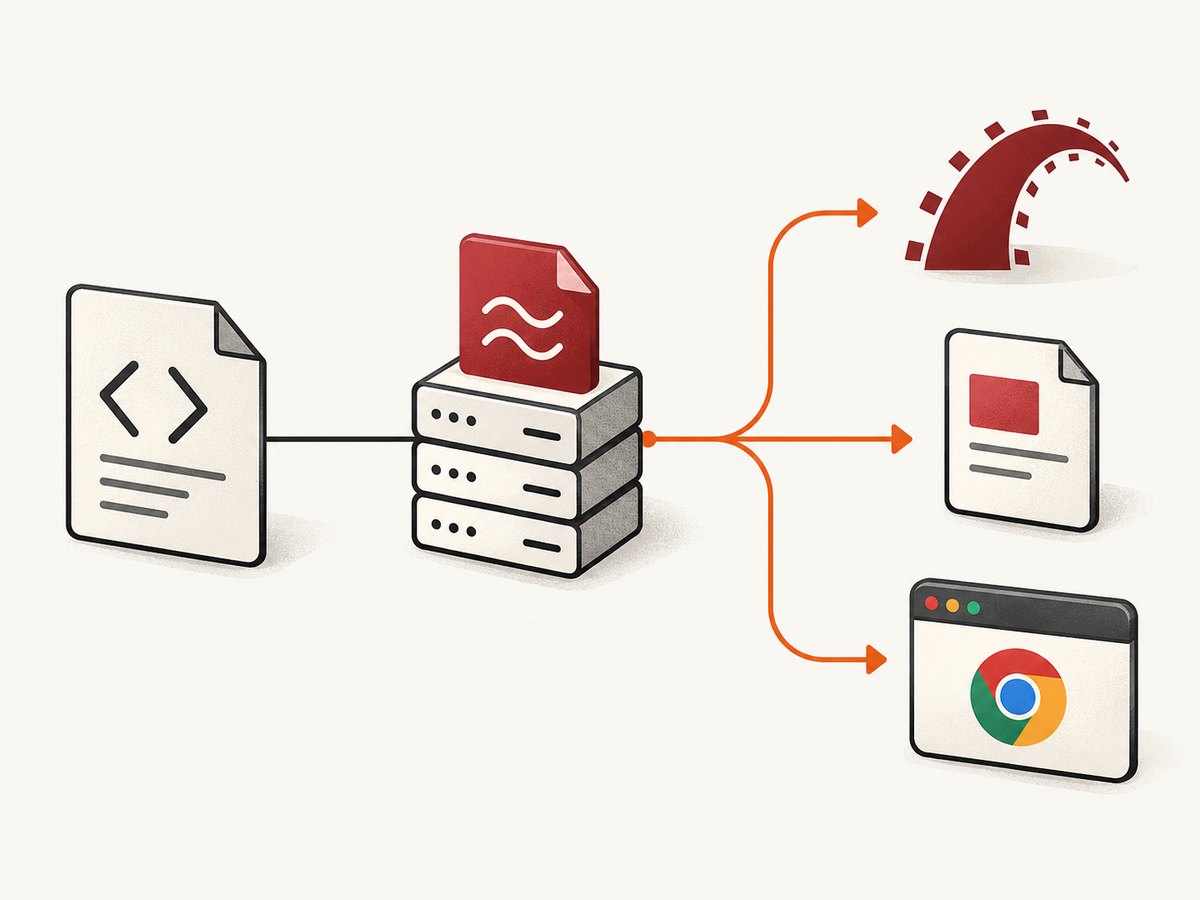
<link rel="stylesheet" href="https://cdn.example.com/app.css">The renderer must be able to resolve and fetch that URL from the machine where rendering occurs. This is the safest common denominator for Rails responses, out-of-process PDF tools, and browser-based renderers. Relative paths such as /assets/app.css only work when the renderer has a correct base URL and can reach your asset host.
This guide explains external CSS loading in Rails, Wicked PDF/wkhtmltopdf, PDFKit, and Grover. It includes complete Ruby examples, equivalent cURL, Python, and Node.js requests for a screenshot service, configuration details, edge cases, security controls, performance considerations, and fixes for the errors developers see most often.
1. Put an absolute URL in the generated HTML
Start with ordinary HTML. Use https://, include the correct filename, and ensure the response is CSS rather than a login page or an HTML error document.
<!doctype html>
<html>
  <head>
    <meta charset="utf-8">
    <link rel="stylesheet" href="https://cdn.example.com/assets/app.css">
  </head>
  <body>
    <main class="invoice">Invoice #1042</main>
  </body>
</html>
Absolute URLs avoid ambiguity about the document’s origin. They are especially important when a PDF command runs in a separate process or container. The URL must be reachable from that process, not merely from your laptop or web browser.
Verify the response before blaming the renderer
require "net/http"
require "uri"

uri = URI("https://cdn.example.com/assets/app.css")
response = Net::HTTP.get_response(uri)

abort "CSS failed: #{response.code}" unless response.is_a?(Net::HTTPSuccess)
abort "Unexpected type: #{response['content-type']}" unless response["content-type"].to_s.start_with?("text/css")

puts "CSS is reachable (#{response.body.bytesize} bytes)"
Run the same check inside the production container or worker that performs rendering. Check DNS, TLS certificates, firewall egress, authentication, redirects, and the final Content-Type. A 200 response containing a sign-in page is still missing CSS from the renderer’s perspective.
2. Rails HTML output
Rails provides stylesheet_link_tag, which returns a <link> tag for each source. It accepts asset names, document-root paths, and URLs. Rails assets may live under app/assets, lib/assets, or vendor/assets. See the Rails asset pipeline guide.
External URL in an ERB view
<%= stylesheet_link_tag "https://cdn.example.com/assets/app.css" %>
<%= stylesheet_link_tag "https://fonts.example.com/css?family=Inter" %>
If you want HTML attributes, pass them after the source:
<%= stylesheet_link_tag "https://cdn.example.com/app.css",
      media: "print",
      nonce: content_security_policy_nonce %>
For a stylesheet served by your Rails application, use the asset name and let the pipeline add its fingerprint:
<%= stylesheet_link_tag "application", "data-turbo-track": "reload" %>When a separate renderer consumes the resulting HTML, prefer https:// URLs generated from your configured host. A relative /assets/application-abc123.css path needs a base URL and a reachable Rails server.
Generating a fully qualified asset URL
# config/environments/production.rb
config.action_controller.asset_host = "https://cdn.example.com"

# In a view
<%= stylesheet_link_tag "application" %>
Ensure the production asset was precompiled and uploaded to that host. A correct helper cannot make an absent fingerprinted file available.
3. Wicked PDF and wkhtmltopdf
Wicked PDF invokes wkhtmltopdf outside the Rails process. Its documentation says that CSS, JavaScript, and image references should be absolute when generating a PDF (Wicked PDF documentation). Use the PDF-specific helper in your PDF layout or emit a fully qualified URL.
PDF layout with the Wicked helper
<!doctype html>
<html>
  <head>
    <meta charset="utf-8">
    <%= wicked_pdf_stylesheet_link_tag "pdf" %>
  </head>
  <body>
    <%= yield %>
  </body>
</html>
Precompile the stylesheet used by PDF views in production. If the asset helper cannot find it, the generated document will contain no usable CSS.
# config/initializers/assets.rb
Rails.application.config.assets.precompile += %w[pdf.css]
An alternative is a fully qualified link:
<link rel="stylesheet" href="https://cdn.example.com/assets/pdf.css">Small, stable stylesheets can also be inlined as a data URI, but inlining increases HTML size and complicates caching. Use it selectively for self-contained documents.
wkhtmltopdf options that affect loading
render pdf: "invoice",
       template: "invoices/show",
       layout: "pdf",
       enable_local_file_access: false,
       javascript_delay: 500,
       print_media_type: true
Only enable local file access when the document genuinely needs local assets. Never allow untrusted HTML to read arbitrary files or request internal network destinations. Wicked PDF specifically recommends sanitizing or restricting user-generated HTML/CSS/JavaScript.
4. PDFKit and wkhtmltopdf
PDFKit wraps wkhtmltopdf and lets you add stylesheets by filesystem path. Its README documents kit.stylesheets << '/path/to/css/file'. This is useful when the worker has the compiled CSS locally.
require "pdfkit"

html = <<~HTML
  <!doctype html>
  <html>
    <head><title>Report</title></head>
    <body><h1>Monthly report</h1></body>
  </html>
HTML

kit = PDFKit.new(html, page_size: "A4", print_media_type: true)
kit.stylesheets << "/app/public/assets/report.css"
File.binwrite("report.pdf", kit.to_pdf)
For HTML containing relative paths, set a base URL:
kit = PDFKit.new(
  html,
  root_url: "https://app.example.com",
  protocol: "https"
)
kit.stylesheets << "/app/public/assets/report.css"
root_url and protocol allow paths such as /images/logo.png and protocol-relative URLs to resolve. PDFKit notes that stylesheets cannot be added with kit.stylesheets when the source is supplied as a URL or File; put the <link> in that source document or pass an HTML string.
5. Grover and Chromium
Grover uses Chromium and supports URL, filesystem path, or inline content through style_tag_options. Its documented options include { url: ... }, { path: ... }, and { content: ... }. Set display_url when the document contains relative paths; otherwise Chromium defaults to http://example.com (Grover documentation).
require "grover"

html = "<main class='card'>Hello</main>"

pdf = Grover.new(
  html,
  display_url: "https://app.example.com/reports/1042",
  style_tag_options: [
    { url: "https://cdn.example.com/assets/report.css" },
    { content: ".card { color: #222; }" }
  ]
).to_pdf

File.binwrite("report.pdf", pdf)
Use path for a stylesheet available inside the Chromium container:
Grover.new(
  html,
  style_tag_options: [{ path: "/app/public/report.css" }]
).to_pdf
Use inline content for generated, request-specific rules. Keep secrets out of CSS URLs because URLs may appear in browser logs, proxy logs, or error reports.
6. Choosing the right loading method
| Renderer | Browser engine | Remote CSS | Base URL setting | Rails asset approach |
|---|---|---|---|---|
| Rails HTML | Client browser | stylesheet_link_tag with URL |
Browser document origin | Asset pipeline and asset host |
| Wicked PDF | wkhtmltopdf/WebKit | Absolute link or Wicked helper | Use absolute references | Precompile PDF assets |
| PDFKit | wkhtmltopdf/WebKit | HTML link or kit.stylesheets |
root_url, protocol |
Local compiled path or reachable host |
| Grover | Chromium | style_tag_options URL/path/content |
display_url |
URL, local path, or inline CSS |
Use an absolute URL when the renderer is isolated from Rails. Use a local path when the CSS is packaged in the same container and you want to remove a network dependency. Use inline content for a small dynamic override.
7. Troubleshooting remote CSS
The page renders unstyled
- Inspect the final HTML, not only the Rails template. Confirm the
hrefis an absolutehttps://URL. - Fetch the URL from the rendering container with
curl -Iand a full GET. - Check the response status,
Content-Type: text/css, redirects, and response body. - Confirm the CSS asset was precompiled and uploaded when using Rails production assets.
- Read renderer logs for DNS, TLS, timeout, or blocked-request errors.
CSS URL returns a login page
Private asset hosts may require cookies, an Authorization header, or a signed URL. A renderer without those credentials receives HTML instead of CSS. Prefer a public, immutable asset URL for documents, or configure the renderer’s authenticated request mechanism. Do not embed long-lived credentials in a stylesheet URL.
Relative images, fonts, or imports fail
Set root_url/protocol in PDFKit or display_url in Grover. Convert CSS url(...) references to absolute URLs when the document may be rendered outside its original application.
HTTPS works in Chrome but not in the worker
The worker may have an outdated CA bundle, restricted egress, a proxy requirement, or a clock problem that invalidates certificates. Test DNS and TLS inside the worker image. Fix the trust store or proxy configuration instead of disabling certificate verification.
Stylesheet loads, but fonts do not
Check font URL resolution, CORS headers, supported font formats, and whether the renderer waits long enough for web fonts. Prefer WOFF2, serve it over HTTPS, and add a deliberate wait only when the font request is asynchronous.
CSS is intermittently missing
Look for asset-host rate limits, expiring signed URLs, cold worker networking, or renderer timeouts. Fingerprinted immutable files and a local copy improve repeatability. Capture renderer logs with the document URL and stylesheet status for each failure.
8. Security controls for remote and user-controlled HTML
Rendering HTML is a network and file access operation. Treat CSS, HTML, and JavaScript supplied by users as untrusted.
- Allowlist external hosts where possible.
- Block loopback, link-local, private, and cloud metadata IP ranges.
- Disable local file access unless required.
- Sanitize HTML and remove scripts that can exfiltrate data.
- Use short-lived signed asset URLs and avoid credentials in query strings.
- Set network and rendering timeouts, memory limits, and process isolation.
- Log blocked destinations without logging secret headers or cookies.
These controls matter most when a PDF endpoint accepts arbitrary HTML or URLs. A stylesheet request can be used as a server-side request forgery channel if destination access is unrestricted.
9. Performance, reliability, and cost
Remote CSS adds DNS lookup, connection, TLS, transfer, and parsing work. Keep stylesheets small, cacheable, and versioned. Serve immutable fingerprinted files with long cache lifetimes. A local stylesheet avoids network variability, while a CDN can reduce latency for distributed workers.
Do not assume that a renderer waits for every late resource. Define a clear readiness condition: wait for a selector, a known delay, or network idle where your tool supports it. Avoid unbounded waits. For repeated PDF jobs, reuse a browser process when supported, but isolate jobs and cap concurrency so one slow origin cannot exhaust workers.
There is no universal speed or fidelity winner between wkhtmltopdf/WebKit and Chromium. Compare your own templates, fonts, JavaScript, and page count. Track stylesheet failures separately from document failures so retries target the real cause.
10. Or skip the browser setup
If your goal is a clean screenshot or PDF rather than maintaining a renderer, ScreenshotNeo provides a GET endpoint at https://api.screenshotneo.com/v1/shot. It accepts a URL and returns PNG, JPEG, WebP, or PDF. The same parameter names used by other screenshot APIs work, which makes switching straightforward. See the ScreenshotNeo API documentation for all options.

curl -G "https://api.screenshotneo.com/v1/shot" -d access_key=YOUR_API_KEY --data-urlencode url=https://stripe.com -o shot.webpimport requests
r = requests.get(
"https://api.screenshotneo.com/v1/shot",
params={"access_key": "YOUR_API_KEY", "url": "https://stripe.com"},
timeout=90,
)
r.raise_for_status()
open("shot.webp", "wb").write(r.content)const q = new URLSearchParams({ access_key: 'YOUR_API_KEY', url: 'https://stripe.com' });
const res = await fetch(`https://api.screenshotneo.com/v1/shot?${q}`);
if (!res.ok) throw new Error(`Screenshot failed: ${res.status}`);
const bytes = new Uint8Array(await res.arrayBuffer());
await Bun.write('shot.webp', bytes);ScreenshotNeo accepts custom CSS and JavaScript, waits for a selector, delay, or network idle, loads lazy images for full-page captures, and can capture one element by CSS selector. It also supports dark mode, device presets, arbitrary viewports, retina scale, PDF paper sizes and margins, custom headers/cookies/user agents, blocking ads or resource types, caching with a chosen TTL, signed links, asynchronous jobs, webhooks, bulk capture, and a usage API.
Before capture it accepts cookie or consent banners like a visitor and removes more than 60 known consent platforms, newsletter popups, and chat widgets; each step can be disabled. Only clean shots are billed. Bot checks, CAPTCHAs, blank pages, timeouts, failed loads, and cache hits cost nothing, and the response identifies the result with X-Page-Verdict and X-Billed headers. Its MCP server exposes take_screenshot, get_page_info, and capture_pdf to Claude, Cursor, and other MCP clients.
The Free plan includes 1,000 shots per month with no card. Paid plans start at $5 for 3,000 shots; yearly billing gives two months free, and every feature is available on every plan. Create a free ScreenshotNeo account to try it.
11. Ruby wrapper around ScreenshotNeo
require "net/http"
require "uri"

params = {
  access_key: ENV.fetch("SCREENSHOTNEO_ACCESS_KEY"),
  url: "https://stripe.com"
}
uri = URI("https://api.screenshotneo.com/v1/shot")
uri.query = URI.encode_www_form(params)

http = Net::HTTP.new(uri.host, uri.port)
http.use_ssl = true
http.open_timeout = 10
http.read_timeout = 90

response = http.get(uri.request_uri)
abort "Screenshot failed: #{response.code}" unless response.is_a?(Net::HTTPSuccess)

File.binwrite("shot.webp", response.body)
puts "verdict=#{response['X-Page-Verdict']} billed=#{response['X-Billed']}"
Keep the access key in an environment variable or secret manager. Check the verdict and billed headers in your job logs, and retry only transient network failures. Do not retry bot checks or blank pages indefinitely.
12. FAQ
Can I use a protocol-relative URL such as //cdn.example.com/app.css?
It may work in a browser with a known document protocol, but an out-of-process renderer can resolve it differently. Use an explicit https:// URL.
Should I inline all CSS for PDFs?
No. Inline small critical rules when self-containment matters; keep larger stylesheets as versioned files for caching and maintainability.
Why does stylesheet_link_tag work in Rails but fail in PDFKit?
Rails generates a URL in the application context. PDFKit runs wkhtmltopdf separately, so it also needs a reachable host, a correct base URL, or a local stylesheet path.
Does Grover require a public stylesheet?
No. Grover can load a URL, a path inside its container, or inline CSS through style_tag_options. The chosen path must be accessible to Chromium.
How do I know whether a ScreenshotNeo request was billed?
Read the X-Billed response header and the accompanying X-Page-Verdict header.