How to Load CSS in PDFs with Wicked PDF
Fix missing styles in Wicked PDF by using the right asset helper, absolute paths, precompilation, and renderer checks.

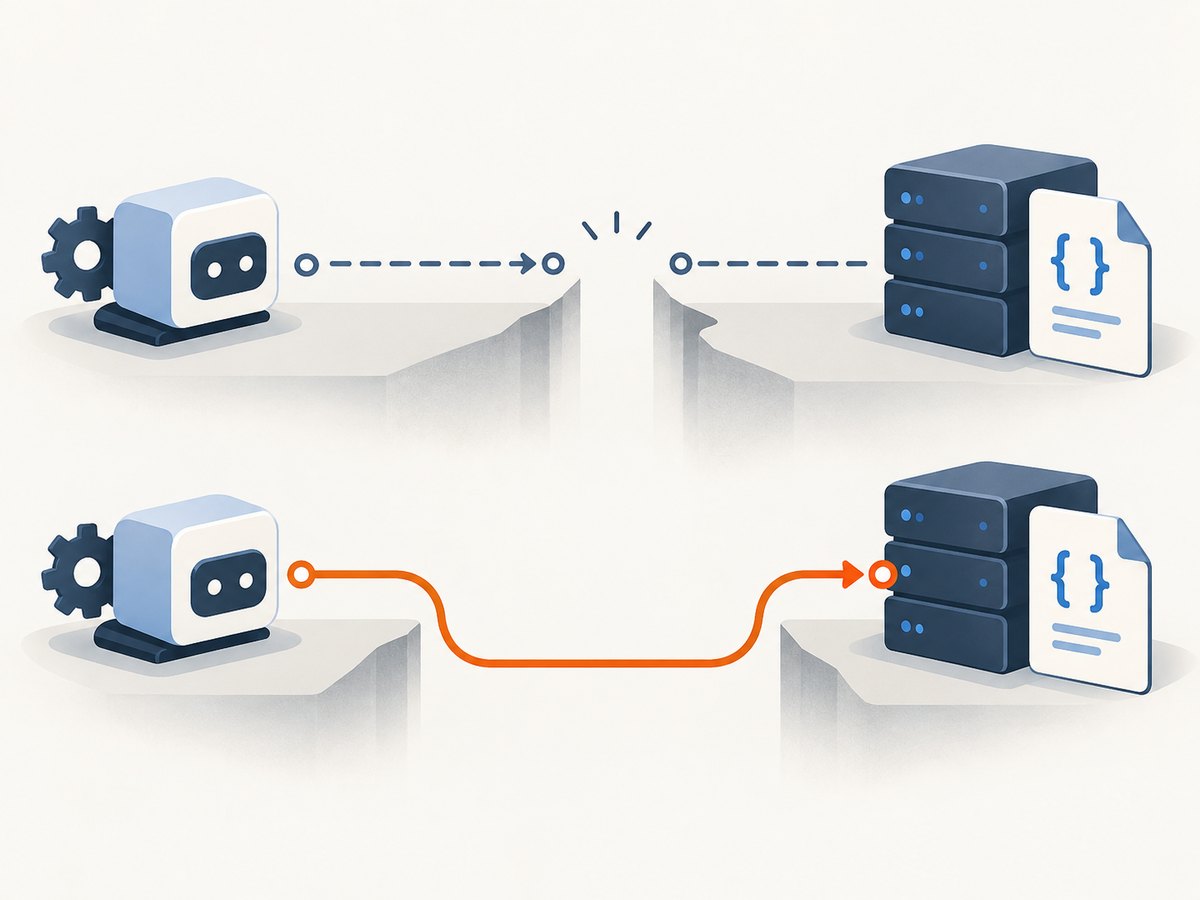
When CSS appears in your Rails page but disappears from a Wicked PDF, the usual cause is asset resolution. Wicked PDF renders your HTML through the external wkhtmltopdf executable. That process runs outside the normal Rails request and layout environment, so a relative stylesheet path that works in a browser may not resolve for the PDF renderer.
The reliable fix is to give the renderer an absolute, reachable stylesheet reference and use the helper that matches your Rails asset system:
- No asset pipeline: use
wicked_pdf_stylesheet_link_tag. - Sprockets or the Rails asset pipeline: precompile the PDF stylesheet and reference the generated asset.
- Webpacker: use
wicked_pdf_stylesheet_pack_tag. - External stylesheet: use an absolute CDN URL that the renderer can reach.
The Wicked PDF README describes the underlying reason directly: the wkhtmltopdf binary is run outside your Rails application, so ordinary layouts and relative paths may not work.
1. Confirm how your PDF is rendered
Before changing a view, identify the actual binary and gem configuration used by the application. Wicked PDF is a Rails wrapper; the installed wkhtmltopdf executable controls HTML, CSS, JavaScript, local-file access, and command-line behavior.
bundle exec ruby -e 'require "wicked_pdf"; puts WickedPdf::VERSION'
wkhtmltopdf --version
Record the executable version from the same container, VM, or worker that generates PDFs. A browser session on your laptop can access assets that a production PDF worker cannot. The upstream wkhtmltopdf repository has been read-only since January 2, 2023, and its changelog lists 0.12.6 on June 11, 2020; packaged builds can differ, so do not infer the binary version from the gem version.
2. Use the correct stylesheet helper
No asset pipeline
If the application serves a plain stylesheet without Sprockets or Webpacker, put a PDF-specific layout under app/views/layouts/pdf.html.erb:

<!doctype html>
<html>
  <head>
    <meta charset="utf-8">
    <%= wicked_pdf_stylesheet_link_tag "pdf" %>
  </head>
  <body>
    <%= yield %>
  </body>
</html>
Pass the logical asset name, such as pdf. Do not add an /assets/ prefix to the name passed to Wicked PDF helpers. The helper is intended to produce a reference that the external converter can use.
Rails asset pipeline (Sprockets)
Create a dedicated entry point, for example app/assets/stylesheets/pdf.scss, and include the rules needed by PDF views:
/* app/assets/stylesheets/pdf.scss */
@import "application";

body {
  font-family: Arial, sans-serif;
  color: #222;
}

.page-break {
  page-break-after: always;
}
Ensure the entry point is precompiled in every environment that generates PDFs. A production deployment with config.assets.compile = false will fail if pdf.css was not included in the precompiled output. Add the entry point to your asset configuration when your Rails version and setup require it, then run your normal production asset build.
# Example deployment check
RAILS_ENV=production bundle exec rake assets:precompile
find public/assets -maxdepth 1 -type f | grep -E '/pdf(-[a-z0-9]+)?\.css$'
Keep the PDF stylesheet small and explicit. Browser-only dependencies, font URLs requiring authentication, and CSS imported from a development server are common reasons a precompiled file exists but still renders incompletely.
Webpacker
For stylesheets managed by Webpacker, use the pack helper in the PDF layout:
<head>
  <meta charset="utf-8">
  <%= wicked_pdf_stylesheet_pack_tag "pdf" %>
</head>
Build the pack before rendering PDFs in production. The Wicked PDF documentation also describes pack helpers for JavaScript and direct pack-path access when a PDF needs an asset that is not loaded through the stylesheet pack.
Absolute CDN or application URL
An absolute URL can work when the converter has network access:
<link rel="stylesheet"
      href="https://cdn.example.com/assets/pdf.css">
Use this only when the URL is reachable from the PDF worker, does not require a browser session, and remains available during rendering. Validate it from the same host or container that runs wkhtmltopdf. A URL opening in your browser is not proof that the converter can fetch it.
3. Build a complete Rails example
A controller can select a PDF layout explicitly:
# app/controllers/invoices_controller.rb
class InvoicesController < ApplicationController
  def show
    @invoice = Invoice.find(params[:id])

    respond_to do |format|
      format.html
      format.pdf do
        render pdf: "invoice-#{@invoice.id}",
               template: "invoices/show",
               layout: "pdf",
               disposition: "inline"
      end
    end
  end
end
The view should contain document structure, while the layout owns asset loading:
<!-- app/views/invoices/show.html.erb -->
<h1>Invoice <%= @invoice.number %></h1>
<p>Issued: <%= l(@invoice.issued_at, format: :long) %></p>

<table class="line-items">
  <% @invoice.line_items.each do |item| %>
    <tr>
      <td><%= item.description %></td>
      <td class="amount"><%= number_to_currency(item.total) %></td>
    </tr>
  <% end %>
</table>
For a stylesheet supplied directly to the converter, wkhtmltopdf documents the --user-style-sheet option:
wkhtmltopdf --user-style-sheet /srv/app/public/pdf.css input.html output.pdfThe file must be readable by the external process. Option names and local-file behavior vary by binary build, so check the usage output from the installed executable. Avoid granting broad filesystem access when a narrow allowed path is sufficient.
4. Debug missing CSS in a repeatable order
- Identify the asset system. Decide whether the view uses plain files, Sprockets, or Webpacker. Do not mix helpers.
- Inspect rendered HTML. Save the HTML passed to the PDF renderer and inspect every
<link>. The stylesheet reference should be absolute or a valid path visible to the converter. - Fetch the URL from the worker. Run
curl -Ior an equivalent request inside the same container, network, and user context aswkhtmltopdf. - Check production assets. Confirm that the PDF stylesheet is present in the precompiled output and that its digest matches the link in the rendered HTML.
- Check local-file permissions. If the stylesheet, fonts, or images use local paths, verify the binary’s local-file policy and allow only the required directories.
- Separate loading from CSS support. If the stylesheet is fetched but a rule has no effect, test whether the installed wkhtmltopdf engine supports that CSS feature.
5. Common errors and fixes
| Symptom | Likely cause | Fix |
|---|---|---|
| All styling is missing | Relative link cannot resolve outside Rails | Use the matching Wicked PDF helper or an absolute URL. |
| Works in development, fails in production | PDF CSS was not precompiled or assets are not served | Precompile the entry point and test the generated URL from the worker. |
404 for /assets/pdf.css |
Wrong helper or incorrect logical name | Pass pdf to the helper; do not include /assets/. |
| Webpack stylesheet absent | Using an asset-pipeline helper for a pack | Use wicked_pdf_stylesheet_pack_tag and build the pack. |
| CDN stylesheet times out | Worker has no outbound network or DNS access | Serve a local precompiled asset or allow the required host. |
| CSS loads but flexbox, grid, or variables fail | Renderer CSS engine lacks support | Confirm the binary version and replace unsupported rules with renderer-compatible CSS. |
| Fonts or background images are missing | Relative URLs or blocked local files | Use reachable absolute URLs and verify local-file permissions. |
| Only some pages are unstyled | Different layout or template path | Log the selected layout and inspect the HTML for that specific action. |
6. CSS and layout constraints in wkhtmltopdf
Correctly loading a stylesheet does not make every browser CSS feature available. Wicked PDF delegates rendering to wkhtmltopdf, so compatibility depends on the executable. Keep PDF stylesheets deterministic:
- Prefer fixed widths, explicit line heights, and print-friendly colors.
- Use
page-break-before,page-break-after, andpage-break-insidefor document pagination. - Provide explicit image dimensions so layout does not shift while resources load.
- Use absolute or data URLs for assets that the worker must fetch.
- Keep JavaScript waits and external requests bounded; a page that never becomes ready can make conversion appear to hang.
Test the exact rules that matter to your document against the deployed renderer. The project documentation establishes the loading paths, but it does not guarantee support for every modern CSS feature.
7. Performance, reliability, and deployment notes
Asset resolution is part of PDF reliability. A small local stylesheet usually removes a network dependency and avoids CDN latency. If you must use remote assets, monitor DNS, TLS, authentication, and firewall behavior from the PDF worker. Cache or package stable fonts and images where your deployment permits it.
Precompile during the same build that deploys the application, rather than compiling on the first PDF request. This prevents a cold request from racing an asset build and makes missing files visible during deployment. Log the renderer command, binary version, template, layout, and final stylesheet URL when diagnosing failures; do not log secrets embedded in signed URLs or headers.
For long-term maintenance, pin and document the wkhtmltopdf package used by each environment. The upstream repository’s archived status means you should treat upgrades as compatibility changes and keep representative PDF fixtures for visual review.
8. Or skip the browser setup
If your goal is a clean image of a web page rather than a Rails-generated PDF, ScreenshotNeo provides a single HTTP request. It accepts cookie and consent banners like a visitor, removes more than 60 known consent platforms plus newsletter popups and chat widgets before capture, and lets each cleanup step be turned off. Bot checks, blank pages, timeouts, failed loads, and cache hits are not billed; response headers identify the page verdict and billing result.
See the ScreenshotNeo API documentation for all options. Basic capture code:
cURL
curl -G "https://api.screenshotneo.com/v1/shot" \
  -d access_key=YOUR_API_KEY \
  --data-urlencode url=https://stripe.com \
  -o shot.webp
Python
import requests

r = requests.get(
    "https://api.screenshotneo.com/v1/shot",
    params={"access_key": "YOUR_API_KEY", "url": "https://stripe.com"},
    timeout=90,
)
r.raise_for_status()
open("shot.webp", "wb").write(r.content)
Node.js
const q = new URLSearchParams({
  access_key: 'YOUR_API_KEY',
  url: 'https://stripe.com'
});
const res = await fetch(`https://api.screenshotneo.com/v1/shot?${q}`);
if (!res.ok) throw new Error(`${res.status} ${res.statusText}`);
require('fs').writeFileSync('shot.webp', Buffer.from(await res.arrayBuffer()));
ScreenshotNeo also supports full-page capture with lazy images loaded, CSS selector element capture, dark mode, device presets and custom viewports, retina scale, PDF output with paper size, margins, landscape and page ranges, custom CSS and JavaScript, clicks, selector waits, delays, network-idle waits, request blocking, headers, cookies, user agents, authorization, timezone, geolocation, transparent backgrounds, resizing, caching with a chosen TTL, signed image links, asynchronous jobs with signed webhooks, bulk capture of up to 100 URLs per call, a usage API, and an OpenAPI specification. An MCP server exposes take_screenshot, get_page_info, and capture_pdf to Claude, Cursor, and other MCP clients.
There is a free plan with 1,000 screenshots each month and no card. Paid plans start at $5 for 3,000 screenshots; yearly billing gives two months free, and every feature is available on every plan. Create a free ScreenshotNeo account.
9. Frequently asked questions
Why does my stylesheet work in Rails but not in the PDF?
The browser receives the page through Rails, while wkhtmltopdf runs as a separate process. Relative paths and Rails-only request context may not exist for that process.
Should I put /assets/ in the helper argument?
No. Pass the logical name, such as pdf, to the Wicked PDF helper.
Can I use a CDN stylesheet?
Yes, if the PDF worker can resolve and fetch the absolute URL during conversion. Test from the worker environment.
Why do only a few CSS properties fail?
That usually indicates renderer compatibility rather than a missing stylesheet. Check the installed wkhtmltopdf version and simplify unsupported rules.
Is the gem version enough to identify the renderer?
No. Wicked PDF wraps an external executable. Record wkhtmltopdf --version from the environment that creates the PDF.
When should I use ScreenshotNeo?
Use it when you need a screenshot or PDF without maintaining a browser renderer, asset paths, cookie cleanup, or capture infrastructure. Its failed-load and bot-check verdicts are not billed, and its MCP server can let AI agents perform captures.


