How to Load External CSS When Converting HTML to PDF
Fix missing styles in HTML-to-PDF output with base URLs, local-file permissions, print CSS, font waits, and renderer-specific examples.
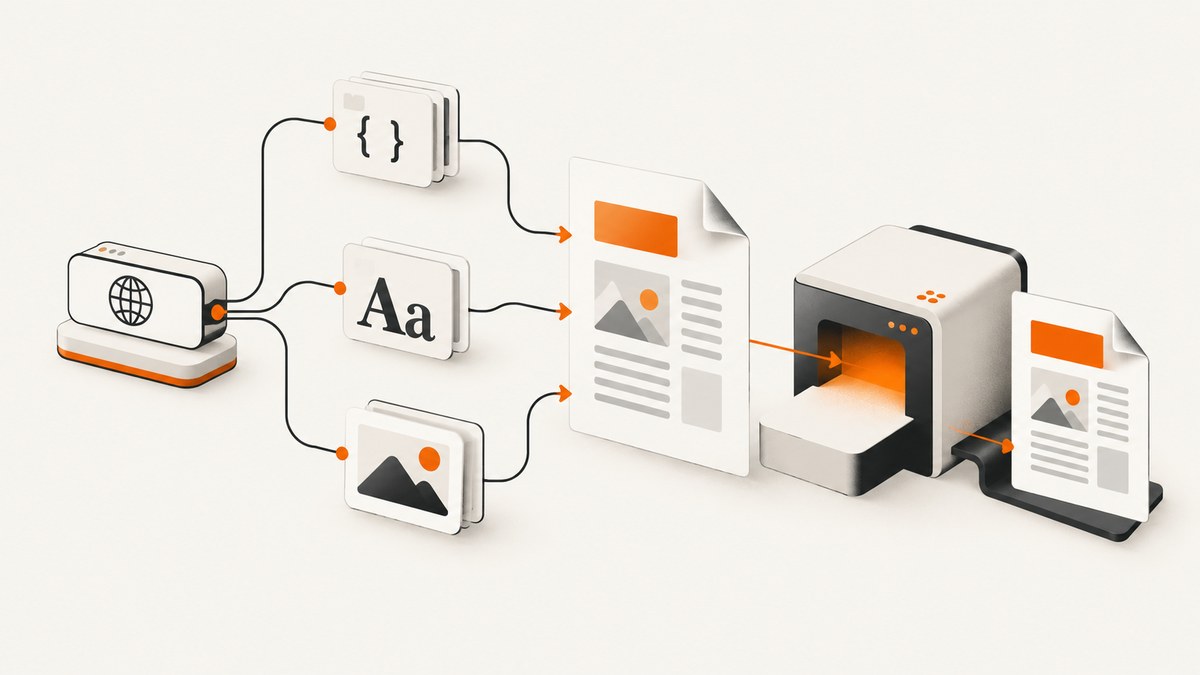
Short answer: an external stylesheet loads during HTML-to-PDF conversion only when the renderer can resolve its URL and fetch it. A relative link such as css/print.css needs a document origin or an explicit base URL. HTML passed as an in-memory string usually has neither, so supply base_url, use absolute asset URLs, or inline the CSS. Then account for PDF-specific behavior: most engines use print media, local files may be blocked, and browser workflows must wait for stylesheets and fonts before printing.
This guide shows reliable configurations for WeasyPrint, wkhtmltopdf, and Puppeteer/Chromium. It also covers authentication, local files, media queries, JavaScript timing, security, diagnostics, performance, and a hosted option when maintaining a browser runtime is unnecessary.
1. How external CSS resolution works
Given this document:
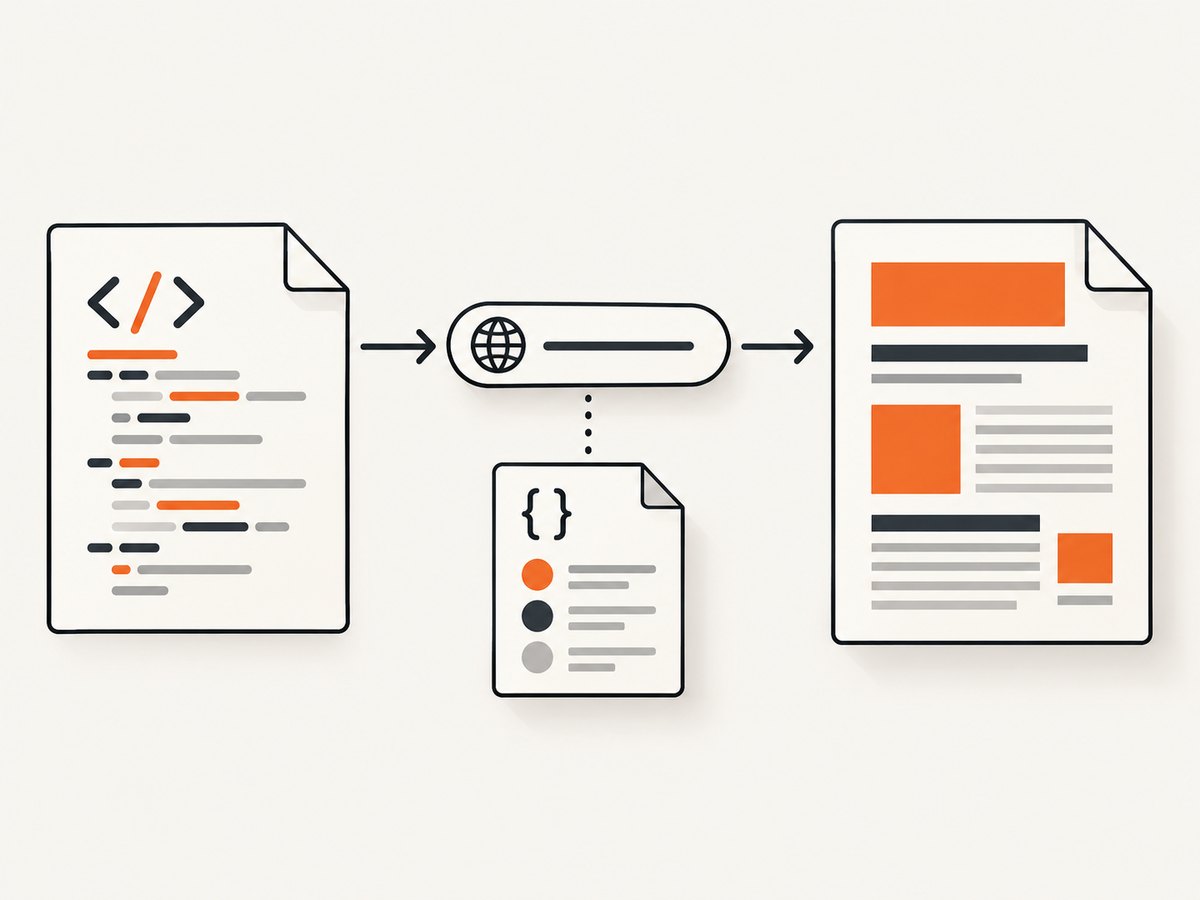
<link rel="stylesheet" href="css/print.css">the renderer first resolves css/print.css against the document URL (the URL of the page or the supplied base URL). It then makes a request using its own network and filesystem policy. A missing origin produces errors such as “relative URL without a base”; a blocked local file, redirect, authentication challenge, TLS error, or wrong MIME type can leave the PDF unstyled even though the HTML is valid.
Use this decision sequence:
- Give the HTML a real origin: pass a URL or filename instead of an anonymous string.
- If generating a string, set an explicit base URL or make every asset URL absolute.
- Verify the resolved stylesheet URL from the converter’s runtime.
- Confirm the renderer is allowed to access that URL and any fonts, images, or imported CSS it references.
- Choose the intended media type. PDF engines commonly select
print. - Wait for CSS and fonts before printing when using a browser.
2. WeasyPrint (Python)
WeasyPrint’s base_url is the base used to resolve relative URLs, and linked stylesheets are supported. Passing a URL or filename is simplest because it supplies an origin automatically. See the WeasyPrint first-steps guide and API reference.
Render a local document
from weasyprint import HTML

HTML("/srv/reports/invoice.html").write_pdf("invoice.pdf")
If /srv/reports/invoice.html contains <link rel="stylesheet" href="css/print.css">, the relative path is resolved from the document’s directory.
Render a remote document
from weasyprint import HTML

HTML(url="https://example.com/invoice").write_pdf("invoice.pdf")
The renderer fetches the page and its linked assets. The remote server must permit those requests, and protected assets need a custom fetcher that supplies credentials or headers.
Render generated HTML with an explicit base
from weasyprint import HTML

rendered_html = """
<!doctype html>
<html>
  <head>
    <meta charset="utf-8">
    <link rel="stylesheet" href="css/print.css">
  </head>
  <body><h1>Invoice</h1></body>
</html>
"""

HTML(string=rendered_html, base_url="/srv/reports/").write_pdf("invoice.pdf")
An absolute base URL also works:
HTML(string=rendered_html, base_url="https://assets.example.com/reports/").write_pdf("invoice.pdf")Print media and a custom URL fetcher
WeasyPrint defaults to print media. Put print-specific rules in @media print, or structure the stylesheet so its default rules are suitable for print. If CSS or fonts require cookies, an authorization header, or a nonstandard protocol, provide a custom URL fetcher. Restrict accepted protocols and paths when the input is untrusted; WeasyPrint documents URL-fetcher and local-file security considerations.
from weasyprint import HTML, default_url_fetcher

def fetcher(url, *args, **kwargs):
    # Add narrowly scoped authentication or mapping here.
    return default_url_fetcher(url, *args, **kwargs)

HTML(
    string=rendered_html,
    base_url="/srv/reports/",
    url_fetcher=fetcher,
).write_pdf("invoice.pdf")
3. wkhtmltopdf
wkhtmltopdf can load a linked stylesheet when its URL is reachable, or apply a stylesheet to every page with --user-style-sheet. Its command-line options include local-file permissions, load-error handling, media-error handling, and a JavaScript delay. Consult the wkhtmltopdf usage documentation and settings reference.
Use a user stylesheet
wkhtmltopdf \
  --user-style-sheet /srv/reports/print.css \
  input.html output.pdf
This avoids resolving a <link> for the stylesheet itself, although URLs inside the CSS (fonts, images, and imports) still need to work.
Allow a specific local directory
wkhtmltopdf \
  --allow /srv/reports \
  /srv/reports/input.html \
  /srv/reports/output.pdf
Use --allow for the directory that contains the document and assets. If your build rejects all local reads, --enable-local-file-access enables them, but use it only for trusted input because it broadens filesystem access.
Diagnose resource failures
wkhtmltopdf \
  --load-error-handling abort \
  --load-media-error-handling abort \
  --javascript-delay 500 \
  input.html output.pdf
Start with diagnostics and remove the delay unless the page actually depends on late JavaScript. A fixed delay is less reliable than making the document deterministic.
4. Puppeteer and Chromium
Puppeteer’s page.pdf() generates a PDF with the print CSS media type by default. The Page.pdf documentation describes this behavior; the setContent API is relevant when HTML is assembled in memory.
Navigate to a served URL
import puppeteer from "puppeteer";

const browser = await puppeteer.launch();
const page = await browser.newPage();
await page.goto("https://example.com/invoice", { waitUntil: "networkidle0" });
await page.evaluate(() => document.fonts.ready);
await page.pdf({ path: "invoice.pdf", printBackground: true });
await browser.close();
A served URL gives relative links an origin. networkidle0 is a practical wait, not a guarantee that every visual dependency is ready; explicitly wait for fonts and application-specific selectors when needed.
Use setContent with absolute URLs or a base element
import puppeteer from "puppeteer";

const browser = await puppeteer.launch();
const page = await browser.newPage();
const html = `<!doctype html>
<html><head>
  <base href="https://assets.example.com/reports/">
  <link rel="stylesheet" href="css/print.css">
</head><body><h1>Invoice</h1></body></html>`;
await page.setContent(html, { waitUntil: "networkidle0" });
await page.evaluate(() => document.fonts.ready);
await page.pdf({ path: "invoice.pdf", printBackground: true });
await browser.close();
You can instead use absolute https:// URLs. If the page was designed for screen CSS, select it explicitly:
await page.emulateMediaType("screen");
await page.pdf({ path: "invoice.pdf", printBackground: true });
For CSS that cannot be fetched normally, page.addStyleTag({ path: "/srv/reports/print.css" }) injects it directly. The stylesheet’s own imports and assets still require valid URLs.
Inlining as a deployment fallback
Chrome’s server-rendering guidance demonstrates capturing stylesheet responses after a network-idle point, replacing matching <link> nodes with <style> nodes, and serializing the HTML. This removes many deployment-time URL problems. It does not automatically fix URLs inside CSS, such as @font-face sources, background images, or @import; rewrite those URLs or keep their origin reachable. See Chrome’s CSS inlining guidance.
5. Relative URLs, local assets, and protected CSS
| Situation | What to do |
|---|---|
| HTML is a string | Set base_url, add <base href>, or use absolute URLs. |
| CSS is on disk | Allow only its containing directory; verify the renderer’s user and working directory. |
| CSS is behind authentication | Use a custom fetcher, browser request interception, cookies, or headers supported by the engine. |
| CSS redirects | Check the final URL, status, TLS, and content type from the converter environment. |
| CSS imports fonts/images | Make every nested URL resolvable; fixing the top-level link is insufficient. |
Never grant broad filesystem or network access to untrusted HTML. Restrict protocols, credentials, hostnames, and local directories. This both prevents data exposure and makes failures reproducible.
6. Media queries, fonts, and timing
PDF output often differs from a browser screenshot because print media is selected. Check @media print, @media screen, page size, margins, and printBackground. A stylesheet can be present while a font is still downloading, causing fallback metrics and page breaks.

- In Puppeteer, wait for
document.fonts.readyand a page-specific readiness selector. - Use network-idle as a control for outstanding requests, not as a fidelity guarantee.
- In wkhtmltopdf, use
--javascript-delayonly when late code is necessary. - In WeasyPrint, make remote resources available to its fetcher before conversion.
7. Troubleshooting checklist
| Symptom | Likely cause | Fix |
|---|---|---|
| “Relative URL without a base” | In-memory HTML has no origin. | Pass base_url, add <base>, or use absolute URLs. |
| Entire PDF has default styling | CSS request failed or local access was blocked. | Fetch the resolved URL from the converter runtime; configure a narrow allow-list. |
| Only web fonts are missing | Font URL, CORS, authentication, or timing problem. | Check font requests and wait for document.fonts.ready. |
| Screen layout appears in the browser but not PDF | Print media rules override it. | Inspect @media print and call emulateMediaType("screen") when appropriate. |
| Styles work locally but fail in CI | Different working directory, user permissions, renderer version, or network policy. | Use absolute paths, pin the renderer, log resolved URLs, and test from the CI container. |
| Some pages are styled and others are not | Late JavaScript swaps links or inserts styles. | Wait for a readiness selector and fonts before printing. |
| Conversion hangs | Unreachable request, infinite script, or resource timeout. | Set timeouts, abort failed loads, and remove unnecessary third-party requests. |
8. Performance and reliability practices
- Prefer a stable origin. Serve the document and assets from a predictable URL or use a fixed base directory.
- Reduce dependencies. Self-host critical CSS and fonts when external services add latency or availability risk.
- Reuse browser processes carefully. For Puppeteer batches, reuse a browser and isolate pages, while closing pages after each job.
- Set explicit timeouts. Fail a job with a useful error instead of waiting indefinitely for a tracker or ad domain.
- Pin versions. CSS support, font metrics, and pagination can change between renderer versions.
- Validate the actual PDF. Check representative pages, images, fonts, page breaks, links, and print backgrounds in CI.
- Cache immutable assets. Version CSS and fonts so repeat conversions avoid needless downloads without serving stale content.
There is no universal renderer benchmark for CSS-load reliability or PDF fidelity. Measure your own documents with the exact engine version and deployment policy you will run in production.
9. Or skip the browser setup
When the input is a public web page, ScreenshotNeo provides a hosted PDF and screenshot endpoint at ScreenshotNeo. The service handles the browser and exposes capture controls for full pages, waiting, custom CSS and JavaScript, headers, cookies, user agents, authentication, viewport and device settings, and PDF paper size, margins, orientation, and page ranges. See the ScreenshotNeo documentation for the complete option set.
curl -G "https://api.screenshotneo.com/v1/shot" \
  -d access_key=YOUR_API_KEY \
  --data-urlencode url=https://stripe.com \
  -d format=pdf \
  -o page.pdf
import requests
r = requests.get(
"https://api.screenshotneo.com/v1/shot",
params={
"access_key": "YOUR_API_KEY",
"url": "https://stripe.com",
"format": "pdf",
},
timeout=90,
)
r.raise_for_status()
open("page.pdf", "wb").write(r.content)const q = new URLSearchParams({
access_key: 'YOUR_API_KEY',
url: 'https://stripe.com',
format: 'pdf'
});
const res = await fetch(`https://api.screenshotneo.com/v1/shot?${q}`);
if (!res.ok) throw new Error(`HTTP ${res.status}`);
const body = Buffer.from(await res.arrayBuffer());
await import('node:fs/promises').then(fs => fs.writeFile('page.pdf', body));Cookie banners, newsletter popups, and chat widgets are removed before the shot. Bot checks, blank pages, timeouts, failed loads, and cache hits are never billed, and response headers identify the page verdict and billing result. An MCP server lets AI agents use take_screenshot, get_page_info, and capture_pdf. The Free plan includes 1,000 screenshots a month with no card; paid plans start at $5 for 3,000 shots. Create a free ScreenshotNeo account.
10. FAQ
Should I inline all CSS?
Inlining removes the top-level stylesheet request, but nested fonts, images, and imports still need valid URLs. It is useful for self-contained artifacts when you can rewrite those dependencies.
Is network idle enough?
No. It is a practical signal that requests have quieted. Wait for fonts and application-specific readiness conditions as well.
Why does the same CSS look different in two PDF tools?
CSS support, print-media behavior, JavaScript execution, font handling, pagination, and renderer versions differ. Validate with the engine you deploy.
Can a PDF converter load CSS from a private URL?
Only if its fetcher or browser context can supply the required credentials and network access. Test the final resolved URL from the same runtime.
What is the safest local-file configuration?
Allow only the directory containing the trusted document and assets, restrict protocols, and avoid broad local-file access for untrusted input.


