How to Load External JavaScript When Converting HTML to PDF with PHP
Learn which PHP PDF renderers execute external JavaScript, how to configure wkhtmltopdf, why Dompdf behaves differently, and how to troubleshoot failed scripts.
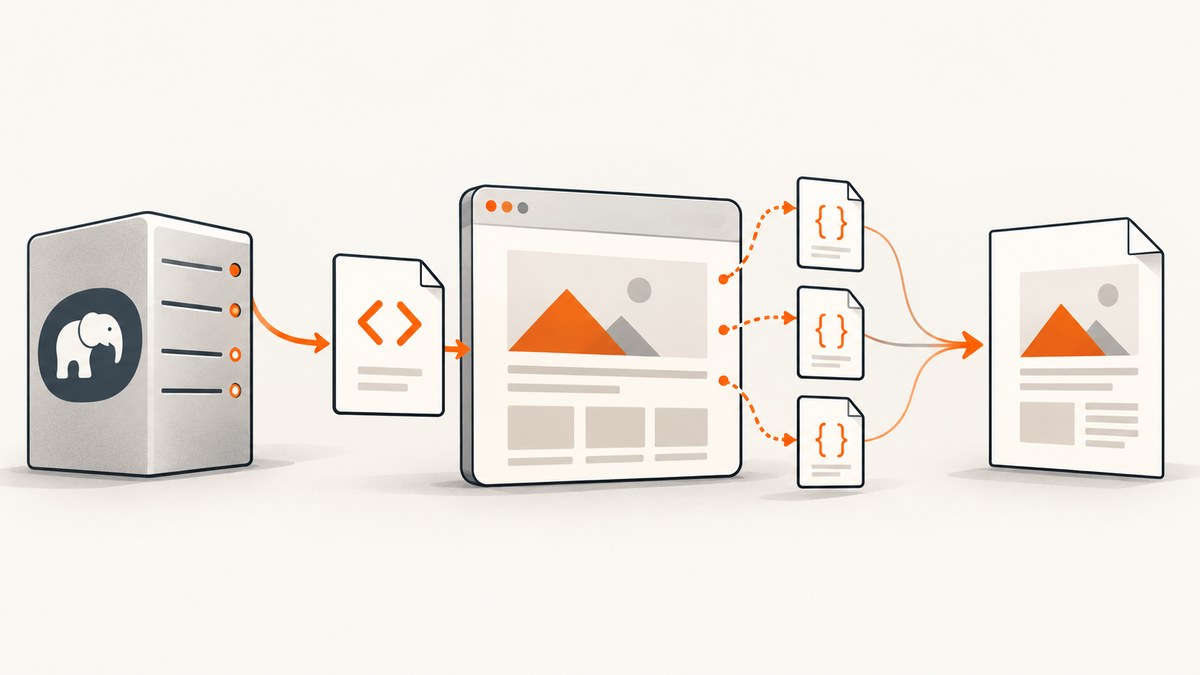
Short answer: identify the PDF renderer before changing a JavaScript option. Dompdf does not execute ordinary browser JavaScript to populate the page before layout. Its JavaScript setting is for scripts embedded in the finished PDF and executed by a PDF viewer. If your HTML depends on external or inline browser JavaScript, use a renderer that runs page scripts, such as wkhtmltopdf, and configure resource access plus a wait period that matches the page.
This distinction explains most reports that “JavaScript is enabled” but a PHP-generated PDF still contains an empty chart, missing totals, or an unrendered application shell. The setting may enable a completely different kind of JavaScript.
1. Determine what must happen before PDF generation
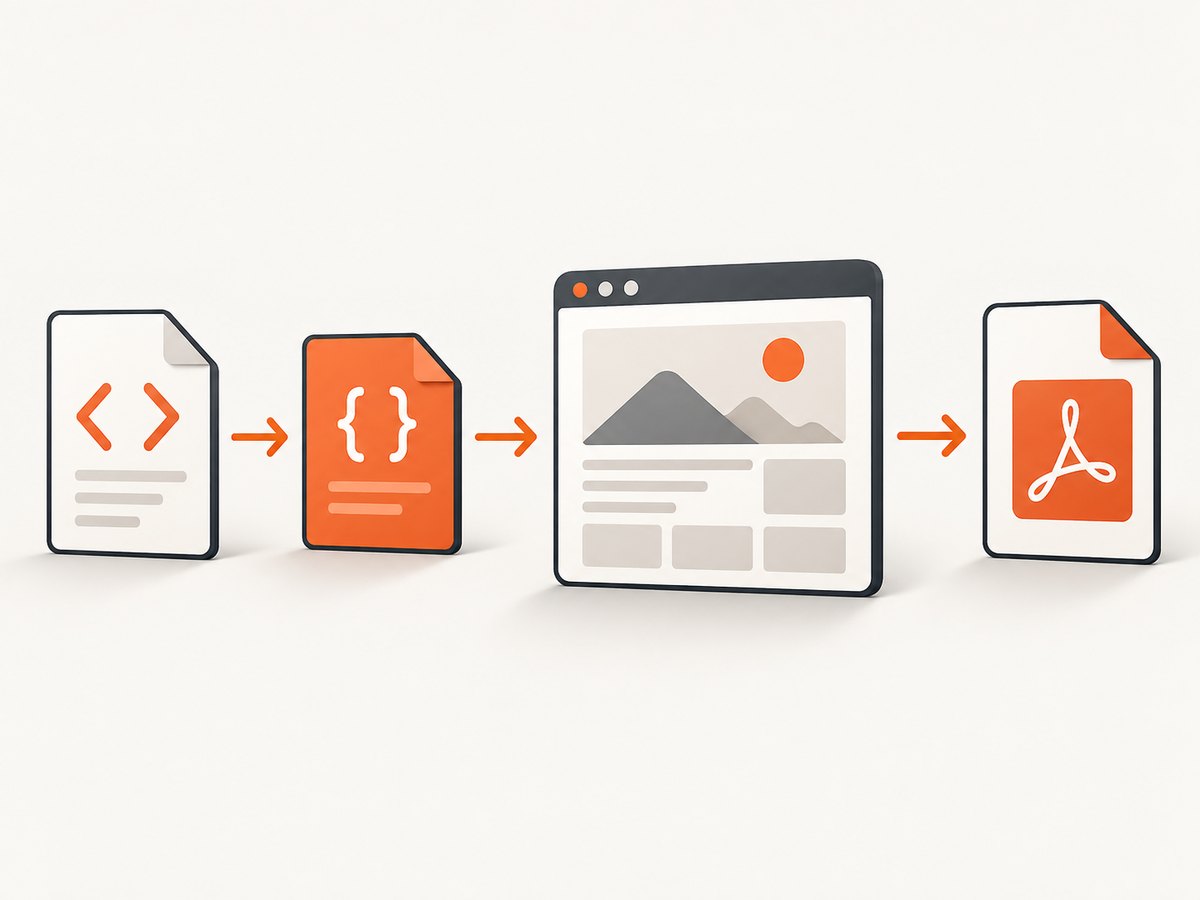
There are two separate workflows:
| Workflow | What JavaScript does | Renderer requirement |
|---|---|---|
| Build the page, then print it | Downloads scripts, runs them, calls APIs, updates the DOM, and waits for the visible state. | A browser-capable or browser-like engine with a readiness control. |
| Run code when a user opens the PDF | Stores PDF actions or scripts inside the output for the viewer. | A PDF library that supports viewer scripting. |
Dompdf documents the second behavior. Its options source explicitly describes the JavaScript setting as PDF-viewer JavaScript rather than browser JavaScript executed during rendering. See the Dompdf options documentation and the Dompdf project documentation.
For page execution, wkhtmltopdf documents JavaScript support, a post-load delay, and the ability to inject an additional script. Its command-line options are described in the wkhtmltopdf usage documentation. PHP bindings expose similar loading controls; option names vary by wrapper, so check the binding and binary versions deployed on your server.
2. Build a minimal page that proves JavaScript execution
Before debugging a large application, reduce the case to one external script that changes visible text. This separates renderer problems from authentication, API, CSS, and timing problems.
<!doctype html>
<html>
<head>
  <meta charset="utf-8">
  <script src="https://example.com/test-render.js"></script>
</head>
<body>
  <h1 id="status">JavaScript did not run</h1>
</body>
</html>
Your test script should set document.getElementById('status').textContent to a known value. Save the HTML at a URL reachable by the rendering process, then inspect the resulting PDF. If this page fails, do not tune application code yet.
3. Use wkhtmltopdf from PHP
The simplest path is to render a URL or local HTML file with the wkhtmltopdf binary, then return the generated PDF. JavaScript is enabled by default in the documented command-line interface. The documented default JavaScript delay is 200 milliseconds; treat that as a starting point, not proof that an asynchronous application is ready.
Command-line example
wkhtmltopdf \
  --enable-javascript \
  --javascript-delay 3000 \
  --no-stop-slow-scripts \
  https://your-app.example/report/42 \
  report.pdf
--javascript-delay waits after the page load before conversion. Increase it when the page fetches data after load. --no-stop-slow-scripts prevents the renderer from stopping a script it considers slow; use it only when you understand the workload, because a genuinely stuck script can hold the conversion open.
PHP wrapper using a temporary output file
<?php
$sourceUrl = 'https://your-app.example/report/42';
$output = tempnam(sys_get_temp_dir(), 'pdf_') . '.pdf';

$command = sprintf(
    'wkhtmltopdf --enable-javascript --javascript-delay %d %s %s 2>&1',
    3000,
    escapeshellarg($sourceUrl),
    escapeshellarg($output)
);

exec($command, $log, $exitCode);
if ($exitCode !== 0 || !is_file($output) || filesize($output) === 0) {
    error_log(implode("\n", $log));
    http_response_code(500);
    exit('PDF conversion failed');
}

header('Content-Type: application/pdf');
header('Content-Disposition: attachment; filename="report.pdf"');
readfile($output);
unlink($output);
Use escapeshellarg for every value passed to a shell command. In production, prefer a maintained PHP wrapper around the binary when one matches your deployment, but still record the actual binary version and inspect its warnings. A wrapper can expose different names for the same underlying options.
Injecting a readiness script
wkhtmltopdf supports an additional script after page load. A readiness script can set a marker once your application has finished rendering:
// readiness.js
(function waitForReport() {
  const ready = document.querySelector('[data-report-ready="true"]');
  if (ready) return;
  setTimeout(waitForReport, 100);
})();
A fixed delay remains necessary unless your wrapper provides a reliable “window status” or equivalent readiness mechanism. For deterministic output, have the application expose a clear DOM marker only after data, fonts, images, and charts are complete, then choose a delay that covers the final paint.
4. Why enabling JavaScript in Dompdf does not fix a dynamic page
Dompdf is a PHP HTML/CSS renderer. It can process external stylesheets when configured and permitted, but it is not a general browser that executes an application’s external JavaScript to construct the DOM. Its JavaScript option concerns code embedded in the resulting PDF for the PDF viewer. Turning that option on will not make a client-side chart appear before layout.
use Dompdf\Dompdf;
use Dompdf\Options;

$options = new Options();
$options->set('isRemoteEnabled', true);
$options->set('isJavascriptEnabled', true); // PDF-viewer scripting, not page execution

$dompdf = new Dompdf($options);
$dompdf->loadHtml($html);
$dompdf->setPaper('a4', 'portrait');
$dompdf->render();
$dompdf->stream('report.pdf', ['Attachment' => false]);
This can be suitable when the HTML is already complete on the server. If JavaScript must fetch data or mutate the page first, render that state before Dompdf receives the HTML, or choose a renderer with page execution.
5. Make external scripts reachable
JavaScript execution is only useful when the renderer can download the script and everything it imports. Check each of these boundaries:
- URL resolution: use absolute HTTPS URLs or a correct
<base href>. Relative paths resolve from the document URL, not your PHP project directory. - DNS and outbound access: the server running wkhtmltopdf must resolve the host and make outbound connections. A browser on your laptop may have access that the server does not.
- TLS and certificates: expired certificates, private CAs, and protocol mismatches can stop a script before it runs.
- Authentication: pass cookies, headers, or an authenticated URL. A script loaded from a protected host may receive a login page instead of JavaScript.
- Content type: verify that the response is JavaScript with a successful status, not an HTML error document.
- Local files: if the document imports local assets, configure local-file access deliberately and restrict the allowed directories.
- Content Security Policy: a policy that blocks the script origin or inline code still applies to the rendered page.
Inspect renderer warnings and reproduce the script URL with curl -I from the same machine or container. Do not assume that a successful request from your development workstation proves server reachability.
6. Configure timing for asynchronous applications
Page load and application readiness are different events. A single-page app may load its JavaScript bundle quickly, then wait for API data, web fonts, images, or a chart library. Choose a readiness strategy:

- Fixed delay: easiest to configure; use a conservative value and monitor conversion time.
- DOM marker: set
data-report-ready="true"only after all visible content is complete. - Server-rendered data: put report data into the initial HTML so the renderer does not depend on a second API call.
- Post-load script: use a script supported by your wkhtmltopdf wrapper to trigger a final render step.
Make the page fail visibly when data cannot load. An empty chart can otherwise produce a valid-looking but incorrect PDF. Include a timestamp or report identifier in the generated document so operators can verify which state was captured.
7. Security controls for HTML, scripts, and resources
Rendering external JavaScript turns PDF generation into a networked browser task. Treat every URL, cookie, header, and local-file permission as an input boundary.
- Allow-list resource hosts when HTML is user-controlled.
- Reject unexpected schemes such as
file:and private network targets unless the job requires them. - Keep local-file access disabled unless a specific asset requires it, and scope permitted directories.
- Never enable server-side embedded PHP execution to solve a browser-JavaScript problem.
- Run conversion in an isolated worker with CPU, memory, network, and wall-clock limits.
- Redact access tokens from command logs and error output.
Dompdf’s security guidance warns that remote resources and embedded scripts can be dangerous with untrusted HTML. Review the Dompdf security guide and the options for the exact library version you deploy; defaults can differ between historical releases.
8. Troubleshooting checklist
| Symptom | Likely cause | Fix |
|---|---|---|
| DOM remains at its initial text | Dompdf received the page, or JavaScript is disabled. | Use a page-executing renderer, enable JavaScript, and inspect the actual binary command. |
| External script is missing | DNS, TLS, authentication, CSP, or URL resolution failure. | Fetch the URL from the rendering host, use absolute URLs, and provide required cookies or headers. |
| Data is missing but static HTML appears | Conversion started before the asynchronous API completed. | Increase the delay or add a deterministic readiness marker. |
| Charts are blank | Canvas, fonts, or image resources were not ready. | Wait for chart completion and fonts; verify every resource request. |
| Conversion hangs | A script loops, an API never responds, or slow-script protection was disabled. | Set request and process timeouts, remove --no-stop-slow-scripts unless needed, and log the page state. |
| Works locally but fails in production | Different binary, wrapper, PHP version, network policy, or fonts. | Record versions and environment details; reproduce inside the production container. |
| Security review rejects the setup | Broad remote or local-file access for untrusted HTML. | Allow-list hosts, isolate workers, and minimize permissions. |
9. Performance, reliability, and cost considerations
JavaScript-enabled conversion usually costs more CPU and time than rendering already-complete HTML. Keep pages small, avoid loading analytics and advertising, cache immutable assets, and set a maximum wait. A renderer process per request can exhaust memory under concurrent load, so use a bounded queue and a worker pool.
For reliability, persist the source URL, renderer version, options, exit code, stderr, and a job identifier. Retry only transient network failures; retrying deterministic script errors increases load without improving output. Store a failure screenshot or HTML snapshot when policy permits, because it makes missing data and login redirects obvious.
For cost, compare the operational cost of browser workers, fonts, and queue capacity with rendering HTML on the server. If the output does not require browser execution, a server-side renderer can be simpler. If it does, budget for longer jobs and test the slowest realistic page rather than relying on the documented 200 ms delay.
Or skip the browser setup
ScreenshotNeo provides a single-request capture API when you need a rendered page image or PDF without maintaining a browser worker. The API accepts a URL and returns PNG, JPEG, WebP, or PDF. See the ScreenshotNeo API documentation for request options.
cURL
curl -G "https://api.screenshotneo.com/v1/shot" -d access_key=YOUR_API_KEY --data-urlencode url=https://stripe.com -o shot.webpPython
import requests
r = requests.get("https://api.screenshotneo.com/v1/shot", params={"access_key": "YOUR_API_KEY", "url": "https://stripe.com"}, timeout=90)
open("shot.webp", "wb").write(r.content)
Node.js
const q = new URLSearchParams({ access_key: 'YOUR_API_KEY', url: 'https://stripe.com' });
const res = await fetch(`https://api.screenshotneo.com/v1/shot?${q}`);
ScreenshotNeo removes cookie banners, newsletter popups, and chat widgets before capture. Bot checks, blank pages, failed loads, timeouts, and cache hits are not billed, and response headers identify the page verdict and billing result. It also provides an MCP server with take_screenshot, get_page_info, and capture_pdf tools for AI agents, plus controls for waits, selectors, custom headers, cookies, user agents, JavaScript, PDFs, caching, and more.
The Free plan includes 1,000 screenshots each month with no card. Paid plans start at $5 for 3,000 shots. Create a free ScreenshotNeo account.
FAQ
Can Dompdf run an external JavaScript bundle?
Not as browser code that builds the page before layout. Its JavaScript option targets scripts embedded in the PDF for the viewer.
Is a longer delay always better?
No. It can hide slow API calls while increasing latency. Prefer a deterministic readiness marker and retain a maximum timeout.
Should I use wkhtmltopdf for every new project?
Choose based on the renderer and wrapper versions you can support. Confirm JavaScript behavior, resource access, security controls, and compatibility in your deployment.
What if the page requires login?
Provide the renderer with the required cookies or headers, or render an authenticated, short-lived URL. Never place long-lived credentials in a public URL.
Can I render user-supplied HTML safely?
Only with strict validation, host allow-lists, isolated workers, and restricted local-file access. Treat scripts and resource URLs as untrusted input.


