Load JavaScript from a String for Website Rendering in Java
Learn when Java’s ScriptEngine is enough and when a page needs a browser-like environment. Run JavaScript strings with HtmlUnit and choose the right rendering approach.
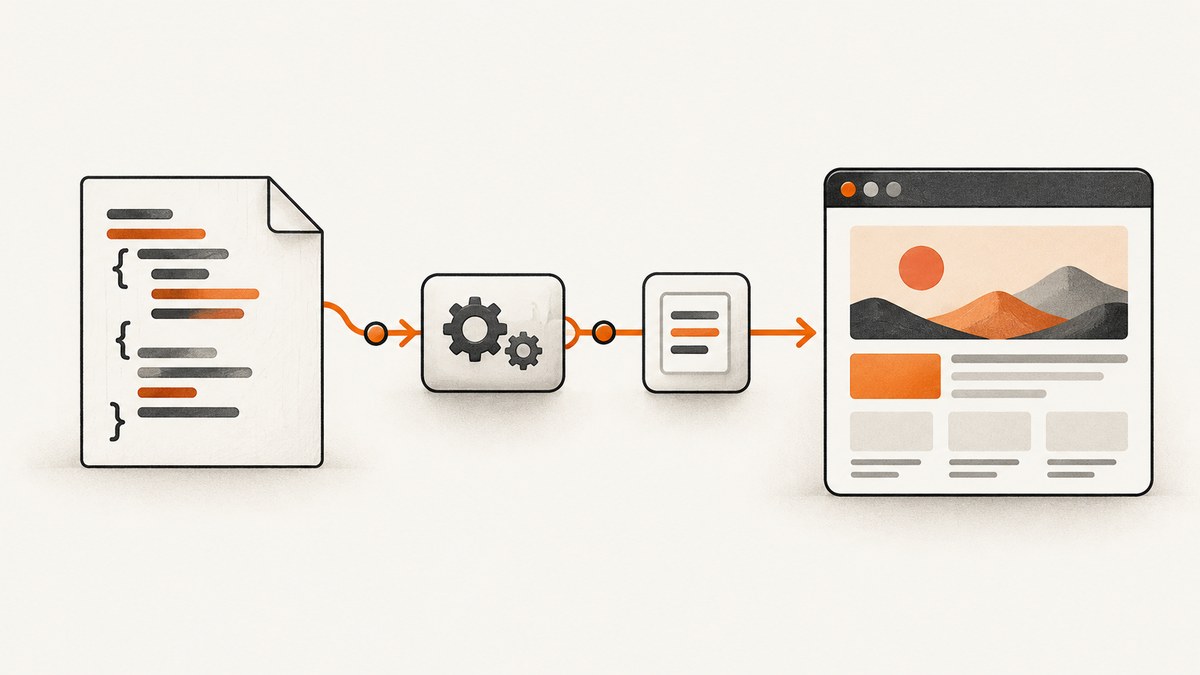
To evaluate JavaScript held in a Java String, use ScriptEngine.eval(String) with an installed JavaScript engine. To render a website whose scripts need window, document, cookies, or network requests, use a browser-like page environment such as HtmlUnit; a standalone script engine does not render a website.
This distinction determines the implementation. For a small calculation or transformation, evaluating a string is sufficient. For a JavaScript-rendered page, load the page in a browser environment and execute code in its context. For behavior that must closely match a real browser, automate one with Selenium. The examples below show both direct evaluation and website rendering.
1. Decide what you need to execute
| Task | Starting point | What it provides |
|---|---|---|
| Evaluate a self-contained JavaScript expression or function | javax.script and an available engine |
Java-to-script evaluation; no browser DOM by default |
| Run a site’s scripts and inspect its page in Java | HtmlUnit | Browser-like page loading, JavaScript, cookies, and page objects |
| Embed a current JavaScript runtime | GraalJS | An embeddable JavaScript runtime and Java interoperability |
| Automate browser-specific behavior | Selenium | Control of a real browser engine |
| Read static HTML without running scripts | Jsoup | HTML parsing without browser behavior |
Ask four questions before choosing: Does the code access browser globals? Does the page need network calls, cookies, or asynchronous work? How close must results be to a real browser? Can the application manage another runtime or browser dependency? HtmlUnit’s guide recommends a browser-like client for browser behavior, Jsoup when JavaScript is unnecessary, and Selenium when real-browser behavior matters. See the HtmlUnit getting-started guide.
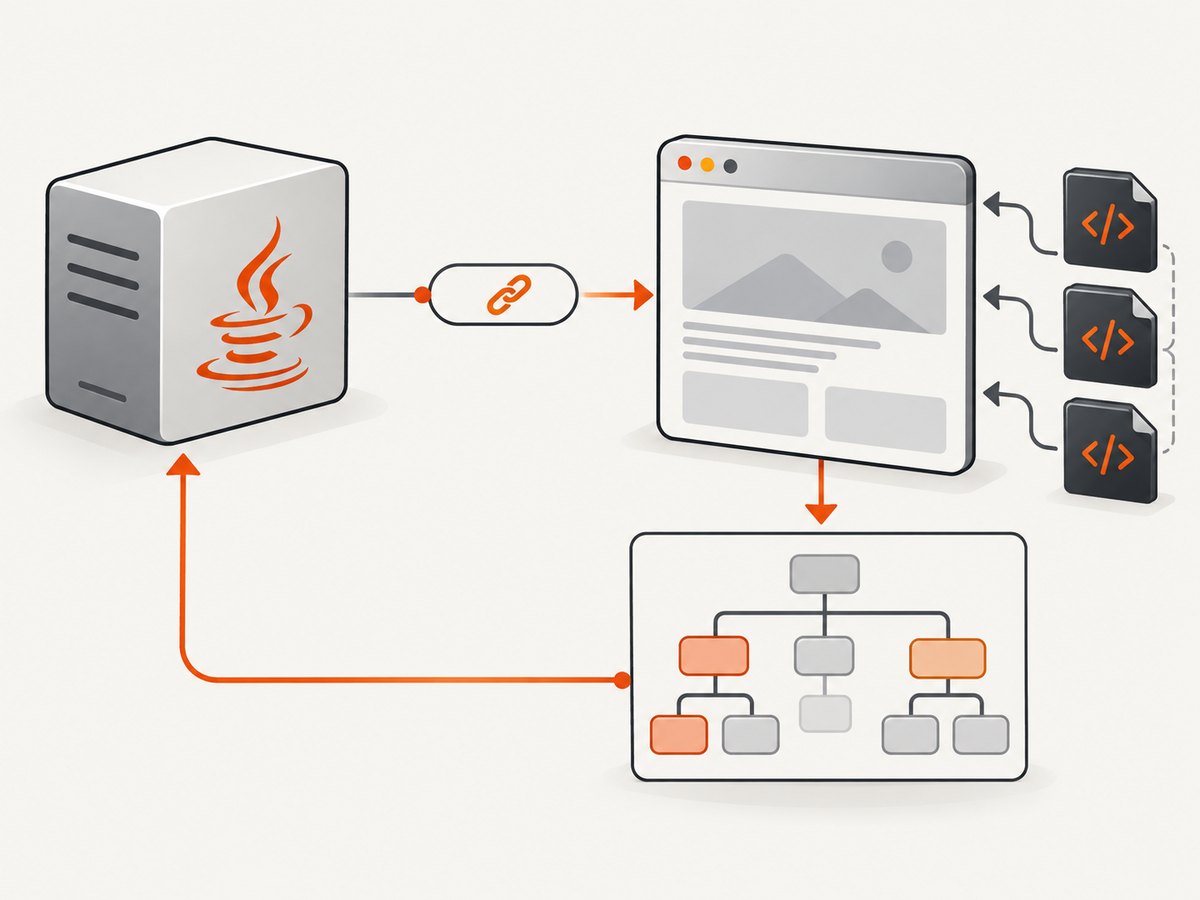
2. Evaluate a JavaScript string with the Java Scripting API
The basic workflow is to create a ScriptEngineManager, look up an engine, check it exists, and call eval(). The Java Scripting API is an interface; the presence of javax.script alone does not guarantee that a JavaScript engine is installed. Oracle documents that getEngineByName() returns null when no engine matches. Its Nashorn sample illustrates the API, but do not assume Nashorn is included in every current JDK. Consult the Oracle Java Scripting Programmer’s Guide and verify the runtime available to your application.
import javax.script.ScriptEngine;
import javax.script.ScriptEngineManager;
import javax.script.ScriptException;

public class EvalString {
    public static void main(String[] args) throws ScriptException {
        ScriptEngineManager manager = new ScriptEngineManager();
        ScriptEngine engine = manager.getEngineByName("javascript");
        if (engine == null) {
            throw new IllegalStateException(
                "No JavaScript ScriptEngine is installed. Add a compatible engine dependency.");
        }

        Object result = engine.eval("(function (a, b) { return a + b; })(20, 22)");
        System.out.println(result); // 42
    }
}
Engine names are implementation-dependent. If lookup returns null, use the engine’s documented name and ensure its dependency is on the runtime classpath. A historical engine name in an example is not a portable promise that the engine ships with your JDK.
For a maintained embeddable runtime, GraalJS documents Java embedding and interoperability. Its project documentation covers the current artifacts and setup; follow it for the GraalVM and dependency versions used by your application. See GraalJS documentation. A runtime can evaluate JavaScript, but it does not become a browser just because it can evaluate code.
Pass values safely with bindings
Do not concatenate arbitrary input into source code. Supply values through bindings instead, which avoids quoting mistakes and reduces the chance that data is interpreted as executable source.
import javax.script.Bindings;
import javax.script.ScriptEngine;
import javax.script.ScriptEngineManager;

ScriptEngine engine = new ScriptEngineManager().getEngineByName("javascript");
if (engine == null) throw new IllegalStateException("JavaScript engine unavailable");

Bindings bindings = engine.createBindings();
bindings.put("price", 19.95);
bindings.put("quantity", 3);
Object total = engine.eval("price * quantity", bindings);
System.out.println(total);
Use a fresh engine context or bindings for work that must not share script variables. Engine threading and context reuse rules depend on the implementation, so check its documentation before sharing an engine between concurrent requests.
3. Render a JavaScript-dependent page with HtmlUnit
HtmlUnit provides a browser-like Java model: it retrieves a page, executes JavaScript, maintains browser state such as cookies, and exposes page objects. The following Maven dependency uses the current artifact coordinates shown by the project; check the project page for the version appropriate to your application before pinning it.
<dependency>
  <groupId>org.htmlunit</groupId>
  <artifactId>htmlunit</artifactId>
  <version>4.16.0</version>
</dependency>
Runnable Java example:
import org.htmlunit.WebClient;
import org.htmlunit.html.HtmlPage;
import org.htmlunit.ScriptResult;

public class RenderWithHtmlUnit {
    public static void main(String[] args) throws Exception {
        try (WebClient client = new WebClient()) {
            client.getOptions().setJavaScriptEnabled(true);
            client.getOptions().setThrowExceptionOnScriptError(false);

            HtmlPage page = client.getPage("https://example.com");

            // Execute in the context of the loaded page.
            ScriptResult result = page.executeJavaScript(
                "document.title = document.title + ' — inspected'; document.title");
            System.out.println("Title: " + page.getTitle());
            System.out.println("Script result: " + result.getJavaScriptResult());
        }
    }
}
JavaScript is enabled by default in HtmlUnit, but setting it explicitly makes the intended behavior clear. Its tutorial notes that the default behavior stops JavaScript execution after an unhandled script error; setThrowExceptionOnScriptError(false) lets a workflow continue while you inspect the page. That choice can conceal site failures, so log or otherwise surface script errors in production. See HtmlUnit’s JavaScript tutorial.
executeJavaScript() runs source within the active page and returns a ScriptResult. For normal interactions, prefer page operations such as clicking an element, which trigger the page’s event handlers in context. The HtmlUnit documentation cautions that using the underlying script engine directly is generally not the preferred way to interact with a page. See the execution and interaction guidance.
Wait for asynchronous page work
Page loading and JavaScript-triggered network activity do not always finish at the same moment. If the target content arrives through an asynchronous request, inspecting the DOM immediately after getPage() can observe an intermediate state. HtmlUnit’s tutorial calls out this timing issue. Wait for the relevant condition or allow the documented background JavaScript work to complete before reading the result; avoid relying on an arbitrary short sleep when a specific page condition can be checked.
Do not assume that a script’s result proves the page has finished rendering. A promise, timer, or network response may update the DOM later. If the page needs browser APIs or behavior that HtmlUnit does not model closely enough, use Selenium and a real browser.
4. Run a string inside the loaded page
Sometimes Java loads the website, but the application must also run a supplied script against that page. Execute it on the HtmlPage, not in an unrelated standalone ScriptEngine, so the code can see the page’s DOM.
String source = "document.querySelector('h1')?.textContent";
ScriptResult result = page.executeJavaScript(source);
Object value = result.getJavaScriptResult();
System.out.println(value);
Keep the script trusted and controlled by your application. If user-provided code is a requirement, treat it as untrusted executable input: define strict limits and isolation appropriate to your engine and deployment. Do not assume that passing source to eval() makes it safe.
For selectors, test the element exists before interacting with it. Pages can vary by locale, consent state, responsive layout, login state, or experiments. A null selector result or an empty text value may mean the content has not appeared yet, rather than that JavaScript failed.
5. Options and configuration that affect the result
| Concern | Configuration decision | Why it matters |
|---|---|---|
| JavaScript enabled | Enable it explicitly on the WebClient when scripts are part of the task | Without execution, client-rendered content may be absent |
| Script errors | Choose whether an unhandled error stops execution; record errors if continuing | Continuing can expose partial output while hiding a broken page |
| Asynchronous work | Wait for the target condition or the page’s background work | Immediate reads can capture an intermediate DOM |
| Browser fidelity | Move to Selenium when real-browser behavior is required | Browser-like implementations do not guarantee identical behavior |
| Static pages | Use Jsoup if the task is parsing markup only | A JavaScript engine adds no value when no scripts need to run |
| Standalone runtime | Use a documented engine such as GraalJS for embedded JS execution | Engine availability and version are deployment concerns |
HtmlUnit’s WebClient also represents browser state, including cookies. For workflows that depend on authentication or consent, maintain the right client state across navigation and verify the page reached the expected state before extracting data. Do not treat browser-like execution as a guarantee that a site permits automated access or that every browser feature is implemented.
6. Troubleshooting
| Symptom | Likely cause | Fix |
|---|---|---|
getEngineByName() returns null |
No engine with that name is installed or discoverable | Add a compatible JavaScript runtime dependency, use its documented engine name, and verify the runtime classpath |
ReferenceError: window is not defined |
A standalone runtime is executing browser code | Run the code in a page environment such as HtmlUnit or a real browser controlled by Selenium |
| Page source lacks visible content | Content is inserted by JavaScript after initial HTML | Enable page JavaScript and wait for the relevant asynchronous work before inspecting the DOM |
| HtmlUnit stops on a script exception | Its default error handling stops JavaScript after an unhandled error | Inspect the page error; configure continuation only when partial-page processing is acceptable, and record the error |
| Script result is null or stale | The target element is absent, the selector changed, or rendering has not completed | Check the selector and page state; wait for the expected content before reading it |
| Works in HtmlUnit but differs in Chrome | The site depends on browser-specific behavior or APIs | Reproduce with Selenium and the required real browser engine |
| Concurrent requests interfere | Shared engine or browser state is being reused without safe isolation | Use per-task contexts or clients where appropriate and follow the implementation’s threading rules |
7. Performance, reliability, and cost
A standalone engine avoids the work of loading a website when all you need is a calculation, transformation, or expression. Browser-like page rendering has additional work: network access, script execution, resource loading, and asynchronous updates. Keep page clients scoped so their state and resources have a clear lifetime, and close them when finished. Reuse should be deliberate: shared cookies or script state can affect correctness, and engine concurrency behavior varies by implementation.

For reliable extraction, define the expected page condition before reading content, handle navigation and script errors explicitly, and test representative pages with the same runtime and configuration used in deployment. Sites can change their markup, scripts, or responses. A successful HTTP page load alone does not establish that client-side rendering completed.
Costs depend on the chosen deployment: the runtime or browser dependencies, compute, network traffic, and maintenance of browser versions. The research sources do not provide comparable benchmark figures, so choose by behavior and fidelity requirements, then measure the workload in your own environment rather than relying on an unsupported universal speed claim.
8. Or skip the browser setup
If your goal is a screenshot rather than JavaScript execution or DOM inspection, ScreenshotNeo returns a website capture from one GET request. Its API handles browser setup for you. Cookie banners, newsletter popups, and chat widgets are removed before the shot; bot checks, blank pages, timeouts, failed loads, and cache hits are not billed. The response includes headers indicating the page verdict and billing status. An MCP server lets AI agents use take_screenshot, get_page_info, and capture_pdf.
curl -G "https://api.screenshotneo.com/v1/shot" -d access_key=YOUR_API_KEY --data-urlencode url=https://stripe.com -o shot.webpPython and Node.js are available too. See the ScreenshotNeo API documentation for the API details.
import requests

r = requests.get(
    "https://api.screenshotneo.com/v1/shot",
    params={"access_key": "YOUR_API_KEY", "url": "https://stripe.com"},
    timeout=90,
)
open("shot.webp", "wb").write(r.content)
const q = new URLSearchParams({ access_key: 'YOUR_API_KEY', url: 'https://stripe.com' });
const res = await fetch(`https://api.screenshotneo.com/v1/shot?${q}`);
if (!res.ok) throw new Error(`Screenshot request failed: ${res.status}`);
await require('node:fs/promises').writeFile('shot.webp', Buffer.from(await res.arrayBuffer()));ScreenshotNeo includes full-page and CSS-selector capture, device presets and custom viewports, retina scale, PDF, custom CSS and JavaScript, wait conditions, request blocking, headers and cookies, geolocation, caching, signed links, async jobs, bulk capture, and a usage API. The parameter names used by other screenshot APIs also work to ease switching. Every feature is on every plan. The free plan includes 1,000 screenshots per month with no card; paid plans start at $5 for 3,000 shots, with yearly billing giving two months free.
Sign up for 1,000 free screenshots a month, no card required.
9. FAQ
Can I render HTML from a string without loading a remote URL?
A standalone ScriptEngine evaluates JavaScript source, not an HTML document as a browser. For DOM-dependent behavior, use a page environment and load or construct a page through that library’s supported APIs.
Does GraalJS provide document and window?
GraalJS is a JavaScript runtime with Java interoperability; that alone does not provide a browser DOM. Use a browser-like library when code needs browser globals.
Should I use HtmlUnit or Selenium?
Start with HtmlUnit for a browser-like Java workflow. Use Selenium when the outcome must match a real browser engine or the site relies on browser-specific behavior.
Can I use this approach for static HTML?
Yes, but JavaScript execution may be unnecessary. A parser such as Jsoup is the simpler starting point when the required data is already in the HTML.


