How to Load JavaScript from a URL When Converting HTML to PDF in Java
Learn when Java HTML-to-PDF tools execute JavaScript, how to render dynamic URLs with Playwright, and when iText or ScreenshotNeo fits.

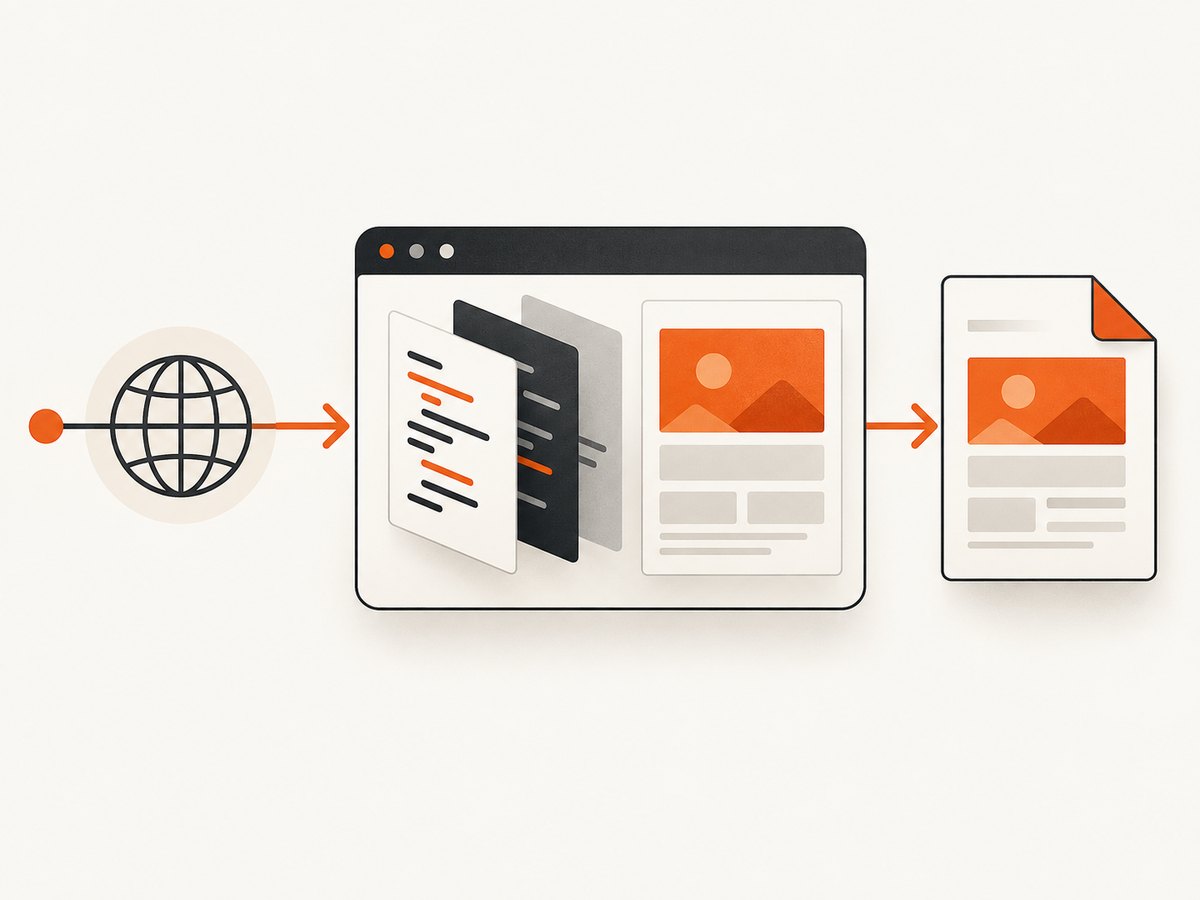
Short answer: fetching a URL and executing the JavaScript on that page are separate operations. iText pdfHTML can read HTML from a URL, but it does not evaluate JavaScript. If scripts build the content you need in the PDF, load the URL in a real browser engine, wait for the page-specific ready state, and print the rendered page to PDF. Playwright for Java is a practical choice.
This guide shows both paths, explains when each is appropriate, and covers readiness, print CSS, assets, security, deployment, reliability, and cost. The examples use Java first, then equivalent API calls where a hosted screenshot/PDF service is useful.
1. Decide whether JavaScript must run
Start by identifying what the source URL returns before conversion:
- Static HTML: all text and layout are present in the response. A library such as iText pdfHTML can often convert it directly.
- Client-rendered HTML: the initial document contains a root element and scripts. The scripts fetch data, render components, or replace placeholders. A non-browser converter sees the pre-script DOM and produces an incomplete PDF.
- Hybrid pages: some content is server-rendered while charts, tables, or authentication-dependent sections arrive later. Use a browser and wait for the specific section that proves the data is ready.
Downloading https://example.com/report with URL.openStream() only downloads bytes. It does not create a DOM with a JavaScript runtime, enforce browser layout, or run external scripts.
2. Browser-backed conversion with Playwright Java
Use a browser engine when JavaScript, modern CSS, web fonts, canvas, or browser APIs affect the output. Playwright’s Java API navigates to a URL and page.pdf() prints the rendered page. PDF generation uses print CSS media by default, so design your print stylesheet or explicitly emulate screen media when that is what you need. The navigation API supports readiness choices such as load and domcontentloaded; treat networkidle as a poor universal completion signal and wait for an application-specific condition instead. Playwright Page API
Minimal runnable program
import com.microsoft.playwright.Browser;
import com.microsoft.playwright.BrowserType;
import com.microsoft.playwright.Page;
import com.microsoft.playwright.Playwright;
import com.microsoft.playwright.Response;
import java.nio.file.Paths;

public class UrlToPdf {
  public static void main(String[] args) {
    String target = args.length == 0 ? "https://example.com/report" : args[0];
    try (Playwright playwright = Playwright.create()) {
      Browser browser = playwright.chromium().launch(new BrowserType.LaunchOptions().setHeadless(true));
      try {
        Page page = browser.newPage(new Browser.NewPageOptions().setViewportSize(1440, 1000));
        page.setDefaultNavigationTimeout(45_000);
        page.setDefaultTimeout(15_000);
        Response response = page.navigate(target, new Page.NavigateOptions().setWaitUntil(com.microsoft.playwright.options.WaitUntilState.DOMCONTENTLOADED));
        if (response == null) throw new IllegalStateException("Navigation returned no response");
        if (response.status() >= 400) throw new IllegalStateException("HTTP status: " + response.status());
        page.locator("[data-report-ready='true']").waitFor();
        page.pdf(new Page.PdfOptions().setPath(Paths.get("report.pdf")).setFormat("A4").setPrintBackground(true).setMargin(new Page.PdfMargins().setTop("16mm").setRight("14mm").setBottom("16mm").setLeft("14mm")));
      } finally { browser.close(); }
    }
  }
}
Add the Playwright dependency using the version selected by your build, then install its browser binaries in the deployment image. Keep the browser lifecycle scoped to each job or a controlled worker pool; always close pages and browsers in finally blocks.
Waiting for asynchronous content
page.locator("[data-report-ready='true']").waitFor();
page.locator("table#orders tbody tr").first().waitFor();
page.locator(".loading-spinner").waitFor(new Locator.WaitForOptions().setState(WaitForSelectorState.HIDDEN));
page.waitForTimeout(750);
A fixed delay is a fallback, not proof that data is ready. If your app controls the page, add a marker after the final fetch and render. If it does not, wait for a stable selector and validate that expected text or row count exists before printing.
Print settings that change the result
setFormat('A4'),setWidth, andsetHeightcontrol paper geometry.setMarginprevents content from touching the edge; coordinate it with CSS@page.setLandscape(true)is useful for wide tables.setPrintBackground(true)preserves background colors and images.setPageRanges('1-3')limits output when only selected pages are needed.- Call
page.emulateMedia(new Page.EmulateMediaOptions().setMedia(Media.SCREEN))beforepdf()when screen styles are required.
Use CSS such as @page { size: A4; margin: 16mm; }, break-inside: avoid for cards, and print-only rules to hide navigation. Fonts and images must finish loading before capture; a readiness marker should be set after those resources are available.
3. Direct URL conversion with iText pdfHTML
For static or otherwise JavaScript-independent HTML, iText documents fetching a URL with URL.openStream() and passing that stream to HtmlConverter.convertToPdf. This retrieves the document but does not run scripts. iText states that pdfHTML does not evaluate JavaScript. iText browser-engine FAQ iText JavaScript support note
import com.itextpdf.html2pdf.HtmlConverter;
import java.io.InputStream;
import java.io.OutputStream;
import java.net.URL;
import java.nio.file.Files;
import java.nio.file.Path;

public class StaticUrlToPdf {
  public static void main(String[] args) throws Exception {
    URL url = new URL(args.length == 0 ? "https://example.com/static.html" : args[0]);
    try (InputStream html = url.openStream(); OutputStream pdf = Files.newOutputStream(Path.of("static.pdf"))) {
      HtmlConverter.convertToPdf(html, pdf);
    }
  }
}
Relative CSS, images, and fonts need a base URI when converting snippets or streams that reference adjacent resources. Configure ConverterProperties.setBaseUri(...) with the document’s origin or asset directory. iText pdfHTML documentation If the page is JavaScript-driven, first render it in Playwright and either print the browser page directly or pass the resulting HTML and assets to a converter.
4. Flying Saucer and Chrome-backed alternatives
Flying Saucer is a pure Java XML/XHTML and CSS 2.1 renderer; its guide says script tags are ignored. The project also lists a separate flying-saucer-chrome-pdf artifact that delegates PDF output to chrome-headless-shell and targets modern HTML5/CSS3. Select the Chrome-backed route when JavaScript execution is required, and verify the Java runtime requirement for the exact release you adopt. Flying Saucer repository
5. Authentication, cookies, and protected pages
Browser automation lets you establish the same state a real user needs:
BrowserContext context = browser.newContext(new Browser.NewContextOptions().setLocale("en-US").setTimezoneId("UTC"));
context.addCookies(List.of(new Cookie("session", sessionValue).setDomain("example.com").setPath("/")));
Page page = context.newPage();
page.setExtraHTTPHeaders(Map.of("Authorization", "Bearer " + token));
page.navigate("https://example.com/private-report");
Do not place secrets in URLs that may be logged. Keep credentials in a secret manager, restrict outbound hosts, and block navigation to internal metadata addresses in server-side workers. For reproducible PDFs, pin locale, timezone, viewport, and user agent.
6. A hosted option when you do not want to operate browsers
ScreenshotNeo is a website screenshot and PDF API. It runs the browser capture for you and supports full-page capture, lazy-image loading, custom CSS and JavaScript, selectors, waits, cookies, headers, user agents, timezone, geolocation, PDF paper settings, margins, landscape mode, page ranges, caching, async jobs, bulk capture, and signed webhooks. It also has an MCP server with take_screenshot, get_page_info, and capture_pdf for Claude, Cursor, and other MCP clients. See the ScreenshotNeo API docs for the complete option list.

Or skip the browser setup
One GET request returns a rendered image or PDF. For a PDF workflow, request the PDF output options described in the docs; this basic call demonstrates the same URL capture endpoint:
curl -G "https://api.screenshotneo.com/v1/shot" -d access_key=YOUR_API_KEY --data-urlencode url=https://example.com/report -o report.webpimport requests
r = requests.get("https://api.screenshotneo.com/v1/shot", params={"access_key": "YOUR_API_KEY", "url": "https://example.com/report"}, timeout=90)
r.raise_for_status()
open("report.webp", "wb").write(r.content)const q = new URLSearchParams({ access_key: 'YOUR_API_KEY', url: 'https://example.com/report' });
const res = await fetch(`https://api.screenshotneo.com/v1/shot?${q}`);
if (!res.ok) throw new Error(`HTTP ${res.status}`);
const data = Buffer.from(await res.arrayBuffer());
require('node:fs').writeFileSync('report.webp', data);Cookie banners, newsletter popups, and chat widgets are removed before the shot; bot checks, blank pages, timeouts, failed loads, and cache hits are not billed. Each response reports the result with X-Page-Verdict and X-Billed headers. An MCP server lets AI agents take screenshots. The Free plan includes 1,000 screenshots each month with no card; paid plans start at $5 for 3,000 shots, and every feature is on every plan. Create a free ScreenshotNeo account.
7. Troubleshooting checklist
| Symptom | Cause | Fix |
|---|---|---|
| PDF has a blank shell | JavaScript was never executed | Use Playwright or Chrome-backed rendering; wait for a rendered selector. |
| Data is missing intermittently | Printed before an async request completed | Wait for an application marker, row, or hidden spinner; validate content. |
| Styles or images disappear | Relative URLs lack a base or resources are blocked | Set iText baseUri, check network errors, and wait for fonts/images. |
| Layout differs from the browser | PDF uses print media | Adjust print CSS or emulate screen media; set viewport, format, and margins explicitly. |
| Navigation returns an error | DNS, TLS, redirect, auth, or HTTP failure | Check response status, log the final URL, set bounded timeouts, and provide valid cookies/headers. |
| Browser fails in production | Missing binaries or OS libraries | Install Playwright browsers and dependencies in the image. |
| Pages hang on network idle | Analytics or sockets keep requests open | Use domcontentloaded plus a meaningful selector and a maximum timeout. |
| Unexpectedly large files | Huge full-page or high-scale capture | Capture an element, limit page ranges, reduce scale, block unnecessary resources, or resize output. |
8. Performance, reliability, and cost
- Performance: reuse a controlled browser process, but isolate contexts and close pages. Reduce viewport size, block ads and trackers, and avoid arbitrary long delays. Full-page PDFs cost more time and memory than bounded elements.
- Reliability: set navigation and action timeouts, retry transient DNS or 5xx failures with a cap, and record final URL, status, readiness condition, and output checksum. Validate required text before storing the PDF.
- Security: treat remote HTML as untrusted. Restrict egress, sandbox browser workers, avoid sharing contexts between tenants, and redact authorization values from logs.
- Cost: self-hosting shifts spend to browser CPU, memory, storage, and maintenance. ScreenshotNeo bills only clean shots; failed loads, bot checks, blank pages, timeouts, and cache hits cost nothing, and cache TTL is configurable.
9. Recommended decision flow
- Inspect the URL response and determine whether required content exists without scripts.
- If static, use iText pdfHTML with a correct base URI.
- If dynamic, use Playwright Java, wait for a page-specific ready signal, then print with explicit PDF settings.
- If you cannot operate browser binaries, use ScreenshotNeo’s API or MCP server and monitor its verdict and billing headers.
- Run a validation step that checks status, required content, page count or file size, and stores diagnostic metadata.
FAQ
Can iText pdfHTML execute inline or external JavaScript?
No. Its documented converter does not evaluate JavaScript. Render with a browser first when scripts create the content.
Should I always wait for networkidle?
No. Long-lived analytics, polling, and sockets can prevent it. A selector or application marker is a stronger signal.
Why does my PDF look different from the screen?
Playwright prints with print CSS by default. Add print rules or emulate screen media, then set paper, margins, viewport, and background options explicitly.
Can a browser PDF include authenticated data?
Yes. Create a context with the required cookies or headers, keep secrets out of URLs and logs, and isolate each job.
When is a hosted API preferable?
Use one when browser installation, scaling, popup cleanup, or agent integration would distract from your Java application. ScreenshotNeo provides those capabilities behind one request.


