Load JavaScript from a URL for Website Rendering in Java
Render JavaScript-heavy websites in Java with Playwright, HtmlUnit, or an embedded browser. Learn when to navigate, inject a script, and wait for the page.
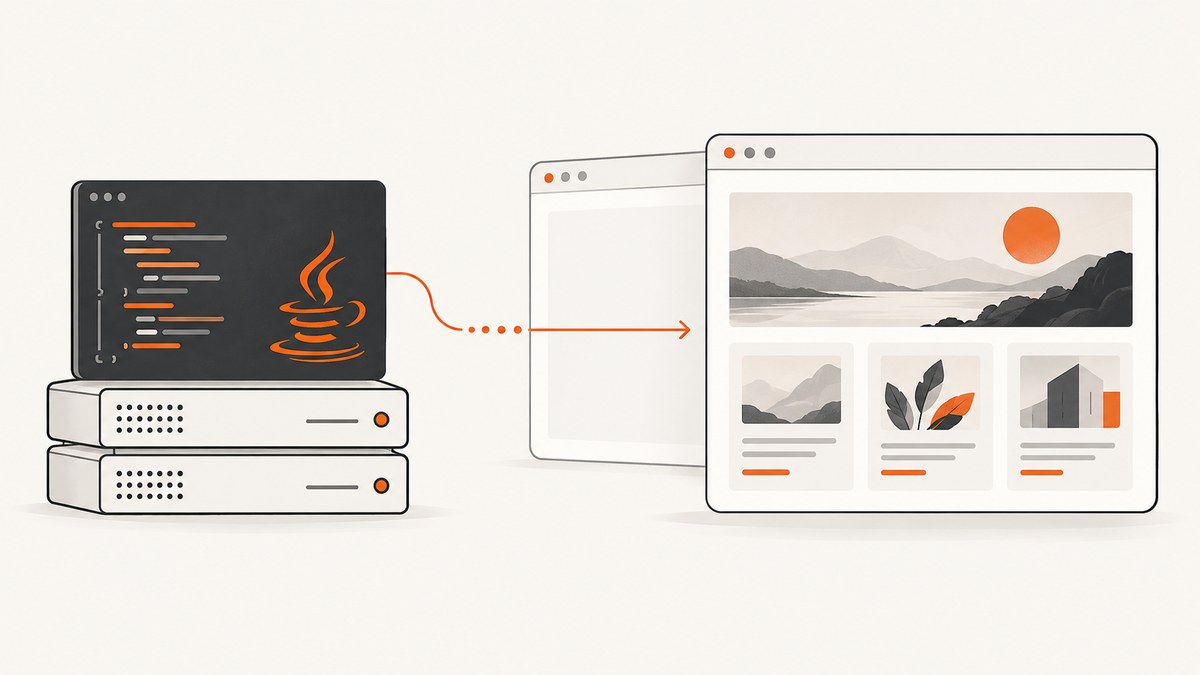
Direct answer: To render a JavaScript-heavy website in Java, use a browser automation library such as Playwright Java and navigate to the page URL. Wait for the specific content your task needs, then inspect the rendered DOM or take a screenshot. If you mean a JavaScript file hosted at a URL, first navigate to the page that should receive it, then inject the file as a script. Java’s HttpClient fetches response bytes; by itself it does not run page scripts, build a DOM, or lay out a browser page.
Use Playwright Java for modern sites, screenshots, PDFs, and application testing. Use HtmlUnit when a GUI-less Java browser model is enough. GraalJS executes JavaScript but does not render websites. An embedded browser SDK such as JxBrowser is an option when the browser must live inside a Java desktop application.
1. Decide whether you have a page URL or a script URL
These are different jobs, and confusing them is a common cause of empty results.
| What you have | What Java should do | Example |
|---|---|---|
| A page URL | Open it in a browser engine, let its scripts run, then wait for the rendered state. | https://example.com/products |
| A script URL | Load the target page, then add a script element pointing to the resource. | https://cdn.example.com/widget.js |
| JavaScript source for computation | Evaluate it in a JavaScript runtime if it does not need browser APIs. | Transforming data or running a pure function |
A script URL is not a page to navigate to when your goal is to render a website. Conversely, downloading a page’s HTML does not automatically fetch and execute its scripts.
2. Render a website with Playwright Java
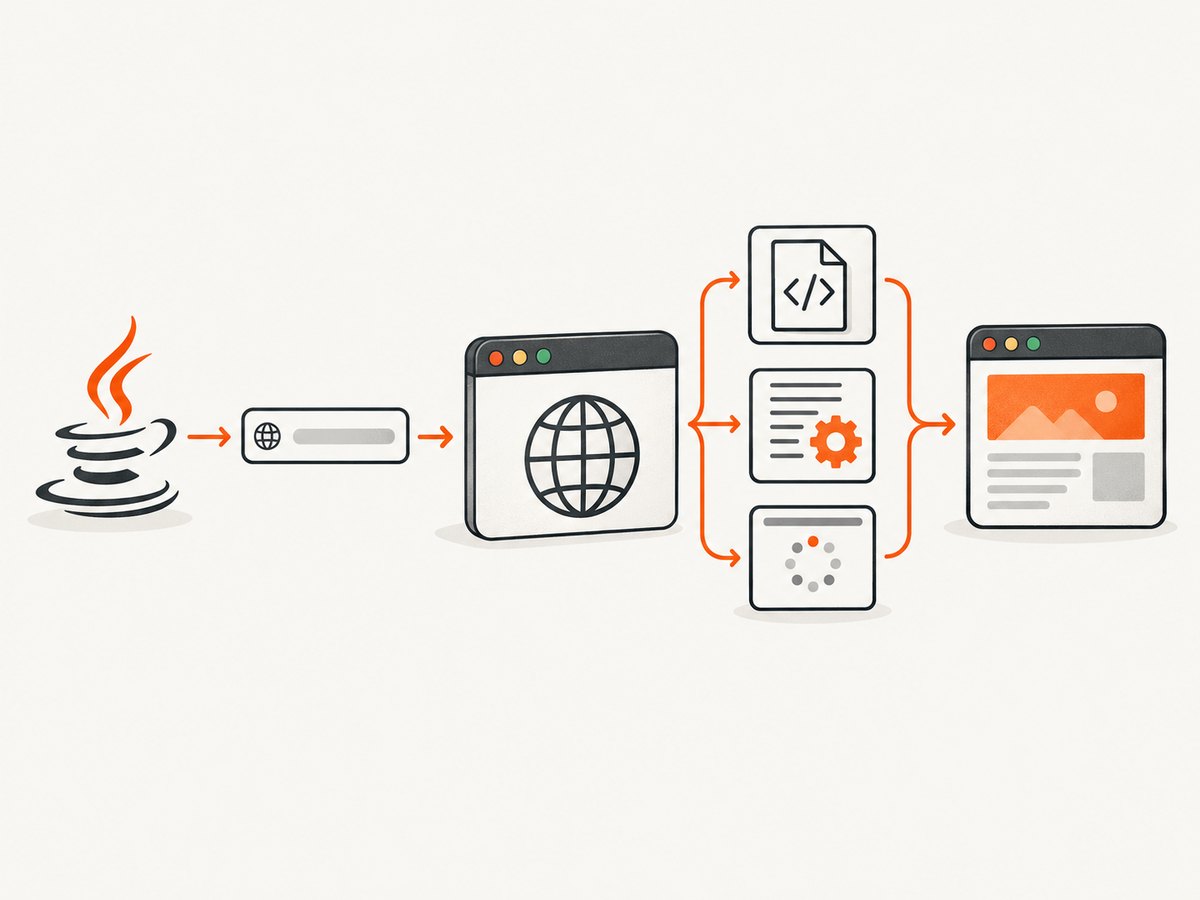
Playwright drives a real browser engine. It is a good default for single-page applications, client-side routing, browser APIs, screenshots, PDFs, and pages whose rendering depends on CSS layout. The example below opens a page, waits for an application-specific selector, and reads the final HTML.
import com.microsoft.playwright.*;

public class RenderPage {
  public static void main(String[] args) {
    try (Playwright playwright = Playwright.create();
         Browser browser = playwright.chromium().launch(
             new BrowserType.LaunchOptions().setHeadless(true))) {
      BrowserContext context = browser.newContext();
      Page page = context.newPage();

      page.navigate("https://example.com");
      page.locator("#app-ready").waitFor();

      String renderedHtml = page.content();
      System.out.println(renderedHtml);
    }
  }
}
Add the Playwright Java dependency using the current installation instructions in the official documentation, and install the browser binaries required by your environment. Pin a version in your project and keep the Java library and browser installation in sync as instructed by Playwright. Headless mode suits most server jobs; a visible browser can help when diagnosing a problem locally.
Wait for the application, not just navigation
Navigation waits cover document fetching and parsing, script execution, resource loading, and browser lifecycle events. But a modern app can continue fetching data or updating its interface after those events. There is no universal signal that every page is finished. Use a condition that proves the result you need is ready.
- Selector: wait for a result container, product title, or other meaningful element.
- Text: wait for the expected text when the text itself is the result.
- URL: after a client-side route change, wait for the expected address.
- Response: wait for a known API response if the app depends on a specific request.
- Application signal: wait for a DOM attribute or test-ready flag controlled by the application.
Prefer these conditions to arbitrary sleeps. A fixed delay may waste time on a fast page and still be too short on a slow one. Keep a finite timeout so a missing element cannot hold a worker indefinitely.
3. Inject a script hosted at a URL
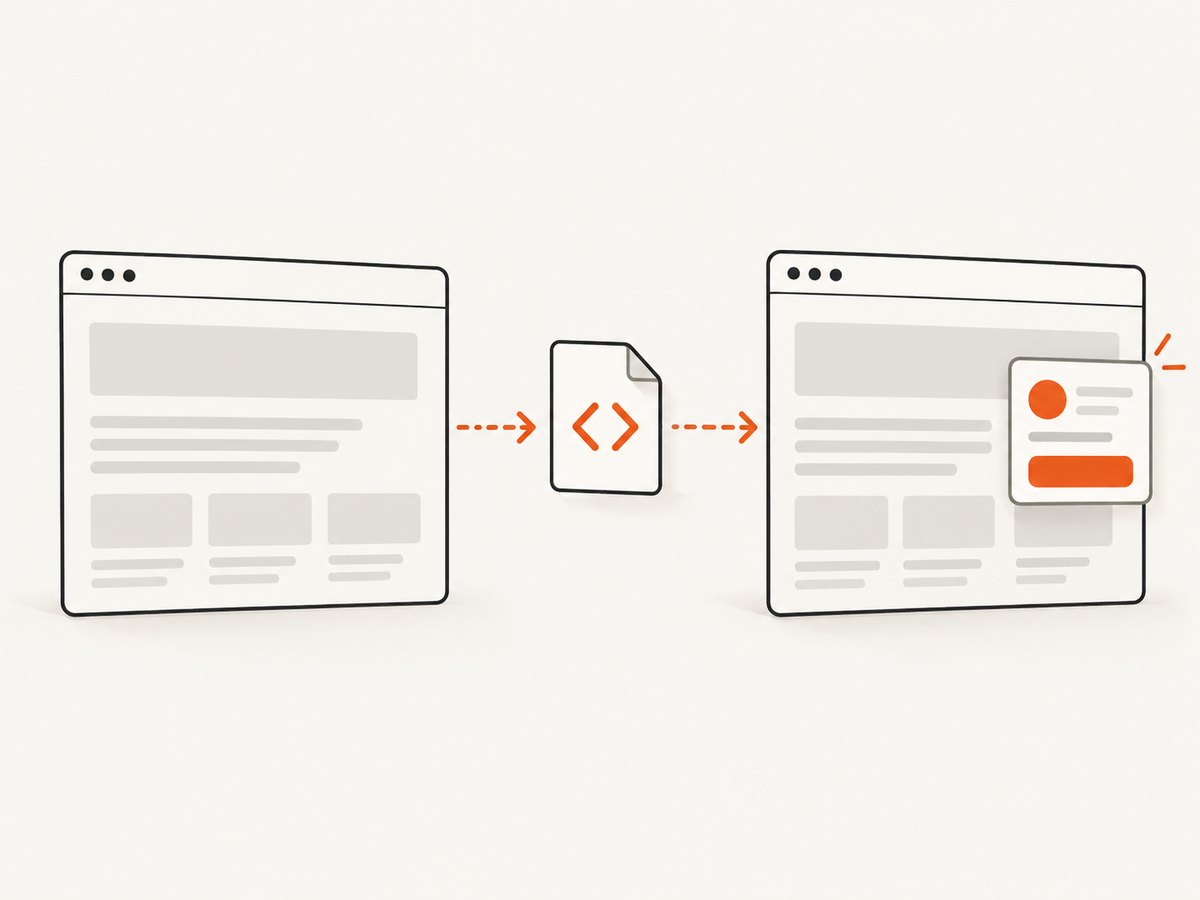
If you already have a page and want to load a third-party widget or your own script into it, use Playwright’s addScriptTag. It adds a script element and waits for the script to load or be injected.
import com.microsoft.playwright.*;

public class InjectScript {
  public static void main(String[] args) {
    try (Playwright playwright = Playwright.create();
         Browser browser = playwright.chromium().launch(
             new BrowserType.LaunchOptions().setHeadless(true))) {
      Page page = browser.newPage();
      page.navigate("https://example.com");

      page.addScriptTag(new Page.AddScriptTagOptions()
          .setUrl("https://cdn.example.com/widget.js"));

      page.locator("#widget-ready").waitFor();
      System.out.println(page.content());
    }
  }
}
Replace #widget-ready with a signal that the injected script or the page exposes. A script loading successfully does not guarantee that its asynchronous initialization or network requests have finished. If the script has no ready marker, wait for the resulting element, a known response, or another observable state.
Injection may also be affected by the page’s Content Security Policy, cross-origin behavior, script dependencies, or the site’s own initialization order. Diagnose it in the browser console and network log. If the script assumes it runs before page code, inject it before navigation using an initialization-script facility and verify that this matches the script’s requirements.
4. Extract rendered text with HtmlUnit
HtmlUnit provides a Java-native, GUI-less browser model with HTTP requests, JavaScript execution, cookies, redirects, and DOM access. It can be a simpler choice for extraction tasks that do not depend on full current-browser fidelity.
import org.htmlunit.WebClient;
import org.htmlunit.html.HtmlPage;

public class HtmlUnitRender {
  public static void main(String[] args) throws Exception {
    try (WebClient client = new WebClient()) {
      HtmlPage page = client.getPage("https://example.com");
      String visibleText = page.asNormalizedText();
      System.out.println(visibleText);
    }
  }
}
Add the current org.htmlunit:htmlunit dependency from HtmlUnit’s official getting-started guide. Check its documentation for the version and browser profile appropriate to your project rather than copying an old version number. asNormalizedText() returns visible text with normalized whitespace and excludes hidden script and style content.
Handle script errors deliberately
HtmlUnit stops JavaScript at the first unhandled script exception by default. If unrelated page errors prevent useful work, configure the client to continue with setThrowExceptionOnScriptError(false), and still capture or review the errors. Ignoring all page errors can hide a real failure in the content you need. HtmlUnit’s browser emulation can also differ from current Chromium, especially for newer browser APIs.
5. Choose the right JavaScript runtime
| Tool | Use it for | Important limit |
|---|---|---|
| Playwright Java | Modern browser rendering, automation, screenshots, PDFs | Runs browser processes and needs browser binaries. |
| HtmlUnit | Java-native, GUI-less page interaction and extraction | Browser compatibility is not identical to a current Chromium browser. |
| GraalJS | Executing JavaScript source from Java | Does not provide a browser DOM, CSS layout, or page-resource lifecycle. |
| JxBrowser | Embedding a browser in a Java application | Commercial product; check current licensing and deployment terms with TeamDev. |
For GraalJS, the modern embedding interface is org.graalvm.polyglot.Context. It can evaluate JavaScript fetched by your application, but a website script that expects window, document, layout, or browser events will not become a rendered page merely because it executes in that context. See the GraalVM JavaScript documentation.
JxBrowser provides an embedded browser and APIs such as Frame.executeJavaScript(String) for code in a loaded page. This can fit desktop products that need Java/JavaScript interoperability; check its official documentation for current technical and commercial details.
6. Why Java HttpClient returns incomplete HTML
java.net.http.HttpClient makes HTTP requests and gives your program the response. It does not create a browser DOM, execute JavaScript, load subresources as a browser would, process user interactions, or calculate CSS layout. Many sites send an initial HTML shell and fill in the visible page after JavaScript calls their APIs. An HTTP response can therefore be valid yet contain none of the content you see in a browser.
If the content is available in a documented public API, calling that API may be simpler than rendering the UI. If you need what a visitor sees, use a browser engine and wait for the relevant content. For screenshots and PDFs, inspect the rendered page or capture it in the same browser session used to load it.
7. Run reliably and keep capture time predictable
- Reuse browser processes where appropriate. In a long-running worker, avoid starting a new browser for every URL. Create isolated contexts or pages per task and close them when finished.
- Bound every wait. Set reasonable navigation and selector timeouts for your workload, and record which wait timed out.
- Wait narrowly. A target selector or response is usually more predictable than waiting for every network connection to end; analytics and long polling can keep traffic active.
- Limit concurrency. Each page uses CPU and memory. Start with a small number of parallel pages, monitor resource use, and increase it gradually.
- Retry selectively. Retry transient navigation failures with a limit and backoff. Do not repeatedly retry deterministic selector errors, blocked access, or invalid URLs.
- Close resources. Close pages, contexts, browsers, and Playwright in a controlled cleanup path, including error paths.
Rendering cost depends on the target site, its resources, the chosen browser, waits, and concurrency. The dossier does not provide comparative benchmark figures, so measure your own pages and workload. Browser rendering also means executing code from the target site: use isolated contexts, avoid sharing authenticated state across unrelated jobs, and apply the network and access controls appropriate to your environment.
8. Troubleshooting
| Symptom | Likely cause | Fix |
|---|---|---|
| HTML contains an app shell but not visible content | Fetched with HttpClient, or read before the SPA finished. | Use Playwright or HtmlUnit; wait for a content-specific selector or response. |
| Navigation succeeds but a result selector times out | The selector changed, the app failed, or the content is in a frame. | Check the rendered DOM, console, network requests, and frame structure; verify the selector against the current page. |
| Page looks unfinished after load | The app continues work after the navigation lifecycle event. | Wait for a meaningful element, URL, API response, or application signal. |
| Injected script has no visible effect | Wrong page, failed script request, CSP restriction, dependency/order issue, or async initialization. | Inspect console and network logs; verify the script URL and wait for an effect that proves initialization. |
| HtmlUnit stops during page load | An unhandled page JavaScript exception. | Review the error; if it is unrelated, configure setThrowExceptionOnScriptError(false) and keep logging. |
| Page differs between HtmlUnit and a normal browser | Browser emulation or API compatibility differences. | Try Playwright with a current browser engine for higher fidelity. |
| Playwright cannot launch in deployment | Browser binaries or required runtime dependencies are missing. | Follow Playwright’s installation steps for the deployment image and install the browsers for the library version in use. |
| Jobs stall or exhaust memory | Unbounded waits, pages not closed, or too much concurrency. | Set timeouts, close resources in cleanup, and lower parallel page count. |
9. Or skip the browser setup
If your goal is a screenshot or PDF, ScreenshotNeo returns the capture from one GET request, without managing a browser process in your Java application. Its API also accepts parameter names used by other screenshot APIs, which can make migration easier. See the ScreenshotNeo API documentation.
curl -G "https://api.screenshotneo.com/v1/shot" -d access_key=YOUR_API_KEY --data-urlencode url=https://example.com -o shot.webpimport requests
r = requests.get(
"https://api.screenshotneo.com/v1/shot",
params={"access_key": "YOUR_API_KEY", "url": "https://example.com"},
timeout=90,
)
open("shot.webp", "wb").write(r.content)const q = new URLSearchParams({ access_key: 'YOUR_API_KEY', url: 'https://example.com' });
const res = await fetch(`https://api.screenshotneo.com/v1/shot?${q}`);
if (!res.ok) throw new Error(`Screenshot request failed: ${res.status}`);
await Bun.write('shot.webp', res);In Java, use HttpClient to call the screenshot API and save its response bytes; the API performs the browser capture. ScreenshotNeo accepts cookie and consent banners like a visitor and removes 60+ known consent platforms, newsletter popups, and chat widgets before the shot; each step can be turned off. Bot checks and CAPTCHAs, blank pages, timeouts, failed loads, and cache hits cost nothing, and response headers report the page verdict and billing status. It also offers an MCP server for AI agents, with screenshot, page-info, and PDF tools. The free plan includes 1,000 shots a month without a card; paid plans start at $5 for 3,000 shots.
Get 1,000 screenshots a month free, with no card.
10. Frequently asked questions
Can I load a remote JavaScript file directly with Java?
Yes, you can fetch its bytes or evaluate its source in a JavaScript runtime. To have it run as part of a website, load the page in a browser and add the script to that page.
Does page.content() return the original response?
No. It returns the page’s current HTML, including the doctype, which can reflect DOM changes made by scripts after navigation.
Should I use HtmlUnit or Playwright for scraping?
Use HtmlUnit if its browser model supports the target and you want a Java-native approach. Choose Playwright when compatibility with a current browser, layout, or modern page behavior matters.
Can GraalJS take a screenshot?
GraalJS alone does not render a website or provide browser layout. Use a browser engine or a screenshot service for a rendered capture.
Does a page’s load event mean all its content is ready?
No. Choose a readiness condition tied to the data or interface your task needs.


