How to Loop Through Elements and Scrape Data with Puppeteer
Use Puppeteer’s $$eval to extract data from every matching element, or $$ when you need handles and per-item control. Includes waits, runnable examples, and fixes for common failures.
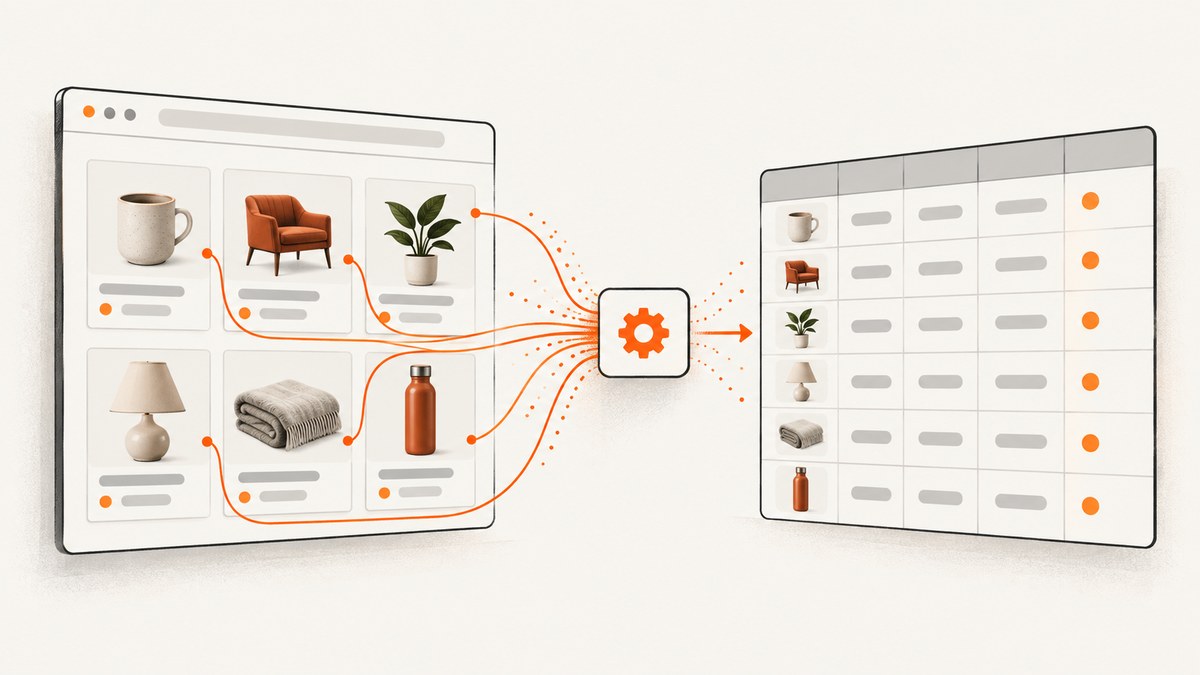
To loop through matching elements in Puppeteer, wait for the page content you need, then call page.$$eval(selector, callback). Puppeteer passes every matching element to the callback, which runs in the browser page context. Map those elements to plain strings or objects and return the result to Node.js.
await page.waitForSelector('.product-card', { visible: true });
const products = await page.$$eval('.product-card', cards =>
  cards.map(card => ({
    name: card.querySelector('.name')?.textContent?.trim() ?? '',
    price: card.querySelector('.price')?.textContent?.trim() ?? '',
    href: card.querySelector('a')?.href ?? null,
  }))
);
Use $$eval when the data can be collected in one browser-side callback. Use page.$$ when you need individual ElementHandles for interactions, per-element error handling, or Node-side sequencing. Use $eval for one expected match; it throws if there is no match. See the Puppeteer Page.$$eval API and Page.waitForSelector API.
1. Set up Puppeteer and run a complete scrape
The example below uses Puppeteer with a Chromium browser, opens a page, waits for product cards, extracts their fields, and prints JSON. Replace the URL and selectors with ones that match a site you are authorized to access. A selector that matches the wrong elements can still return valid-looking but incorrect data, so inspect the page structure before relying on the output.
npm install puppeteerSave this as scrape.js and run it with node scrape.js:
const puppeteer = require('puppeteer');

async function main() {
  const url = 'https://example.com/products';
  const selector = '[data-testid="product-card"]';
  const browser = await puppeteer.launch({ headless: true });

  try {
    const page = await browser.newPage();
    page.setDefaultTimeout(15_000);
    await page.goto(url, { waitUntil: 'domcontentloaded' });
    await page.waitForSelector(selector, { visible: true });

    const products = await page.$$eval(selector, cards =>
      cards.map(card => ({
        name: card.querySelector('[data-testid="product-name"]')
          ?.textContent?.trim() ?? '',
        price: card.querySelector('[data-testid="product-price"]')
          ?.textContent?.trim() ?? '',
        href: card.querySelector('a')?.href ?? null,
      }))
    );

    console.log(JSON.stringify(products, null, 2));
  } finally {
    await browser.close();
  }
}

main().catch(error => {
  console.error(error);
  process.exitCode = 1;
});
The selectors above are examples, not claims about the structure of a particular site. In DevTools, inspect a target card and prefer stable attributes such as data-testid or meaningful class names over selectors tied to a card’s current position. The callback’s card value is a browser DOM element, so use DOM APIs there, not Node-only variables or Puppeteer methods.
2. Choose between $$eval, $$, and $eval
| Method | Where extraction runs | Result | Missing match behavior | Best fit |
|---|---|---|---|---|
$$eval(selector, fn) |
One callback in the page context | Callback result, serialized to Node | Receives an empty array when none match | Bulk extraction into strings or objects |
page.$$(selector) |
Your Node.js loop calls each handle | Array of ElementHandles | Resolves to [] |
Interactions, sequencing, per-element handling |
$eval(selector, fn) |
One callback in the page context | Callback result, serialized to Node | Throws if no element matches | One required title, link, or value |
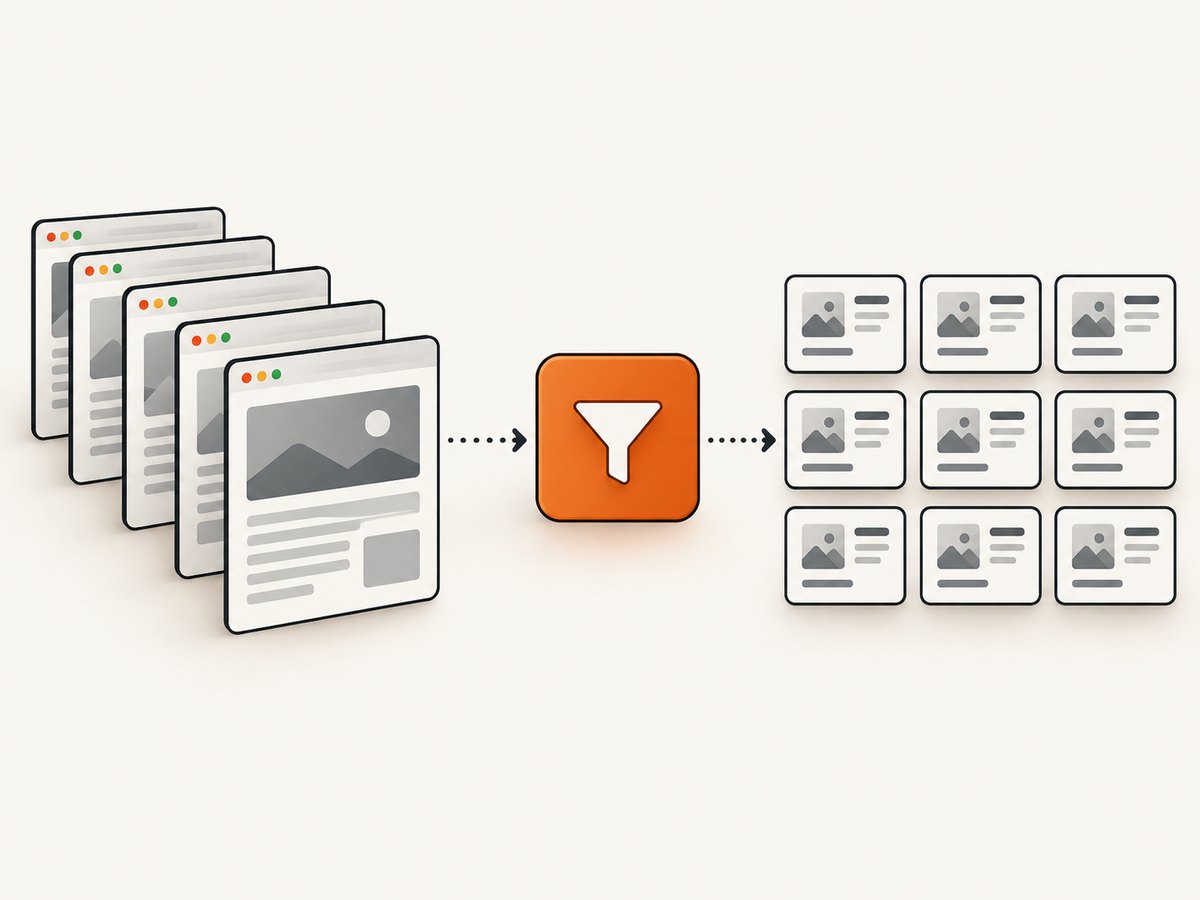
$$eval is usually the simplest and fastest-to-read extraction pattern because it sends one callback to the page and returns a compact dataset. The official API describes it as returning all elements matching the selector and passing the array to the page function. $$ gives you handles when you need to act on elements or isolate failures. Those handles should be disposed when you are finished with them.
Bulk mapping with $$eval
const rows = await page.$$eval('.results tr', trs =>
  trs.map(tr => [...tr.querySelectorAll('td')]
    .map(td => td.textContent?.trim() ?? ''))
);
The callback can return arrays and objects containing serializable values. For example, collect text, link URLs, attributes, or a Boolean indicating whether a badge exists. Do not return live DOM nodes: they are page objects, not a portable dataset for Node.js.
Node-side iteration with $$
Use $$ if a scrape requires a separate action for each match, such as opening a menu or checking an item individually. The following example reads each card’s fields through its handle and disposes of each handle even if extraction fails:
const handles = await page.$$('.product-card');
const products = [];

for (const handle of handles) {
  try {
    const product = await handle.evaluate(card => ({
      name: card.querySelector('.name')?.textContent?.trim() ?? '',
      price: card.querySelector('.price')?.textContent?.trim() ?? '',
    }));
    products.push(product);
  } finally {
    await handle.dispose();
  }
}
This loop is sequential: each evaluation completes before the next starts. That can be useful for predictable interactions and error handling. If you only need fields from all cards, a single $$eval is clearer and avoids managing handles yourself.
Single value with $eval
const title = await page.$eval('h1', el =>
  el.textContent?.trim() ?? ''
);
Because $eval expects an element to exist, it is appropriate when the missing element should fail the scrape. If absence is normal, use page.$ and handle a null result, or use $$eval and check the array length.
3. Wait for dynamic elements before extracting
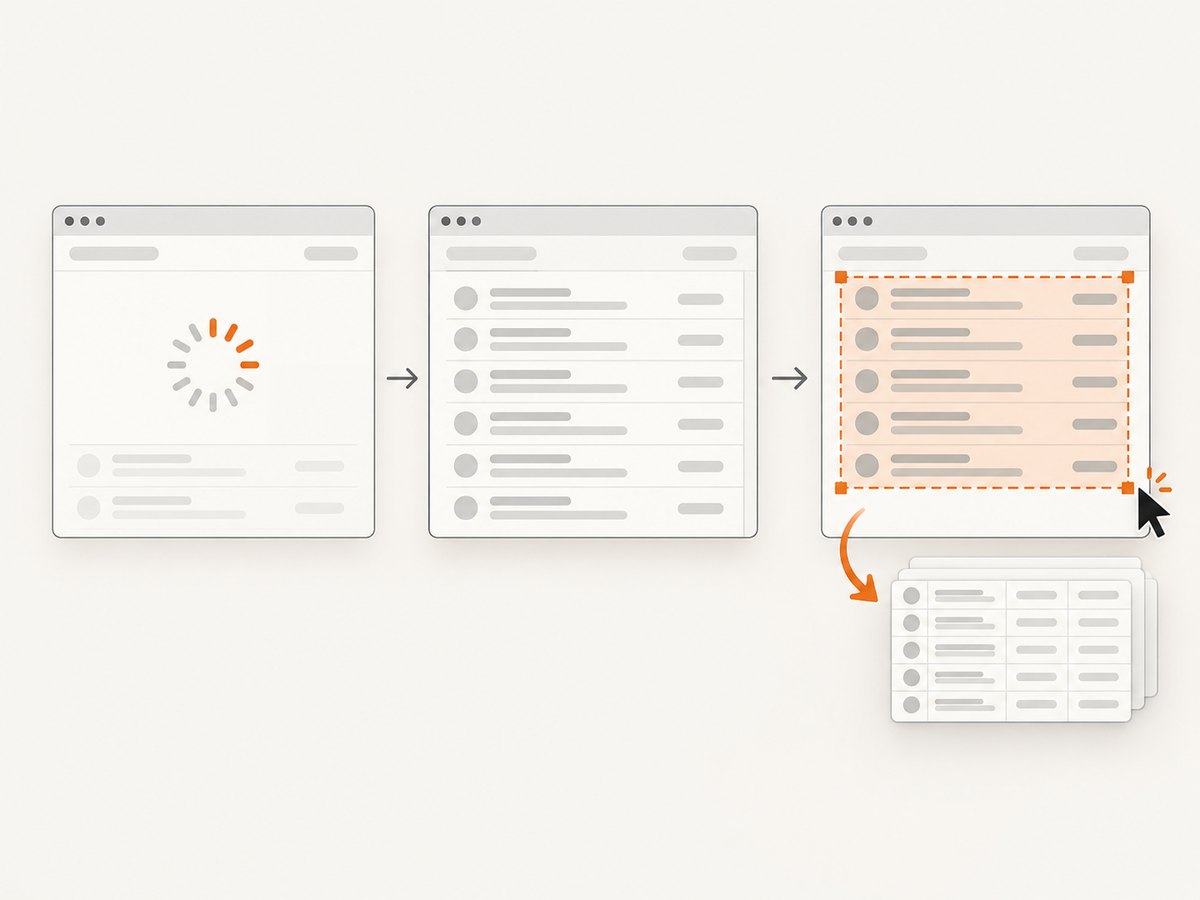
Many pages insert results after the initial HTML loads. Navigating to domcontentloaded only waits for the document’s initial parsing milestone; it does not guarantee that a client-rendered list has appeared. Wait for the target selector before reading it:
await page.goto(url, { waitUntil: 'domcontentloaded' });
await page.waitForSelector('.results tr', {
  visible: true,
  timeout: 15_000,
});
const rows = await page.$$eval('.results tr', trs =>
  trs.map(tr => [...tr.querySelectorAll('td')]
    .map(td => td.textContent?.trim() ?? ''))
);
waitForSelector waits for a matching element to appear and works across navigations. Its options let you require visibility, wait for an element to become hidden, or set a timeout. Use a bounded timeout so an absent selector produces a diagnosable error instead of leaving the process waiting indefinitely.
Wait for the condition you actually need
- Wait for existence: use the default
waitForSelector(selector)when presence is enough. - Wait for visibility: use
{ visible: true }when hidden template nodes or hidden results should not count. - Wait for disappearance: use
{ hidden: true }for a loading marker that should go away. This resolves when the selector is absent or hidden. - Set a deadline: pass
timeoutin milliseconds, or configure a page default withpage.setDefaultTimeout().
A selector appearing does not necessarily mean a list is complete. If the page initially renders a container and fills it later, wait for a result-specific selector, a known state change, or a site-provided completion marker. Avoid arbitrary long sleeps when a DOM condition can express readiness: sleeps add latency and can still be too short on a slow run.
4. Extract useful fields safely
Use optional chaining for fields that may be absent, normalize whitespace, and preserve useful distinctions between “missing” and “empty” when the downstream job needs them. A robust extraction callback can return a consistent schema even when one card is incomplete:
const items = await page.$$eval('.product-card', cards =>
  cards.map((card, index) => {
    const nameNode = card.querySelector('.name');
    const priceNode = card.querySelector('.price');
    const link = card.querySelector('a');
    return {
      index,
      name: nameNode?.textContent?.replace(/\s+/g, ' ').trim() ?? null,
      priceText: priceNode?.textContent?.replace(/\s+/g, ' ').trim() ?? null,
      href: link instanceof HTMLAnchorElement ? link.href : null,
      productId: card.getAttribute('data-product-id'),
    };
  })
);
Inside $$eval, browser globals such as HTMLAnchorElement are available. Variables from the Node.js lexical scope are not automatically available inside the page callback. Pass needed values as arguments where the API supports it, or keep the callback self-contained. Return plain values; then validate the resulting shape in Node.js before writing it to storage or sending it to another service.
Handle no matches as an explicit outcome
$$eval with no matching outer elements produces an empty array for the callback, so a mapping returns []. Decide whether an empty list means “there are no results” or indicates a failed selector. For a required list, check it and include the URL and selector in the error:
const cards = await page.$$('.product-card');
if (cards.length === 0) {
  throw new Error(`No .product-card elements found at ${page.url()}`);
}
for (const card of cards) await card.dispose();
When using $$eval directly, you can similarly check the returned array’s length. When using $eval, a missing match throws; catch that error only if the absence is an expected branch of your workflow.
5. Pagination, repeated pages, and changing DOMs
A selector loop only extracts elements currently present in the document. It does not automatically scroll, load additional pages, or click “Next.” For paginated results, collect one page at a time, wait for the next page’s results, append plain data, and stop when the site indicates there is no next page. Use a site’s documented API when available and permitted; browser scraping is not a way around access controls.
const allProducts = [];

for (let pageNumber = 0; pageNumber < 10; pageNumber++) {
  await page.waitForSelector('.product-card', { visible: true });
  const current = await page.$$eval('.product-card', cards =>
    cards.map(card => ({
      name: card.querySelector('.name')?.textContent?.trim() ?? '',
      href: card.querySelector('a')?.href ?? null,
    }))
  );
  allProducts.push(...current);

  const next = await page.$('a[rel="next"]');
  if (!next) break;
  try {
    await Promise.all([
      page.waitForNavigation({ waitUntil: 'domcontentloaded' }),
      next.click(),
    ]);
  } finally {
    await next.dispose();
  }
}
This navigation example applies when clicking the next link causes a document navigation. For a client-side list that updates without navigation, wait for a meaningful change such as a page number, changed result content, or a specific loading state. Do not rely on a navigation wait if no navigation occurs; it will time out.
For infinite scrolling, scroll in bounded increments and wait for new content before extracting again. Track stable item IDs or URLs to avoid duplicates, set a maximum page or item count, and stop when a pass adds no new items. A page may virtualize its list by removing off-screen nodes; in that case, one final $$eval cannot recover elements that are no longer in the DOM. Scroll and collect incrementally or use an authorized underlying data source.
6. Common errors and fixes
| Symptom | Likely cause | Fix |
|---|---|---|
Waiting for selector ... failed: ... |
The selector never appeared, is wrong, or the page did not reach the state expected. | Inspect the rendered DOM, confirm the URL and selector, wait for a result-specific element, and use a bounded timeout with context in the error log. |
$eval throws for a missing element |
The selector matched no elements. | Use $$eval or page.$ for optional elements; keep $eval when absence should fail. |
| Extraction returns an empty array | No outer elements matched, the selector is stale, or results have not rendered yet. | Wait for the correct selector, verify the page’s rendered markup, and distinguish a valid empty result from a scrape failure. |
| Some fields are empty or null | A nested selector does not match every card, content is in an attribute, or a field is populated later. | Inspect a representative card, check alternatives, read the correct attribute, and wait for the field’s readiness condition. |
| Callback errors on a Node variable | The callback executes in the browser page context and cannot close over Node variables. | Make the callback self-contained or explicitly pass required values through supported callback arguments. |
| Data is duplicated or missing after scrolling | The page appends content, virtualizes nodes, or changes cards while collection is running. | Collect incrementally, deduplicate by a stable key, and stop based on new-item counts or a documented end state. |
| Navigation wait times out after clicking Next | The link updates the page client-side without a full navigation. | Wait for a changed selector or page indicator instead of waitForNavigation. |
| Scrape fails intermittently | Network, rendering, or site-side timing varies between runs. | Use explicit waits, bounded retries for transient navigation failures, and log the URL, selector, and stage. Do not retry indefinitely. |
7. Performance, reliability, and operating cost
For plain extraction, one $$eval callback is generally a good default: it reads all matches in the page context and returns the data in one operation. A $$ loop gives more control but makes one or more browser interactions per element. Keep returned data as small as you need; extracting whole HTML strings for every card increases serialization and memory work without helping if only a few fields matter.
Browser startup and page loading often dominate a small extraction callback. Reuse a browser process for a controlled batch of pages when appropriate, but create a fresh page or clean state between independent jobs. Always close pages and browsers in a finally block, cap concurrency to available memory and the target’s acceptable request rate, and bound navigation, selector waits, retries, and pagination. Add structured logs for the URL, stage, selector, elapsed time, and item count so failures can be distinguished from valid empty results.
Reliability depends on the target markup and its rendering behavior. Prefer stable selectors, validate required fields, and consider saving a diagnostic screenshot or HTML snapshot when extraction fails, while respecting site rules and data-handling requirements. Puppeteer’s API behavior does not grant permission to collect restricted data: follow the site’s terms, robots guidance, authentication rules, and applicable law. Avoid unnecessary requests and do not attempt to defeat bot checks or access controls.
There is no universal per-page cost for running Puppeteer: it depends on where Chromium runs, how long pages take, memory and CPU limits, and the volume of pages. Track those inputs in your own environment. If your need is simply a screenshot rather than a structured scrape, running and maintaining browser infrastructure may be unnecessary.
8. Or skip the browser setup
If the task is to capture a page image or PDF instead of extracting structured fields, ScreenshotNeo provides a website screenshot API and MCP server. One GET request returns a PNG, JPEG, WebP, or PDF. The API accepts common screenshot parameter names, which can make a switch easier. See the ScreenshotNeo API documentation.
curl -G "https://api.screenshotneo.com/v1/shot" \
  -d access_key=YOUR_API_KEY \
  --data-urlencode url=https://stripe.com \
  -o shot.webp
import requests
r = requests.get(
"https://api.screenshotneo.com/v1/shot",
params={"access_key": "YOUR_API_KEY", "url": "https://stripe.com"},
timeout=90,
)
r.raise_for_status()
open("shot.webp", "wb").write(r.content)const q = new URLSearchParams({
access_key: 'YOUR_API_KEY',
url: 'https://stripe.com',
});
const res = await fetch(`https://api.screenshotneo.com/v1/shot?${q}`);
if (!res.ok) throw new Error(`Screenshot request failed: ${res.status}`);
const image = Buffer.from(await res.arrayBuffer());
await import('node:fs/promises').then(fs => fs.writeFile('shot.webp', image));ScreenshotNeo accepts cookie and consent banners as a visitor and removes more than 60 known consent platforms, newsletter popups, and chat widgets before the capture; each of those steps can be turned off. Bot checks or CAPTCHAs, blank pages, timeouts, failed loads, and cache hits are not billed. The response identifies the page verdict and billing status in X-Page-Verdict and X-Billed headers. Its MCP server exposes take_screenshot, get_page_info, and capture_pdf for Claude, Cursor, and other MCP clients.
The free plan includes 1,000 screenshots a month with no card. Paid plans start at $5 for 3,000 screenshots; higher listed tiers are Growth at $15 for 15,000, Pro at $39 for 60,000, Scale at $99 for 250,000, and Business at $249 for 1,000,000. Yearly billing gives two months free, and every feature is on every plan. These plans are for screenshot capture; they do not replace Puppeteer’s DOM extraction when you need fields such as product names and prices.
Sign up for 1,000 free screenshots a month, with no card required.
9. Frequently asked questions
Can I use $$eval with an asynchronous callback?
Yes. Puppeteer waits if the callback returns a promise. Keep the callback focused on browser-side work and return serializable values.
Does $$ preserve the order of elements?
It returns the matching elements in document order. If order matters to your data model, preserve the array order or return an explicit index during extraction.
Can I scrape elements inside an iframe?
Page-level selectors address the main document. For iframe content, obtain the relevant Puppeteer frame and query within that frame. Cross-origin browser restrictions and the page’s access rules still apply.
Should I use Puppeteer or a screenshot API for scraping?
Use Puppeteer when you need structured DOM data or browser interactions. Use a screenshot API when the desired output is an image or PDF and you want a capture endpoint rather than managing Chromium yourself.


