How to Make a Website Available Offline
Learn how to add offline support with service workers, caching, fallbacks, data rules, updates, testing, and a practical implementation you can ship.

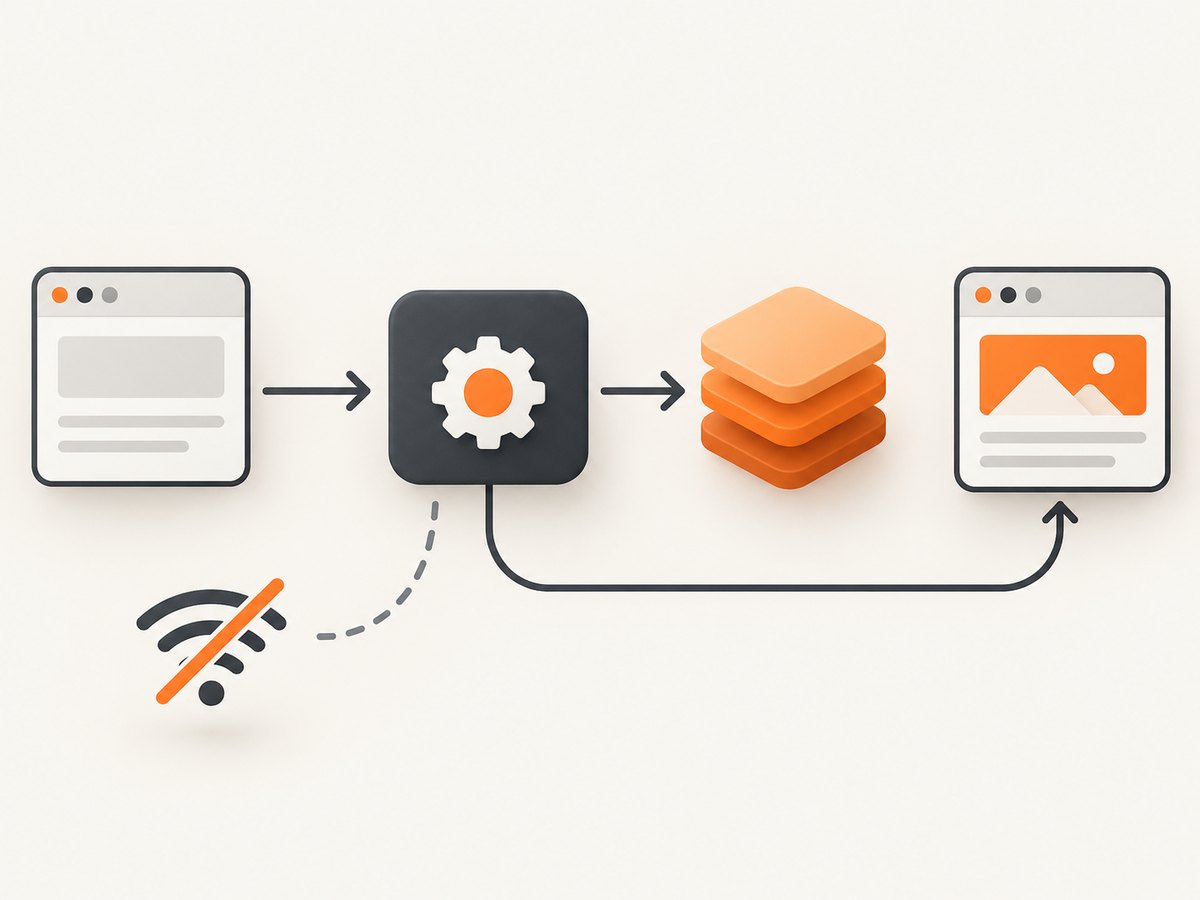
Direct answer: serve the site over HTTPS, register a service worker, cache the resources needed for the intended offline experience, and intercept requests when the network is unavailable. Pre-cache a small application shell and an offline fallback page. Choose cache-first or network-first behavior per resource, and design offline data editing, synchronization, and conflict handling separately from the service worker.
A web app manifest can describe how an app appears and launches, but it does not cache pages or make a site work offline. Service workers and Cache Storage provide the request-handling and storage layers. MDN explains this relationship and the main caching strategies.
1. Define what “offline” means
Offline support is a product decision, not a switch. Write down what visitors must be able to do without a connection.
| Site or feature | Usually cache | Still needs separate design |
|---|---|---|
| Brochure or documentation site | HTML shell, navigation, CSS, JavaScript, icons, selected pages, offline message | Fresh content and search results |
| Read-only field app | Application shell and records explicitly downloaded by the user | Storage limits, freshness labels, refresh behavior |
| Editing application | Shell, local data, drafts, queued operations | Persistence, retries, synchronization, authentication, conflict resolution |
| Checkout, booking, or other transaction | Forms and explanatory UI if useful | Server validation and the transaction itself; never imply success while offline |
The browser cannot display a page, script, image, or API response that never reached the device. A first visit therefore still requires connectivity so the service worker can install and populate its caches.
2. Use HTTPS and register a service worker
Production service workers require a secure context. Use HTTPS; localhost is supported for development. The worker’s URL determines its default scope, so place it at the site root when it should control the whole site. MDN’s service-worker guide covers registration, lifecycle, and HTTPS requirements.
<script>
if ('serviceWorker' in navigator) {
  window.addEventListener('load', async () => {
    try {
      const registration = await navigator.serviceWorker.register('/sw.js', {
        scope: '/'
      });
      console.log('Service worker registered:', registration.scope);
    } catch (error) {
      console.error('Service worker registration failed:', error);
    }
  });
}
</script>
Put this in the production page (or bundle equivalent). Registration does not immediately make every request offline: installation, caching, and activation must complete first.
3. Pre-cache a small application shell
Start with the minimum files required to render a useful interface. Use versioned filenames for production assets where possible. Avoid adding every URL to one cache indiscriminately; large or changing content should use a deliberate strategy.
const CACHE_VERSION = 'site-shell-v1';
const CORE_ASSETS = [
  '/',
  '/index.html',
  '/styles.css',
  '/app.js',
  '/offline.html',
  '/icons/icon-192.png'
];

self.addEventListener('install', event => {
  event.waitUntil(
    caches.open(CACHE_VERSION)
      .then(cache => cache.addAll(CORE_ASSETS))
      .then(() => self.skipWaiting())
  );
});

self.addEventListener('activate', event => {
  const currentCaches = new Set([CACHE_VERSION]);
  event.waitUntil(
    caches.keys()
      .then(keys => Promise.all(
        keys
          .filter(key => !currentCaches.has(key))
          .map(key => caches.delete(key))
      ))
      .then(() => self.clients.claim())
  );
});
If one item in cache.addAll() fails, installation fails. Confirm every path, protocol, and response before deploying. Keep the core small enough to install reliably on slow connections.
4. Intercept requests with an intentional strategy
There is no universal best strategy. Cache-first is fast and resilient but can serve stale content. Network-first favors freshness and falls back to a saved response when the request fails. Apply the strategy to the type of resource and the user’s expectation.
| Resource | Starting strategy | Trade-off |
|---|---|---|
| Versioned CSS, JavaScript, icons, fixed shell files | Cache-first or precache | Fast offline startup; update policy must replace old code |
| Frequently changing pages or records | Network-first with cached fallback | Fresh when online; slower or unavailable without a saved copy |
| Optional large reference content | User-directed download | User controls storage; the UI must show progress and status |
| Failed navigation | Pre-cached offline page | Explains the outage but cannot recreate uncached content |
const SHELL_CACHE = 'site-shell-v1';
const RUNTIME_CACHE = 'runtime-v1';

self.addEventListener('fetch', event => {
  const request = event.request;
  if (request.method !== 'GET') return;

  const url = new URL(request.url);
  if (url.origin !== self.location.origin) return;

  if (request.mode === 'navigate') {
    event.respondWith(networkFirstNavigation(request));
    return;
  }

  if (['style', 'script', 'image', 'font'].includes(request.destination)) {
    event.respondWith(cacheFirstStatic(request));
  }
});

async function networkFirstNavigation(request) {
  try {
    const response = await fetch(request);
    const cache = await caches.open(RUNTIME_CACHE);
    cache.put(request, response.clone());
    return response;
  } catch (error) {
    return (await caches.match(request)) ||
      (await caches.match('/index.html')) ||
      (await caches.match('/offline.html'));
  }
}

async function cacheFirstStatic(request) {
  const cached = await caches.match(request);
  if (cached) return cached;

  try {
    const response = await fetch(request);
    const cache = await caches.open(RUNTIME_CACHE);
    cache.put(request, response.clone());
    return response;
  } catch (error) {
    return Response.error();
  }
}
Only cache successful responses. In a larger application, check response.ok, separate API caches from document caches, and add expiration or eviction rules appropriate to your data.
5. Add an offline navigation fallback
Create a small, pre-cached page that clearly says the device appears offline and tells the visitor what to do next. A fallback is only used where your fetch handler returns it; it does not make every route, API call, form, or transaction available offline.
<!doctype html>
<html lang="en">
  <head>
    <meta charset="utf-8">
    <meta name="viewport" content="width=device-width, initial-scale=1">
    <title>You appear to be offline</title>
  </head>
  <body>
    <main>
      <h1>You appear to be offline</h1>
      <p>Reconnect and try again. Pages saved on this device may still be available.</p>
      <button onclick="location.reload()">Try again</button>
    </main>
  </body>
</html>
The web.dev offline fallback pattern shows the same navigation-focused approach.
6. Handle application data separately
Cache Storage stores request and response pairs. It is not a complete offline database or synchronization system.
- Read-only data: fetch it while online, cache it with a freshness policy, and label it as saved or possibly outdated.
- Explicit downloads: let users choose large reference sets, show download status, and provide a way to remove them.
- Offline edits: persist drafts locally, queue operations, retry when connectivity returns, authenticate again when needed, and define conflict resolution. Do not report a server-side success before synchronization completes.
- Failed API calls: return a useful local state or an honest unavailable message. Do not substitute stale data silently when correctness matters.
Use a manifest for install and launch metadata only. The manifest does not provide offline caching.
7. Plan updates, cache versions, and cleanup
Change the cache name when the shell changes, delete old caches during activate, and use hashed asset filenames when your build system supports them. Decide whether a waiting worker should activate immediately or after the current tab closes; immediate activation can update code while a page is open, while waiting reduces that risk.
self.addEventListener('message', event => {
  if (event.data === 'SKIP_WAITING') self.skipWaiting();
});
Expose an update prompt in the page if users need to reload to receive a new version. Test a first visit, repeat visit, hard refresh, worker update, old-cache cleanup, and a tab that remains open during activation.
8. Test real offline failure modes
- Load the site once online and wait for the worker to install.
- Reload while online and confirm cached assets are served as expected.
- Disable the network in browser developer tools, then test navigation, images, styles, and scripts.
- Open a route that was never cached and verify the fallback or unavailable state.
- Fail an API request and confirm the UI does not claim fresh data.
- Create an offline draft, restore connectivity, and verify retry and conflict behavior.
- Deploy a new worker and confirm old caches are removed without breaking open tabs.
- Test on the browsers and devices your audience uses, including storage-pressure behavior.
9. Troubleshooting
| Symptom | Likely cause | Fix |
|---|---|---|
| Registration fails with a security error | Site is not HTTPS, or development is not on localhost | Serve production over HTTPS; use localhost during development. |
| Worker registers but does not control the current page | It has not activated yet, or its scope excludes the page | Reload after activation and place the worker at an appropriate path or set an allowed scope. |
| Install fails | A precached URL returns an error, redirects unexpectedly, or is misspelled | Open every URL directly, check status codes, and reduce the install list until each response succeeds. |
| Offline page never appears | Navigation requests are not handled, or offline.html was not precached |
Check request.mode === 'navigate', precache the fallback, and return it only after network and cached-route attempts fail. |
| Users see old JavaScript indefinitely | Cache-first assets have no version or update policy | Use versioned filenames or cache names, delete old caches, and provide an update flow. |
| CSS or images are missing offline | They were not cached, or the runtime request was rejected | Precache essential files, cache successful runtime responses, and inspect the Cache Storage panel. |
| Offline form data disappears | The app never persisted drafts locally | Add local persistence, a queued-operation model, retry rules, and conflict handling. |
| Cached content is unexpectedly stale | Cache-first is being used for changing content | Use network-first, a revalidation policy, or an explicit refresh/download control. |
10. Performance, reliability, and storage notes
- Precache only the minimum shell so installation finishes on slow networks.
- Use cache-first for immutable, versioned assets and network-first for freshness-sensitive responses.
- Keep API and document caches separate so cleanup cannot remove unrelated data.
- Do not promise permanent retention or a fixed quota. Browsers can evict stored data, and available storage varies by platform.
- Handle cache failures and quota errors as normal runtime conditions; keep the online path working when offline storage is unavailable.
- Measure the offline experience by successful tasks, startup time, stale-data behavior, and recovery after reconnecting, rather than by the presence of a manifest alone.
11. Or skip the browser setup
If your goal is to capture a reliable copy of a page for documentation, QA, or an offline bundle, ScreenshotNeo can return a screenshot or PDF through one request. Its capture flow accepts consent banners and removes 60+ known consent platforms, newsletter popups, and chat widgets before the shot. Bot checks, blank pages, timeouts, failed loads, and cache hits are not billed, and response headers report the page verdict and billing status. It also provides an MCP server for AI agents, including Claude and Cursor.

See the ScreenshotNeo API documentation for all options.
curl -G "https://api.screenshotneo.com/v1/shot" -d access_key=YOUR_API_KEY --data-urlencode url=https://example.com -o shot.webpimport requests
r = requests.get(
"https://api.screenshotneo.com/v1/shot",
params={"access_key": "YOUR_API_KEY", "url": "https://example.com"},
timeout=90,
)
r.raise_for_status()
open("shot.webp", "wb").write(r.content)const q = new URLSearchParams({ access_key: 'YOUR_API_KEY', url: 'https://example.com' });
const res = await fetch(`https://api.screenshotneo.com/v1/shot?${q}`);
if (!res.ok) throw new Error(`Screenshot failed: ${res.status}`);
const fs = await import('node:fs/promises');
await fs.writeFile('shot.webp', Buffer.from(await res.arrayBuffer()));Every feature is included on every plan: 1,000 screenshots per month are free with no card, and paid plans start at $5 for 3,000. Create a free ScreenshotNeo account.
12. FAQ
Can a manifest alone make my website offline?
No. A manifest describes installation and appearance. A service worker and cached responses provide offline behavior.
Will an offline fallback make every URL load?
No. It handles failed navigations where your worker returns it. Uncached pages and live server features remain unavailable.
Does cache-first always perform best?
It is often fast for stable assets, but it can serve stale content. Use network-first or another policy for data whose freshness matters.
Can users use the site offline on their first visit?
No. The device must first receive the worker and resources while online.
Should I cache every API response?
No. Cache only data with a defined offline use, and specify freshness, privacy, storage, and synchronization behavior.


