How to Manage Failed Tests in JUnit 5
A practical JUnit 5 workflow for classifying failures, reproducing them, preserving evidence, fixing flaky tests, and verifying builds in Maven, Gradle, and CI.

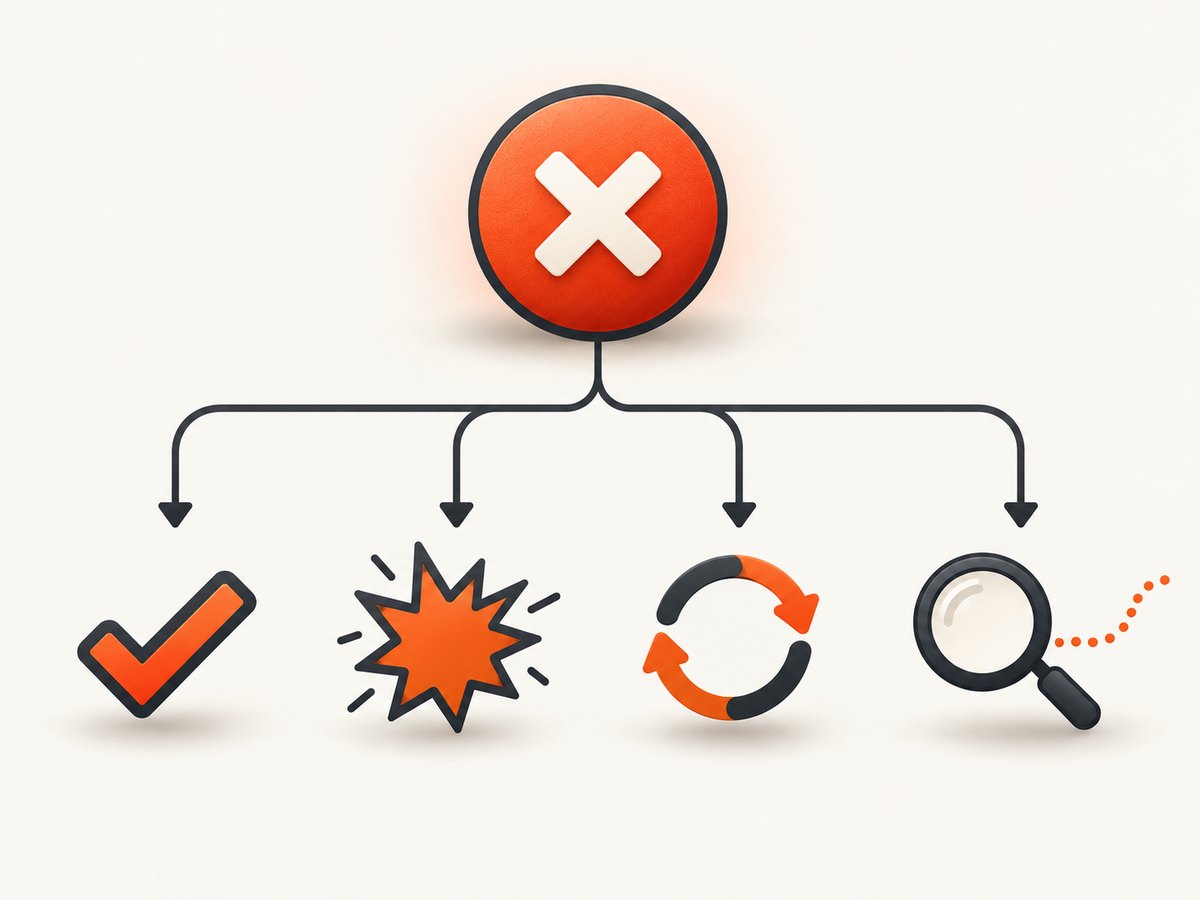
Start by classifying the failure, then reproduce the smallest failing scope and preserve the evidence before changing code. JUnit 5 failures usually fall into four groups: assertion mismatches, unexpected exceptions, lifecycle or fixture failures, and discovery or execution problems. Once the cause is fixed, rerun the focused test and the relevant complete suite.
JUnit is made of the JUnit Platform, Jupiter, and Vintage projects. The Platform launches tests, while Jupiter supplies the JUnit 5 programming model and extension API. A test can therefore fail because of test logic, fixture code, engine configuration, or the build process itself. See the JUnit User Guide for the platform architecture and reporting APIs.
1. Confirm that the test actually ran
A green build with zero discovered tests is a configuration problem, not proof that the test passed.
Gradle checks
plugins {
    id 'java'
}

dependencies {
    testImplementation 'org.junit.jupiter:junit-jupiter:5.10.2'
    testRuntimeOnly 'org.junit.platform:junit-platform-launcher'
}

test {
    useJUnitPlatform()
    testLogging {
        events 'passed', 'skipped', 'failed', 'standardOut', 'standardError'
        exceptionFormat 'full'
    }
    reports {
        junitXml.required = true
        html.required = true
    }
}
Use the JUnit version approved by your dependency-management policy; the version above is an example. Gradle’s Java testing documentation describes the Test task, filtering, logging, reports, and parallel forks.
Maven Surefire checks
Ensure a JUnit Platform engine is on the test runtime classpath. The Jupiter engine is the normal choice for JUnit 5 tests.
<dependencies>
  <dependency>
    <groupId>org.junit.jupiter</groupId>
    <artifactId>junit-jupiter</artifactId>
    <version>5.10.2</version>
    <scope>test</scope>
  </dependency>
</dependencies>

<build>
  <plugins>
    <plugin>
      <groupId>org.apache.maven.plugins</groupId>
      <artifactId>maven-surefire-plugin</artifactId>
      <version>3.2.5</version>
    </plugin>
  </plugins>
</build>
Use the currently supported Surefire version for your project and align API, engine, and platform versions through dependency management. Surefire’s documentation covers engines, discovery patterns, listeners, tag filters, and configuration parameters.
2. Classify the failure before editing code
| Failure class | What it means | First place to look |
|---|---|---|
| Assertion | The test reached an assertion but expected and actual values differ. | The assertion line and both values. |
| Unexpected exception | Production code or a fixture threw an exception. | The first relevant application frame, inputs, and setup. |
| Lifecycle or fixture | @BeforeEach, @BeforeAll, an extension, or cleanup failed. |
Setup and teardown state, especially shared resources. |
| Discovery or execution | The test was not selected, an engine is missing, or the forked process failed. | Engine dependencies, naming filters, Java version, and build logs. |
Assertion failure
@Test
void calculatesTotal() {
    BigDecimal actual = service.total(order);
    assertEquals(new BigDecimal("19.99"), actual,
        () -> "total for order " + order.id());
}
Inspect whitespace, ordering, scale in decimal values, time zones, locale-sensitive formatting, and equality implementations. Add a message that identifies the input and relevant state; lazy messages avoid building strings when the assertion succeeds.
Unexpected exception
Read from the exception’s cause chain and find the first application frame rather than stopping at the test method. Check null inputs, mock stubbing, environment variables, ports, files, and database state. If the exception is expected, assert it explicitly:
@Test
void rejectsMalformedId() {
    IllegalArgumentException error = assertThrows(
        IllegalArgumentException.class,
        () -> parser.parse("bad-id")
    );
    assertEquals("Malformed id", error.getMessage());
}
Lifecycle or fixture failure
Run the method alone and inspect every callback: @BeforeAll, @BeforeEach, extensions, @AfterEach, and @AfterAll. Reset mutable state for every test. A failure in setup can make several test methods appear broken while only one fixture is defective.
Discovery or execution failure
Check that the class and method match the build tool’s selection rules, the Jupiter engine is present, and the selected JDK is supported. Also inspect forked-JVM crashes, out-of-memory messages, module-access errors, and mismatched toolchain versions.
3. Reproduce the smallest possible scope
- Run one method.
- Run the containing class.
- Run a tag-filtered group.
- Run the module or complete suite.
Focused Maven commands
mvn -Dtest=org.example.OrderServiceTest#calculatesTotal test
mvn -Dtest=org.example.OrderServiceTest test
mvn -Dgroups=integration test
mvn -Dtest='**/*Test.java' test
Use the exact fully qualified class name when possible. Surefire also supports include and exclude patterns and JUnit configuration parameters.
Focused Gradle commands
./gradlew test --tests 'org.example.OrderServiceTest.calculatesTotal'
./gradlew test --tests 'org.example.OrderServiceTest'
./gradlew test --tests '*IntegrationTest'
./gradlew test --info --stacktrace
Gradle filtering is applied to the Test task. Keep the exact command, JDK, dependency lockfile, environment variables, and working directory with the failure record.
4. Preserve evidence
- Copy the complete assertion message and stack trace.
- Capture standard output and standard error.
- Archive Maven or Gradle XML reports.
- Record the selected tests, tags, fork count, and parallel settings.
- Record Java, Maven, Gradle, JUnit, and plugin versions.
- Save relevant environment variables, random seeds, timestamps, and external-resource identifiers.
JUnit Platform listeners provide structured execution events. Gradle and Surefire produce CI-consumable XML reports and expose logging configuration. Compare these artifacts between a local run and CI instead of relying on a shortened IDE trace.
5. Diagnose CI-only failures
- Use the same JDK distribution and version locally and in CI.
- Compare dependency resolution and lockfiles.
- Check time zone, locale, file separators, line endings, default charset, and current working directory.
- Compare container permissions, available ports, credentials, service startup order, and network access.
- Compare test selection, fork count, parallel execution, retries, and environment variables.
- Run the smallest failing test repeatedly in the same CI image.
Tests that pass in an IDE may use IDE-provided working directories, environment variables, agents, or classpaths. Make those assumptions explicit in the build and test fixture.
6. Isolate flaky tests
Treat intermittent failures as an isolation problem until evidence shows otherwise. Look for shared files and ports, static state, mutable singletons, database rows, clock and time-zone assumptions, random data, order dependence, and incomplete cleanup.
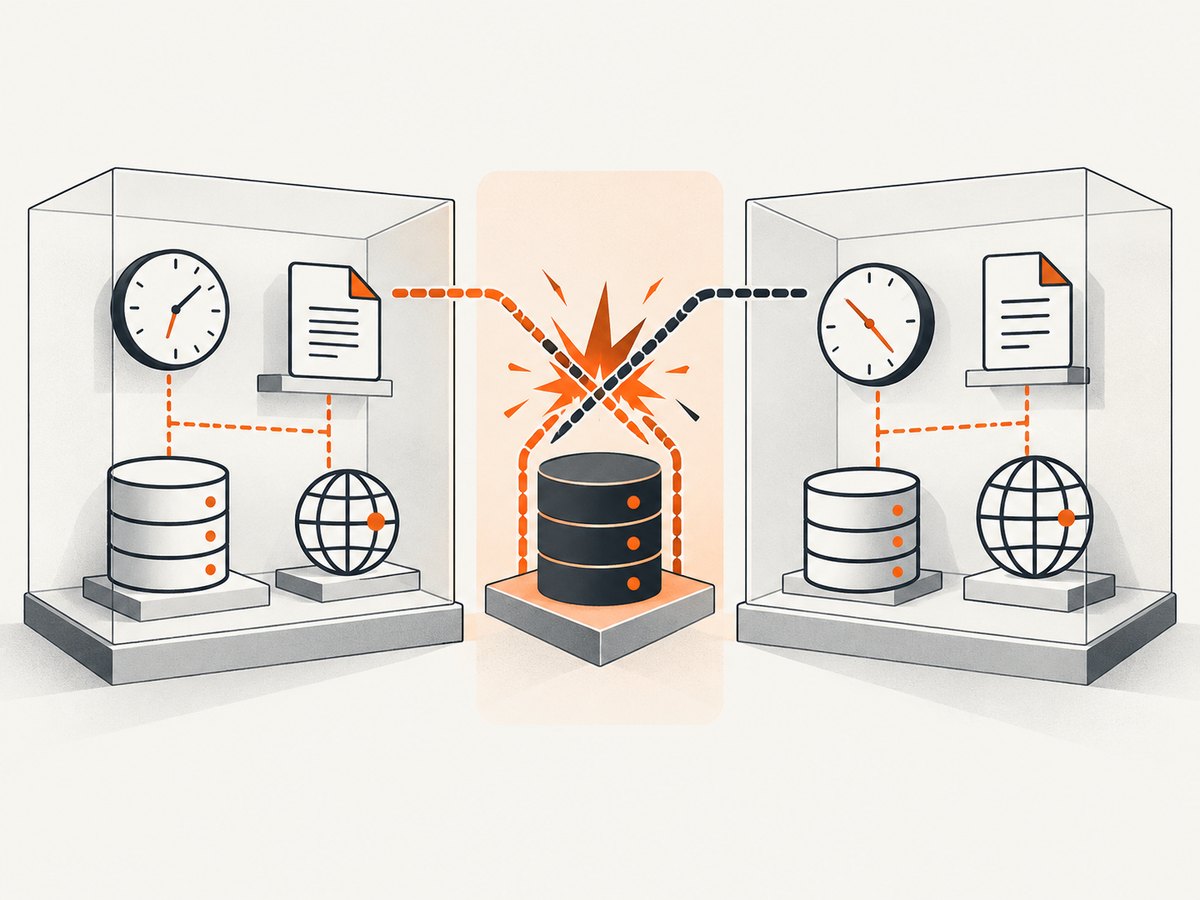
Gradle warns that parallel forks require properly isolated tests and that filesystem interaction is especially prone to conflicts. Temporarily run the suspect class serially to confirm the signal, then fix ownership and cleanup rather than permanently disabling parallelism.
./gradlew test --no-parallel --tests 'org.example.FileTest'
mvn -Dtest=org.example.FileTest -Djunit.jupiter.execution.parallel.enabled=false test
Use deterministic clocks and random seeds where appropriate, unique temporary directories, dynamically allocated ports, transaction rollback, and per-test database schemas or containers. Do not use an automatic retry to hide a deterministic defect.
7. Rerun failed tests carefully
JUnit 5 does not establish one portable built-in retry policy for all builds. Maven Surefire, Gradle, CI providers, and third-party extensions can each offer different rerun behavior. Verify the exact extension or CI rule in your project and record retries in the report.
A retry is useful as a diagnostic: it can show that a failure is intermittent. It should not turn a failing test into a green build without an owner, a captured first failure, and a follow-up fix. Prefer rerunning the exact method or class manually while preserving the original report.
8. Verify the fix at two scopes
- Run the focused method repeatedly if timing or isolation was involved.
- Run the containing class.
- Run the relevant tag group or module.
- Run the complete suite with the same parallel and fork settings as CI.
Keep the original failure evidence in the change record. Reviewers should be able to see whether the change corrected production code, fixture setup, test expectations, or build configuration.
9. Troubleshooting checklist
| Symptom | Likely cause | Fix |
|---|---|---|
| Build is green but no tests appear | Missing engine, wrong naming pattern, or missing useJUnitPlatform(). |
Add the Jupiter engine, enable the Platform, and inspect discovery logs. |
| Works in IDE, fails in CI | Different JDK, locale, directory, environment, or dependency graph. | Compare versions and environment; reproduce in the CI image. |
| Only suite execution fails | Shared mutable state or order dependence. | Run the class alone, reset state, and remove ordering assumptions. |
| Only parallel execution fails | Conflicting files, ports, database rows, or static state. | Give each test isolated resources and verify cleanup. |
| Intermittent timeout | Unbounded waits, slow external service, or resource starvation. | Use bounded polling, explicit diagnostics, and controlled test doubles. |
| Forked JVM exits | Out-of-memory, native crash, process kill, or incompatible agent. | Inspect the fork log and CI resource limits; reproduce with one fork. |
| Expected exception assertion fails | Wrong exception type, cause, or message. | Inspect the full cause chain and assert only stable details. |
Or skip the browser setup
If you publish a CI dashboard or rendered failure report and need a clean image for documentation, ScreenshotNeo can capture the page with one request. Its cleanup steps accept consent banners and remove more than 60 known consent platforms, newsletter popups, and chat widgets before capture; each step can be disabled. Bot checks, blank pages, timeouts, failed loads, and cache hits are not billed, and response headers identify the page verdict and billing status.
See the ScreenshotNeo API documentation for all options.
curl -G "https://api.screenshotneo.com/v1/shot" -d access_key=YOUR_API_KEY --data-urlencode url=https://screenshotneo.com -o shot.webpimport requests
r = requests.get("https://api.screenshotneo.com/v1/shot", params={"access_key": "YOUR_API_KEY", "url": "https://screenshotneo.com"}, timeout=90)
open("shot.webp", "wb").write(r.content)const q = new URLSearchParams({ access_key: 'YOUR_API_KEY', url: 'https://screenshotneo.com' });
const res = await fetch(`https://api.screenshotneo.com/v1/shot?${q}`);The API also supports full-page and element capture, custom CSS and JavaScript, waits, request blocking, headers and cookies, device presets, PDF output, caching, signed links, asynchronous jobs, bulk capture, and usage reporting. Its MCP server provides take_screenshot, get_page_info, and capture_pdf tools for Claude, Cursor, and other MCP clients. The Free plan includes 1,000 screenshots per month with no card; paid plans start at $5 for 3,000. Create a free ScreenshotNeo account.
FAQ
How do I know whether a failure is in JUnit or my application?
Find the first relevant application frame in the cause chain. A failure before test code runs usually points to discovery, the engine, the forked process, or lifecycle setup.
Should every flaky test be retried?
No. A retry can confirm intermittence, but it can also conceal a defect. Preserve the first failure and fix isolation, timing, or resource ownership.
Why are XML reports useful when the console already shows a stack trace?
XML preserves structured test names, statuses, output, and failures so CI systems and later comparisons can process the same evidence consistently.
What should I compare first between local and CI?
Compare JDK and build-tool versions, dependency resolution, test selection, environment variables, time zone and locale, fork or parallel settings, and external-service availability.


