How to Merge Multiple Puppeteer PDF Buffers into One PDF
Merge Puppeteer PDF buffers in memory with pdf-lib, preserve page order, handle errors, and return one PDF without temporary files.

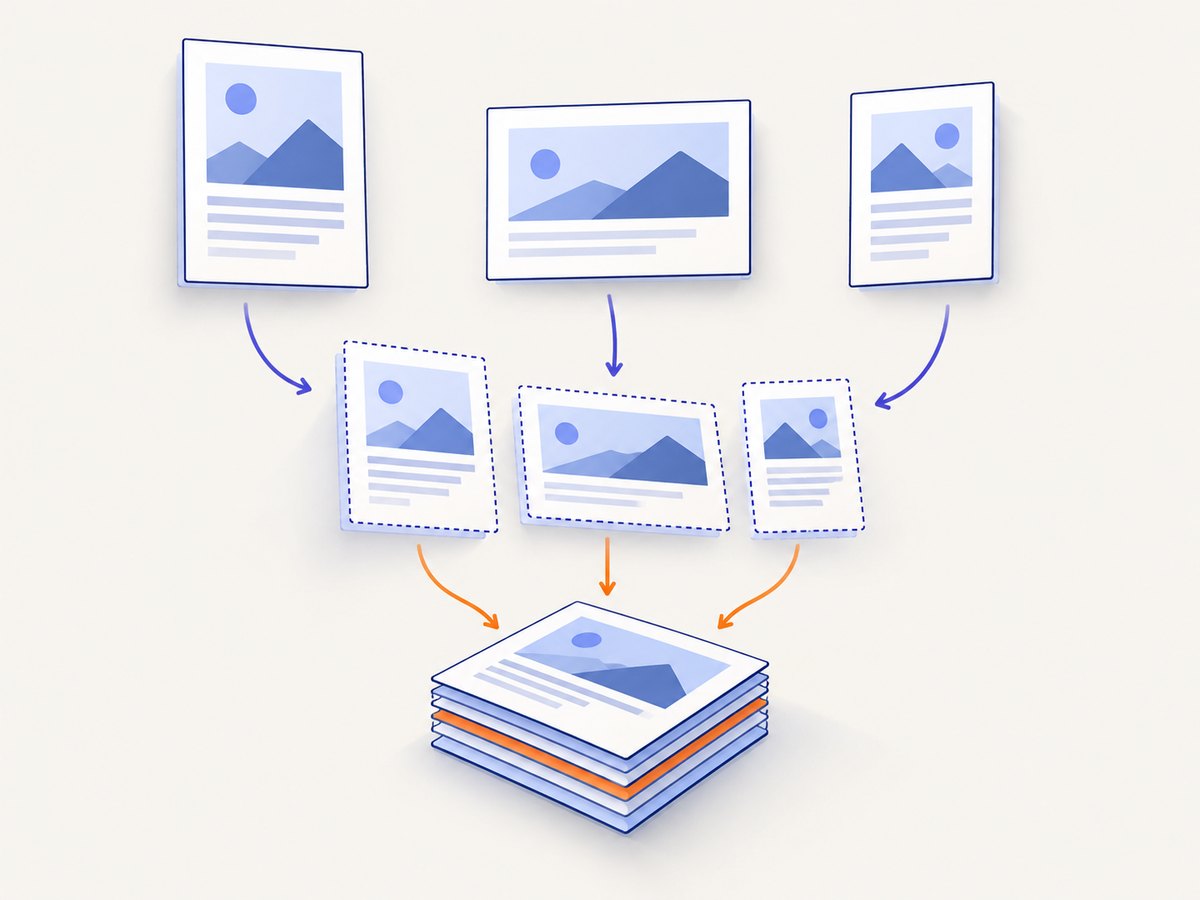
Direct answer: Puppeteer’s page.pdf() method returns PDF bytes as a Promise<Uint8Array>. To merge several results, load each byte array with pdf-lib’s PDFDocument.load(), create a destination document, copy every source page with copyPages(), append the copied pages in the required order, and serialize the destination with save(). Do not concatenate the raw buffers: a PDF is a structured document, so the pages must be copied into a new document.
This approach keeps the whole operation in memory. It works with Puppeteer’s Uint8Array output and Node.js Buffer values, because a Buffer extends Uint8Array. The result of save() is another Uint8Array that you can write to disk, return from an HTTP handler, upload to object storage, or send to a queue.
What the merge pipeline does
There are two separate jobs:

- Rendering: Puppeteer opens a page and creates one PDF byte array with
page.pdf(). - Document assembly: pdf-lib reads each PDF, copies its pages into a new
PDFDocument, and saves the combined file.
The order is deterministic: pages copied from the first input are added first, followed by pages from the second input, and so on. If you need a different order, reorder the input array or explicitly choose page indices before calling addPage().
Install the dependencies
npm install puppeteer pdf-libPuppeteer downloads or uses a compatible Chromium installation according to your project configuration. pdf-lib performs the PDF loading, page copying, and serialization. Check your lockfile and the installed package versions when behavior depends on a particular release. Puppeteer’s API documentation currently describes page.pdf() as returning Promise<Uint8Array> and notes that print CSS media is used by default (Puppeteer Page.pdf()).
Complete in-memory merge example
The following script renders two URLs, merges the resulting buffers, and writes one file. It never writes the intermediate PDFs to disk.
import puppeteer from 'puppeteer';
import { PDFDocument } from 'pdf-lib';
import { writeFile } from 'node:fs/promises';

async function renderPdf(browser, url, options = {}) {
  const page = await browser.newPage();

  try {
    await page.goto(url, {
      waitUntil: 'networkidle2',
      timeout: 60_000,
    });

    // page.pdf() uses print media by default. Use this only when the
    // document should follow screen styles instead.
    if (options.media === 'screen') {
      await page.emulateMediaType('screen');
    }

    return await page.pdf({
      format: options.format ?? 'A4',
      printBackground: options.printBackground ?? true,
      preferCSSPageSize: options.preferCSSPageSize ?? true,
      landscape: options.landscape ?? false,
      margin: options.margin,
    });
  } finally {
    await page.close();
  }
}

async function mergePdfBuffers(pdfBuffers) {
  if (!Array.isArray(pdfBuffers) || pdfBuffers.length === 0) {
    throw new Error('pdfBuffers must contain at least one PDF');
  }

  const mergedPdf = await PDFDocument.create();

  for (const pdfBuffer of pdfBuffers) {
    if (!(pdfBuffer instanceof Uint8Array) &&
        !(pdfBuffer instanceof ArrayBuffer)) {
      throw new TypeError('Each PDF must be a Uint8Array or ArrayBuffer');
    }

    const sourcePdf = await PDFDocument.load(pdfBuffer);
    const copiedPages = await mergedPdf.copyPages(
      sourcePdf,
      sourcePdf.getPageIndices(),
    );

    for (const page of copiedPages) {
      mergedPdf.addPage(page);
    }
  }

  return mergedPdf.save();
}

const browser = await puppeteer.launch({
  headless: true,
  args: ['--no-sandbox', '--disable-setuid-sandbox'],
});

try {
  const urls = [
    'https://example.com/first',
    'https://example.com/second',
  ];

  const pdfBuffers = [];
  for (const url of urls) {
    pdfBuffers.push(await renderPdf(browser, url));
  }

  const mergedBytes = await mergePdfBuffers(pdfBuffers);
  await writeFile('merged.pdf', mergedBytes);
  console.log(`Wrote ${mergedBytes.byteLength} bytes to merged.pdf`);
} finally {
  await browser.close();
}
The try/finally blocks matter in production. Closing each page prevents pages from accumulating in a long-running browser process, and closing the browser releases Chromium resources even when rendering or merging fails.
Merge existing Puppeteer buffers
If your application already calls page.pdf(), the merge function can be kept independent of Puppeteer:
import { PDFDocument } from 'pdf-lib';

export async function mergePdfBuffers(pdfBuffers) {
  const mergedPdf = await PDFDocument.create();

  for (const pdfBuffer of pdfBuffers) {
    const sourcePdf = await PDFDocument.load(pdfBuffer);
    const copiedPages = await mergedPdf.copyPages(
      sourcePdf,
      sourcePdf.getPageIndices(),
    );

    for (const page of copiedPages) {
      mergedPdf.addPage(page);
    }
  }

  return mergedPdf.save();
}
pdf-lib accepts PDF input as a base64 string, Uint8Array, or ArrayBuffer, and its save() method returns a Uint8Array (PDFDocument API). In Node.js, a Buffer can be passed directly:
const mergedBytes = await mergePdfBuffers([
  Buffer.from(firstPdfBytes),
  secondPdfBuffer,
]);

const outputBuffer = Buffer.from(mergedBytes);
Control page order and select pages
The simplest ordering rule is array order. For example, [cover, chapterOne, chapterTwo] produces that exact sequence. To copy selected pages, pass an explicit index list instead of sourcePdf.getPageIndices(). Indices are zero-based.
const sourcePdf = await PDFDocument.load(buffer);
const selectedPages = await mergedPdf.copyPages(sourcePdf, [0, 2, 3]);

for (const page of selectedPages) {
  mergedPdf.addPage(page);
}
You can also build a plan that mixes complete documents and selected pages:
const mergePlan = [
  { bytes: coverPdf, pages: [0] },
  { bytes: reportPdf, pages: 'all' },
  { bytes: appendixPdf, pages: [1, 4] },
];

const merged = await PDFDocument.create();
for (const item of mergePlan) {
  const source = await PDFDocument.load(item.bytes);
  const indices = item.pages === 'all'
    ? source.getPageIndices()
    : item.pages;

  const pages = await merged.copyPages(source, indices);
  pages.forEach((page) => merged.addPage(page));
}

const bytes = await merged.save();
Puppeteer PDF options that affect the source files
Rendering choices are made before merging. Keep them consistent when the documents are intended to look like one publication.
| Option or call | Purpose | Common edge case |
|---|---|---|
format: 'A4', 'Letter', or a custom size |
Sets the paper dimensions. | Mixing paper sizes is valid, but the merged document will contain pages with different dimensions. |
printBackground: true |
Includes background colors and images. | Large backgrounds can increase output size. |
landscape: true |
Rotates the page orientation. | Headers and CSS page rules may need separate landscape styles. |
preferCSSPageSize: true |
Uses CSS @page dimensions when present. |
Different source pages may define conflicting sizes. |
page.emulateMediaType('screen') |
Renders screen media instead of print media. | Call it before page.pdf(); otherwise print styles remain active. |
margin |
Sets top, right, bottom, and left margins. | CSS margins and PDF margins can compound. |
Puppeteer documents that page.pdf() waits for fonts to load by default. This can make rendering slower on pages with web fonts, but it avoids many cases of fallback-font output (Puppeteer PDF generation guide).
HTTP responses and Express
When returning the merged document from an API, send the bytes as a PDF response. Convert the Uint8Array to a Node Buffer when your framework expects Buffer data.
import express from 'express';
import puppeteer from 'puppeteer';
import { PDFDocument } from 'pdf-lib';

const app = express();

app.get('/report.pdf', async (req, res) => {
  let browser;
  try {
    browser = await puppeteer.launch({ headless: true });
    const pages = [];

    for (const url of ['https://example.com/one', 'https://example.com/two']) {
      const page = await browser.newPage();
      await page.goto(url, { waitUntil: 'networkidle2', timeout: 60_000 });
      pages.push(await page.pdf({ format: 'A4', printBackground: true }));
      await page.close();
    }

    const merged = await PDFDocument.create();
    for (const bytes of pages) {
      const source = await PDFDocument.load(bytes);
      const copied = await merged.copyPages(source, source.getPageIndices());
      copied.forEach((page) => merged.addPage(page));
    }

    const output = await merged.save();
    res.type('application/pdf').send(Buffer.from(output));
  } catch (error) {
    console.error(error);
    res.status(500).json({ error: 'Could not create PDF' });
  } finally {
    await browser?.close();
  }
});

app.listen(3000);
Validation and failure handling
Validate inputs before starting an expensive merge. An empty array has no meaningful output, and malformed or encrypted files may fail during PDFDocument.load(). The available API documentation does not establish that every encrypted or feature-rich PDF is supported, so treat those files as compatibility cases that require verification.
async function loadPdfOrExplain(bytes, position) {
  try {
    return await PDFDocument.load(bytes);
  } catch (error) {
    const message = error instanceof Error ? error.message : String(error);
    throw new Error(`Input PDF ${position + 1} could not be loaded: ${message}`);
  }
}
Do not promise preservation of specialized interactive features, digital signatures, or encryption simply because pages can be copied. This workflow is a page-copy merge. Verify those requirements against your exact PDFs and pdf-lib version before shipping.
Performance, memory, and reliability
- Memory: Both the source byte arrays and the destination document occupy memory. For many large PDFs, process a bounded batch or write source files to temporary storage before loading them one at a time.
- Browser reuse: Reuse one browser process for a job, but create and close a page for each URL. Launching Chromium for every page adds avoidable startup cost.
- Concurrency: Rendering several pages concurrently can reduce wall-clock time, but each page consumes CPU and memory. Use a queue or semaphore rather than unbounded
Promise.all(). - Timeouts: Set navigation timeouts and decide whether one failed source should fail the complete document or produce a partial result. For invoices or legal packets, failing the whole job is usually safer than silently omitting a page.
- Fonts and network assets: Wait for the page state your content needs.
networkidle2is useful for many pages, but applications with long polling may never become truly idle; use a selector or explicit readiness signal when appropriate. - Output size: Images and print backgrounds dominate many PDFs. Optimize source assets where possible, and avoid retaining duplicate intermediate arrays after each source has been copied.
There is no documented benchmark in the cited sources, so choose concurrency and memory limits from measurements in your own deployment.
Troubleshooting
| Symptom | Likely cause | Fix |
|---|---|---|
Unexpected object type or load failure |
The value is not a complete PDF byte array, or it was truncated. | Check that page.pdf() completed, preserve the bytes unchanged, and log the byte length before loading. |
| Only the first document appears | Pages were loaded but not all copied pages were added. | Iterate over the result of copyPages() and call addPage() for every page. |
| Pages are in the wrong order | Input promises resolved in completion order or the input array was reordered. | Store results by their original index, then merge in the required sequence. |
| Blank or incomplete source PDF | Capture occurred before the page finished rendering or required assets failed. | Wait for a selector, fonts, application readiness, or a suitable navigation condition before calling page.pdf(). |
| Styles look different from the browser | Print media is active by default. | Use page.emulateMediaType('screen') when screen CSS is intended, and check @media print rules. |
| Missing fonts | Fonts were blocked, unavailable, or the page was closed too early. | Keep the page open through page.pdf(), verify font requests, and remember Puppeteer waits for fonts by default. |
| Chromium fails in a container | Sandbox or system dependency restrictions. | Install the required browser dependencies and use container flags only when your deployment’s security policy permits them. |
| Out-of-memory termination | Too many large PDFs or pages are held simultaneously. | Limit concurrency, merge in batches, release references, and raise the worker memory limit only after reducing peak usage. |
| Signature or form behavior changes | Page copying does not guarantee preservation of specialized PDF features. | Test the exact feature set and use a tool designed for that requirement if necessary. |
Or skip the browser setup
If your goal is to capture web pages rather than manage Chromium yourself, ScreenshotNeo provides a website screenshot API and MCP server. One GET request returns a PNG, JPEG, WebP, or PDF. The API accepts full-page capture, CSS element selection, custom CSS and JavaScript, device and viewport settings, PDF paper size and margins, page ranges, waits, headers, cookies, user agents, authorization, timezone, geolocation, request blocking, caching, signed links, asynchronous jobs, webhooks, bulk capture, and a usage API. See the ScreenshotNeo documentation for the parameter reference.
curl -G "https://api.screenshotneo.com/v1/shot" -d access_key=YOUR_API_KEY --data-urlencode url=https://example.com -o shot.webpimport requests
r = requests.get("https://api.screenshotneo.com/v1/shot", params={"access_key": "YOUR_API_KEY", "url": "https://example.com"}, timeout=90)
open("shot.webp", "wb").write(r.content)const q = new URLSearchParams({ access_key: 'YOUR_API_KEY', url: 'https://example.com' });
const res = await fetch(`https://api.screenshotneo.com/v1/shot?${q}`);Cookie banners, newsletter popups, and chat widgets are removed before the shot. Bot checks, blank pages, timeouts, failed loads, and cache hits are not billed, and response headers identify the page verdict and billing status. An MCP server lets Claude, Cursor, and other MCP clients call take_screenshot, get_page_info, and capture_pdf. The Free plan includes 1,000 shots each month without a card; paid plans start at $5 for 3,000 shots. Create a free ScreenshotNeo account.
FAQ
Can I merge Buffers without writing temporary files?
Yes. Keep the Uint8Array values returned by Puppeteer in memory, load them with pdf-lib, and write only the final save() result.
Does concatenating two PDF buffers work?
No. Raw byte concatenation does not create a valid page tree. Use PDFDocument.copyPages() and addPage().
What determines the final page order?
The order in which copied pages are added to the destination document. The outer input loop normally supplies that order.
Can one merged PDF contain portrait and landscape pages?
Yes. A PDF can contain pages with different dimensions and orientations, although you should test printing and downstream viewers.
Should I use Puppeteer or ScreenshotNeo?
Use Puppeteer plus pdf-lib when you need complete browser-level control and local rendering. Use ScreenshotNeo when you want an API or MCP workflow that handles browser setup and removes common consent and overlay elements before capture.
Implementation checklist
- Render each source with an explicit navigation timeout and readiness condition.
- Keep source buffers in a stable order.
- Load each buffer with
PDFDocument.load(). - Copy all required page indices and add every copied page.
- Save once at the end and return the resulting
Uint8Array. - Handle empty, malformed, encrypted, and feature-rich PDFs as explicit compatibility cases.
- Bound browser concurrency and monitor memory for large jobs.
- Verify print media, fonts, page sizes, margins, and background settings before publishing.
This gives you a predictable in-memory merge while keeping rendering concerns in Puppeteer and document assembly in pdf-lib.


