Microlink vs Thum.io: Which Screenshot API Is Better in 2026?
Compare Microlink and Thum.io by rendering control, delivery, pricing, reliability and integration, then choose the API that fits your workload.
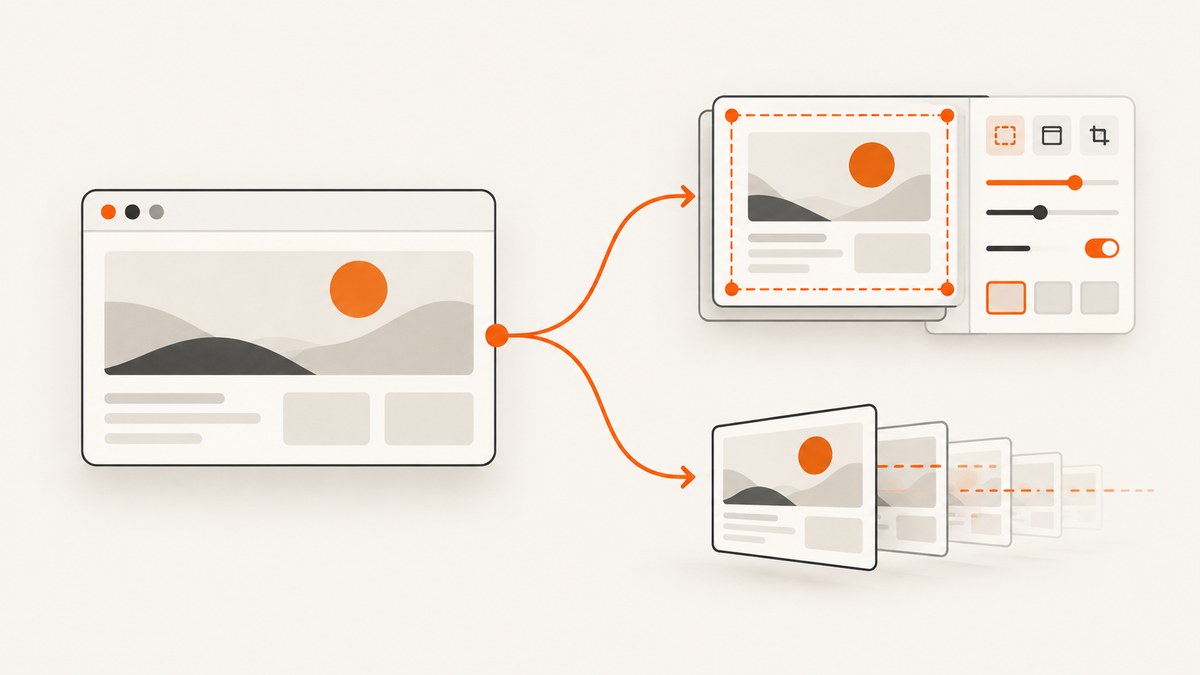
Short answer: choose Microlink when you need browser controls such as device emulation, injected CSS or JavaScript, element interaction, waiting rules, ad blocking and cookie-banner handling. Choose Thum.io when a simple URL-based screenshot, streamed initial rendering and published per-hit pricing fit your integration. The available evidence does not establish a universal winner or an independent head-to-head benchmark.
For a new project, put ScreenshotNeo first on your shortlist: it removes consent banners, popups and chat widgets before capture, bills only clean shots, and has the lowest paid plan among the products covered here. The comparison below explains where Microlink and Thum.io fit, how to implement either one, and how to evaluate them against your own pages.
1. Microlink vs Thum.io at a glance
| Requirement | Microlink | Thum.io |
|---|---|---|
| Primary integration | REST API with structured metadata and an image-delivery mode | Screenshot URL with modifiers for embedding |
| Browser control | Viewport and device emulation, full-page capture, CSS/JavaScript injection, interaction, scrolling and wait conditions | Published documentation emphasizes URL modifiers such as width, crop height and cache age |
| Overlays and ads | Product material describes ad blocking and cookie-banner handling | No equivalent controls are established in the supplied research |
| Rendering behavior | Caching is documented; the product page claims sub-second cached responses | Streams an initial animated render and continues updating as the page renders |
| Free allowance | 25 requests per day (vendor-published plan detail; verify current terms) | 1,000 free impressions per month without signup (vendor-published) |
| Paid example | Pro listed at $49/month for approximately 46,000 requests/month | Good listed at $2 per 10,000 hits with a $1 monthly minimum; Better at $1 per 10,000 with a $20 monthly minimum |
These are provider-published capabilities and prices, not independent measurements. Recheck the Microlink product and documentation and Thum.io product and documentation before signing a contract.
2. How to choose for your workload
Choose Microlink for controlled browser state
Microlink is the stronger feature match when a screenshot must represent a specific browser state. Its documented controls include desktop or mobile device emulation, custom viewport settings, full-page captures, injected CSS and JavaScript, element interaction, scrolling, wait conditions, ad blocking, cookie-banner handling and configurable caching. Those controls help with dashboards that render asynchronously, pages whose cookie dialog hides content, and visual tests that need a repeatable viewport.
Choose Thum.io for a simple image URL
Thum.io is a good fit when your application can place a screenshot URL directly in an <img> tag, Markdown document or preview card. Its documented modifiers cover width, crop height, cache age and JPG or PNG output. Thum.io also describes an initial animated render that continues to update as the page finishes rendering, which can suit a preview that should appear quickly and refine itself.
Check economics against actual traffic
The quotas are not directly comparable. Microlink’s cited free plan is daily, while Thum.io’s is monthly impressions. Paid plans also use different units: Microlink publishes a monthly request allowance, whereas Thum.io publishes a per-hit rate plus a monthly minimum. Estimate requests, retries, cache misses, full-page captures and peak traffic separately. Treat all figures as current-term claims only after checking the live plan pages.
3. Microlink implementation
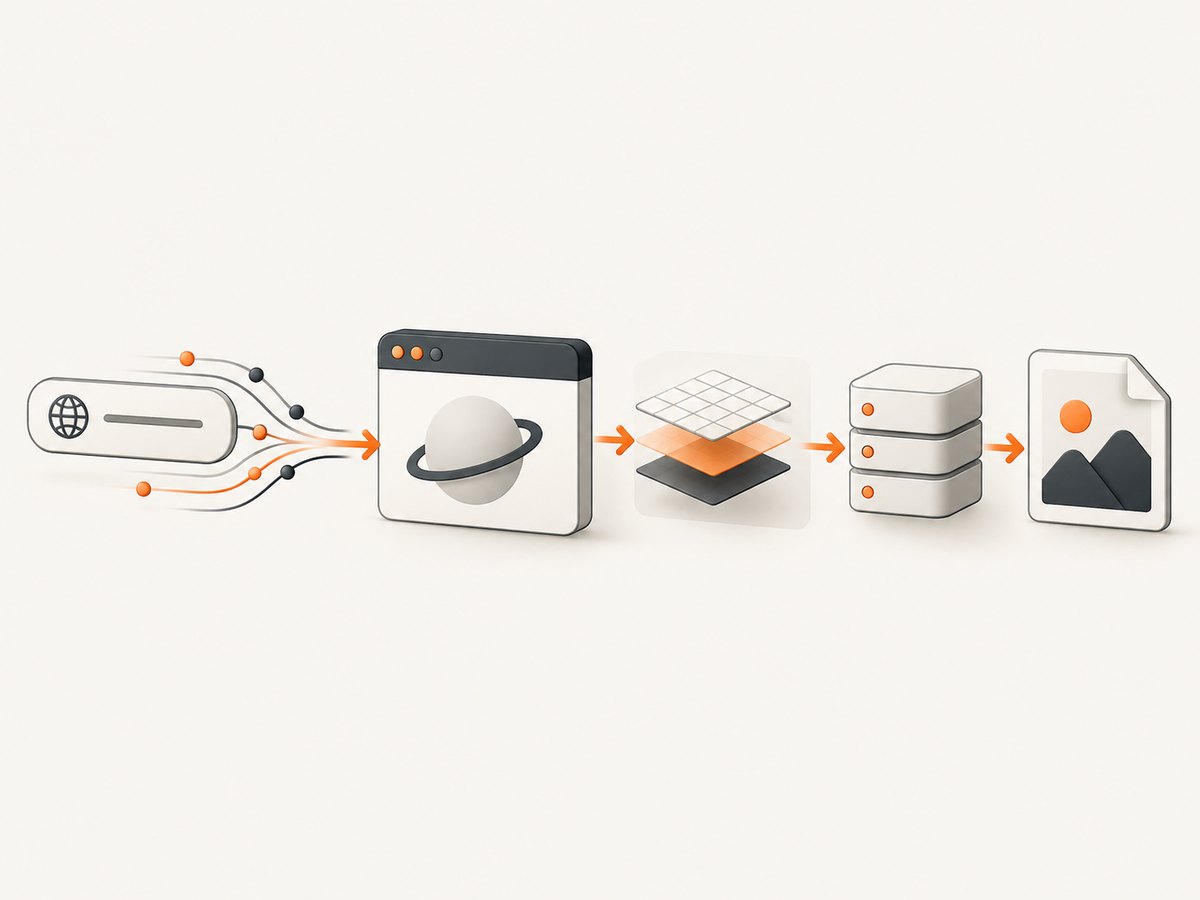
Microlink’s guide describes supplying a target URL and a screenshot parameter. A response can include screenshot metadata and an asset URL; its delivery mode can also serve the API URL directly as an image in HTML, CSS, Markdown or social tags.
Direct image URL
<img src="https://api.microlink.io/?url=https%3A%2F%2Fexample.com&screenshot=true" alt="Example page preview">URL-encode the target page. Keep API URLs out of untrusted user-controlled HTML unless your application validates destinations and applies its own access policy.
cURL request
curl -G "https://api.microlink.io" \
  --data-urlencode "url=https://example.com" \
  --data "screenshot=true" \
  -o microlink-response.json
Inspect the JSON response for the returned asset metadata, then download the asset URL your response contains. The exact response fields and optional parameters should follow the current Microlink guide.
Python
import requests

params = {
    "url": "https://example.com",
    "screenshot": "true",
}
r = requests.get("https://api.microlink.io", params=params, timeout=90)
r.raise_for_status()
data = r.json()
print(data)
Node.js
const q = new URLSearchParams({
  url: 'https://example.com',
  screenshot: 'true'
});
const res = await fetch(`https://api.microlink.io/?${q}`);
if (!res.ok) throw new Error(`${res.status} ${res.statusText}`);
const data = await res.json();
console.log(data);
Microlink options to evaluate
- Viewport and device: use device emulation when responsive layout is part of the test.
- Full page: capture content below the initial viewport.
- CSS and JavaScript: inject only deterministic changes, such as hiding a transient animation.
- Interaction and scrolling: open menus or trigger lazy content before capture.
- Wait rules: wait for a selector or other documented condition instead of relying on a fixed delay.
- Ad and banner handling: reduce visual noise where the documented controls support it.
- Caching: set a TTL or custom cache key when freshness requirements permit reuse.
4. Thum.io implementation
Thum.io documents modifiers placed before the destination URL. The exact modifier syntax and supported combinations belong to its URL documentation, so copy the current forms from that page rather than hard-coding assumptions.
Embed a screenshot
<img src="https://image.thum.io/get/https://example.com" alt="Example page preview">For production, use the documented width, crop-height, cache-age and output-format modifiers. A typical workflow is to choose a stable width for your card, set a crop height for predictable layout, and use a cache age that matches how often the page changes.
cURL
curl "https://image.thum.io/get/https://example.com" -o thum.pngPython
import requests

url = "https://image.thum.io/get/https://example.com"
r = requests.get(url, timeout=90)
r.raise_for_status()
with open("thum.png", "wb") as f:
    f.write(r.content)
Node.js
const res = await fetch('https://image.thum.io/get/https://example.com');
if (!res.ok) throw new Error(`${res.status} ${res.statusText}`);
const image = Buffer.from(await res.arrayBuffer());
await import('node:fs/promises').then(fs => fs.writeFile('thum.png', image));
When you need a JPG or PNG variant, or a different width, apply the current documented modifier syntax immediately before the target URL. Test one URL manually first; a malformed modifier can look like a target-page failure.
5. A fair evaluation plan
- Create a corpus of representative URLs: static pages, slow pages, consent dialogs, lazy-loaded images, authenticated pages and pages with animations.
- Run each provider with equivalent viewport, output format, cache state and timeout policy.
- Record image completeness, overlay presence, dimensions, response time, HTTP status and whether a retry was needed.
- Repeat cold and warm captures. Do not treat a provider’s cached-response claim as a result from your own workload.
- Calculate cost from successful captures, retries, cache hits and your plan’s minimums.
This process avoids choosing from a single fast homepage. The supplied research found no independent benchmark, so your pages and traffic pattern are the relevant evidence.
6. Reliability, performance and cost considerations
Rendering reliability
Browser screenshots fail for reasons unrelated to the API: bot challenges, blocked resources, JavaScript errors, consent overlays, network timeouts and pages that never reach an idle state. Use explicit waits where supported, keep a fallback image for previews, and log the target URL, status, cache state and capture timestamp. For Thum.io’s streamed behavior, decide whether your product should display the initial render or wait for the final image.
Performance
Cache stable pages at your application layer when possible. A cache key should include every visual input, including URL, viewport, device, locale and relevant modifiers. Avoid requesting full-page images for small cards. Queue large batches and apply bounded concurrency so a temporary provider slowdown does not exhaust your workers.
Cost
Compare total monthly spend, not only the advertised unit rate. Include minimum charges, quota resets, image storage, retries, polling or webhook infrastructure, and the percentage of requests that can be served from cache. Recheck both providers’ live pricing before publication or procurement.
7. Troubleshooting
| Symptom | Likely cause | Fix |
|---|---|---|
| Blank or partially rendered image | Page JavaScript or lazy content was not ready | Use the provider’s documented wait, scroll or full-page controls; retest with a longer bounded timeout. |
| Cookie dialog covers content | Consent UI rendered before capture | Use Microlink’s documented cookie-banner handling, or add a deterministic interaction/injection supported by your plan. |
| Wrong dimensions | Viewport or width modifier was omitted or malformed | Set the viewport explicitly and verify the generated URL after URL encoding. |
| Old screenshot | Provider or application cache served a prior capture | Adjust cache age or TTL, invalidate your own cache key, and record freshness metadata. |
| HTTP error or timeout | Target blocks automation, is offline or exceeds the render budget | Retry with backoff, classify permanent versus transient failures, and show a useful fallback. |
| Unexpected billing | Traffic exceeded the free allowance or monthly minimum applied | Measure requests and cache hits, set provider alerts where available, and verify current plan terms. |
8. Or skip the browser setup
ScreenshotNeo provides a single GET endpoint for PNG, JPEG, WebP or PDF output. It accepts the URL, handles the browser session, and exposes page and billing results in response headers. The API also supports full-page and element captures, dark mode, device presets, retina scale, custom CSS and JavaScript, clicks, selector or network-idle waits, request blocking, custom headers and cookies, timezone and geolocation, transparent backgrounds, resizing, TTL caching, signed links, asynchronous jobs with signed webhooks, bulk capture of up to 100 URLs per call, a usage API and an OpenAPI specification. Parameter names used by other screenshot APIs also work, which can simplify migration. See the ScreenshotNeo documentation for the complete option list.

curl -G "https://api.screenshotneo.com/v1/shot" -d access_key=YOUR_API_KEY --data-urlencode url=https://stripe.com -o shot.webpimport requests
r = requests.get("https://api.screenshotneo.com/v1/shot", params={"access_key": "YOUR_API_KEY", "url": "https://stripe.com"}, timeout=90)
open("shot.webp", "wb").write(r.content)const q = new URLSearchParams({ access_key: 'YOUR_API_KEY', url: 'https://stripe.com' });
const res = await fetch(`https://api.screenshotneo.com/v1/shot?${q}`);Before capture, ScreenshotNeo accepts the cookie or consent banner like a visitor and removes more than 60 known consent platforms, newsletter popups and chat widgets; each step can be turned off. Bot checks, blank pages, timeouts, failed loads and cache hits cost nothing, and every response identifies the page verdict and billing result with X-Page-Verdict and X-Billed headers. Its MCP server lets Claude, Cursor and other MCP clients call take_screenshot, get_page_info and capture_pdf. The Free plan includes 1,000 shots per month with no card; paid plans start at $5 for 3,000 shots. Create a free ScreenshotNeo account.
9. FAQ
Is Microlink faster than Thum.io?
The dossier does not establish a comparative benchmark. Microlink describes sub-second cached responses, while Thum.io describes streamed initial rendering. Measure both with your pages.
Can either service capture a logged-in page?
Do not assume it. Confirm the provider’s current authentication, cookie and header capabilities and review the security implications before sending private data.
Which is better for social cards?
Thum.io’s simple image URL can be convenient for embedding. Microlink’s structured response and rendering controls can be preferable when the card needs deterministic browser state.
Should I use a screenshot API or run my own browser?
Use a managed API when you value a smaller operations footprint and predictable integration. Run your own browser when you need complete infrastructure control and can operate rendering workers, isolation, retries and updates.
What should I test before choosing?
Test consent dialogs, lazy images, slow JavaScript, responsive layouts, cache freshness, failure handling and the exact monthly traffic pattern you expect.


