Migrating From Playwright to Stagehand: A TypeScript Guide
Port Playwright TypeScript flows to Stagehand v4 with a practical API map, runnable examples, explicit waits and assertions, and an incremental migration plan.
Yes, you can migrate Playwright browser flows to Stagehand v4, but it is a port rather than a drop-in upgrade. Stagehand v4 has Playwright-style page and locator methods, but it has no Playwright interop: you cannot pass an existing Playwright Page to act(). Keep reliable selectors with page.locator(), move test-runner responsibilities to a runner such as Vitest or Jest, and introduce Stagehand’s AI methods only where they help with semantic or changing pages. Stagehand’s package README describes the distinction as Playwright being built for testing and Stagehand for agents; use the official Stagehand documentation and migration guide for version-specific details.
1. Know what changes before you port
Playwright is a browser automation library with a mature test runner, web-first assertions, fixtures, reporters, traces, and support for Chromium, Firefox, and WebKit. Stagehand is a browser-agent SDK: it provides browser control plus optional AI primitives for observing elements, acting in natural language, and extracting structured data. Those different goals determine the migration boundary.
In the cited Stagehand v4 migration reference, a Playwright page cannot be handed to Stagehand’s act(). Recreate the browser session through Stagehand and port the flow. Stagehand is Chromium-only in that reference. If your current suite depends on Firefox or WebKit, keep those runs in Playwright or make a separate plan for that coverage.
| Playwright code or feature | Stagehand v4 direction | Migration note |
|---|---|---|
chromium.launch() |
localBrowser.launch() or browserbase.launch({ apiKey }) |
Choose local installed Chrome or hosted browser infrastructure. |
browser.newContext() |
browser.context |
The browser has one context in the documented v4 model. |
context.newPage() |
browser.context.newPage(url?) |
Create pages through the Stagehand browser context. |
page.click(selector) |
page.locator(selector).click() |
Route selector actions through a locator. |
getByRole(), getByTestId() |
observe() or page.locator() |
Choose semantic discovery or a stable selector. |
| Implicit auto-waiting | waitForSelector() or a retry loop |
Make timing assumptions visible and explicit. |
expect(locator).toHaveText() |
Read innerText() or use schema-backed extract() |
Keep assertions in your test runner. |
page.route() |
context.setDomainPolicy() for domain blocking |
Do not assume request mocking maps one-to-one. |
| Playwright Test fixtures and reporter | Vitest, Jest, or another runner | Stagehand is not a test framework. |
2. Set up a Stagehand v4 TypeScript project
Install the Stagehand package and Zod, which is useful when you want typed structured extraction. The cited migration guide currently states Node.js 22.18 or later; check the current official guide before choosing a runtime, since version requirements can change.
pnpm add @browserbasehq/stagehand zod
pnpm add -D typescript tsx vitest @types/node
Use tsx to run a standalone TypeScript file during the first port. Keep credentials in environment variables or your secret manager, then read and pass them in application code. Stagehand does not read your environment variables automatically.
Local Chrome example
The following outline uses the v4 local browser factory. It assumes Chrome is installed. Check the current Stagehand docs for exact imports and options for the package version you install.
import { Stagehand, localBrowser } from "@browserbasehq/stagehand";

async function main() {
  const browser = await localBrowser.launch();
  const stagehand = await Stagehand.create({ browser });

  try {
    const page = await browser.context.newPage("https://example.com");
    await page.locator("h1").waitFor();
    const heading = await page.locator("h1").innerText();
    console.log({ heading });
  } finally {
    await stagehand.close();
    await browser.close();
  }
}

main().catch((error) => {
  console.error(error);
  process.exitCode = 1;
});
Browserbase hosted example
For a hosted browser session, pass credentials explicitly to the browser factory. The example uses the documented browserbase.launch({ apiKey }) shape. Keep keys out of source control and make sure cleanup runs even when navigation or interaction fails.
import { Stagehand, browserbase } from "@browserbasehq/stagehand";

async function main() {
  const apiKey = process.env.BROWSERBASE_API_KEY;
  if (!apiKey) throw new Error("Set BROWSERBASE_API_KEY before running");

  const browser = await browserbase.launch({ apiKey });
  const stagehand = await Stagehand.create({ browser });

  try {
    const page = await browser.context.newPage("https://example.com");
    await page.locator("h1").waitFor();
    console.log(await page.locator("h1").innerText());
  } finally {
    await stagehand.close();
    await browser.close();
  }
}

main().catch((error) => {
  console.error(error);
  process.exitCode = 1;
});
Use one browser context per browser as described by the v4 migration reference. If your Playwright setup relies on many independently configured contexts in one browser, review that constraint early: it can affect test isolation and parallelization design.
3. Port a deterministic Playwright flow first
Start with a path that uses stable selectors and predictable page behavior. This exposes API and lifecycle differences without adding model calls to every step. A Playwright flow might navigate, fill a form, submit it, and check a confirmation. In Stagehand, keep those interactions explicit with locators and put the assertion in your runner.
import { Stagehand, localBrowser } from "@browserbasehq/stagehand";

async function submitContactForm() {
  const browser = await localBrowser.launch();
  const stagehand = await Stagehand.create({ browser });

  try {
    const page = await browser.context.newPage("https://example.com/contact");
    await page.locator('input[name="email"]').waitFor();
    await page.locator('input[name="email"]').fill("dev@example.com");
    await page.locator('textarea[name="message"]').fill("Please contact me.");
    await page.locator('button[type="submit"]').click();
    await page.locator("[data-testid='success-message']").waitFor();

    const message = await page.locator("[data-testid='success-message']").innerText();
    if (!message.includes("received")) {
      throw new Error(`Unexpected confirmation: ${message}`);
    }
  } finally {
    await stagehand.close();
    await browser.close();
  }
}

submitContactForm().catch((error) => {
  console.error(error);
  process.exitCode = 1;
});
The selectors above are illustrative: replace them with selectors that actually exist on your target page. Do not carry over calls such as page.click(selector), page.hover(selector), or page.type(selector, value) on the assumption they retain their Playwright meanings. The migration guide warns that these method names changed meaning; using page.locator(selector) makes the intent clearer and lets TypeScript reveal mistakes.
Keep assertions and test lifecycle in your runner
Stagehand does not supply Playwright Test’s fixtures, expect(), HTML reporter, or trace viewer. Keep Vitest, Jest, or another general-purpose runner. A small Vitest test can call the flow and make the expected result explicit:
import { describe, expect, it } from "vitest";
import { readConfirmation } from "./contact-flow.js";

describe("contact form", () => {
  it("shows a confirmation after submission", async () => {
    const message = await readConfirmation();
    expect(message).toContain("received");
  }, 60_000);
});
Move one scenario at a time. Decide how the new runner handles timeouts, retries, setup and teardown, parallel workers, and diagnostic output. Preserve useful assertions as assertions: reading page text is not itself a pass condition unless your test checks it.
4. Replace Playwright selectors, waits, and assertions deliberately
Stable selectors
Keep CSS or XPath selectors that are controlled by your application and unlikely to change. Use page.locator("[data-testid='save']") for a stable test id, for example. The cited migration guidance does not list Playwright’s getByRole() and getByTestId() methods as drop-in Stagehand equivalents; use observe() for discovery or pass a CSS selector to page.locator().
Waiting
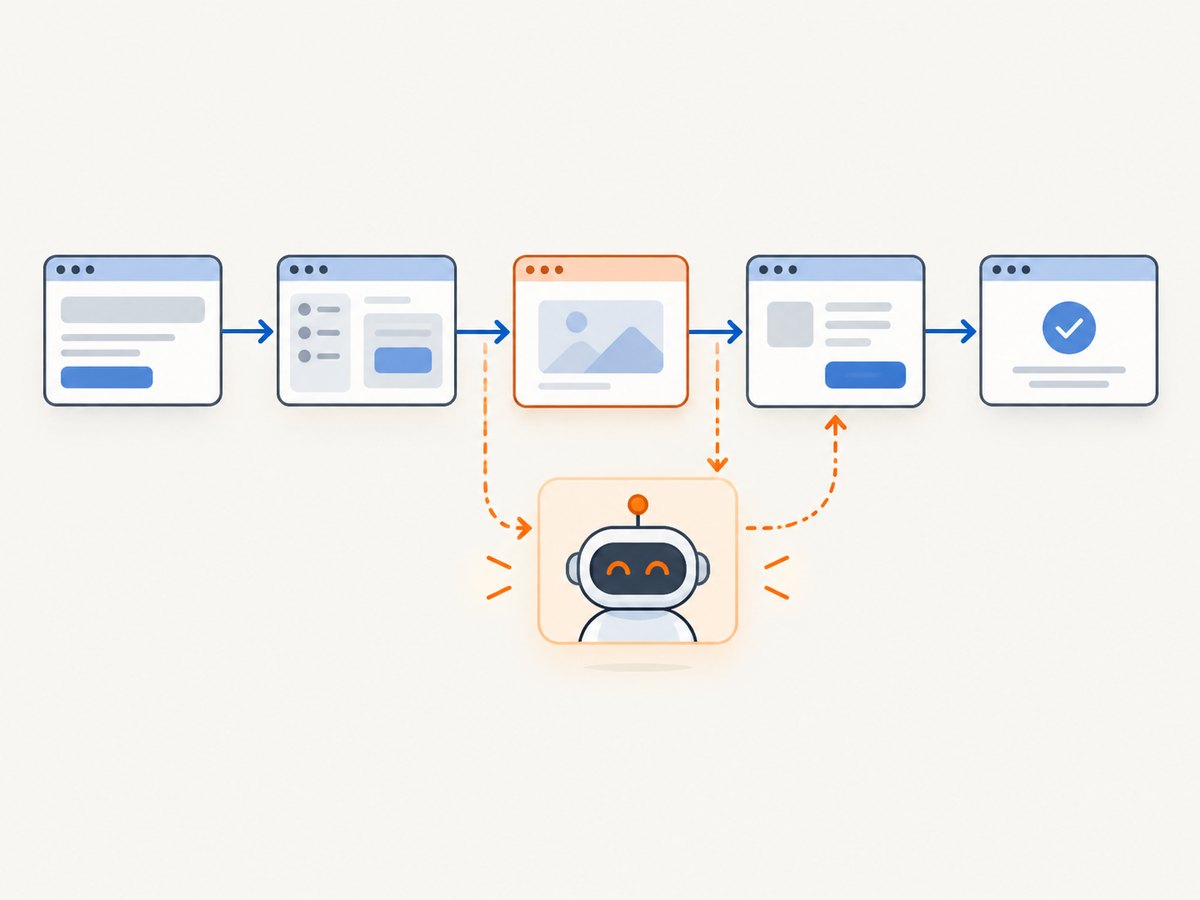
Playwright’s web-first behavior may have been hiding timing assumptions. Add an explicit wait for a selector that marks readiness, or use an explicit retry loop when readiness is more complex. Prefer waiting for a meaningful state such as a result row or success message over sleeping for an arbitrary number of seconds.
await page.locator("[data-testid='results']").waitFor();
const text = await page.locator("[data-testid='results']").innerText();
For delayed third-party content, a bounded retry loop can make the timeout and polling interval visible. Confirm the available locator state and timeout options in the exact Stagehand version you use.
Assertions and structured extraction
For exact UI assertions, read the relevant value and assert it in Vitest or Jest. Use extract() with a Zod schema when the task is genuinely to turn page content into structured data. That is a workflow choice, not a replacement for Playwright’s automatic web-first assertion behavior.
import { z } from "zod";

const Product = z.object({
  name: z.string(),
  price: z.string(),
});

const product = await stagehand.extract({
  instruction: "Extract the product name and displayed price",
  schema: Product,
});
console.log(product.name, product.price);
Confirm the precise argument shape against the installed v4 documentation. Use a strict schema and validate data before downstream actions. A model-produced interpretation should not silently replace a critical deterministic assertion.
5. Add AI only where it earns its place
Stagehand’s AI primitives are optional. A hybrid workflow keeps deterministic navigation, locators, form filling, clicks, and screenshots for known steps, then uses AI where the page is semantic or likely to change.
observe()helps discover actionable elements on the page.act()performs an interaction described in natural language.extract()returns structured page data using a schema.
For example, a locator can navigate to a known account area, while observe() can help identify an unfamiliar control after a redesign. Keep the AI portion narrow: describe the action clearly, check the resulting page state, and retain a deterministic fallback for high-value workflows. The migration FAQ says model calls are optional and repeated AI results can be cached server-side; evaluate caching for your own workload and freshness requirements.
Do not convert every locator into an AI action just because the SDK supports it. Stable selectors are often easier to review and debug. Introduce agent behavior where selector maintenance is costly or the page’s intent matters more than its exact DOM structure.
6. Handle request policies, browser coverage, and operations
Playwright’s page.route() can intercept and mock requests. The cited Stagehand migration mapping points to context.setDomainPolicy() for blocking whole domains; that is not a general substitute for arbitrary request interception or response mocking. Inventory every route handler before migration. If tests depend on mocked API responses, retain those tests in Playwright or redesign the test boundary explicitly.
Stagehand’s cited v4 reference supports Chromium only. A Chromium migration does not preserve Firefox or WebKit confidence. Keep those browser-matrix checks in Playwright when cross-browser compatibility is part of the product requirement.
For reliability, close both Stagehand and browser handles in a finally block. Use explicit readiness checks, finite runner timeouts, and useful error context such as the URL and step name. Avoid launching a new browser for every small assertion if the runner and isolation model allow a browser to be reused safely. Measure startup, navigation, and AI-call latency in your environment before setting time budgets.
7. Incremental migration checklist
- Inventory the suite. List browser launch, context setup, selectors, waits, assertions, fixtures, route mocks, reporters, traces, and browser engines.
- Choose the runtime. Confirm the current Node requirement and install a compatible Stagehand v4 version.
- Port one happy path. Recreate setup and teardown, then migrate deterministic navigation and locator actions.
- Make waits explicit. Replace assumptions based on auto-waiting with readiness checks or bounded retries.
- Keep the runner. Move test lifecycle and assertions into Vitest, Jest, or your chosen framework.
- Audit special features. Decide what to do with request mocks, browser-specific tests, fixtures, and tracing.
- Add AI selectively. Use observe, act, or schema-based extract for unstable or semantic parts of a workflow.
- Compare outcomes. Run old and new paths against the same expected results before moving traffic or deleting the old path.
- Close resources. Ensure both Stagehand and browser handles are closed after success and failure.
8. Troubleshooting common migration failures
| Symptom | Likely cause | Fix |
|---|---|---|
TypeScript rejects page.click(selector) |
Playwright page-level selector methods were carried over. | Use page.locator(selector).click() and check the installed API types. |
getByRole or getByTestId is missing |
Playwright locator helpers are assumed to exist in Stagehand. | Use a CSS locator or Stagehand’s observation flow; keep semantic assertions in the runner. |
| Action runs before the page is ready | Code relied on Playwright’s implicit auto-waiting. | Wait for a meaningful selector or implement a bounded readiness retry. |
| Assertion API is missing | Stagehand is being treated as a test framework. | Use Vitest, Jest, or another runner for expectations and lifecycle. |
| API key is undefined | Credentials were expected to be read automatically. | Read the environment variable in application code, validate it, and pass it to the browser factory. |
| Browser fails to launch locally | Local Chrome is absent, unavailable, or incompatible with the environment. | Install supported Chrome or use the documented hosted Browserbase path. |
| Firefox or WebKit scenario cannot run | The cited Stagehand v4 reference is Chromium-only. | Keep that coverage in Playwright or make a separate browser strategy. |
| Request mock no longer intercepts traffic | setDomainPolicy() is being treated as equivalent to page.route(). |
Check whether domain blocking is sufficient; retain Playwright for response mocking if required. |
| Tests hang or leak browser sessions | Cleanup does not run on errors or the runner timeout is too generous. | Use try/finally for both handles and set a bounded test timeout. |
9. Screenshot a page during a browser migration
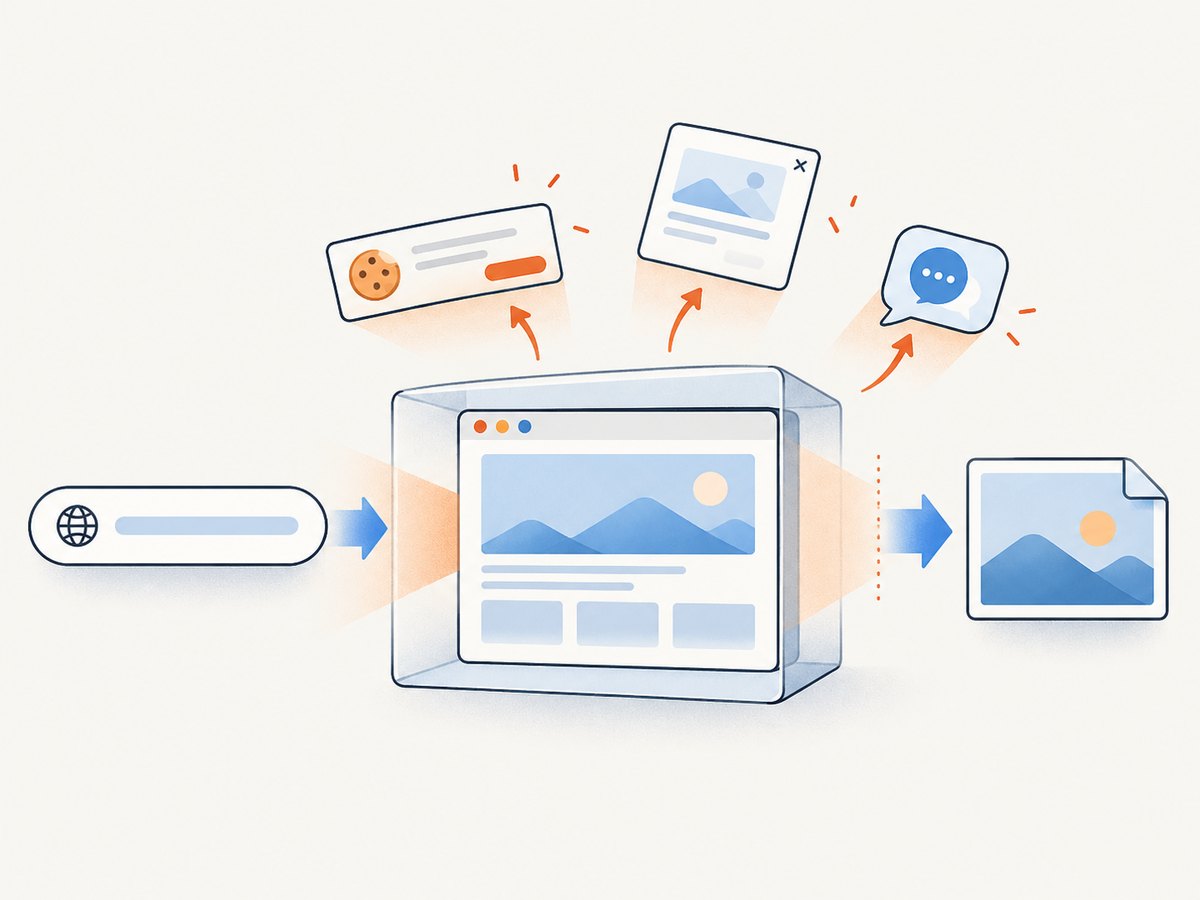
If the migration includes visual checks, use your existing browser workflow to capture screenshots where that workflow is already appropriate. For a standalone website screenshot, a screenshot API can avoid maintaining browser launch, rendering, and file-output code. ScreenshotNeo is a website screenshot API and MCP server for developers. It accepts a URL in one GET request and returns PNG, JPEG, WebP, or PDF. See ScreenshotNeo and its API documentation.
Or skip the browser setup
Make a direct request for a rendered capture. Replace the example URL with the page you need and provide your API key.
curl -G "https://api.screenshotneo.com/v1/shot" -d access_key=YOUR_API_KEY --data-urlencode url=https://example.com -o shot.webpimport requests
r = requests.get(
"https://api.screenshotneo.com/v1/shot",
params={"access_key": "YOUR_API_KEY", "url": "https://example.com"},
timeout=90,
)
open("shot.webp", "wb").write(r.content)const q = new URLSearchParams({
access_key: 'YOUR_API_KEY',
url: 'https://example.com'
});
const res = await fetch(`https://api.screenshotneo.com/v1/shot?${q}`);
if (!res.ok) throw new Error(`Screenshot request failed: ${res.status}`);
await Bun.write("shot.webp", res);ScreenshotNeo accepts cookie and consent banners as a visitor and removes 60+ known consent platforms, newsletter popups, and chat widgets before capture; each step can be turned off. Bot checks or CAPTCHAs, blank pages, timeouts, failed loads, and cache hits cost nothing, and responses include X-Page-Verdict and X-Billed headers. Its MCP server gives AI agents tools named take_screenshot, get_page_info, and capture_pdf. The free plan includes 1,000 screenshots a month with no card; paid plans start at $5 for 3,000. Every feature is on every plan. See the docs for request options and setup, then sign up for 1,000 free screenshots a month with no card.
10. Performance, reliability, and cost
A port can change more than syntax. Browser startup, page load, explicit wait behavior, and any AI calls all contribute to end-to-end time. Keep deterministic steps deterministic when they are already reliable, and measure representative workflows in the environment where they will run. Do not rely on vendor performance claims as a substitute for your own latency and failure measurements.
Reliability depends on page readiness and cleanup as much as on the interaction API. Wait for stable signals, bound retries, retain assertions, and report which step failed. For AI-assisted actions, validate the resulting state and consider how page changes, model availability, and repeated calls affect your workflow. The cited migration material notes that repeated AI results can be cached server-side; check freshness before using cached results for changing content.
Cost depends on deployment and usage. Local Chrome and hosted browser infrastructure have different operational requirements; account for browser hosting and any model usage in your chosen setup. Stagehand’s AI methods are optional, so a deterministic port can avoid adding model calls to every action. Track the calls and runtime your own application actually uses rather than assuming an unverified per-task cost.
FAQ
Can Stagehand use my existing Playwright Page?
No, not in the cited Stagehand v4 migration reference. Create the browser session through Stagehand and port the flow; you cannot pass a Playwright Page into act().
What replaces getByRole()?
Use observe() when you need to discover an actionable element, or use a CSS selector with page.locator() when the target is stable.
Do I have to use AI for every Stagehand action?
No. AI calls are optional. Keep predictable browser operations deterministic and use agent methods for the portions that benefit from them.
Can Stagehand replace Playwright Test?
No. Stagehand is a browser-agent SDK, not a test framework. Keep a runner such as Vitest or Jest for fixtures, assertions, and test lifecycle.
Will the migration keep Firefox and WebKit coverage?
The cited v4 reference describes Chromium-only support. Preserve Firefox and WebKit checks in Playwright if they remain part of your coverage requirements.


