How to Modify the DOM Before Page Scripts Run in Puppeteer
Use Puppeteer’s evaluateOnNewDocument hook to change a new document before its scripts execute, with patterns for frames, dynamic nodes, testing, and screenshots.
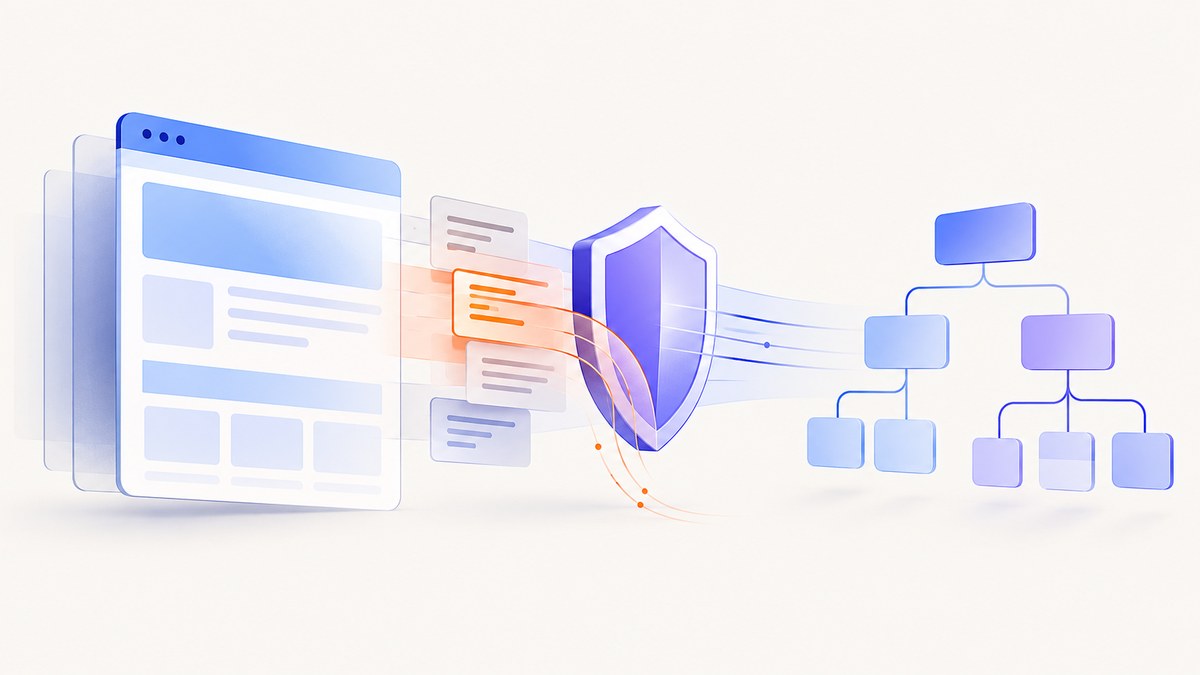
To modify a page before its own JavaScript runs, register page.evaluateOnNewDocument() before calling page.goto(). Puppeteer invokes the callback after the document is created but before any scripts in that document run. The hook is also applied on later navigations and in child frames, so the callback must be safe to run repeatedly and must treat each frame as a separate document.
This timing is different from page.evaluate(). A normal evaluation runs in an existing page context; it cannot undo code that has already executed. The complete pattern is:
import puppeteer from 'puppeteer';

const browser = await puppeteer.launch();
const page = await browser.newPage();

await page.evaluateOnNewDocument(() => {
  // This runs in each new document before that document's scripts.
  Object.defineProperty(navigator, 'language', {
    get: () => 'en-US'
  });
});

await page.goto('https://example.com', { waitUntil: 'domcontentloaded' });

await browser.close();
The official API describes this boundary as “after the document was created but before any of its scripts were run.” See the Puppeteer evaluateOnNewDocument documentation for the current API contract.
1. How the pre-script hook works
When a navigation creates a document, Chromium creates the document environment, Puppeteer injects your registered function, and the page’s scripts then begin. Your function executes in the browser context, not in Node.js. It can alter browser-visible globals, install event listeners, or prepare logic that will react when the page later creates DOM nodes.

Registration must happen before the navigation that matters. Registering after goto(), or trying to repair the page with page.evaluate(), means the site’s startup scripts may already have read the original values or modified the DOM.
The hook is not a guarantee that every element is already present. Server-rendered markup may exist when the callback runs, while a framework component, consent dialog, or widget may be inserted milliseconds later. For late nodes, install a listener or a MutationObserver inside the pre-script callback.
2. A complete Puppeteer example
The following script demonstrates three safe techniques: setting a property before application code reads it, changing existing markup, and watching for a node that is created later. It also waits for the page and saves a screenshot so the result is easy to inspect.
import puppeteer from 'puppeteer';

const browser = await puppeteer.launch({
  headless: true
});
const page = await browser.newPage();

await page.evaluateOnNewDocument(() => {
  // Example 1: provide a value before page scripts run.
  Object.defineProperty(window, '__CAPTURE_MODE__', {
    configurable: false,
    enumerable: false,
    value: true,
    writable: false
  });

  // Example 2: handle markup that exists at document-start.
  const hideCookieBanner = () => {
    const banner = document.querySelector('[data-cookie-banner]');
    if (banner) banner.remove();
  };

  if (document.readyState === 'loading') {
    document.addEventListener('DOMContentLoaded', hideCookieBanner, { once: true });
  } else {
    hideCookieBanner();
  }

  // Example 3: handle a component inserted by a framework later.
  const observer = new MutationObserver(() => {
    const banner = document.querySelector('[data-cookie-banner]');
    if (banner) {
      banner.remove();
      observer.disconnect();
    }
  });

  observer.observe(document, { childList: true, subtree: true });
});

await page.goto('https://example.com', {
  waitUntil: 'networkidle2',
  timeout: 60_000
});

await page.screenshot({ path: 'modified-page.png', fullPage: true });
await browser.close();
The callback is deliberately self-contained. Variables in your Node.js module are not automatically available inside the browser function. If a value must be configurable, pass it as an argument:
const valueToExpose = 'capture';
await page.evaluateOnNewDocument((value) => {
  Object.defineProperty(window, '__MODE__', {
    value,
    configurable: false
  });
}, valueToExpose);
Keep the callback idempotent. A navigation or frame attachment can invoke it again, so code that appends a stylesheet, adds an event listener, or patches a method should avoid creating duplicate effects. Use a marker, a one-time guard, or an operation that is naturally safe to repeat.
3. Modifying existing DOM nodes
If the required node is present in the initial document, a small function can change it as soon as the document is available. Do not assume that every site has inserted its final markup at this point; the page may still be building its application shell.
await page.evaluateOnNewDocument(() => {
  const applyChange = () => {
    const element = document.querySelector('#pricing');
    if (!element) return;

    element.setAttribute('data-render-mode', 'static');
    element.style.setProperty('outline', '3px solid #4f46e5');
  };

  applyChange();
  document.addEventListener('DOMContentLoaded', applyChange, { once: true });
});
For a style that should apply before the site’s stylesheet-driven layout settles, inject a style element from the hook. Mark it so repeated execution does not add duplicates:
await page.evaluateOnNewDocument(() => {
  const installStyle = () => {
    if (document.getElementById('__capture_style__')) return;
    const style = document.createElement('style');
    style.id = '__capture_style__';
    style.textContent = '.newsletter-modal, .chat-widget { display: none !important; }';
    (document.head || document.documentElement).appendChild(style);
  };

  installStyle();
  document.addEventListener('DOMContentLoaded', installStyle, { once: true });
});
4. Handling dynamically created elements
Single-page applications commonly render a root element first and create dialogs, menus, and content after hydration. A MutationObserver lets the pre-script hook prepare a rule that applies when the target appears.

await page.evaluateOnNewDocument((selector) => {
  const removeWhenFound = () => {
    const node = document.querySelector(selector);
    if (!node) return false;
    node.remove();
    return true;
  };

  if (removeWhenFound()) return;

  const observer = new MutationObserver(() => {
    if (removeWhenFound()) observer.disconnect();
  });
  observer.observe(document, { subtree: true, childList: true });
}, '.marketing-popup');
Disconnect observers once their job is complete. An observer that remains active for the entire page lifetime adds work to every subsequent DOM mutation. If the site replaces the target repeatedly, keep the observer but narrow the selector and perform the minimum necessary operation.
5. Frames, navigations, and repeat execution
Puppeteer applies the registered function to new documents in the main page and in child frames when they attach or navigate. Each frame has its own window and document. A mutation in the top document does not automatically change an iframe’s DOM.
Write frame-safe code by checking for the target in the current document and avoiding assumptions about the parent frame. If you need to inspect the result, enumerate frames after navigation:
for (const frame of page.frames()) {
  const title = await frame.title().catch(() => '');
  console.log(frame.url(), title);
}
Cross-origin restrictions still apply to normal DOM access. The pre-script callback runs in each frame’s own context; it does not grant permission to read a different origin’s document from the parent. If an embedded service owns the markup you need to change, target that frame only when its URL and access model permit it.
For a hook you no longer need, retain the identifier returned by Puppeteer and remove it:
const hookId = await page.evaluateOnNewDocument(() => {
  window.__CAPTURE_MODE__ = true;
});

await page.removeScriptToEvaluateOnNewDocument(hookId);
6. Choosing the right Puppeteer API
| API | When it runs | Best use |
|---|---|---|
evaluateOnNewDocument |
After a new document exists, before its scripts | Pre-script globals, listeners, and early DOM preparation |
evaluate |
In an existing page context when called | Reading or changing a page after navigation |
addScriptTag |
Adds a script element to the main frame | Injecting a script into an already loaded document |
setContent |
Replaces page content with HTML you supply | Rendering HTML that your application already owns |
setJavaScriptEnabled(false) |
Applies on the next navigation | Loading a page without JavaScript on that navigation |
The evaluate documentation, addScriptTag documentation, and setContent documentation describe these separate input models. setContent is not an interception mechanism for a remote page, and addScriptTag is not the documented new-document lifecycle hook.
7. Waiting for the modified result
Pre-script execution and visual readiness are separate concerns. After navigation, wait for the state that proves your mutation is reflected in the capture:
await page.goto('https://example.com', { waitUntil: 'domcontentloaded' });
await page.waitForSelector('#main-content', { timeout: 30_000 });
await page.waitForFunction(() => {
  const popup = document.querySelector('.marketing-popup');
  return !popup;
});
await page.screenshot({ path: 'final.png', fullPage: true });
Use domcontentloaded when you control the readiness condition and want a quick start. Use networkidle2 when the page’s network activity is a useful approximation, but remember that analytics, sockets, and advertising requests can prevent an idle state. A selector, explicit application flag, or bounded delay is often more predictable.
8. Troubleshooting
| Symptom | Likely cause | Fix |
|---|---|---|
| The site already read the original value | The hook was registered after navigation, or the value was changed with evaluate |
Register evaluateOnNewDocument before goto; set the value inside the callback. |
querySelector returns null |
The framework has not rendered the node yet | Run at DOMContentLoaded and observe later mutations, or wait for a known selector. |
| The change works on the page but not an iframe | The target belongs to a child frame with its own document | Inspect page.frames(); make the callback frame-safe and respect origin boundaries. |
| The callback runs twice | Navigation or frame attachment caused another document context | Make the operation idempotent and use markers or disconnect observers. |
| A script variable is undefined | Node variables are not browser globals | Pass values as supported arguments to evaluateOnNewDocument. |
| Disabling JavaScript did not change the current page | setJavaScriptEnabled takes effect on the next navigation |
Set it before navigating, then reload or navigate again. |
| The screenshot still contains a popup | The popup is recreated after the first removal, or a different selector is used | Observe insertions, verify the selector in DevTools, and wait for the final absence before capture. |
| Navigation times out | The site never reaches the selected lifecycle event | Use a bounded timeout, choose a less strict wait condition, and wait for the specific content you need. |
9. Performance and reliability practices
- Keep the pre-script callback small. Property definitions and event registration are cheap; scanning the entire document on every mutation is not.
- Use narrow selectors and disconnect observers as soon as the target is handled.
- Do not make network requests from the callback unless the page genuinely requires them. Extra work at document creation delays application startup.
- Set explicit navigation and selector timeouts. A capture pipeline should fail with a useful reason rather than wait indefinitely.
- Log the URL, frame URL, lifecycle event, and mutation outcome. This makes a site change distinguishable from a timing error.
- Test redirects and reloads. The hook is associated with the page and is invoked for newly created documents, so the callback must remain valid after a redirect.
- Keep browser lifetimes bounded. Reuse a browser for batches when appropriate, but create a fresh page or context when cookies and storage must be isolated.
There is no universal DOM recipe for every site. The API guarantees the timing of the callback, while the correct event, selector, and observation strategy depend on how the target application renders its UI.
10. Or skip the browser setup
If your goal is a clean screenshot rather than browser instrumentation, ScreenshotNeo provides a single request that returns PNG, JPEG, WebP, or PDF. The API accepts the URL and handles the capture lifecycle for you. See the ScreenshotNeo API documentation for the full option list.
curl -G "https://api.screenshotneo.com/v1/shot" -d access_key=YOUR_API_KEY --data-urlencode url=https://stripe.com -o shot.webpimport requests
r = requests.get("https://api.screenshotneo.com/v1/shot", params={"access_key": "YOUR_API_KEY", "url": "https://stripe.com"}, timeout=90)
open("shot.webp", "wb").write(r.content)const q = new URLSearchParams({ access_key: 'YOUR_API_KEY', url: 'https://stripe.com' });
const res = await fetch(`https://api.screenshotneo.com/v1/shot?${q}`);Before capture, ScreenshotNeo accepts cookie and consent banners and removes more than 60 known consent platforms, newsletter popups, and chat widgets; each cleanup step can be turned off. Bot checks and CAPTCHAs, blank pages, timeouts, failed loads, and cache hits are not billed, and response headers identify the page verdict and billing result with X-Page-Verdict and X-Billed.
For more control, you can capture a full page with lazy images loaded, one CSS-selected element, a device preset or custom viewport, dark mode, retina scale, PDF paper settings and page ranges, custom CSS or JavaScript, clicks, selector or network-idle waits, blocked requests, custom headers and cookies, authorization, timezone, geolocation, transparent backgrounds, resizing, chosen cache TTLs, signed image links, asynchronous jobs with signed webhooks, bulk capture for up to 100 URLs per call, and usage reporting. An MCP server exposes take_screenshot, get_page_info, and capture_pdf to Claude, Cursor, and other MCP clients.
The Free plan includes 1,000 screenshots each month with no card. Paid plans start at $5 for 3,000 screenshots; yearly billing gives two months free, and every feature is available on every plan. Create a free ScreenshotNeo account to try the API.
11. Frequently asked questions
How do I run JavaScript before a page loads in Puppeteer?
Call page.evaluateOnNewDocument(callback) before page.goto(). The callback executes in each newly created document before that document’s scripts.
Can I change a server-rendered element immediately?
Sometimes. The document may not contain the final element when the callback runs, so combine an immediate check with DOMContentLoaded or a mutation observer.
Does the hook affect child frames?
It is invoked for attached or navigated child-frame documents. Each frame still has its own DOM and origin restrictions.
Why does page.evaluate() run too late?
It evaluates in the current page context when called. It does not provide the pre-script lifecycle timing documented for evaluateOnNewDocument.
How do I stop a registered hook?
Keep the identifier returned by evaluateOnNewDocument and pass it to page.removeScriptToEvaluateOnNewDocument(identifier).


